When you purchase through links on our site, we may earn an affiliate commission. Here’s how it works.
5 Best VPNs for Disney Plus in 2026



Our experts have reviewed 53 VPN providers, which were put through extensive rounds of testing. To learn more about that process, here’s how we review VPNs, where we explain our criteria and our policy of being fully transparent.
Disney Plus is adored worldwide, but not everyone can access the streaming service since it’s available only in certain regions, including all of North and South America and select parts of Europe, Asia, and Africa. With the best VPN for Disney Plus, however, you can unlock the platform from anywhere and enjoy its entire library without restrictions.
You might be wondering, why exactly do you need a VPN for Disney+? There are two main reasons: to unblock the service in unsupported regions and to access other countries’ Disney Plus libraries. If you try to stream from a country where Disney+ isn’t available, you’ll see the dreaded message: “Disney+ is unavailable at your location.”


Here’s a closer look at what a VPN does for Disney Plus:
✅ Access Disney+ Anywhere, Even While Traveling – Connect to your home or supported region to watch Disney+ while traveling or from anywhere in the world.
✅ Unblock New Libraries – Explore global Disney+ catalogs for more movies and shows at no extra cost.
✅ Block Ads & Trackers – Reduce interruptions and keep your streaming habits private.
In this article, we recommend the 5 best Disney+ VPNs. We also discuss what to look for in a good VPN for streaming and how to set one up, what kind of content you can find on Disney+, how to resolve issues when a VPN doesn't work with Disney+, and we'll finish with a round of FAQs.
Does Disney Plus Block VPNs? Is It Legal?
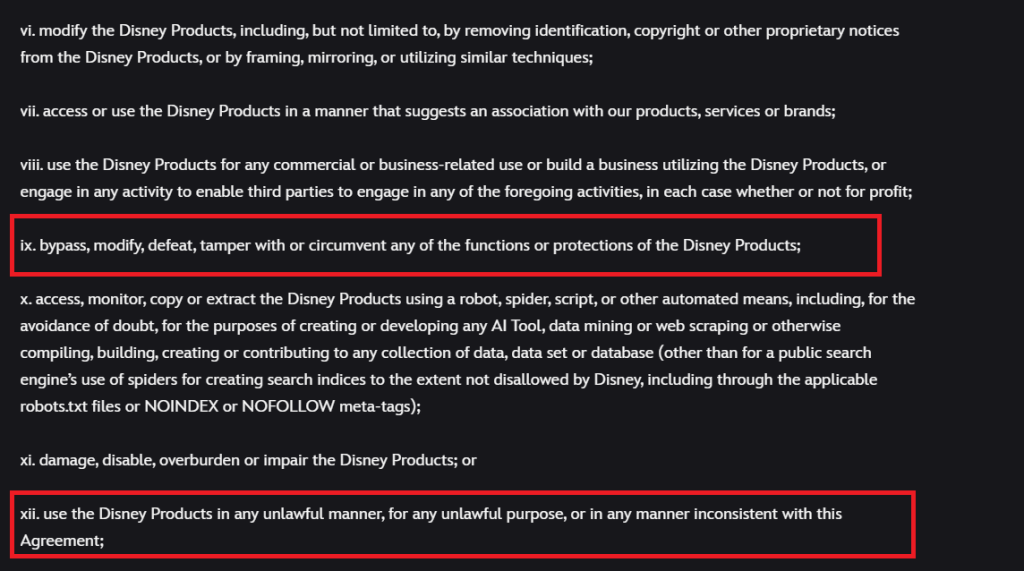
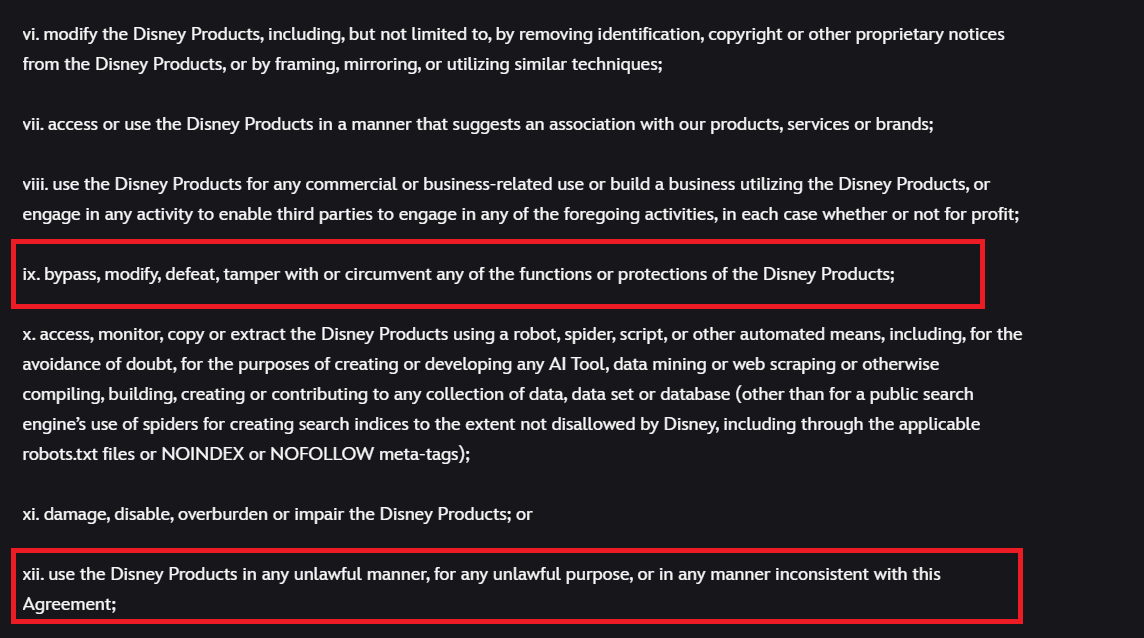
Disney+ makes it clear in its terms of service that users are not allowed to bypass or tamper with any of its protections, nor use the platform in an unlawful or inconsistent manner with its agreement. This means using tools like VPNs to circumvent regional restrictions technically goes against Disney’s policies. While VPNs can work for accessing Disney+ abroad, it’s important to understand the risks. Violating these terms could result in restrictions on your account.
Free VPNs, in particular, are not a reliable or safe option. They often fail to unblock Disney+ because they use weak protocols and have limited server networks. Hence, the safest bet is to with Paid VPNs. All the VPNs that we have listed successfully
The Best VPNs for Disney Plus in 2026
Looking for a VPN that actually works the way you need? A good VPN should keep you secure while also giving you smooth, fast connections wherever you are. The best ones go beyond just access; they offer global servers, strong privacy protections, and apps that are simple to use on all your devices. Wondering what really matters when choosing? Here are the key features you’ll want to check for:
✓ Servers in the US, UK, Australia, New Zealand, and other Disney+ regions
✓ Fast, stable speeds for HD and 4K streaming without buffering
✓ Obfuscation and kill switch for private, uninterrupted streaming
✓ Split tunneling for better speed as it routes your traffic from Diney Plus only.
✓ Secure protocols and encryption (OpenVPN, WireGuard, AES-256/ChaCha20)
✓ No-logs policy with multiple device connections
✓ Easy-to-use apps across major platforms (TVs, consoles, mobiles)
✓ Competitive pricing, money-back guarantee, and 24/7 support
With these standards in mind, VPNs that combine streaming-optimized servers with advanced security stand out as the best picks for Disney+ in 2026. Based on these criteria, here are the top 5 VPNs for Disney Plus:
- NordVPN - Disney+ VPN with unbeatable speed and 6,000+ global servers • NordLynx & AES-256 encryption ensure secure, buffer-free playback • SmartPlay tech bypasses geo-blocks effortlessly across all Disney+ regions
- Surfshark - Best value VPN for Disney+ • Unlimited device connections • Blazing-fast servers in 100+ countries • NoBorders mode & CleanWeb ad blocker for seamless access to Disney+ worldwide at a budget-friendly price
- ExpressVPN - Premium Disney+ VPN with industry-leading security • Servers in 105+ countries for flawless global streaming • Lightway protocol & TrustedServer tech deliver ultra-fast, private, and uninterrupted Disney+ access
- CyberGhost VPN - Streaming-friendly VPN with simplicity • Thousands of streaming-optimized servers including US, UK, and AU • Dedicated Disney+ servers with WireGuard support for smooth, buffer-free HD and 4K playback
- Private Internet Access - Customizable VPN for Disney+ • Massive server network across 90+ countries • Strong privacy with WireGuard & OpenVPN support • Advanced features like split tunneling and port forwarding for optimized streaming control
1. NordVPN
NordVPN is the best VPN for watching Disney Plus right now, offering a complete solution in a nicely wrapped package and being able to unblock Disney+ instantaneously. This VPN offers 8,900+ servers in 129 countries, of which close to 2,000 are across 15+ US locations. It also covers countries like Australia, the UK, and New Zealand - all suitable for Disney+.
We can also praise NordVPN's performance. Whether you connect to nearby or remote servers, you can expect extra-fast and streaming-friendly speeds. A portion of those servers come with obfuscation, so they're suitable if you need an extra push to unblock Disney+ outside the US.
We'll also mention that NordVPN comes with strong protocols (NordLynx (WireGuard-based), OpenVPN, IKEv2/IPsec, and NordWhisper) as well as strong encryption (AES-256-GCM, ChaCha20, and Post-Quantum Encryption (NordLynx Protocol)). Also, it's not a surprise that NordVPN is an audited no-logs provider, meaning you rest assured that your privacy is safe and sound.
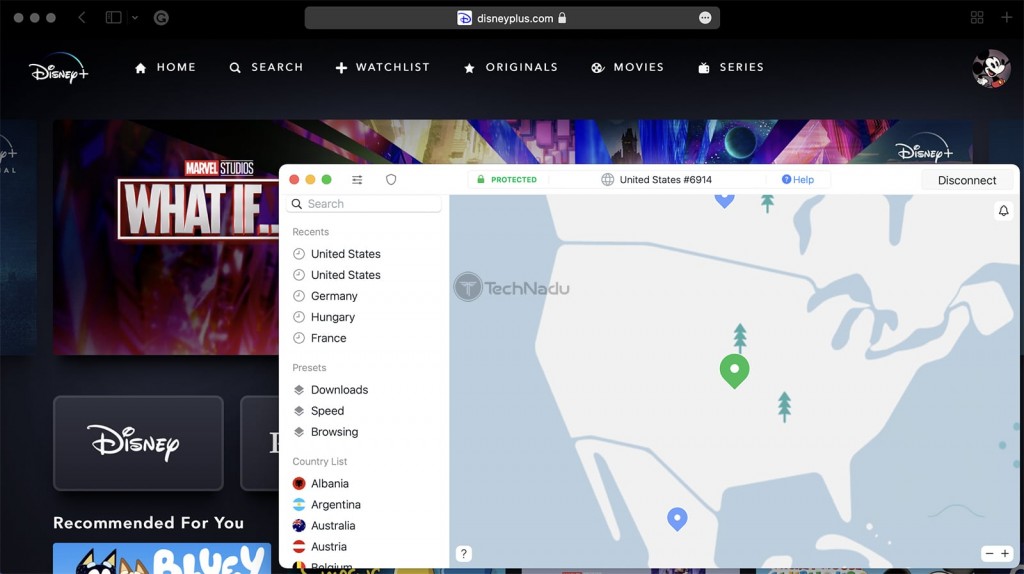
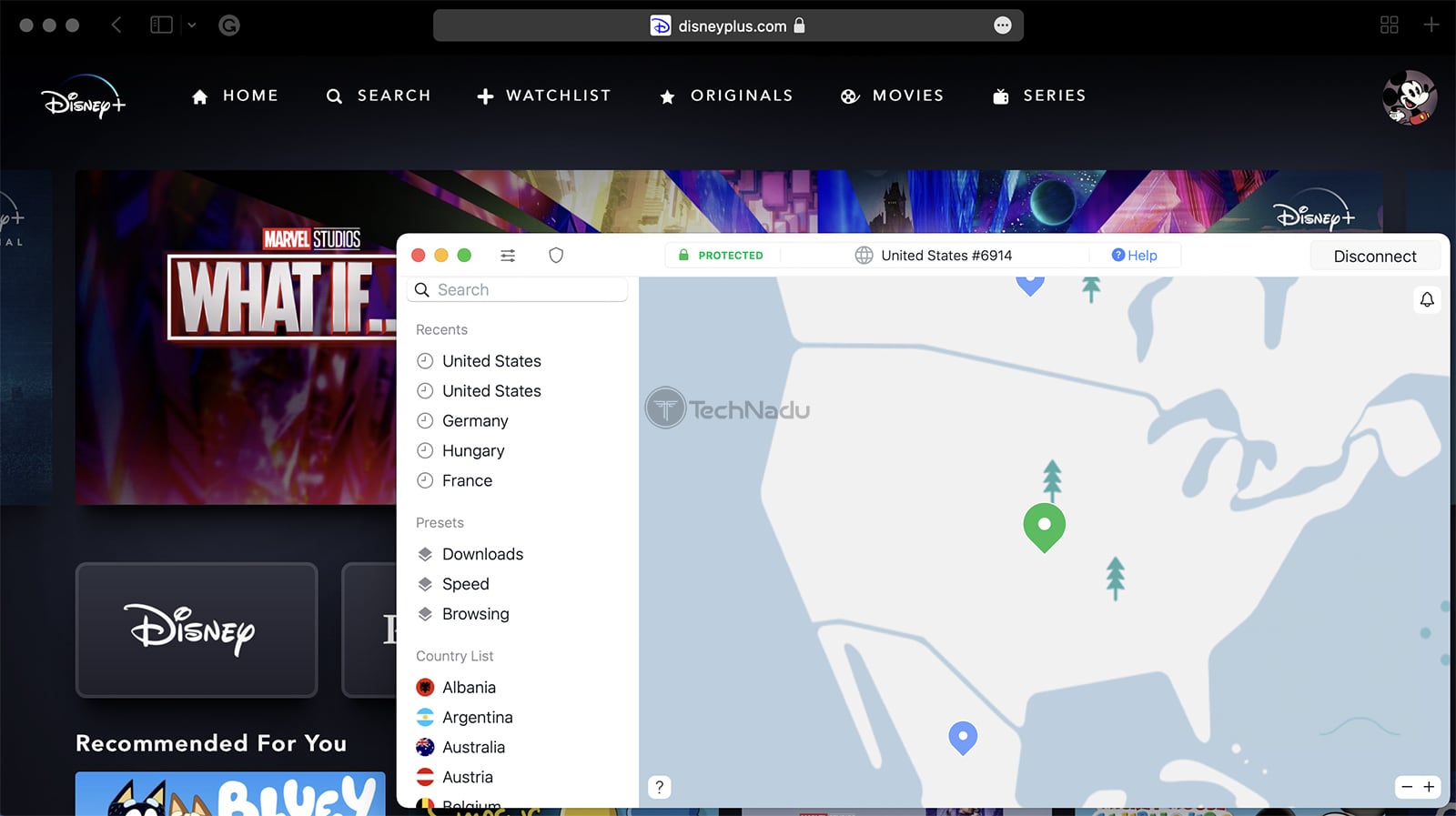
One of the notable things about NordVPN is its platform compatibility. It even comes with apps for streaming devices, which is helpful if you plan to watch Disney+ on Fire TV streamers. And when it comes to devices that don't let you run VPNs, NordVPN offers a Smart DNS service (it works with Disney+, Netflix, and Prime Video). Also, it supports 10 simultaneous connections, which can cover almost all of your devices.
We'll also add that NordVPN is perfectly suitable for beginners. However, since it gives you an in-depth list of customizable options, more advanced users are going to love it. So, those looking to optimize and fine-tune their VPN connections should feel right at home.
Today, you can get NordVPN for just $3.09 per month on the 24 months plan. You can save even more with exclusive coupons, and every plan comes with a 30-day money-back guarantee for peace of mind. You can even try it risk-free with the NordVPN free trial.
NordVPN also provides 24/7 live chat support. If you want to pursue NordVPN, then go through with this easy setup guide for all devices.
Maximize NordVPN for Streaming Disney+ Like a Pro
- Unlock Disney+ titles across regions instantly with SmartPlay technology.
- Enjoy smooth UHD/4K playback at lightning speeds powered by NordLynx, without interruptions.
- Use streaming-optimized servers in India and beyond for dependable Disney+ access.
- Protect your streaming sessions with Threat Protection, blocking intrusive ads and harmful sites.
- Set up Smart DNS to watch Disney+ easily on smart TVs, consoles, and Apple TV.
- Stream on the go with up to 10 devices connected at once under one NordVPN account.
PROS
- Unblocks many Disney+ libraries.
- Fast and stable performance.
- High-end security features.
- Works on practically any device.
- 30-day money-back policy.
- 24/7 live chat support.
CONS
- Not all servers are obfuscated.
2. Surfshark
Surfshark is an incredibly capable Disney Plus VPN with advanced content-unblocking features, which is why it can unblock Disney Plus with ease. Overall, it has 4,500+ servers in 100 countries. It covers the US with 600+ servers and 25+ locations, but also covers Australia, New Zealand, the UK, and other countries with huge Disney+ libraries.
Surfshark delivers both in terms of protecting your privacy and website unblocking. There's a robust set of security-related features, along with the highest level of encryption (AES-256-GCM (OpenVPN and IKEv2), ChaCha20 (WireGuard), and Post-Quantum Encryption (WireGuard + Dausos)) that's commercially available. This is an audited no-logs VPN service, powered by protocols like WireGuard, IKEv2, OpenVPN, and Dausos.
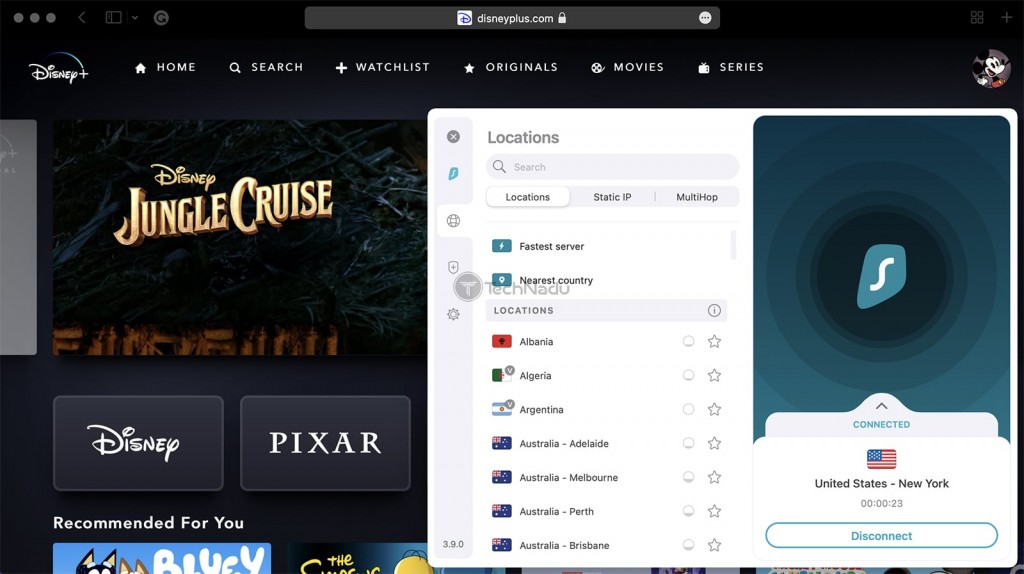
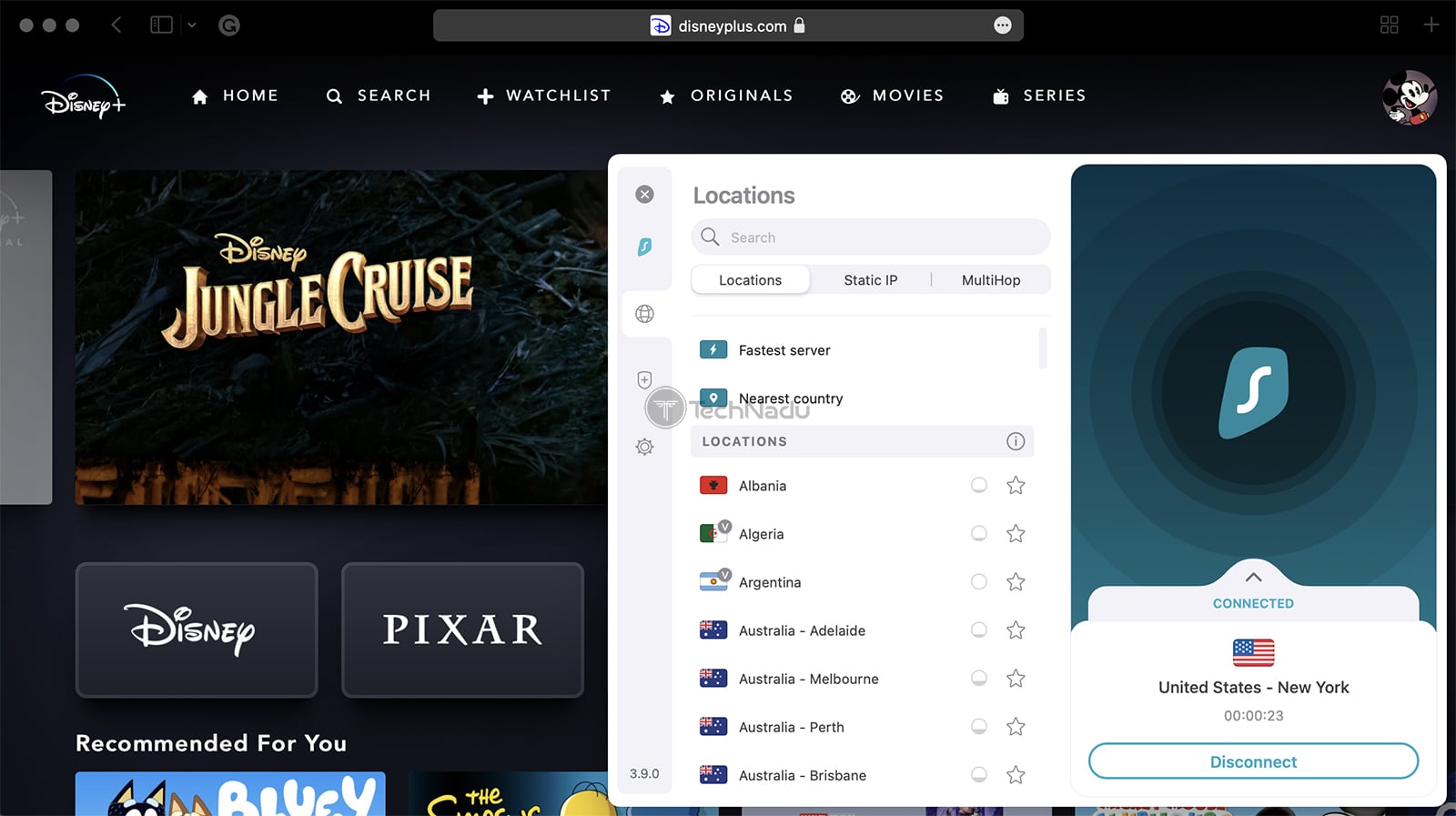
You also get an unlimited simultaneous connections, and a considerable amount of applications for all kinds of platforms. It also comes with a Smart DNS feature that's really easy to set up and use. All of that comes at an unbeatable price, which overall creates an incredibly compelling offer. With that said, streaming Disney Plus in 4K seems like an easy task for this capable VPN.
Apps work on all major platforms, with plans starting at $1.99 per month for 24 months. You’ll also get a 30-day money-back guarantee to try it risk-free, plus 24/7 live chat support whenever you need it.
How to Maximize Surfshark for Streaming Disney Plus
- Enjoy Disney Plus from anywhere, including restricted or travel-heavy regions with NoBorders Mode.
- Stream Disney Plus on Smart TVs, Apple TV, and gaming consoles without extra configuration with Smart DNS.
- Unlock Disney+, Netflix, and content effortlessly with uninterrupted playback.
- Automatically selects the fastest connection for UHD streaming without lag with help of FastTrack.
- CleanWeb helps you remove ads, pop-ups, and trackers to ensure safe, smooth, and faster streaming on Disney Plus.
PROS
- Works with Disney+ every time.
- Highly suitable for media streaming.
- Fast and reliable performance.
- 24/7 live chat customer support.
- 30-day money-back policy.
CONS
- Can take a while to connect.
3. ExpressVPN
ExpressVPN is a highly capable VPN that unblocks Disney Plus on any device, as well as dozens of additional streaming services. It comes with an undisclosed number of servers in 105 countries, including hundreds of servers across all US locations. Without any surprise, there are also servers across Australia, New Zealand, the UK, Canada, and more.
In terms of safeguarding your private data, you can count on AES-256 and ChaCha20/Poly1305 encryption and an excellent range of secure VPN protocols (OpenVPN, Lightway, and IKEv2). This is also a no-logs VPN with countless audits under its belt. On top of that, its entire server network is obfuscated, meaning that ExpressVPN uses smaller data packets by default and it will be impossible for Hulu to detect you.
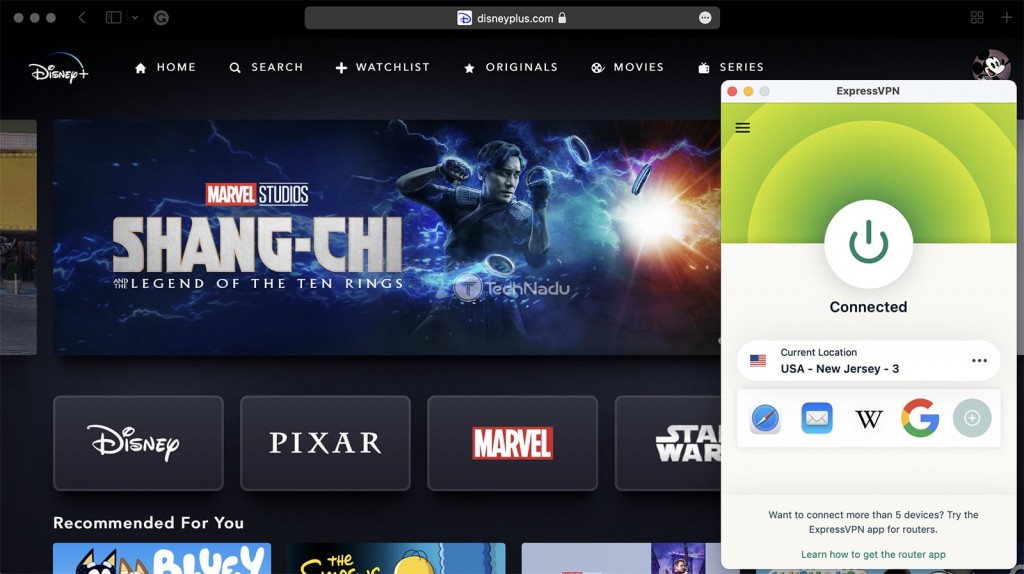
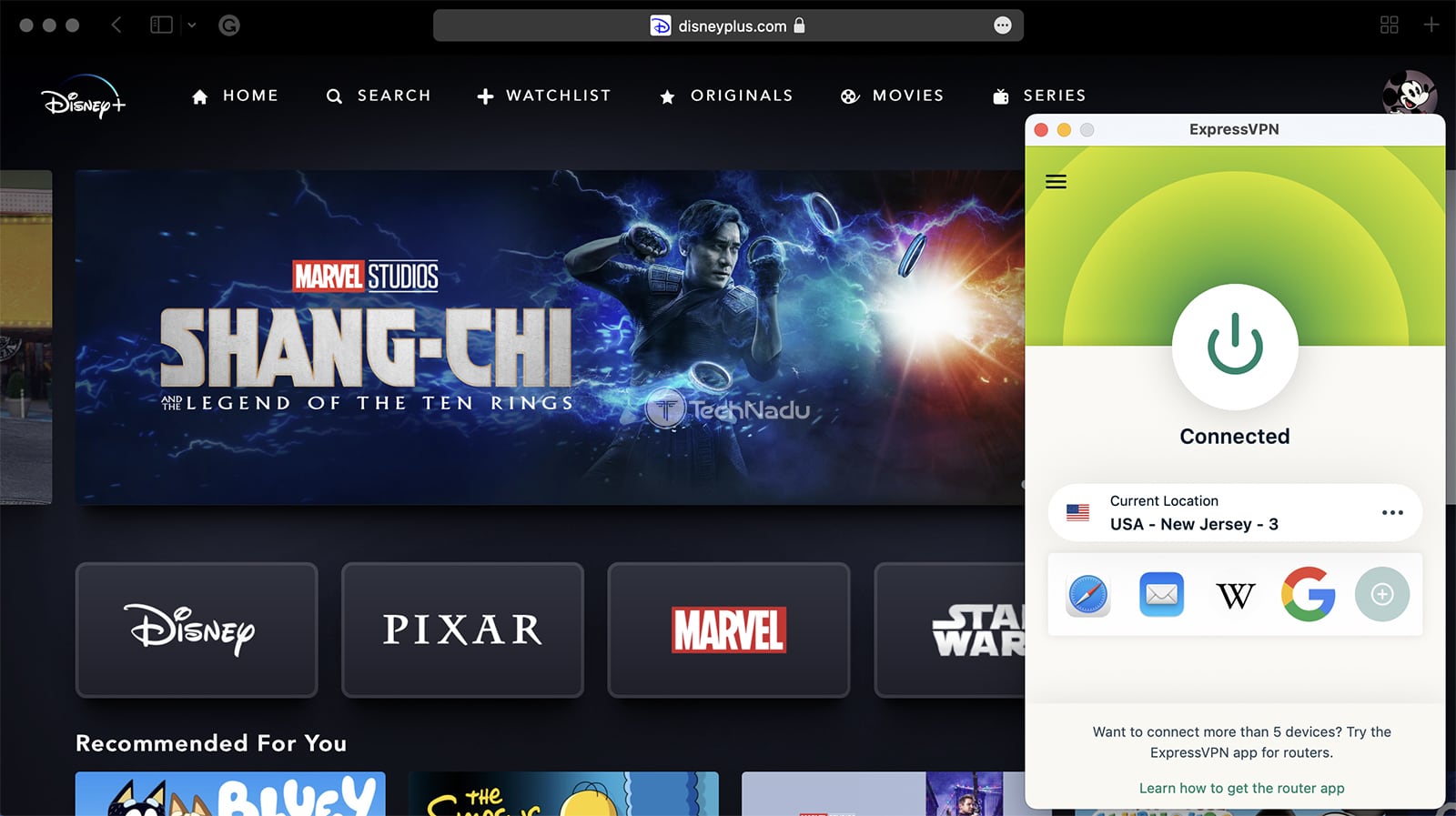
When it comes to devices that don't support VPNs (game consoles, for example), this VPN offers something called “MediaStreamer,” which lets you configure the VPN using your device's settings. You get 10-14 simultaneous connections in total.
We also have to praise ExpressVPN's performance. It has tons of servers, so you'll get plenty of options to find a server bringing fast and smooth performance. And if you dive into its settings, you'll get to change between different protocols. All of that should be more than enough to let you stream Disney Plus even in 4K.
Plans start at $2.44 per month for 24 months, backed by a 30-day money-back guarantee. With 24/7 customer support and a free trial, you can test everything risk-free before committing. The best part is that ExpressVPN installs easily on any device in minutes.
How to Unlock Streaming with ExpressVPN for Disney+
- Use Smart DNS to watch Disney+ on smart TVs, consoles, and other devices that don’t support VPN apps, with zero setup needed.
- Use Lightway Turbo to stream Disney+ in HD and 4K smoothly, even on weaker internet connections.
- Use TrustedServer Technology to enjoy faster speeds, stronger security, and instant access to Disney+ libraries worldwide.
- Use Split Tunneling to keep Disney+ traffic on the VPN while other apps use your regular internet connection.
- Use Future-Ready Technology to enjoy next-gen privacy, ultra-fast speed, and seamless Disney+ streaming performance.
PROS
- Works with Disney+.
- Unblocks countless streaming apps.
- High-end VPN for privacy protection.
- 24/7 live chat support.
- 30-day money-back guarantee.
CONS
- Limited customization.
4. CyberGhost VPN
CyberGhost is a well-known VPN brand with years of experience when it comes to unblocking Disney+ and a massive list of other streaming apps. This VPN gives you access to an undisclosed number of servers in 100 countries, as well as 1,400+ servers across 10+ US locations. It also covers other Disney+ countries/libraries, like the UK, New Zealand, and Australia.
Keep in mind that CyberGhost VPN can be a speedy option - if you dive into its settings. We recommend using WireGuard and IKEv2, both of which should be able to unblock Disney Plus. The same applies to OpenVPN, but those connections can be slower, especially when connecting to remote servers. You also get 7 simultaneous connections.
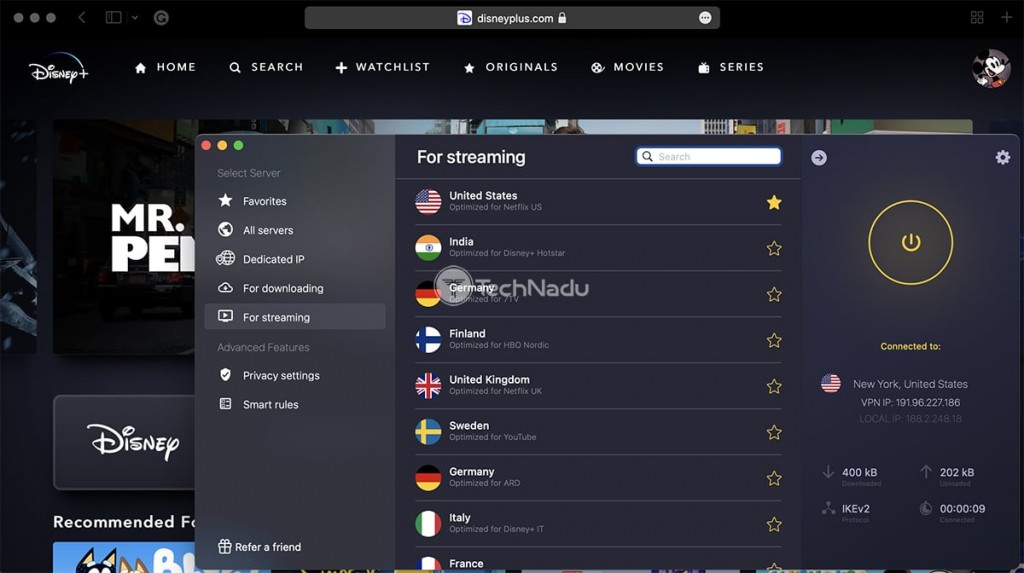
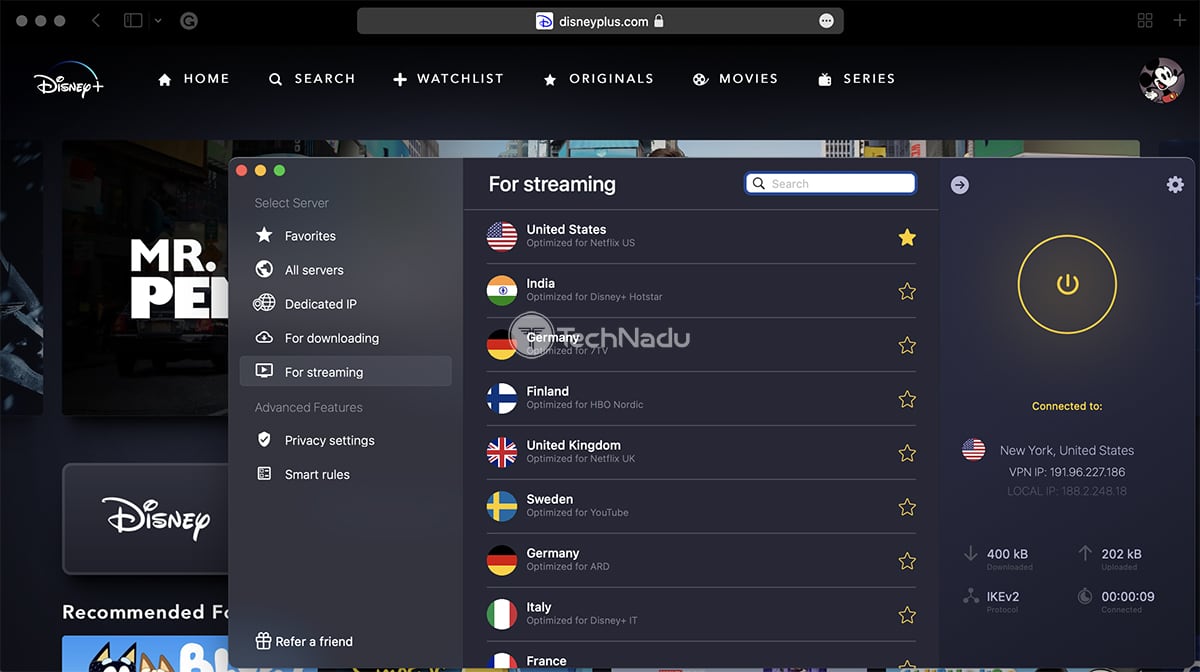
Let's not forget that CyberGhost VPN is a no-logs VPN, with a recent audit to prove its claims. So, not even the VPN will know what you do on the Web. However, we do have to mention that there's no obfuscation on offer. So, if you're on a heavily restricted network, it's better to invest in a VPN that offers some form of obfuscation.
CyberGhost has a range of native apps for desktop and mobile platforms, and it's also available as an app for media streaming devices. However, even though CyberGhost VPN offers a Smart DNS feature, it only unblocks Netflix and Hulu that way. So, to use this VPN for Disney Plus, you'll need to rely on its native app.
Priced at $2.03 per month for the 24 months plan, it also comes with a 45-day money-back guarantee. You’ll get 24/7 live chat, step-by-step guides, and more for support.
How to Unlock Streaming with CyberGhost for Disney Plus
- Smart DNS Access – Unlock Disney Plus on Apple TV, PlayStation, Xbox, or smart TVs from anywhere in the world.
- Dedicated Streaming Servers – Watch Disney Plus seamlessly with servers designed for high-speed, geo-unrestricted access.
- NoSpy Servers – Enjoy secure and private streaming on fully independent servers, keeping your viewing habits confidential.
- One-Click Smart Rules – Connect instantly to the best Disney Plus server without any manual configuration.
PROS
- Unblocks Disney+ and more.
- Plenty of fine-tuning available.
- Supports up to 7 connections.
- 24/7 live chat support.
- 45-day money-back policy.
CONS
- Slower than its competitors.
- No obfuscation.
5. PIA
Private Internet Access is a reliable VPN for unblocking Disney+ and other major US-based streaming services. It features servers in all 50 US states. It also covers other Disney+ countries/libraries, like the UK, New Zealand, and Australia, offering undisclosed number of servers in 91 countries for optimal access.
PIA delivers medium-fast speeds, with plenty of customization options for advanced users. It includes obfuscation, multiple types of kill switches, and supports protocols like WireGuard, OpenVPN, and IPsec (IKEv2), paired with AES-128-GCM, AES-256-GCM, AES-128-CBC, AES-256-CBC, and ChaCha20 encryption. Its court-proven no-logs policy and open-source apps make it one of the most privacy-focused VPNs available. All-in-all, what you watch on Disney Plus remains your private browsing only.
You can connect up to unlimited simultaneous connections devices simultaneously. PIA is priced at $2.03 per month for its 24 months plan and comes with a 30-day money-back guarantee. Customer support includes 24/7 live chat and helpful resources for setup and troubleshooting.
How to Unlock Complete Streaming with PIA for Disney+
- Use Streaming-Optimized Servers to watch Disney Plus in the US, UK, Australia, India, and other regions from anywhere.
- Use the WireGuard Protocol for uninterrupted HD and 4K playback with faster speeds.
- Use Port Forwarding to improve streaming stability on apps like Kodi or other media platforms.
- Use Custom DNS Settings to bypass geo-restrictions and ensure reliable access on your configured devices.
PROS
- Servers in all 50 US states.
- Works with Disney+ every time.
- Plenty of customization.
- 24/7 live chat support.
- 30-day money-back policy.
CONS
- Medium-fast performance.
- You need to be tech-savvy to use it.
How to Use a VPN to Watch Disney Plus?
To watch Disney Plus with a VPN, you need to subscribe to a suitable VPN and download its app. You can then access Disney+ once you connect to a VPN server - like so:
- Subscribe to a VPN that works with Disney+. Look for streaming-optimized servers, fast speeds, unlimited bandwidth, and a money-back guarantee (we recommend NordVPN).
- Download and install the VPN on your preferred device(s). Disney+ works across Windows, macOS, iOS, Android, smart TVs, and routers, and you can also use browser extensions. Enable split tunneling if you want to route only Disney+ traffic through the VPN.
- Turn on essential security features like Kill Switch, obfuscation, DNS/IP leak protection, and ad or tracker blockers to ensure safe, uninterrupted, and private Disney+ streaming.
- Connect to a server in a country where Disney+ is available to unlock its library.
- Log in to your Disney+ account (using the website is recommended).
- Open Disney+ and start streaming its full catalog from anywhere.
If you need a more detailed guide, check our article on how to watch Disney+ outside the US. We made sure to explain everything from scratch, including how to sign up for Disney Plus from an unsupported country, as well as include some useful tips along the way.
Which Countries Is Disney Plus Available In?
At the moment, Disney Plus is available in many countries around the world, including the entire North and South America, as well as parts of Europe, Asia, and Africa.
Initially, Disney Plus launched in the USA, Canada, Australia, and New Zealand. Then, a group of European countries got access to Disney Plus in March 2020. That included the UK, Ireland, Germany, Italy, Spain, Austria, Switzerland, and France. In April 2020, Disney Plus launched in India as well. Throughout 2021, Disney+ reached Asia, including countries like Japan, South Korea, Hong Kong, and plenty more.
Take a look below for a more comprehensive overview of where Disney Plus is available at the moment.
Which Country Has the Largest Disney Plus Library?
At the moment, you'll find the biggest Disney Plus library in India, where the streaming service has partnered with Hotstar (bringing local content as well).
Then, countries like Singapore, Ireland, the UK, and Australia are right at the top, all of which have more than 2,500 titles (each, of course). Check just below for an in-depth look at the top 10 countries with the largest Disney Plus libraries.
You might also wonder how the US library compares, right? Well, Disney Plus' US library has around 1,800+ titles. Other libraries have managed to gather more content as Disney Plus has partners around the world supplying local content as well.
What Can You Watch with a Disney+ VPN?
Since VPNs help you unblock the US library of Disney+, you'll get to watch content available in the United States and its associated territories.
In the United States, Disney Plus brings a combination of content produced by Disney, Pixar, Marvel, Star Wars, and National Geographic. So, no matter if you're after children-friendly content, documentaries, or sci-fi, Disney Plus should meet your needs just fine.
Here’s a list of the most popular movies and TV shows on Disney+, all available for streaming if you use a VPN:
Disney Plus Not Working with a VPN - How to Fix?
If Disney Plus doesn't work with your VPN, you can try using a different VPN server, switch to another protocol, restart your device, and more. Here's everything you can try:
Can You Use a Free VPN for Disney Plus?
Yes, you can use a free VPN for Disney Plus, but we don’t recommend it. The streaming platform employs VPN defense mechanisms, so free VPNs are usually unable to access it because they don’t have effective content-unblocking capabilities.
Free VPNs also have limited server networks, restricting you to a handful of countries only. This means most of their servers are overcrowded, leading to very slow Internet connection speeds and frequent buffering.
On top of that, free VPNs typically come with limited bandwidth. They give you a certain amount of data per month, rating from 500MB/day to 10GB/month. In practice, this means you'll get to stream Disney+ for a couple of hours only, at best. Additionally, streaming platforms are becoming more aggressive with blocking Disney Plus nowadays.
Instead of using a free VPN, you can go for a VPN free trial. Using that route gives you access to premium features for a limited time. That said, our recommendation is NordVPN's free trial, available for 7 days on Android. Other devices are covered by the VPN's 30-day money-back policy, so there's no risk involved.
If you still want to go with a free VPN, pick a reputable one, at least. You can try Proton VPN, which comes with unlimited bandwidth and limited speed.
Final Thoughts
If you are located in an area where the streaming service is not yet offered, your only option is to unblock Disney Plus with a VPN. Keep in mind that not every VPN can bypass Disney Plus’s geo-restrictions, so ensure your provider has strong content-unblocking measures. It must also have a wide server network, giving you access to more Disney+ libraries.
We recommend NordVPN as the best VPN for Disney Plus, thanks to its ability to unblock the platform and lightning-fast speeds. With this impressive VPN provider, you’ll be able to hide your IP address from the streaming service on practically any device and watch its content in 4K without buffering from anywhere in the world!
Close contenders include Surfshark, which offers unlimited device connections and excellent streaming performance at a budget-friendly price. ExpressVPN impresses with its Smart DNS feature and industry-leading speeds, perfect for streaming on any device. CyberGhost is ideal for beginners thanks to its dedicated streaming servers and intuitive apps, while Private Internet Access (PIA) provides advanced customization and strong privacy tools, making it a great option for users who want both flexibility and security.
That’s all for our guide on the best Disney Plus VPN services. If you have any questions, let us know via the comments section below. Thanks for reading!