When you purchase through links on our site, we may earn an affiliate commission. Here’s how it works.
Best VPN for Bovada in 2026: Safe Access Without Detection



Our experts have reviewed 53 VPN providers, which were put through extensive rounds of testing. To learn more about that process, here’s how we review VPNs, where we explain our criteria and our policy of being fully transparent.
- Yes, Bovada works in most US states, but it can easily flag weak or cheap VPNs. That’s why NordVPN makes such a big difference - it’s fast, has tons of US servers, and its obfuscation tech keeps Bovada from spotting your VPN in the first place. If you want smooth, stress‑free access while traveling (or even if you are in US), NordVPN is your safest bet. And if you want more options for different budgets or speeds, just scroll down.
Many users look for a reliable VPN for Bovada because the platform doesn’t work outside the US and is restricted in a few states. Others worry about whether Bovada detects VPN software, allows VPN connections, or why a Bovada account gets disabled after using one. It’s confusing (and honestly a bit frustrating) when all you want to do is log in and play.
The short version? Bovada checks your IP address and can flag anything that looks suspicious. But a reliable VPN with secure US servers can still work smoothly when set up correctly. The key is using a high‑quality VPN that doesn’t scream “Hey, I’m a VPN!” to Bovada’s detection system.
In this article, we'll talk about the best VPN for Bovada. You'll also learn how to play Bovada using a VPN and what to do if the platform doesn't work with your VPN. We'll also list the legal and illegal states where Bovada is allowed to operate, provide some FAQs, and more.
Editor's Picks: Best Bovada VPNs in 2026
If you want quick, reliable access to Bovada without running into VPN detection or annoying login blocks, these VPNs are your safest bets:
- NordVPN– Best overall VPN for accessing Bovada with reliable connections, strong privacy, and minimal detection risk.
- Proton VPN – Best secure‑core option for protecting your Bovada account and maximizing privacy.
- ExpressVPN – Speediest option for Bovada access with ultra‑fast servers and smooth, lag‑free betting.
- Surfshark – Best budget‑friendly choice for using Bovada safely across unlimited devices.
- PIA VPN – Most customizable VPN for connecting to Bovada with flexible US server control.
The Best VPNs for Bovada in 2026
A capable VPN should not only allow you to access Bovada from anywhere but also properly protect your privacy. So, aim for high-end protocols, tough encryption, support for obfuscation, and an audited no-logs policy. On top of that, you'll want a sufficient number of simultaneous connections, easy-to-use apps, and a good value overall. That said, here are our hand-picked Bovada VPNs in 2026.
1. NordVPN
NordVPN is the best Bovada VPN on the market, checking all the right boxes while elegantly bypassing the geo-restrictions of online betting sites. It can easily unblock Bovada with its 1,970+ servers in the US, which include states like Illinois, Washington, Arizona, and California.
In total, NordVPN has 8,900+ servers in 129 countries. We witnessed commendable consistency in its performance and connection speeds, especially when testing its numerous US servers.
NordVPN offers some of the best security and privacy features on the market, including a kill switch, Double VPN, data leak protection, a no-logs policy, and AES-256-GCM, ChaCha20, and Post-Quantum Encryption (NordLynx Protocol) encryption. It supports all major security protocols, including NordLynx (WireGuard-based), OpenVPN, IKEv2/IPsec, and NordWhisper. In addition, you can get a dedicated IP address.
Data obfuscation is also present in the form of specialized VPN servers. When using OpenVPN, one of the most secure protocols in the VPN industry, you'll get a range of US-based servers that let you obfuscate your data. Using those servers, you'll be able to play Bovada no matter where you're located.
The provider allows you to have 10 simultaneous connections, and it's compatible with multiple devices, including phones, PCs, tablets, routers, and more.
You can start using NordVPN for only $3.09 per month for 24 months, which comes with a 30-day money-back guarantee as well. In terms of customer support, 24/7 live chat is available, in addition to plenty of other support resources.
PROS
- Large number of US servers for reliable Bovada access.
- Fast speeds suitable for betting, streaming, and gaming.
- Strong security features like Double VPN and obfuscated servers.
- Strict audited no‑logs policy with RAM‑only servers.
- Dedicated IP option reduces risk of blocks.
- 24/7 live chat support and user‑friendly apps.
- 30‑day money‑back guarantee.
CONS
- Pricey month-to-month subscriptions.
2. Proton VPN
Proton VPN has a large and fast‑growing network, with thousands of servers worldwide and extensive coverage across the United States. It has 17,276 servers in 127 countries (130 secure core in 67 countries) . That means you can easily get a reliable US IP address to access Bovada without running into constant connection errors. US servers are available in multiple locations, including California, Florida, Illinois, Texas, and more.
In our testing, Proton VPN delivered stable speeds and smooth server switching, which is exactly what you need for uninterrupted betting or casino gameplay. Its standout feature is Secure Core, which routes your traffic through ultra‑secure privacy‑friendly countries before exiting in the US. This adds an extra layer of protection, especially useful when accessing Bovada from restrictive regions or public networks.
Proton VPN also includes its Stealth protocol (obfuscation), which helps prevent Bovada VPN detection by masking VPN traffic. You can use it on Windows, macOS, Android, iOS, Linux, routers, and more, with support for up to 10 simultaneous connections.
When it comes to security, Proton VPN checks every box. It uses AES-256 and ChaCha20, supports WireGuard, OpenVPN, IKEv2, and Stealth protocols, and includes a kill switch, DNS leak protection, and a strict audited no‑logs policy. You also get NetShield, which blocks ads, trackers, and malicious domains automatically.
Proton VPN offers flexible pricing and a 30-day money-back guarantee, so you can test it risk‑free. Support is available through detailed guides and ticket‑based customer service. Currently, Proton VPN costs $2.49 per month for 24 months period.
PROS
- Secure Core servers for maximum privacy.
- Strong obfuscation with Stealth protocol.
- Large US server network for reliable access.
- Audited no‑logs policy based in Switzerland.
- Excellent apps for all major devices.
- 30‑day money‑back guarantee.
CONS
- No permanent live chat support.
- Slightly higher price than budget VPNs.
3. ExpressVPN
ExpressVPN can unblock Bovada easily from anywhere in the world while providing you with a smooth and reliable gambling experience. It has servers in 15 US states, including California, Illinois, Arizona, and Washington, where all of Bovada's services and features are available. Furthermore, ExpressVPN has an undisclosed number of servers in 105 countries.
Since it's based in the British Virgin Islands, this VPN is not held back by data retention laws. Add ExpressVPN's use of RAM-only servers and their strict no-logs policy, and you might begin to picture a service striving to become a VPN with truly zero logging.
It also offers obfuscated servers, which allow you to hide the fact that you're using a VPN. Also, there's military-grade AES-256 and ChaCha20/Poly1305 encryption, data leak protection, and a kill switch. On top of that, you get multiple VPN protocols, which allow you to optimize your connection's performance further.
All its privacy features are impressive, but what puts this VPN ahead of the competition is its stellar performance. During our testing, the VPN showed no reluctance to unblock many casino platforms while maintaining incredible speeds. Furthermore, ExpressVPN is compatible with multiple devices, and it supports 10-14 simultaneous connections.
Lastly, ExpressVPN is priced at $2.44 per month for 24 months, and comes with a 30-day money-back guarantee. Without any surprise, 24/7 live chat support is also available.
PROS
- Servers available in all 50 US states.
- Extremely reliable at unblocking Bovada and other betting platforms.
- Fast and consistent speeds across US servers.
- Automatic obfuscation works without manual setup.
- Strong privacy with RAM‑only TrustedServer technology.
- Easy‑to‑use apps for beginners.
- Works on routers, PCs, phones, and smart TVs.
- 24/7 live chat support.
CONS
- On the pricier side.
4. Surfshark
Surfshark is another excellent VPN because it allows you to unblock Bovada without issues and play restriction-free. You can use one of its US-based servers, including those in California, Washington, Arizona, and Illinois. In total, the provider has 4,500+ servers in 100 countries.
With one Surfshark subscription, you'll get all the privacy and security features you need to use Bovada safely. Some of those features include obfuscated servers, a no-logs policy, data leak protection, highly secure VPN protocols (WireGuard, IKEv2, OpenVPN, and Dausos), AES-256-GCM (OpenVPN and IKEv2), ChaCha20 (WireGuard), and Post-Quantum Encryption (WireGuard + Dausos) encryption, and a kill switch.
Using its MultiHop feature, you can get a dedicated IP and route your Internet traffic through 2 VPN servers for extra protection.
Another perk of this VPN is that you get unlimited simultaneous connections. Theoretically, you could all live on one subscription plan, no matter how many devices or friends you have. The provider is compatible with a plethora of different devices, too.
Let's also mention that Surfshark is among the fastest VPNs available today. Even if you don't optimize it (by going to its settings), you can count on reaching fast speeds when using nearby and remote servers. You'll get reliable and stable performance from this provider.
Finally, Surfshark comes priced at $1.99 per month for 24 months. You can also count on this VPN's 30-day money-back guarantee, so there are no risks involved. Lastly, Surfshark offers reliable customer support, with 24/7 live chat on board as well.
PROS
- Unlimited simultaneous connections on one subscription.
- Affordable long‑term pricing plans.
- Obfuscated servers help bypass Bovada restrictions.
- Fast speeds suitable for betting and streaming.
- Strong security with MultiHop and kill switch features.
- Beginner‑friendly apps and simple setup.
- 24/7 live chat support.
CONS
- Can take a bit of time to connect.
5. PIA VPN
Private Internet Access (PIA) is an excellent option for unblocking Bovada and many other US-based gambling sites. It has servers in all 50 US states, including Illinois, California, Arizona, and Washington. And most of its servers are obfuscated, so they can help you hide that you're using a VPN to play Bovada.
PIA is not as fast as the other top VPNs on the list, and we don't expect that from it. The most incredible thing about PIA is its server count: according to the latest reviews, it has one of the biggest server fleets available on the market, with an undisclosed number of servers in 91 countries.
We found that the service is a healthy mix of privacy-focused features and security protocols. It offers unlimited simultaneous connections. We tested all its options on different devices and found them reliable and consistent enough to use on casino platforms.
Apart from that, the service has everything you may expect from a top VPN, which includes an excellent kill switch, a no-logs policy, dedicated IPs, strong AES-128-GCM, AES-256-GCM, AES-128-CBC, AES-256-CBC, and ChaCha20 encryption, support for multiple protocols (WireGuard, OpenVPN, and IPsec (IKEv2)), and plenty more.
PIA comes at an unbeatable price - $2.03 per month for 24 months. Like other reputable VPNs, it's backed by a 30-day money-back guarantee, which means there are no risks involved. And, if you ever need help, you can turn to PIA's 24/7 live chat support.
PROS
- Servers available in all 50 US states.
- One of the largest server networks available.
- Proven no‑logs policy verified in court.
- Highly customizable security settings.
- Affordable long‑term pricing.
- Dedicated IP option available.
- 24/7 live chat support.
CONS
- Not suited for beginners.
- Requires some optimization.
How to Use Bovada with a VPN
The process of using Bovada with a VPN is quick and beginner‑friendly. Just make sure you enable the right safety features at the right time to avoid VPN detection or account flags.
- Subscribe to a VPN that works with Bovada (we recommend NordVPN). Choose a provider with US servers, strong encryption, and obfuscated servers to reduce Bovada VPN detection risk.
- Download and install the VPN app on your device(s).
- Launch the VPN app, and when prompted, log in using your credentials. Also enable auto‑connect. Additionally, open the settings and enable the Kill Switch and DNS leak protection immediately before connecting.
- Connect to a server in a US state where Bovada works, like Florida or California. Before opening Bovada, confirm the VPN is connected and your IP location has changed. This prevents suspicious IP mismatches.
- Log in to the platform's website, and you can now play Bovada. That's it! Always connect to the VPN before accessing your account, and avoid switching servers while logged in to prevent account locks.
Why You Need a Bovada IP Address VPN?
There are many reasons why a VPN is essential when playing on Bovada, but the biggest one comes down to IP address checks and geo‑blocks. The platform uses your IP address to figure out where you’re located, which means access is limited to supported US states. That’s why many users rely on a Bovada IP address vpn to get a valid US IP and avoid access issues, especially when traveling abroad.
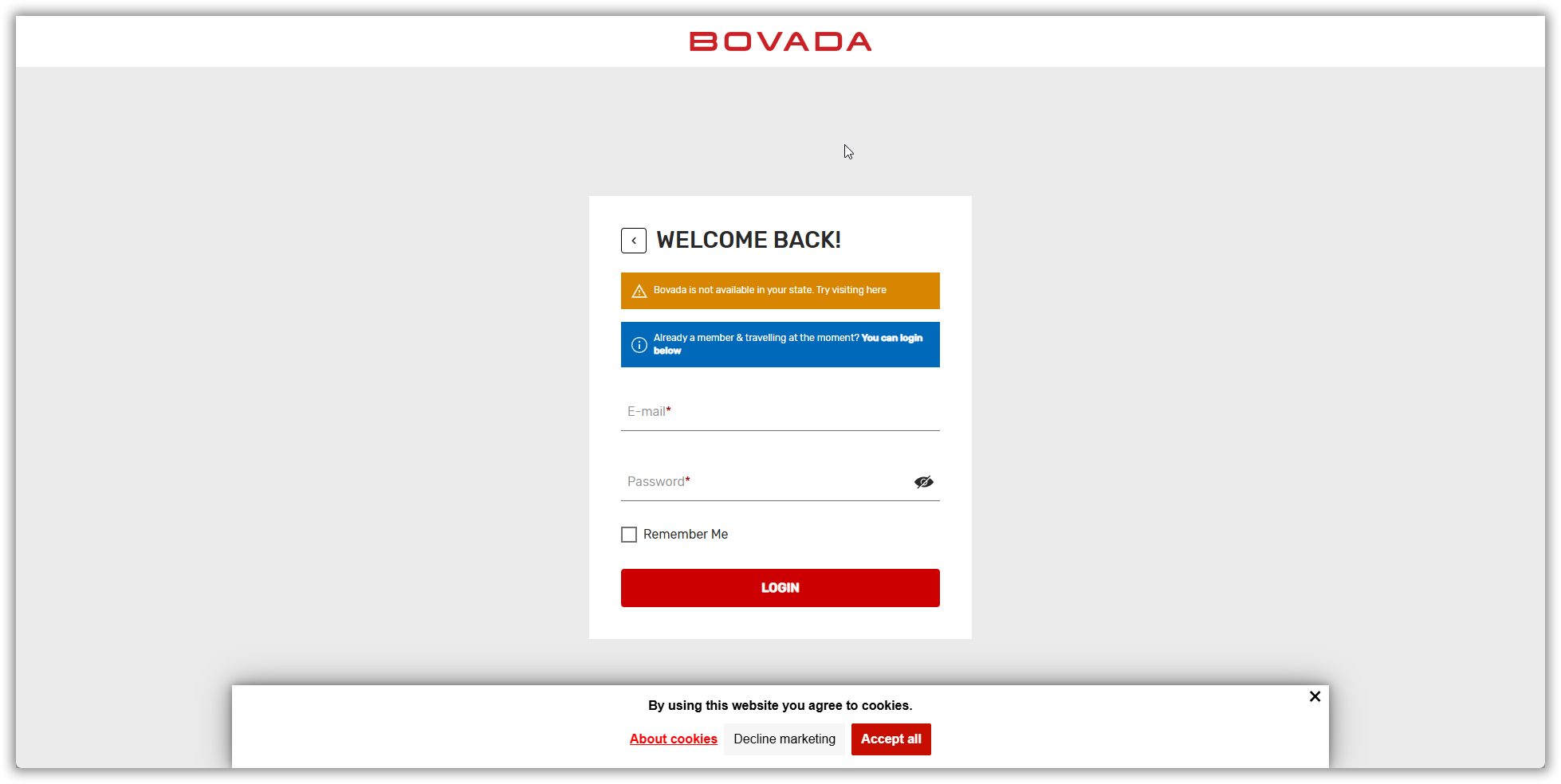
If you try logging in from an unsupported region, you’ll likely see messages like “Bovada is not available in your state. Try visiting here." A VPN fixes this by assigning you a secure IP from a supported US location.
Not only will a VPN help you bypass the geo-blocks that Bovada has in place, but it will also provide you with plenty of other benefits, including the following:
- Gain Unrestricted Access to Bovada – As mentioned above, a VPN will help you change your location by providing you with a new IP address from the state or country you choose. All you'll need to do is connect to a server in a state where Bovada is available.
- Get More Casino Games on Bovada - Like other gambling platforms, Bovada offers specific games in specific regions based on their licenses. With a VPN, you can place more types of bets by having access to a wider variety of games.
- Make Your Deposits & Withdrawals Private - Bovada allows you to deposit and withdraw money using payment cards, gift cards, and crypto. Still, those options are region-based, so using a VPN to open up more methods and secure your transactions is always a great idea.
- Play Bovada While Traveling Outside the US – A Bovada IP address VPN lets you log in safely, even outside the US.
- Play Bovada on Public Wi-Fi - In general, public Wi-Fi networks are highly problematic as they're often hotspots of malicious activities. When you start using a VPN, you'll make even the riskiest public Wi-Fi network highly safe, thanks to encryption.
- Safeguard Your Digital Privacy & Bets – A VPN will hide your online activity and encrypt your Internet connection, which means that all your personal and financial information will be safe.
- Access Additional Betting/Casino Platforms – If you choose a powerful VPN with strong content-unblocking capabilities, you can access many other gambling platforms besides the Bovada poker app, no matter where you're located.
- Fight Against ISP Throttling - In many countries, including the US, Internet providers throttle those who download a lot of time. A VPN hides your traffic, making it an effective tool to regain the full speed of your Web connection.
- Browse the Web Anonymously - The best VPNs protect your privacy across the Web, not just when you bet or gamble online. As long as your VPN session is active, you'll browse the Web anonymously and without being followed by digital trackers.
How to Choose the Best VPN to Unblock Bovada?
A VPN suitable for unblocking Bovada should come with strong content-unblocking capabilities, plenty of servers in the US and abroad, and fast performance. Here's everything you need to keep in mind:
- Ability to Bypass Bovada's Geo-Blocks: If you're in a region where Bovada doesn't operate, you'll want to ensure that your chosen VPN has the means to bypass Bovada's geo-blocks.
- Server Network Extent & Distribution: You'll want a VPN with a sizable server fleet across the US, the only country where Bovada is available at the moment.
- Obfuscated Servers: Using obfuscation, you can instruct your VPN to use smaller data packets. That's how you'll access your Bovada account without risking being detected.
- Kill Switch: You'll want to prevent data leaks if something unexpected happens to your VPN connection without your original IP surfacing online. A kill switch helps with that.
- Audited No-Logs Policy: When using Bovada through a VPN, you'll want to prevent even your VPN from knowing what you do online. That's the role of a no-logs policy.
- Time-Proven Protocols & Data Encryption: To make sure you have the strongest possible VPN data tunnel, go for OpenVPN (AES-256) or WireGuard (ChaCha20).
- Simultaneous Connections & Supported Platforms: Plan to use Bovada on multiple devices? If so, pick a VPN with apps for a range of platforms and multiple connections.
- Throttle-Free Performance: A VPN will slow you down. However, while less powerful VPNs can practically clog your Web connection, capable ones will slow you down minimally.
- Pricing and Value: A high-quality VPN doesn't have to cost a lot, especially if you opt for a long-term plan, which is where you'll find the steepest discounts.
- Money-Back Guarantees: The best VPN for Bovada must offer a generous money-back policy. Go for a VPN that gives you at least 30 days to change your mind.
- Customer Support Channels: We recommend going for a VPN with 24/7 live chat support, as that's the fastest way to resolve any technical issue.
Does Bovada Allow VPN?
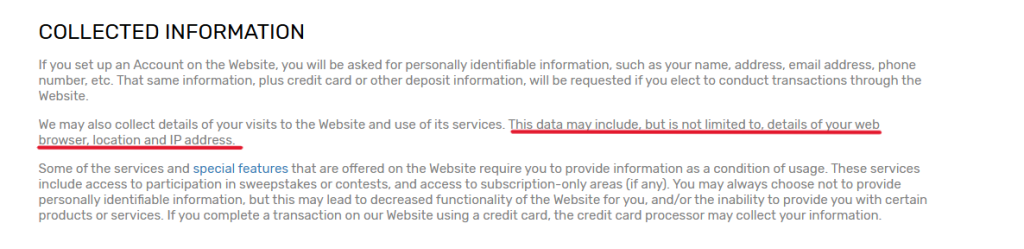
Short answer: Bovada doesn’t openly say “VPNs are allowed,” but it also doesn’t explicitly list VPNs by name in its public privacy policy. What Bovada's privacy policy clearly states is that it collects and tracks your IP address and location data when you use the site. That means if you’re using a VPN on Bovada, the platform can still see the IP address you’re connecting from, and notice if it suddenly changes.

Bovada also reserves the right to disable accounts if you violate its terms or if something about your connection looks suspicious. Their Terms of Service specifically say they can disable accounts “at any time” if they believe you failed to comply with their rules. This is why users sometimes run into issues when switching locations frequently or using shared VPN IP addresses.
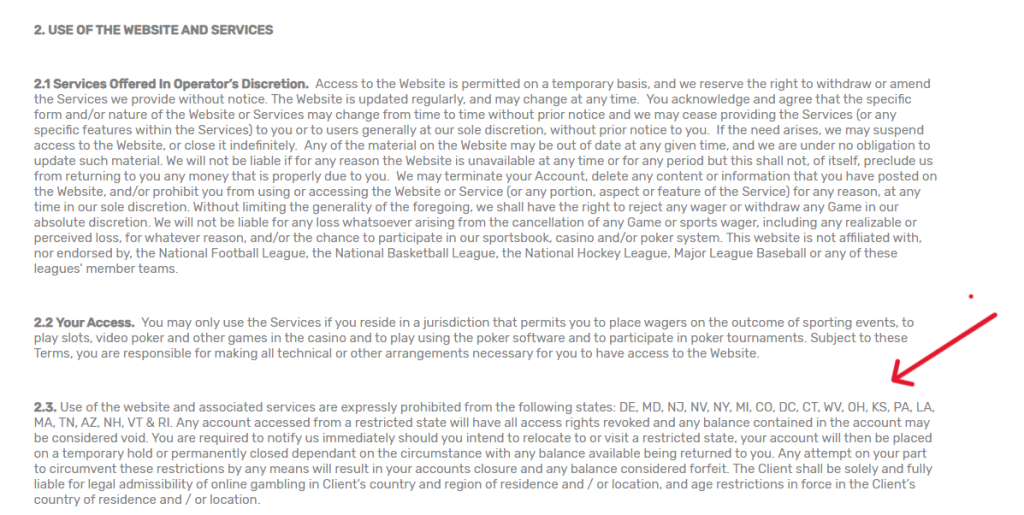
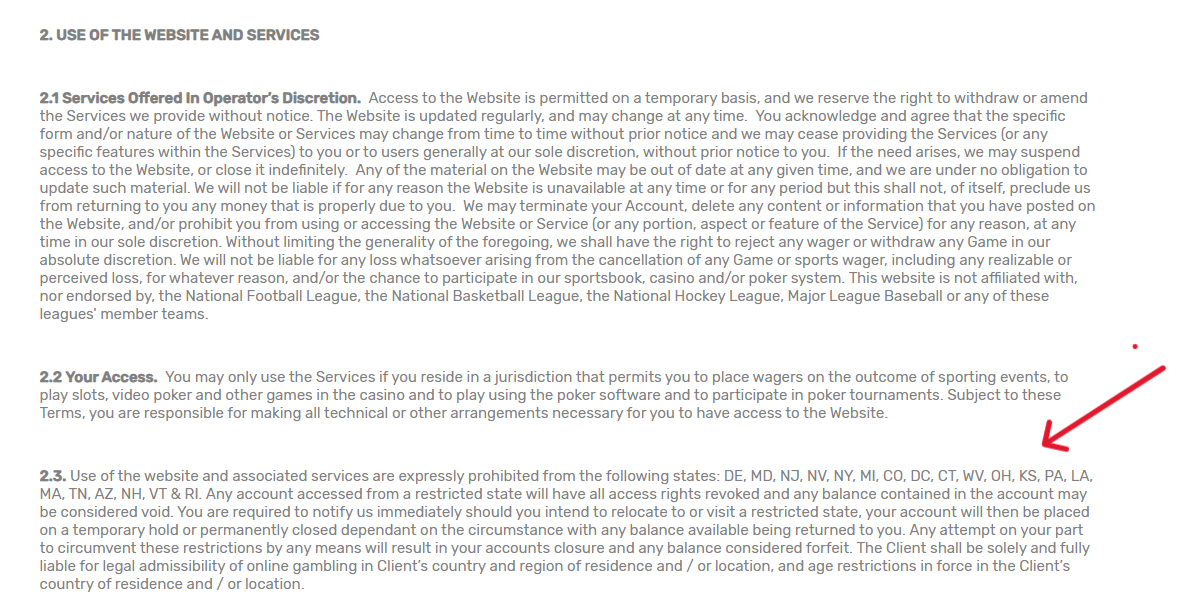
So technically, Bovada doesn’t officially say “no VPN ever,” but it absolutely monitors connections. Since Bovada collects IP address and location information to verify identity and service eligibility, using free or low‑quality VPNs increases the risk of detection and account restrictions. In other words, VPN and Bovada can work together, but only if your connection doesn’t trigger their security systems.
Can Bovada Detect VPN Software?
Yes, Bovada detects VPN software, especially if your connection looks unusual. As mentioned above, Bovada tracks IP and location data, so sudden changes or shared IPs can trigger Bovada VPN detection.
Here’s what usually gives it away:
- VPN‑flagged IP addresses – Bovada can recognize IPs linked to known VPN services.
- Shared VPN IPs – If hundreds of users share the same IP, it raises a red flag.
- Location jumps – Switching between different states or countries too quickly looks suspicious.
This is why using overcrowded or free VPNs increases your chances of getting flagged.
What Happens If Bovada Detects Your VPN?
If Bovada detects something unusual, they can temporarily restrict your account while they check things. As mentioned above, Bovada has the right to suspend or terminate accounts and investigate suspicious activity, including VPN or proxy usage.
Here’s what usually happens:
- Temporary account lock - Your Bovada account may be on a temporary security hold (atleast in the start).
- Verification email request - Bovada may ask you to confirm your identity or location to unlock access.
- Withdrawal restrictions - You might not be able to withdraw funds until verification is complete.
- Account investigation - Bovada can review your account to ensure compliance with their Terms.
- Reinstatement possible - In most Bovada VPN reinstatement cases, access is restored once you verify your identity and location.
If your Bovada account is locked, your best move is to contact support and complete verification, it’s usually the fastest way to regain access.
Where Is Bovada Legal in the US?
If you're wondering is Bovada legal in the US, the answer is yes, but only in certain locations. Bovada accepts players from most parts of the United States, but it restricts access in a few specific states based on its Terms of Service and eligibility rules.
Bovada Legal States
Currently, Bovada operates in 45 US states, meaning most players can legally use the platform. If you're asking what states is Bovada legal in, the answer includes major states like:
These are all considered Bovada legal states, where players can register, deposit, and use the platform normally.
Bovada Restricted States
There's only a handful of Bovada illegal states, as the gambling/betting platform is very quick to expand to new markets. More precisely, there are 5 Bovada-restricted states, and those are:
If you try accessing Bovada from a restricted state, the platform may block access or limit account features, since location eligibility is enforced through IP and account verification policies.
What Can You Play on Bovada?
Bovada lets you play casino games (slots, table games, poker, etc.), and you can also bet on various types of sports. Here's a brief overview of what to expect:
▷ Sportsbook: Bovada offers live betting on all the major sports events (football, basketball, baseball, soccer, tennis, golf, etc.), and it also covers niche sports like cycling, darts, and virtual sports. There's no option to watch live games, though.
▷ Slots: You get access to 130+ slot titles featuring various variations, such as three-reel and five-reel slots, I-slots, progressive jackpots, 3D slots, and more. Many of those allow you to get bonus games if you get at least three bonus symbols.
▷ Table Games: There are around 20 types of table games, including craps, which are usually hard to find at online casinos. Bovada currently features roulette, baccarat, poker, and more.
▷ Video Poker & Specialty Games: There are eight different poker games, including Double Double Bonus Poker and Joker Poker. The specialty games are primarily bingo games, and there's one Keno option.
▷ Blackjack: You'll be happy to hear that Bovada has around 10 types of blackjack games, including but not limited to classic and European blackjack games, but there's also Zappit blackjack and Perfect Pairs blackjack.
▷ Live Dealer Games: If you like social interaction while using online casinos, know that Bovada offers a live dealer lobby, available 24/7. In general, table limits range from $1,000 to $3,000, and there are 40+ tables on offer.
Unable to Access Bovada with a VPN? Here's What You Can Do!
A robust VPN shouldn't have a hard time unblocking Bovada. However, temporary issues may occur. This is when you'll want to check your baseline connection, switch to another server, or try using a different VPN protocol. Let's walk you through all of the possible solutions:
- Check Your Baseline Connection - First, check if your Web connection works as it should by disconnecting from your VPN. Use your Web browser and visit a couple of sites to see if they load properly. If not, restart your router or contact your ISP.
- Pick Another Server Location – The Bovada app detects the use of VPN applications and blocks them. So, if the current server isn't unblocking the platform, try picking another server in that area or a different location altogether.
- Pick Another VPN Protocol - Each VPN protocol handles data differently, which means that some are more suitable for bypassing geo-blocks than others. We recommend going with OpenVPN first. Then, you can try WireGuard.
- Test Your VPN Connection for IP Leaks – Your IP address includes your location information, and if you are in a restricted location, Bovada might detect and block your access. We recommend websites like ipleaks.com that could help you check whether your IP is leaking or not.
- Disable Firewall/Antivirus Software – Sometimes, the built-in firewall on your device or the antivirus you are using could flag VPN traffic as unsafe. You can simply put the VPN service on the whitelist and see if it solves the problem.
- Restart Your Device & VPN - You can also try restarting your device and your router. Keep them unplugged for around 30 seconds, and then power them back in. By restarting your device, you'll restart your VPN as well.
- Check for VPN App Updates – It's normal to forget about updating your VPN client. Every update comes with a set of improvements, and if you haven't updated the software for a while, you could be missing out on many new features.
- Remove Extra VPN Software - Having multiple VPN applications installed can create a software conflict, as they can block each other's ports and connections. Delete everything except your primary VPN app and try accessing Bovada again.
- Ask Your VPN for Support - If you try all the solutions mentioned above and none of them work, you can always contact your VPN's customer support for further assistance.
Using Bovada with a Free VPN: Pros, Cons, and Alternatives
Using a free VPN for Bovada might sound like an exciting idea, but there are many reasons why we don't recommend free VPNs. Yes, they're free, which makes them quite enticing, but free VPNs have many downsides that heavily outweigh the benefits.
They come with many restrictions, such as limited content-unblocking capabilities. So, even if a free VPN provider offers servers in places where Bovada is available, such as Proton VPN or Windscribe, it'll probably fail to pass long-term VPN-detection measures.
With a free VPN, you'll also get low bandwidth caps and slow connection speeds. Also, some free VPNs log and store user information. They do so in order to sell it to third parties.
If you want to access the Bovada casino app safely and play freely, you'll need a premium VPN. To get started, you can opt for a free VPN trial, giving you access to premium features for a limited time.
We'll end by saying that we recommend the NordVPN trial, available on Android for 7 days. Also, you'll be covered by NordVPN's 30-day money-back policy on any other device or platform. Furthermore, if you want to enjoy gambling on other platforms too, make sure you check out our guide to top gambling VPNs.
Final Thoughts
Honestly, Bovada is pretty strict about where you can access it from. If you’re outside supported US states or traveling abroad, the site simply won’t work. That’s where a good VPN makes a huge difference. It gives you a US IP address so you can log in normally, and it also keeps your personal info and payments private. Just don’t use random free VPNs as Bovada can detect those easily.
If I had to recommend the best options, here’s how I’d rank them:
- NordVPN - Our top recommendation overall. It has tons of US servers, super fast speeds, and it works with Bovada very reliably. You can connect and play without worrying about disconnects or detection.
- Proton VPN - Best if privacy is your main concern. It’s built with strong security in mind and has trustworthy US servers, so your account and activity stay fully protected.
- ExpressVPN - Great premium option. It covers all 50 US states and is known for very stable and fast connections, which makes accessing Bovada smooth and hassle-free.
- Surfshark - Best budget-friendly choice. You can use it on unlimited devices, and it still gives you reliable access to Bovada without spending too much.
- Private Internet Access - Best if you like tweaking settings. It gives you lots of control over your connection and has strong US coverage, which is great if you want more customization.
In short, if you pick a solid VPN from this list, you shouldn’t have any trouble accessing Bovada safely — even if you’re traveling or outside supported areas.
This is where we end our guide to the best VPNs for Bovada in 2026. If you have any questions about getting started or using a VPN app, let us know in the comments section below.