When you purchase through links on our site, we may earn an affiliate commission. Here’s how it works.
Best VPNs for the UK in 2026



Our experts have reviewed 53 VPN providers, which were put through extensive rounds of testing. To learn more about that process, here’s how we review VPNs, where we explain our criteria and our policy of being fully transparent.
- If you just want a solid VPN for the UK without overthinking it, go with NordVPN, Surfshark, or ExpressVPN. They’re all fast, reliable, and work smoothly for streaming, browsing, and everyday use. You won’t have to mess around with settings - just connect and you’re good to go. NordVPN and Surfshark stand out a bit more when it comes to speed and overall consistency.
Ever tried connecting to a UK server only to end up staring at a loading wheel, or hitting an age-verification wall that feels a bit too intrusive? Sometimes BBC iPlayer works, but then ITVX or Channel 4 suddenly throws an error right when you’re getting started.
That inconsistency came up a lot during testing. Some VPNs connected quickly and stayed stable, while others slowed down during peak evening hours, struggled with London server congestion, or failed when switching between locations like London, Leeds, and Manchester.
To keep things practical, I tested each VPN in real-world conditions - connecting in and out of the UK, checking speed and stability, and seeing how reliably they accessed UK platforms without proxy errors. I also looked at privacy on shared networks, tracking protection, age-verification prompts, and performance during peak traffic. Here are the VPNs that actually stayed fast, stable, and reliable for everyday UK browsing.
Quick Comparison Table
Quick Facts About VPN Use in the UK
How We Test and Evaluate VPNs for the UK
To find the best VPNs for the UK in 2026, we did hands-on testing to see how well each one works when connecting to UK servers from outside the country. We used VPN apps on Windows, running them on a Lenovo ThinkPad (Intel® Core™ Ultra 7 155H processor, Windows 11 Pro), to keep things close to real-life desktop usage. All tests were done from India while connecting to UK servers, so the results reflect how people abroad would actually access UK content and services.
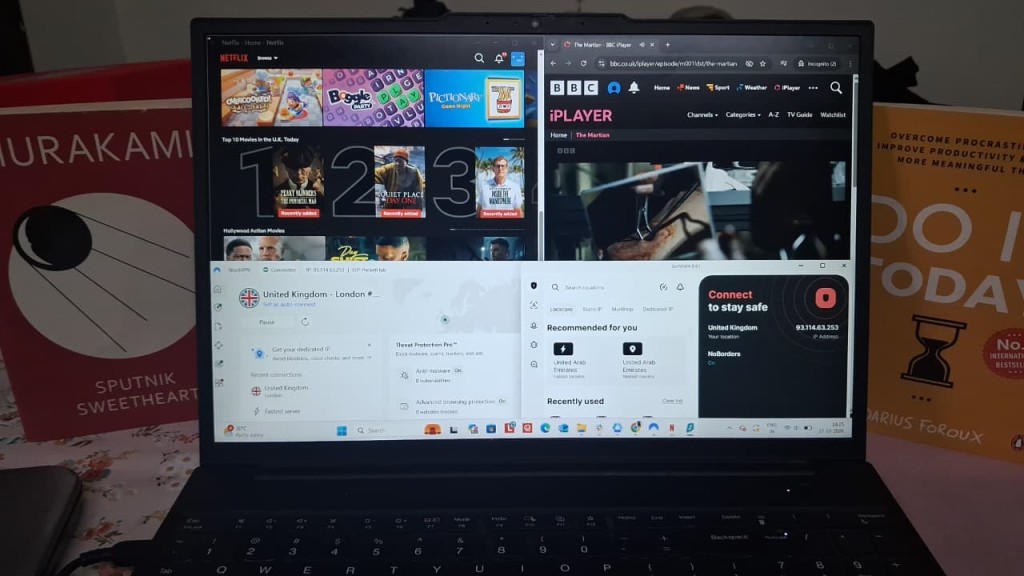
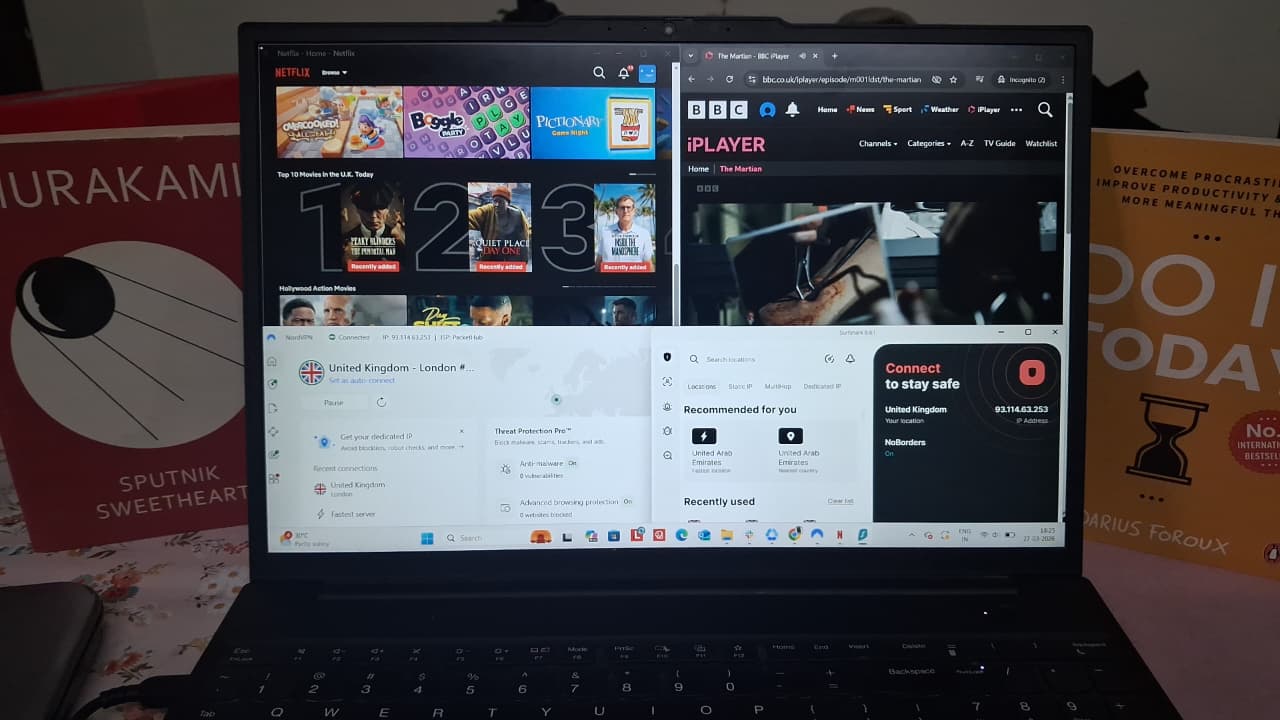
UK Server Coverage: We looked at how well each VPN covers the UK. We also checked how many servers are available, whether they’re physical or virtual, and if there are any special servers designed for better performance. We also checked the server distribution across 4 major regions - England, Scotland, Wales and Northern Ireland.
Access to UK Websites and Apps: Not all VPNs work smoothly with UK platforms, so we tested how well they handle services like Netflix UK, BBC iPlayer, IPTVX, Channel 4, Amazon UK, Google, and Reddit. We paid attention to things like blocked access, CAPTCHA checks, or proxy errors, which can suggest the VPN is being detected.
Speed and Performance on UK Servers: We connected to different UK locations like London, Manchester, and more (preferably one from each region as different VPNs offer servers in different cities) and ran speed tests using Cloudflare’s tool. We measured download speed, upload speed, latency, and overall consistency. Our base connection without a VPN was 210 Mbps download, 146 Mbps upload, 33.4 ms latency, and 11.5 ms jitter. This helped us clearly see how much each VPN affects performance.
Connection Reliability & Stability: We used each VPN in real-world sessions lasting about 25–30 minutes to see how reliable they actually are. This included checking how quickly they connect, how stable the connection stays over time, and whether there are any random drops or interruptions. We also paid attention to everyday browsing - like how fast pages load and how smooth everything feels while connected. On top of that, we tested streaming performance to see if there were any buffering, playback issues, or trouble accessing geo-restricted content.
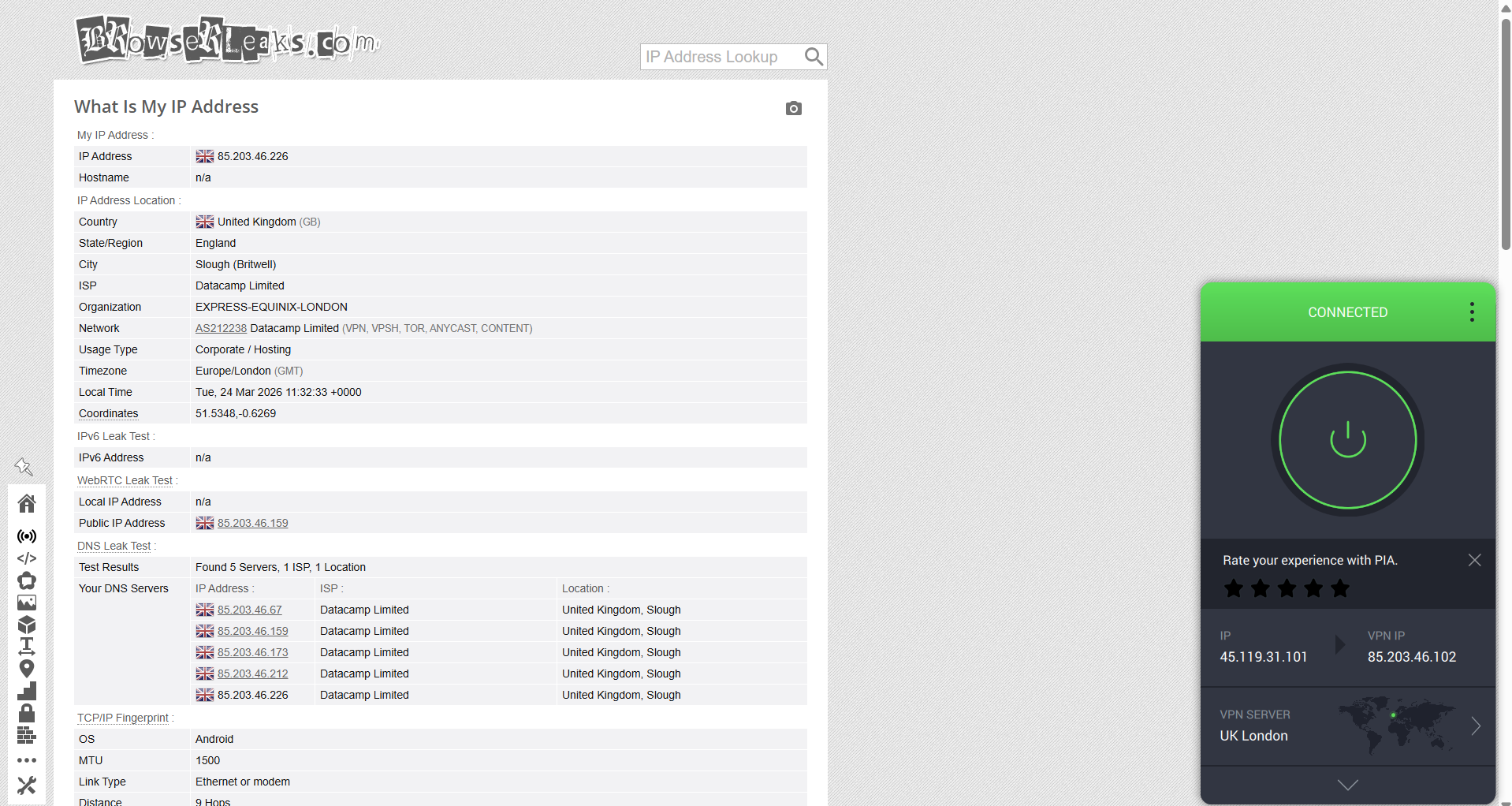
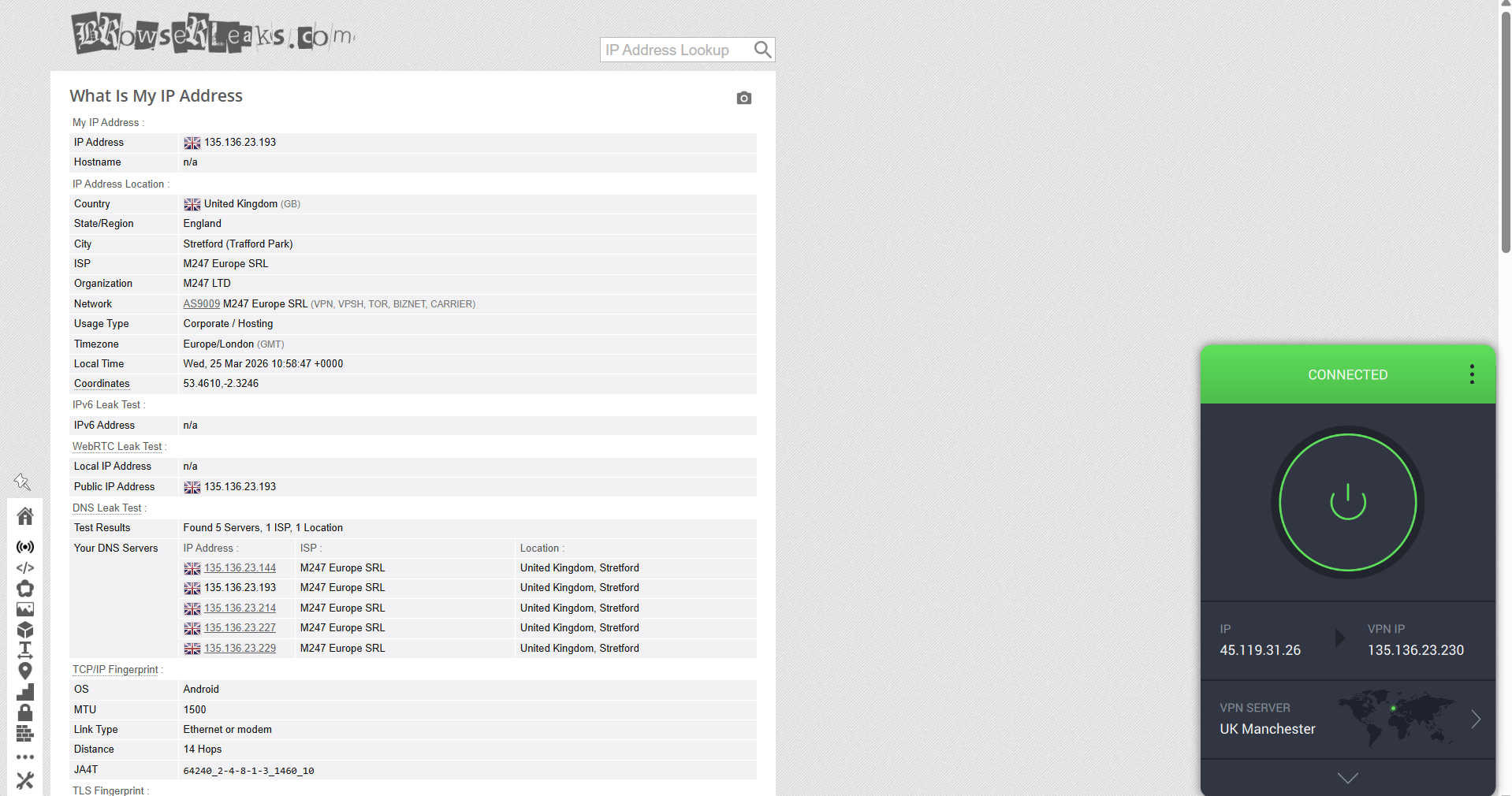
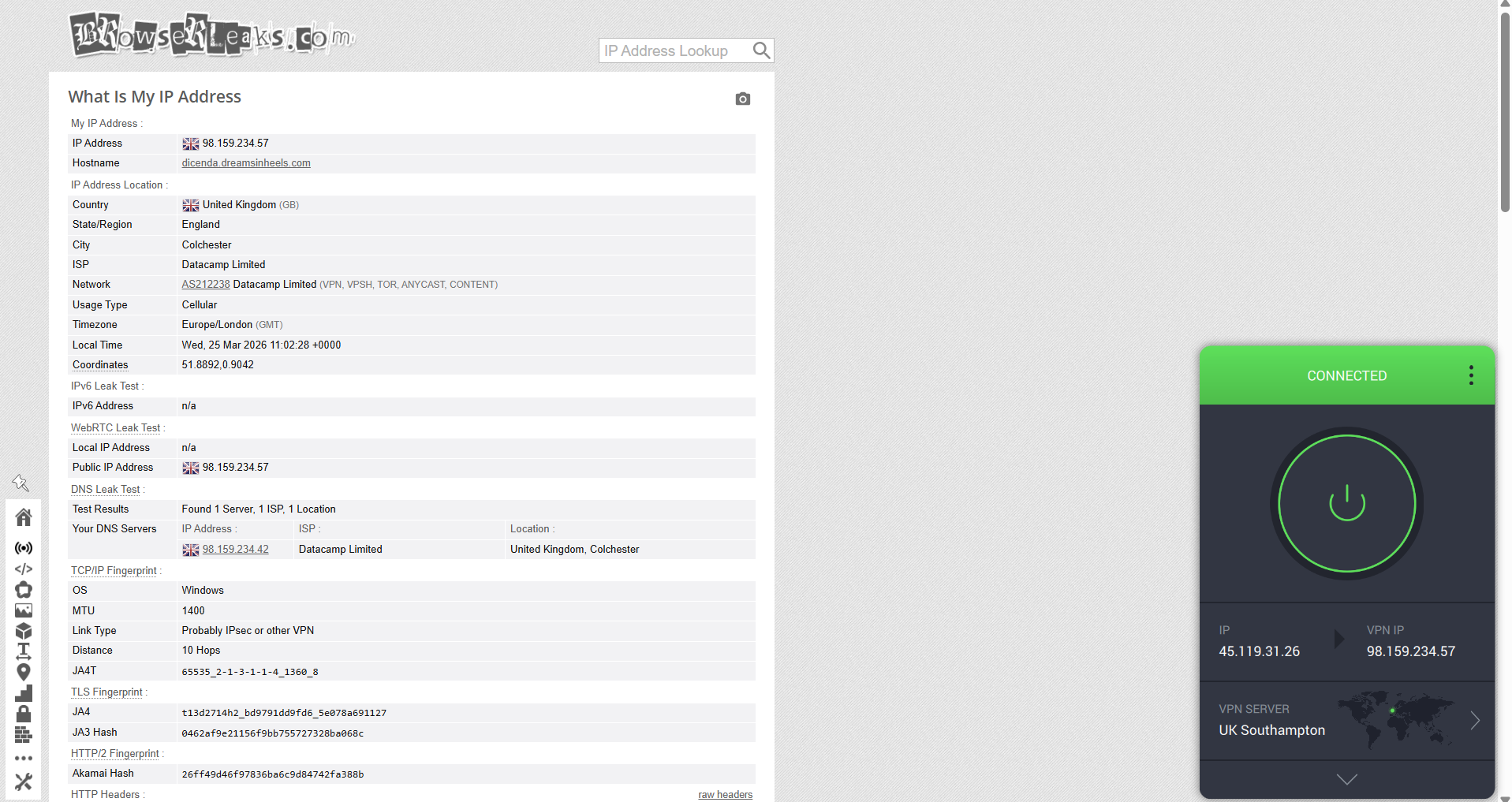
Leak Protection and Kill Switch: We used BrowserLeaks to check for IP, DNS, and WebRTC leaks while connected to different UK servers (London being the common one for all). We tried choosing one server from each region. To test the kill switch, we forced connection drops by turning off the internet to see if the VPN could properly protect user data during interruptions.
Server Infrastructure: We looked at the overall size of each VPN’s network, including how many servers they offer, how widely they’re distributed, and whether they rely on physical or virtual locations.
Privacy and Jurisdiction: We checked where each VPN company is based, what data laws apply to them, and how clear and trustworthy their no-logs policies are, including any independent audits.
Security Features: We tested the encryption standards and tried different protocols like WireGuard and OpenVPN to see how well they balance speed and security.
Compatibility and Ease of Use: Since our testing focused on Windows, we evaluated how easy each VPN is to install, navigate, and configure on desktop.
Customer Support: We reached out through live chat and email to see how responsive and helpful each provider is when you actually need assistance.
Pricing and Value: We compared subscription plans, renewal pricing, refund policies, and whether the overall service feels worth the cost over time.
Best VPN for the UK
Based on the criteria mentioned above, the 5 best VPNs for the UK are:
1. NordVPN - ⭐Best Overall
Using NordVPN on the UK server felt smooth and pretty reliable during testing, and it handled everyday use without any real hassle. Whether it was connecting to different UK locations, browsing, or streaming, everything worked the way you’d expect, without needing to tweak settings or deal with anything technical.
What stood out most was how easy it was to connect and just stay connected. The UK servers are mainly based in cities like London, Manchester, Edinburgh, and Glasgow, and once you’re on one, things feel quick and responsive. Browsing didn’t have any noticeable delays, and streaming started up fast and stayed in high quality without buffering. It also helps that there are extra server options like P2P, obfuscated, and Double VPN if you want a bit more flexibility depending on what you’re doing.
Speeds did vary a bit depending on which server you used. London gave solid overall performance but had a noticeable drop in upload speed, while places like Edinburgh had higher latency and slightly less consistency. That said, nothing ever felt unstable - there were no disconnects, lag spikes, or issues getting into UK sites. One small downside is that servers are only in England and Scotland, so if you’re in Wales or Northern Ireland, you don’t get the closest possible option. Still, overall it felt reliable, well-balanced, and easy to use for both regular and high-end UK access.
Performance Testing Results
When it comes to coverage in the United Kingdom, NordVPN maintains a focused presence with servers distributed across key cities rather than being spread across all locations.
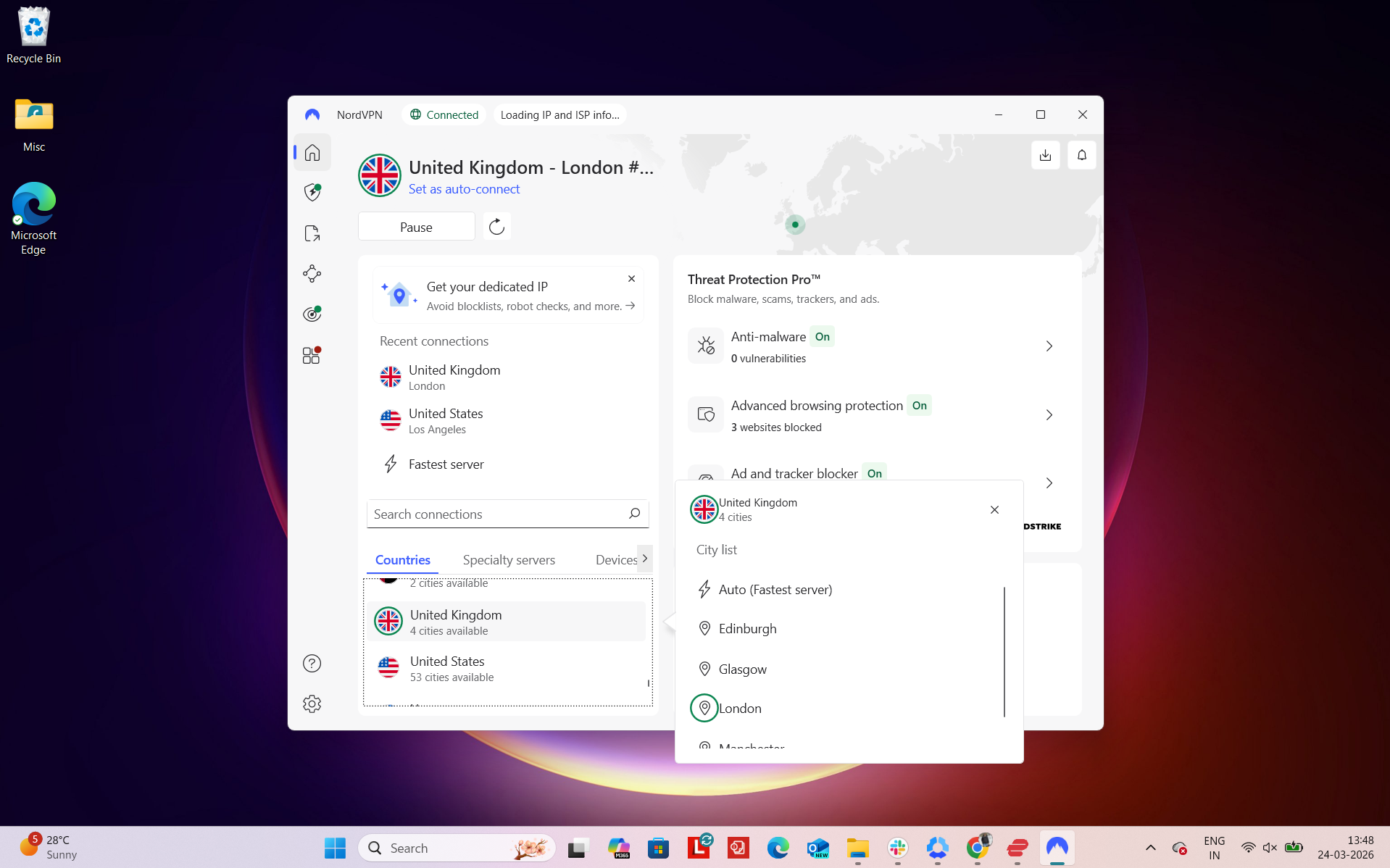
Number of US Cities & States - NordVPN operates with 440+ servers in the United Kingdom, supported by a broader global network of 8,900+ servers in 129 countries. Its UK network is available across 4 cities:
- Glasgow
- London
- Manchester
- Edinburgh
Regional Distribution - This distribution shows that server availability is concentrated in England and Scotland, with no dedicated server locations listed for Wales or Northern Ireland (which is average).
Total: around 4 cities and 2 regions
What stands out is that server concentration is heavily weighted toward England, particularly London. This is expected, as London serves as a major internet hub and hosting center. However, having additional locations like Manchester and Edinburgh helps distribute traffic more effectively across parts of the country.
In practical terms, this means most users in the UK can connect to a nearby server with low latency, especially if they are located in or near major urban areas. Users farther from London still benefit from alternative regional options, which can help improve speed consistency and reduce congestion during peak times. That said, the absence of servers in Wales and Northern Ireland may be a limitation for users in those regions who are looking for the closest possible connection.
Physical vs Virtual Servers - NordVPN is pretty clear about how its servers are set up. It uses around 79 virtual servers (none of which are in the UK), and these are clearly marked inside the app, so you always know what type of server you’re connecting to. Most of the network is made up of physical servers, which generally adds more stability and makes the overall setup feel more reliable.
Specialty Servers - On top of regular servers, NordVPN also includes several specialized options depending on what you need:
- P2P-optimized servers - Available in the UK
- Obfuscated servers - Available in the UK
- Double VPN - Available in UK
- Onion over VPN - Unavailable in the UK
- Dedicated IP servers - Not mentioned
These different server types give you more flexibility, whether you’re mainly using the VPN for streaming, privacy, or accessing restricted content.
In actual use with NordVPN, the overall experience of accessing UK services, including BBC iPlayer, ITVX, and Channel 4, among others, felt smooth and fairly “plug-and-play.” After connecting to a UK server, websites and streaming platforms loaded without requiring any extra steps, and there were no repeated prompts asking to verify identity or re-authenticate sessions. From a user perspective, it felt like a normal browsing session rather than something being routed through a VPN.
Switching between different UK platforms didn’t trigger any interruptions, and there were no moments where pages failed to load or needed multiple refreshes. We didn’t encounter any proxy errors, CAPTCHA prompts, or service blocks during testing, making the overall experience consistently smooth and interruption-free.
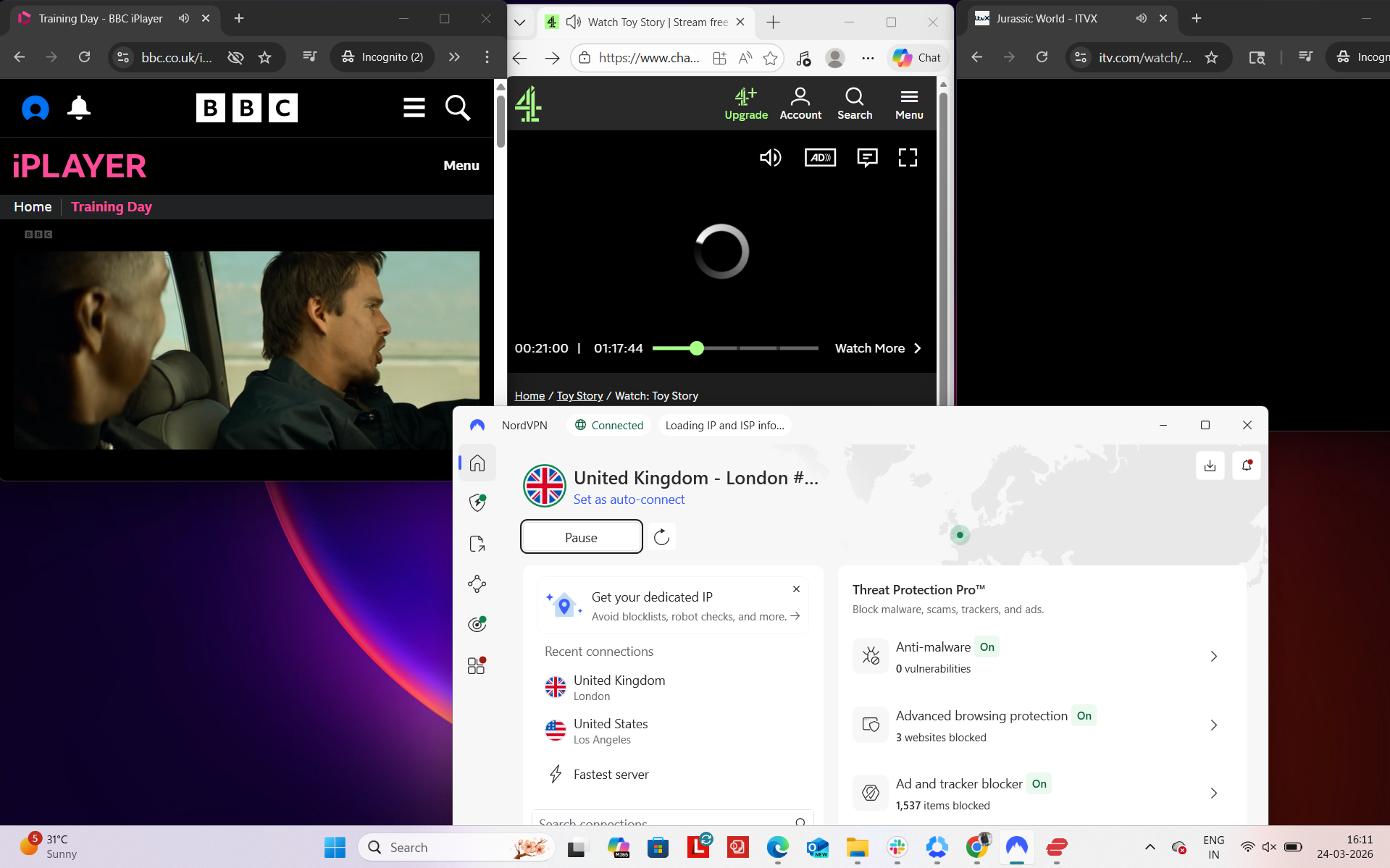
Real-World Access Experience
- BBC iPlayer - Unblocked successfully on the first attempt, with no detection issues
- ITVX - Loaded and worked without any interruptions or restrictions
- Channel 4 - Accessible immediately, no VPN flags detected
- Amazon.com - Browsing worked smoothly with no delays
- Google - Pages loaded instantly and behaved normally
- Reddit - Fully accessible with no limitations
Detection & Verification Behavior
- Proxy errors - None encountered
- CAPTCHA prompts - None encountered
- Service blocking - No issues observed when accessing major platforms
From my testing, speeds across all UK locations remained usable, though there was a noticeable drop compared to the baseline. The London server delivered solid overall performance, but with a significant reduction in upload speeds. Manchester stood out for maintaining much stronger upload performance despite similar download speeds, while Edinburgh showed the largest overall speed loss and slightly higher instability in jitter.
Latency increased across all servers, which is expected when routing through VPN locations, but in everyday use it didn’t significantly impact activities like browsing or streaming. Overall, performance felt stable, with no major interruptions during testing, even if speeds were reduced.
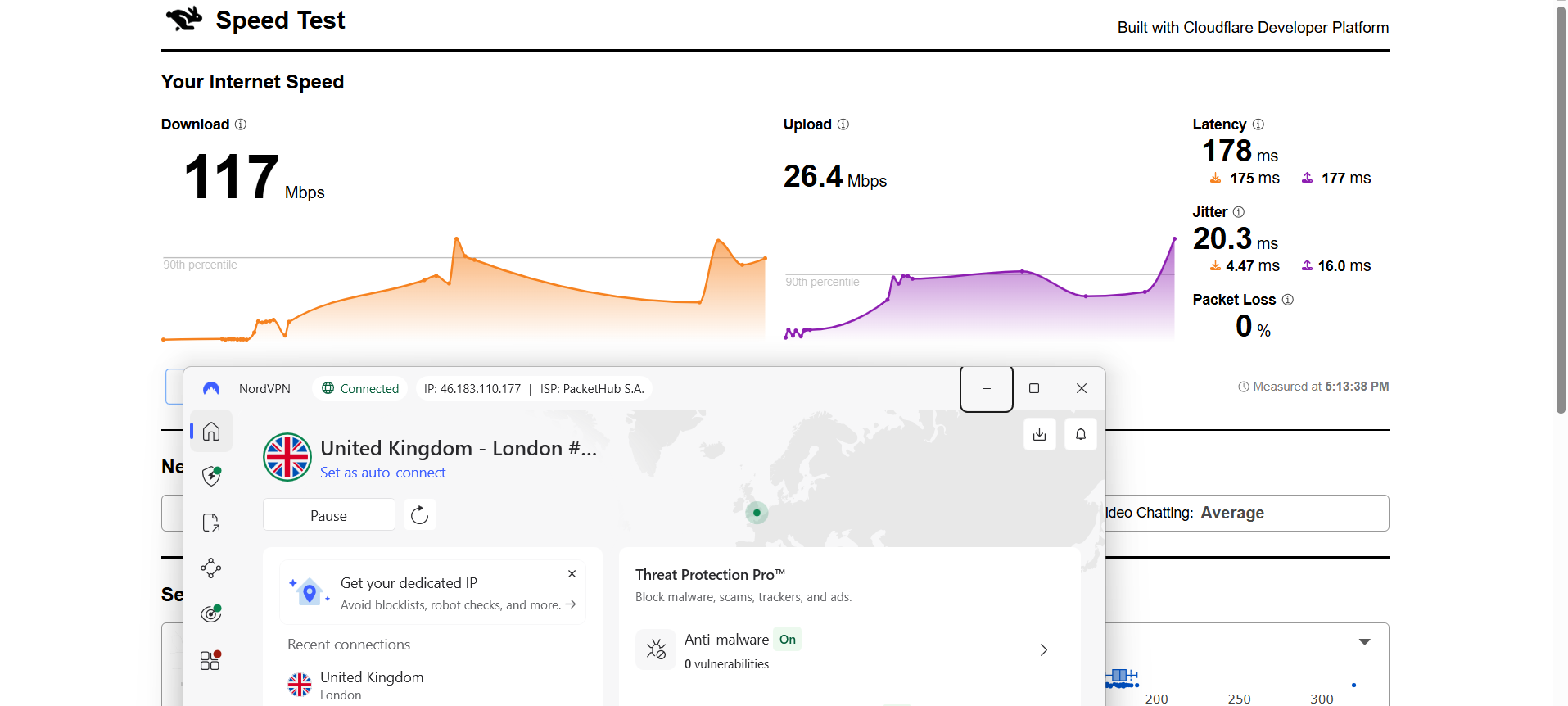
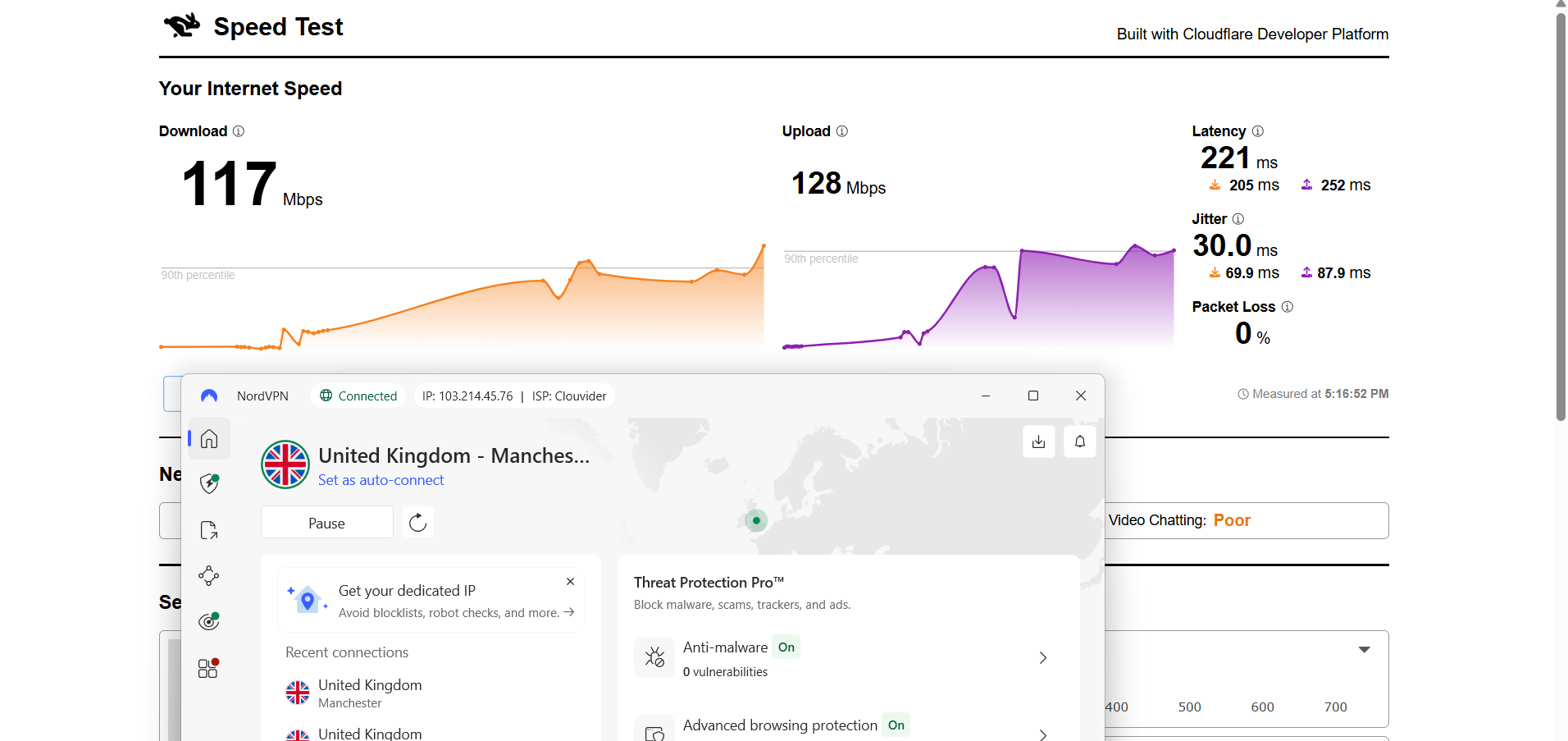
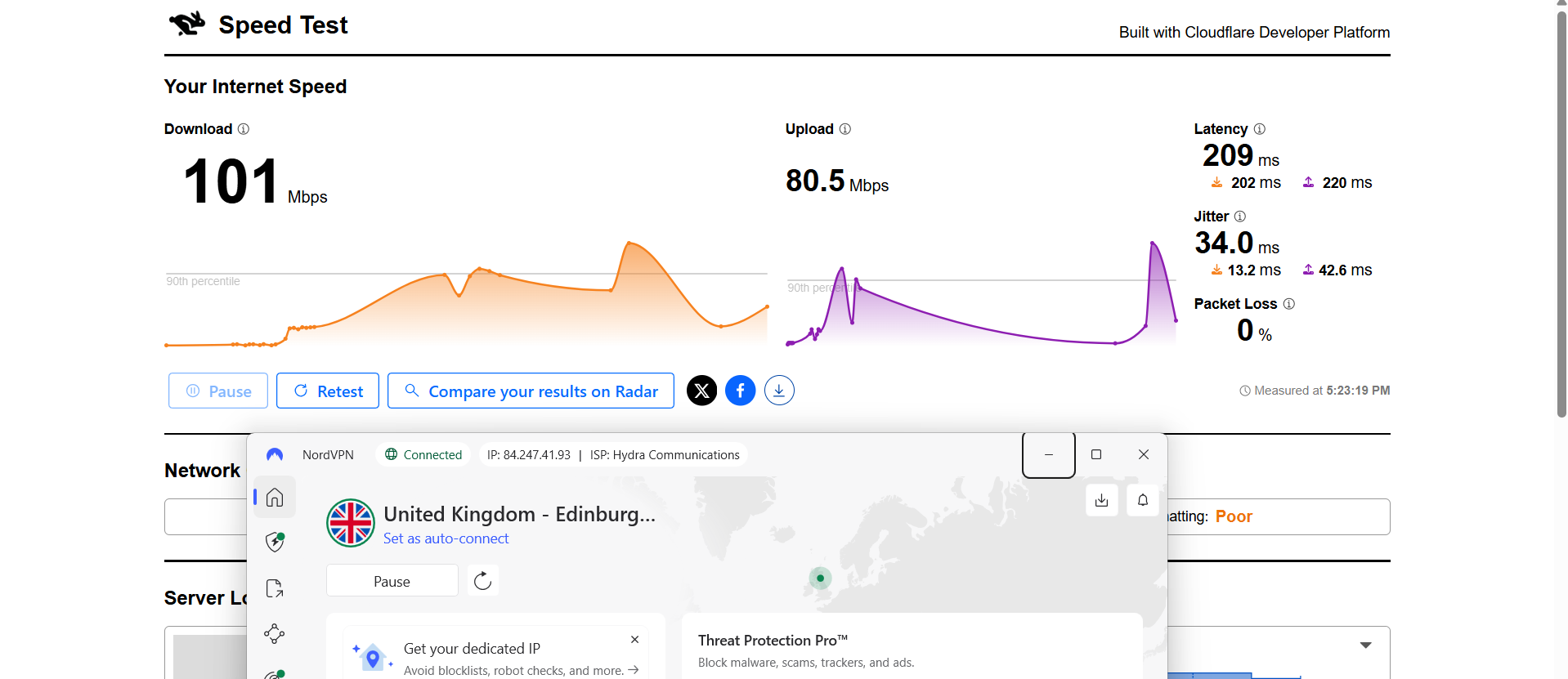
Here are the results compared to the baseline to show the real-world impact:
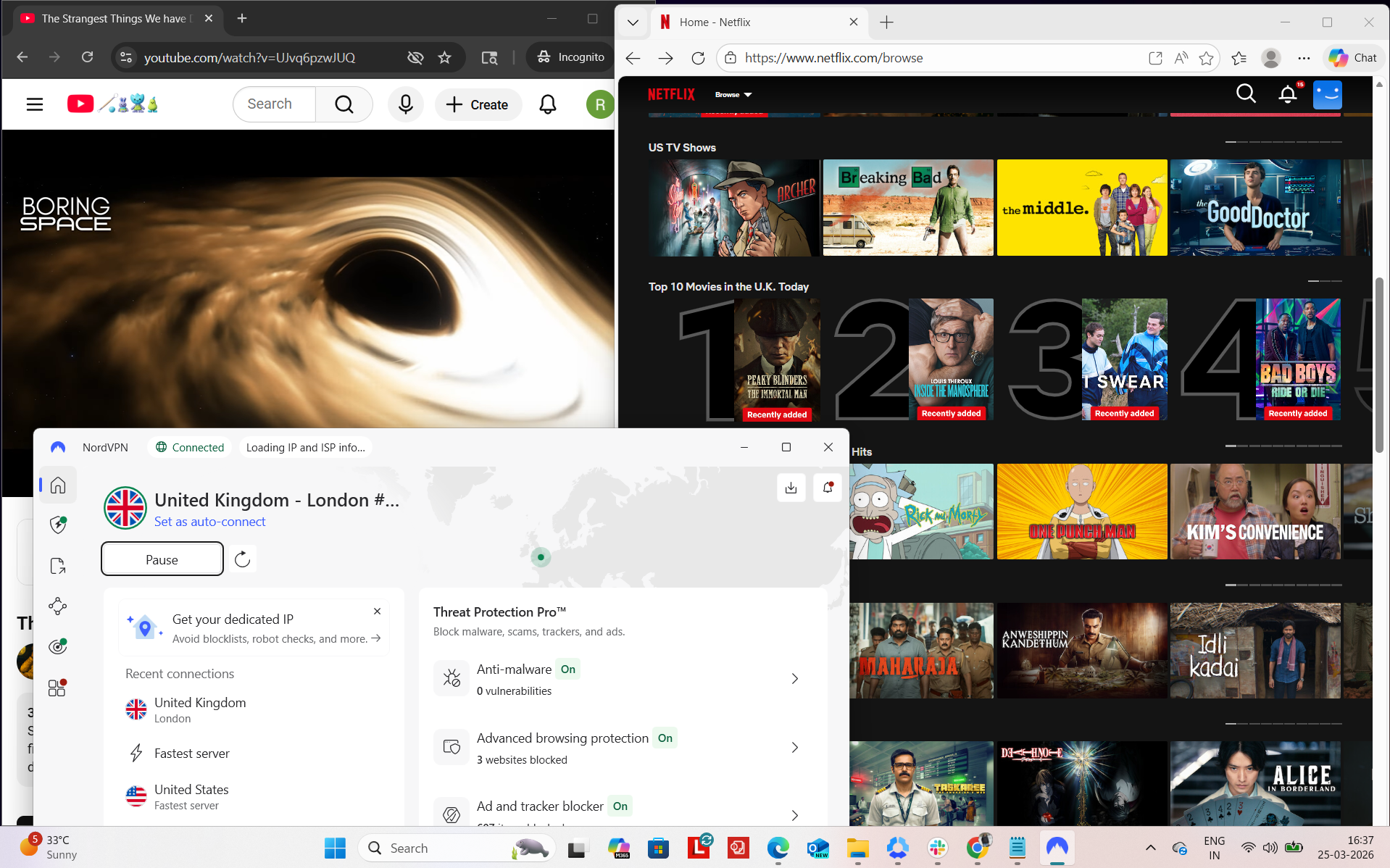
NordVPN felt consistently stable during my testing session, and I didn’t run into any interruptions while using it. To check stability and reliability, we tested it on Netflix UK and YouTube. We also did some browsing on Chrome. As a result, the connection stayed active the entire time, so I didn’t have to step in or reconnect at any point. There were no triggers or blocks witnessed.
Observed Connection Behavior
- Unexpected disconnects - None
- Reconnection attempts - Not needed at all
- Network drops - None
- Lag spikes or buffering - Not encountered (not even during streaming in high-quality)
Browsing Performance - From my side, browsing felt very responsive. Pages loaded within a couple of seconds, and there was no noticeable waiting time when opening sites or moving between tabs. Everything responded quickly, and I didn’t run into any lag or delays while navigating around.
Streaming & Content Handling
- Netflix Playback: While testing with Netflix, videos started playing after roughly 2–3 seconds. I noticed playback began in high quality right away, and it stayed consistent throughout a 30-minute viewing session without any buffering or drops in resolution.
- Seeking (Forward & Rewind) on Netflix: When I skipped forward, there was a short pause of about 2 seconds before the video resumed, but it continued smoothly in good quality once it loaded. Rewinding felt quicker in comparison. The video resumed almost instantly and maintained stable playback without any buffering.
- YouTube Performance: On YouTube, playback initially started at around 720p and then quickly shifted up to 1080p. After that initial adjustment, the quality stayed locked in, and the video played smoothly without interruptions or fluctuations for the rest of the session.
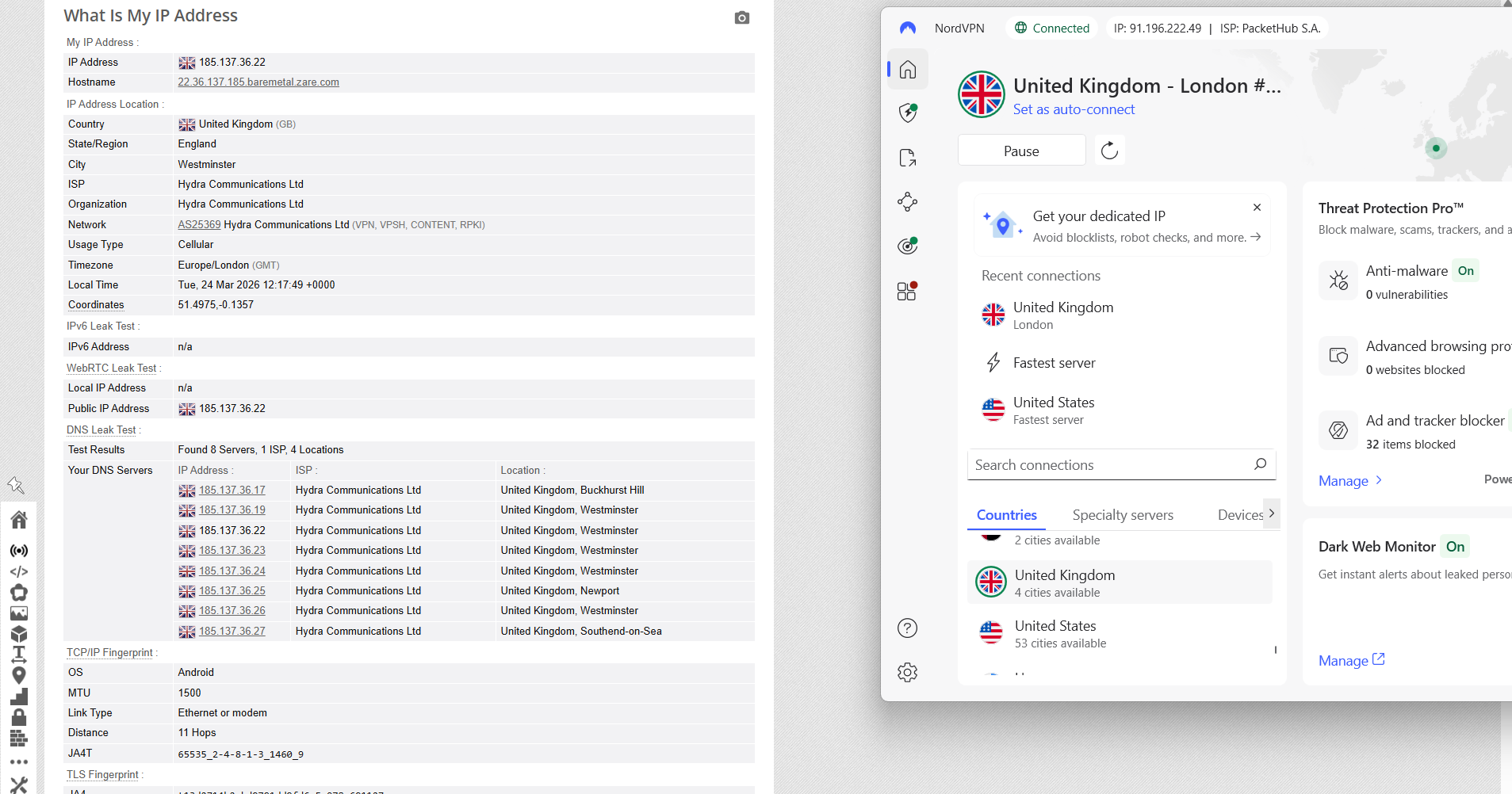
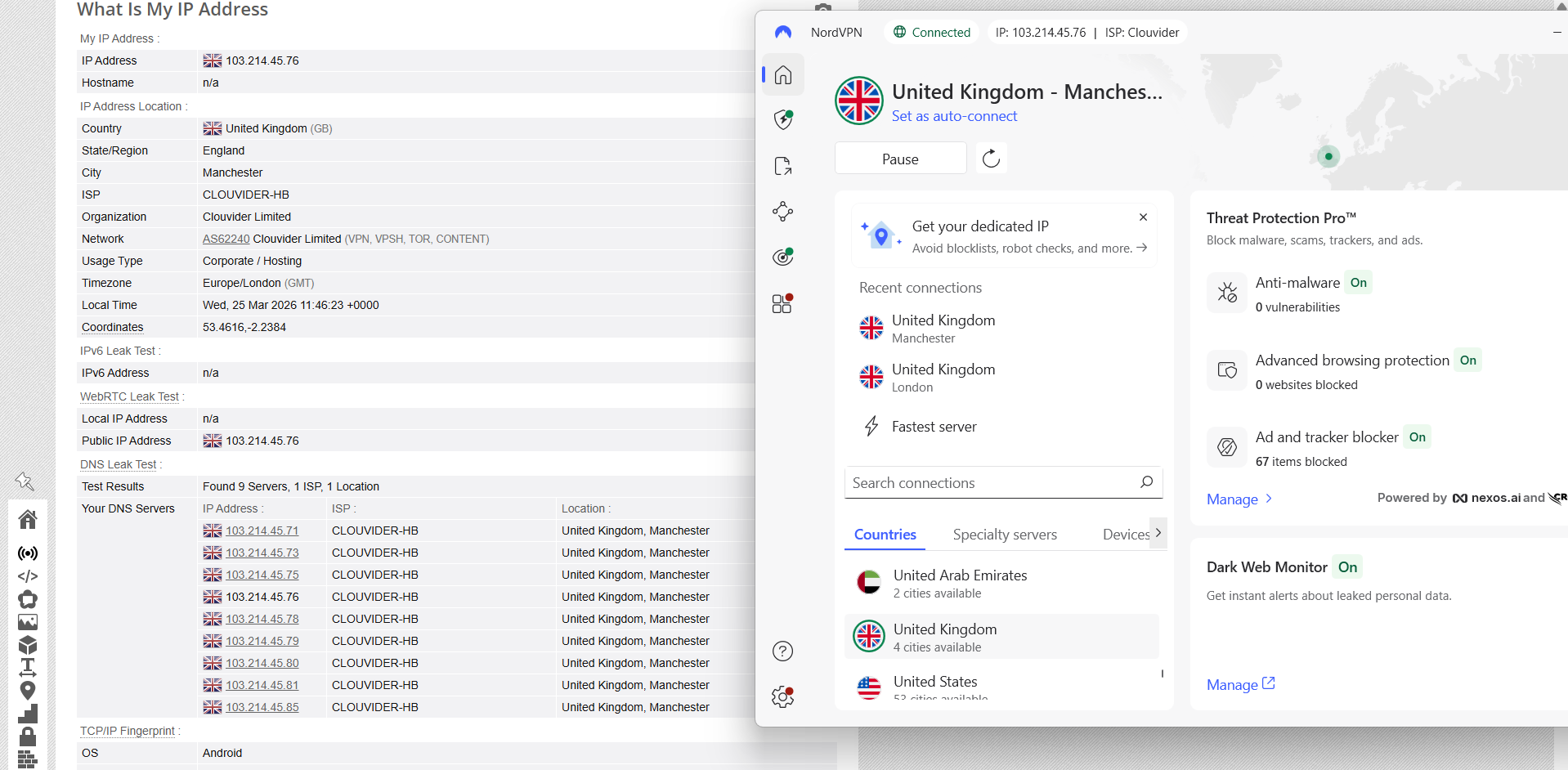
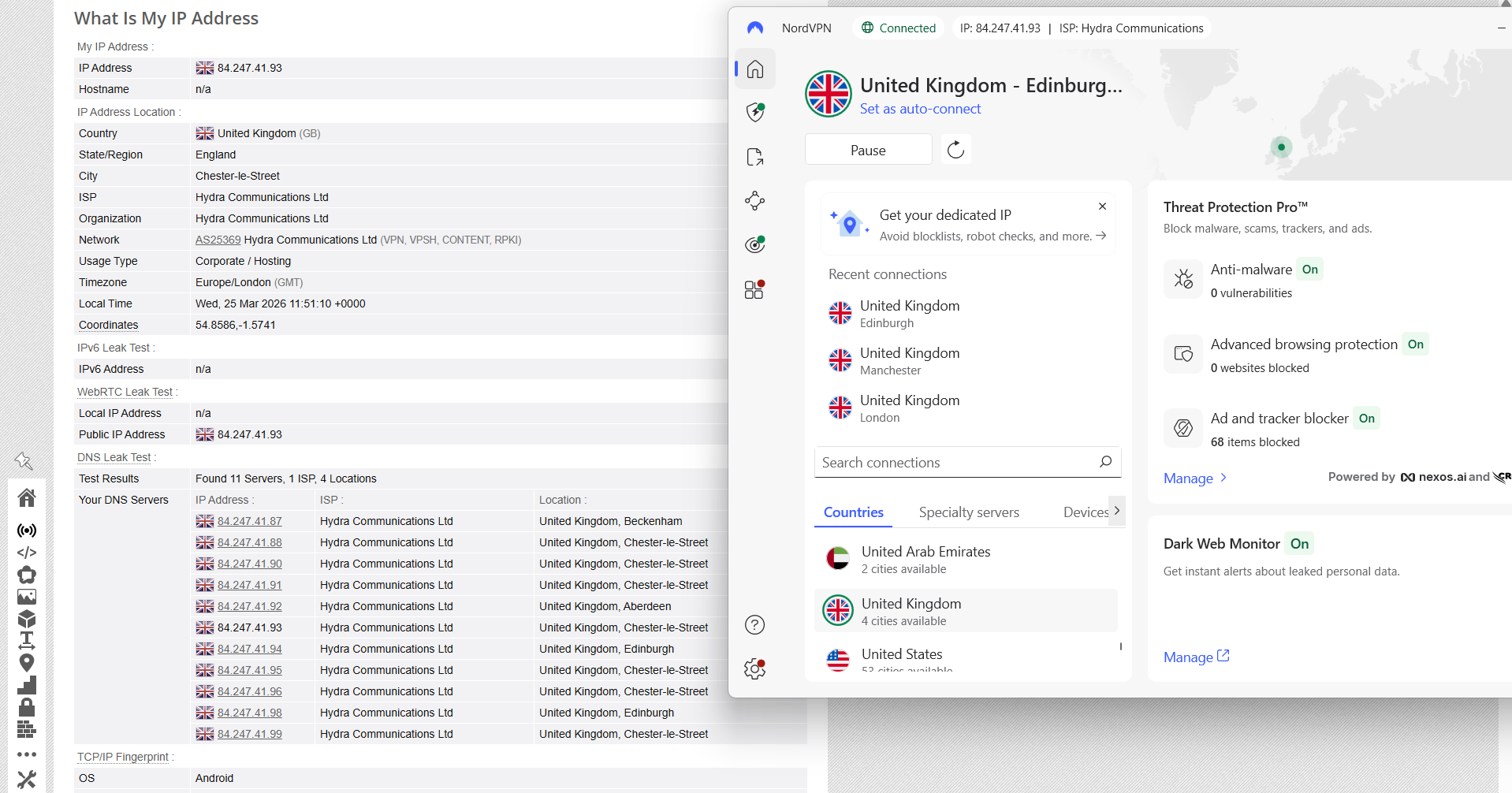
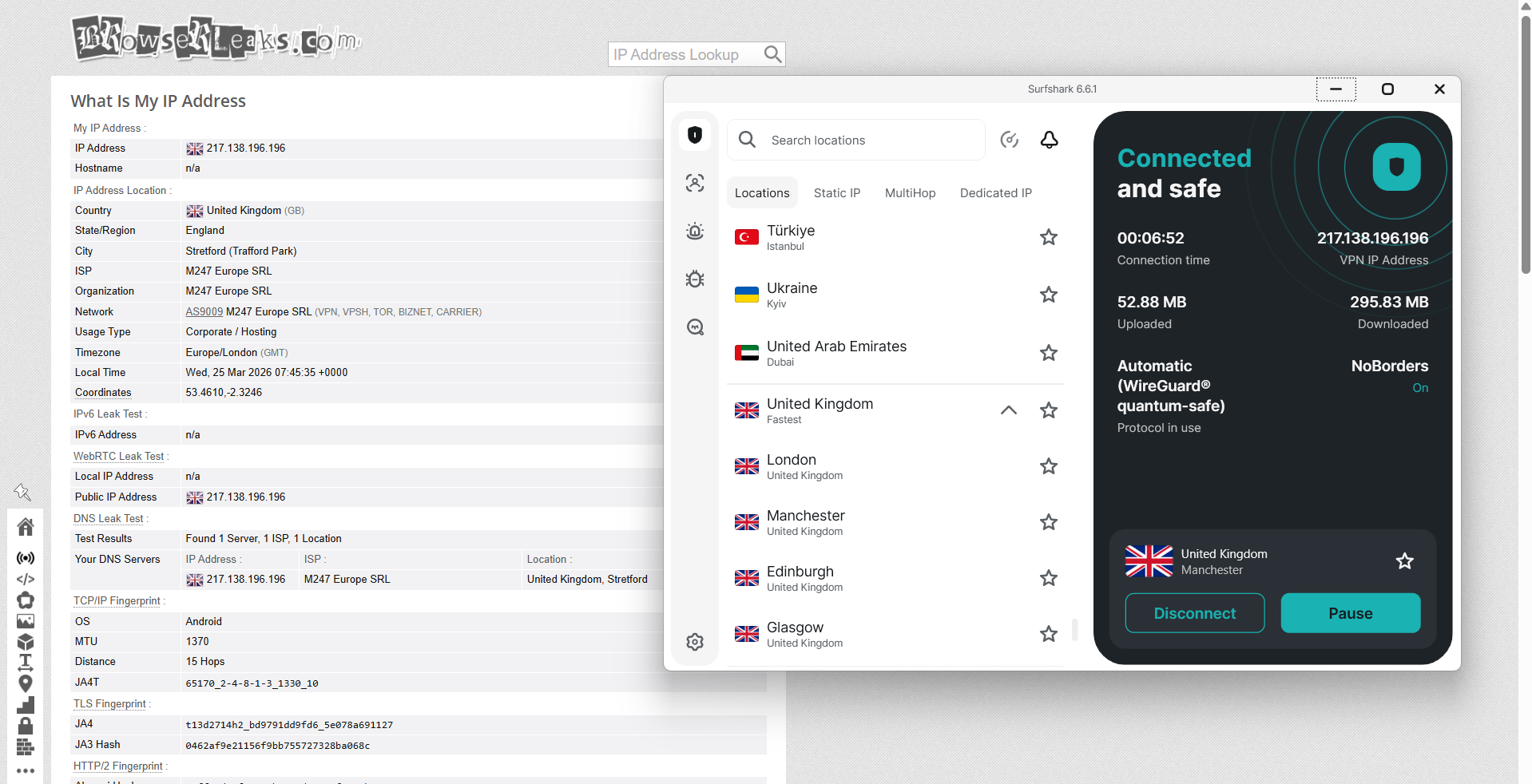
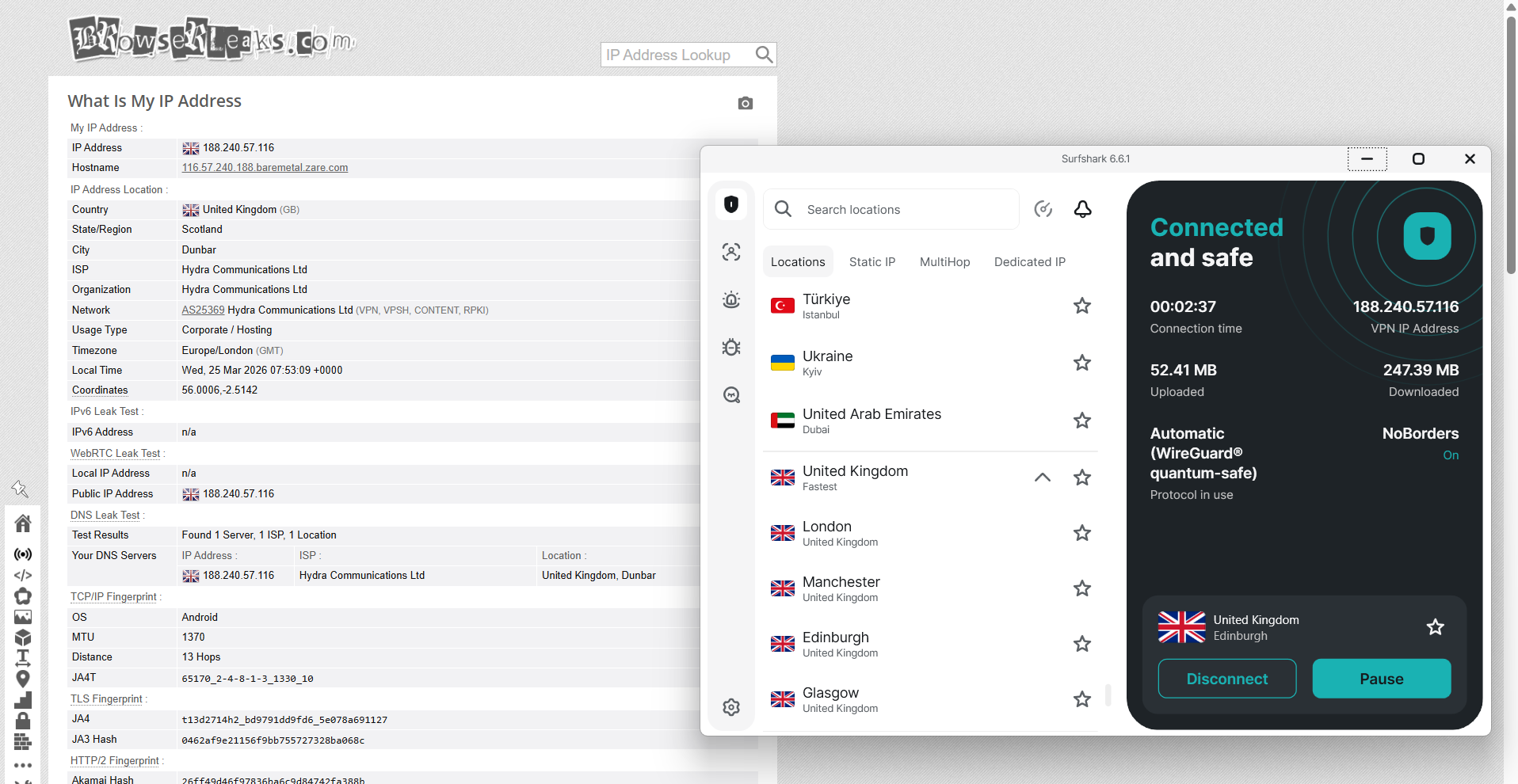
NordVPN delivered a consistent, experience-driven performance during testing across multiple UK server locations. Connections were evaluated on servers in London, Manchester, and Edinburgh, and in each case the visible IP address remained aligned with the selected region without any anomalies or unexpected shifts. Throughout the sessions, no DNS leaks were observed, with all queries remaining securely routed through the VPN tunnel, and checks confirmed that no real IP exposure occurred under any of the tested conditions.
From a reliability standpoint, the kill switch behaved as expected in real-world disruption scenarios. When the connection was intentionally interrupted, internet access was immediately cut off, preventing any outbound traffic from bypassing the protected tunnel. Across all tests, no kill switch leaks were detected, and the safeguard consistently maintained session privacy even during unstable or dropped connections.
PROS
- Solid UK coverage with 440+ servers across 4 key cities (London, Manchester, Edinburgh, Glasgow)
- Strong streaming performance with fast startup times and no buffering on platforms like BBC iPlayer, ITVX, Channel 4, and Netflix
- Highly reliable connections with no observed drops, interruptions, or reconnection issues during testing
- Excellent unblocking of major UK platforms with no proxy errors, CAPTCHAs, or detection triggers
- Robust leak protection with no IP, DNS, or WebRTC leaks detected across multiple UK server locations
- Consistent day-to-day performance with stable speeds, responsive browsing, and smooth platform switching
- Flexible server options including P2P, obfuscated, and Double VPN servers available in the UK
- Easy, seamless user experience with quick connections and no additional setup required
- Responsive 24/7 live chat support available
CONS
- Limited geographic spread with servers only in 4 cities and none in Wales or Northern Ireland
- Noticeable speed reduction compared to baseline, especially on certain servers (e.g., London upload speeds)
- Onion over VPN not available on UK servers
- Server concentration heavily focused on London, which may impact users farther from major hubs
2. Surfshark - 🥈Runner-Up
The moment I connected to UK servers on Surfshark, the experience felt pretty easygoing and didn’t really require any setup or adjustments. Everything just works in a normal, “plug-and-play” way once you’re connected, whether you’re browsing sites or jumping into streaming platforms.
What stands out first is the spread of UK servers. Instead of being packed into just one area, Surfshark covers both England and Scotland. That gives it a more balanced feel compared to providers that stick mostly to London. Streaming services opened without issues, and playback started quickly without any real friction. Day-to-day browsing also felt smooth, with pages loading fast and no need to refresh or retry anything.
Performance-wise, speeds were a bit lower compared to baseline, and upload speeds in particular were noticeably weaker across all servers. London felt the most stable overall, Manchester had slightly lower latency, and Edinburgh showed a bit more jitter and inconsistency. Even so, nothing really broke the experience. Videos played smoothly and there were no interruptions or disconnects during testing. One downside is that there’s still no coverage in Wales or Northern Ireland, so those regions miss out on closer server options. You also don’t get full clarity on which servers are physical or virtual. Still, the inclusion of MultiHop, Static IP, and Dedicated IP options adds useful flexibility, and overall it felt reliable.
Performance Testing Results
When it comes to UK coverage, Surfshark has a fairly solid spread, with servers across both England and Scotland instead of just one area.
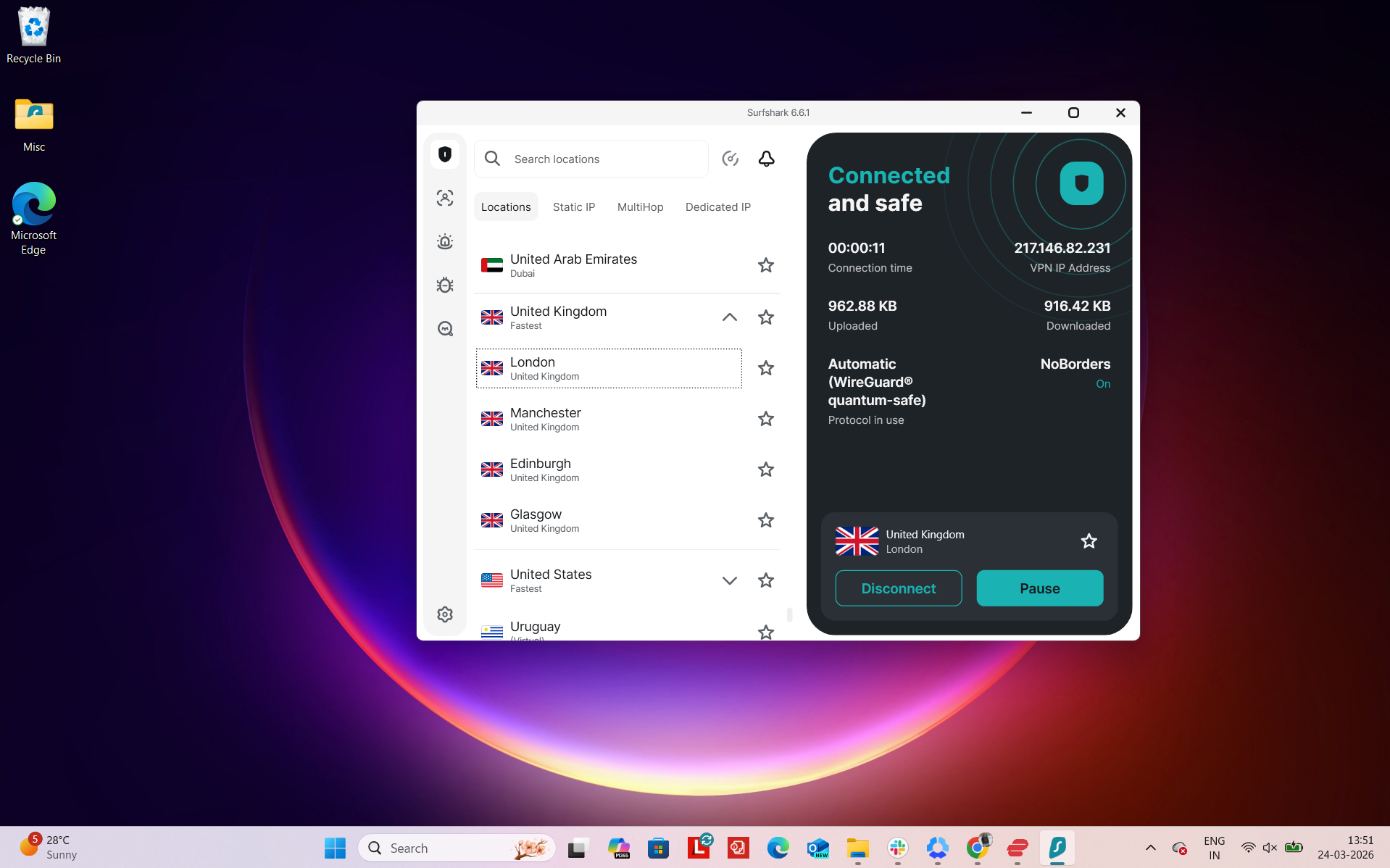
Number of UK Cities & States - It offers 440+ UK servers across 4 cities: Glasgow, Edinburgh, Manchester, and London. So the coverage is fairly balanced between England and Scotland, with no presence in Wales or Northern Ireland.
Regional Distribution - This setup shows that server availability is entirely concentrated in England, with no listed server locations in Scotland, Wales, or Northern Ireland.
Overall, it covers 2 regions (England and Scotland) and 4 cities in total.
The setup is fairly well balanced compared to some providers since it doesn’t just stick to London. Having both Manchester and multiple Scottish locations helps reduce congestion and gives users more nearby connection options depending on where they are in the UK. That said, Wales and Northern Ireland still have no dedicated coverage.
Physical vs Virtual Servers: Surfshark doesn’t clearly say which servers are physical or virtual, so there’s no real transparency there. Users just pick a location without knowing how it’s hosted behind the scenes.
Specialty Servers: Surfshark does offer some extra server options, but nothing overly complex. You get Static IP servers, MultiHop (double VPN routing), and Dedicated IP servers. These mainly help with stability, privacy, and avoiding IP blocks, but it doesn’t go into deeper categories like niche routing types or advanced specialty networks.
Using Surfshark with a UK server felt smooth and straightforward in day-to-day use. Once connected, there were no extra steps or repeated checks - supported streaming services and regular websites loaded as if accessed locally. Switching between platforms didn’t interrupt the session, and pages consistently opened without retries or refreshes.
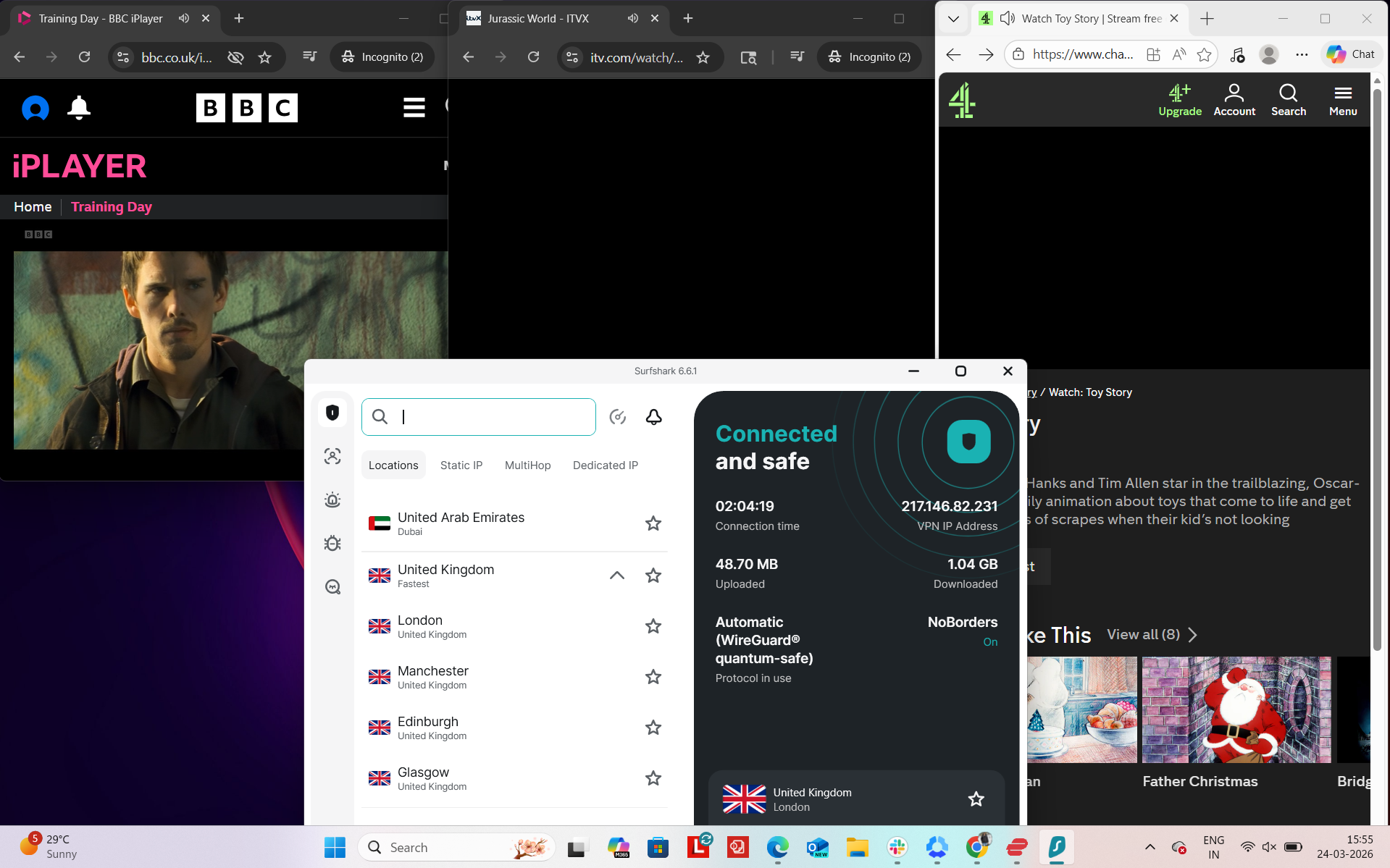
In testing, services like BBC iPlayer and ITVX worked reliably, opening on the first attempt with no signs of VPN detection or playback issues. General browsing also stayed fast and responsive, with no noticeable slowdowns while moving between sites. We didn’t run into proxy errors or service blocks during testing. Occasional CAPTCHA prompts did appear, but they were minimal and didn’t interfere much with the overall experience.
Real-World Access Experience
- BBC iPlayer - Opened successfully on the first try, with no signs of VPN detection
- ITVX - Access was immediate and uninterrupted, with smooth playback
- Channel 4 - Reached without any blocks, functioning as expected from the start
- Amazon.com - Browsing remained fast and responsive, with no lag observed
- Google - Pages loaded quickly and behaved normally
- Reddit - No restrictions encountered, full access maintained
Detection & Verification Behavior
- Proxy errors - Not observed at any point
- CAPTCHA prompts - Encountered during use
- Service blocking - No difficulty accessing or using major UK platforms
Surfshark’s UK network delivered consistent download speeds across all tested locations, though overall performance dropped notably from the baseline. London provided the steadiest experience with lower jitter, while Manchester recorded the lowest latency among the three. Edinburgh matched others in download strength but showed weaker uploads and higher jitter, indicating less stable performance in comparison.
In general use, speeds were sufficient for streaming and browsing despite reduced throughput. Upload performance was the main limitation across all servers, especially when compared to ExpressVPN’s stronger balance in some regions. Still, connection stability remained acceptable, with no major disruptions observed during testing.
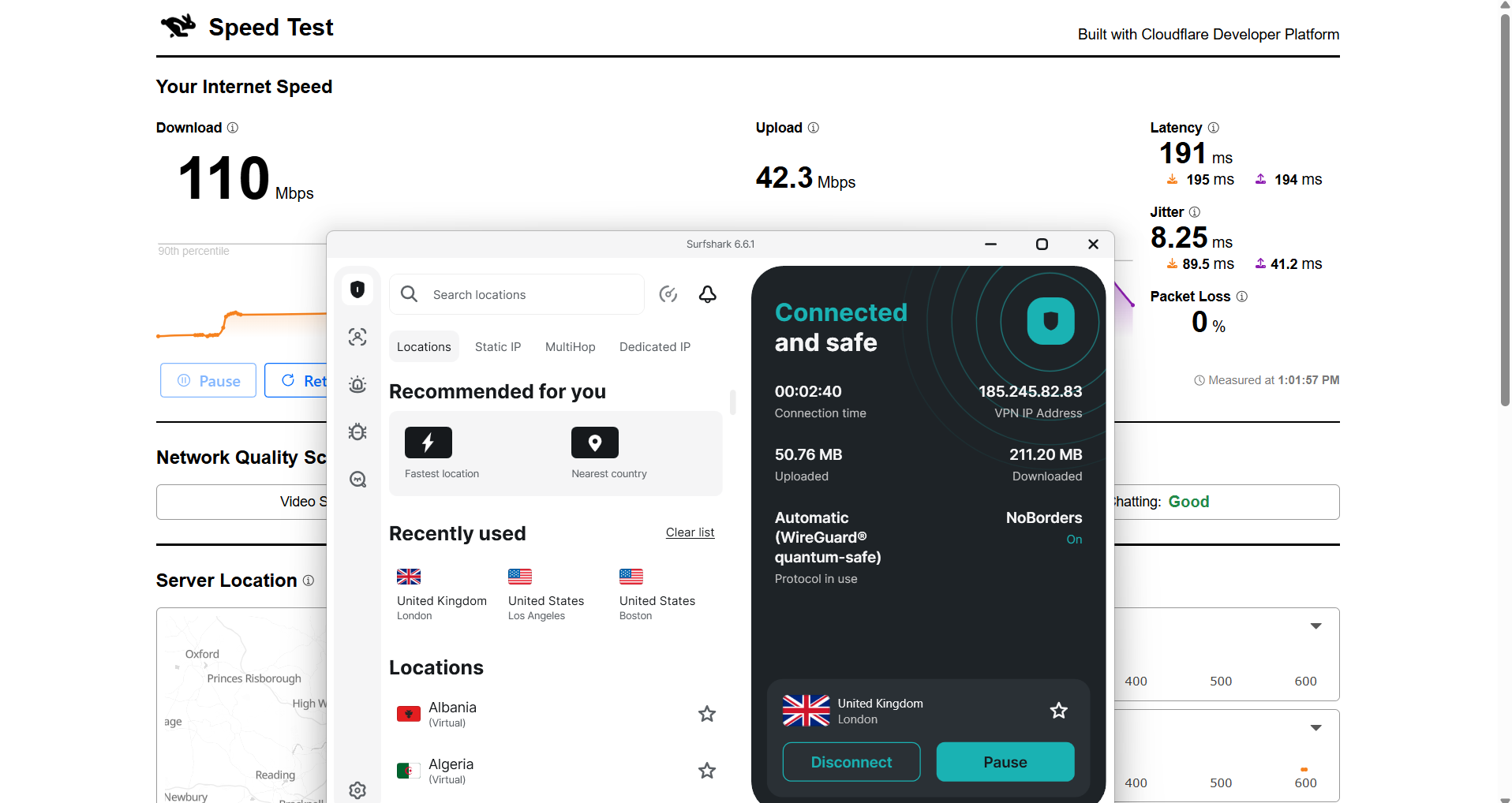
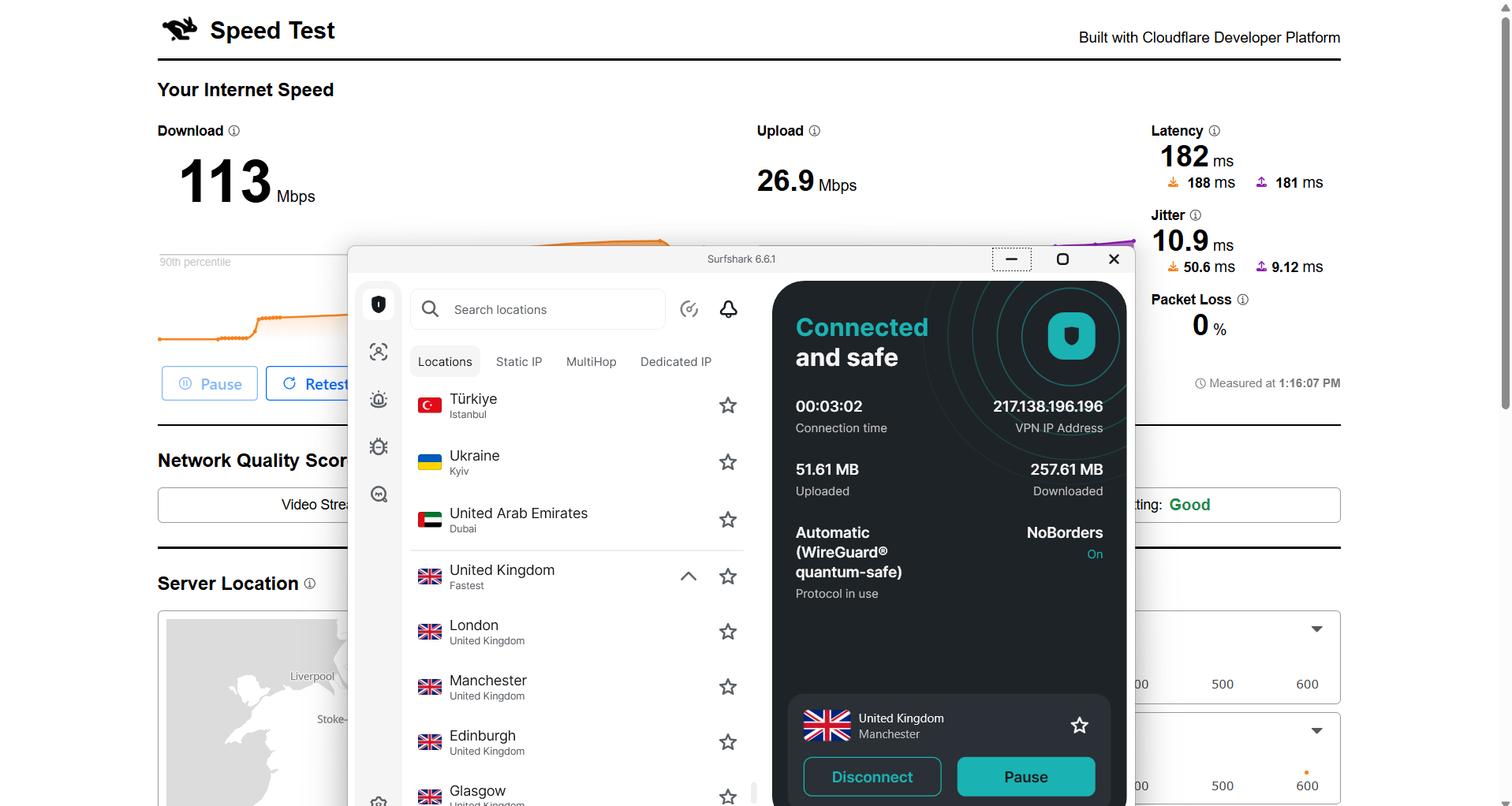
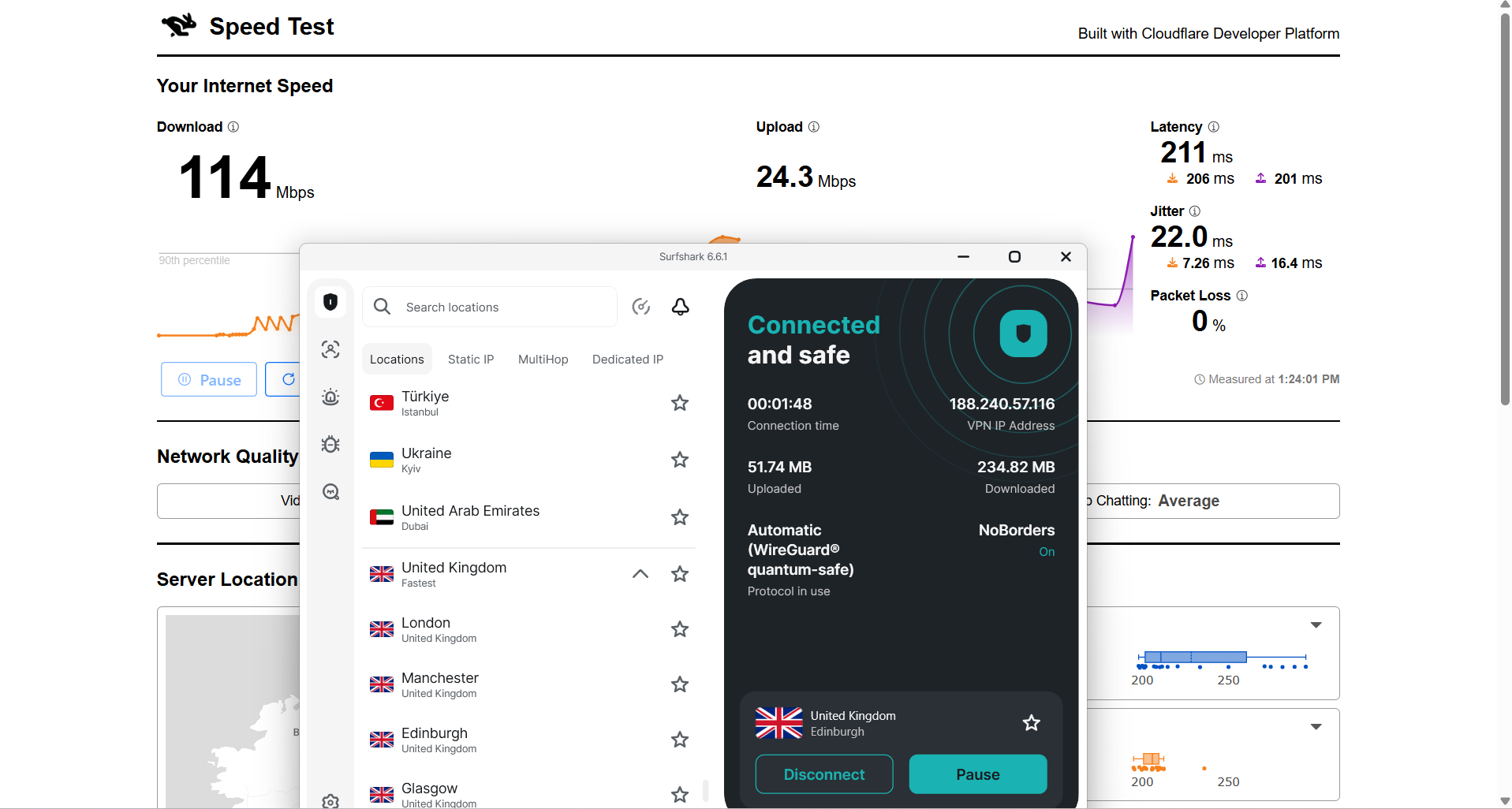
Here are the results compared to the baseline to show the real-world impact:
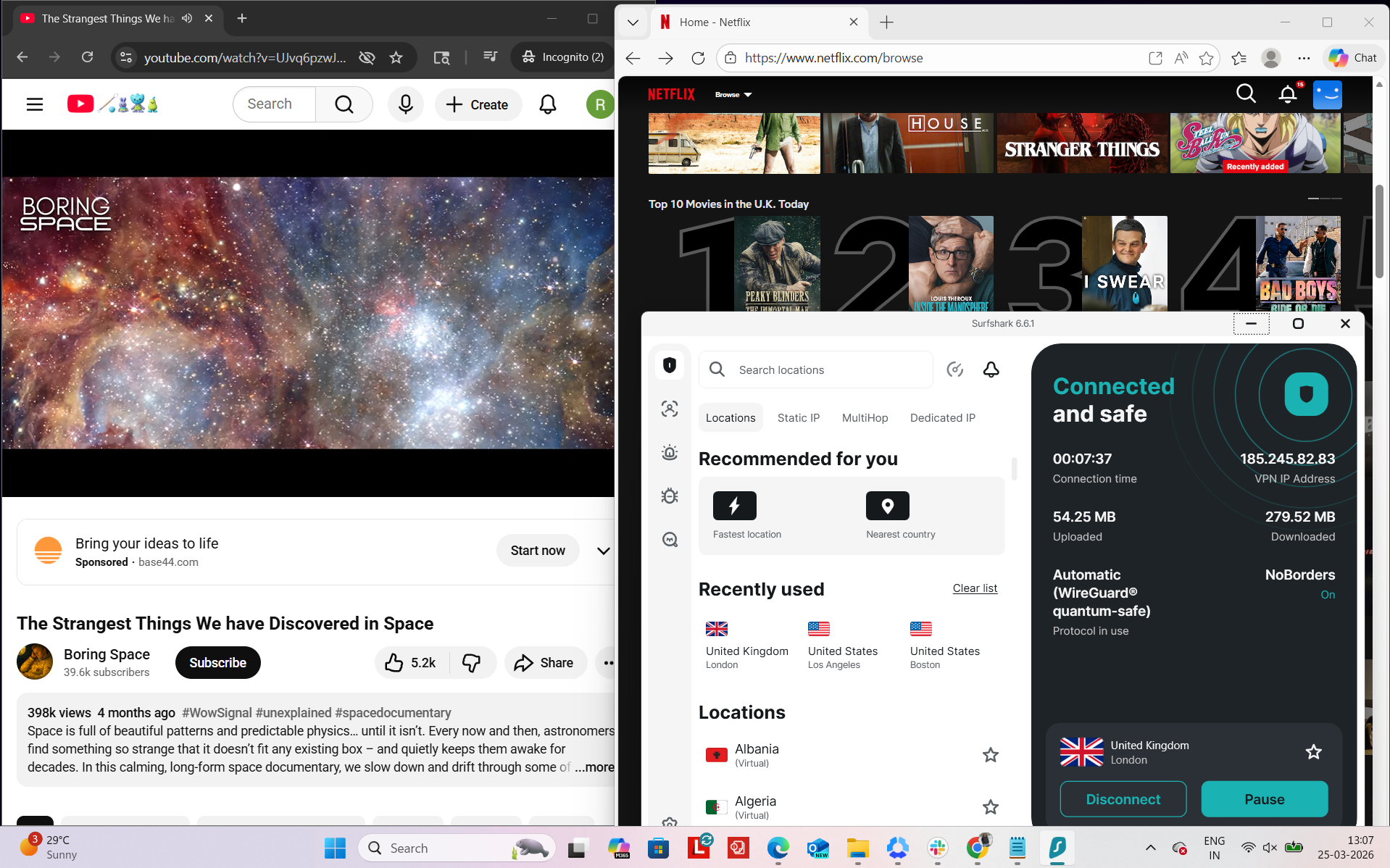
Surfshark felt stable and smooth during my testing session, and I didn’t experience any major interruptions while using it. To evaluate performance, I tested it on Netflix UK and YouTube while also observing playback behavior during streaming actions like forwarding and rewinding. Overall, the connection remained consistent, and there were no disconnects or need for reconnection at any point.
Observed Connection Behavior
- Unexpected disconnects - None observed
- Reconnection attempts - Not required
- Network drops - None during the entire session
- Lag spikes or buffering - Not observed during playback or streaming navigation
Browsing Performance - From my side, the overall browsing and streaming experience felt smooth and responsive. Videos and pages loaded quickly without noticeable delays. Navigation between streaming actions also felt stable, and there were no interruptions during playback once the video had started.
Streaming & Content Handling
- Netflix Playback: On Netflix, the video took around 2 seconds to load. It started in good quality right away, and within approximately 3–4 minutes, it upgraded to the optimum quality. After reaching that level, the playback remained stable without any buffering or quality drops for the rest of the session.
- Seeking (Forward & Rewind) on Netflix: While forwarding the video, there were no delays or lag issues, and playback resumed smoothly without buffering. On rewinding, there were also no blurs or quality issues, but the video took around 2 seconds to restart before resuming normally.
- YouTube Performance: Performance was strong and consistent. The video started in 1080p and stayed locked at that resolution throughout playback. There were no buffering issues, no quality drops, and no delays, making the overall experience feel very stable and smooth.
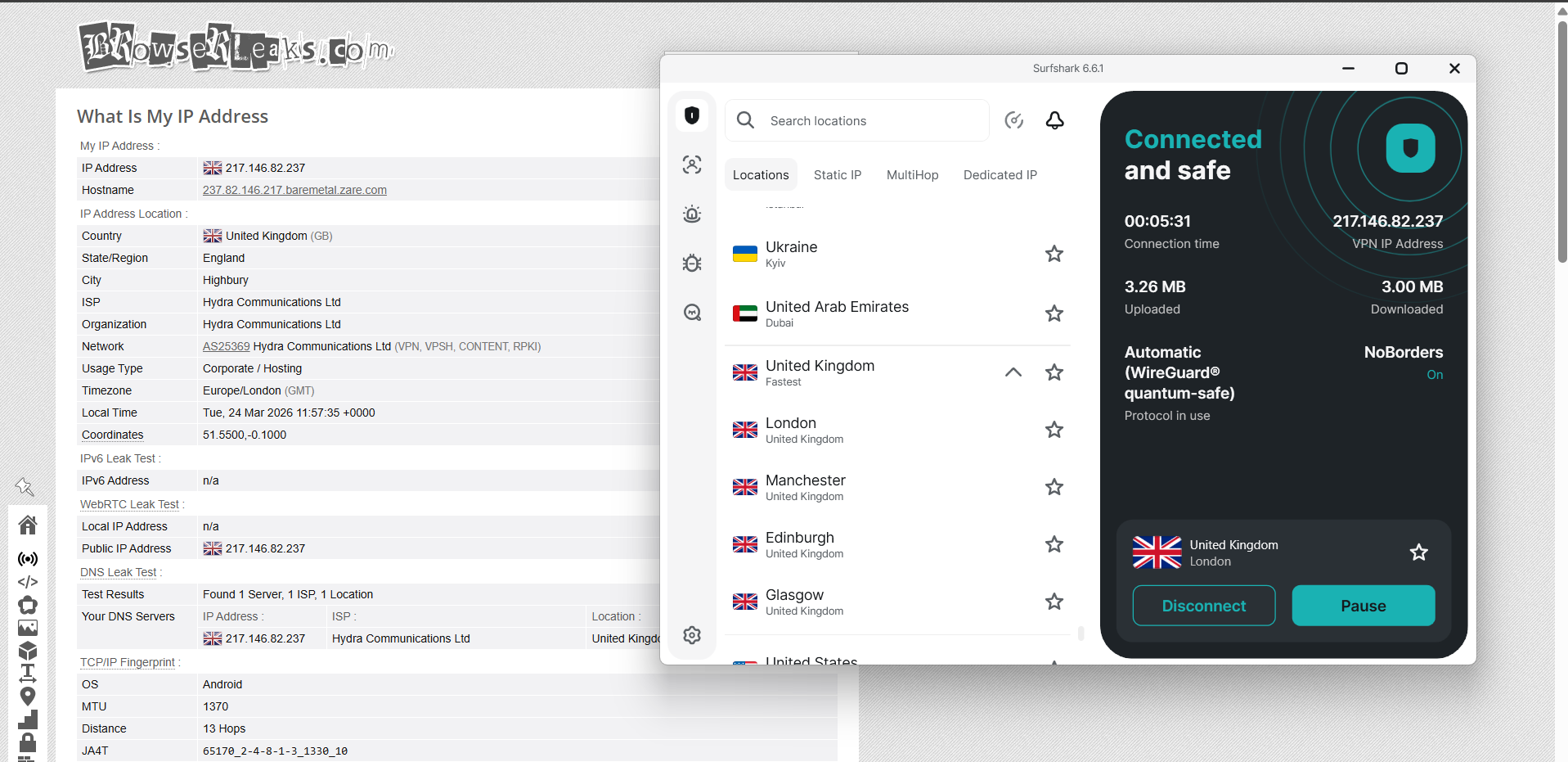
Surfshark showed stable, test-oriented performance across multiple UK server locations. Connections were run through servers in London, Manchester, and Edinburgh, and in each case the exit IP consistently reflected the chosen region without any mismatches or unexpected geographic shifts. Throughout testing, DNS leak checks remained fully clean, with all queries staying contained within the encrypted tunnel, and no instances of real IP address leakage were detected under any of the evaluated conditions.
From a stability perspective, Surfshark’s kill switch performed reliably during forced disconnection scenarios. When the VPN link was deliberately disrupted, internet access was instantly blocked to prevent any unprotected traffic from passing outside the tunnel. Across repeated trials, no leak events were observed, and the protection mechanism consistently maintained session security even during abrupt drops and reconnections.
PROS
- Good UK coverage with 440+ servers across England and Scotland (London, Manchester, Edinburgh, Glasgow)
- More balanced regional spread than single-region networks, reducing congestion and improving nearby access options
- Strong streaming access with instant unblocking of BBC iPlayer, ITVX, Channel 4, Netflix UK, and Amazon
- Stable connections with no drops, disconnects, or reconnection needs during testing
- Clean leak protection with no IP, DNS, or WebRTC leaks detected across UK servers
- Reliable kill switch that instantly blocks traffic during connection loss to prevent data exposure
- Smooth everyday browsing with fast page loads and responsive navigation across UK sites
- Consistent streaming performance with stable Netflix and YouTube playback after initial quality adjustment
- Specialty options available including MultiHop, Static IP, and Dedicated IP for added privacy and stability
CONS
- No coverage in Wales or Northern Ireland, with servers limited to England and Scotland
- Noticeable speed reduction vs baseline (up to ~47% loss depending on server)
- Upload speeds significantly weaker across all UK servers compared to download performance
- No clear transparency on physical vs virtual server classification
- Higher latency across UK servers impacting raw performance metrics
- CAPTCHA prompts may appear during usage on some platforms
3. ExpressVPN - Reliable but Limited UK Performance
Using ExpressVPN on UK servers was honestly pretty straightforward from the start, and it didn’t feel like there was any real setup or effort needed to get things working. Once I connected, UK sites and apps just loaded normally, and everything felt like a regular browsing session without extra steps or complications.
What stood out most was how easy it was to access UK content on the first try. The UK server network is spread across 6 cities in England, so there’s decent coverage in major areas even though it’s all concentrated in England. Once connected, performance felt stable, and streaming platforms worked without any setup issues or repeated verification. Netflix and YouTube both played smoothly, starting quickly and settling into good quality after a short adjustment period. Browsing also felt responsive, with pages loading fast and no interruptions when switching between sites.
Speed-wise, things were average. There was a clear drop compared to baseline performance, and latency was higher across all UK servers. London was the most balanced overall, while Midlands and Docklands showed slightly weaker upload speeds and less consistent routing. Even with that, nothing really broke the experience - streaming and browsing still worked fine without buffering or disconnects, just not at full speed. One limitation is that UK coverage is only in England, so there are no closer server options for Scotland, Wales, or Northern Ireland. There are also no specialty servers like P2P or Double VPN, which limits flexibility a bit. Overall though, it still felt stable, reliable, and easy enough for everyday UK use.
Performance Testing Results
When it comes to coverage in the United Kingdom, ExpressVPN maintains a concentrated but well-distributed presence, with servers spread across key urban areas in England rather than being widely dispersed across all UK regions.
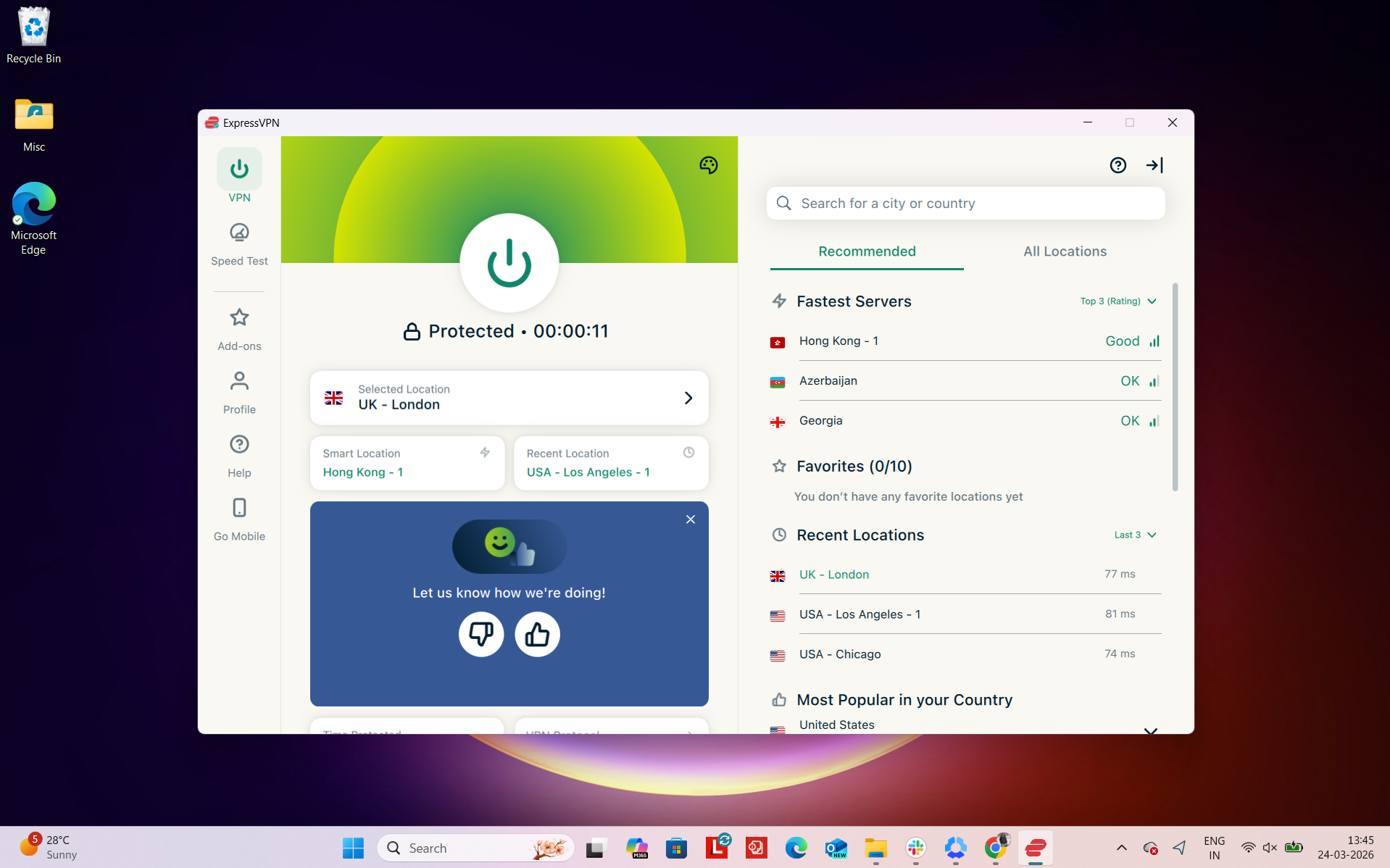
Number of US Cities & States - ExpressVPN operates with around 900 endpoints in the United Kingdom, supported by its broader global network. Its UK presence is distributed across 6 cities:
- UK - Midland
- UK - London
- UK - East London
- UK - Dockland
- UK - Tottenham
- UK - Wembley
Regional Distribution - This setup shows that server availability is entirely concentrated in England, with no listed server locations in Scotland, Wales, or Northern Ireland.
Total: 6 cities across 1 region (England)
The entire UK server distribution is heavily centered in England, with London and surrounding areas forming the core of the network. This is a common pattern among VPN providers, as London acts as a major connectivity hub with strong infrastructure and high demand.
In practical terms, this means users located in or near London and other major English cities are likely to experience lower latency and more stable connections. However, users in Scotland, Wales, and Northern Ireland may not have geographically closer server options, which can sometimes result in slightly less optimal routing compared to a more evenly distributed network.
Physical vs Virtual Servers - ExpressVPN doesn’t clearly separate its servers into physical and virtual categories the way some other VPNs do. That said, its virtual servers are marked with “(via)” inside the app so users can identify them easily. Overall, it has about 101 virtual servers globally. For the UK specifically, there are no virtual servers listed, meaning all UK locations run on standard physical infrastructure, which generally helps keep things more stable and predictable.
Specialty Servers - No specialty servers here. You don’t get things like P2P-optimized, Double VPN, or Onion over VPN. It’s just one standard server setup focused on speed and high-end privacy.
Connecting to a UK server on Surfshark felt smooth and close to a normal browsing experience. Once connected, there was no need for extra setup or repeated verification - supported sites loaded right away, and switching between them didn’t cause any interruptions.
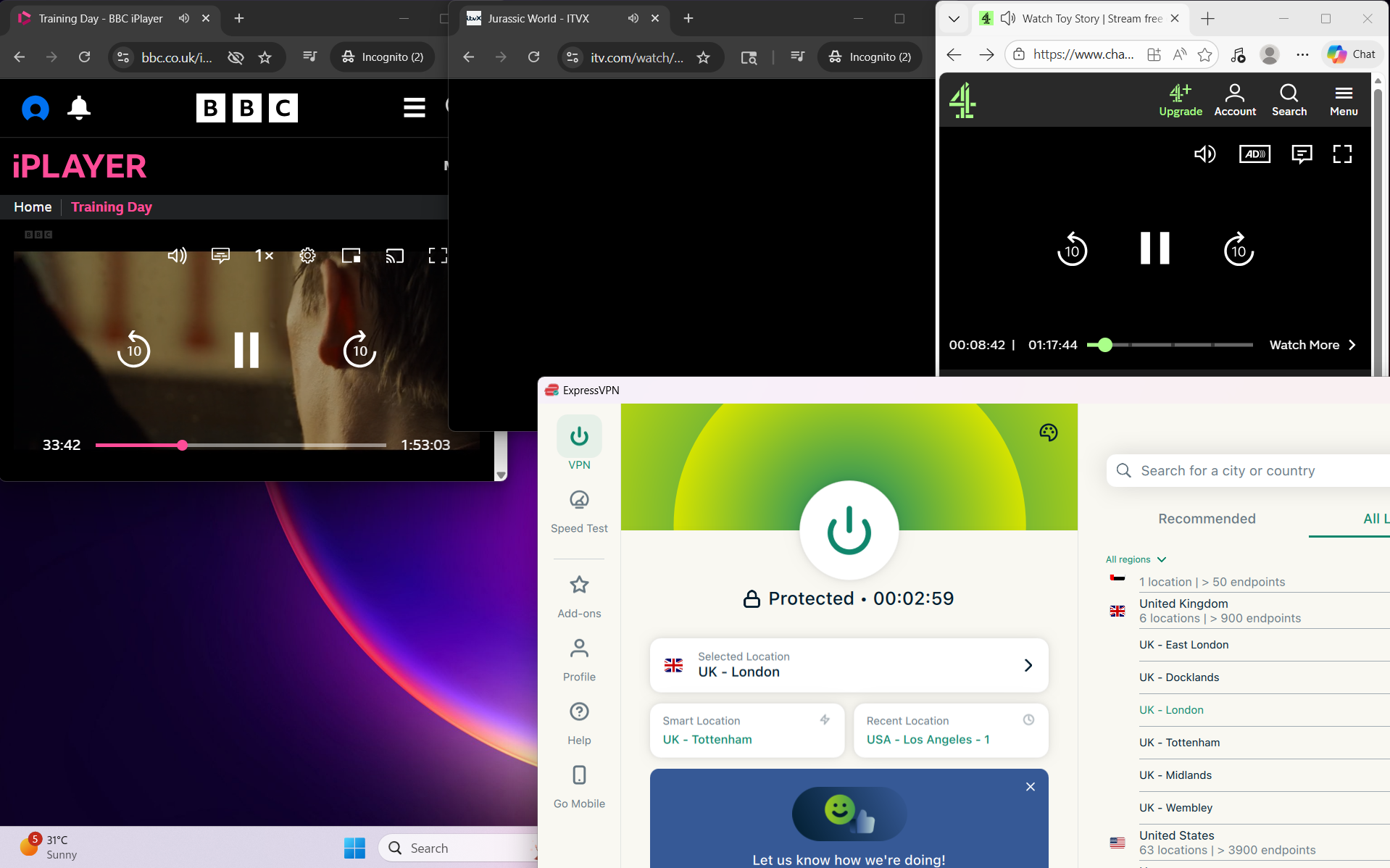
In testing, BBC iPlayer and ITVX worked reliably, opening on the first attempt without detection issues or playback problems. The experience stayed consistent across both streaming and general browsing, with pages loading quickly and no need for retries or refreshes. We didn’t encounter any proxy errors or service blocks during use. A CAPTCHA prompt appeared once, but it didn’t persist or affect overall usability.
Real-World Access Experience
- BBC iPlayer - Unblocked immediately on the first attempt, with no detection issues during use
- ITVX - Accessed smoothly right away, working without restrictions or errors
- Channel 4 - Loaded without any barriers, streaming access worked as expected
- Amazon.com - Browsing felt normal and responsive, with no noticeable lag
- Google - Pages opened instantly and behaved just like a standard connection
- Reddit - Fully accessible, with no content limitations or access blocks
Detection & Verification Behavior
- Proxy errors - None encountered throughout usage
- CAPTCHA prompts - Appeared once, but did not repeat afterward
- Service blocking - No interruptions or blocks when accessing major UK platforms
Across UK servers, ExpressVPN maintained usable speeds but showed a clear drop from the 210 Mbps baseline. London performed steadily at 113 Mbps download and 87.5 Mbps upload, while Midlands delivered slightly better download but weaker upload consistency. Docklands sat in the middle but had the lowest upload figure. Latency rose across all locations yet browsing and streaming remained generally unaffected in practice.
Overall, performance varied by city, with London offering the most balanced experience and Midlands leading slightly in download strength. Docklands lagged on uploads, highlighting uneven routing across regions. Despite higher latency, day-to-day usage stayed stable, and results point to consistent but reduced performance compared to baseline.
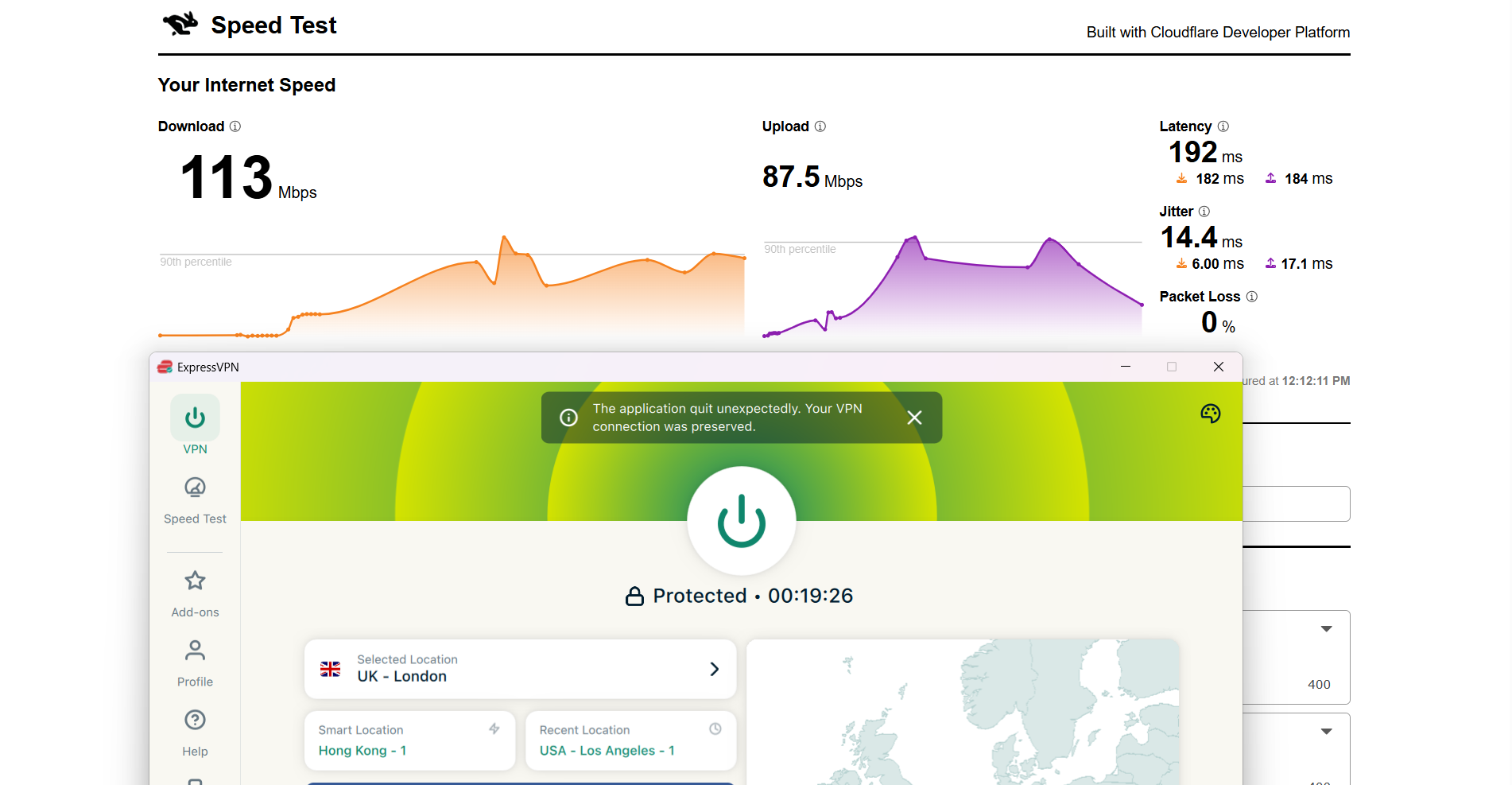
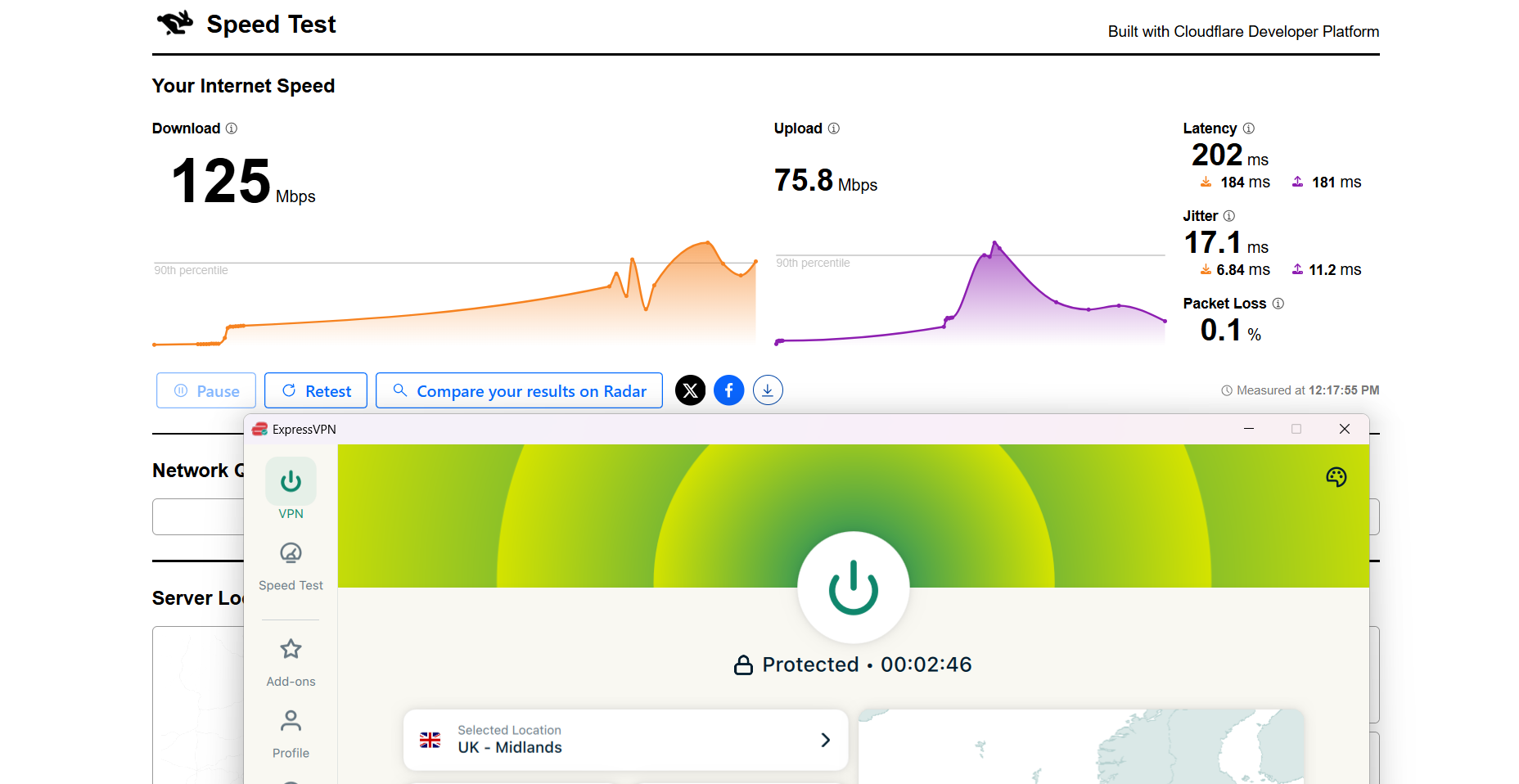
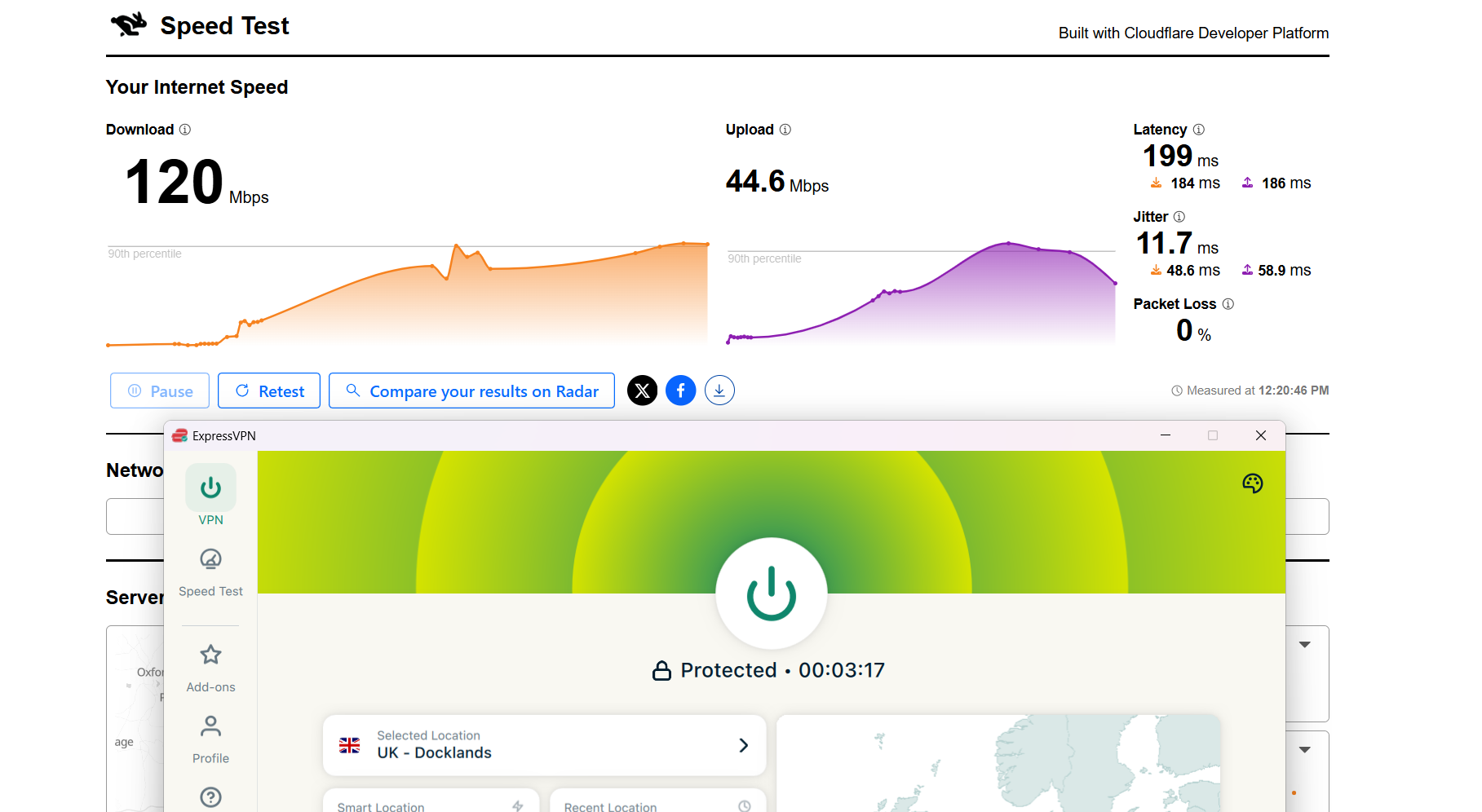
Here are the results compared to the baseline to show the real-world impact:
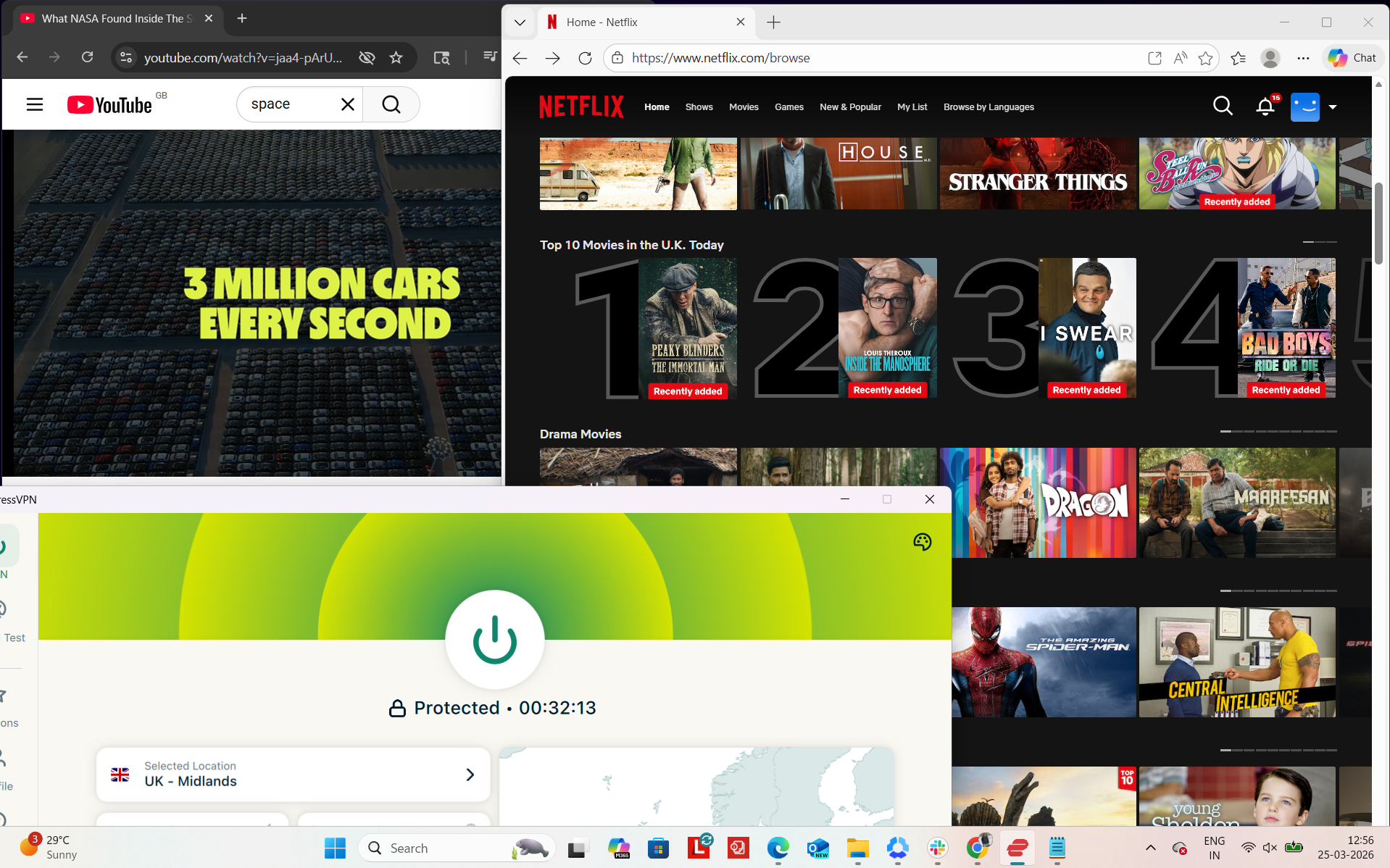
ExpressVPN felt generally stable during my testing session, and I didn’t face any major interruptions while using it. To evaluate performance, I tested it on Netflix UK and YouTube while also observing playback behavior during normal streaming actions like seeking and resolution switching. Overall, the connection stayed active throughout the session, and there were no full disconnections or forced reconnections required.
Observed Connection Behavior
- Unexpected disconnects - None observed
- Reconnection attempts - Not required
- Network drops - None during the entire session
- Lag spikes or buffering - Not observed during general playback, but minor quality fluctuation occurred during seeking
Browsing Performance - General browsing and streaming responsiveness felt smooth. Pages and videos loaded quickly without any noticeable delays during normal playback. The connection felt responsive overall, and there were no interruptions when switching between streaming platforms or starting videos.
Streaming & Content Handling
- Netflix Playback: The video started immediately without any delay, although it initially began in average (okayish) quality. Within around 2 minutes, the quality improved significantly and became very clear. After this adjustment phase, the playback remained stable for the next 30 minutes without any further quality drops or buffering.
- Seeking (Forward & Rewind) on Netflix: When I forwarded the video, it took about 2–3 seconds to load. After that, the video briefly started in a blurred quality state, then loaded again for about 1–2 seconds before stabilizing. Interestingly, it then took around 3 minutes for the video quality to fully improve back to optimal clarity. On rewinding, the response was quicker, with about 2–3 seconds of loading time, and the video resumed in good (optimum) quality almost immediately.
- YouTube Performance: On YouTube, the video started instantly without any delay. It first loaded UK-based ads, and the initial playback quality began at 720p. After that, the video quickly adjusted and reached 1080p resolution, where it remained stable for smooth playback.
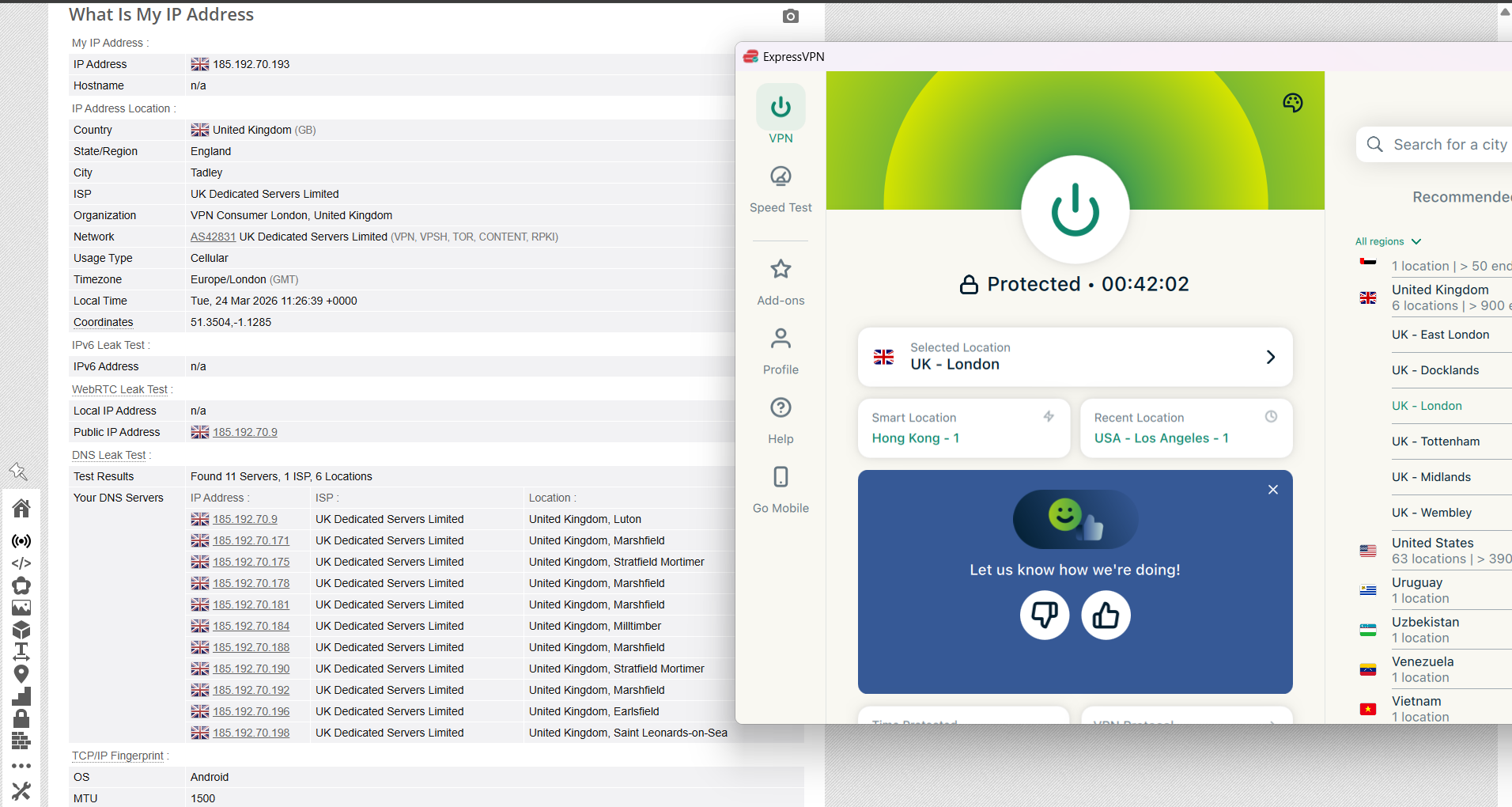
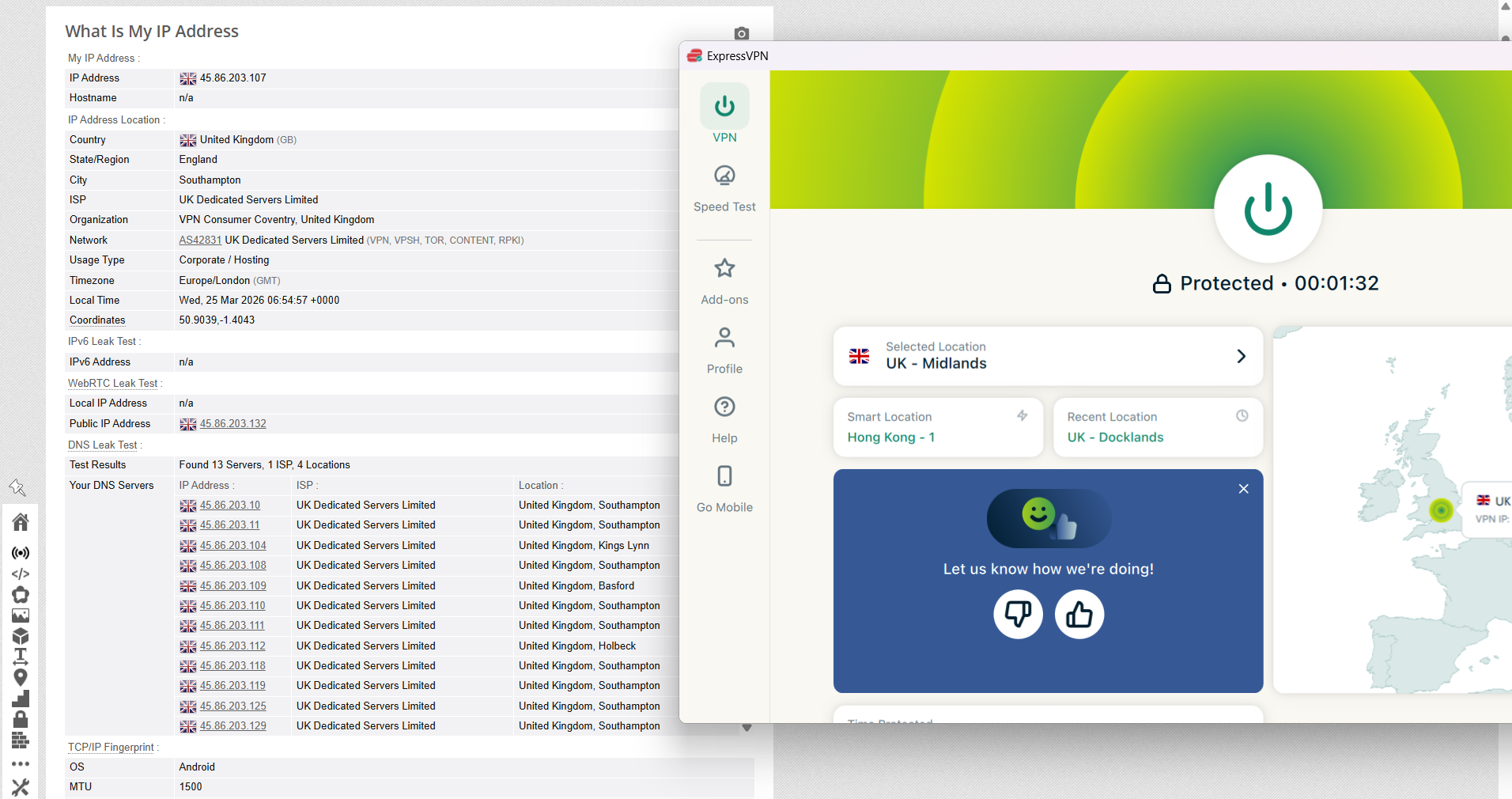
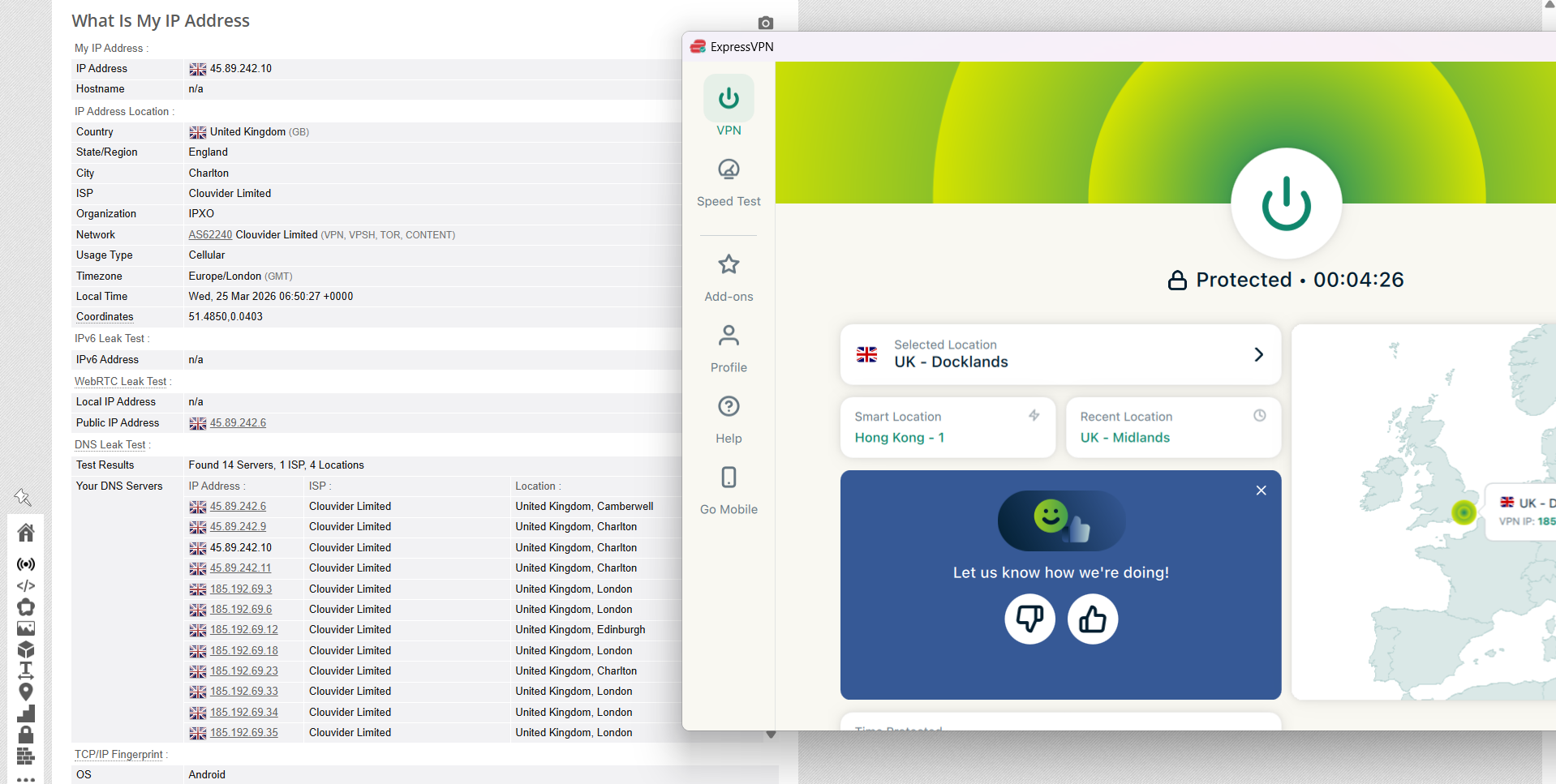
ExpressVPN maintained steady, test-driven performance across several UK server locations. Connections were assessed through endpoints in London, Midlands and Dockland, and in every instance the assigned IP consistently matched the selected region with no irregular switching or location mismatches. During all sessions, DNS leak checks returned clean results, with all requests securely staying within the encrypted tunnel, and no evidence of real IP address exposure was detected under any of the tested scenarios.
In terms of reliability, the built-in kill switch (Network Lock) functioned correctly during simulated connection drops. When the VPN link was forcibly interrupted, internet access was immediately halted, ensuring that no traffic was transmitted outside the protected tunnel. Across repeated tests, no data leaks occurred, and the safeguard consistently preserved privacy even during sudden instability or reconnection events.
PROS
- Strong UK coverage with ~900 endpoints across 6 English cities (London, Midlands, East London, Docklands, Tottenham, Wembley)
- Excellent streaming access with instant unblocking of BBC iPlayer, ITVX, Channel 4, Netflix UK, and Amazon
- Highly stable connections with no drops, interruptions, or forced reconnections during testing
- Clean leak protection with no IP, DNS, or WebRTC leaks detected across all UK servers
- Reliable kill switch (Network Lock) that instantly blocks traffic during disconnections
- Consistent real-world usability with smooth browsing and fast page loading on UK sites
- Solid streaming experience with stable Netflix and YouTube playback after brief quality adjustment
- Seamless user experience with no setup required and instant UK service access
- Physical-only UK servers improve stability and predictable routing performance
CONS
- UK coverage limited to England only, with no servers in Scotland, Wales, or Northern Ireland
- Noticeable speed drop vs baseline
- Higher latency across all UK servers affecting raw performance metrics
- No specialty servers like P2P-optimized, Double VPN, or Onion over VPN
👉 See full ExpressVPN review →
4. Proton VPN - Best Coverage but Slower Performance
If you’re looking at overall UK coverage, Proton VPN is easily one of the most well-rounded options out there. Unlike most providers that heavily lean on England, this one actually spreads its servers across all four UK regions, which is a pretty big deal in terms of consistency. This kind of distribution helps reduce congestion and gives users better chances of connecting to a nearby server, especially if they’re outside London.
The network itself feels more balanced because traffic isn’t being funneled into just a few major hubs. While Proton VPN doesn’t clearly label which servers are physical or virtual, it still offers some solid extras like Secure Core (multi-hop routing) and P2P-optimized servers in the UK. There’s also a nice touch with real-time server load visibility, which makes it easier to pick less crowded servers. In actual usage, access to UK platforms worked smoothly without detection issues, and general browsing stayed stable - though speeds and load times weren’t quite as snappy as top performers like NordVPN or ExpressVPN.
Performance-wise, it’s a bit of a mixed bag depending on location. London clearly performs the best with stronger speeds, while places like Cardiff and Belfast show bigger drops, especially in upload performance and overall efficiency. Streaming works, but it’s not the fastest to stabilize. That said, the connection itself stays stable with no disconnects, and security features like the kill switch and leak protection work reliably. Overall, Proton VPN leans more toward balanced coverage and solid privacy rather than raw speed dominance.
Performance Testing Results
When it comes to UK coverage, Proton VPN actually stands out more than most competitors (including NordVPN and ExpressVPN) because it’s the only VPN here that offers at least one server in every UK region. This gives it a much more balanced national presence instead of being concentrated in just England. It also helps users get more consistent speeds depending on where they are located across the UK.
Number of US Cities & States - It offers servers in 6 UK cities:
- Belfast
- Cardiff
- Edinburg
- Glasgow
- London
- Manchester
This gives it a more complete national spread compared to VPNs that stick only to England.
Regional Distribution - Here is the entire breakdown of its server coverage:
Total: Overall, it covers 3 cities and one region + 1 streaming optimized UK server
So unlike most providers that are heavily England-focused, Proton VPN is the only one that actually covers all four UK regions. That means better local access no matter where you are in the UK, which helps with latency and connection stability outside major English cities.
It also helps reduce congestion since traffic isn’t forced through a few London-heavy servers. Overall, it just gives a more balanced and consistent experience across the country.
Physical vs Virtual Servers - Proton VPN doesn’t clearly label which UK servers are physical or virtual in its interface, so there’s no full transparency here. However, the network is generally built with reliability in mind, even if it doesn’t break down infrastructure details as clearly as some competitors.
Specialty Servers - Proton VPN stands out more in this category, offering several specialized server types, including:
- Secure Core (multi-hop routing through privacy-friendly countries) – Yes, available in the UK
- P2P-optimized servers – Yes, available in the UK
- Tor over VPN servers – Not available in the UK
A particularly useful feature is that Proton VPN displays real-time server load, allowing you to choose less crowded servers for better performance. This adds a layer of transparency and control that many other VPN providers don’t offer.
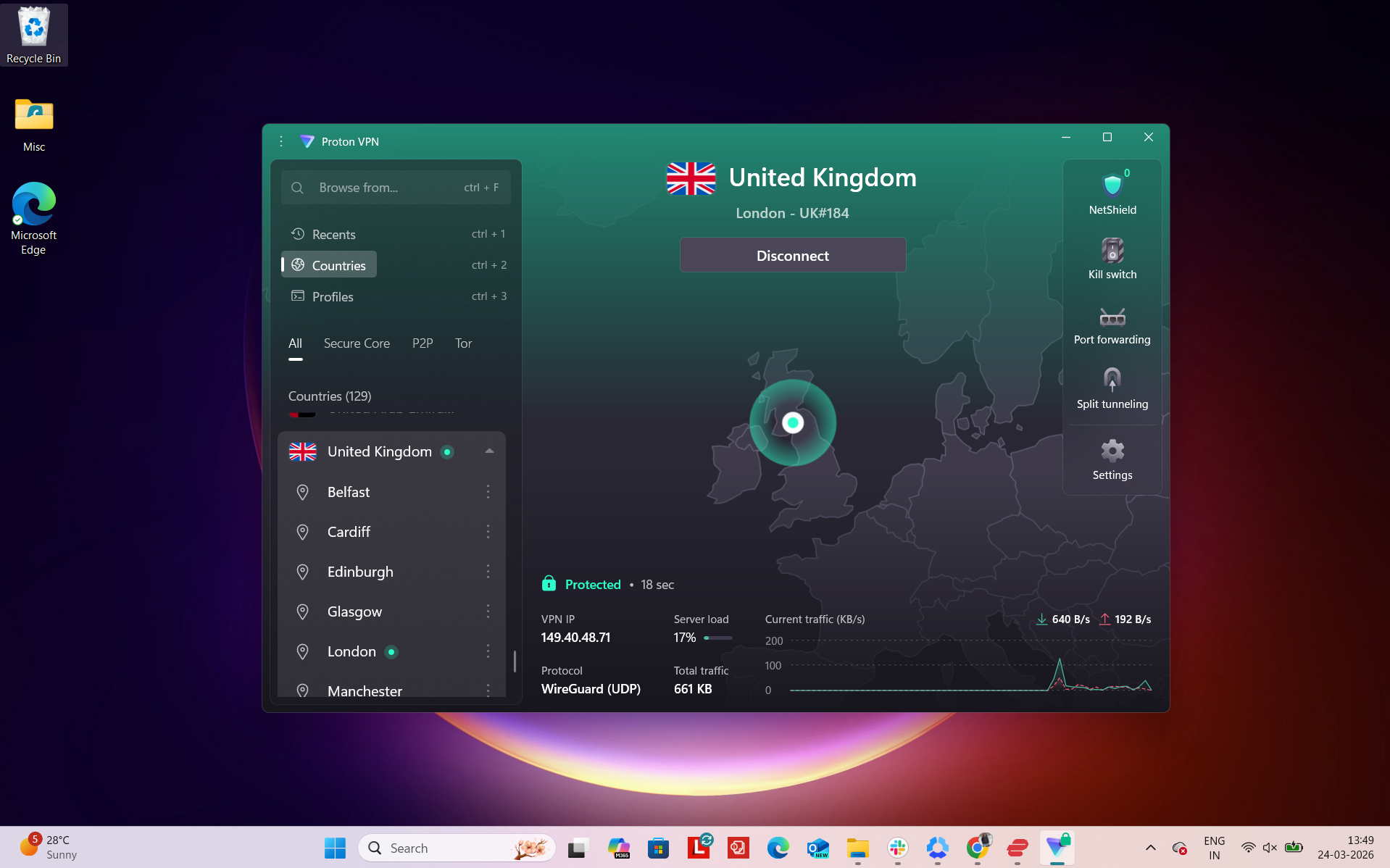
Proton VPN felt very reliable for accessing UK-based services during my testing session, especially in terms of bypassing restrictions and avoiding detection. To evaluate performance, I tested it across UK streaming platforms like BBC iPlayer, ITVX, and Channel 4, along with general browsing on Amazon, Google, and Reddit. Overall, the connection remained stable, and I didn’t face any blocking issues during access attempts.
In my daily browsing, streaming services were consistent. Pages also loaded normally, but not as fast as NordVPN, ExpressVPN or Surfshark VPN. We didn’t run into any proxy errors or service blocks during use. CAPTCHA prompts appeared occasionally while browsing, but they were infrequent and didn’t significantly affect the overall experience.
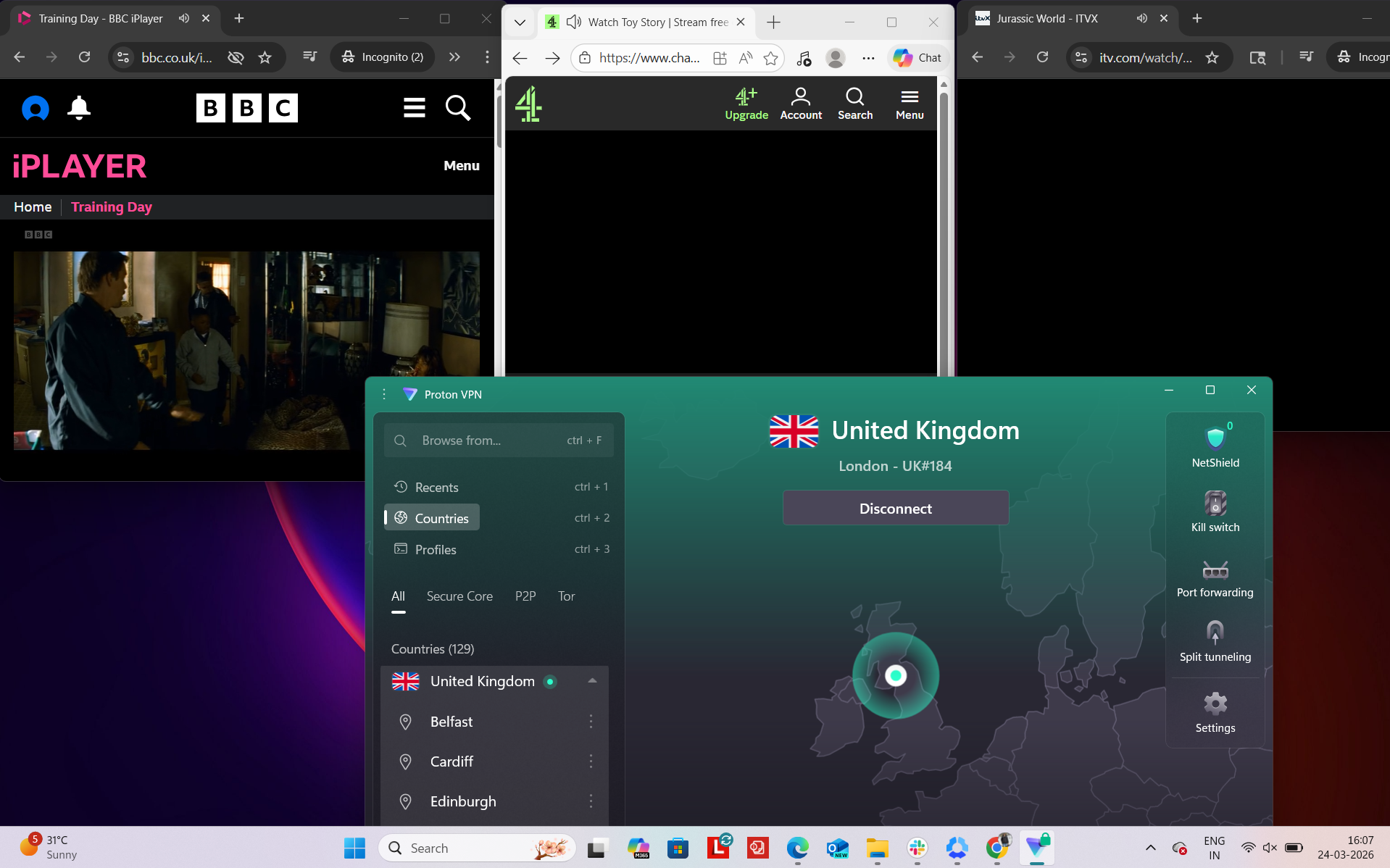
Real-World Access Experience
- BBC iPlayer - Accessed successfully on the first attempt, with no VPN detection or access issues
- ITVX - Unblocked immediately and streamed without interruptions
- Channel 4 - Loaded properly right away, with no restrictions encountered
- Amazon.com - Browsing remained smooth and responsive overall
- Google - Pages were accessible, though load times were occasionally slower than expected
- Reddit - Fully accessible with no limitations or filtering issues
Detection & Verification Behavior
- Proxy errors - None encountered during usage
- CAPTCHA prompts - Appeared a few times while browsing different services
- Service blocking - No issues observed when accessing major UK platforms
Proton VPN delivered an average but generally stable performance across UK servers, with London clearly standing out as the strongest location. It maintained relatively high download and upload speeds compared to the other regions, although latency still rose significantly from the baseline. Belfast showed a sharp drop in upload performance, while Cardiff recorded the weakest download speeds and the highest overall speed loss, indicating heavier congestion or routing inefficiency on that endpoint.
Despite the fluctuations, everyday usage such as streaming and browsing remained functional, though not as smooth as higher-performing VPNs in the set. Overall, Proton VPN balanced speed and stability better in London, but performance became noticeably weaker outside the capital.
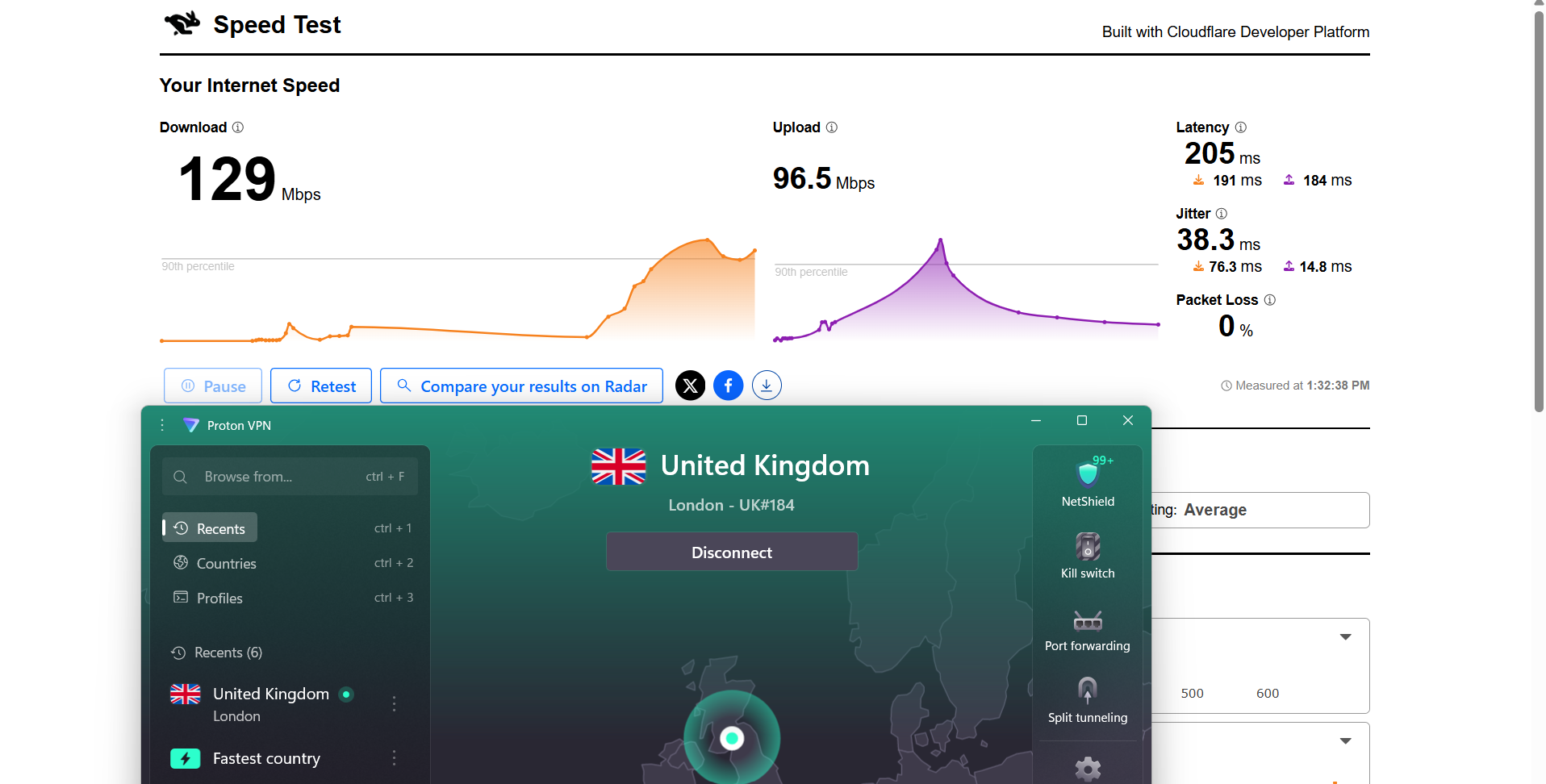
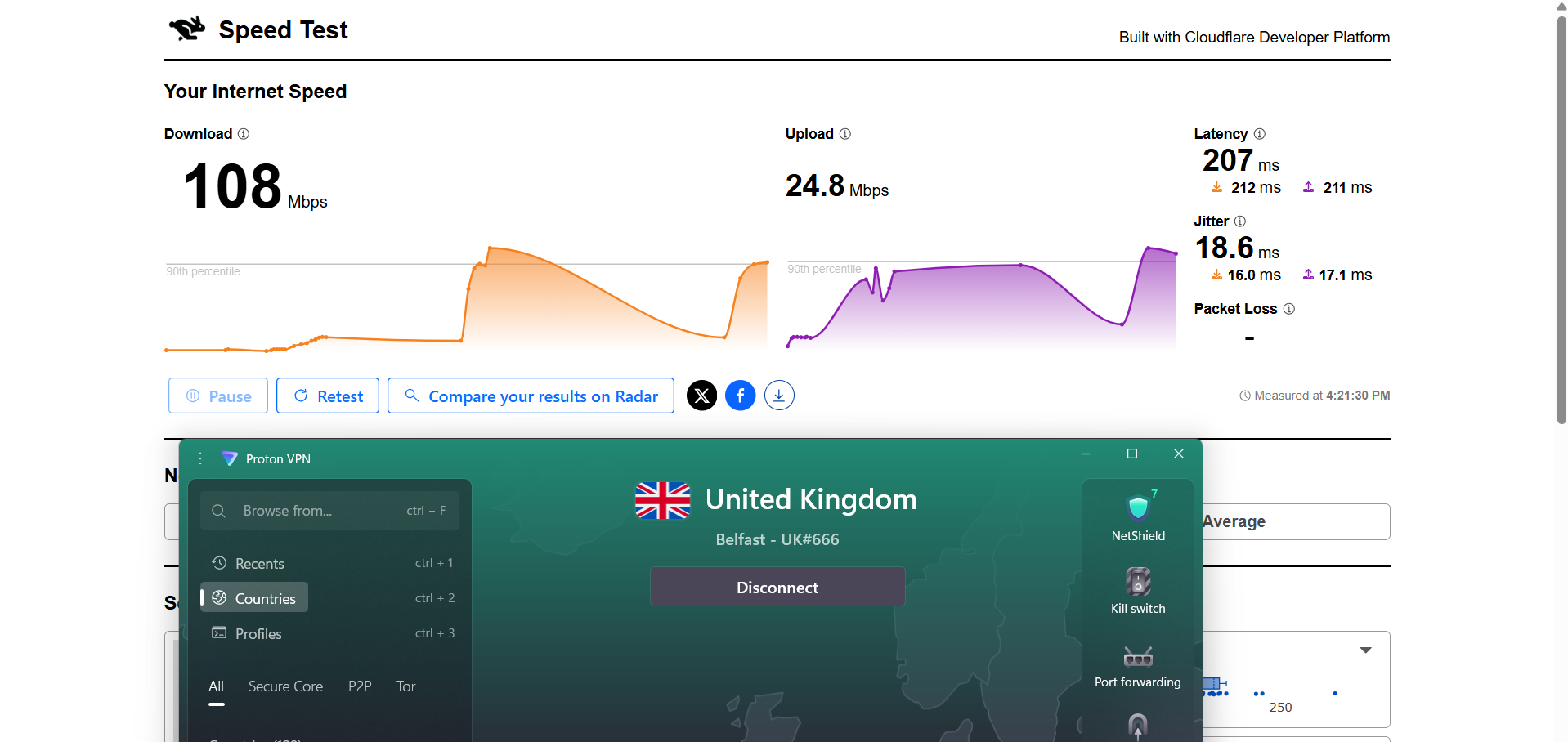
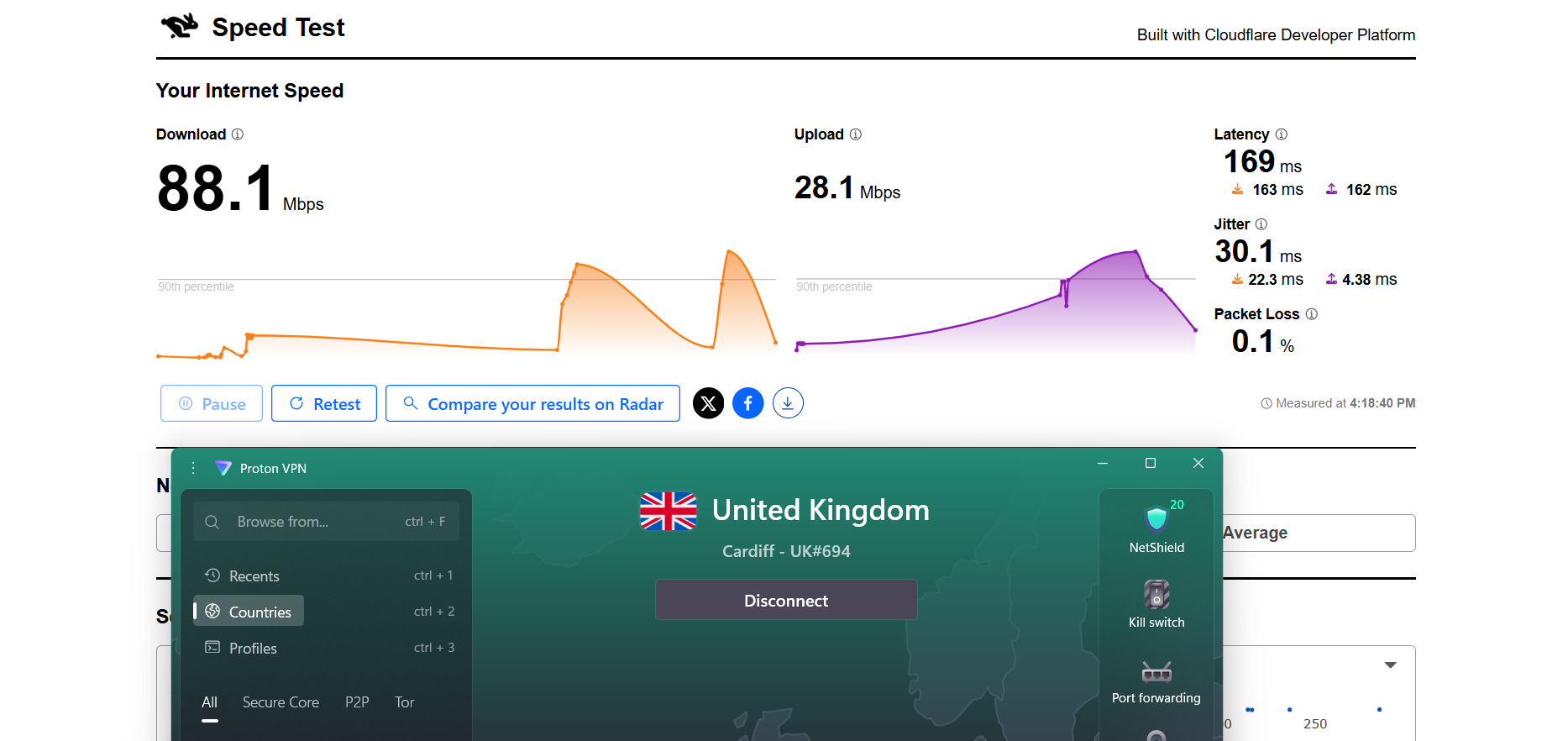
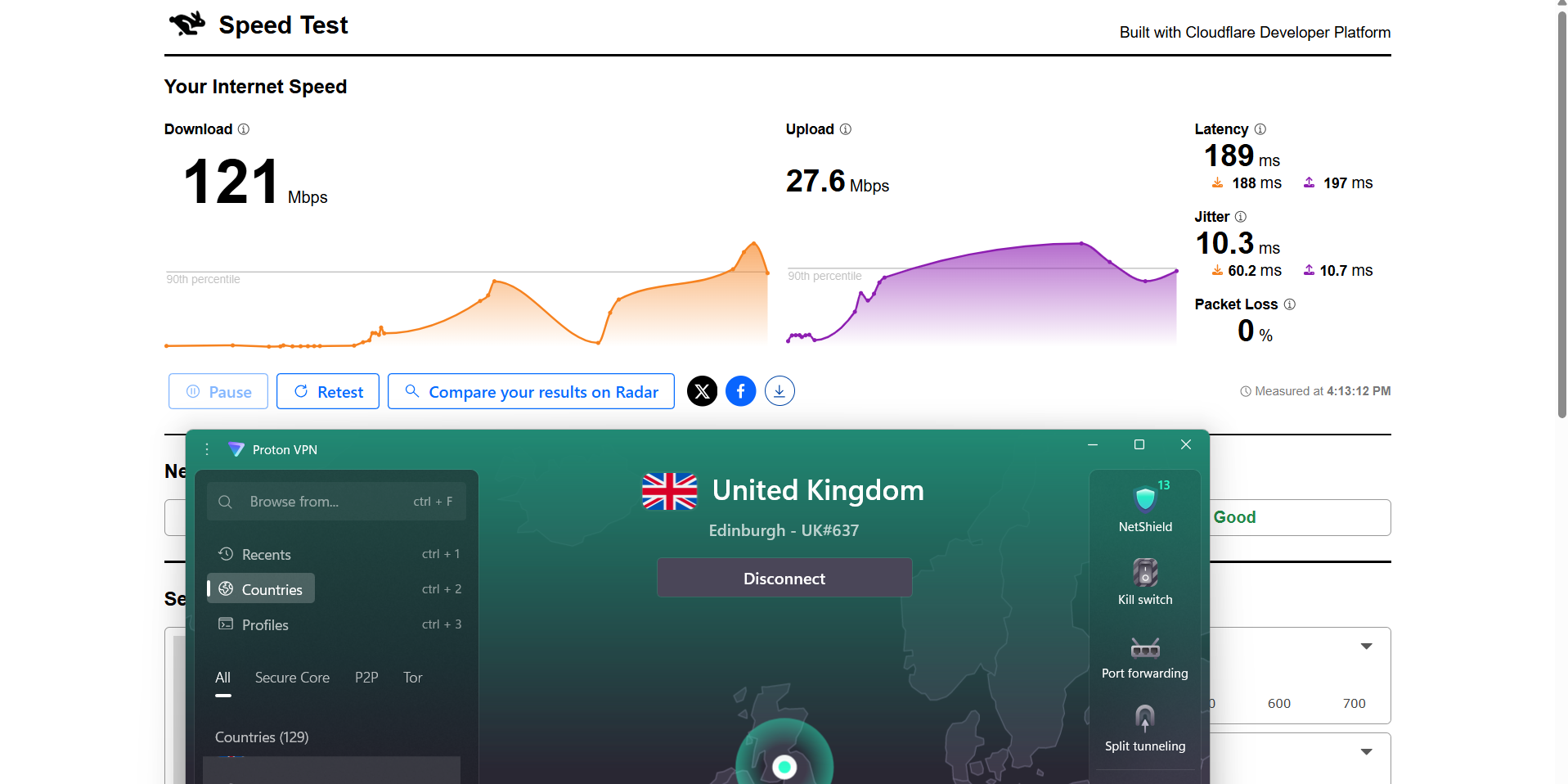
Here are the results compared to the baseline to show the real-world impact:
Proton VPN felt a bit inconsistent during my testing session, especially on Netflix where it took longer to stabilize quality, although it remained stable once fully settled. To evaluate performance, I tested it on Netflix UK and YouTube while observing loading behavior, quality transitions, and seeking responsiveness. Overall, the connection stayed active throughout the session with no disconnects, but the streaming experience showed slower quality optimization compared to some other VPNs in this test.
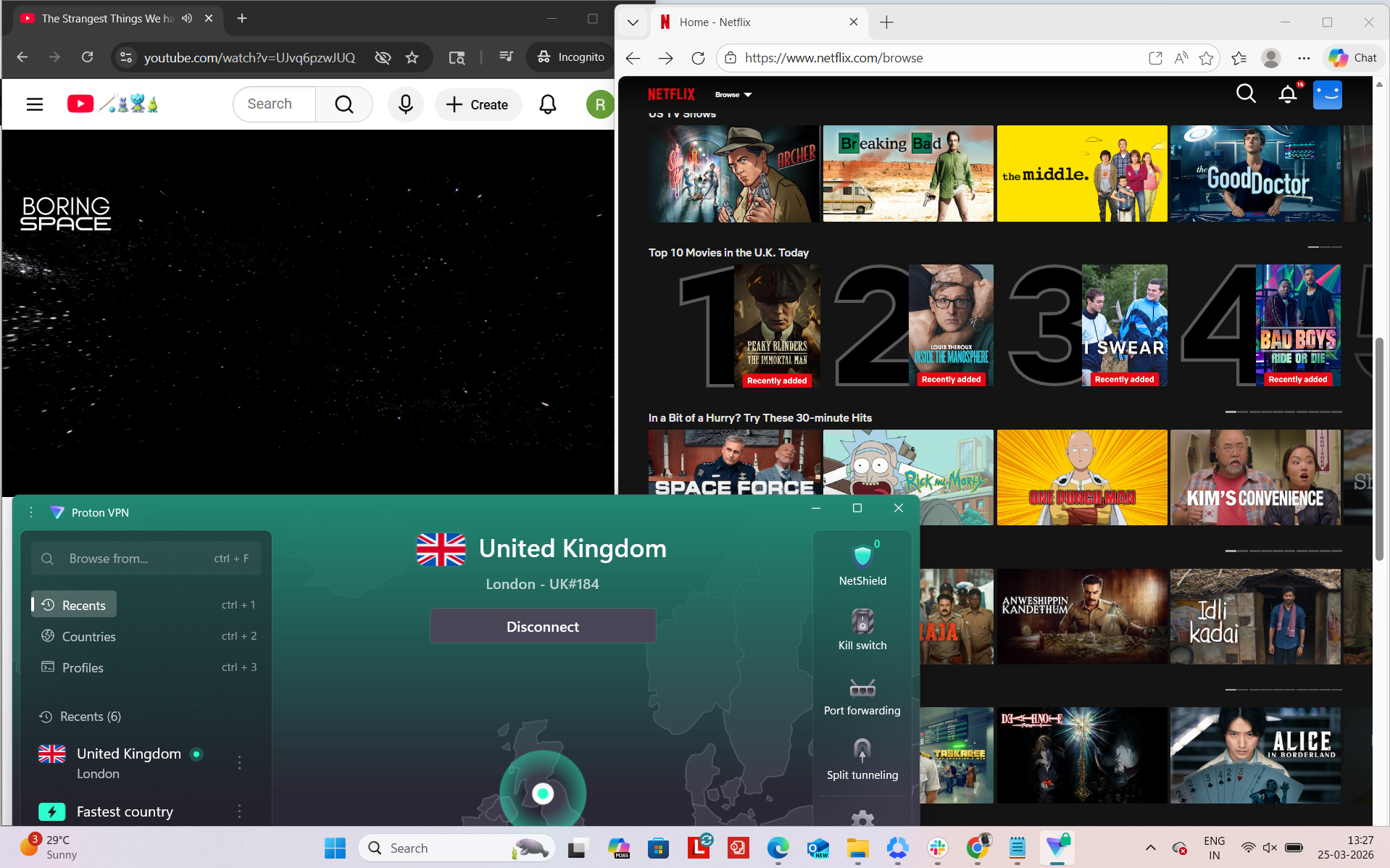
Observed Connection Behavior
- Unexpected disconnects - None observed
- Reconnection attempts - Not required
- Network drops - None during the entire session
- Lag spikes or buffering - Noticeable during Netflix forwarding and quality readjustment phases
Browsing Performance - General browsing and video playback felt stable once content was fully loaded. However, the time taken to reach optimal streaming quality was longer, especially on Netflix, where resolution adjustments were more gradual compared to other VPNs in the test set. In fact, pages also took time to load.
Streaming & Content Handling
- Netflix Playback: On Netflix, the video took around 15–20 seconds to load. It started in slightly blurred quality and reached optimum quality after about 7 minutes. However, when seeking forward, the playback experienced delay and buffering, and once it resumed, the video quality dropped again before slowly improving. It then took around 10 minutes to return to good quality again, showing a slower recovery after interruptions.
- Seeking (Forward & Rewind) on Netflix: When I forwarded the video, it caused noticeable delay and buffering, and the quality degraded after resumption before gradually stabilizing again. On rewinding, there were no blur issues, and playback resumed immediately, but it started in lower quality before slowly improving again.
- YouTube Performance: On YouTube, performance was more stable compared to Netflix. The video started in 720p without delays or buffering and remained at that resolution throughout playback. However, I did not observe any upgrade to 1080p during the session, even after extended viewing.
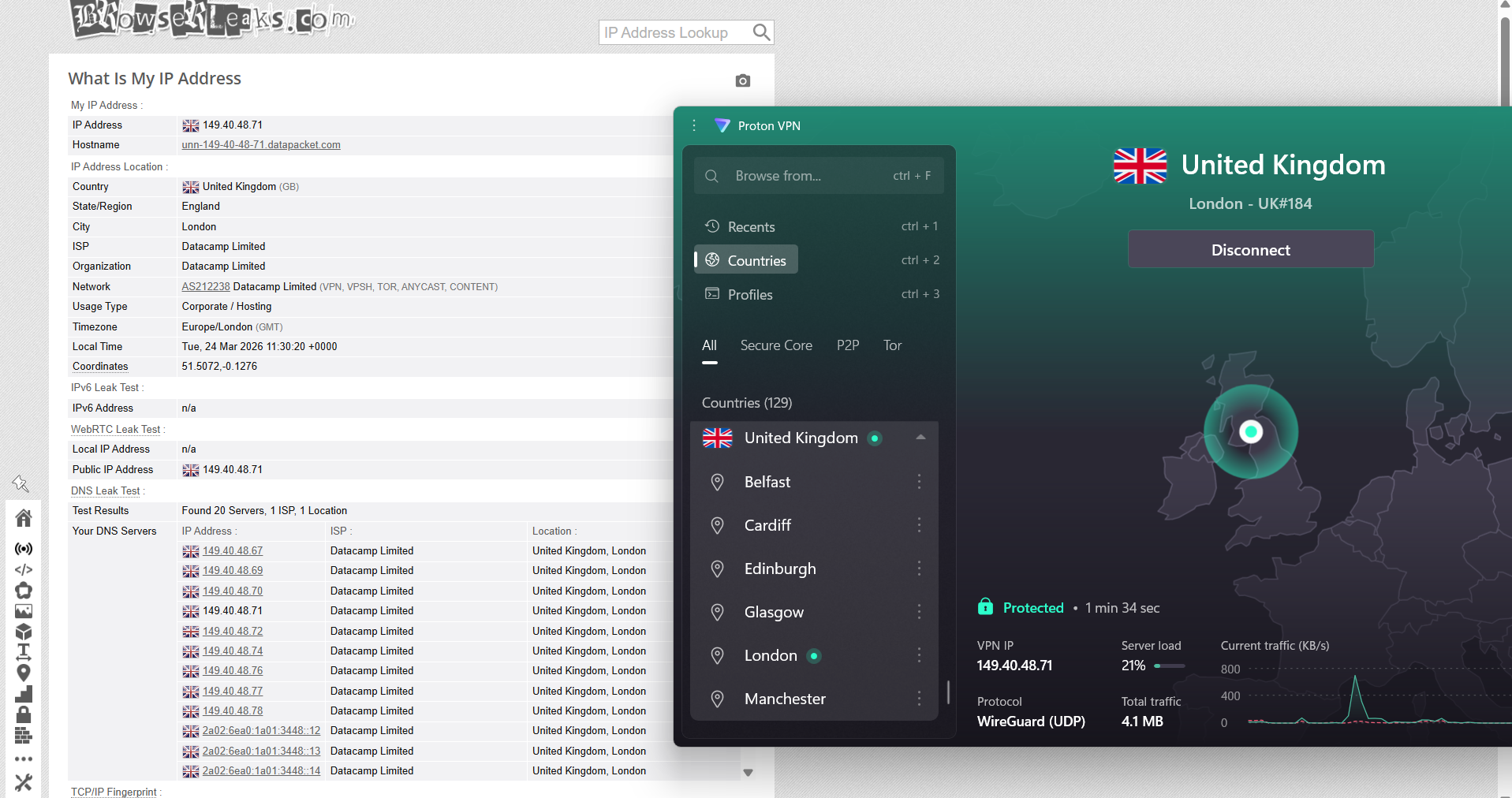
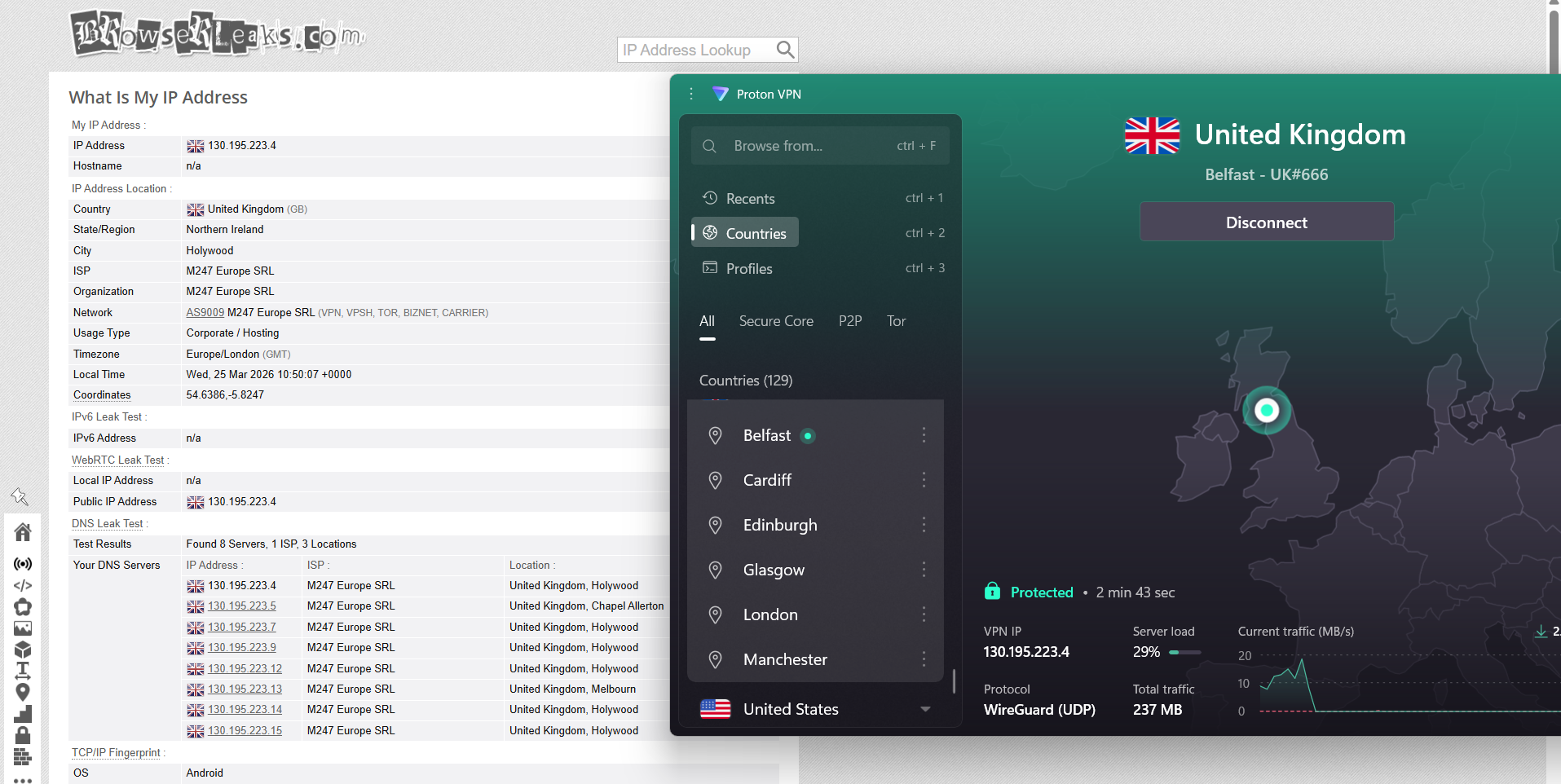
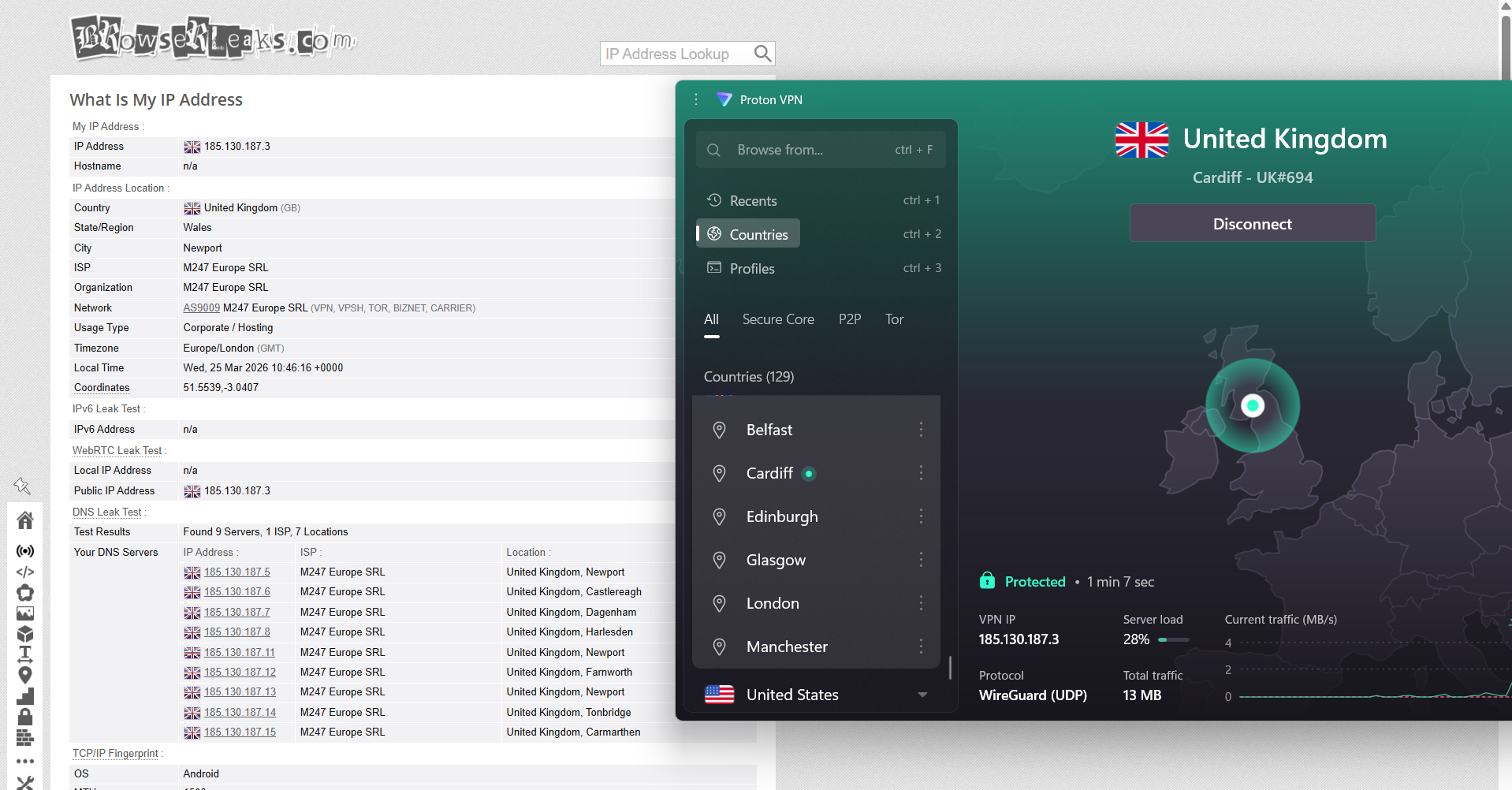
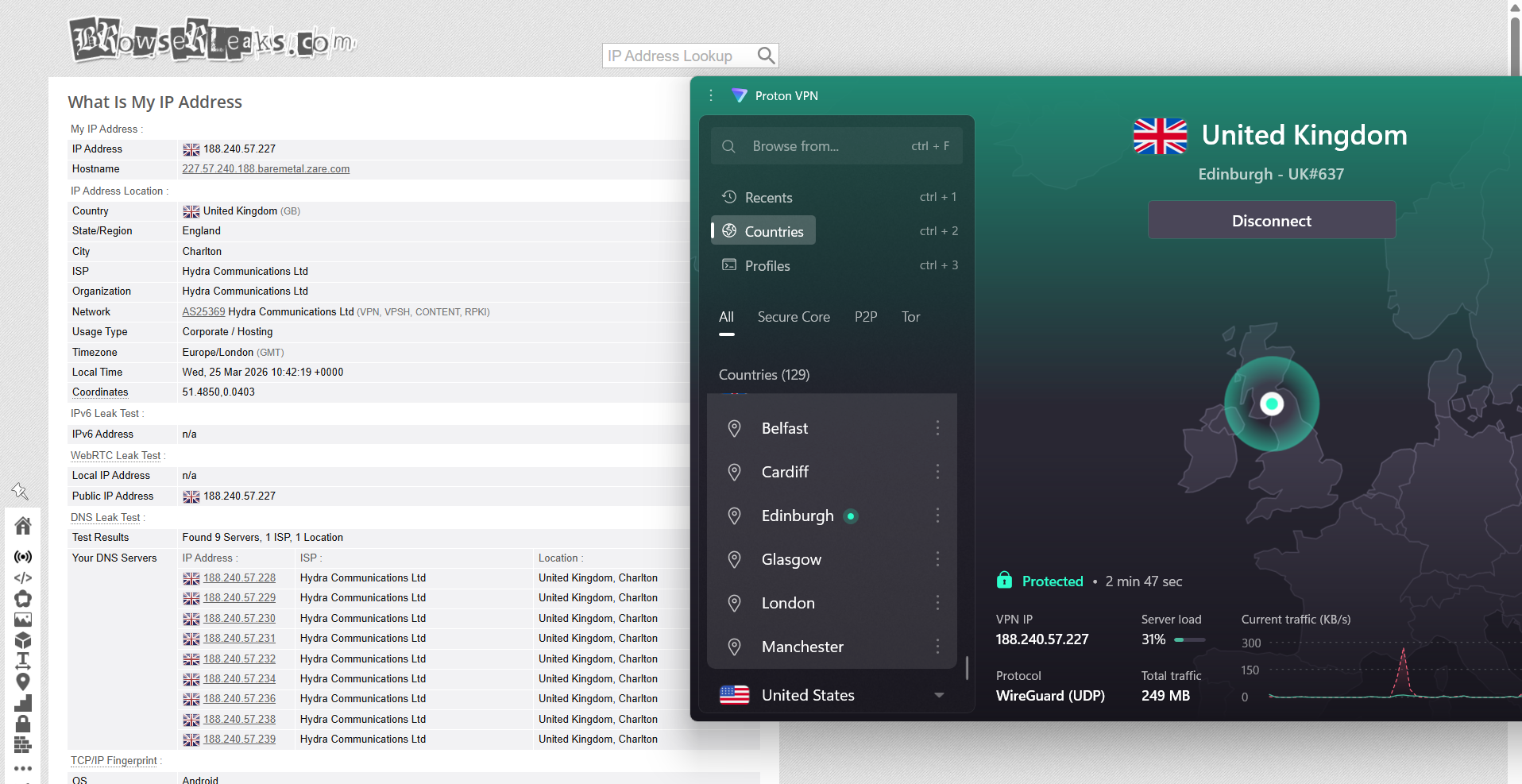
Proton VPN delivered steady, test-focused performance across several UK endpoints during evaluation. Connections were established through servers in London, Belfast, and Cardiff, and in every case the external IP address accurately reflected the selected location without inconsistencies or unexpected routing behavior. Throughout testing, DNS leak checks consistently showed secure handling of requests, with all traffic remaining inside the encrypted tunnel and no evidence of real IP address exposure detected under any conditions.
In terms of stability, Proton VPN’s kill switch worked reliably during simulated connection failures. When the VPN connection was intentionally dropped, internet access was instantly halted, ensuring no unprotected data could pass outside the tunnel. Across repeated tests, no leakage events were observed, and protection remained intact even during abrupt disconnections and recovery periods.
PROS
- Best UK coverage with servers in all 4 regions (England, Scotland, Wales, Northern Ireland) across 6 cities
- Balanced national distribution reduces congestion and improves latency across the UK
- Strong streaming access with BBC iPlayer, ITVX, Channel 4, Netflix UK, and Amazon working reliably
- Stable connections with no drops, disconnects, or reconnection issues during testing
- Proper leak protection with no IP, DNS, or WebRTC leaks detected
- Reliable kill switch that blocks traffic instantly during connection drops
- Specialty servers available including Secure Core (multi-hop) and P2P support
- Real-time server load visibility adds transparency and better server selection control
- Consistent IP matching with no routing or location mismatches
CONS
- Slower overall performance compared to top VPNs like NordVPN, ExpressVPN, and Surfshark
- Noticeable speed drops outside London, with up to ~58% loss on some servers
- Higher latency across all UK servers impacting performance metrics
- Slower streaming optimization with delayed quality ramp-up on Netflix
- Buffering and lag during seeking and playback adjustments on Netflix
- CAPTCHA prompts appeared occasionally during browsing
- No clear transparency on physical vs virtual server infrastructure
- YouTube did not always reach full 1080p quality during testing
👉 See full Proton VPN review →
5. Private Internet Access - Limited Coverage and Weak Performance
Getting connected to UK servers on Private Internet Access feels pretty straightforward, but the overall experience comes across a bit more basic and slower to get going compared to some other VPNs. Once you’re in, UK sites and streaming platforms do work, but there’s a noticeable delay in how quickly everything fully settles into smooth performance.
In terms of coverage, everything is focused only on England plus a dedicated streaming-optimized option. There’s no presence in Scotland, Wales, or Northern Ireland, so the network feels quite limited geographically. Streaming platforms do open successfully, but the experience isn’t always instant - pages load, but sometimes with a bit of delay before things feel fully responsive. Browsing in general is usable, though not always as snappy as other VPNs during the initial load phase.
Performance-wise, speeds take a fairly clear hit compared to baseline, and upload speeds in particular are quite weak across all UK servers. London performs the most consistently, while Manchester and Southampton show more fluctuation, with Southampton also standing out for higher jitter. Even so, once a session is fully loaded, things do stabilize and remain steady without disconnects. One downside is the slower start-up experience - Netflix especially takes time to reach good quality, and seeking through videos can trigger buffering or delays before stabilizing again. CAPTCHA prompts also show up more often than with other providers, which can interrupt the flow a bit. Still, once everything settles, it remains usable and stable for everyday UK browsing.
Performance Testing Results
When it comes to UK coverage, PIA keeps things relatively limited and focused only on England, with a small set of server locations compared to larger VPN providers.
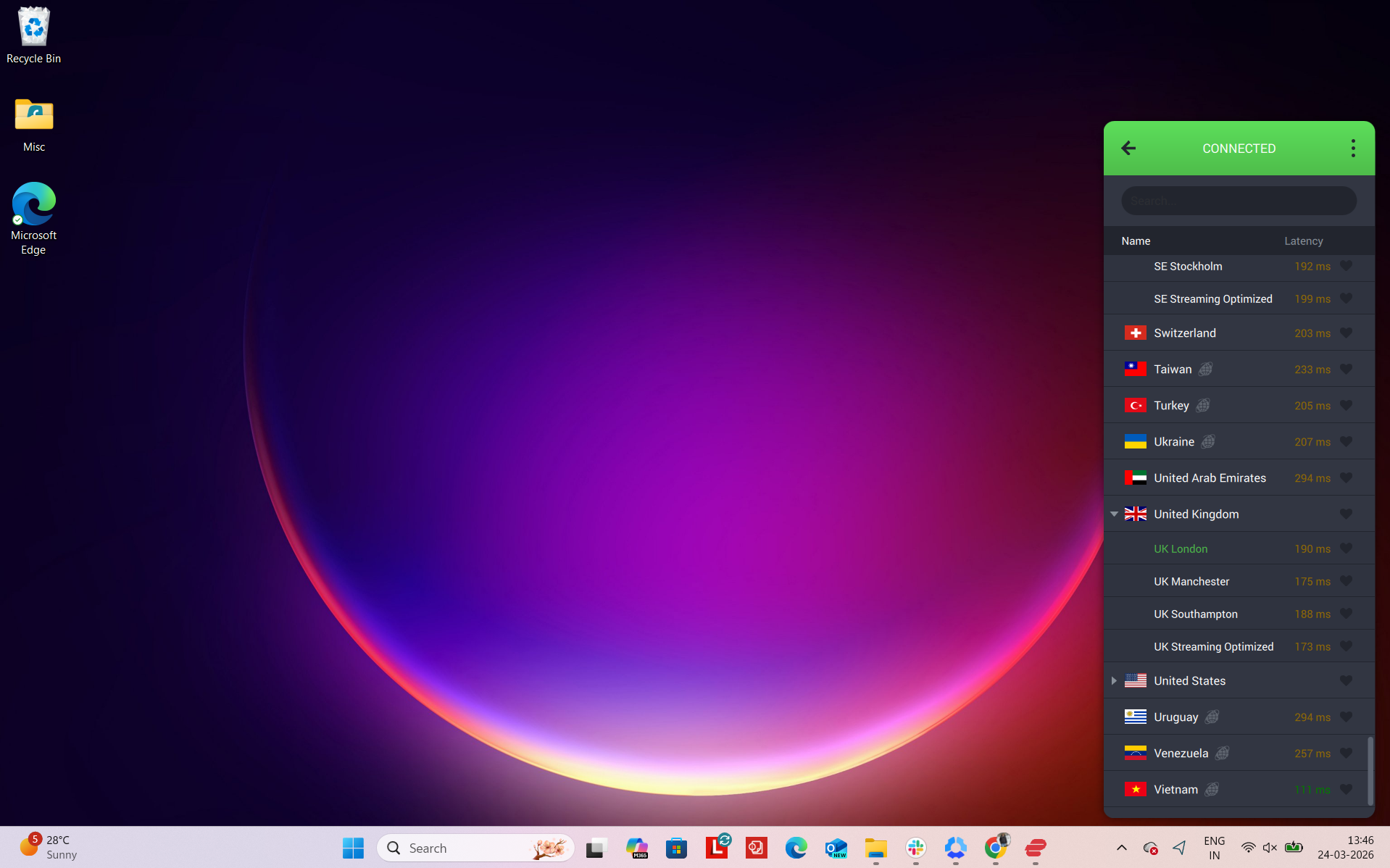
Number of US Cities & States - It offers servers in 3 UK cities: London, Manchester, and Southampton. On top of that, there is also a streaming-optimized server available in the UK, but the overall footprint is still quite small compared to competitors with wider UK coverage.
Regional Distribution - Here is the entire breakdown of its server coverage:
Total: Overall, it covers 3 cities and one region + 1 streaming optimized UK server
So everything is fully concentrated in England, with no presence in Scotland, Wales, or Northern Ireland. That means users outside major English cities don’t really get any closer local options, which limits geographic flexibility across the UK. However, the fact that it covers most important lcations is something to be noted own.
Physical vs Virtual Servers - PIA doesn’t clearly label whether its servers are physical or virtual in the UK, so there’s no transparency on how the infrastructure is actually set up. While the network is generally considered stable and performance-oriented, users don’t get any breakdown of what’s physical versus virtual, which makes it harder to judge backend routing quality.
Specialty Servers - PIA keeps things pretty minimal but still offers one useful option: streaming-optimized servers. These can be found in the app by searching for “streaming” and are designed specifically to improve access to streaming platforms. However, beyond this, there are no broader specialty categories like MultiHop routing, dedicated P2P servers, or advanced privacy-focused configurations in the UK region.
With PIA connected to a UK server, the overall experience felt stable and usable, especially for streaming. Once connected, there were no extra steps needed. Supported platforms loaded as expected, and switching between them didn’t interrupt the session.
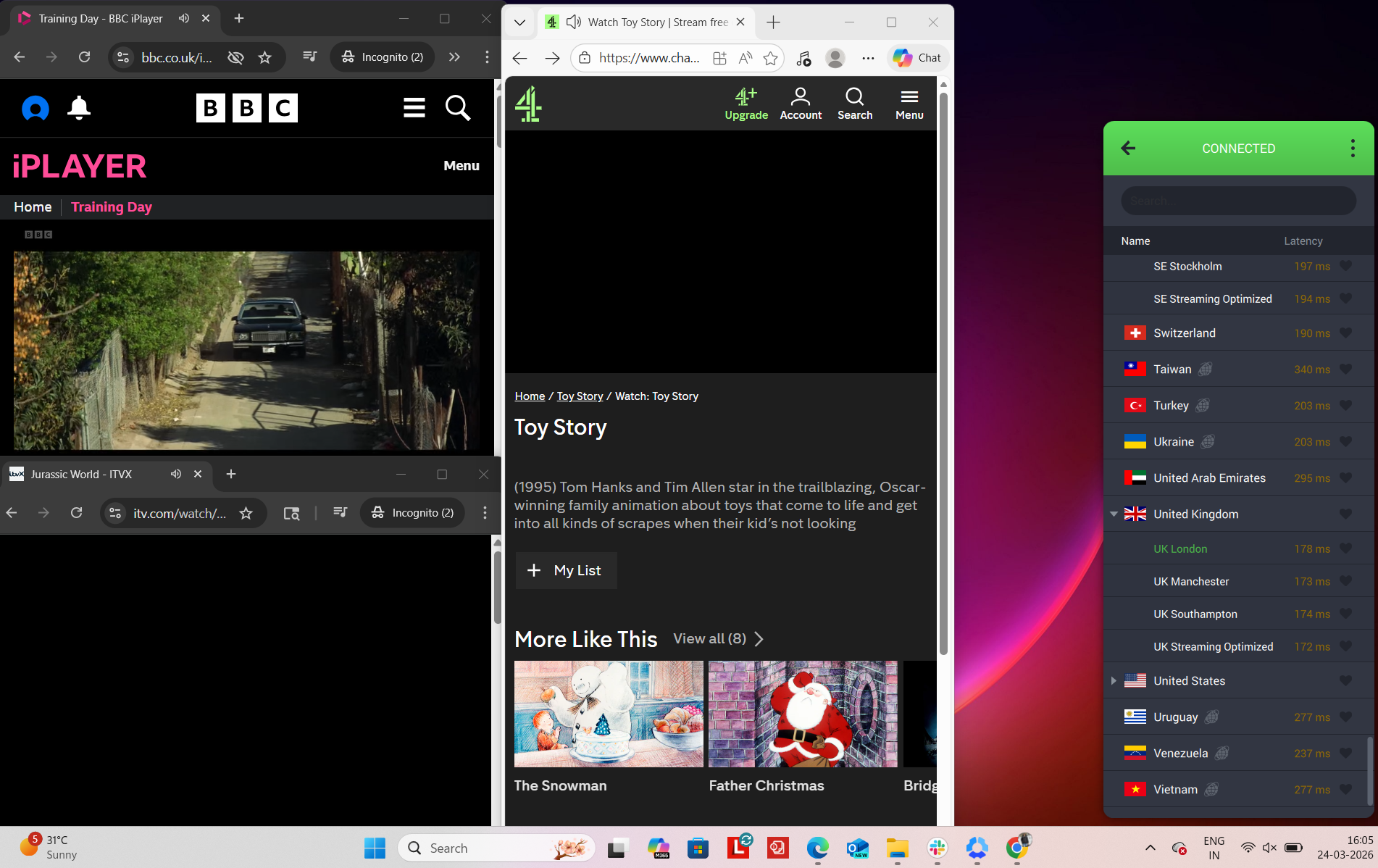
In testing, BBC iPlayer, ITVX, and Channel 4 all worked reliably, opening on the first attempt without detection issues or playback interruptions. Streaming performance was consistent overall, though general browsing occasionally felt a bit slower, particularly during initial page loads compared to other VPNs. We didn’t encounter any proxy errors or service blocks during use. However, CAPTCHA prompts appeared more frequently than with other VPNs, especially while browsing, which slightly impacted the overall smoothness of the experience.
Real-World Access Experience
- BBC iPlayer - Unblocked on the first attempt with no VPN detection or interruptions
- ITVX - Access worked immediately and playback ran smoothly without issues
- Channel 4 - Loaded without restrictions, functioning normally from the start
- Amazon.com - Browsing was smooth overall with no noticeable delays
- Google - Access worked, but page load times were noticeably slower at times
- Reddit - Fully accessible with no restrictions or content limitations
Detection & Verification Behavior
- Proxy errors - None encountered during usage
- CAPTCHA prompts - Appeared multiple times throughout browsing sessions
- Service blocking - No issues accessing major UK platforms despite repeated checks
PIA’s UK servers showed a more noticeable dip in performance compared to the baseline, with download speeds clustering fairly close across locations but upload rates dropping more sharply. London offered the most balanced output, while Manchester slightly underperformed on both throughput and latency stability. Southampton delivered a modest download result but stood out for the highest jitter, suggesting less consistent responsiveness during use. Overall, latency increases were significant but still usable for general browsing and streaming tasks.
In comparison to the other VPNs tested, PIA leaned more toward consistency in download than in upload stability, with weaker upstream performance across all UK endpoints.
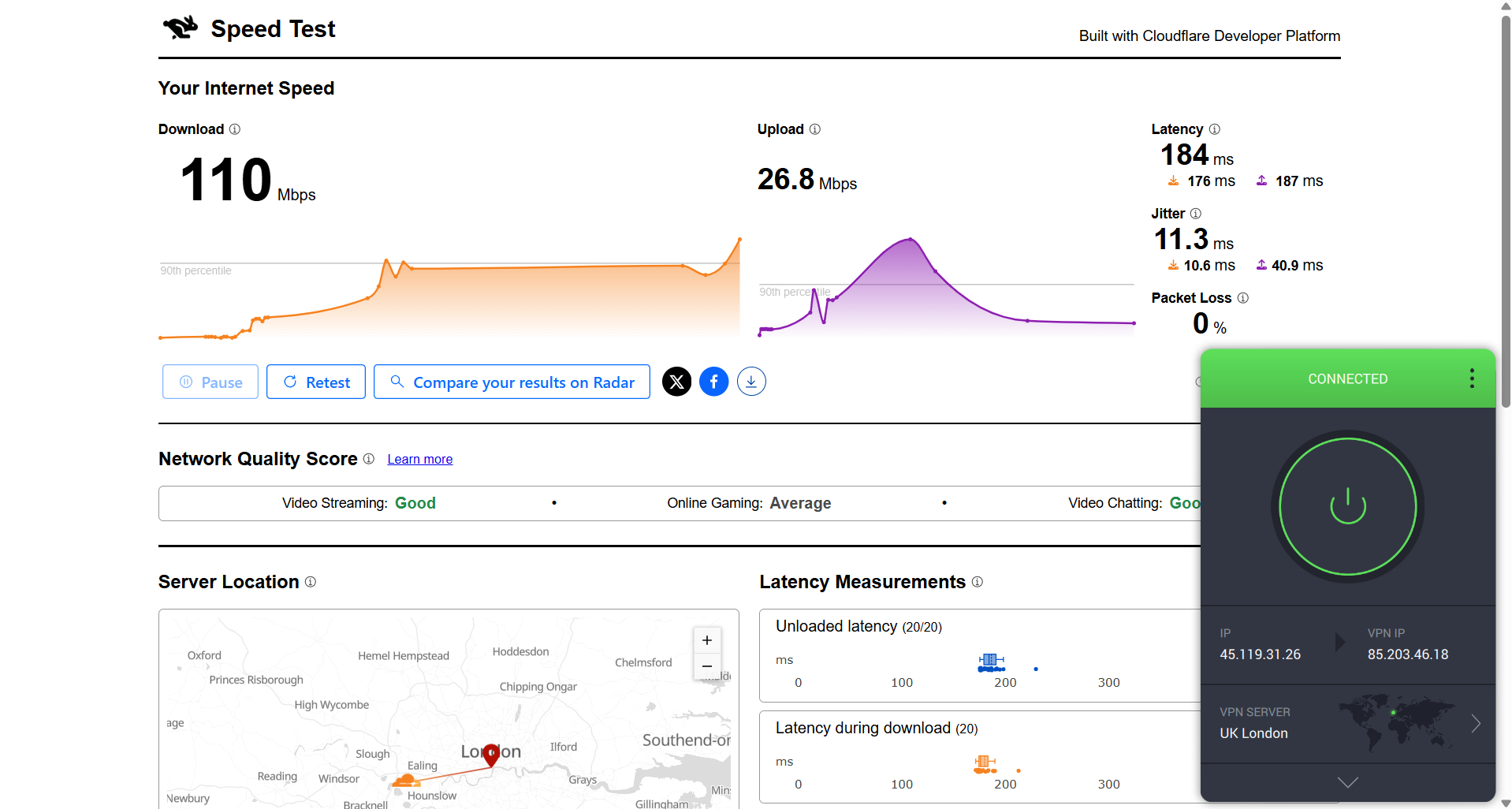
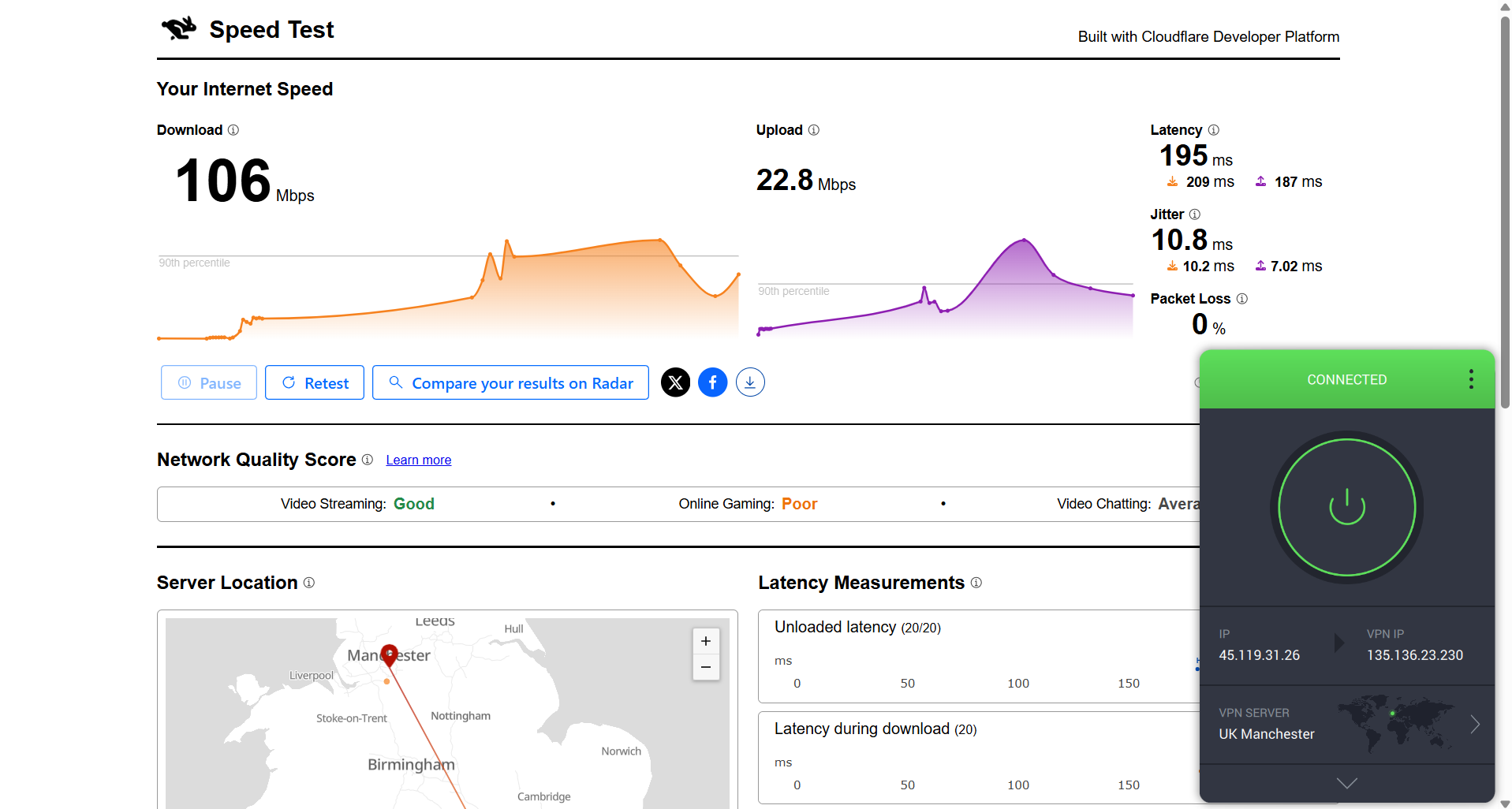
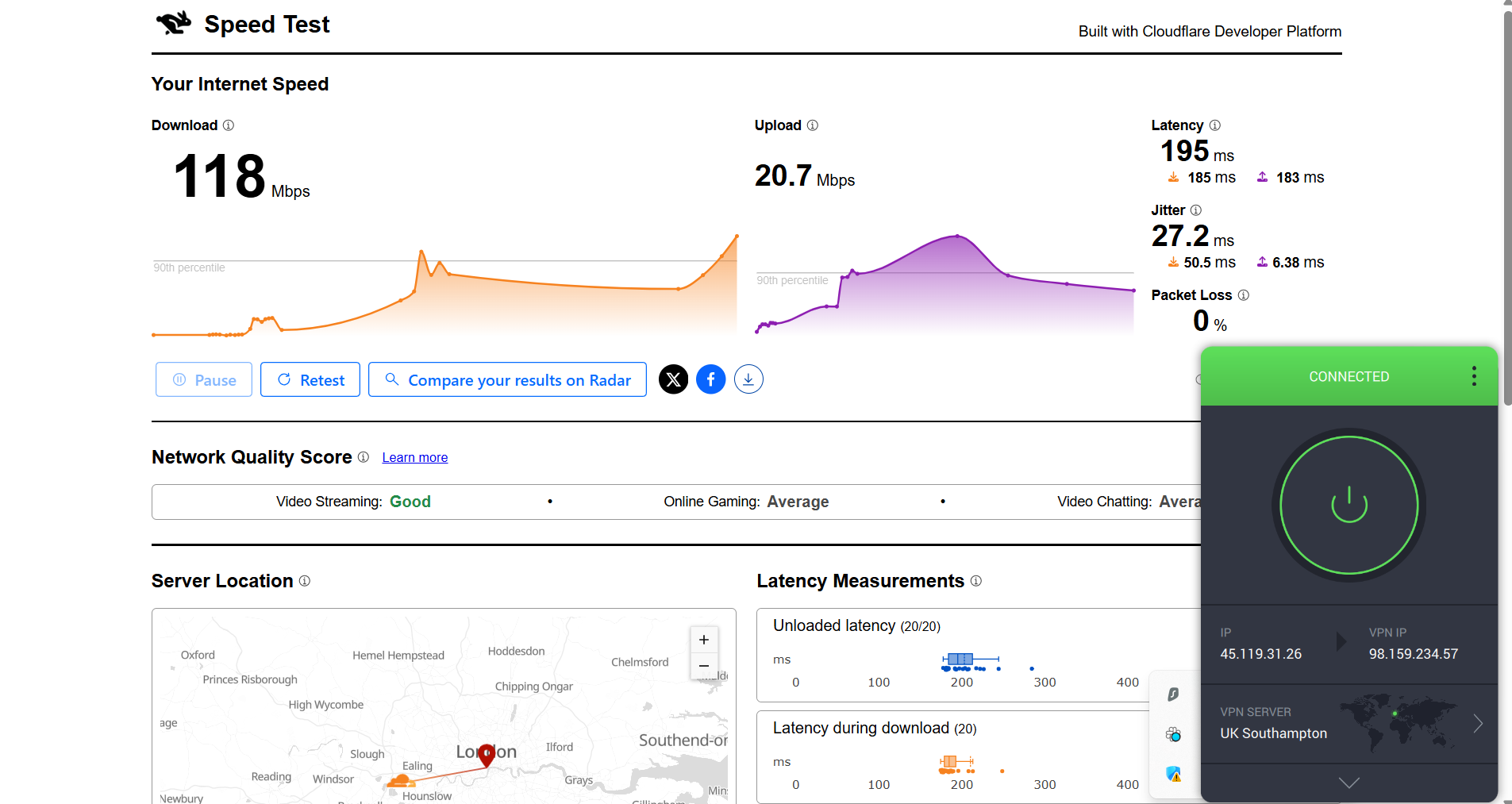
Here are the results compared to the baseline to show the real-world impact:
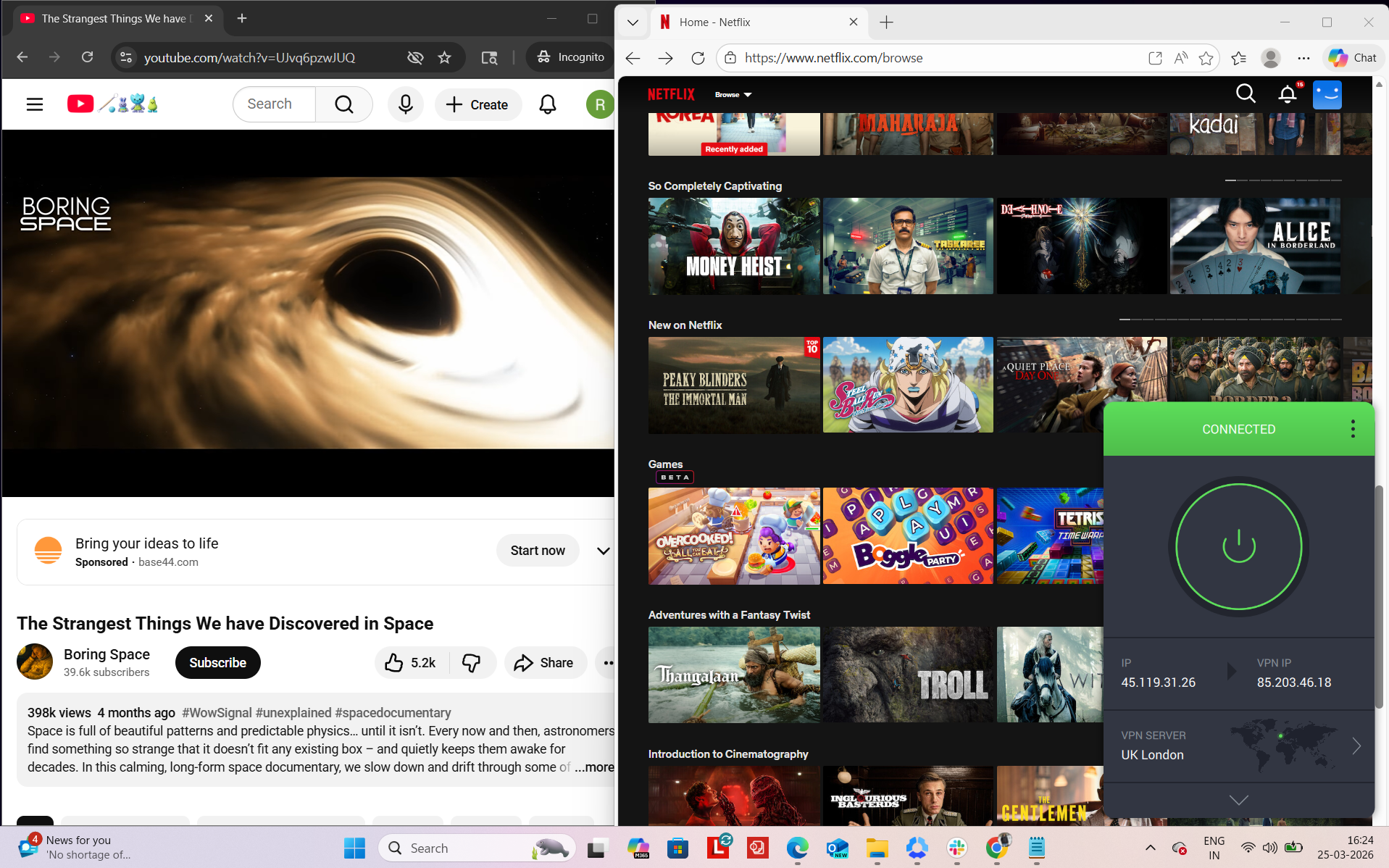
PIA felt relatively less responsive during my testing session, especially at the start of playback, though it remained stable once fully loaded. To evaluate performance, I tested it on Netflix UK and YouTube while observing streaming behavior such as loading time, quality changes, and seeking response. Overall, the connection stayed active throughout the session with no disconnections or reconnection needs, but the initial streaming experience was noticeably slower compared to other VPNs tested.
Observed Connection Behavior
- Unexpected disconnects - None observed
- Reconnection attempts - Not required
- Network drops - None during the entire session
- Lag spikes or buffering - Present during Netflix seeking and initial playback phase
Browsing Performance - Browsing and navigation felt acceptable once content was loaded, but the initial streaming responsiveness was slower. Pages and videos eventually stabilized, but there was a noticeable delay in achieving optimal streaming quality compared to other VPNs in this test set.
Streaming & Content Handling
- Netflix Playback: The video took around 10–15 seconds to load. It initially started in blurred quality, and it took approximately 10 minutes to reach optimum quality. After that point, playback became more stable, but the early viewing experience was clearly slow in terms of quality ramp-up.
- Seeking (Forward & Rewind) on Netflix: When I forwarded the video, it caused noticeable delay along with buffering before playback resumed. On rewinding, there were no blur issues, but the video restarted after about a 2-second delay and initially played in lower quality before stabilizing again.
- YouTube Performance: Performance on YouTube was relatively better compared to Netflix. The video started in 360p without delays or buffering, and then gradually improved to 1080p after around 15 minutes. Once it reached full quality, playback remained stable without interruptions.
Private Internet Access (PIA) demonstrated consistent and structured performance during testing across UK-based servers. Sessions were routed through London, Manchester, and Southampton endpoints, and in each case the displayed IP address correctly matched the selected location without irregular changes or routing inconsistencies. Across all evaluations, DNS leak testing returned stable results, with all requests remaining fully encrypted within the VPN tunnel, and no signs of real IP exposure were identified under any of the tested conditions.
On the reliability side, PIA’s kill switch operated effectively during intentional connection interruptions. When the VPN connection was cut, internet access was immediately suspended, preventing any data from being transmitted outside the secured tunnel. Repeated checks confirmed the absence of leaks, and the safeguard consistently maintained protection even during abrupt disconnections or network instability.
PROS
- Decent UK coverage across 3 cities (London, Manchester, Southampton) plus a streaming-optimized server
- Strong streaming access with BBC iPlayer, ITVX, Channel 4, Netflix UK, and Amazon working on first attempt
- Stable connections with no drops, disconnects, or reconnection needs during testing
- Clean leak protection with no IP, DNS, or WebRTC leaks detected across UK servers
- Reliable kill switch that instantly blocks traffic during connection loss for safety
- Streaming-optimized server improves access to UK platforms
- Consistent IP matching with no routing inconsistencies or location mismatches
- Generally usable browsing experience once pages fully load
- Stable long-session performance after initial buffering phase
CONS
- Limited UK footprint with no servers in Scotland, Wales, or Northern Ireland
- Noticeable speed drop vs baseline (up to ~49% loss depending on server)
- Weak upload performance across all UK servers
- Slower initial streaming experience with delayed quality ramp-up on Netflix
- CAPTCHA prompts appeared multiple times during browsing sessions
- Less responsive at start of playback, with buffering and delayed seeking
- No transparency on physical vs virtual server infrastructure
How to Get a VPN to Connect to the UK
- Sign up on the VPN’s official site: Head over to the official website of the VPN you want and pick a plan that suits you. Pop in your details, pay, and you’re good to go. Once that’s done, you’ll be able to access your account dashboard (we recommend NordVPN).
- Download the app from your dashboard: Log into your account, head to the downloads section, and grab the app for your device. Just click the version that matches what you’re using.
- Log in to the app: Open it up and sign in using the details you set up earlier.
- Switch on key security features: Once you’re in, turn on things like the Kill Switch, ad/tracker blocking, and obfuscation. These help keep everything private and running smoothly without interruptions.
- Connect to a UK server: Choose a UK server if you want a UK IP address for accessing UK sites and services. Or, switch to another country if you’re trying to get around geo-restrictions.
- Browse, stream, and download safely: With the VPN running, you’ll stay private, dodge ISP throttling, and access content without hassle.
Explore VPNs for Other Needs
If you want to go beyond this region, you can also check how these VPNs perform across different devices and locations:
By Device
By Region
Final Thoughts
After testing all five VPNs across UK servers, the overall experience was pretty solid across the board. You’re getting strong security, no leaks, and stable connections no matter which one you go with. But once you start using them daily, the differences show up in things like how fast they feel, how quickly streaming settles into good quality, and how well servers are spread across the UK. Some VPNs feel more “plug-and-play,” while others give you more control or better regional coverage. Here’s how each provider stands out in real-world UK usage:
Key UK VPN Standouts From Our Testing
After testing each VPN based on UK server coverage, speed and latency, streaming performance, reliability, leak protection, and access to UK platforms, a few clear differences started to stand out. While all of them handled basic use pretty well, some just felt smoother, faster, or more flexible depending on what you were doing. Here’s how they compare in real-world UK usage:
- Best Overall Performance & Reliability: NordVPN – delivered a consistently stable experience with smooth streaming, fast browsing, and no connection drops across multiple UK server locations.
- Best Balance of Speed & Affordability: Surfshark – offers strong everyday performance with average speeds (just like other VPNs). However, since it is the cheapest, it becomes the most affordable and moderately reliable in terms of speed.
- Simplest & Most Easy-to-Use Experience: NordVPN and ExpressVPN – provide a very straightforward, plug-and-play setup with quick connections and no need for manual adjustments during use.
- Best UK Coverage Across All Regions: Proton VPN – the only provider covering England, Scotland, Wales, and Northern Ireland, making it the most geographically balanced option.
- Best for Advanced Customization and Power Users: Private Internet Access – includes flexible configuration options and deeper control over connection settings for users who want more customization.
- Fast Speeds for Browsing, Streaming, and Downloads in the UK: NordVPN and Surfshark – both maintained strong speeds across UK servers, making them better suited for streaming and regular high-bandwidth use.
- Best for Accessing UK Streaming Platforms: NordVPN, ExpressVPN, and Surfshark – delivered smooth playback with minimal buffering and consistent quality during longer viewing sessions.
- Most Feature-Rich VPN: NordVPN and Surfshark – include a wide range of features like specialty servers, privacy tools, and additional configuration options.
- Most Specialty Server Options: NordVPN and Proton VPN – offer advanced server types like Double VPN, Secure Core, and P2P support for different use cases.
- Shows Server Load Information for Better Server Selection: Proton VPN – provides real-time load visibility, making it easier to pick less crowded servers.
- Most Consistent Connection Stability: All five VPNs – performed reliably overall, with no major disconnects or session drops observed during testing.
If you want to go beyond just UK-focused performance, take a look at our full guide to the best VPN services for a more detailed overall comparison.