


When you purchase through links on our site, we may earn an affiliate commission. Here’s how it works.
How to Watch Paramount Plus in Mexico in 2026

If you’re wondering, “Is Paramount Plus available in Mexico?,” the answer is yes. Paramount+ has been available in Mexico since March 4, 2021. However, know that only the US library of Paramount+ has all its movies and shows due to licensing issues. This means if you live in Mexico or sign up for Paramount+ in the US and travel to Mexico, then either way, you won't be able to access it.
Fortunately, you can stream US Paramount Plus in Mexico with a VPN. All you have to do is connect to a US server, which will hide your Mexican IP address. This will unblock the US Paramount+ library.
In this article, we’ll show you the easiest way to watch Paramount Plus in Mexico on any device. We’ll also list the best VPNs for the job, tell you how much it costs, and let you know how to sign up even if you don't have a US-based payment method. Then, we’ll provide a quick watch guide, explain how to get Paramount+ on various devices, and answer some of your questions.
How to Watch US Paramount Plus in Mexico
If you want to watch US Paramount Plus in Mexico, then the goal is to get a US IP address. All you need is a reliable VPN and a valid US payment method like a credit card or PayPal. Once you have those, you’ll be able to sign up easily. You’ll find the step-by-step instructions just below.
- Subscribe to a VPN that can unblock Paramount+ (we recommend NordVPN).
- Install the VPN on your PC or smartphone.
- Connect to a US VPN server.
- Visit the Paramount Plus website and click on “Try It Free.”


- Choose a Paramount+ subscription plan.


- Input your account details (75254 or 75260 work as ZIP codes) and click "Continue."
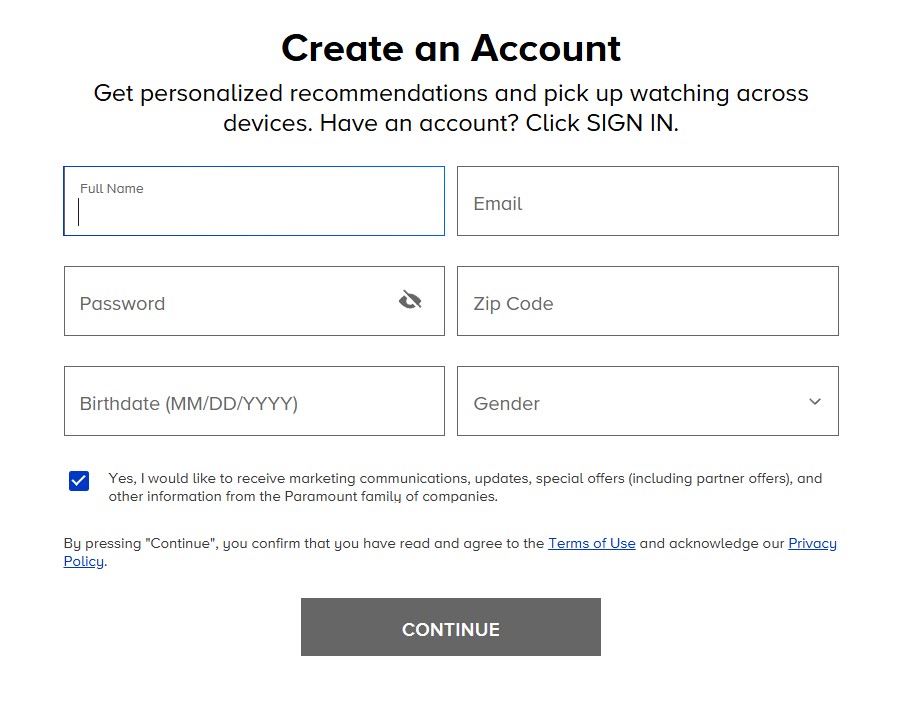

- Choose either a credit card or PayPal (with a US billing address) for your payment.
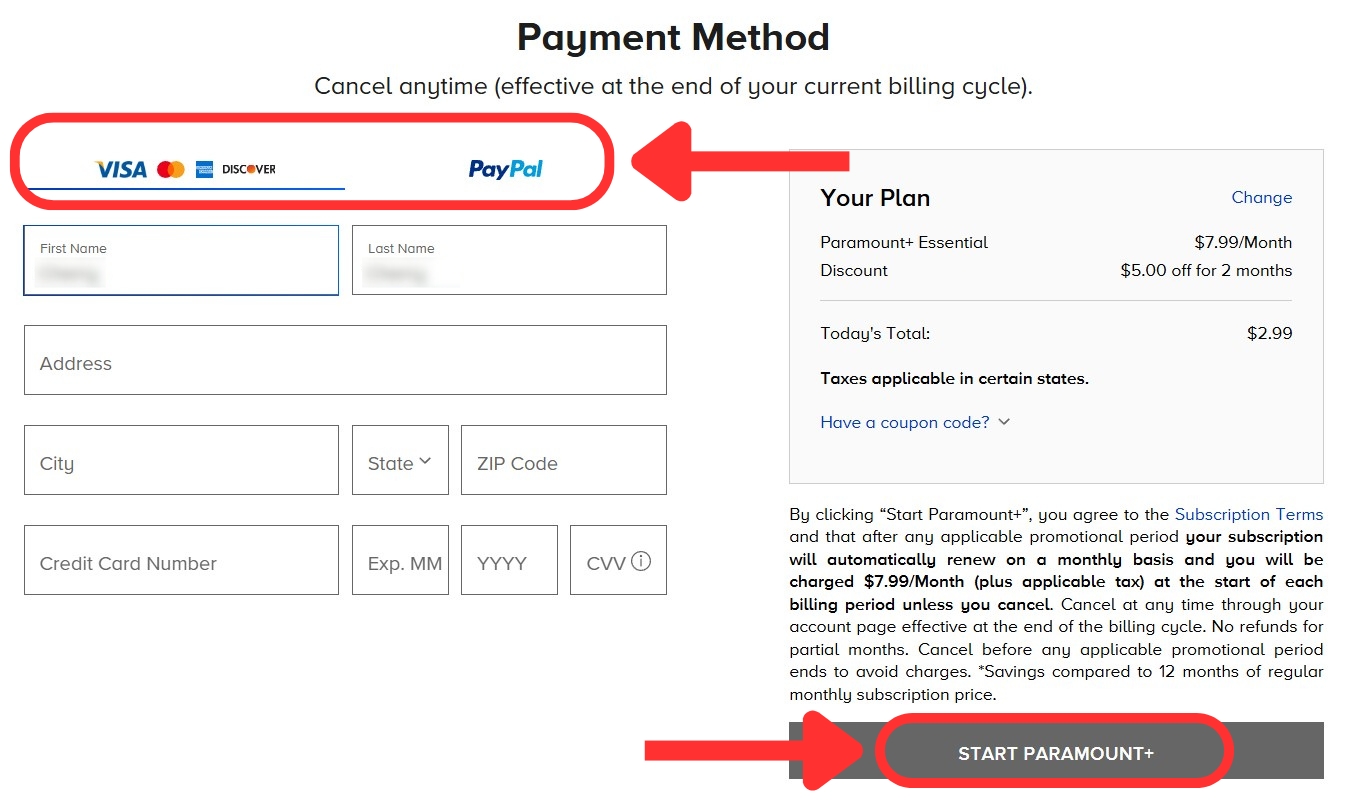

- Fill out your payment details, then click on "Start Paramount+."
- That's it! Choose a show and start streaming Paramount+!
To access Paramount Plus US, you’ll need a payment method tied to a US billing address, like a credit/debit card or PayPal. But don’t stress if you don’t have one. We'll share alternative payment methods later in this article.
Is a VPN Necessary to Access US Paramount+ in Mexico?
Yes, you should use a VPN to watch US Paramount+ in Mexico, as the content library differs from the US version. The streaming service is also available in Australia, several European countries, Canada, the US, and numerous South American countries. However, the US version of Paramount+ has the largest, most comprehensive content selection.
When traveling outside Mexico in an unsupported area, you may also run into this error message: “Sorry, Paramount+ is not yet available in this country.”
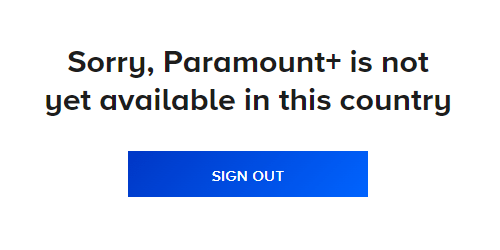
But if you're an expat trying to access Paramount+ outside the US and in an unsupported region, you'll encounter this page instead: “Unique stories. Iconic stars. A mountain of entertainment. Paramount+, home to the world’s favourite stars, stories and brands, is coming soon. Get ready to experience stellar originals, exclusive premieres, hit movies and the very best must-see TV.”


One solution to avoid these geo-block messages is to get a US IP address with the help of a VPN. This will hide your true location and allow you to surf the Web and access any US-exclusive services out there. In other words, you can access Paramount+ anywhere in the world with a VPN connection.
Unfortunately, not every VPN will work on Paramount+. Most get blocked due to a low server count or poor obfuscation technology. That's why we suggest you try NordVPN. It offers fast speeds, a huge network with servers in the US, and excellent unblocking abilities.
The Best VPNs to Watch Paramount Plus in Mexico
Your chosen VPN should be able to access US Paramount+ so you can get its exclusive content (and do so without a fuss). As such, you’ll want plenty of servers in the US and worldwide for buffer-free streaming on any platform.
Speaking of which, the VPN should offer fast speeds and great performance. You’ll also want a trusty kill switch and obfuscated servers to prevent IP leaks and hide VPN usage. The most capable VPNs employ no-logs policies, and their apps come with top-shelf encryption and protocols to safeguard your data.
Look for a VPN compatible with most systems, like Windows, macOS, iOS, Android, and more. Make sure it supports multiple simultaneous connections so you can stream on more than one screen. Affordable plans are a must, too. Finally, look for providers with 24/7 live chat and a robust money-back plan.
Based on the criteria above, these are the 4 best VPNs for streaming US Paramount Plus in MX:
- NordVPN - Our #1-Rated VPN to Watch US Paramount Plus in Mexico
- Surfshark - Fast VPN to Unblock US Paramount Plus in Mexico on All Your Devices
- ExpressVPN - Secure VPN for Safe Streaming of US Paramount Plus in Mexico
- CyberGhost VPN - Top VPN with Dedicated Servers to Stream US Paramount+ in Mexico
1. NordVPN
NordVPN is your best option for unblocking US Paramount+ in Mexico and other streaming platforms. It has tons of great streaming features, such as SmartPlay to camouflage your DNS requests, making it harder for services to determine your location. The VPN also has 8,900+ servers in 129 countries (1,970+ in 16 US locations), so you have plenty of options to explore content worldwide.
Moreover, NordVPN is among the fastest VPNs, offering excellent performance on both remote and close-by servers with lightning-fast speeds. Needless to say, you won’t see the dreaded buffering wheel when streaming HD+ content. During our testing, we never experienced quality drops and could load videos instantly.
Obfuscated servers are also included to mask your VPN activity, plus a kill switch that can turn off specific app traffic upon disconnecting. Naturally, NordVPN comes with an audited no-logs policy to ensure your data remains private. It has NordLynx (WireGuard-based), OpenVPN, IKEv2/IPsec, and NordWhisper paired with AES-256-GCM, ChaCha20, and Post-Quantum Encryption (NordLynx Protocol) encryption.
In addition, NordVPN works on any device, whether it’s a PC, smartphone, tablet, or smart TV. You also get 10 simultaneous connections, which seems quite generous.
NordVPN is also quite affordable, priced at only $3.09 per month for 24 months. A generous 30-day money-back guarantee backs all subscriptions, and NordVPN support representatives are ready to respond to your questions through 24/7 live chat.
PROS
- Lightning-fast 1,970+ US servers.
- Has obfuscated servers.
- Unblocks Paramount+ and others.
- SmartPlay feature.
- 24/7 live chat.
- 30-day money-back guarantee.
CONS
- Pricey monthly subscriptions.
2. Surfshark
Surfshark easily unblocks the US Paramount Plus library in Mexico and other streaming services. You can expect a vast network of 4,500+ servers in 100 countries, including 600+ servers in 22 US cities. There's even a wide selection of US locations close to Mexico, which makes it a breeze to get quick connection rates.
Speaking of speed, Surfshark offers impressive performance and is super-fast. We could load videos nearly instantly and stream in HD or 4K after a short wait during all of our tests.
This provider is also among the safest, with great privacy features like a kill switch and network-wide obfuscation. It keeps you secure with high-end encryption (AES-256-GCM (OpenVPN and IKEv2), ChaCha20 (WireGuard), and Post-Quantum Encryption (WireGuard)) while connecting you through industry-standard protocols (WireGuard, IKEv2, and OpenVPN). Plus, it follows a proven no-logs policy, so you can trust it with your data.
One of its best features is its support for unlimited simultaneous connections. This is excellent for large households, especially since it's compatible with just about anything (computers, tablets, phones, smart TVs, and more).
Surfshark is also budget-friendly, as it costs $1.99 per month for 24 months. Finally, it comes with a straightforward and reliable 30-day money-back guarantee on all its plans, and its 24/7 live chat is always there if you have any questions.
PROS
- Unblocks Paramount Plus and more.
- Fast streaming speeds.
- 600 servers in 22 US cities.
- Unlimited concurrent devices.
- 30-day money-back guarantee.
- 24/7 live chat.
CONS
- Spotty connection times.
3. ExpressVPN
ExpressVPN is another solid alternative that you can use to access US Paramount Plus in Mexico, as it comes with an undisclosed number of servers in 105 countries (plus server coverage in 24 US locations). This makes it easy to hide your VPN usage from Paramount+ and other streaming sites.
Better yet, ExpressVPN has quality performance and delivers good speeds. We could watch Paramount+ in HD quality, as well as live sports streams with minimal buffering and short load times. Even better, it has automatic obfuscation on all its servers.
Security-wise, ExpressVPN features a kill switch and a strict no-logs policy. Additionally, it offers solid protocols and encryption like OpenVPN, Lightway, and IKEv2 (with AES-256 and ChaCha20/Poly1305 encryption). Each of those is well-suited for streaming US Paramount+.
ExpressVPN works on every major system, including Windows, Android, Apple devices, smart TVs, and more. You can also protect your entire home (including unsupported devices like consoles) if you use the ExpressVPN router app. Moreover, it comes with 10-14 simultaneous connections, which is a good amount to stream Paramount+ and enjoy side activities online.
This VPN is one of the pricier options. Its cheapest option is $2.44 per month for 24 months. Also, every plan has a 30-day money-back guarantee, and ExpressVPN has a helpful 24/7 live chat for any issues.
PROS
- User-friendly VPN.
- Plenty of fast servers in the US.
- 8 simultaneous connections.
- All servers are obfuscated.
- 24/7 live chat.
- 30-day money-back guarantee.
CONS
- Not very customizable.
- On the pricier side.
4. CyberGhost VPN
CyberGhost VPN is a great choice for streaming enthusiasts, as it can stream US Paramount Plus's catalog in MX, along with 40+ other streaming sites. The provider has an undisclosed number of servers in 100 countries with 11 cities in the US and streaming-optimized servers for tons of platforms, including Paramount Plus in the US.
It offers solid performance and speeds on closer servers. You may experience some buffering on faraway servers, but it's still within acceptable limits, considering their inexpensive plans.
Unfortunately, CyberGhost VPN isn’t equipped with obfuscation, meaning it may have trouble on networks that block VPNs. It's great for security otherwise, with features like an always-on kill switch and an audited no-logs policy. It also offers top-notch encryption (AES-256-GCM and ChaCha20) with strong protocols (OpenVPN, IKEv2, and WireGuard).
The VPN works well on platforms like Windows, Mac, Linux, Android, and iOS, along with some smart TVs. CyberGhost VPN comes with 7 simultaneous connections by default, making it an affordable option if you have many devices under one roof.
CyberGhost is quite the bargain - priced at only $2.03 per month for 24 months. Lastly, longer subscriptions get you a hefty 45-day money-back guarantee, and you can use their 24/7 live chat for any of your concerns.
PROS
- Dedicated servers for streaming.
- Unblocks 40+ streaming sites.
- Budget-friendly subscriptions.
- 45-day money-back guarantee.
- 7 simultaneous connections.
CONS
- Remote servers can be slow.
- Lacks obfuscation.
How Much Is US Paramount Plus in Mexico?
The cost of US Paramount Plus in Mexico depends on the plan you choose, and you have two options:
- Paramount+ Essential plan costs $7.99 (MXN 160) per month;
- Paramount+ with Showtime plan costs $12.99 (MXN 260) per month.
With Essential, you can watch all shows and movies currently available on Paramount+, stream NFL and soccer matches (e.g., Champions League), and watch round-the-clock CBS news - all with ads, though. Meanwhile, Paramount+ with Showtime gets rid of the ads (with a few exceptions). In addition, you can watch Showtime originals, stream a local CBS station, and download titles to view them offline.
Since you’re probably looking to subscribe to US Paramount+ for more exclusive content, here are the prices for the Essential and Showtime packages in the States in both US dollars and Mexican pesos:
How Do I Sign Up for US Paramount Plus in Mexico?
To get US Paramount+ in Mexico, you need a US credit or debit card. If you don't have one, you can use five other methods. You can pay with a Paramount Plus gift card, a US virtual credit card, or a US PayPal account. Payments via Google Play gift card or Apple gift card are also accepted. Here’s how to proceed in each case:
1. Paramount+ Gift Card
Once you buy a Paramount Plus US gift card from one of their partner retailers, all you need to do is get a reliable VPN and go through the sign-up process as usual - with a couple of extra steps. Here’s what to do:
- Sign up for a trusty VPN for Paramount+ (we recommend NordVPN).
- Install the VPN and connect to a server in the US.
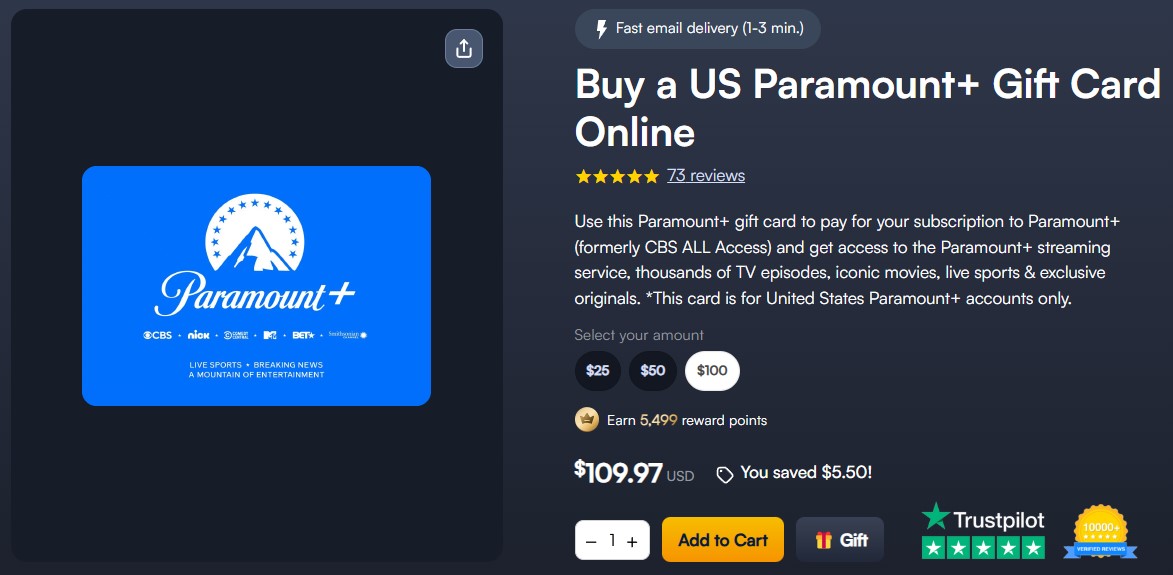
- Purchase a Paramount+ gift card from MyGiftCardSupply.

- Go to the Paramount Plus website and sign up, as shown earlier.
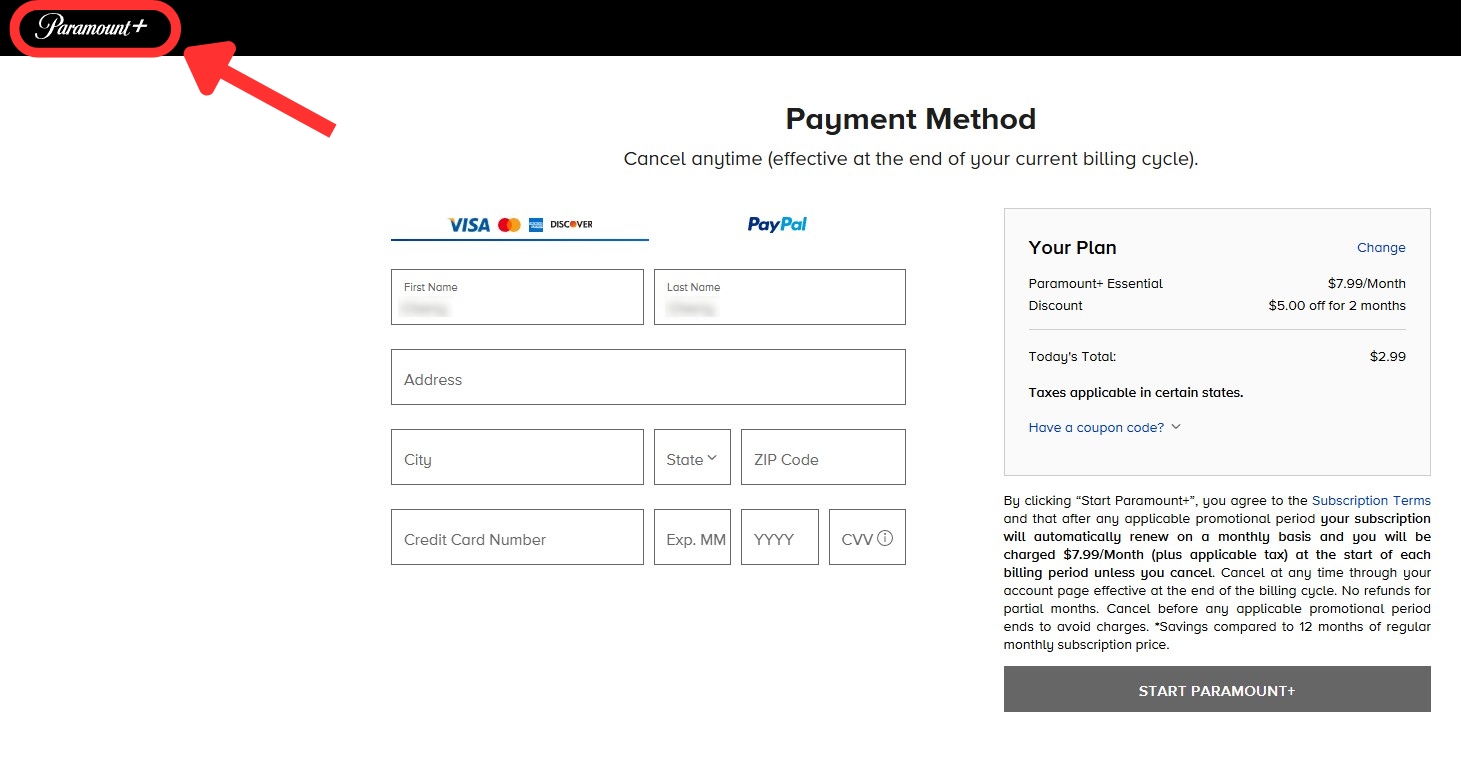
- When you get to the payment options, click on the Paramount+ logo in the top-left corner.

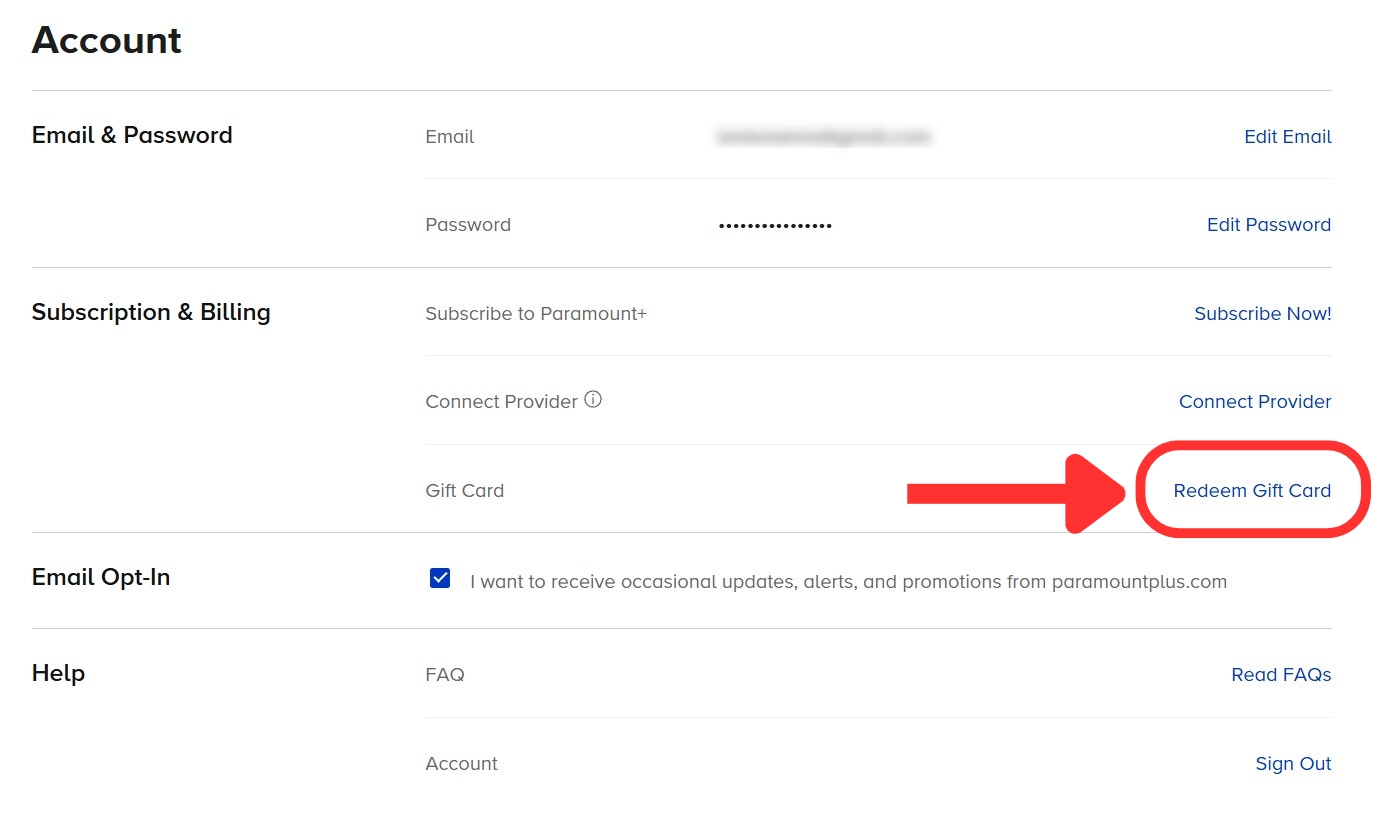
- On the main page, hover over your username. Then click “Account.”


- Click “Redeem Gift Card” in the “Subscription & Billing” section.

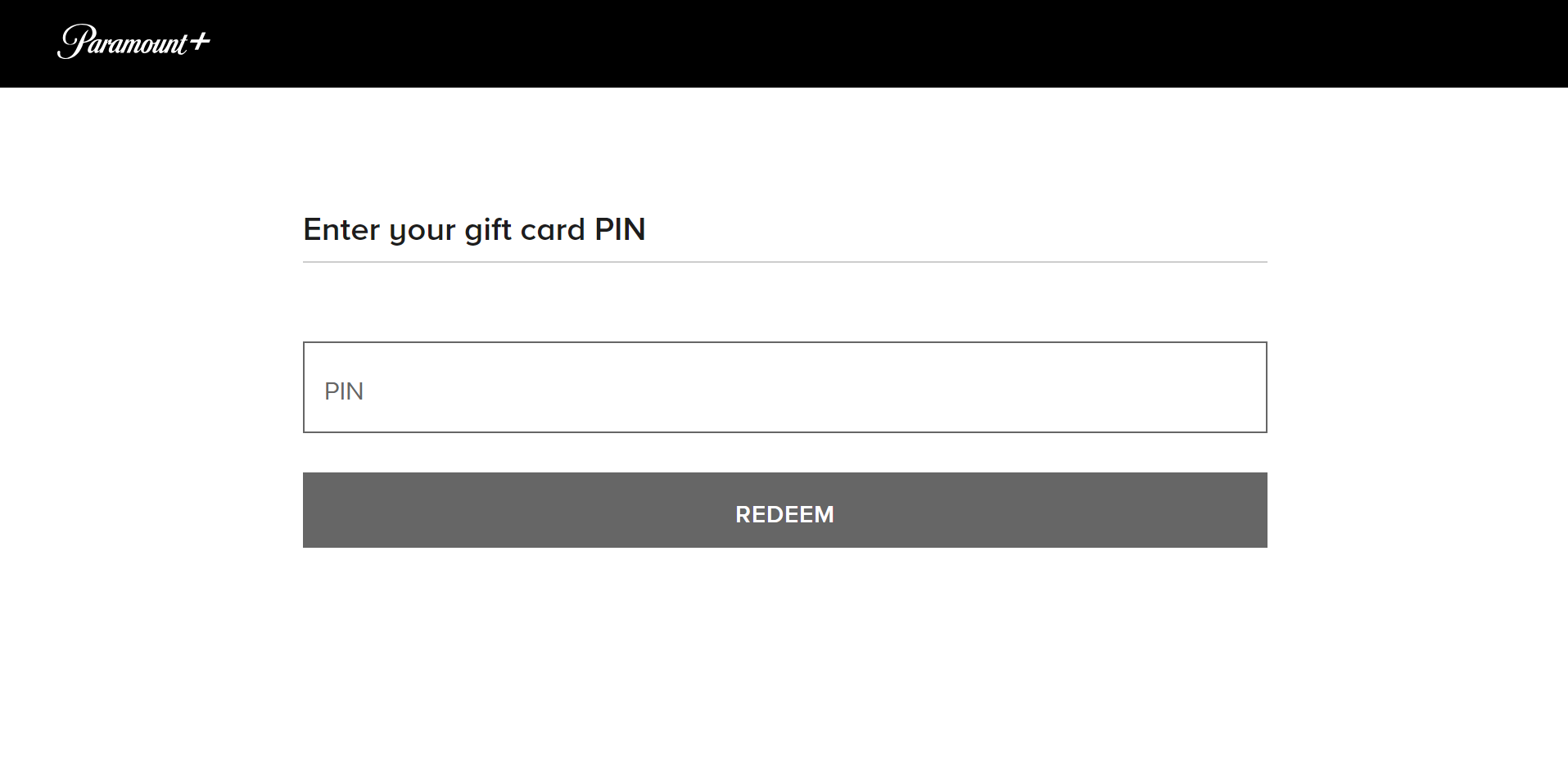
- Add your gift card PIN and click “Redeem.”

- Now, you can use your account balance to choose a plan. Enjoy!
2. PayPal Account
If you have a friend or family in the US, the process should be easier - have them pay for your subscription with PayPal. You’ll still need a VPN to mask your location and get Paramount Plus in Mexico. The full steps are below:
- Subscribe to a reliable VPN for US Paramount+ (we recommend NordVPN).
- Download the VPN and connect to an American server.
- Head to the Paramount Plus website and click “Try It Free.”
- Select a plan and add your account details.
- At the payment screen, select the PayPal tab.
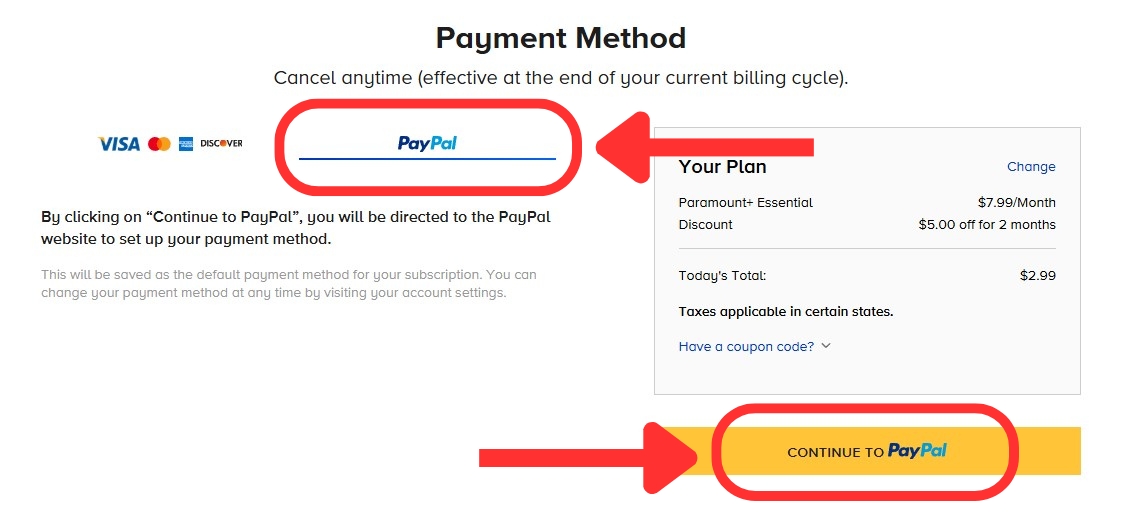

- Click on the "Continue to PayPal" button.
- Complete the payment through a US PayPal account.
- That's it! You can now start streaming.
3. Google Play Gift Card
If you have a Google account with a US billing address, you can sign up through the Play Store on your Android or Chrome OS device. You can also use a VPN to create a new US Google account and unblock US Paramount+ with this method. This is what you need to do:
- Get a VPN for Paramount Plus USA in Mexico (we recommend NordVPN).
- Set up your VPN and connect to a server in the United States.
- Create a Google account using a US billing address.
- Buy a US Google Play gift card from an online store like MyGiftCardSupply.


- Redeem the gift card in your US Google Play Store account.
- Download the Paramount Plus app from the Google Play Store.
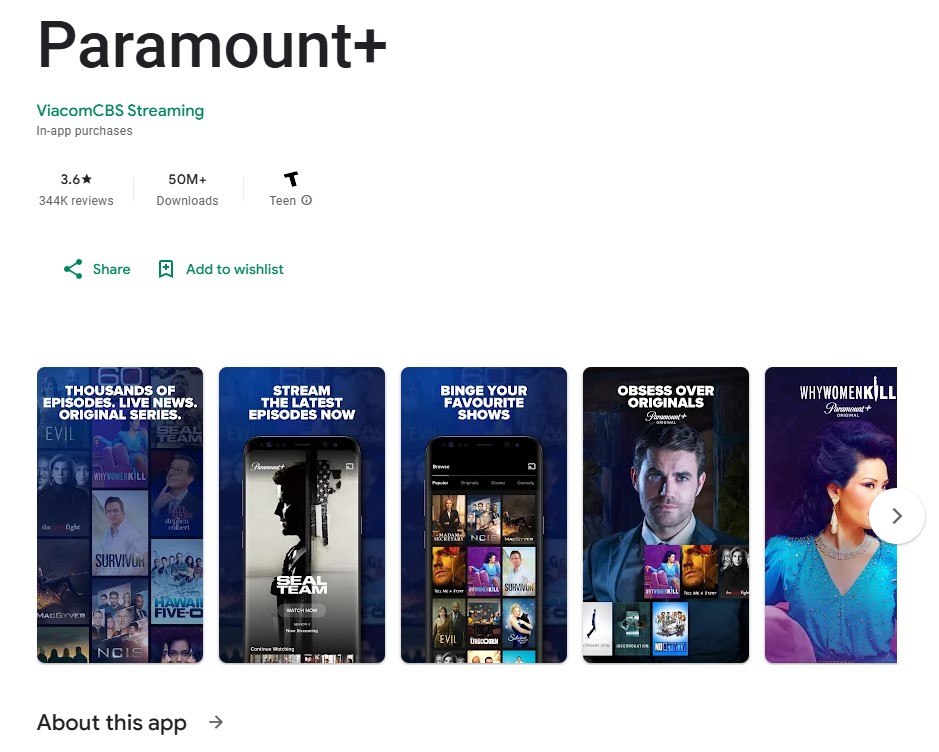

- Launch your new Paramount Plus app, sign up, and pay using your Google Play funds.
4. Apple Gift Card
For this method, you'll be using a VPN to create a US Apple ID on your iOS device. So, the first thing to do is to get the right VPN. These are the steps:
- Sign up for a VPN that works with US Paramount+ in Mexico (we recommend NordVPN).
- Install the VPN and connect to an American server.
- Register a new Apple ID, and be sure to use a US address.
- Go to MyGiftCardSupply and purchase an Apple gift card.
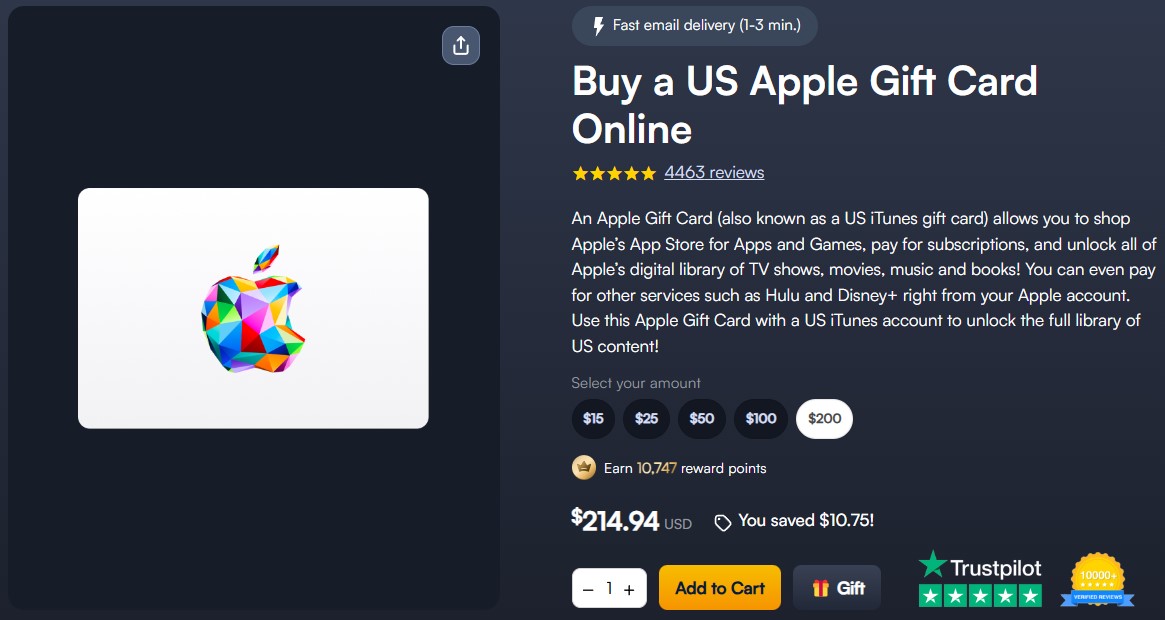

- Add the gift card funds to your US App Store account.
- Download the Paramount+ app from the App Store.
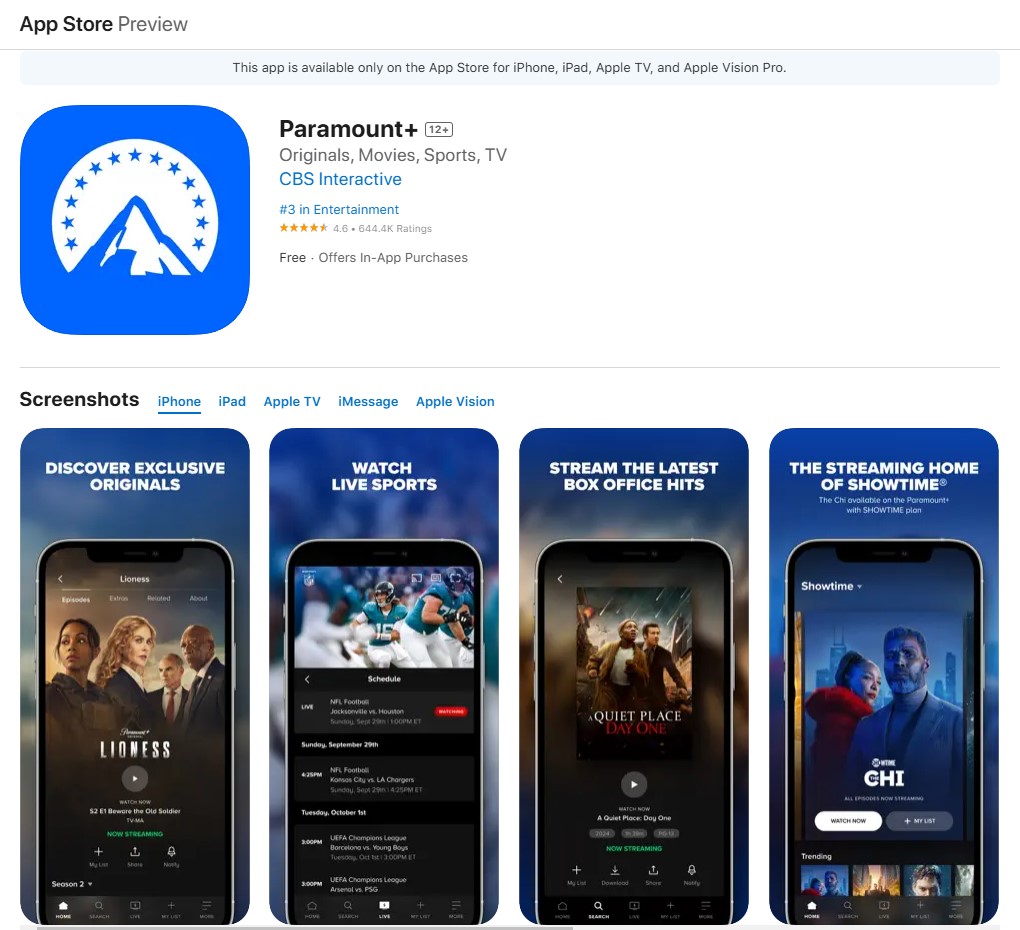

- Launch the app, finish signing up, and you're ready to stream.
5. Virtual Credit Card
This method is one of the easiest options because you don't have to create new Google or Apple accounts. You can get a US virtual credit card without much hassle. However, you still need a VPN to get past Paramount+ geo-blocks. Here's how to do it:
- Sign up for a VPN that works on Paramount+ in Mexico (we recommend NordVPN).
- Install the VPN and connect to a US server.
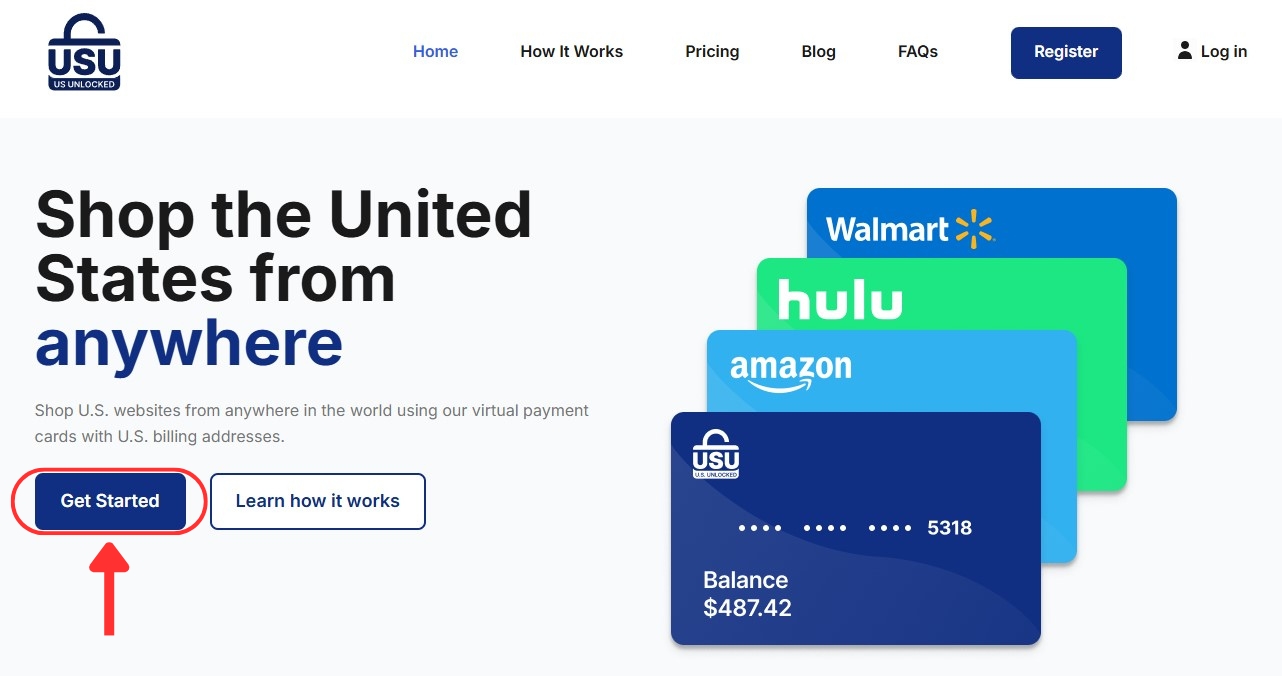
- Head to US Unlocked and click on the “Try It Free” button.

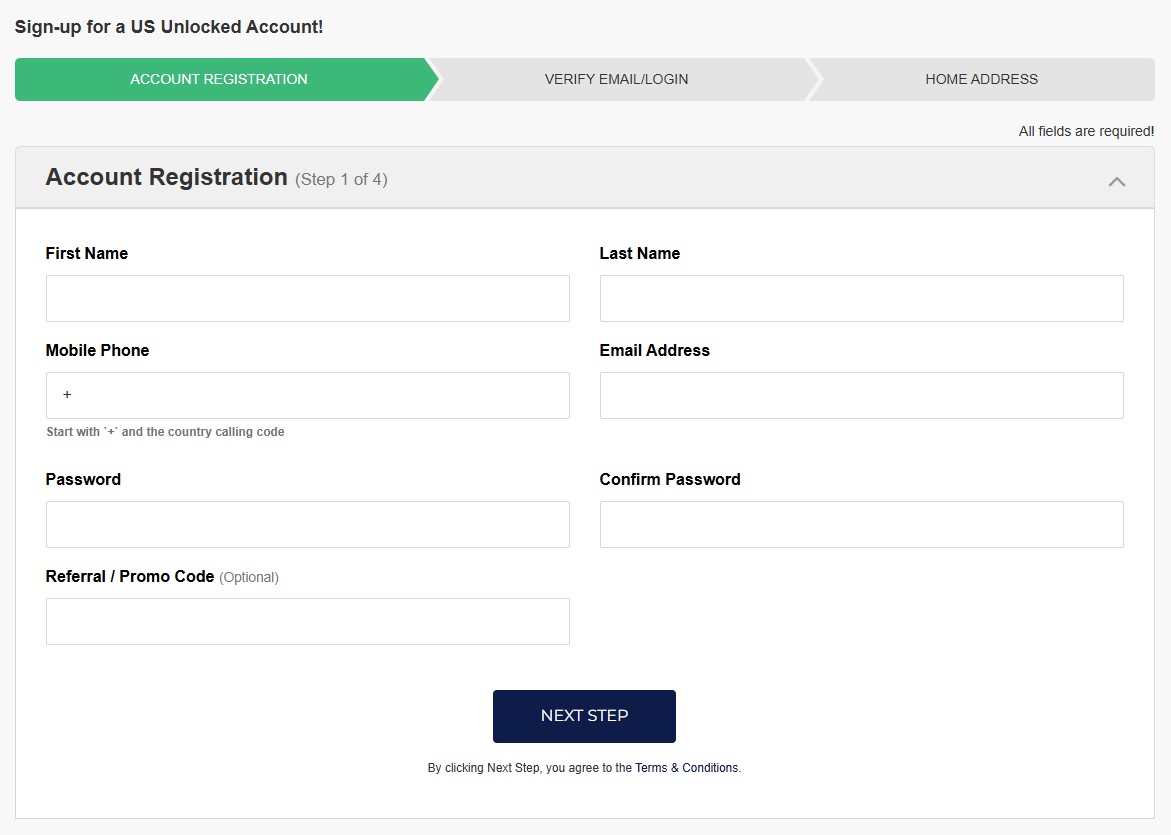
- Enter your information to create an account.

- Add funds to get all your card details.
- Go to the Paramount Plus website and sign up as usual.
- At checkout, select the credit card option.
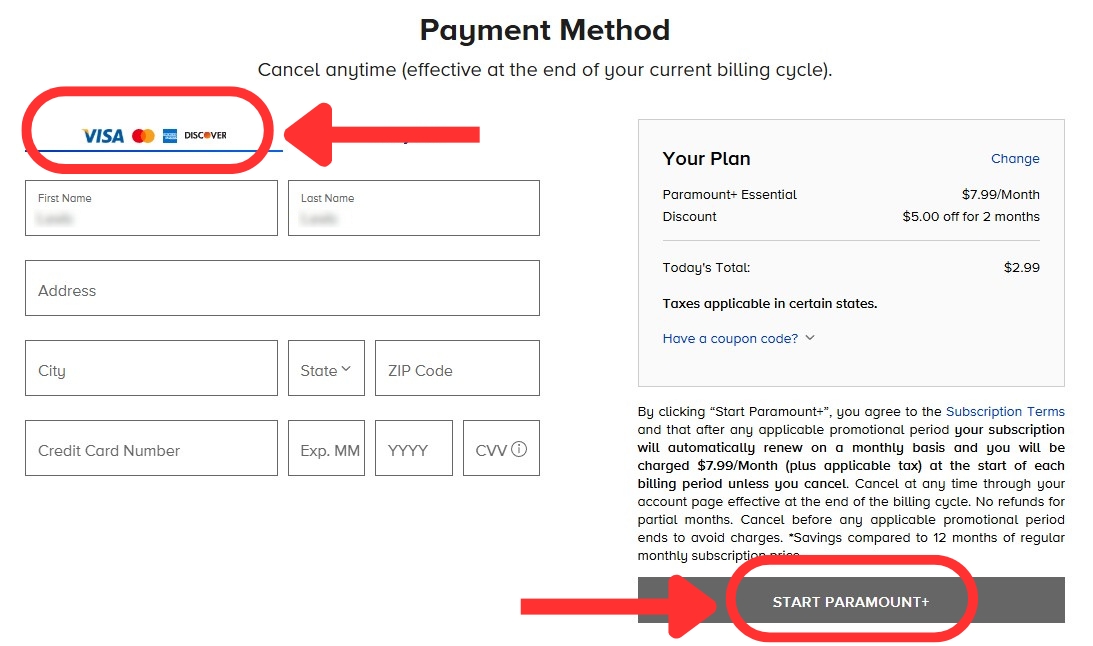

- Enter your credit card details, then click “Start Paramount+.”
- You're done! Start streaming your favorite shows now.
How to Watch Paramount Plus on Your Device in Mexico
To stream Paramount Plus exclusives in Mexico, you’ll need to unblock the US-based service with a VPN. Unfortunately, VPNs don’t work on consoles, some smart TVs, and similar gadgets. One workaround is to install a VPN on your router instead. That said, here are some simple guides on how to watch Paramount+ on most systems:
The Best US Paramount Plus Movies & Shows to Watch in Mexico
Paramount Plus is home to many classic shows and movies, which include Hollywood blockbusters, family favorites, and a rotating collection of titles. You can also expect CBS-exclusive hit TV shows and content supplied by networks like MTV, BET, Comedy Central, and VH1. Let's not forget to mention that you get live CBS broadcasts and news via CBS News and 60 Minutes.
Need a quick list of programming recommendations on what to watch on US Paramount Plus in Mexico? Well, here you go:
Final Thoughts
Paramount+ has a local version available in Mexico, but many of its top titles are exclusive to the US library. You can’t access this library even with a US account while traveling in Mexico or other countries. Luckily, there’s a simple solution: use a VPN to unblock US Paramount+ in Mexico.
NordVPN is the best option you have right now. With 1,970+ ultra-fast US servers, you'll have access to the full US content library, which will even help you sign up for a US account. This way, you can access Paramount Plus on any device you have, be it a computer, tablet, phone, or smart TV.
If you need more options, check out Surfshark, a great option for first-time VPN users. ExpressVPN works great for streaming and protecting your digital privacy. Lastly, CyberGhost VPN is known for its specialized streaming-focused servers.
That's all when it comes to watching Paramount Plus in Mexico. Do you have any more questions on the topic? Ask away in the comments!
Related