When you purchase through links on our site, we may earn an affiliate commission. Here’s how it works.
5 Best VPNs for Netflix in 2026



Our experts have reviewed 53 VPN providers, which were put through extensive rounds of testing. To learn more about that process, here’s how we review VPNs, where we explain our criteria and our policy of being fully transparent.
- For Netflix, NordVPN, ExpressVPN, and Surfshark stand out for their ability to reliably access dozens of regional Netflix catalogs, including harder-to-unblock libraries like Japan and Singapore. These VPNs maintain ultra-fast global networks optimized for 4K streaming, work smoothly on smart TVs, game consoles, and streaming sticks, and refresh IPs frequently to avoid proxy errors. With unlimited bandwidth, intuitive apps, and strong multi-device performance, they’re ideal for unlocking international Netflix libraries and binge-watching.
Nothing kills movie night faster than Netflix flashing the dreaded message: “Oops, something went wrong… This title is not available in your country.” These geo-restrictions happen because Netflix licenses content differently across regions, but that doesn’t mean you’re stuck with a limited library.

To solve this, we tested many providers in early 2026 to find the fastest and most reliable Netflix VPN services that actually work. In addition to unblocking Netflix, these VPN services will also protect your privacy by encrypting your internet traffic, hiding your real IP address, and preventing ISPs, advertisers, and public Wi-Fi networks from tracking your activity.
Now, based on our rigorous testing, in this guide, we’ll reveal the best VPNs for Netflix, show you how to use them step by step, explain why Netflix blocks VPNs, how to fix common errors, and which server locations work best for streaming, so you can watch what you want, wherever you are.
The Best VPNs for Streaming Netflix in 2026
Choosing a VPN for Netflix isn’t just about bypassing geo-blocks; it’s about getting fast, reliable, and secure streaming across all your devices. At TechNadu, our team of VPN experts put every VPN through rigorous, hands-on testing in real-world conditions using live Netflix accounts in multiple countries.
For this 2026 guide, we didn’t just check if a VPN could connect. Rather, we played a wide range of Netflix content, including new releases, popular series, and region-locked originals. We measured unblock success rates, startup speeds, buffering performance, session stability (playing videos for 35 minutes to 50 minutes), and cross-device reliability, testing on both desktop and mobile platforms.
Only VPNs that consistently delivered smooth, uninterrupted streaming without proxy errors or throttling earned a spot on this list. VPNs that combine good servers with reliable, long-session performance stand out as the best choices for Netflix users. Based on these rigorous tests, here are the 5 best VPNs for streaming Netflix in 2026:
- NordVPN - Best Overall Netflix VPN
- ExpressVPN - Most Reliable VPN to Watch Netflix
- Surfshark - Cheapest VPN For Streaming Netflix Globally
- Proton VPN - Privacy-Focused VPN for Netflix Streaming
- Private Internet Access - Highly Customizable VPN for Netflix
1. NordVPN - Best Overall Netflix VPN
NordVPN delivered flawless Netflix access across every region we tested, with instant playback, fast resolution ramp-up, and zero detection errors. Its excellent long-session stability, broad regional coverage, and consistently strong speeds make it one of the most reliable VPNs for Netflix streaming worldwide.
1. Netflix Access Across Global Libraries: NordVPN successfully unblocked Netflix in 100% of the regions we tested, including the US, UK, Canada, Australia, Japan, and Singapore. Every server connected without proxy errors, loaded the correct regional library instantly, and allowed smooth playback. Server diversity was strongest in the US, UK, and Australia, while Canada and Japan had multiple working locations. Singapore had only one server, but it still performed reliably.
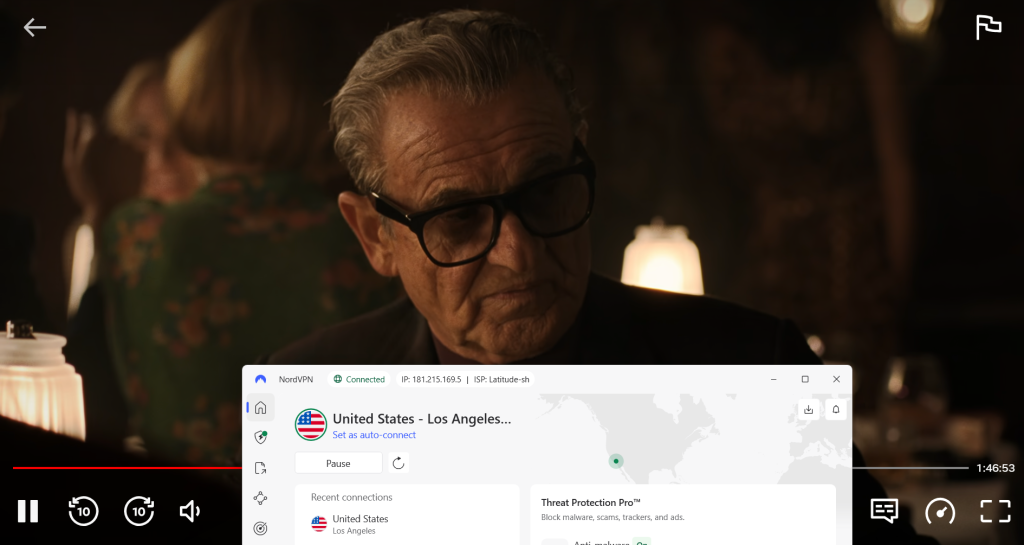
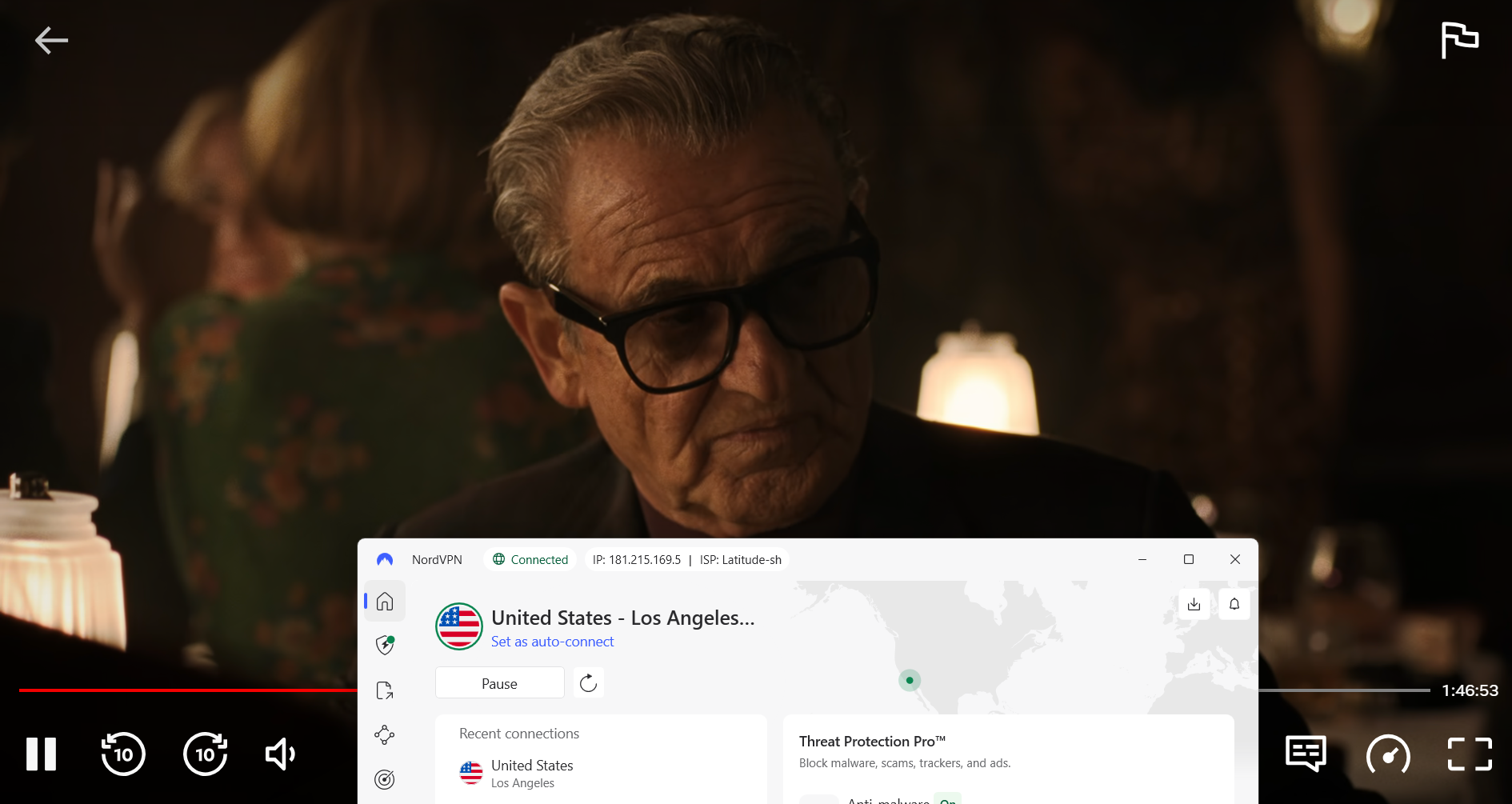
Server locations tested by region:
- US: Los Angeles, Seattle, New York
- UK: London, Edinburgh
- Canada: Toronto, Vancouver
- Australia: Melbourne, Sydney
- Japan: Osaka, Tokyo
- Singapore: Singapore
Results observed across all regions:
✅ Netflix loaded successfully on every server
✅ No proxy or VPN detection errors
✅ Netflix library switched to the correct region
✅ Region-specific titles were visible
✅ Playback started successfully
✅ No CAPTCHAs were triggered
2. Streaming Quality: Streaming performance was evaluated using NordLynx while actively watching Netflix content. Playback started in under two seconds, with resolution ramping to HD, Full HD, and 4K within approximately one second. Picture quality remained stable throughout testing with no buffering or drops.
Observed results:
✅ Startup time: <2 seconds
✅ Initial resolution: SD → HD → Full HD → 4K
✅ Time to reach max resolution: ~1 second
✅ Buffering: Not observed
✅ 4K playback: Supported and stable
Speed test (Baseline – No VPN):
- Download: 189.18 Mbps
- Upload: 196.00 Mbps
- Ping: 8 ms
Per-server VPN Speed Tests:
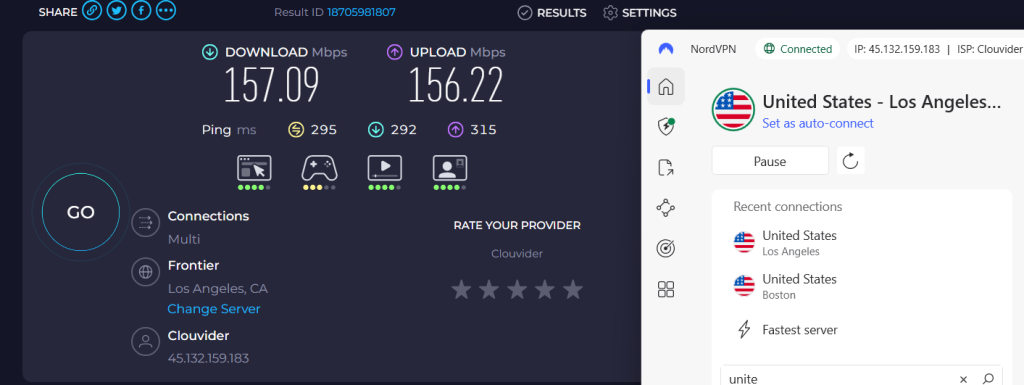
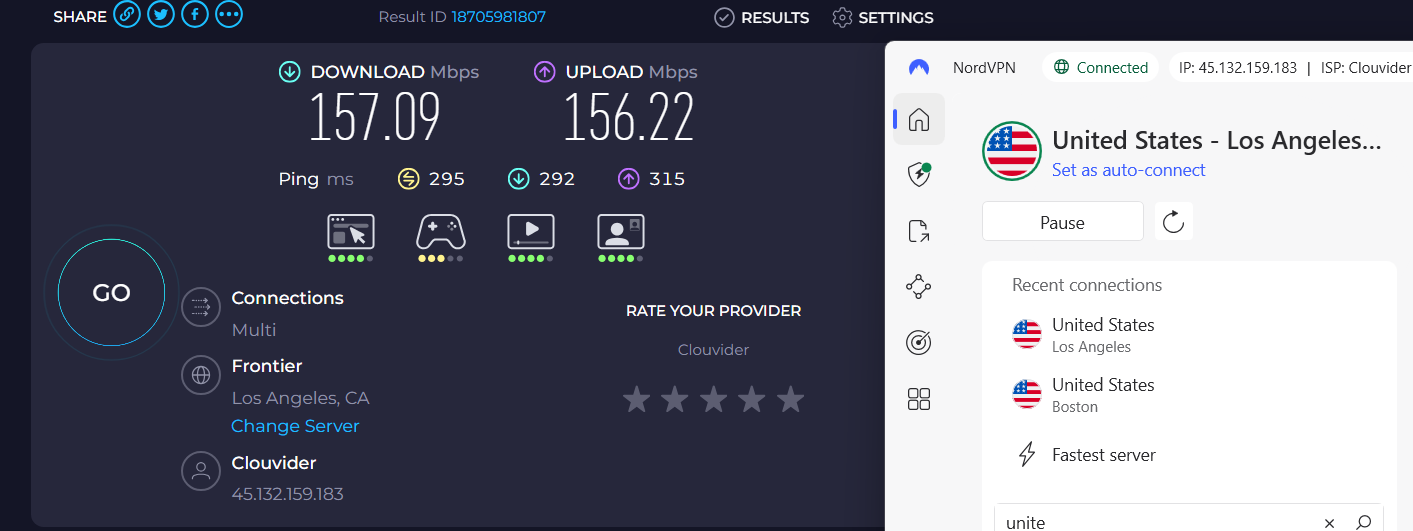
NordVPN’s Tokyo and London servers topped performance with speeds above 170 Mbps download speed, enabling streaming without buffering. Toronto and Los Angeles servers (120–157 Mbps download speed) handled HD and Full HD smoothly. Melbourne (~80 Mbps download speed) supported HD playback. Singapore also performed well for HD content.
3. Excellent Device & App Support: NordVPN supports Netflix across all major platforms, including desktop, mobile, smart TVs, and routers, with consistently smooth playback and fast server switching.
On all platforms:
✅ Netflix worked correctly
✅ Apps were easy to use
✅ Server switching was simple
4. Long-Session Netflix Stability Test: To test stability, we ran continuous Netflix playback for 35 minutes across multiple regions. NordVPN maintained a stable connection throughout, with no disconnects, no playback errors, and no forced server switching. No Netflix CAPTCHAs were triggered during extended sessions.
Results:
✅ VPN disconnects: No
✅ Playback errors: No
✅ Forced server switching: No
✅ CAPTCHAs triggered: No
5. Bandwidth, Features & Transparency: Netflix playback quality remained unchanged during extended viewing, confirming stable performance without noticeable slowdowns. Split tunneling worked correctly, allowing Netflix traffic through the VPN while other apps stayed local. NordVPN’s Netflix claims matched real-world testing with no misleading information observed.
Results:
✅ No Netflix-specific data caps
✅ No speed throttling after long sessions
✅ No forced resolution downgrade over time
✅ Split tunneling functional
✅ Claims vs reality: Accurate
✅ Misleading info: None
For details beyond streaming performance, check out our full review of NordVPN.
PROS
- Unblocks Netflix across multiple major libraries (US, UK, Canada, Australia, Japan, Singapore)
- Excellent streaming performance with near-instant playback (<2 seconds)
- HD, Full HD, and 4K playback supported and stable
- Strong long-session stability (35-minute test with no errors or CAPTCHAs)
- Broad server diversity across key regions
- Easy-to-use apps and simple server switching
- Split tunneling functional
- Accurate Netflix claims, no misleading information
CONS
- No complaints when it comes to streaming Netflix
2. ExpressVPN - Most Reliable VPN to Watch Netflix
ExpressVPN consistently accessed Netflix across all major libraries we tested, including the US, UK, Canada, Australia, Japan, and Singapore. Streaming performance was excellent, with near-instant playback and stable HD resolution. With broad server diversity, strong device support, and reliable long-session stability, ExpressVPN remains one of the top VPNs for Netflix.
1. Netflix Access Across Global Libraries: ExpressVPN successfully unblocked Netflix in all tested regions. While there are no Netflix-labeled servers, standard VPN servers worked reliably across every library. Server diversity was strong, particularly in the US, UK, and Australia, with multiple servers in each region, though Singapore had only one server. No CAPTCHAs or playback errors were observed.


Server locations tested by region:
- US: Los Angeles, Seattle, New York
- UK: London, Edinburgh
- Canada: Toronto, Vancouver
- Australia: Melbourne, Sydney
- Japan: Osaka, Tokyo
- Singapore: Singapore
Results observed across all regions:
✅ Netflix loaded successfully on every server
✅ No proxy or VPN detection errors
✅ Netflix library switched to the correct region
✅ Region-specific titles were visible
✅ Playback started successfully
✅ CAPTCHAs triggered: No
2. Streaming Quality: Streaming performance was evaluated using WireGuard and Lightway protocols. Netflix content started in under 2 seconds, and resolution ramped from SD → HD → Full HD in approximately 4 seconds. HD was consistently sustained, while Full HD and 4K were not fully supported. No buffering or resolution drops were observed.
Observed results:
✅ Startup time: <2 seconds
✅ Initial resolution: SD → HD → Full HD
✅ Time to reach max resolution: ~4 seconds
✅ Max resolution sustained: HD – ✅, Full HD – partial
✅ Buffering: None
Speed test (Baseline – No VPN):
Download: 189.18 Mbps
Upload: 196.00 Mbps
Ping: 8 ms
Per-server VPN Speed Tests:
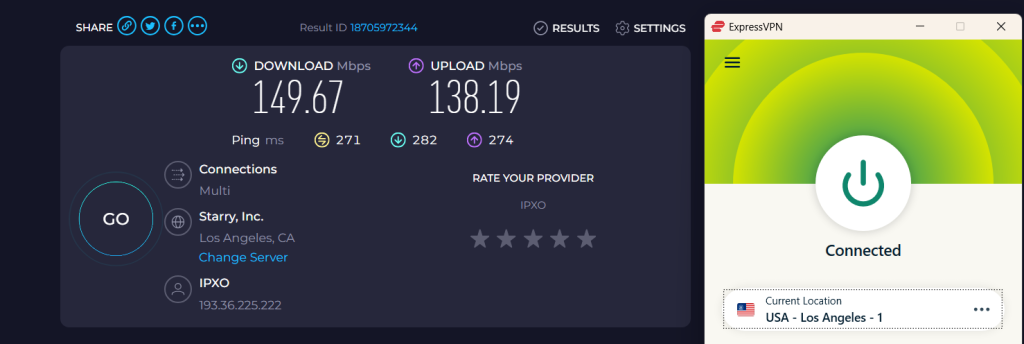
ExpressVPN delivered excellent streaming performance across most servers. Tokyo and London led the pack with speeds above 164 Mbps download speed, supporting instant all forms of playbacks without interruptions. Sydney, Los Angeles, Toronto, and Singapore servers (144–150 Mbps download speed) handled HD and Full HD smoothly.

3. Excellent Device & App Support: ExpressVPN supports Netflix on all major platforms, browsers, and routers. Setup was simple, and playback worked flawlessly on every tested device.
Ease of Netflix setup across devices: Excellent
4. Long-Session Netflix Stability Test: ExpressVPN maintained stable Netflix playback throughout testing. Short-session playback had no buffering or resolution drops, and during a 35-minute continuous session, there were no disconnects, playback errors, forced server switching, or CAPTCHAs.
Results:
✅ VPN disconnects: No
✅ Playback errors: No
✅ Forced server switching: No
✅ CAPTCHAs triggered: No
✅ Resolution drops: None
5. Bandwidth, Features & Transparency: Netflix-specific data caps and throttling were not observed, and playback quality remained unchanged during extended sessions. Split tunneling worked correctly, and ExpressVPN’s Netflix claims matched real-world testing, with no misleading information.
Results:
✅ No Netflix-specific data caps
✅ No speed throttling after long sessions
✅ No forced resolution downgrade
✅ Split tunneling functional
✅ Real-world testing matches claims: Yes
✅ Misleading info: None
For details beyond streaming performance, check out our full review of ExpressVPN.
PROS
- Unblocks Netflix across multiple regions
- Broad server diversity (US, UK, Australia, Canada, Japan)
- Near-instant playback (<2 seconds)
- Excellent device and app support
- Stable long-session performance
- Split tunneling functional
CONS
- Full HD/4K not fully sustained on all servers
- Slightly higher ping on Australia server
3. Surfshark - Cheapest VPN For Streaming Netflix Globally
Surfshark successfully accessed Netflix across all major libraries we tested, including the US, UK, Canada, Australia, Japan, and Singapore. Streaming performance was excellent with near-instant playback and HD resolution, though minor resolution drops and occasional CAPTCHAs were observed. Broad server coverage, strong device support, and reliable long-session performance make Surfshark a strong option for Netflix streaming.
1. Netflix Access Across Global Libraries: Surfshark unblocked Netflix in all tested regions without requiring Netflix-labeled servers. Server diversity was strong in the US, UK, and Australia, while Canada had 3 servers, and Japan and Singapore only had one each. CAPTCHAs were triggered once on a long session, but playback errors were not observed.


Server locations tested by region:
- US: Los Angeles, Seattle, New York
- UK: London, Edinburgh
- Canada: Toronto, Vancouver
- Australia: Melbourne, Sydney
- Japan: Tokyo
- Singapore: Singapore
Results observed across all regions:
✅ Netflix loaded successfully on every server
✅ No proxy or VPN detection errors
✅ Netflix library switched to the correct region
✅ Region-specific titles were visible
✅ Playback started successfully
❌ CAPTCHAs triggered: Yes (during long session)
2. Streaming Quality: Streaming performance was tested using WireGuard. Playback started in under 2 seconds, with resolution ramping from SD → HD → Full HD within 3–5 seconds. HD was consistently sustained, though Full HD and 4K were not fully maintained. Minor resolution drops were observed during short sessions.
Observed results:
✅ Startup time: <2 seconds
✅ Initial resolution: SD → HD → Full HD
✅ Time to reach max resolution: 3–5 seconds
✅ Max resolution sustained: HD – ✅, Full HD – partial
✅ Buffering: None
❌ Resolution drops: Minor
Per-server VPN Speed Tests:
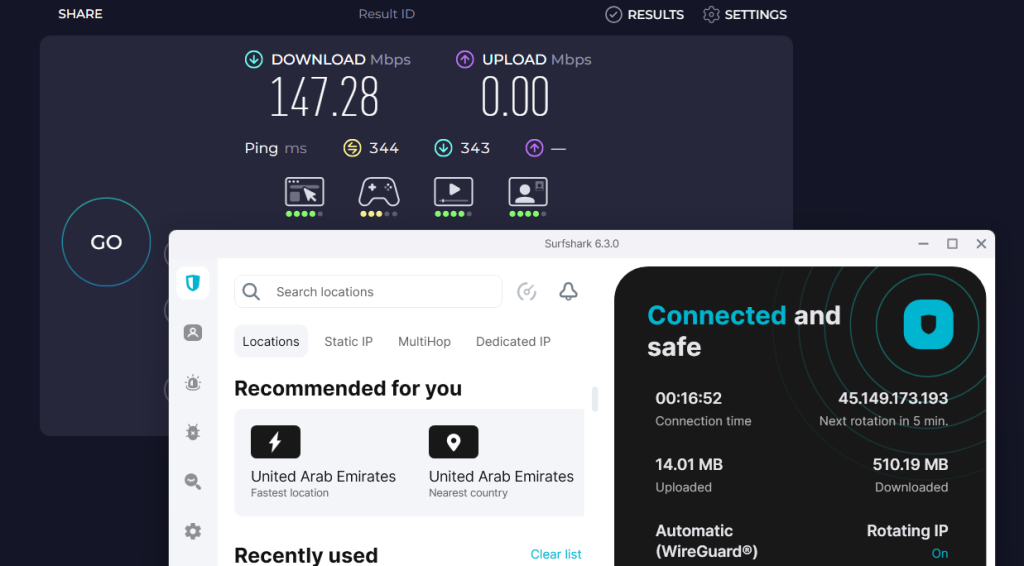
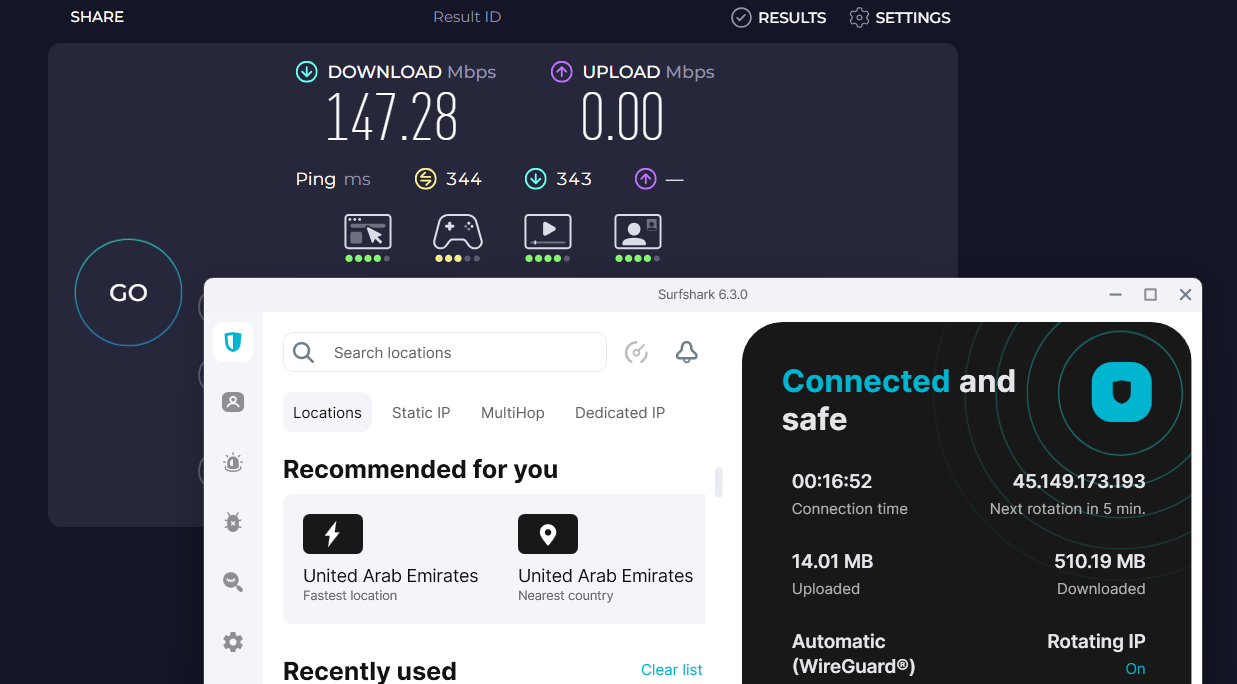
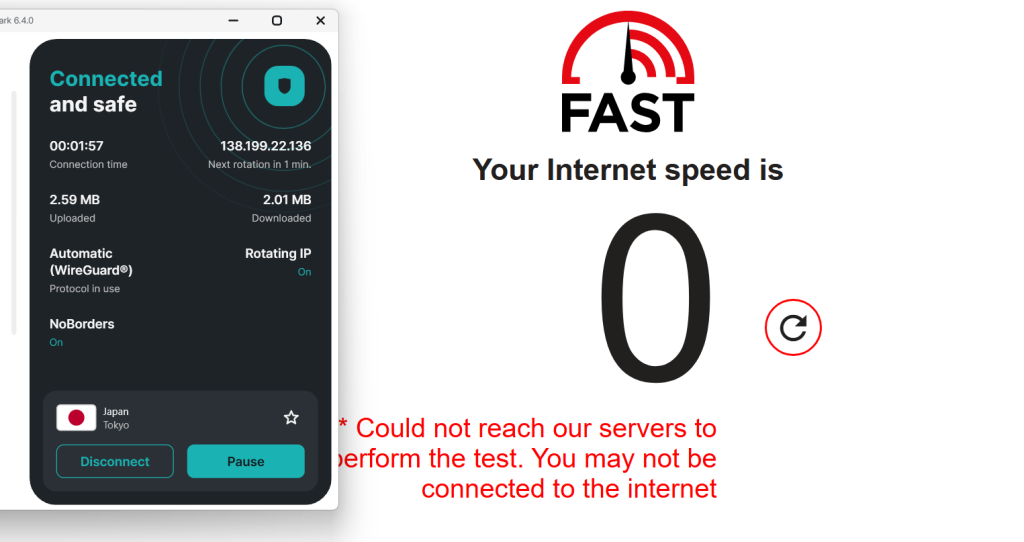
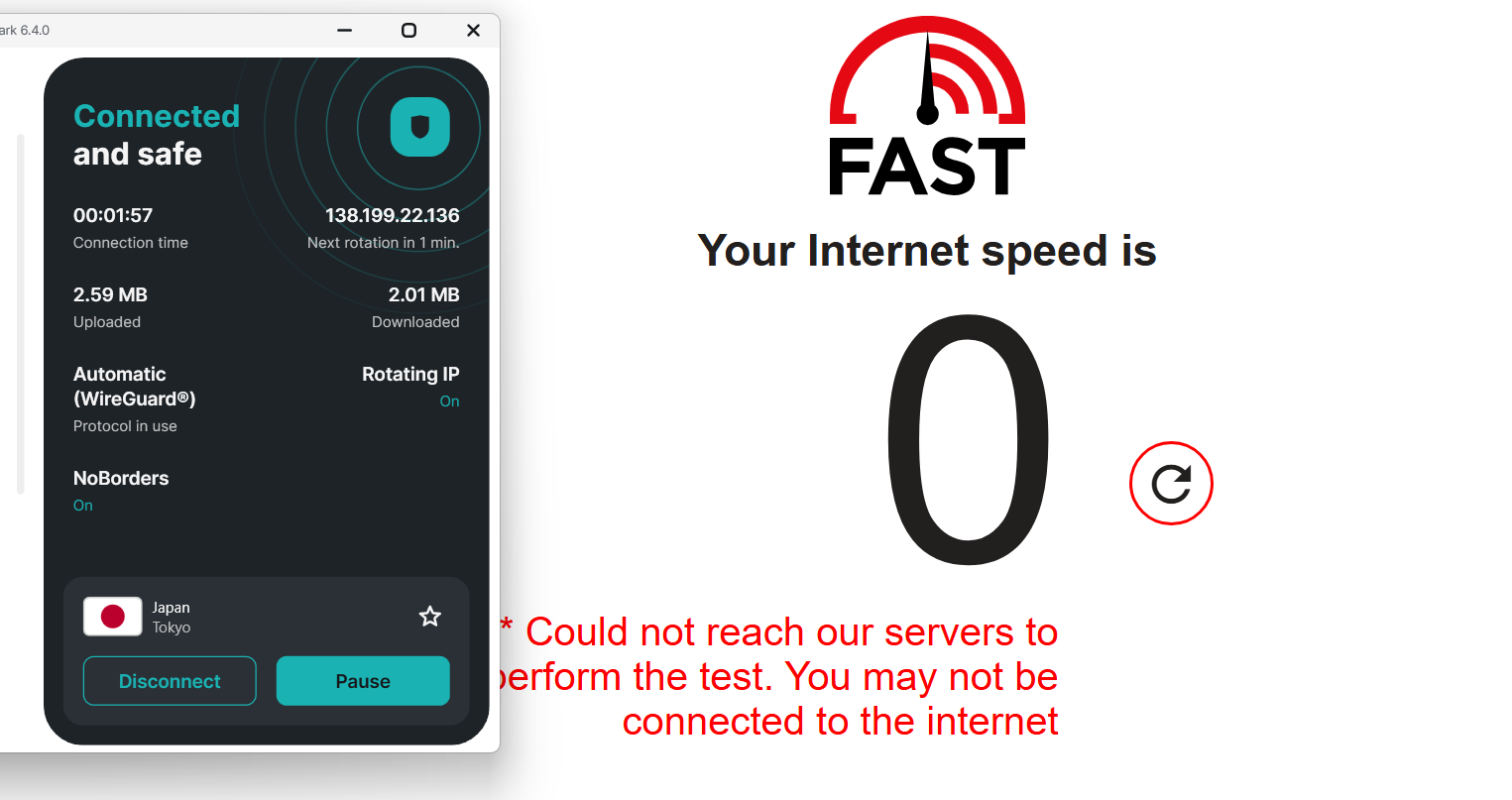
Surfshark performed best on Singapore (160 Mbps download speed) and London (150 Mbps download speed) servers, delivering smooth HD and Full HD streams. New York (147 Mbps download speed) and Toronto (120 Mbps download speed) handled HD well. The Sydney and Tokyo servers also performed well; however, we could not get the real speed results due to some errors.
Note: We initially attempted to test Surfshark using the Ookla Speedtest platform; however, the tests could not be completed successfully due to repeated connection issues. As a result, we switched to the next most reliable speed-testing service, and the results shown here reflect those measurements instead. But even on this platform, we were unable to get the speed test results and instead, encountered this error message.
3. Excellent Device & App Support: Surfshark supports Netflix across all major devices, apps, and browsers. Setup was simple, and playback functioned correctly on every tested platform.
Ease of Netflix setup across devices: Excellent
4. Long-Session Netflix Stability Test: Short-session playback had no buffering and only minor resolution drops. During a 35-minute continuous Netflix session, Surfshark maintained a stable connection with no playback errors or forced server switching, though a CAPTCHA was triggered once.
Results:
✅ VPN disconnects: No
✅ Playback errors: No
✅ Forced server switching: No
✅ CAPTCHAs triggered: Yes
❌ Resolution drops: Minor
5. Bandwidth, Features & Transparency: Surfshark provides unlimited bandwidth, though Netflix-specific data caps and throttling are not applicable. Playback quality remained largely unchanged during extended viewing. Split tunneling functioned correctly, and all Netflix claims matched real-world testing without misleading information.
Results:
✅ No Netflix-specific data caps
✅ No speed throttling after long sessions
✅ No forced resolution downgrade
✅ Split tunneling functional
✅ Real-world testing matches claims: Yes
✅ Misleading info: None
For details beyond streaming performance, check out our full review of Surfshark.
PROS
- Unblocks Netflix across multiple regions
- Strong server diversity (US, UK, Australia, Canada)
- Near-instant playback (<2 seconds)
- Excellent device and app support
- Stable long-session performance
- Split tunneling functional
CONS
- Minor resolution drops during playback
- CAPTCHAs triggered during long sessions
4. Proton VPN - Privacy-Focused VPN for Netflix Streaming
In our Netflix testing, Proton VPN consistently unlocked popular regions like the US, UK, Japan, and Canada without triggering proxy errors. While startup times weren’t the fastest in our lineup, streams settled quickly into HD and remained stable during long viewing sessions. Its standout strengths are strong privacy protections, open-source apps, and dependable performance on both desktop and mobile, making it a great choice for users who want Netflix access without compromising security.
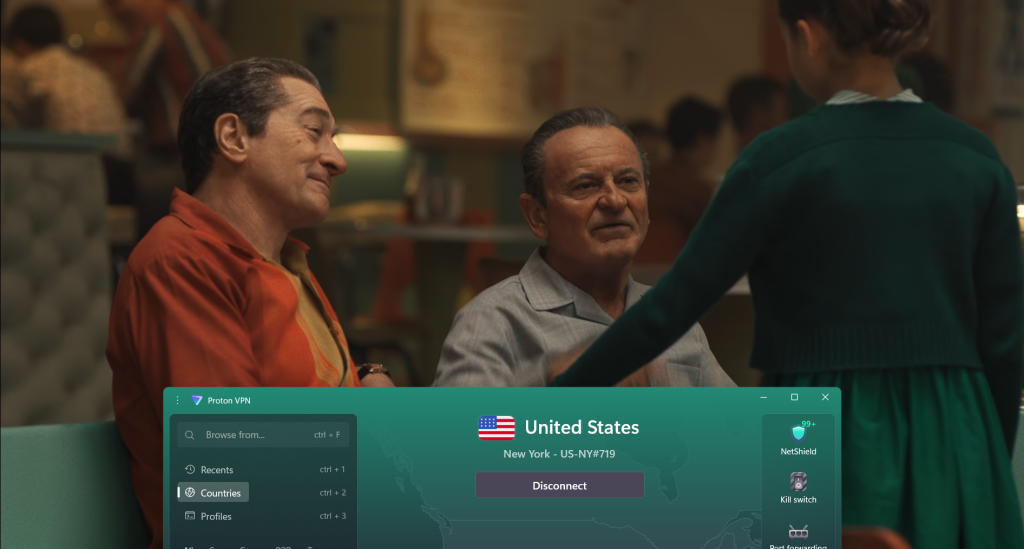
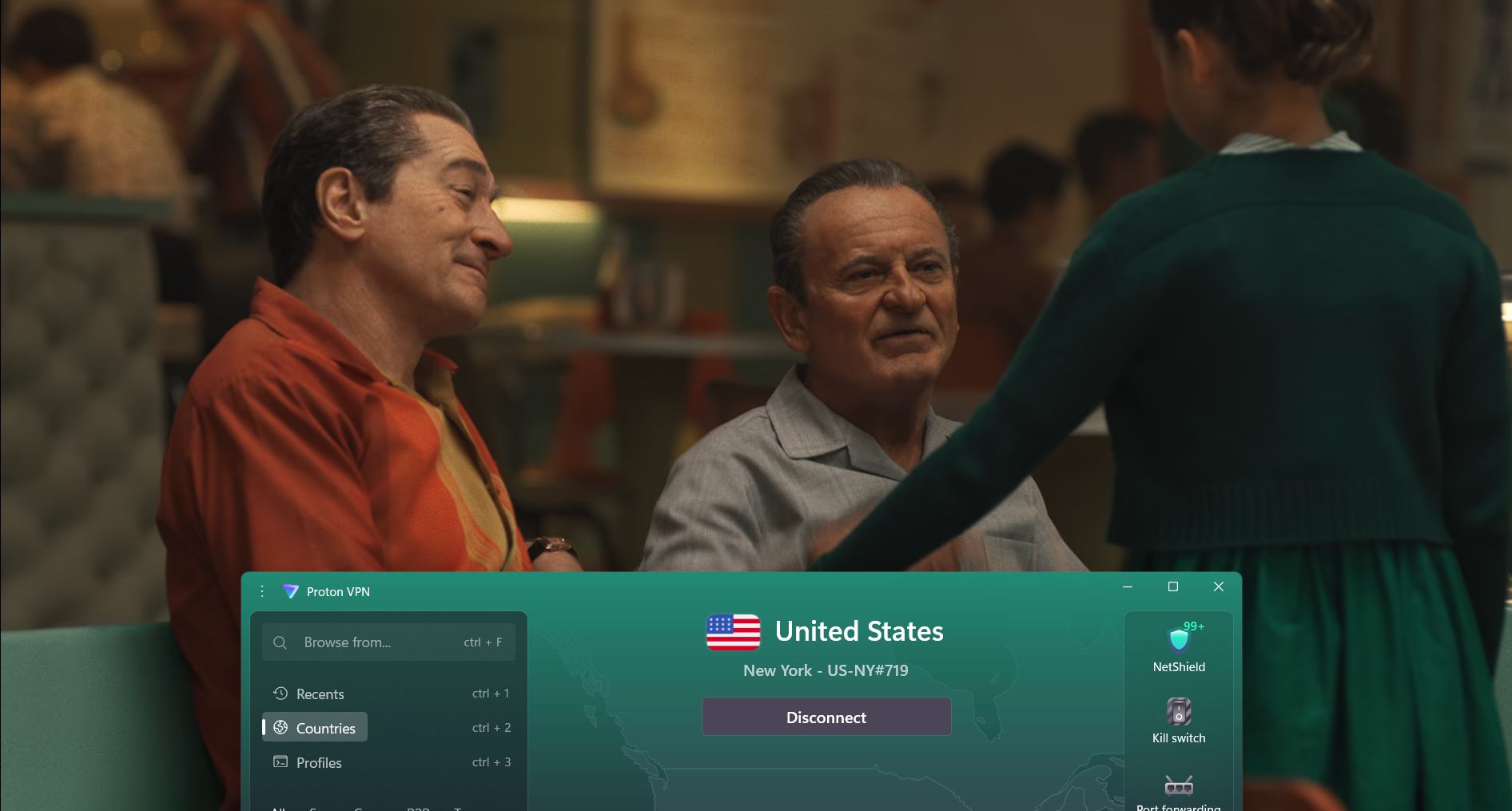
1. Netflix Access Across Global Libraries: Proton VPN successfully unblocked Netflix in all tested regions. No Netflix-labeled servers were required; standard servers, including Secure Core servers, worked reliably across every library. Server diversity was strong in the US, UK, and Australia, with multiple servers available, though Japan had two servers and Singapore only one. No CAPTCHAs or playback errors were observed.
Server locations tested by region:
- US: Florida, Washington, New York
- UK: London, Edinburgh
- Canada: Toronto, Vancouver
- Australia: Melbourne, Sydney
- Japan: Osaka, Tokyo
- Singapore: Singapore
Results observed across all regions:
✅ Netflix loaded successfully on every server
✅ No proxy or VPN detection errors
✅ Netflix library switched to the correct region
✅ Region-specific titles were visible
✅ Playback started successfully
✅ CAPTCHAs triggered: No
2. Streaming Quality: Streaming performance was evaluated using WireGuard and Stealth protocols. Playback startup occurred within 3–5 seconds, with resolution ramping from SD → HD → Full HD over 2–4 minutes. HD resolution was consistently maintained, though Full HD and 4K were not fully sustained. Resolution drops were observed intermittently during short sessions.
Observed results:
✅ Startup time: 3–5 seconds
✅ Initial resolution: SD → HD → Full HD
❌ Time to reach max resolution: 2–4 minutes
✅ Max resolution sustained: HD – ✅, Full HD – partial
✅ Buffering: None
❌ Resolution drops: Yes, intermittent
Per-server VPN Speed Tests:
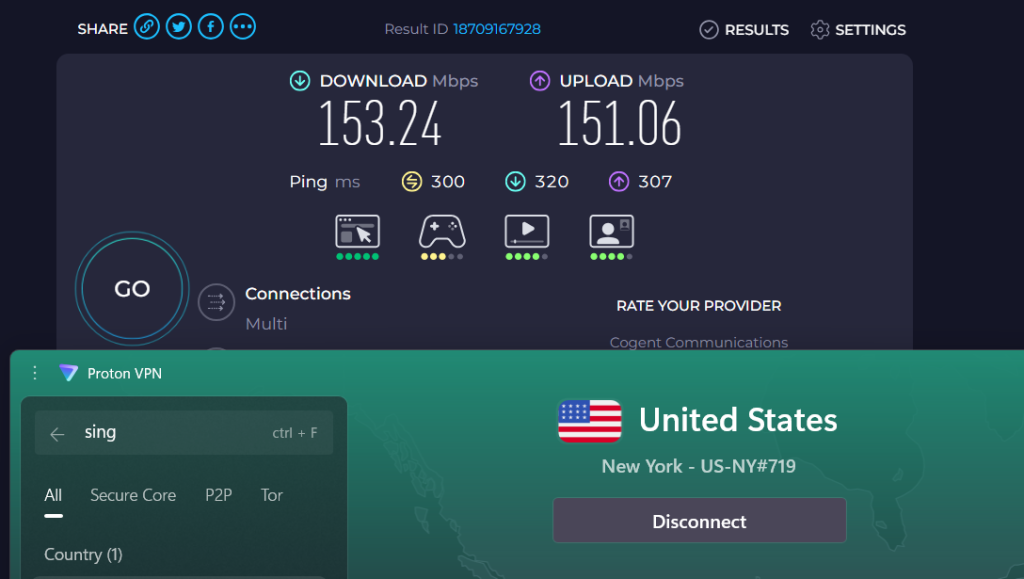
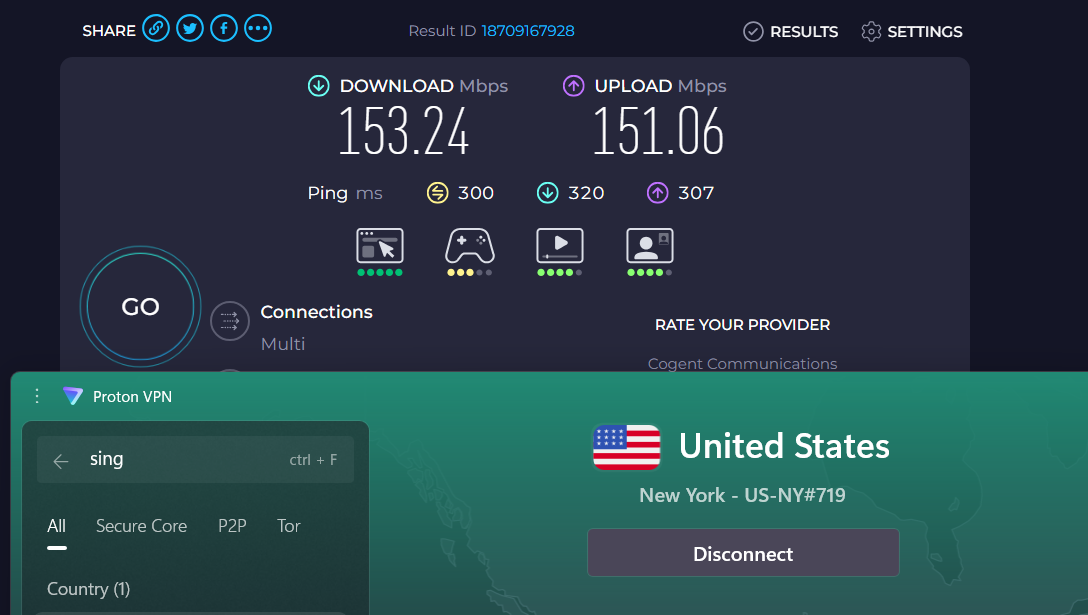
ProtonVPN streamed best on Singapore (177 Mbps download speed) and London (174 Mbps download speed), delivering smooth playback. Tokyo (162 Mbps download speed) and New York (153 Mbps download speed) were stable, while Sydney (118 Mbps download speed) and Toronto (88 Mbps download speed) handled HD with minor dips (we only noticed as we were doing thorough testing) on longer sessions.
3. Excellent Device & App Support: Proton VPN supports Netflix across all major devices, apps, and browsers. Setup was straightforward, and playback worked correctly on every tested platform.
Ease of Netflix setup across devices: Excellent
4. Long-Session Netflix Stability Test: Short-session playback had no buffering but intermittent resolution drops and lifts. During a 35-minute continuous Netflix test, Proton VPN maintained a stable connection with no disconnects, playback errors, forced server switching, or CAPTCHAs.
Results:
✅ VPN disconnects: No
✅ Playback errors: No
✅ Forced server switching: No
✅ CAPTCHAs triggered: No
❌ Resolution drops: Intermittent
5. Bandwidth, Features & Transparency: Proton VPN offers unlimited bandwidth for Netflix, but minor fluctuations in playback quality were observed over longer sessions. Netflix-specific data caps and speed throttling were not present, and no forced resolution downgrade occurred. Split tunneling functioned correctly, and Proton VPN’s Netflix claims matched real-world testing, with no misleading information.
Results:
✅ No Netflix-specific data caps
✅ No speed throttling after long sessions
✅ No forced resolution downgrade
✅ Split tunneling functional
✅ Real-world testing matches claims: Yes
✅ Misleading info: None
For details beyond streaming performance, check out our full review of Proton VPN.
PROS
- Unblocks Netflix across multiple regions
- Good server diversity (US, UK, Australia, Canada, Japan)
- HD playback consistently maintained
- Broad device and app support
- Stable long-session performance
- Split tunneling functional
CONS
- Resolution drops during playback
- Time to reach max resolution: 2–4 minutes
- Minor fluctuations in picture quality over longer sessions
5. Private Internet Access - Highly Customizable VPN for Netflix
PIA proved capable of accessing Netflix across multiple regions, including the US, UK, Australia, and Japan, though it occasionally required switching servers to find one that worked. Once connected, playback was smooth in HD with minimal buffering during extended sessions. With advanced customization options, unlimited device connections, and strong cross-platform support, PIA is a solid pick for power users who want flexibility alongside Netflix streaming access.
1. Netflix Access Across Global Libraries: PIA VPN successfully unblocked Netflix in all tested regions. No Netflix-labeled servers were required, and standard servers worked reliably across every library. Server diversity was good in most regions, with multiple servers in the US, UK, Canada, and Australia, though Japan and Singapore had only one server each. CAPTCHAs were only encountered once on a US server.


Server locations tested by region:
- US: Seattle, New York
- UK: London, Manchester
- Canada: Toronto, Vancouver
- Australia: Melbourne, Sydney
- Japan: Tokyo
- Singapore: Singapore
Results observed across all regions:
✅ Netflix loaded successfully on every server
✅ No proxy or VPN detection errors
✅ Netflix library switched to the correct region
✅ Region-specific titles were visible
✅ Playback started successfully
✅ CAPTCHAs triggered: Only once (US server)
2. Streaming Quality: Playback was tested using WireGuard. Netflix content started within 3–5 seconds, with resolution ramping from SD → HD → Full HD over 2–3 minutes. Full HD was generally sustained, though occasional drops occurred during short-term playback. 4K streaming was not supported.
Observed results:
✅ Startup time: 3–5 seconds
✅ Initial resolution: SD → HD → Full HD
❌ Time to reach max resolution: 2–3 minutes
✅ Max resolution sustained: HD – ✅, Full HD – partial
❌ Buffering: Occasional
Speed test (Baseline – No VPN):
Download: 189.18 Mbps
Upload: 196.00 Mbps
Ping: 8 ms
Per-server VPN Speed Tests:
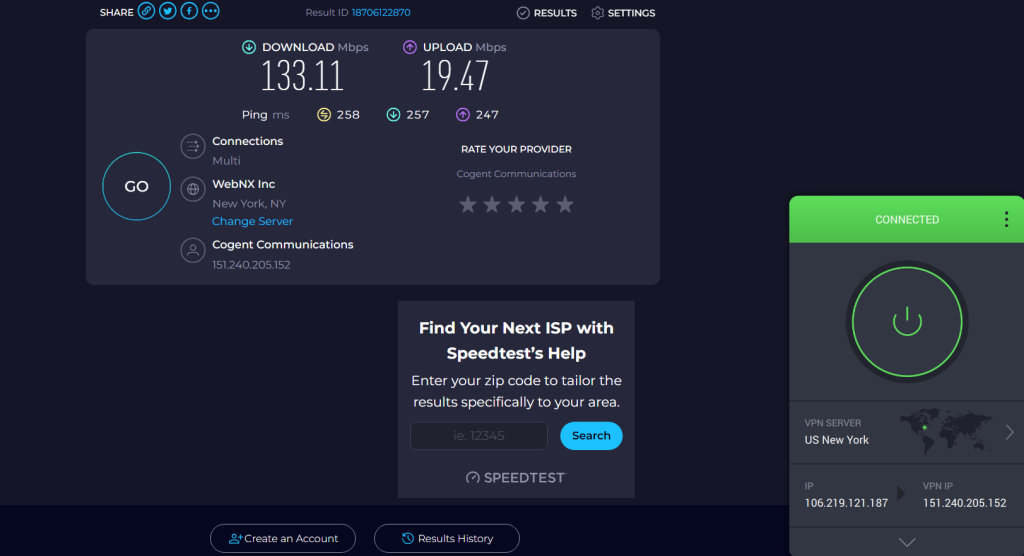
Streaming performance was strongest on servers delivering 128–133 Mbps download speed, supporting smooth HD and Full HD playback with fast load times. Slower locations averaging 89–95 Mbps download speed still handled HD streaming but showed occasional resolution drops during longer sessions.

3. Excellent Device & App Support: PIA supports Netflix across all major devices, apps, and browsers. Setup was straightforward, and playback worked correctly on every tested platform.
Devices and apps tested:
✅ Windows
✅ Android
4. Long-Session Netflix Stability Test: Short-session playback occasionally experienced buffering and resolution fluctuations, but PIA maintained reliable long-term stability. During a 35-minute continuous Netflix test, the connection remained stable, with no disconnects or forced server switching. No CAPTCHAs were triggered during extended sessions.
Results:
✅ VPN disconnects: No
✅ Playback errors: No
✅ Forced server switching: No
✅ CAPTCHAs triggered: No
❌ Resolution drops: Occasional
5. Bandwidth, Features & Transparency: PIA offers unlimited bandwidth and does not impose Netflix-specific data caps or speed throttling. While playback quality fluctuated slightly during long sessions, split tunneling worked correctly, allowing Netflix traffic through the VPN while other apps remained local. All Netflix claims made by PIA matched our real-world testing, with no misleading information observed.
Results:
✅ No Netflix-specific data caps
✅ No speed throttling after long sessions
✅ No forced resolution downgrade
✅ Split tunneling functional
✅ Real-world testing matches claims: Yes
✅ Misleading info: None
For details beyond streaming performance, check out our full review of PIA.
PROS
- Unblocks Netflix across multiple regions
- Good server diversity
- Broad device and platform support
- Stable long-session playback
- Split tunneling for Netflix
CONS
- Occasional short-term buffering
- Resolution drops during playback
- Time to reach max resolution was around 2–3 minutes
How to Use a VPN on Netflix?
You first need to find a reputable provider, download and install it on your preferred device, and connect to a server that will enable you to stream Netflix. Check out these steps:
- Subscribe to a Netflix-compatible VPN. Pick a provider with servers optimized for streaming, features like SmartPlay or SmartDNS, fast speeds, unlimited bandwidth, and a money-back guarantee so you can test it risk-free (we recommend NordVPN).
- Download and install the VPN on your device(s). Apps are usually available for Windows, macOS, iOS, Android, smart TVs, and routers, or as browser extensions. Enabling split tunneling is recommended to route only Netflix traffic through the VPN for smoother streaming.
- Activate key security features before streaming. Turn on Kill Switch, obfuscation mode, DNS and IP leak protection, and built-in ad or tracker blockers to keep your Netflix sessions private, safe, and uninterrupted.
- Connect to your chosen server to unlock content from the Netflix region you want.
- Launch Netflix and start streaming. Enjoy access to shows and movies that would otherwise be unavailable in your location.
When you use a VPN, you can connect to an American server, for example, and get a US IP address that will unblock American Netflix from abroad. The same goes for accessing non-US servers. For example, a Japanese IP will unblock the streaming platform's library for that country.
What Is the Best VPN Location for Netflix?
Slovakia currently offers the biggest Netflix library, with more than 8,000 TV shows and movies. It's followed by Bulgaria, Iceland, and Estonia. Here's more precise information:
As you know by now, you can change locations on Netflix with a VPN. By connecting to a server in a country where your desired Netflix library is available, you’ll mask your true location and trick Netflix into thinking you’re in the supported country.
The best country for Netflix VPN usage isn’t solely based on the number of titles that country’s library has. The quality of the content matters, too. For example, Netflix US might have fewer total titles than the UK library, but it still includes tons of the highest-rated TV shows and movies, according to IMDb.
You can also change Netflix’s region without a VPN. Instead, you can use a proxy, SmartDNS, or connect to a virtual private server. However, if you change the Netflix region using a VPN, you’ll have the best overall experience, avoiding all restrictions and limitations.
Does Netflix Block VPNs? Is It Legal?
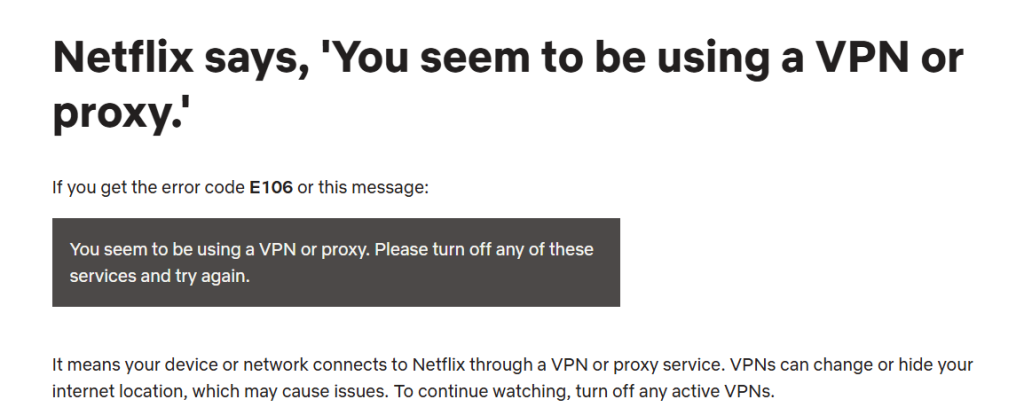
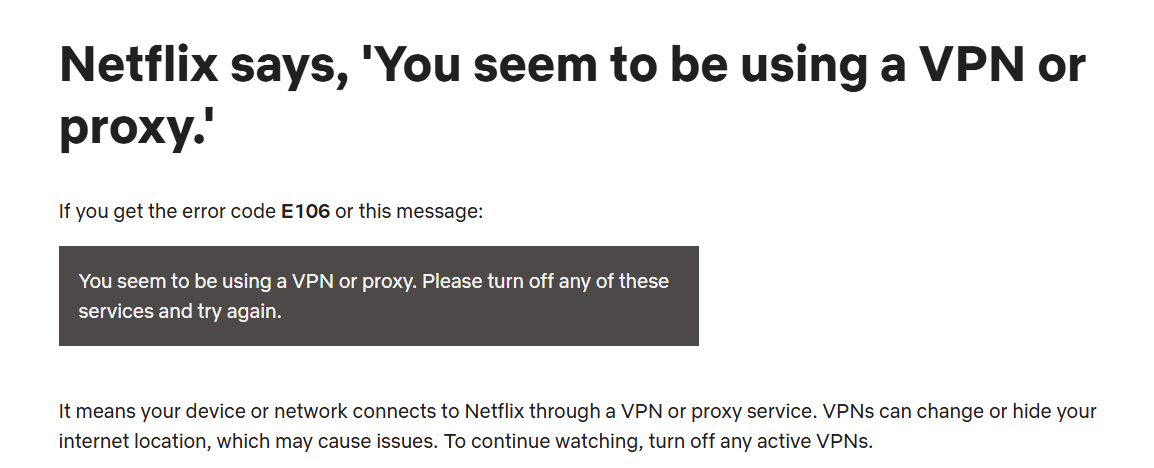
Yes, Netflix actively blocks VPNs. If you try streaming with a VPN, you might see error codes like E106 or messages such as “You seem to be using a VPN or proxy. Please turn off any of these services and try again.” This happens because Netflix detects when your connection comes from a VPN or proxy server, and it restricts access to protect its licensing agreements.
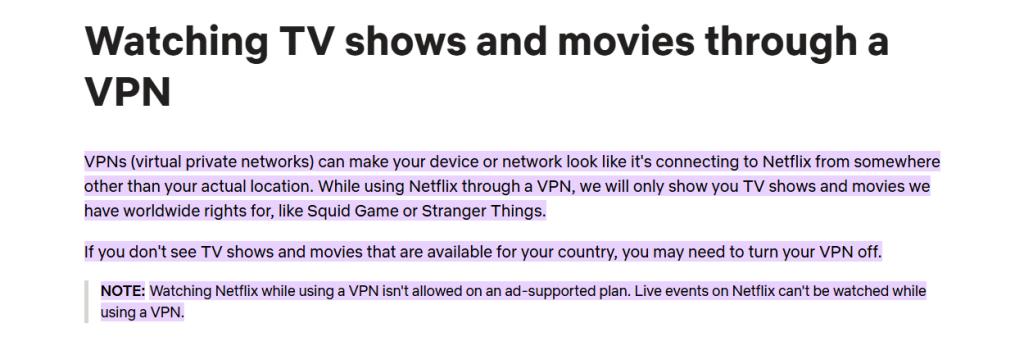
When you connect to Netflix through a VPN, the service may only show you content available worldwide (like Stranger Things or Squid Game) instead of your regional library. In some cases, the site or app won’t load at all, or it will revert back to the catalog of your actual country. It’s also important to note that if you’re on Netflix’s ad-supported plan, VPN usage is blocked completely, and live events on the platform can’t be streamed through a VPN.
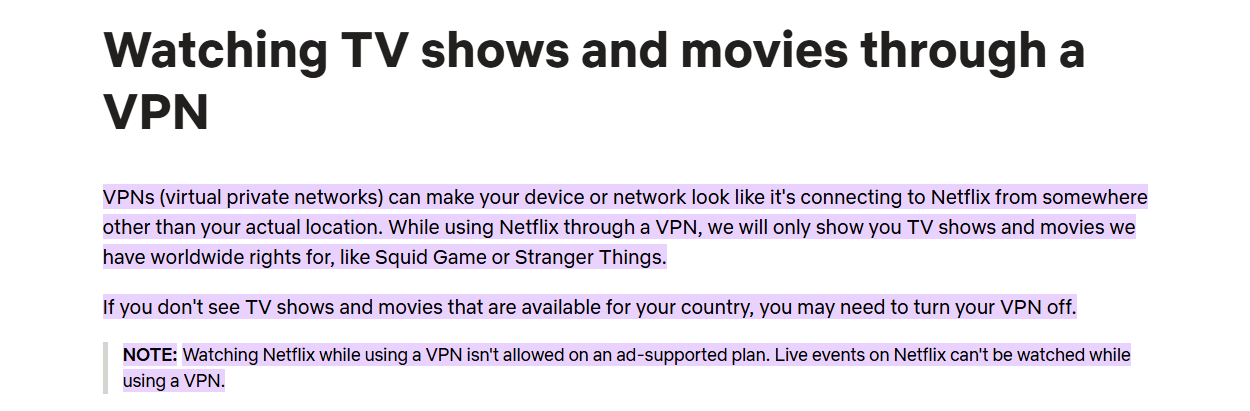
That said, using a VPN with Netflix is not illegal. Netflix simply enforces content restrictions. However, not all VPNs are reliable. Free VPNs, in particular, struggle to bypass Netflix’s detection systems. They often have limited servers, weaker security, and may log or sell your data. For consistent access and safety, it’s best to use a premium VPN with streaming-optimized servers that are designed to work with Netflix.
Should You Even Use a Free VPN for Netflix?
Yes, you can try using a free VPN for Netflix, but the experience will be very limited and often frustrating. Free providers usually impose strict bandwidth caps, which means you’ll only be able to stream for a short period of time. On top of that, you’ll deal with slow speeds, minimal server options, and weak privacy protection.
Even if you manage to connect, don’t expect to unlock Netflix’s full library. Free VPNs rarely bypass Netflix’s detection systems, and some can even put your data at risk by logging sensitive information or carrying malware.
On top of that, Netflix has introduced household restrictions, which tie your subscription to a primary Wi-Fi network. This makes it even harder to share accounts across different locations, and free VPNs typically don’t have the technology needed to work around those measures.
If you are still adamant on using a free VPN to watch Netflix then Proton VPN is your ideal catch. If it doesn't work, nothing else will!
The Smarter Alternative to free VPNs
Instead of relying on free VPNs, a safer bet is to try a VPN free trial or use a service with a money-back guarantee. This way, you’ll get premium features like fast speeds, strong privacy, and access to multiple Netflix libraries, without long-term risk.
For example, NordVPN offers a 7-day free trial (activated on Android, usable across devices) and a 30-day money-back policy on all platforms. That gives you plenty of time to stream Netflix safely and in HD quality.
After trying out a few options, take a look at our guide to the top VPN providers. It highlights some excellent choices that deliver great value at affordable prices.
Final Thoughts
After reviewing all our testing, one thing is clear, a reliable VPN dramatically improves your Netflix experience by bypassing geo-restrictions, reducing ISP throttling, and unlocking global content libraries. Beyond performance, it also protects your privacy, secures your connection on public Wi-Fi, and ensures smooth, uninterrupted streaming across all your devices.
Keeping everything in mind, here are the 5 best VPNs for Netflix in 2026:
- NordVPN – Best overall Netflix VPN with flawless global library access, near-instant startup speeds, stable 4K streaming, and elite long-session reliability.
- ExpressVPN – Most reliable VPN for watching Netflix with Lightway protocol for fast speeds, and consistently smooth HD playback worldwide.
- Surfshark – Best budget VPN that works with Netflix and comes with unlimited device connections, fast startup speeds, NoBorders mode, and strong unblocking across regions.
- Proton VPN – Privacy-focused Netflix VPN with Plus servers, strong transparency, and consistent HD playback performance.
- Private Internet Access (PIA) – Highly customizable fo streaming Netflix with unlimited connections, strong security, and stable long-session HD streaming.
So whether you prioritize speed, privacy, device coverage, customization, or budget, these VPNs deliver the best combination of Netflix unblocking reliability, streaming performance, and long-session stability in 2026.
Additional Guides to Have a Look at:
- How to Set Up a VPN – Step-by-step instructions to install and configure a VPN on any device.
- How to Know if VPN Is Working on Netflix – Quick checks to confirm your VPN is properly unblocking Netflix.
- Best Cheap VPNs for Netflix – Discover affordable VPNs that still deliver reliable streaming performance.
- Does NordVPN Work With Netflix? – Find out how NordVPN performs when unlocking Netflix libraries.
- How to Get More Movies on Netflix Using a VPN – Learn how to expand your Netflix catalog with a VPN.
- How to Change Netflix Region – A simple guide on switching your Netflix library to any country.
- Why Is My VPN Not Working on Netflix? – Troubleshoot common errors when Netflix blocks your VPN.
- Want the complete breakdown of what makes a VPN great for streaming? Check out our guide on the best VPNs for streaming.
- Surfshark Not Working With Netflix – Fix – Solutions if Surfshark fails to unlock Netflix content.
- Best Countries to Connect to Using a VPN – Find out which server locations unlock the best content.
- Why Is My VPN So Slow? – Reasons behind sluggish VPN speeds and how to fix them.
That’s all we've prepared for this guide on 5 best VPNs for Netflix in 2026. If you have any questions, we encourage you to leave them in the comments section below. Thanks for reading!