When you purchase through links on our site, we may earn an affiliate commission. Here’s how it works.
5 Best YouTube TV VPNs in 2026 – How to Bypass YouTube TV Location


Our experts have reviewed 53 VPN providers, which were put through extensive rounds of testing. To learn more about that process, here’s how we review VPNs, where we explain our criteria and our policy of being fully transparent.
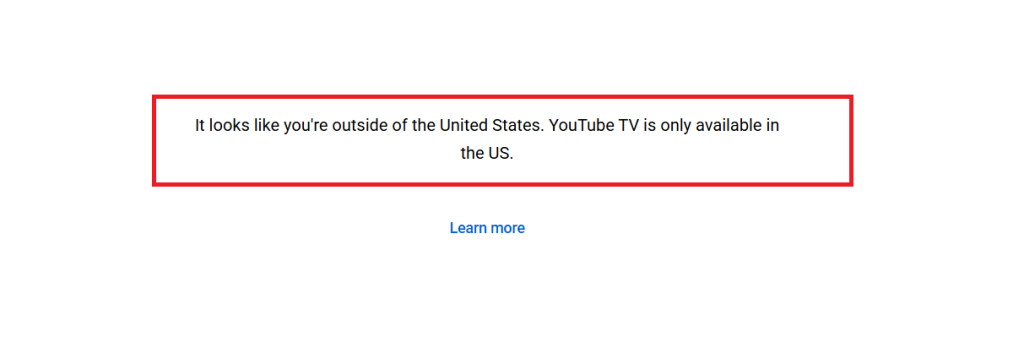
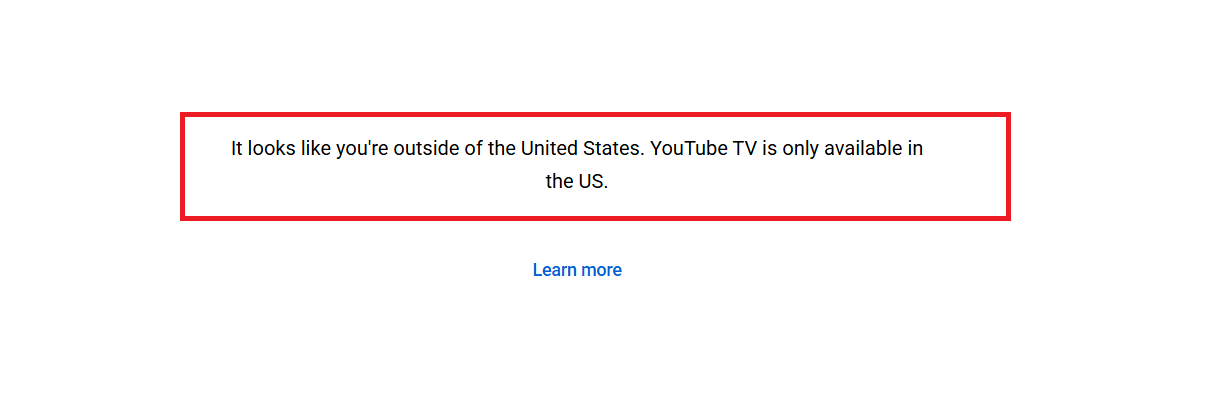
YouTube TV is one of the best cable-cutting options, offering a wide selection of live and on-demand channels, including 4K content. The catch is that it’s only available in the US. If you try to watch from abroad, you’ll be blocked unless you use a VPN to get a US IP address.
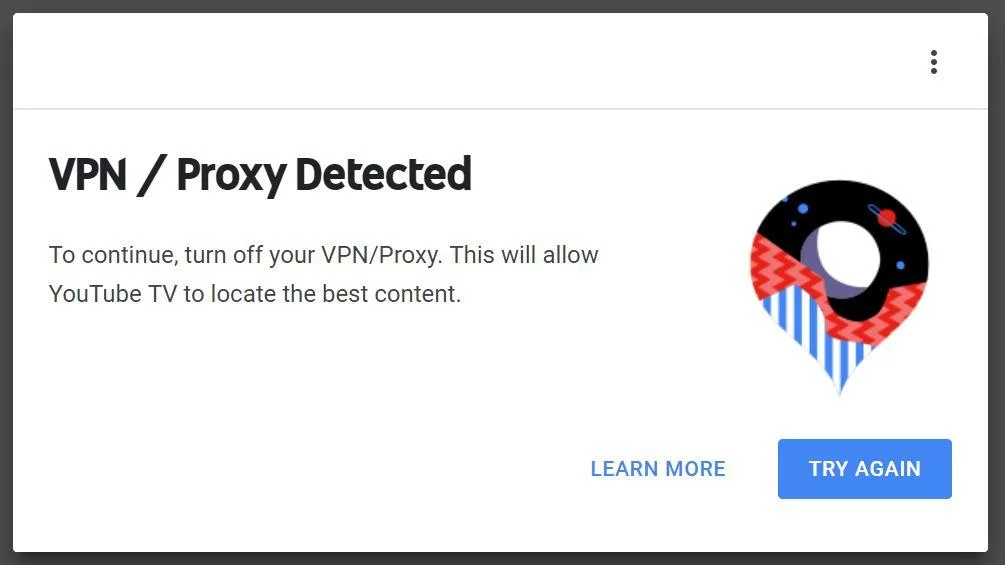
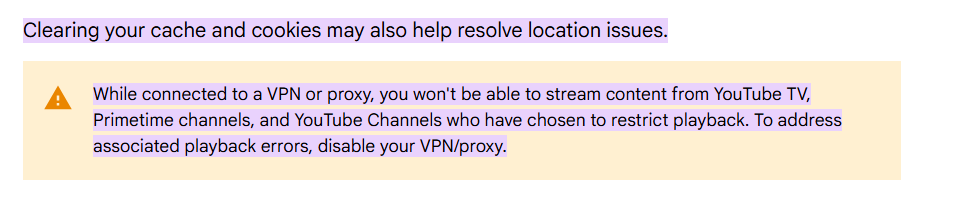
Not all VPNs work with YouTube TV, though. The platform has strong anti-VPN systems and will show the error: “To continue, turn off your VPN/proxy. This will allow YouTube TV to locate the best content.” That’s why you need a reliable VPN that not only unblocks YouTube TV but also delivers fast speeds for streaming.
With the right VPN, you can:
- Unblock YouTube TV anywhere by connecting to a US server.
- Watch while traveling by using a VPN to log in as if you were back home.
- Bypass ISP throttling, since your data is hidden and you get full internet speeds.
- Protect your privacy by masking your IP address from trackers and websites.
- Block ads and trackers with VPNs that include extra privacy features.
In this article, we rank the best VPNs for YouTube TV. We'll also show you how to trick your YouTube TV location with a VPN, how to pick the one aligned with your needs, how to fix issues when your VPN doesn't work with the streaming service, and we'll finish with some FAQs.
Does YouTube TV Block VPNs? Is YouTube TV Legal with a VPN?
Using a VPN with YouTube TV itself is not illegal, but it does go against the platform’s terms of service when used to access content outside of your licensed region. That means while you won’t face legal trouble for simply using a VPN, your access can be restricted or interrupted if YouTube TV detects it. The service is designed to work within specific regions, so disabling your VPN or proxy ensures smoother playback and proper access to all available channels.
Some people experiment with free VPNs as a quick workaround, but these are often unreliable and easily blocked by YouTube TV. Instead of depending on such tools, it’s generally better to stick with premium VPNs that truly guarantee your access to YouTube. Using a really good VPN can be truly a deal-maker and breaker. Therefore, choose wisely.
All the VPNs we have ranked in our article are built to avoid that detection, with new IP addresses routinely being added. If you want to ensure YouTube TV will not be able to detect you’re using a VPN, choose a provider that offers obfuscated servers, which are specialized to hide that a VPN is being used to reroute your traffic.
The Best VPNs for YouTube TV in 2026
If you’re traveling abroad or living outside the US, YouTube TV won’t work without a reliable VPN. The right service ensures you can access your favorite channels while enjoying smooth, secure, and private streaming on any device. But how do you know which service is the most suitable one? Let's simplify that for you!
✅ A wide range of servers in the US (plus global options) for bypassing restrictions
✅ Fast, reliable connections for uninterrupted HD and 4K streaming
✅ Obfuscation and kill switch to ensure uninterrupted and private access
✅ Secure VPN protocols and powerful encryption (WireGuard, OpenVPN, AES-256)
✅ Verified no-logs policy for guaranteed privacy
✅ Multiple simultaneous connections for households with several streams
✅ Easy-to-use apps on all major devices and platforms
✅ Transparent pricing, refund policies, and 24/7 live chat support
With these standards in mind, VPNs that blend US coverage with reliable speed and privacy stand out the most for YouTube TV. Based on these factors, here are the 5 best VPNs for YouTube TV in 2026:
- NordVPN – Best overall YouTube TV VPN • 7,400+ servers worldwide with hundreds in the US • NordLynx protocol & AES-256 encryption for secure, buffer-free streaming • SmartPlay tech for effortless access to YouTube TV abroad
- Surfshark – Affordable YouTube TV VPN • Unlimited simultaneous connections • 3,200+ servers optimized for streaming • NoBorders mode & CleanWeb ad blocker for a smooth viewing experience
- ExpressVPN – Premium VPN for global access • Servers in 105+ countries, including key US cities • Lightway protocol for maximum speed and reliability • TrustedServer tech & MediaStreamer Smart DNS for seamless streaming
- CyberGhost VPN – Beginner-friendly VPN with streaming servers • Thousands of servers in the US and worldwide • Optimized streaming profiles for YouTube TV • WireGuard and OpenVPN protocols for smooth, buffer-free playback
- Private Internet Access (PIA) – Feature-rich VPN for power users • Servers in 90+ countries, including strong US coverage • Advanced settings like port forwarding and split tunneling • Unlimited device connections with customizable configurations
1. NordVPN
NordVPN is the best YouTube TV VPN that does not disappoint when it comes to its ability to bypass the YouTube TV location in an instant. It has 8,900+ servers in 129 countries, so you can connect to a server in the US and access YouTube TV from anywhere.
We'll also note that NordVPN is the fastest VPN for YouTube TV, managing to bring ultra-fast speeds. No matter if US servers are relatively near or far from your location, you'll always manage to get streaming-friendly performance out of NordVPN.
For example, there are 1,970+ servers in the United States, which is handy for streaming during peak traffic hours. Also, this VPN features the proprietary NordLynx protocol, which is built for speed, so NordVPN will offer its best streaming experience with NordLynx. There's also OpenVPN, paired with AES-256-GCM, ChaCha20, and Post-Quantum Encryption (NordLynx Protocol).
Let's not forget to mention that you'll get a capable kill switch, which will protect you from data leaks. A no-logs policy is also on offer, audited numerous times in the past. You can also count on obfuscation, especially when it comes to US-based VPN servers.
There is support for Windows, Mac, Android, and iOS via a dedicated VPN app. Setting up NordVPN on a router allows you to connect any smart TV or game console and stream YouTube TV. The VPN provider supports up to 10 simultaneous connections.
With your NordVPN subscription, you’ll get a 30-day money-back guarantee, and you can reach out to NordVPN’s 24/7 customer support via live chat and email.
Why NordVPN Is a Must-Have for YouTube TV
- Enable Smart DNS → Stream YouTube TV on Apple TV, gaming consoles, and smart TVs with no hassle.
- Use SmartPlay → Unblock YouTube TV and other platforms instantly, without extra setup.
- Switch to NordLynx → Enjoy UHD streaming with lightning-fast, buffer-free connections.
- Turn on Threat Protection → Block intrusive ads and trackers while enhancing streaming performance.
- Connect to streaming servers → Access YouTube TV from anywhere with stable, reliable servers.
PROS
- Unblocks YouTube TV every time.
- Fastest VPN for YouTube TV.
- Incredibly easy to use.
- Zero-logs policy.
- 24/7 live chat support.
- 30-day money-back guarantees.
CONS
- Streaming servers aren’t labeled.
2. Surfshark
Surfshark is the best VPN for YouTube TV that boasts 4,500+ servers in 100 countries worldwide (600+ servers in 25+ US cities). With support for streaming and unlimited bandwidth, it unblocks YouTube TV effortlessly on devices running Windows, Mac, iOS, and Android. It can also be configured on a router, which will let you connect from virtually any device.
Surfshark joins the ranks of the VPNs that have upgraded their infrastructure to support speeds of up to 10 Gbps. You will find support for WireGuard, IKEv2, OpenVPN, and Dausos protocols in the VPN app. We recommend using Wireguard for the fastest performance. In terms of encryption, it supports AES-256-GCM (OpenVPN and IKEv2), ChaCha20 (WireGuard), and Post-Quantum Encryption (WireGuard + Dausos).
Surfshark’s biggest selling point is that it offers unlimited simultaneous connections, so you can stream YouTube TV on all your screens. Moreover, they follow a zero-logs policy that has been audited externally, and there's also a kill switch that prevents data leaks. Of course, obfuscation is there as well.
On top of that, Surfshark is an ultra-capable VPN for streaming in general. It works with YouTube TV without a hitch - but also unblocks any other popular streaming service. That includes Netflix US, Hulu, Disney Plus, HBO Max, and countless others.
Lastly, you get a 30-day money-back guarantee on all VPN plans and 24/7 customer support that can be reached via live chat and email.
Technologies That Make Surfshark Good for YouTube TV
- Connect to streaming-optimized servers → Get stable access to YouTube TV along with Hulu, Sling, and more.
- Activate CleanWeb → Block intrusive ads and trackers for a smoother streaming experience.
- Enable Smart DNS → Watch YouTube TV on smart TVs, gaming consoles, and other devices without VPN apps.
- Turn on NoBorders Mode → Access YouTube TV even in restricted regions.
- Use FastTrack → Ensure the fastest speeds for lag-free live sports and HD channels.
PROS
- Unblock YouTube TV outside the US.
- Unlimited simultaneous connections.
- Robust security and privacy.
- 24/7 live chat support.
- 30-day money-back policy.
CONS
- Slow to connect at times.
3. ExpressVPN
ExpressVPN offers incredibly strong YouTube TV-unblocking capabilities, operating an undisclosed number of servers in 105 countries, including the entire US, with 20+ locations. Aside from its high-end features, this is one of the simplest-to-use VPNs overall.
ExpressVPN can handle speeds of up to 10 Gbps, making it an excellent option for streaming YouTube TV’s 4K channels. It's among the fastest VPNs right now, with a barely noticeable slowdown. Data consumption is often a limiting factor when it comes to streaming because HD content eats up a lot of bandwidth, so ExpressVPN’s unlimited data policy is crucial.
Among the protocols available (such as OpenVPN, Lightway, and IKEv2), ExpressVPN’s proprietary Lightway protocol offers the fastest performance. It supports AES-256 and ChaCha20/Poly1305 encryption ciphers. This VPN also comes with an audited zero-logs policy, and it features a kill switch across all its supported platforms. Also, all its servers come with automatic obfuscation in the background.
You can watch YouTube TV using ExpressVPN on your PC, Mac, Android phone, iPhone, and more. Moreover, you can install ExpressVPN on your router to watch the service on smart TVs and game consoles. The VPN also allows 10-14 simultaneous connections per subscription.
For just $2.44 per month, you can start with ExpressVPN’s 24 months plan, with other subscription options also available. You’ll get 24/7 customer support plus a 30-day money-back guarantee for a risk-free trial. Be sure to test the free trial first to explore all features and set up ExpressVPN easily on any device.
Why ExpressVPN is a must-have for streaming YouTube TV and more:
- Rely on TrustedServer Technology → Enjoy ultra-fast speeds, stronger privacy, and smooth access to YouTube TV anywhere.
- Enable Split Tunneling → Watch YouTube TV securely while other apps use your regular internet.
- Use MediaStreamer (Smart DNS) → Stream YouTube TV on smart TVs, consoles, and devices that don’t support VPN apps.
- Count on Future-Ready Tech → Stay ahead with next-gen speed, privacy, and security features.
- Switch to Lightway Turbo → Stream YouTube TV in HD/4K without lag, even on mobile data or weaker Wi-Fi.
PROS
- Works with YouTube TV and more.
- VPN servers in 100+ countries.
- High-end privacy and security.
- 24/7 live chat support.
- 30-day money-back policy.
CONS
- Limited customization.
4. CyberGhost VPN
CyberGhost has a sizable network that spans over 100+ countries and has more than 10,000 servers that will prove useful if you want to trick YouTube TV location restrictions. Add in 10 Gbps speeds and an unlimited bandwidth, and you get an uninterrupted streaming experience.
This VPN supports Windows, Mac, Android, and iOS. The app offers a visually pleasing UI with streaming servers clearly labeled for easy access. For expanded compatibility, CyberGhost can be configured on a router, allowing you to connect your TV and streaming devices like Roku. Moreover, you can connect up to 7 devices simultaneously.
The VPN provider includes advanced features such as the ability to switch between multiple VPN protocols like OpenVPN, IKEv2, and WireGuard. It also supports Wireguard, which is the fastest VPN protocol of the bunch, especially for streaming. Talking about encryption, it has AES-256-GCM and ChaCha20. That said, you can expect medium-fast speeds overall, based on your connection's baseline speed.
When it comes to privacy, you can rest easy knowing that CyberGhost follows a zero-logs policy and has been independently audited. You can make up to 7 simultaneous connections. A kill switch is part of its offer as well, designed to work in the background at all times. Sadly, CyberGhost doesn't offer obfuscated servers.
Subscribing to CyberGhost comes with a 45-day money-back guarantee on all plans but the 1-month option, and they offer 24/7 customer support via live chat and email.
CyberGhost Streaming Highlights (Perfect for YouTube TV Fans):
- Enable Smart DNS → Stream YouTube TV seamlessly on smart TVs, Apple TV, PlayStation, and Xbox.
- Connect to streaming-optimized servers → Access YouTube TV and other platforms like Netflix, Hulu, and Disney+ without buffering.
- Switch to NoSpy Servers → Enjoy ultra-fast speeds and total privacy with independently run servers.
- Set Smart Rules → Auto-connect to the best server whenever you launch YouTube TV or another streaming app.
PROS
- Specialized servers for YouTube TV.
- Works on any device.
- Unblocks 40+ streaming apps.
- 45-day money-back guarantee.
- 24/7 live chat support.
CONS
- No obfuscated servers.
- Not the fastest option.
5. Private Internet Access
Private Internet Access has an undisclosed number of servers in 91 countries worldwide and can deliver speeds of up to 10 Gbps. Their unlimited bandwidth policy will ensure that your streaming experience remains uninterrupted. As such, this VPN can easily unblock YouTube TV and tons of other popular and niche streaming services.
With years of experience in the VPN industry comes reliability that few competitors can match. PIA follows a zero-logs policy and open-source apps. Under the hood, you'll find a few advanced features, such as Multi-Hop, which lets you use SOCKS5 or Shadowsocks proxy servers with added obfuscation.
Supported VPN protocols include WireGuard, OpenVPN, and IPsec (IKEv2). We have to note that WireGuard is the fastest option, but you can expect medium-fast speeds unless you visit the VPN settings and make some adjustments.
PIA fully supports streaming and allows you to watch YouTube TV from anywhere in the world on supported platforms, including Windows, Mac, Android, and iOS. You can also set up PIA on a router to connect your smart TV or game console. In fact, you can probably use all your devices at once for streaming because PIA allows unlimited simultaneous connections.
When you subscribe to this VPN, you get a 30-day money-back guarantee to protect your purchase. PIA’s customer support is available 24/7 via live chat and email.
Standout PIA Features for YouTube TV:
- Enable Port Forwarding → Boost reliability on media apps and ensure smoother peer-to-peer streaming.
- Switch to WireGuard → Enjoy HD and 4K YouTube TV playback with consistently fast speeds.
- Set up Custom DNS → Keep access stable on Fire TV, smart TVs, and other configured devices.
- Connect to streaming servers → Access YouTube TV from outside the US with ease.
PROS
- Works with YouTube TV.
- Unlimited simultaneous connections.
- Highly customizable.
- 24/7 live chat support.
- 30-day money-back policy.
CONS
- Requires some optimization.
- Best for advanced users.
How to Trick YouTube TV Location with a VPN
You can trick YouTube TV location restrictions by downloading a suitable VPN app and connecting to a server in the United States. Here’s what you need to do:
- Subscribe to a VPN that works with YouTube TV. Look for a provider with streaming-optimized servers in the US, SmartDNS tools, fast speeds, unlimited bandwidth, and a money-back guarantee so you can try it risk-free (we recommend NordVPN).
- Download and install the VPN on your preferred device(s). Set it up on Windows, macOS, iOS, Android, Fire TV, smart TVs, or even routers. Enabling split tunneling is recommended if you want only YouTube TV traffic to pass through the VPN.
- Turn on essential security features like a Kill Switch, obfuscation, DNS/IP leak protection, and built-in ad or tracker blockers to ensure safe, stable, and private YouTube TV streaming.
- Connect to a US-based server and wait for the connection to be established.
- You can now access YouTube TV’s content from anywhere in the world!
How to Fix YouTube TV When It’s Not Working with a VPN
To determine why YouTube TV and your VPN aren’t working together correctly and attempt to fix the problem, follow these solutions:
Can You Use a Free VPN for YouTube TV?
Yes, you can use a free VPN for YouTube TV, but it is not recommended. There are many reasons why free VPNs aren't a good option for streaming, so let's explain.
❌Strict bandwidth caps that limit how much you can stream.
❌Slower speeds, leading to constant buffering.
❌Free VPNs typically use low-end protocols, which is why most of them can't unblock YouTube TV.
❌Unstable connections that disrupt HD and 4K playback.
❌A free VPN is also a privacy risk because selling your data to advertisers is how free VPN services make money.
Therefore, you'll have a very hard time unblocking YouTube TV with a free VPN. And even if you manage to accomplish that, you'll encounter a limited experience.
If you wish to play it safe, go for a free VPN trial. That's how you can get premium VPN features for a limited time and without any risk. Many VPNs offer trials, but we recommend NordVPN's free trial, available on Android for 7 days. Other platforms are covered by a 30-day money-back guarantee.
Final Thoughts
YouTube TV is currently available in the US only. So, until the service expands, a YouTube TV VPN is the only way to access its live TV channels outside of the country. A VPN for YouTube TV will allow you to get around YouTube TV location blocks by masking your location. Just connect to a US-based VPN server, and your real IP address will be hidden from the streaming service.
NordVPN is our recommendation for the best YouTube TV VPN because it delivers the fastest streaming experience while also providing other crucial features like unlimited data, 8,900+ servers in 129 countries and a zero-logs policy. It offers strong privacy and security measures that easily bypass YouTube TV’s geo-restrictions every single time.
Surfshark is an affordable YouTube TV VPN with 3,200+ streaming servers, NoBorders mode, and ad blocking. ExpressVPN offers fast, reliable global access with 105+ countries, Lightway protocol, and MediaStreamer DNS. CyberGhost is beginner-friendly, with US-optimized streaming servers and WireGuard/OpenVPN support. PIA suits power users with 90+ countries, advanced settings, and unlimited device connections.
Some Guides for Your Reference:
- Best VPNs for Netflix, Hulu, and Other Streaming Services – Unlock all your favorite streaming platforms worldwide.
- How to Watch Netflix Abroad – Step-by-step guide to bypass geo-restrictions on Netflix.
- Best VPNs for Streaming Smart TVs – Set up VPNs easily on your favorite streaming devices.
- Fastest VPNs for 4K Streaming – Experience high-quality 4K streaming without interruptions.
- VPN Troubleshooting: Fix Common Streaming Errors – Solve issues when VPNs block or slow down your streams.
- How to Watch YouTube TV Outside the US on Mobile Devices – Mobile-specific steps for streaming abroad.
- VPN vs Smart DNS: Which is Better? – Compare options to choose the right solution for you.
That’s it for our article on the best YouTube TV VPN providers! Let us know in the comments if this article helped you or if you have any further questions.