
When you purchase through links on our site, we may earn an affiliate commission. Here’s how it works.
How to Install Disney Plus Kodi Addon
Last updated November 13, 2024

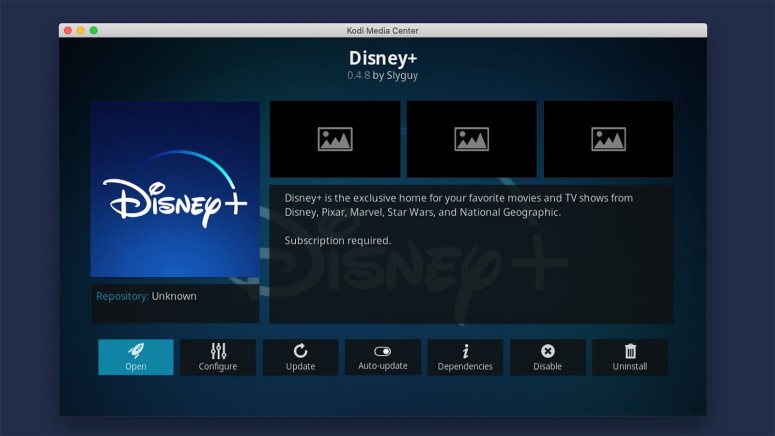
Disney Plus is available as a native app on various devices, including computers, phones, tablets, TVs, and more. However, you can now also use it on Kodi, which brings this hugely popular streaming service to even more platforms. All you need is the Disney Plus addon for Kodi.
Keep in mind that the Disney Plus addon requires you to have an active subscription. Therefore, if you haven't done that already, subscribe to Disney+. Also, remember that you can't subscribe through the addon, which means you need to have your credentials ready.
In this article, we'll show you how to install the Disney Plus Kodi addon and talk about whether this addon is legal and safe to use. Expect detailed steps and plenty of helpful screenshots to help guide you.
How to Install Disney Plus Addon on Kodi
To install Disney Plus on Kodi, you need to use the SlyGuy repository, which is where the Kodi addon is hosted. These are all the steps you need to take:
- First, make sure to enable Kodi's support for unknown sources.
- Access Kodi's settings by clicking the cogwheel icon (top-left corner).
- Navigate to 'File Manager' > 'Add Source,' and you should see a pop-up.
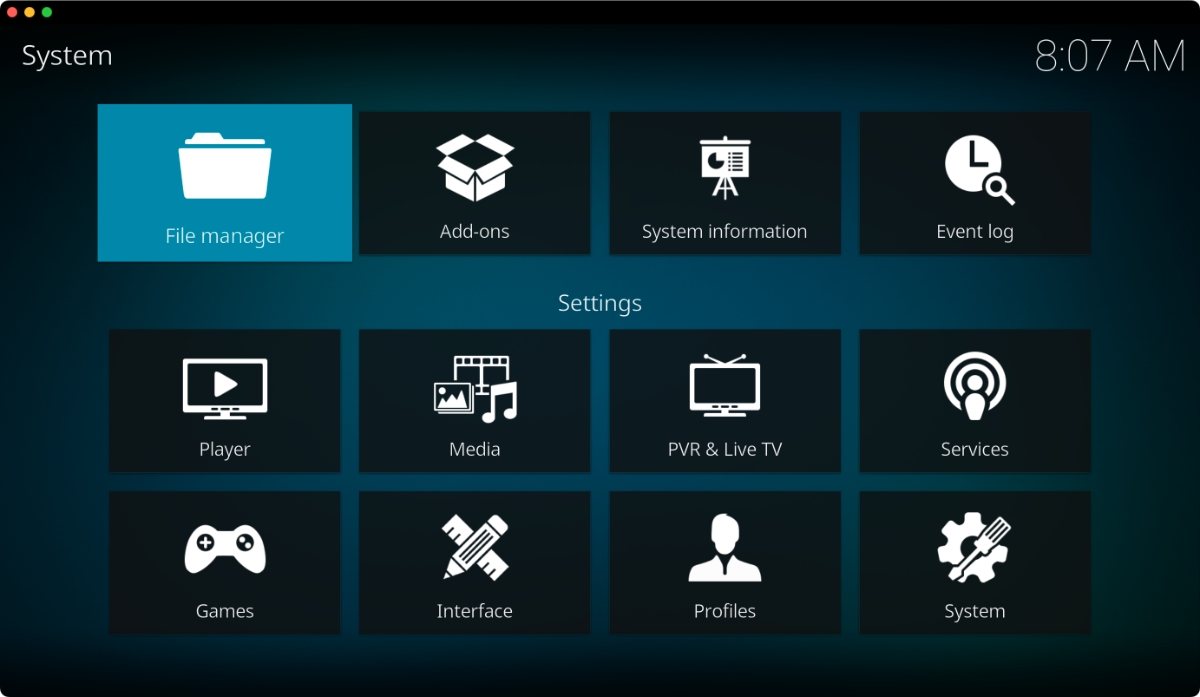

- Click '<None>' and input the following URL: http://k.slyguy.xyz.
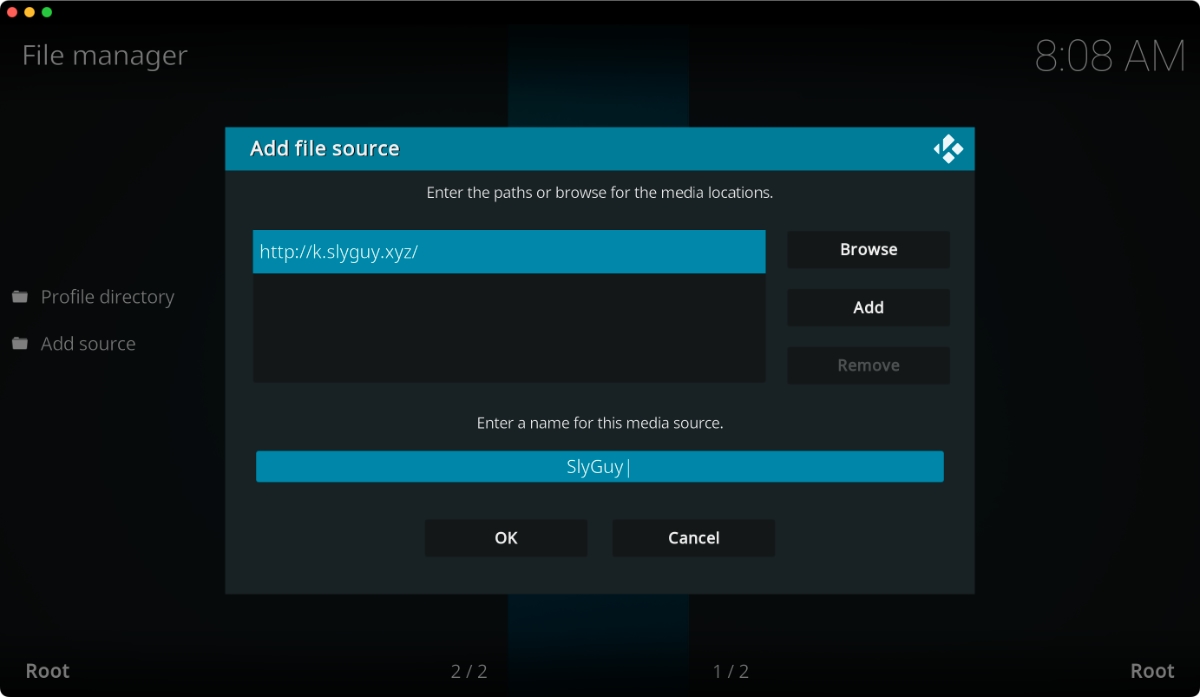
- Name your new file source ('SlyGuy') and click 'OK' to dismiss the pop-up.
- Return to Kodi's home screen, click 'Add-ons,' and click the open box icon (top-left corner).
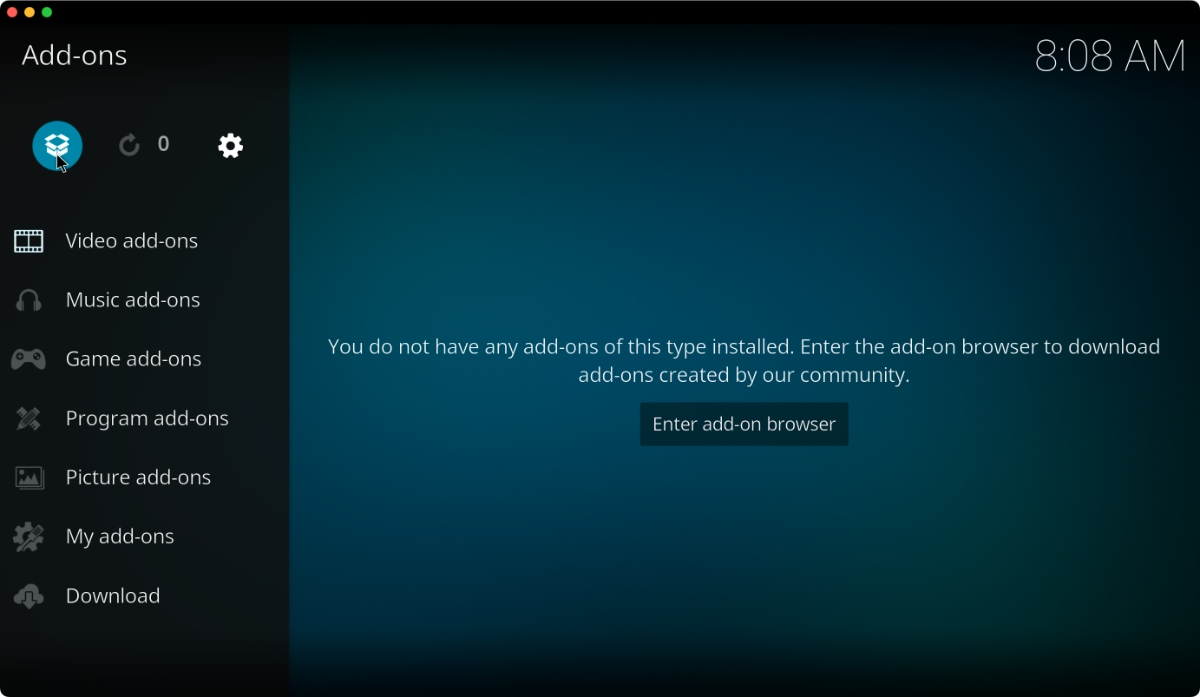
- Navigate to 'Install from ZIP file' > 'SlyGuy' > 'repository.slyguy.zip.'
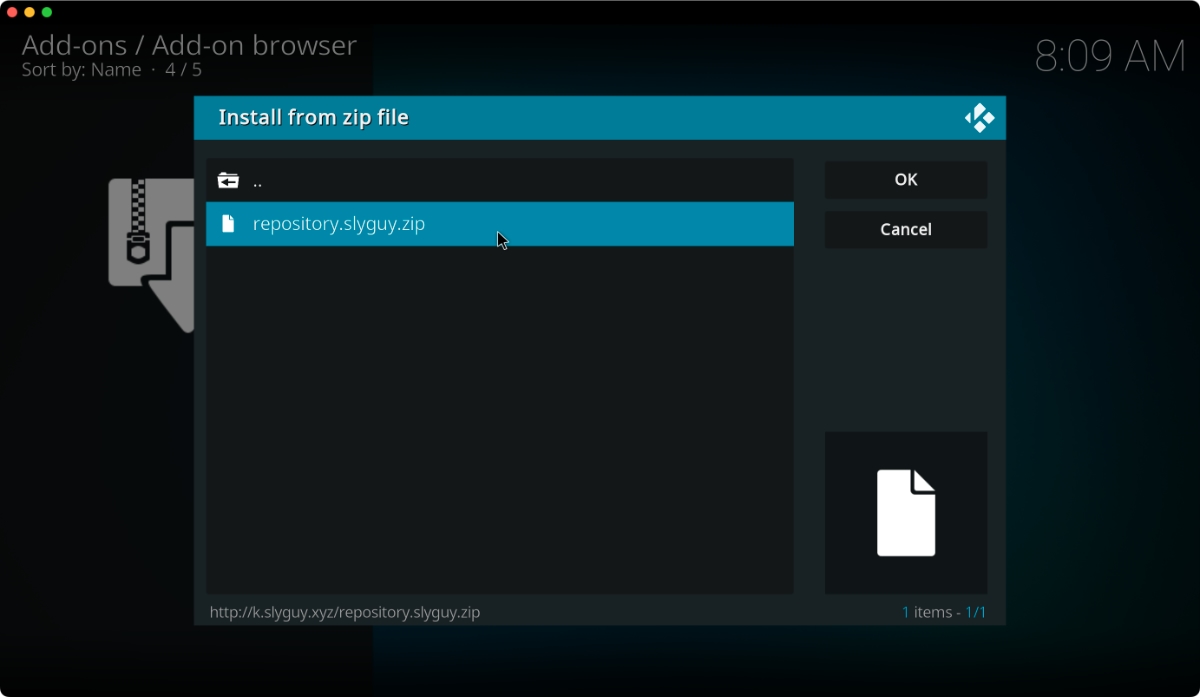
- Then, select 'Install from Repository.'
- Go to 'SlyGuy Repository' > 'Video Add-ons' > 'Disney+.'
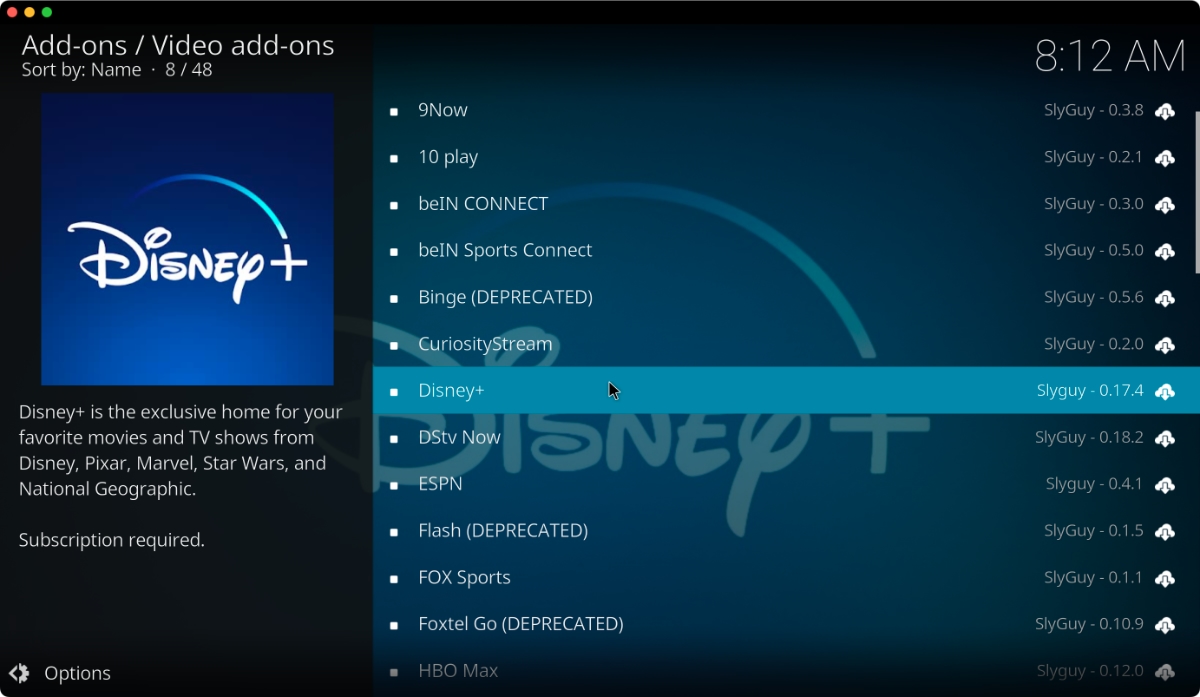
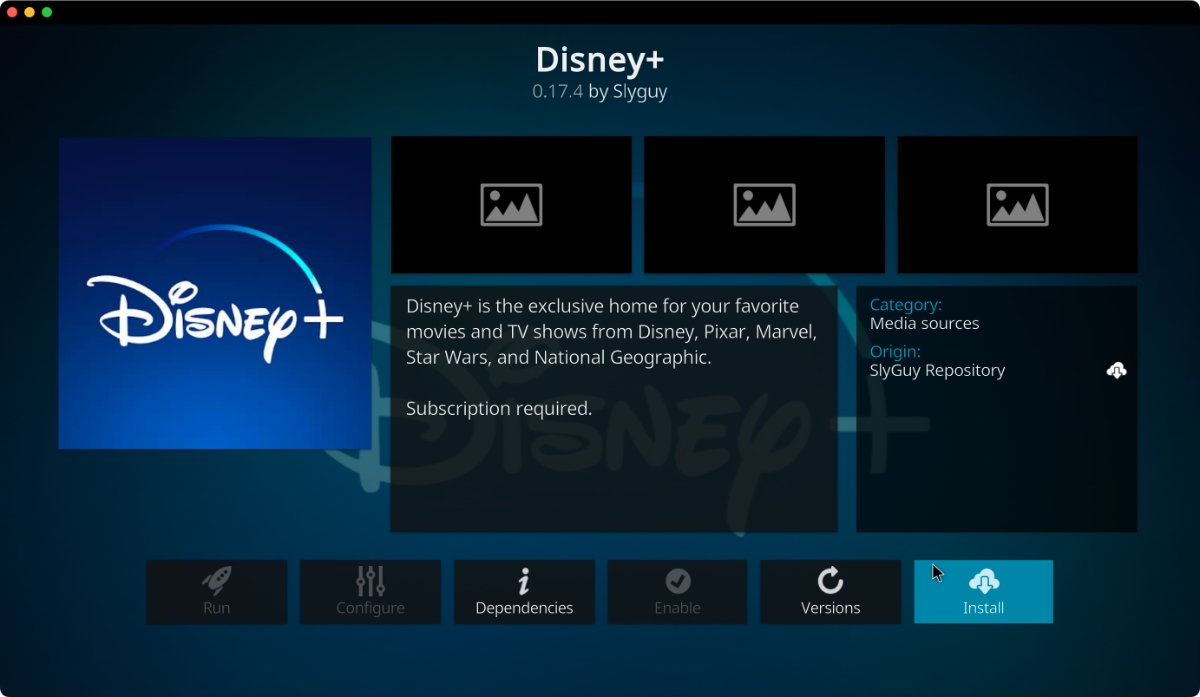
- Click on the addon's name to open its overview. Then, hit the 'Install' button.
- Open the addon and click on 'Log In.'
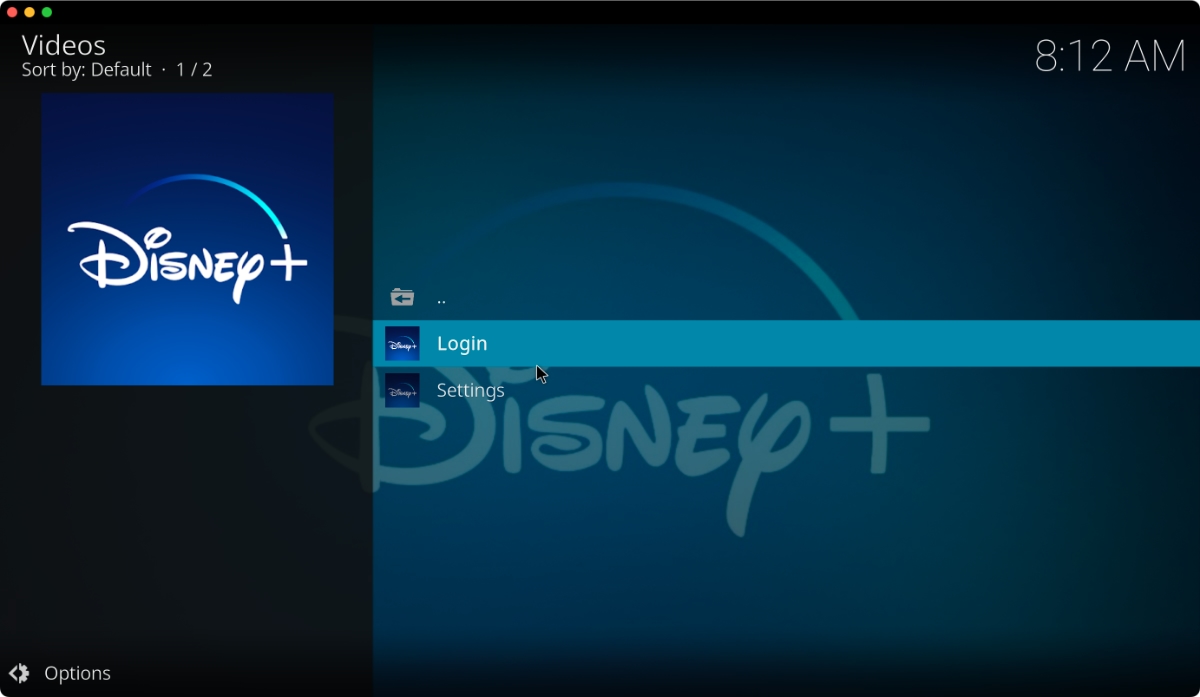
- Input your Disney Plus credentials, and - that's it!
Is the Disney+ Addon Legal to Use?
Yes, the Disney Plus addon is legal to use. As you can see, we're not talking about piracy or copyright infringement in this case, so you'll be using Kodi legally. To use the addon, you need an active Disney+ subscription, meaning you'll pay to access the addon's content.
Still, keep in mind that this is an unofficial addon created by a third party (it doesn't come from Disney). Therefore, we can't make any promises regarding the addon's future development or whether Disney will allow you to access the addon in the future.
Is the Disney+ Addon Safe to Use?
Yes, the Disney Plus addon appears to be safe to use. Still, this doesn't mean that we don't recommend exercising caution while using it. That's because, despite its name, this is an unofficial addon made by a third-party developer.
In the past, we've seen that forks and clones of Kodi addons have posed a problem. That's the reason why cryptocurrency miners have plagued Kodi for a while, presenting a danger to your private data and your device's integrity.
Speaking in general, there are many reasons why unofficial Kodi addons aren't safe to use. And even though the Disney Plus addon has been benign so far, we recommend you be cautious when using it.
Final Thoughts
The Disney Plus Kodi addon is a true testament to Kodi's open nature, managing to bring the streaming platform's extensive library to even more devices. The best is that it's legal, unlike most other third-party Kodi addons, meaning you won't have to worry about copyright infringement. That said, we sincerely hope that this addon is here to stay.
Of course, we have more recommendations on upgrading your Kodi library of streamable content. Feel free to check our guide to the best Kodi addons, where we explore dozens of fully-working and legal addons that offer movies, TV shows, live TV channels, and more.
This is where we conclude our guide to the Disney Plus Kodi addon. If you have any questions for us, don’t hesitate to post a comment below. Thanks for reading!
Related





Get expert insights on threats, breaches, scams, and security trends — delivered every Monday.
Most Popular