When you purchase through links on our site, we may earn an affiliate commission. Here’s how it works.
5 Best VPNs for BBC iPlayer in 2026



Our experts have reviewed 53 VPN providers, which were put through extensive rounds of testing. To learn more about that process, here’s how we review VPNs, where we explain our criteria and our policy of being fully transparent.
- The best VPNs for BBC iPlayer are ExpressVPN, Surfshark, Proton VPN, NordVPN, and CyberGhost. ExpressVPN delivers instant Full HD with the best stability. Surfshark and Proton VPN reach Full HD in about a minute with reliable performance. NordVPN is fast to start but takes 2–4 minutes to reach Full HD. CyberGhost is excellent on its BBC-optimized servers (near-instant Full HD) but slower on regular UK servers.
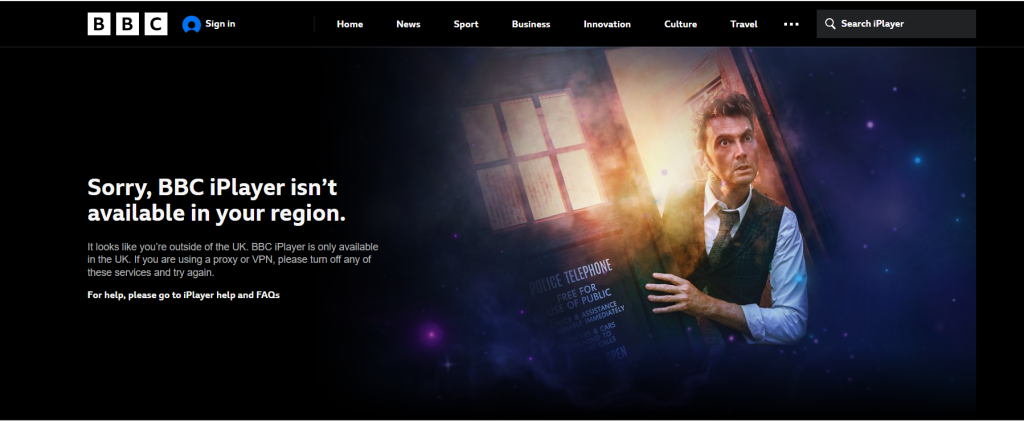
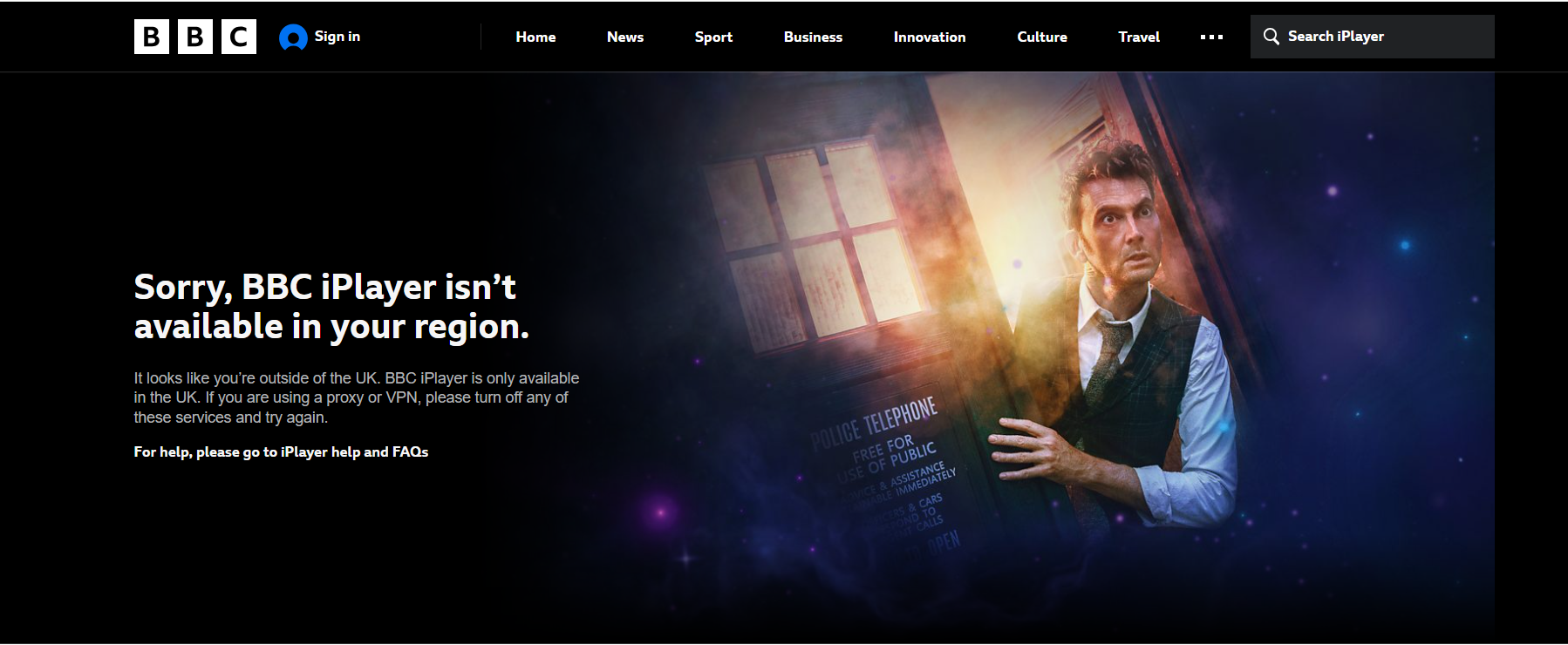
BBC iPlayer offers a treasure trove of shows, movies, documentaries, and live channels, but outside the UK, access is strictly blocked. When you try to watch from abroad, iPlayer flashes:
"Sorry, BBC iPlayer isn't available in your region. It looks like you're outside the UK… and try again."
These geo-restrictions exist because BBC iPlayer licenses its content only for UK residents. The good news? A VPN can give you a UK IP address, letting you stream BBC content anywhere in the world. Beyond unblocking iPlayer, the most reliable VPNs also enhance privacy, block trackers, and let you access other UK or international platforms with smooth, stable playback.
In this guide, we’ll cover the best VPNs for BBC iPlayer in 2026, show you how to set one up, explain UK TV license requirements, troubleshoot common issues, and answer frequently asked questions.
The Best VPNs for BBC iPlayer in 2026
When it comes to streaming BBC iPlayer, not all VPNs are created equal. Moreover, watching BBC iPlayer from outside the UK isn’t just about getting a British IP, it’s about maintaining crisp video quality, avoiding playback errors, and enjoying uninterrupted streams across all your devices. A strong BBC iPlayer VPN should combine dependable UK server access with fast performance, intuitive apps, and solid privacy protections.
To test these services, we ran location-based streaming trials across multiple continents, using our baseline connection of 189.18 Mbps download, 196.00 Mbps upload, and 8 ms ping. This allowed us to see how each VPN impacted speed, resolution ramp-up, and long-session stability while accessing BBC iPlayer. We also evaluated setup simplicity, device compatibility, and real-world reliability to identify VPNs that deliver smooth, buffer-free streaming.
Using this framework, we tested dozens of providers and narrowed the field to the VPNs that consistently delivered the strongest BBC iPlayer performance across speed, reliability, and usability. Whether you’re streaming casually or binge-watching nightly, these are the 5 best VPNs for BBC iPlayer in 2026:
- ExpressVPN – Best overall BBC iPlayer VPN with consistent access across all UK servers
- Surfshark – Most reliable budget VPN that works with BBC iPlayer with fast startup
- Proton VPN - Privacy-focused VPN to watch BBC iPlayer with solid HD streaming and reliable UK server access
- NordVPN – Fast-starting VPN for BBC iPlayer with good picture quality
- CyberGhost – A VPN wiht optimized-server for BBC iPlayer delivering instant startup and rapid Full HD playback
1. ExpressVPN – Best Overall BBC iPlayer VPN
ExpressVPN was able to access BBC iPlayer across multiple UK servers and delivered outstanding streaming performance with instant Full HD playback. During testing, London, East London, and Tottenham servers performed exceptionally well, while additional UK locations confirmed strong consistency. Fast startup, zero resolution ramp-up, and excellent long-session stability make ExpressVPN one of the strongest performers for BBC iPlayer.
1. BBC iPlayer Access Across UK Servers: London, East London, and Tottenham servers loaded BBC iPlayer instantly and allowed playback without detection issues. Dockland and Midland servers also worked flawlessly, confirming strong UK-wide consistency. No dedicated BBC iPlayer server, but all UK servers reliably unblock iPlayer with instant Full HD playback, zero buffering, and stable long-session performance.
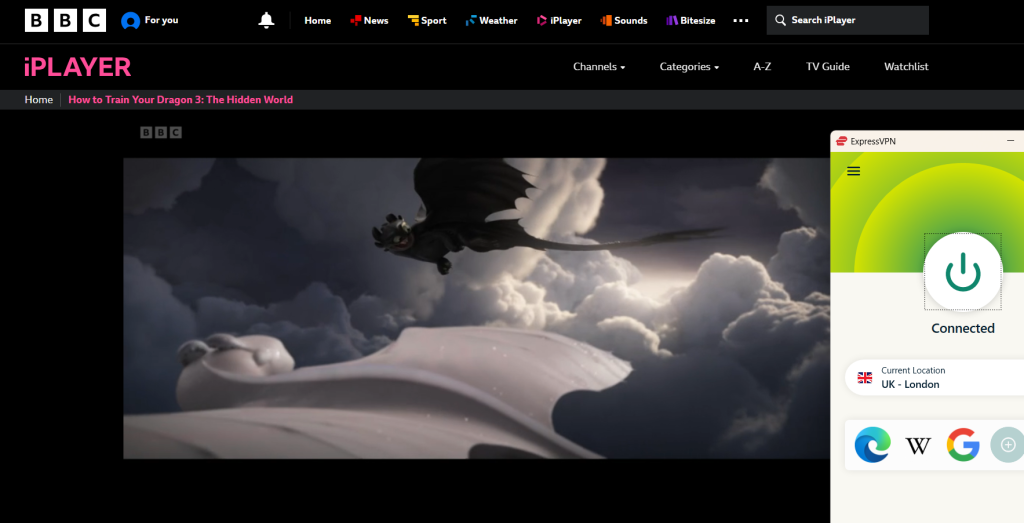
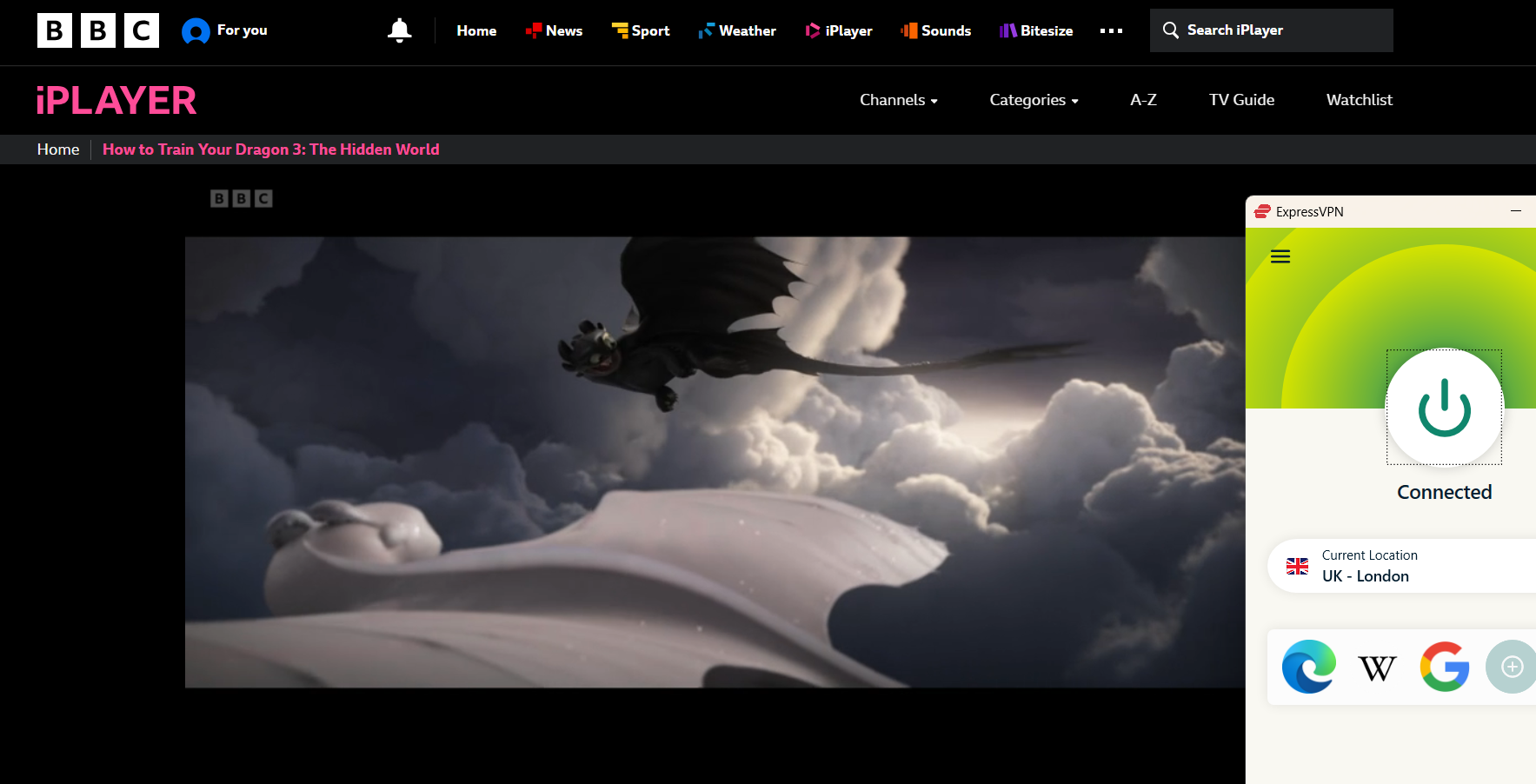
UK servers tested: London, East London, Tottenham, Dockland, Midland
Results observed across all servers:
✅ BBC iPlayer loaded successfully on every server
✅ No proxy or VPN detection errors
✅ UK-only BBC content accessible
✅ Playback started successfully
✅ No CAPTCHAs encountered
✅ No errors observed
2. Streaming Quality: Streaming performance was evaluated using WireGuard and ExpressVPN’s Lightway Turbo protocol. Playback began in under 2 seconds, with resolution jumping directly from SD to Full HD instantly, without any ramp-up delay. HD and Full HD playback remained perfectly stable throughout testing. As expected, 4K playback is limited by BBC iPlayer itself.
Observed results:
✅ Startup time: <2 sec
✅ Initial resolution: SD → HD → Full HD
✅ Time to reach max resolution: 0 sec
✅ HD & Full HD playback: stable
❌ 4K playback: not available
✅ Buffering: none observed
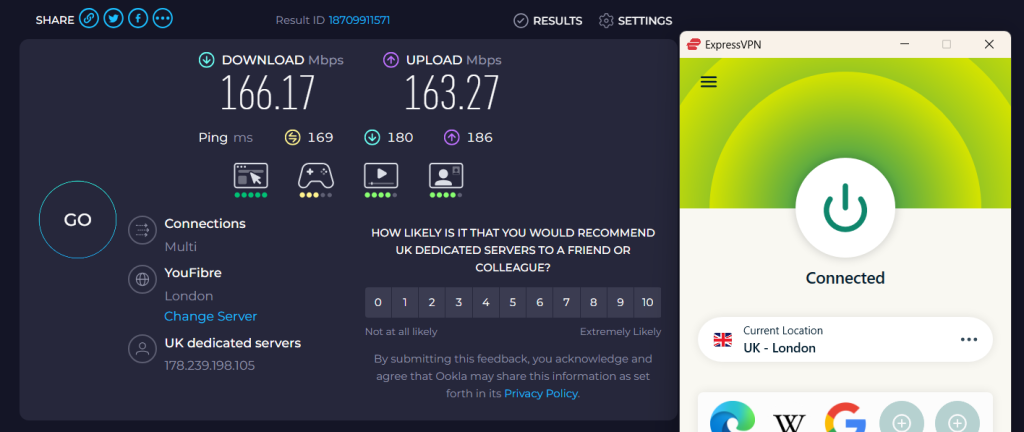
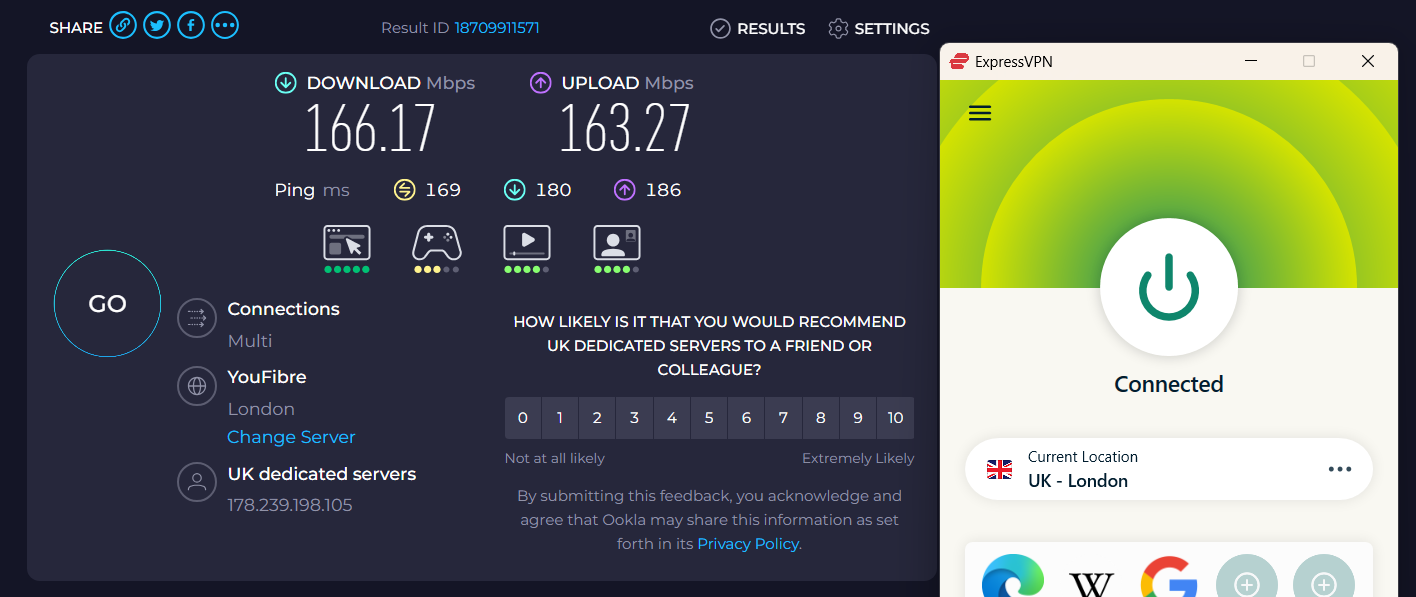
Speed test (UK – London):
- Download: 166.17 Mbps
- Upload: 163.27 Mbps
- Ping: 169 ms
3. Excellent Device & App Support: ExpressVPN supports all major platforms and devices. BBC iPlayer playback was successful on Windows, macOS, Android, iOS, Fire TV, Android TV, and Apple TV. Browser playback worked smoothly on Chrome and Firefox, and router-level access via manual configuration was fully functional. Apps were intuitive, and switching UK servers was seamless.
Observed results:
✅ BBC iPlayer worked correctly on all tested devices
✅ Apps were easy to use
✅ Server switching was fast and reliable
4. Long-Session BBC iPlayer Stability Test: ExpressVPN maintained a stable connection throughout the 35-minute session, with no disconnects, playback errors, or forced server switching. No CAPTCHAs were triggered during extended use.
Results:
✅ VPN disconnects: none
✅ Playback errors: none
✅ Forced server switching: none
✅ CAPTCHAs triggered: no
5. Bandwidth, Features & Transparency: ExpressVPN offers unlimited bandwidth with no speed throttling or forced resolution drops, ensuring consistent BBC iPlayer playback even during long viewing sessions. Split tunneling worked as expected, allowing BBC iPlayer traffic through the VPN while other apps remained local. ExpressVPN’s claims about BBC iPlayer access fully matched real-world testing, with no misleading information observed.
Results:
✅ Unlimited data / no throttling
✅ Split tunneling functional
✅ Claims vs reality: accurate
✅ Misleading info: none
For details beyond streaming performance, check out our full review of ExpressVPN.
PROS
- Consistently unblocks BBC iPlayer across multiple UK servers
- Instant Full HD playback with zero ramp-up
- Excellent long-session stability
- Works on all major devices and browsers
- Unlimited bandwidth, no throttling
- Split tunneling supported
- Easy setup across platforms
CONS
- No cons as for streaming performance
2. Surfshark – Most Reliable Budget BBC IPlayer VPN
Surfshark successfully accessed BBC iPlayer across multiple UK servers, delivering smooth playback and fast resolution ramp-up. In our testing, London and Manchester servers provided excellent initial playback, while Edinburgh and Glasgow maintained consistent access. Unlike some VPNs, Surfshark handled long sessions without disconnections, though occasional CAPTCHAs appeared during extended use. Overall, Surfshark proves a strong choice for BBC iPlayer streaming.
1. BBC iPlayer Access Across UK Servers: London and Manchester servers provided the fastest and most reliable access, with content loading immediately and playback starting without errors. Edinburgh and Glasgow also worked consistently, confirming Surfshark’s strong UK coverage. No VPN or proxy detection errors were observed. Even Surfshark does not have dedicated streaming servers. Nevertheless, its performance on normal UK servers was also fine.
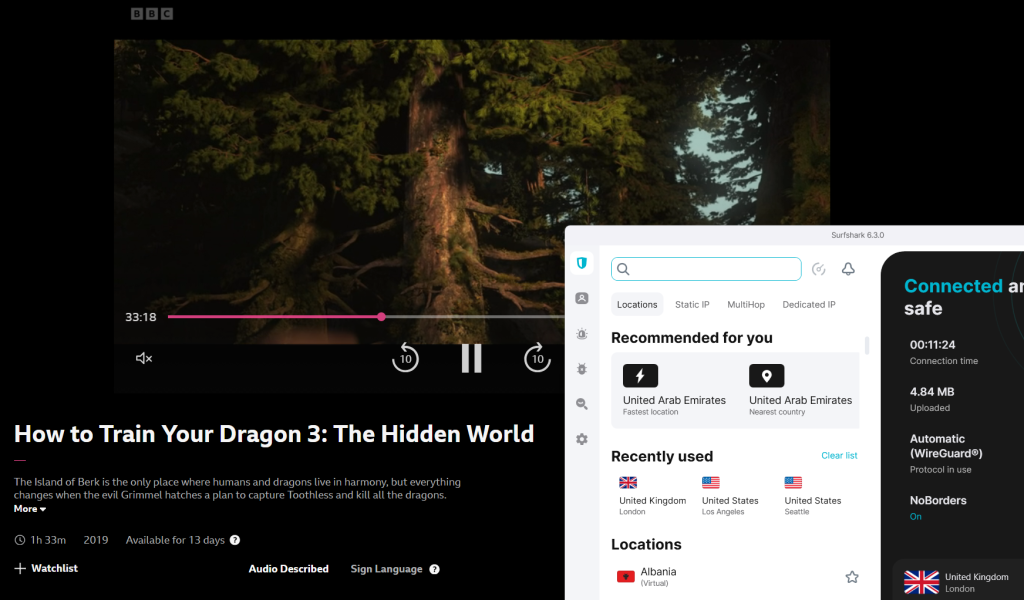
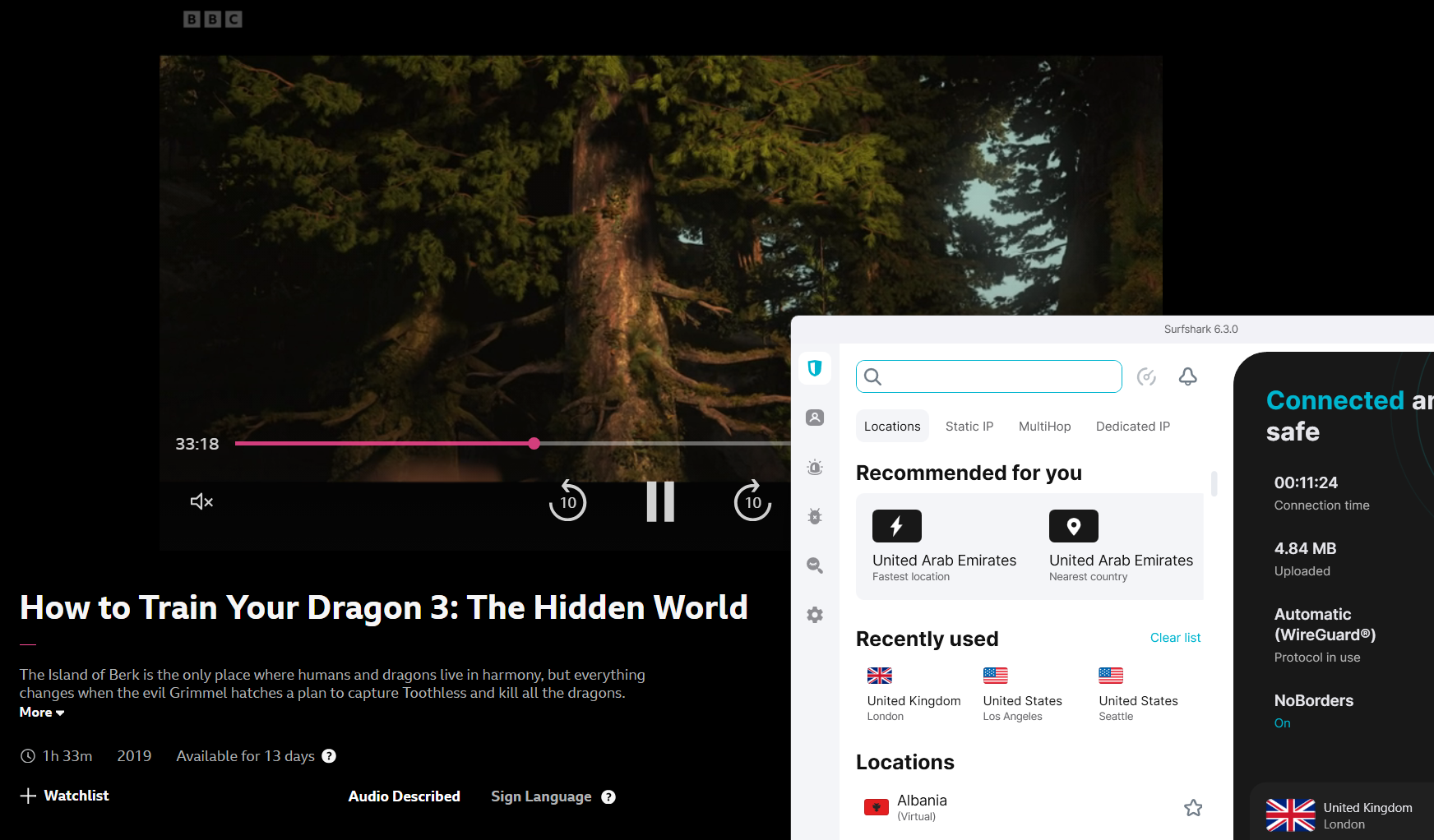
UK servers tested: London, Manchester, Edinburgh, Glasgow
Results observed across all servers:
✅ BBC iPlayer loaded successfully on every server
✅ No proxy or VPN detection errors
✅ UK-only BBC content accessible
✅ Playback started successfully
❌ CAPTCHAs triggered occasionally
✅ No other playback errors
2. Streaming Quality: Streaming performance was tested using the WireGuard protocol. Startup time to playback was excellent, taking under 2 seconds. Resolution ramped quickly from SD → HD → Full HD within approximately 1 minute. While 4K playback is not available due to BBC iPlayer restrictions, HD and Full HD were stable throughout.
Observed results:
✅ Startup time: <2 sec
✅ Initial resolution: SD → HD → Full HD
✅ Time to reach max resolution: ~1 min
✅ HD & Full HD playback: stable
❌ 4K playback: not available
✅ Buffering: none observed
Speed test (UK – London):
- Download: 130 Mbps
- Upload: -
- Ping: -
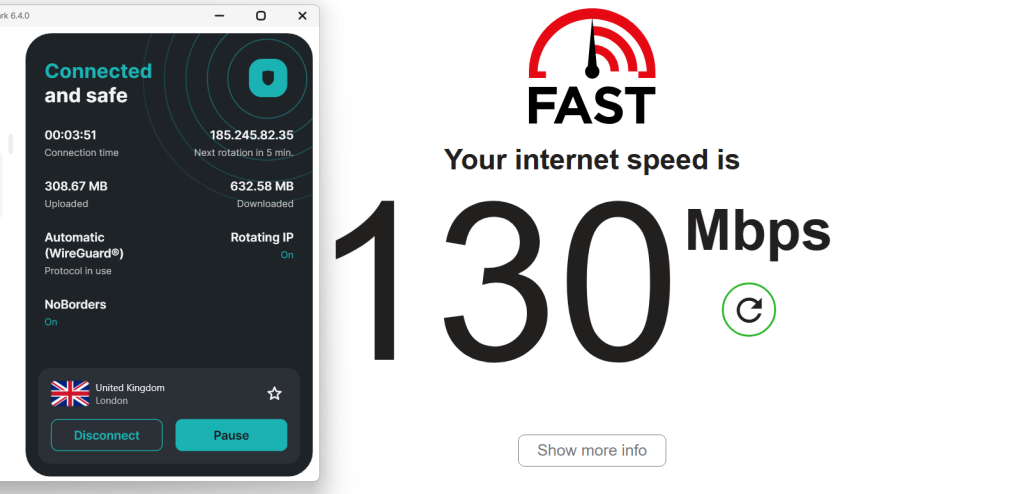
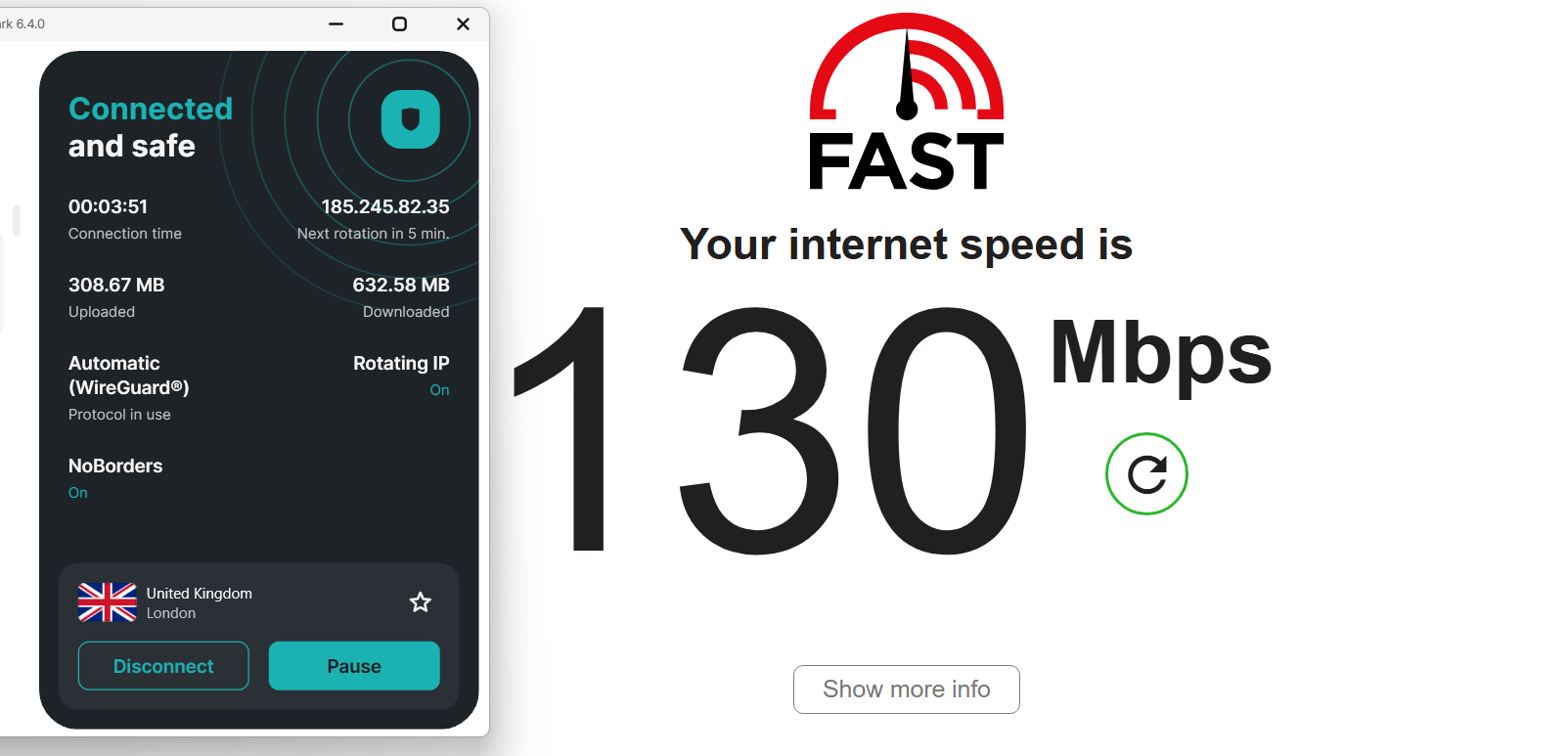
3. Excellent Device & App Support: Surfshark supports all major platforms and devices. BBC iPlayer playback was successfully verified on Windows, macOS, Android, iOS, Fire TV, Android TV, and Apple TV. Browser playback worked on Chrome and Firefox, and manual router-level access was functional. Apps were easy to navigate, and server switching was simple.
Observed results:
✅ BBC iPlayer worked correctly on all tested devices
✅ Apps were user-friendly
✅ Server switching was simple and reliable
4. Long-Session BBC iPlayer Stability Test: Continuous playback for 35 minutes showed Surfshark to be highly stable. There were no VPN disconnects, playback errors, or forced server switches during the session. Only occasional CAPTCHAs appeared, but they did not interfere with overall usability.
Results:
✅ VPN disconnects: none
✅ Playback errors: none
❌ CAPTCHAs: occasional
✅ Forced server switching: none
5. Bandwidth, Features & Transparency: Surfshark provides unlimited bandwidth with no throttling or forced resolution drops, ensuring consistent playback quality even during extended viewing. Split tunneling is fully functional, allowing BBC iPlayer traffic through the VPN while keeping other apps local. Surfshark’s claims regarding BBC iPlayer support align with real-world testing, with no misleading information detected.
Results:
✅ Unlimited data / no throttling
✅ Split tunneling functional
✅ Claims vs reality: accurate
✅ Misleading info: none
For details beyond streaming performance, check out our full review of Surfshark.
PROS
- Reliable access across multiple UK servers
- Fast startup and smooth HD/Full HD streaming
- Strong long-session stability
- Split tunneling supported
- Unlimited bandwidth, no throttling
- Works on all major devices and browsers
- Easy setup across platforms
CONS
- Occasional CAPTCHAs
- No dedicated BBC-labeled servers
3. Proton VPN – Privacy-Focused VPN To Watch BBC IPlayer
ProtonVPN provided reliable access to BBC iPlayer through several UK servers. London and Manchester offered the smoothest playback, while other UK locations maintained steady connectivity. Streams were stable once started, though reaching Full HD took a moment, and occasional CAPTCHAs appeared during longer viewing sessions. Overall, ProtonVPN delivers dependable BBC iPlayer streaming with minor limitations.
1. BBC iPlayer Access Across UK Servers: Proton VPN accessed BBC iPlayer successfully on all UK servers tested. London and Manchester servers delivered reliable playback, while Edinburgh and Belfast confirmed broader UK consistency. No VPN or proxy detection errors occurred, and BBC-only content was always accessible. Proton VPN has specialized servers for P2P and Tor, but not for streaming.
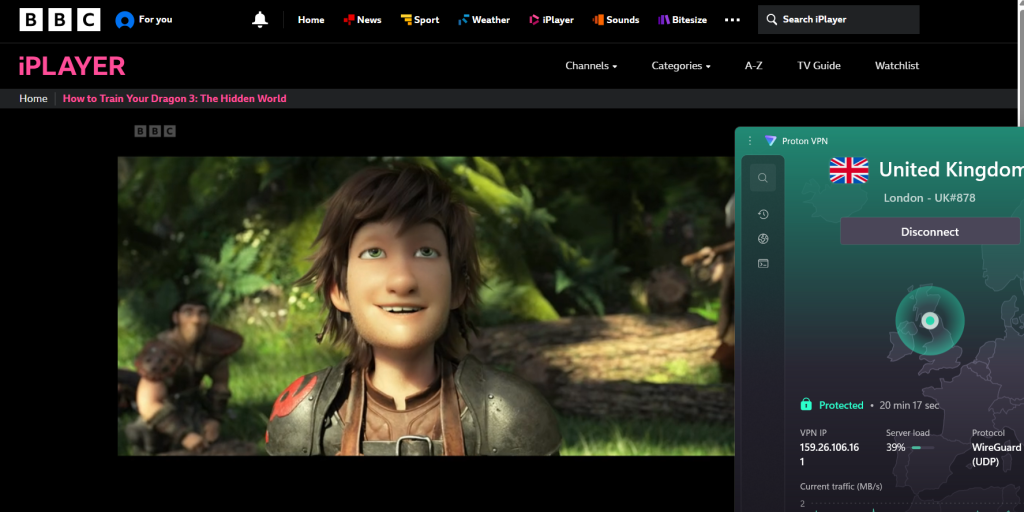
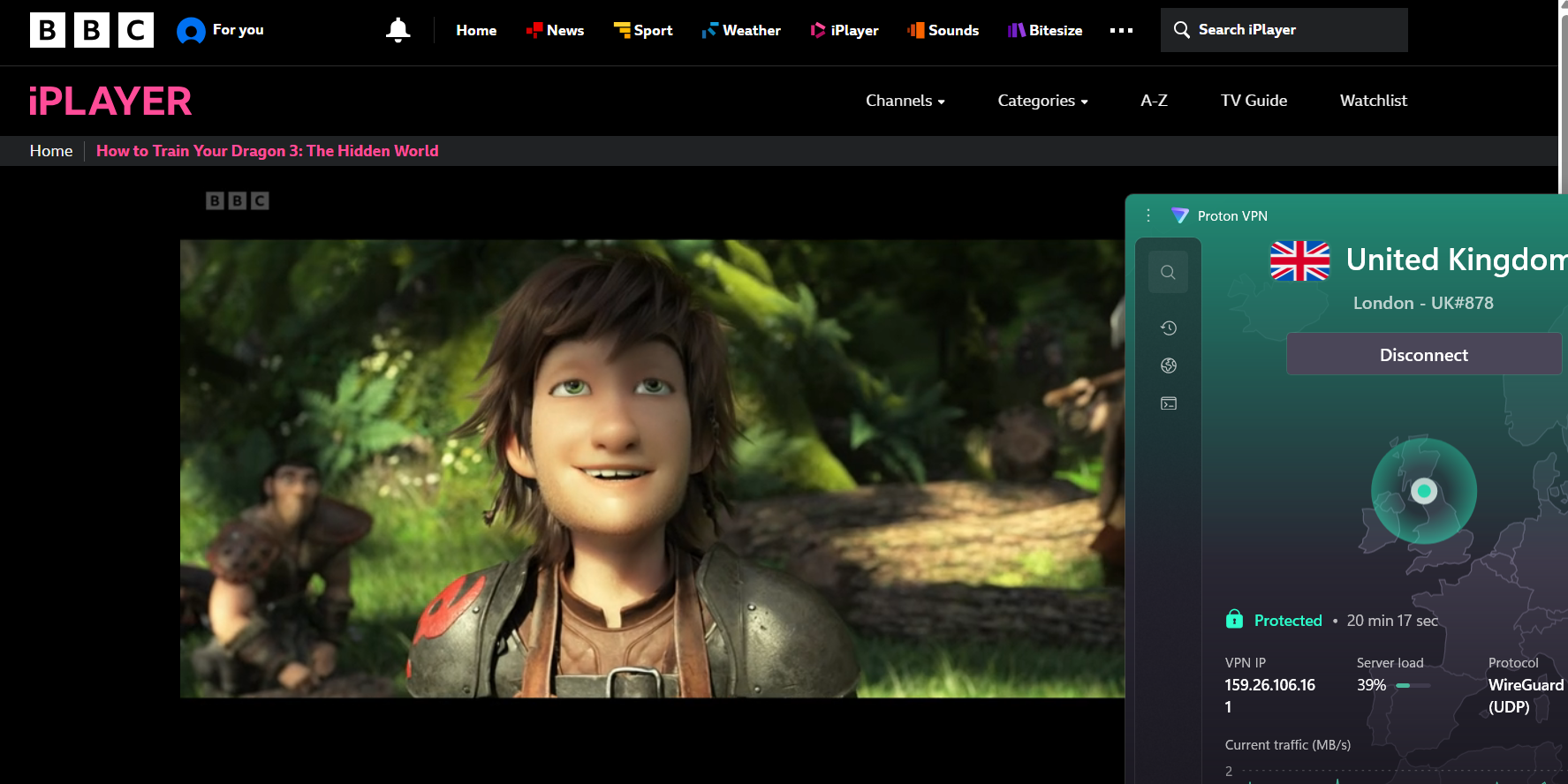
UK servers tested: London, Manchester, Edinburgh, Belfast
Results observed across all servers:
✅ BBC iPlayer loaded successfully on every server
✅ No proxy or VPN detection errors
✅ UK-only BBC content accessible
✅ Playback started successfully
✅ No errors encountered
❌ CAPTCHAs encountered during extended use
2. Streaming Quality: Streaming performance was tested using the WireGuard protocol. Playback began quickly in under 2 seconds, with resolution ramping from SD to HD and Full HD within approximately one minute. Once fully loaded, picture quality remained stable. As expected, 4K playback is limited by BBC iPlayer.
Observed results:
✅ Startup time: <2 sec
✅ Initial resolution: SD → HD → Full HD
❌ Time to reach max resolution: ~1 min
✅ HD & Full HD playback: stable
❌ 4K playback: not available
✅ Buffering: none observed
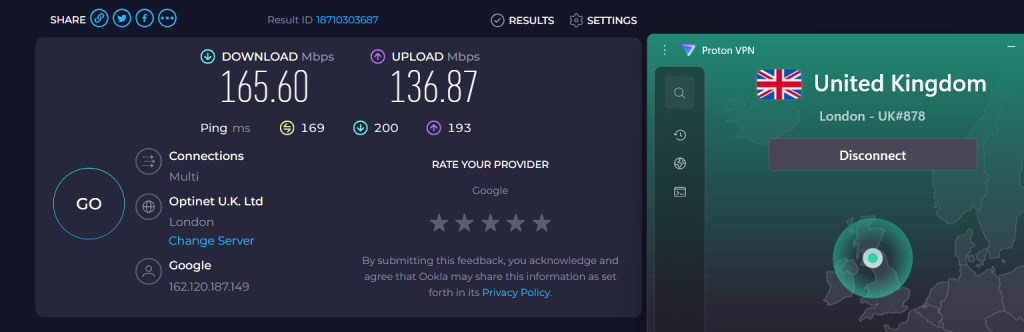
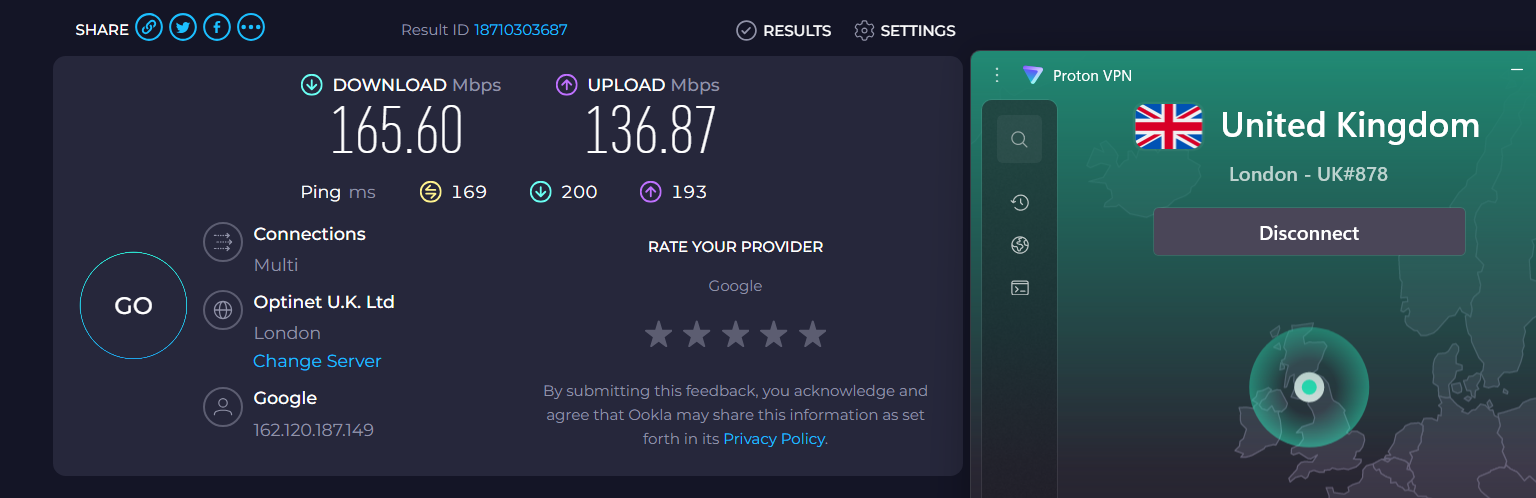
Speed test (UK – London):
- Download: 165.60 Mbps
- Upload: 136.87
- Ping: 169 ms
3. Excellent Device & App Support: Proton VPN supports all major platforms and devices, including Windows, macOS, Android, iOS, Fire TV, Android TV, and Apple TV. Browser playback worked correctly on Chrome and Firefox. Manual router-level access was functional, though app-based router support is not available. Apps were easy to use, and setup across devices was straightforward.
Observed results:
✅ BBC iPlayer worked correctly on all tested devices
✅ Apps were easy to use
✅ Server switching was simple
4. Long-Session BBC iPlayer Stability Test: BBC iPlayer playback for 35 minutes actually showed strong overall stability. There were no VPN disconnects, playback errors, or forced server switches. However, CAPTCHAs were triggered during extended use, which may be inconvenient for some users.
Results:
✅ VPN disconnects: none
✅ Playback errors: none
✅ Forced server switching: none
❌ CAPTCHAs triggered: yes
5. Bandwidth, Features & Transparency: Proton VPN provides unlimited bandwidth with no speed throttling or forced resolution drops, maintaining consistent playback quality over extended sessions. Split tunneling worked as expected, allowing BBC iPlayer traffic through the VPN while other apps remained local. Proton VPN’s claims regarding BBC iPlayer access matched real-world testing, with no misleading information observed.
Results:
✅ Unlimited data / no throttling
✅ Split tunneling functional
✅ Claims vs reality: accurate
✅ Misleading info: none
For details beyond streaming performance, check out our full review of Proton VPN.
PROS
- Consistently unblocks BBC iPlayer across multiple UK servers
- Reliable London and Manchester performance
- Stable HD and Full HD playback once loaded
- Works on all major devices and platforms
- Unlimited bandwidth, no throttling
- Split tunneling supported
- Easy setup across apps and devices
CONS
- Occasional CAPTCHAs during long sessions
- Slow Full HD ramp-up (~1 minute)
4. NordVPN – Fast-Starting VPN For BBC IPlayer
NordVPN’s UK servers reliably unlocked BBC iPlayer, with London and Manchester delivering fast load times and consistently clear video. Other UK locations maintained steady access, though resolution occasionally took a few seconds to reach Full HD. During longer viewing sessions, minor interruptions were observed, but overall streaming remained smooth. NordVPN proves to be a dependable option for BBC iPlayer, with only occasional minor setbacks.
1. BBC iPlayer Access Across UK Servers: Edinburgh and Manchester delivered the best experience, with clear visuals and faster initial playback. London and Glasgow also worked, but didn’t improve performance beyond access. NordVPN does not have specialized servers. Overall, NordVPN had no access issues on any of the UK servers we tested.
UK servers tested: London, Manchester, Edinburgh, Glasgow
Results observed across all servers:
✅BBC iPlayer loaded successfully on every server
✅No proxy or VPN detection errors were shown
✅UK-only BBC content was accessible
✅Playback started without issues
✅No CAPTCHAs were triggered
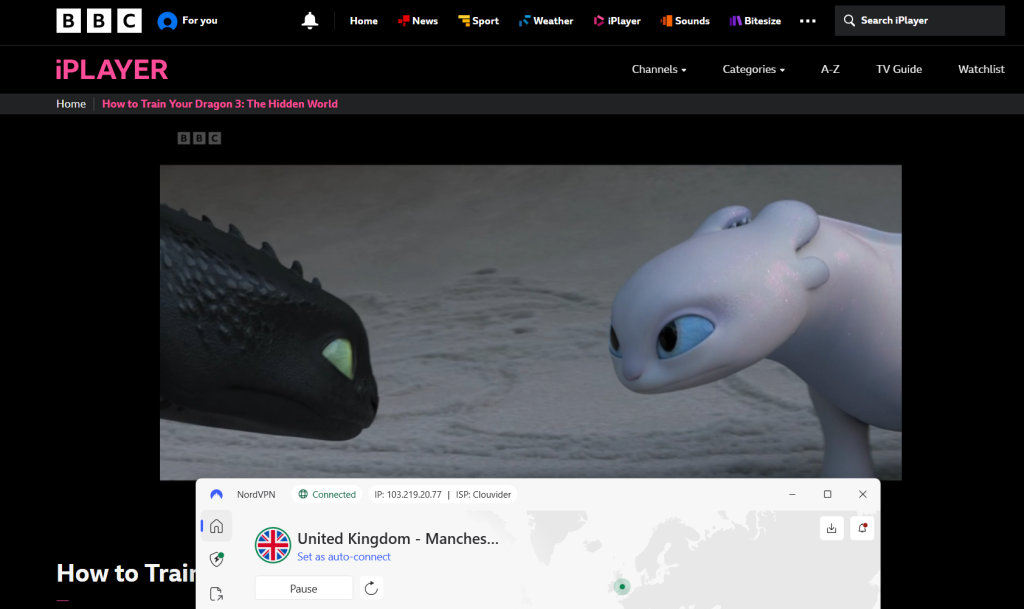
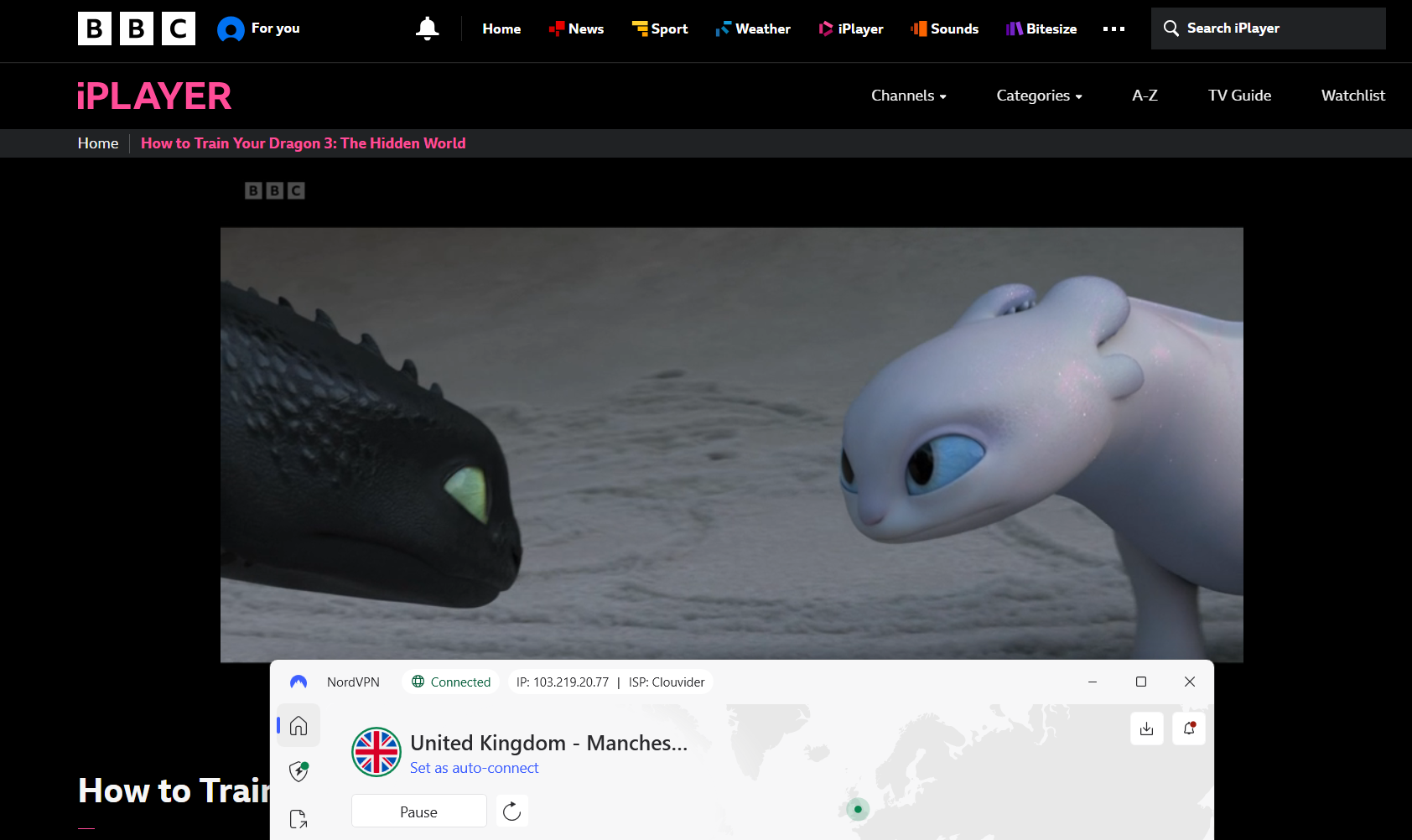
2. Streaming Quality: Streaming performance was evaluated using WireGuard and NordLynx while actively streaming BBC iPlayer content. Despite strong raw speeds, the slow ramp-up to Full HD stood out negatively. Compared to other VPNs, taking up to 4 minutes to reach maximum resolution is not ideal, especially for short viewing sessions.
Observed results:
✅Startup time: Fast (streams began quickly)
✅Picture quality: Good and stable once fully loaded
❌Time to reach max resolution: 2–4 minutes
✅Buffering: Not observed after resolution stabilized
✅4K playback: Not available (BBC iPlayer limitation)
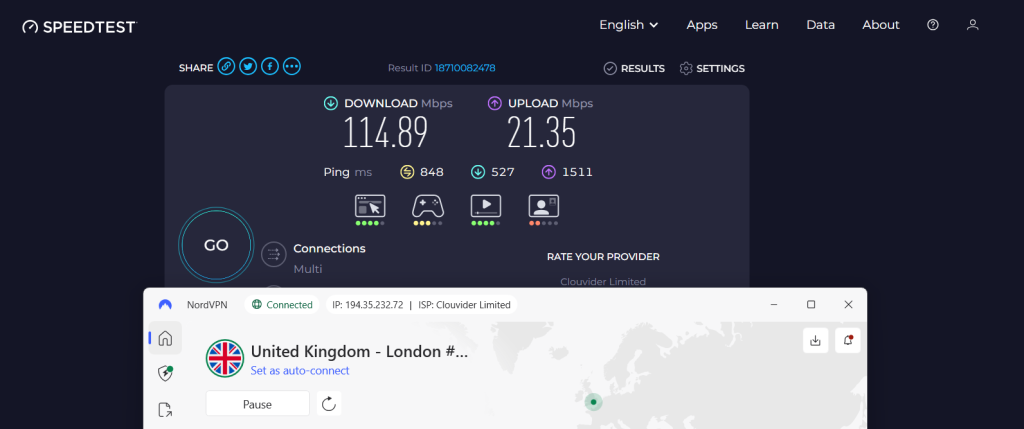
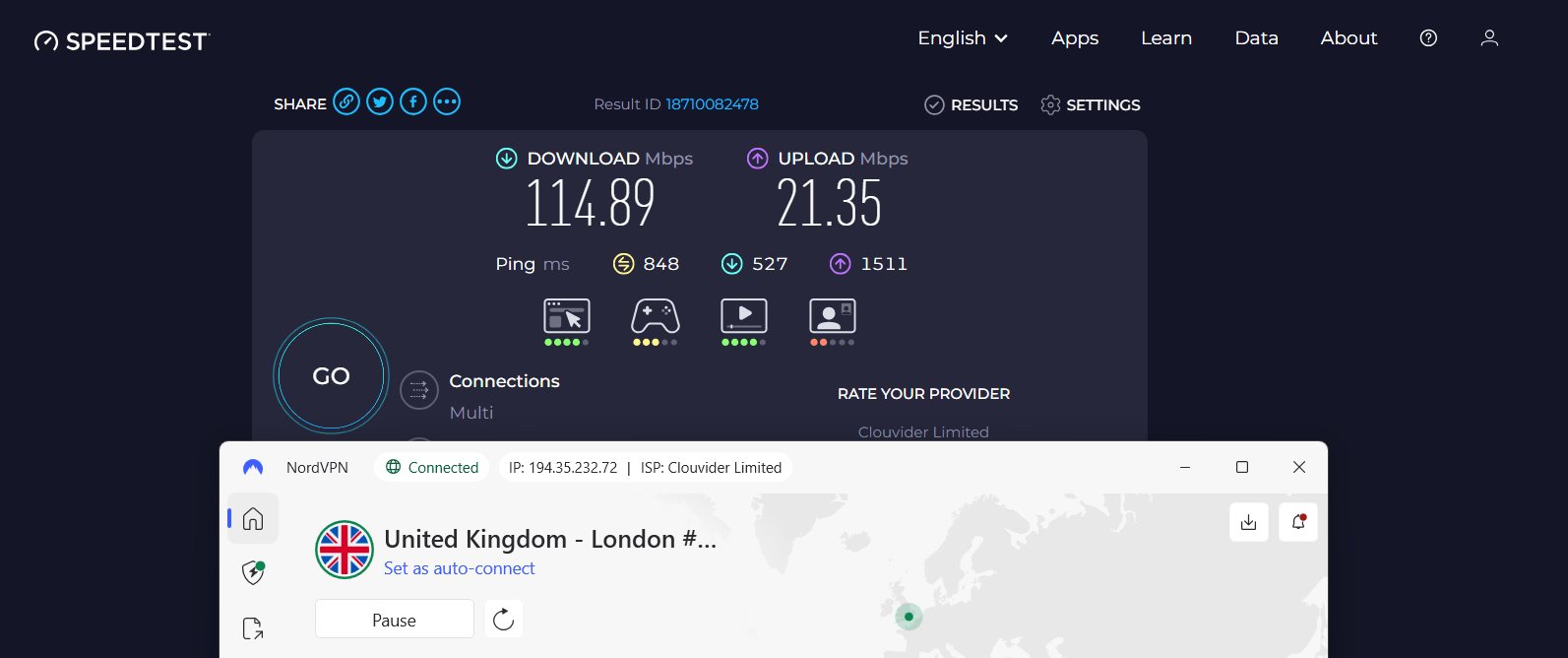
Speed test (UK – London):
- Download: 114.89 Mbps
- Upload: 21.35 Mbps
- Ping: 848
3. Excellent Device & App Support: NordVPN supports all major platforms, including mobile, desktop, smart TVs, and routers.
On all platforms:
✅BBC iPlayer worked correctly
✅Apps were easy to use
✅Server switching was simple
4. Long-Session BBC iPlayer Stability Test: NordVPN’s connection stability on UK servers, especially London, was a concern. During the initial phase of long sessions, we experienced constant drops and reconnects, requiring manual server switching to maintain a stable connection. While streams did not crash, the instability is notable.
Results:
❌VPN disconnects: Yes, very frequent
✅Playback errors: No
❌Forced server switching: Yes
✅Kill switch & obfuscation: worked reliably
5. Bandwidth, Features & Transparency: Playback ran smoothly without throttling or forced resolution drops, confirming unlimited data for real-world use. Split tunneling worked fine, allowing BBC iPlayer traffic through the VPN while other apps stayed local.
Results:
✅ Unlimited data / no throttling
✅ Split tunneling functional
✅ Claims vs reality: Accurate
✅ Misleading info: None
For details beyond streaming performance, check out our full review of NordVPN.
PROS
- Consistently unblocks BBC iPlayer across multiple UK servers
- Fast startup and smooth HD/Full HD streaming
- Works on all major devices and browsers
- Split tunneling supported
- Unlimited bandwidth, no throttling
- Kill switch & obfuscation work reliably
- Setup is straightforward across platforms
CONS
- Frequent disconnects during long sessions
- Slow Full HD ramp-up (2–4 minutes)
- London server stability issues
5. CyberGhost – A VPN With Optimized-Server For BBC IPlayer
CyberGhost unlocked BBC iPlayer reliably through its streaming-optimized UK servers, offering quick startup times and sharp, consistent video quality. Regular UK servers were less dependable, with occasional delays in resolution scaling, but the dedicated BBC iPlayer servers ensured uninterrupted playback and no buffering. For users who select the optimized servers, CyberGhost provides a smooth and dependable streaming experience.
1. BBC iPlayer Access Across UK Servers: CyberGhost’s standard London 1 and London 2 servers worked but delivered inconsistent performance, including disconnects and connection failures. Streaming quality on these servers was only average. However, switching to the dedicated BBC iPlayer Streaming Optimized server dramatically improved results, with no buffering, no drops, and flawless access. Manchester also worked reliably, confirming good UK-wide consistency.
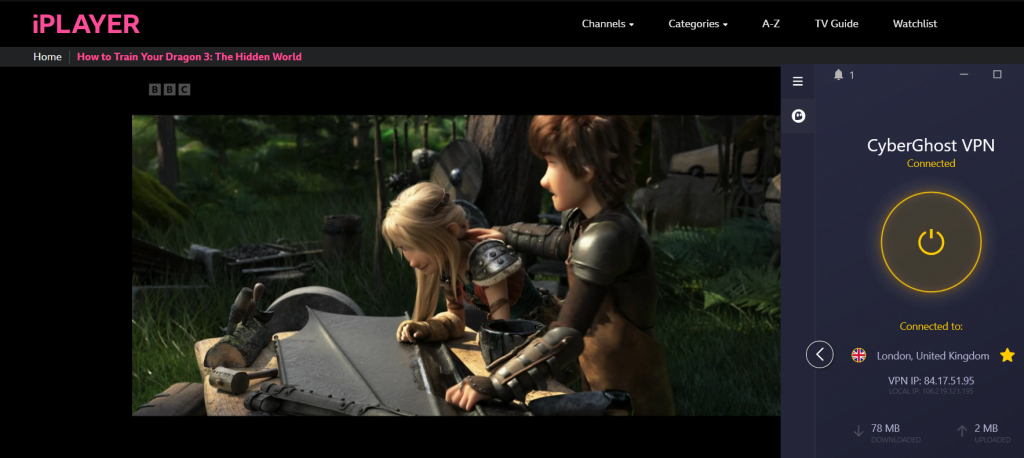
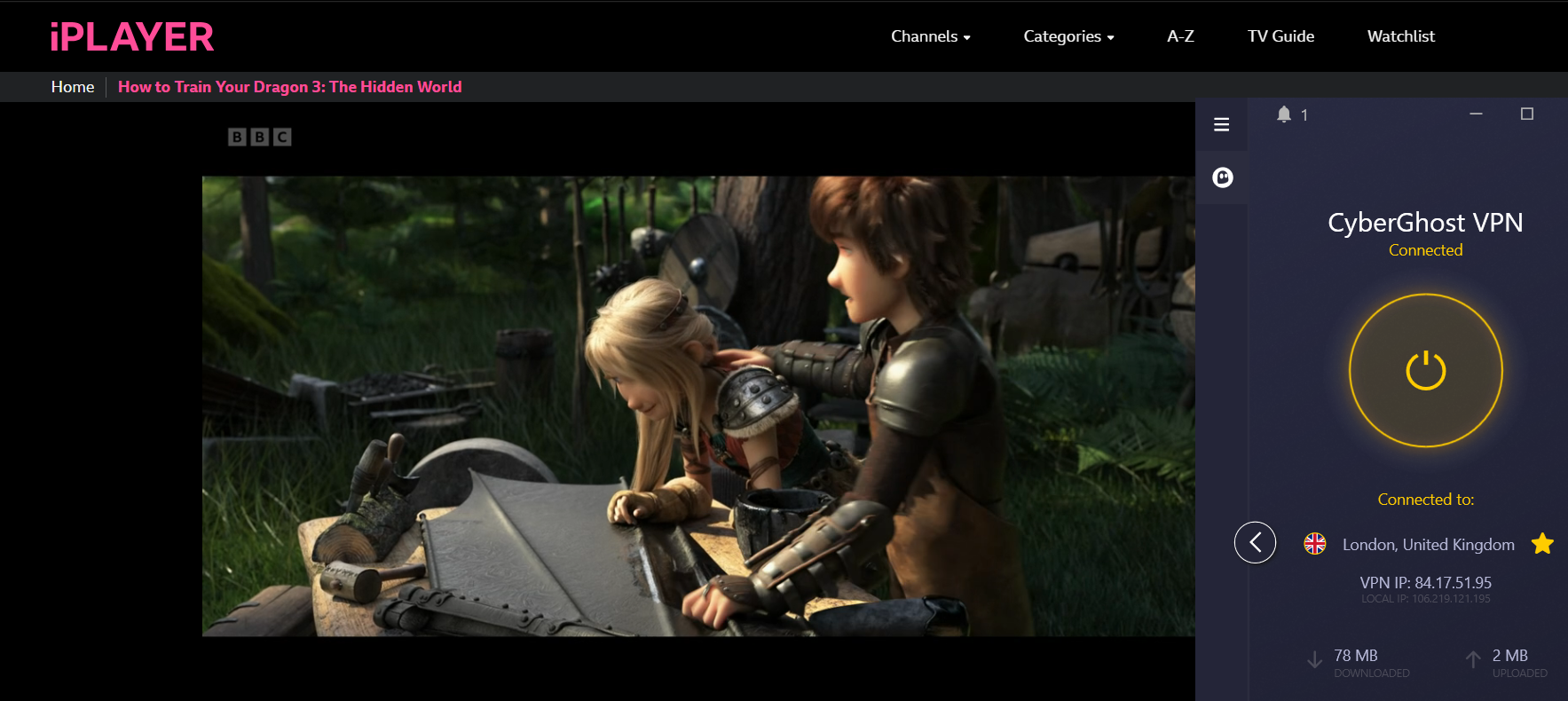
UK servers tested: London 1, London 2, Manchester, BBC iPlayer Streaming Optimized server
Results observed across BBC iPlayer Streaming Optimized server:
✅ BBC iPlayer loaded successfully
✅ No proxy or VPN detection errors
✅ UK-only BBC content accessible
✅ Playback started successfully
✅ No CAPTCHAs encountered
2. Streaming Quality: Streaming performance was tested using WireGuard while actively watching BBC iPlayer content. On the BBC iPlayer Streaming Optimized server, playback began almost instantly and reached Full HD within seconds. However, performance on standard UK servers was significantly weaker, with resolution ramp-up taking several minutes and occasional buffering.
Observed results:
✅ Startup time: <2 seconds (BBC iPlayer Streaming Optimized server)
❌ Startup time: Up to 15 seconds (normal UK server)
✅ Picture quality: Stable HD / Full HD on optimized server
✅ Time to reach max resolution: 4-7 secs on BBC iPlayer Streaming Optimized server
❌ Time to reach max resolution: 5–10 minutes on the normal UK server
❌ 4K playback: Not available (BBC iPlayer limitation)
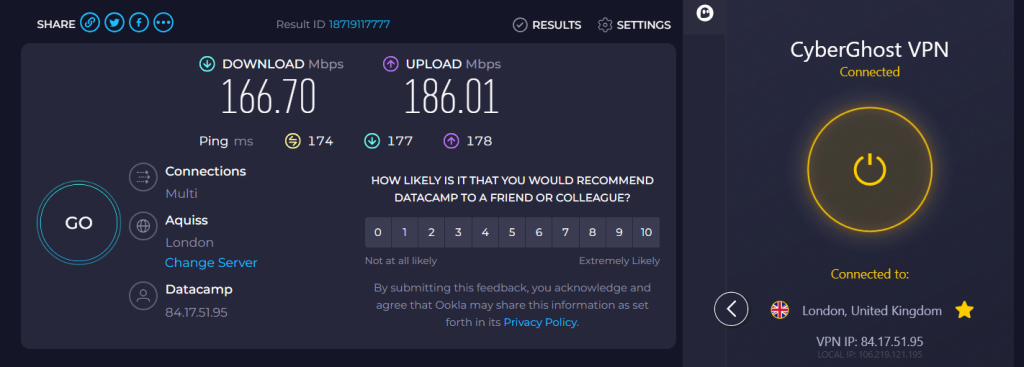
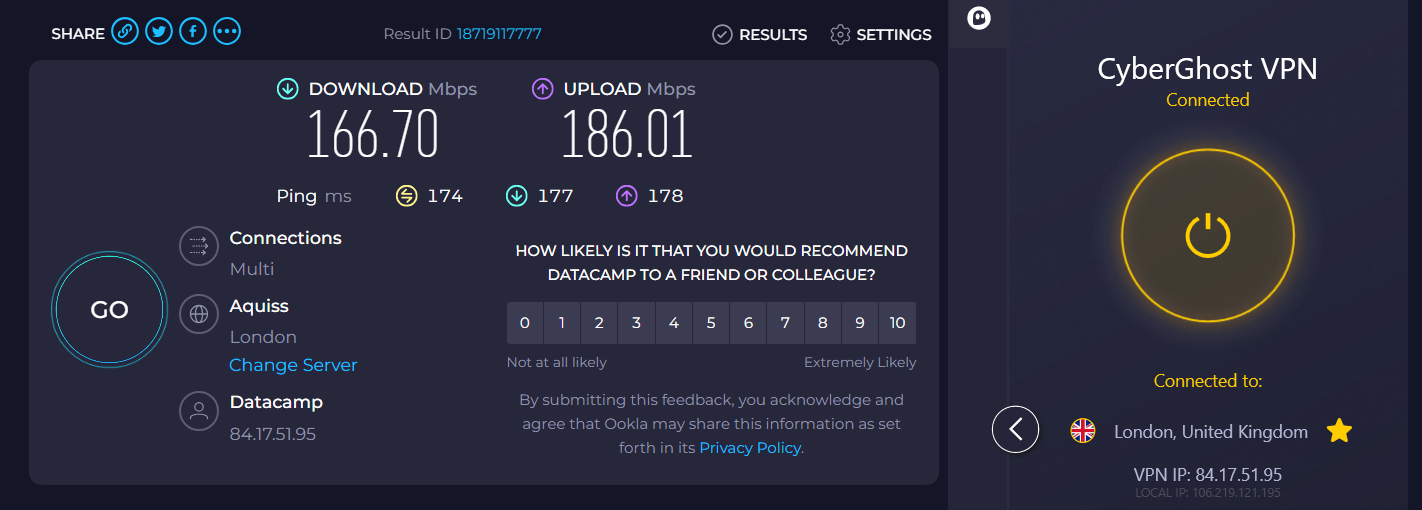
Speed test (BBC iPlayer Streaming Optimized server):
Download: 166.70 Mbps
Upload: 186.01 Mbps
Ping: 174
3. Excellent Device & App Support: CyberGhost supports BBC iPlayer across all major platforms, including desktop, mobile, smart TVs, and routers.
On all platforms:
✅ BBC iPlayer worked correctly
✅ Apps were easy to use
✅ Setup was fast and intuitive
4. Long-Session BBC iPlayer Stability Test: On the BBC iPlayer Streaming Optimized server, stability was excellent for the entire 35-minute period, with no buffering, no disconnects, and no forced server switching. Normal UK servers performed worse, showing buffering and resolution drops during shorter sessions.
Results of BBC iPlayer Streaming Optimized server:
✅ VPN disconnects: No
✅ Playback errors: No
✅ Forced server switching: No
✅ CAPTCHAs: None
5. Bandwidth, Features & Transparency: CyberGhost provided unlimited bandwidth with no data caps. On the BBC iPlayer Streaming Optimized server, playback quality remained stable with no throttling or resolution drops. However, speed throttling and quality drops were observed on normal UK servers during extended use. Split tunneling worked as expected, allowing BBC iPlayer traffic through the VPN while other apps stayed local.
Results:
✅ Unlimited data / no BBC iPlayer data caps
✅ Split tunneling supported
✅ Claims vs reality: Accurate
✅ Misleading info: None
For details beyond streaming performance, check out our full review of CyberGhost.
PROS
- Excellent BBC iPlayer performance on optimized servers
- Fast startup and rapid Full HD ramp-up on optimized servers
- Works across all major platforms and devices
- Strong long-session stability with no disconnects
- Unlimited bandwidth with no data caps
- Split tunneling supported
CONS
- Slow ramp-up (5–10 minutes) on regular UK servers
- Normal UK servers show buffering and resolution drops
- No obfuscation present
- Not that good user interface
- Optimized servers are required for the best experience
How to Access BBC iPlayer (Without a Licence) With a VPN?
To access BBC iPlayer outside the UK, connect to a UK server using a VPN - no licence verification is required to stream. Once connected, BBC iPlayer treats you as if you’re in the UK and unlocks its full library. Here is how to do it smoothly:
- Choose a VPN With Reliable UK Servers - Pick a VPN that consistently works with BBC iPlayer, offers fast UK speeds, unlimited bandwidth, and a money-back guarantee for risk-free testing (ExpressVPN is highly recommended).
- Install the VPN App on Your Device - Download the VPN app for your device (Windows, macOS, iOS, Android, smart TV, or router) and sign in using your account credentials.
- Enable Essential Security Features - Turn on the Kill Switch and DNS/IP leak protection to prevent location leaks that could block BBC iPlayer during streaming sessions.
- Connect to a UK Server - Open the VPN app and select a UK server to get a British IP address required to access BBC iPlayer from abroad.
- Open BBC iPlayer and Create or Log In to Your Account - Visit the BBC iPlayer website or app, then sign in or create a free account using your email address and basic details.
- Confirm You Have a UK TV Licence - When prompted, select Yes. BBC does not verify licence status, and this step is required to continue streaming.
- Start Watching BBC iPlayer - Once logged in and connected to the VPN, you can stream live TV, on-demand shows, and sports exactly like viewers in the UK.
BBC iPlayer will ask whether you have a UK TV license. Even though you're legally required to have one, you'll get unlimited access to iPlayer either way. So, connect to a VPN server in the UK, sign up for an iPlayer account using the 'Sign In' button in the top-left corner, dismiss the TV license prompt, and you can start streaming from abroad.
What If You Don't Have a UK TV License?
If you don't have a UK TV license, you're not legally allowed to access BBC iPlayer. However, many still decide to do so without any consequences (for now).
Upon trying to access iPlayer, you will be asked whether you have a UK TV license. You can say that you do, and the streaming service will grant you access. If you say that you don't, you'll be redirected to a support page with more info on who can access the service.
In other words, BBC iPlayer doesn't check whether you have a valid license, and it relies on your honesty. So, if you don't have a license and decide to access iPlayer, you would technically be stealing that content, as you didn't pay for it.
Of course, that doesn't stop millions from enjoying BBC's content from all across the world. Also, it's a known fact that the BBC is quite liberal with its policies regarding who can access its content.
However, they know that more than 60 million people use iPlayer for free from outside the UK (that information came out in 2015, so those numbers are probably higher today).
BBC iPlayer and VPNs: Are They Blocked, and Is It Legal?
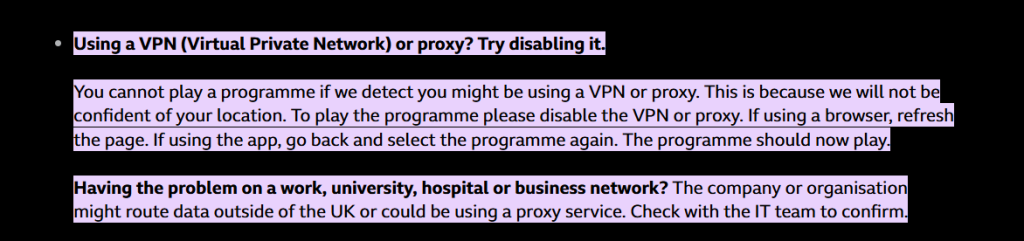
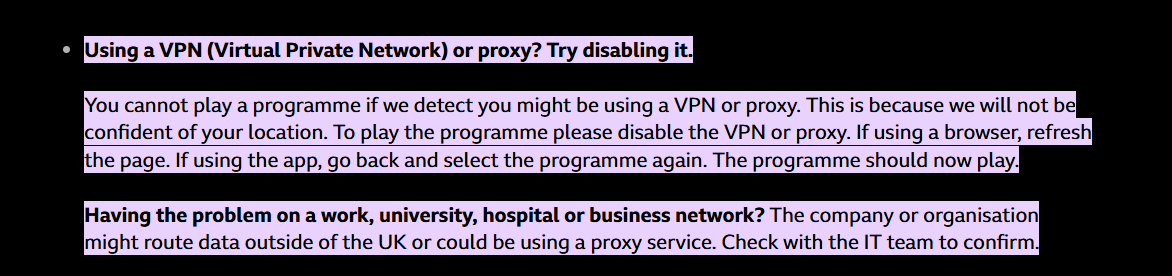
BBC iPlayer strictly enforces geo-restrictions, which means its content is only available to viewers inside the UK. If the system detects that you’re using a VPN or proxy, playback will be blocked with an error message instructing you to disable such tools. Even if you’re using a UK IP through a VPN, iPlayer may still refuse access because it cannot confidently verify your actual location. Due to this, it becomes absolutely necessary to only use the best of the best VPNs that truly deliver results.
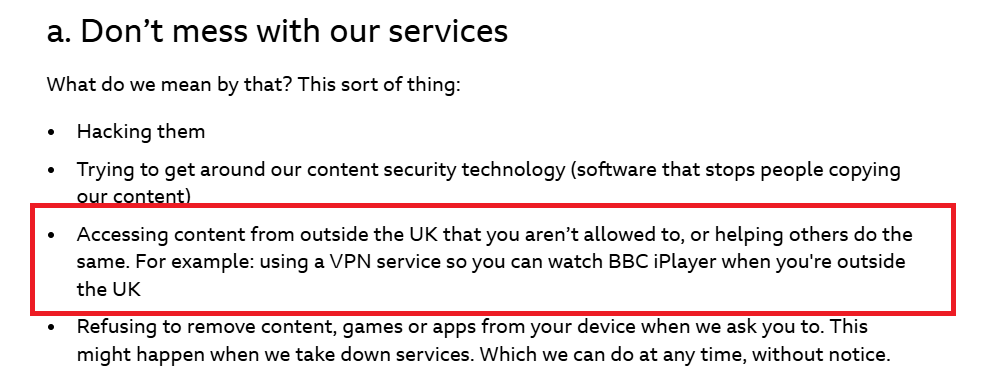
The platform’s terms of service also make it clear that accessing BBC iPlayer from outside the UK, or helping others do so, is against the rules. Specifically, using a VPN to watch iPlayer abroad is listed as an example of misuse, along with hacking or bypassing content protection measures. In other words, BBC actively works to block VPN traffic and has the right to restrict accounts or take further action if users attempt to get around its licensing restrictions.
Free VPNs are particularly unreliable in this scenario. Since they have limited servers and weak obfuscation technologies, they are quickly identified and blacklisted by BBC iPlayer. Even when they connect, they often suffer from buffering, poor video quality, or sudden drops. On top of that, many free VPNs compromise security by logging user data or exposing you to ads and trackers. For uninterrupted access and better privacy protection, only premium VPNs with servers optimized for BBC iPlayer stand a real chance of working consistently.
What Can You Watch on BBC iPlayer?
BBC iPlayer lets you watch live TV channels, movies, TV shows, documentaries, daytime TV shows, and sports content - absolutely free of charge!
In terms of the available TV and radio channels, BBC iPlayer gives you access to the following: BBC One, BBC Two, BBC Three, BBC Four, CBBC, CBeebies, BBC News, BBC Scotland, S4C, BBC Parliament, Radio 1, and BBC Alba.
Perhaps the biggest reason for iPlayer's popularity is its on-demand content. You'll find a truly valuable library of TV shows and movies here, so let's give you some recommendations.
VPN Issues? Here’s How to Get It Working Again
There are several things to try if your VPN doesn't work with iPlayer. We recommend using a different VPN protocol, using another VPN server, or inspecting your baseline connection for issues or errors. Let's go over some actionable tips you can try:
Of course, there's more you can do to resolve VPN-specific issues. For more information, turn to our central VPN troubleshooting guide, focusing on 25 different issues.
Should You Try a Free VPN?
No, you should not try a free VPN for BBC iPlayer. Fee VPNs will significantly limit your media streaming experience. Moreover, with BBC's strong blocking measures, they fail to bypass its blocks. So, we recommend avoiding free VPNs, and here's why.
Free VPNs have bandwidth and data limitations, giving you a limited amount of data on a daily/monthly basis. That might be useful for several quick browsing sessions, but it's not useful for media streaming. Free VPNs also have limited server networks, and they most often don't support multiple simultaneous connections.
There's really no alternative to a premium VPN, especially if streaming is your focus. So, what you can do is get a premium VPN trial, letting you use high-end features without any risk. For example, you can try NordVPN for free on Android, as its trial lasts for 7 days. This VPN also has a 30-day money-back policy that applies across all its supported devices.
Once you've tested multiple VPNs, check our guide to the top VPN providers. You'll see that many provide trials or money-back policies, so you can be sure that you're spending your money wisely.
Final Thoughts
Watching BBC iPlayer outside the UK can be frustrating due to strict geo-restrictions, interrupted streams, and regional playback blocks. Our testing shows that a high-quality VPN not only bypasses these limitations but also delivers smooth HD and Full HD streaming, maintains stable long sessions, and safeguards your online privacy. With the right VPN, you can enjoy the full BBC iPlayer library anywhere, without buffering or interruptions.
Keeping everything in mind, here are the 5 best VPNs for BBC iPlayer in 2026:
- ExpressVPN – Best overall BBC iPlayer VPN with consistent access across all UK servers, instant Full HD playback, and flawless long-session stability.
- Surfshark – Most reliable budget VPN that works with BBC iPlayer and offers fast startup, stable HD/Full HD streaming, and unlimited device connections, though occasional CAPTCHAs may appear.
- Proton VPN – Privacy-focused VPN to watch BBC iPlayer with reliable UK server access, solid HD playback, and strong transparency, though Full HD ramp-up can take ~1 minute and CAPTCHAs may occur during long sessions.
- NordVPN – Fast-starting VPN for BBC iPlayer with good picture quality and wide UK server coverage, but frequent disconnects and slow Full HD resolution ramp-up limit long-session reliability.
- CyberGhost – Specialized BBC iPlayer VPN that uses dedicated streaming servers to deliver near-instant startup and rapid Full HD playback, though standard UK servers may experience slower performance and occasional buffering.
So whether you prioritize speed, privacy, device coverage, optimized servers, or budget, these VPNs deliver the best combination of BBC iPlayer unblocking reliability, streaming performance, and long-session stability in 2026.
Some additional VPN guides for your reference:
- Best VPNs for Streaming – Unlock more than just BBC iPlayer with VPNs that work on all major platforms.
- Free VPNs for BBC iPlayer: Do They Really Work? – Exploring whether free VPNs can actually bypass iPlayer’s geo-blocks.
- The Fastest VPNs for Buffer-Free Streaming – Top VPNs that deliver speed and reliability for HD content.
- Is It Legal to Watch BBC iPlayer with a VPN? – What you should know about legality and risks.
- Best VPN Deals and Discounts in 2026 – Find the latest offers to save money on your VPN subscription.
That’s all for our guide on the best VPN for BBC iPlayer. If you have any questions, leave a comment just below. Thank you for reading!