

When you purchase through links on our site, we may earn an affiliate commission. Here’s how it works.
Why Does Hulu Keep Buffering?
Published on July 14, 2021

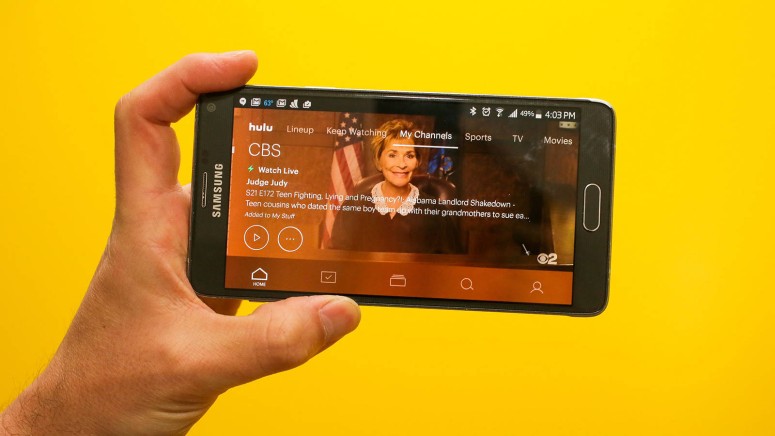
Hulu is regarded as one of the best streaming platforms when it comes to affordability, quality, and collection of shows and movies. For anyone looking for a comprehensive TV experience, Hulu would be the ultimate recommendation. But it is not completely error-free. Subscribers have complained that their content keeps buffering. Read on to find out why Hulu keeps buffering and how to solve this problem.
There can be several reasons why Hulu might be buffering. Sometimes the problem could be on the service provider's side, and on some other times, the users are at fault.
An unstable or fluctuating internet connection can lead to buffering of videos on Hulu. Unlike Netflix and some other streaming platforms who adjust their streaming quality according to the internet speed, Hulu tries to maintain the same level of quality all the time.
An error in the network settings or device configuration can also lead to this issue. Make sure that the application is correctly loaded and that there are no corrupted caches present. Using an old and outdated system is another reason why your videos keep buffering. There can be cases where Hulu might not even play any videos when outdated devices are used.
If none of the above-described problems are causing your videos to buffer, Hulu recommends the following steps to resume proper streaming:
- Close the Hulu app completely: If you experience buffering, it is advised to completely close the app and any other apps or programs running in the background. After doing so, reopen the app. The buffering must have gone by now.
- Recheck the internet connection: Sometimes, a slow internet connection can lead to buffering. Hulu recommends you run a speed test on your device to see if the current speed is the required minimum for an optimal viewing experience.
- Conduct a power cycle: Try turning off the device and any connected devices altogether. This can include your modem / router too. Switch them on after a few minutes.
- Try browsing other programs and applications: Just to make sure that the issue is with the Hulu app, try running some other applications and programs on your device. If they too keep buffering, the problem might be with your device rather than Hulu.
- Check for any pending app or system updates: If there are any latest updates available either for Hulu or for your device, do update them.
- Clear data and cache: If none of the above work, try deleting all data and cache associated with Hulu.
- Uninstall and then reinstall Hulu: As a final option, try uninstalling Hulu altogether and then reinstall it afterward. This has to do the trick.
Keeping aside these tiny glitches, Hulu still maintains its reputation as one of the most loved streaming platforms available. Now that you have solved your buffering problem, you should check out the latest shows and movies added to their streaming library!
Related





Get expert insights on threats, breaches, scams, and security trends — delivered every Monday.
Most Popular

Get expert insights on threats, breaches, scams, and security trends — delivered every Monday.
Most Popular