When you purchase through links on our site, we may earn an affiliate commission. Here’s how it works.
How to Watch Disney Plus in South Africa in 2026
Last updated November 29, 2024

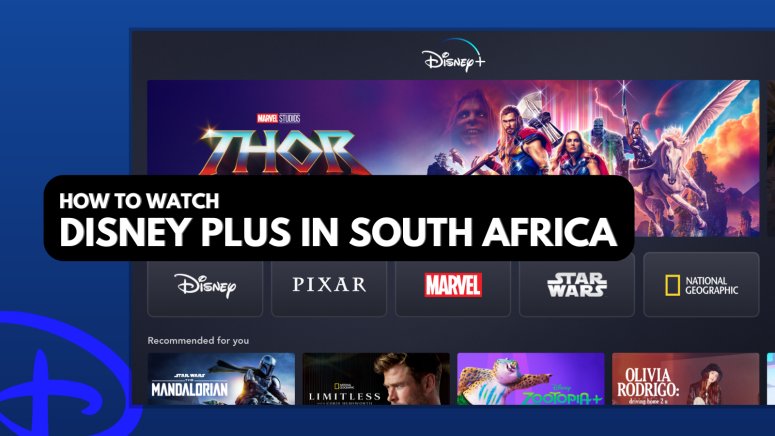
Disney+ made its way to South Africa in May 2023, but like most other streaming services, Disney+ has regional restrictions, making its South African library limited. This also means that when you travel, you won't be able to access the same Disney+ library you're used to at home.
To get the full experience from anywhere, you’ll need to use a VPN to get an American IP address and access the US version of Disney+. This will make it seem like you're located in the US, so you can create a US account and watch the largest Disney Plus library.
We’ll walk you through how to watch Disney Plus in South Africa, explain why you need a VPN, and list some reliable providers. Better yet, we’ll show you how to get Disney+ on various devices, how to pay for the US version, and how much it costs. You'll also get some content recommendations, answers to FAQs, and plenty more tips and tricks along the way.
How to Watch Disney Plus in South Africa
To watch Disney Plus in South Africa with all the US content included, you’ll need to change your IP with a VPN. Once you have a US IP address, you’ll be able to sign up for a separate account. Note that you’ll need a US payment method to do so, as shown in the guide below:
- Sign up for a VPN that can unblock Disney+ (we recommend NordVPN).
- Download the VPN on your device.
- Connect to a US server (in New York, for example).
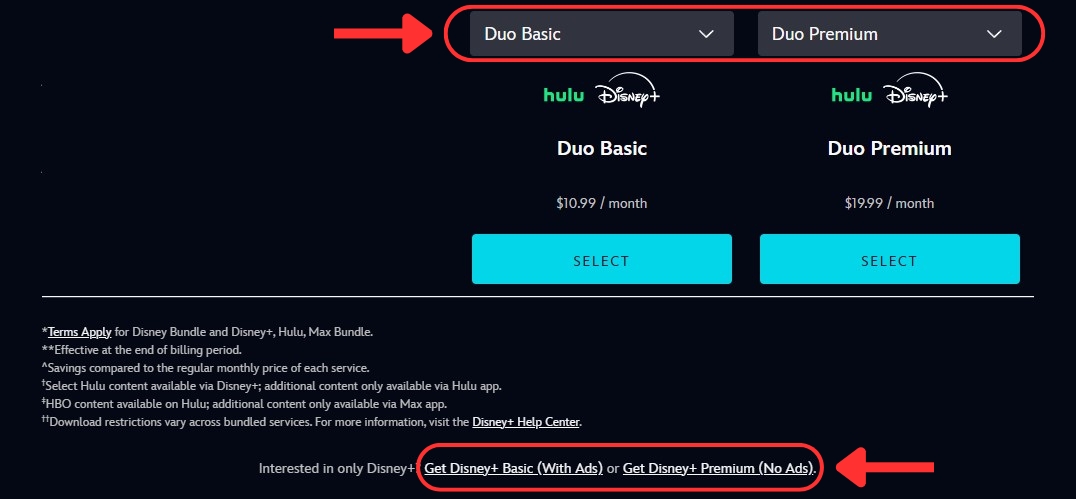
- Go to the Disney Plus website and click “View All Plan Options.”
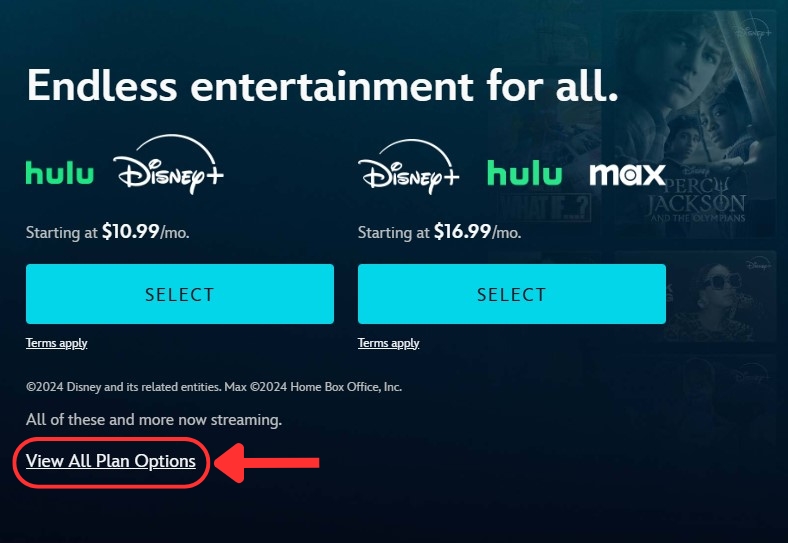

- The page will scroll down, where you can choose a Disney+ plan.

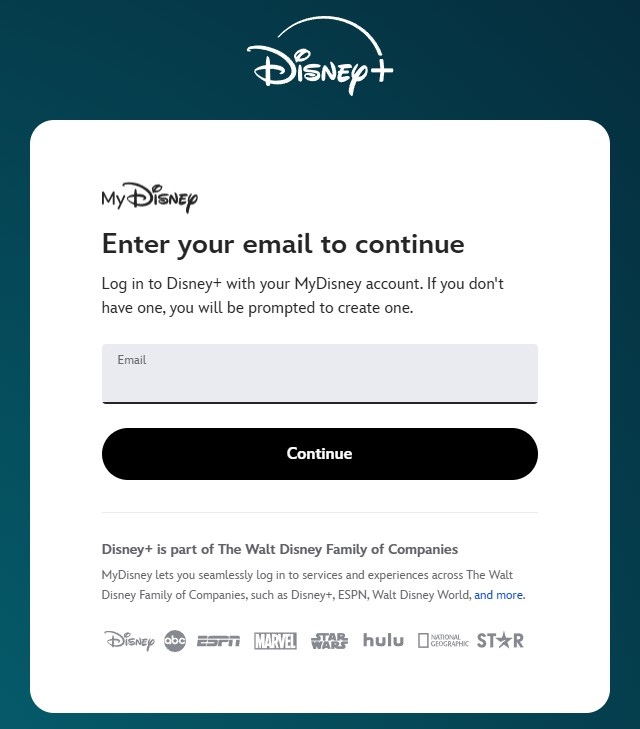
- Enter your email and click “Continue.”

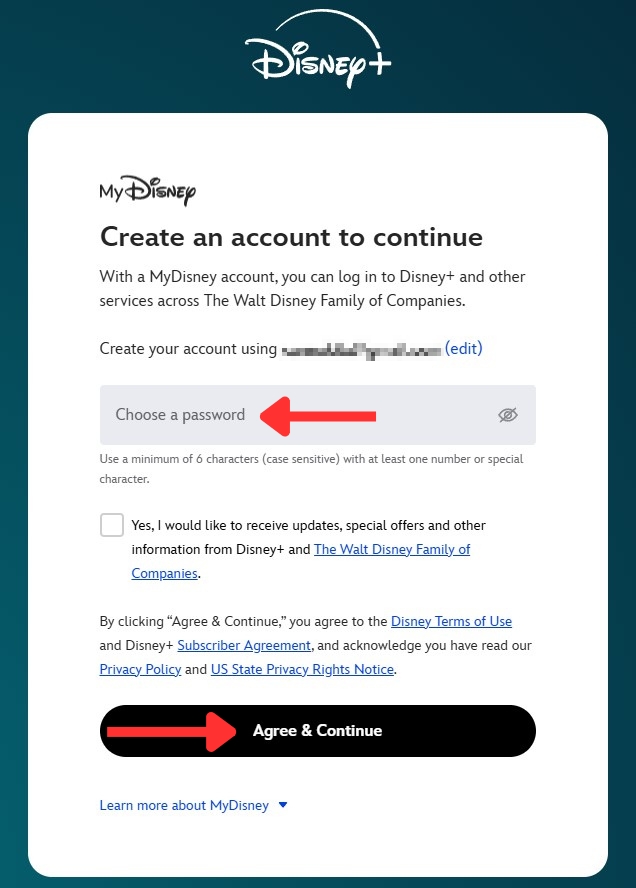
- Create a password and click “Agree & Continue.”

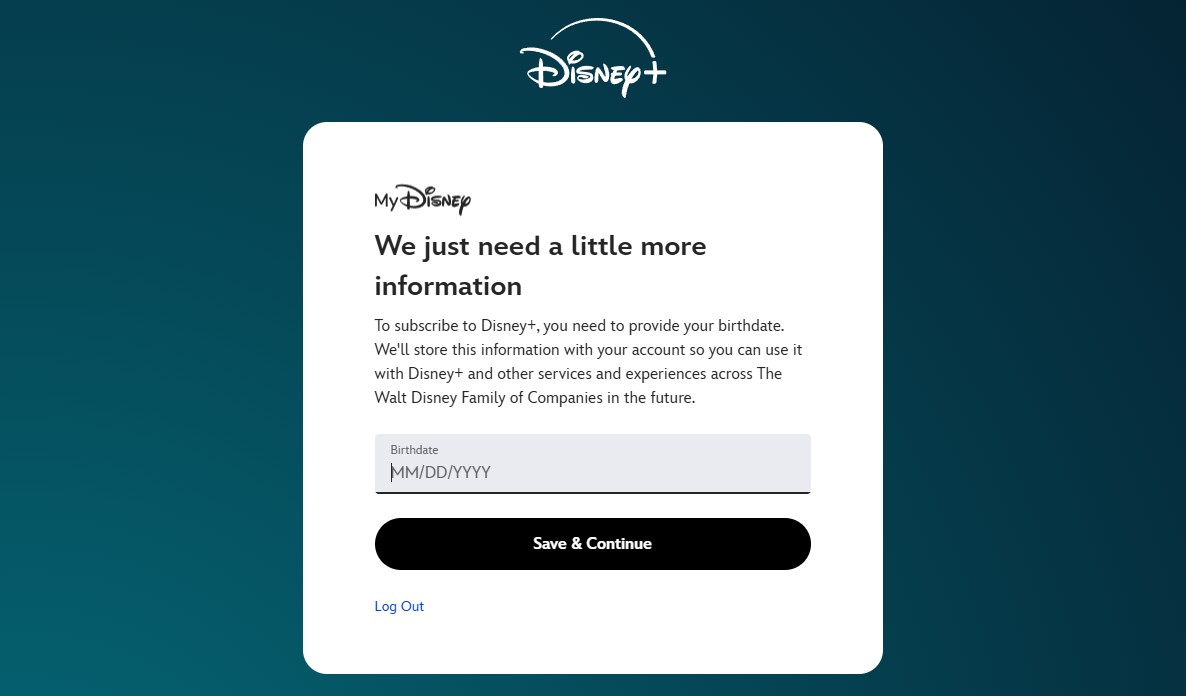
- Enter your date of birth, and then click "Save & Continue."

- Add your payment details (US card or PayPal required).
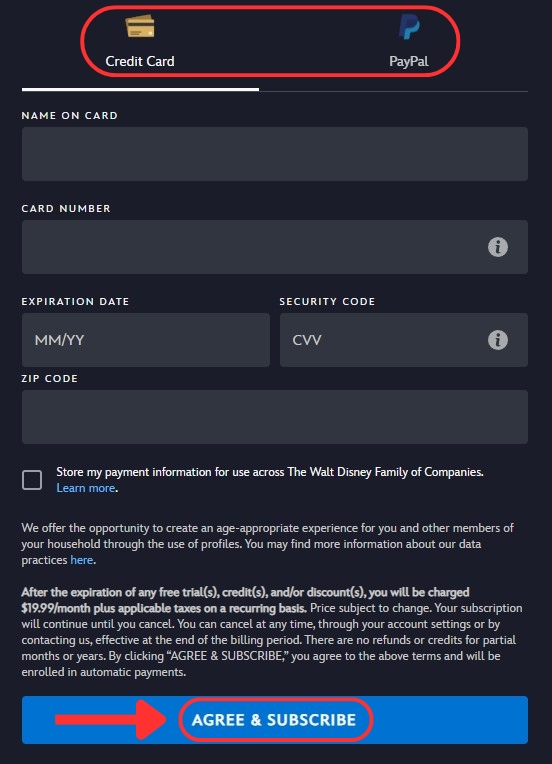

- Click “Agree & Subscribe,” and you're done!
- Now, you can select a show and start watching Disney Plus in South Africa!
Keep in mind that you need a form of payment with a valid US billing address. No US payment method? No worries! Later on, we’ll explore some alternative methods to pay for Disney Plus in South Africa.
Why Do You Need a VPN to Watch US Disney Plus in South Africa?
You need a VPN to stream Disney Plus in South Africa because the US version has a more comprehensive library. Alternatively, you may use a VPN to watch your home South African Disney+ library while abroad. Content availability varies by region due to licensing and distribution agreements and copyrights.
Remember, you’ll need a top-notch VPN to get around Disney Plus’ VPN blocks. Choose one designed for streaming to avoid the frustration of error screens. For South African viewers though, it’s worth noting that Disney+ is also available for DStv subscribers.
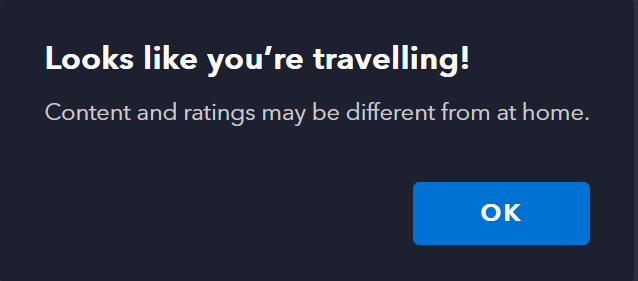
If you have an account and you’re traveling outside the country you subscribed to, Disney Plus will warn you about the difference in libraries with this message: “Looks like you’re travelling! Content and ratings may be different from at home.”
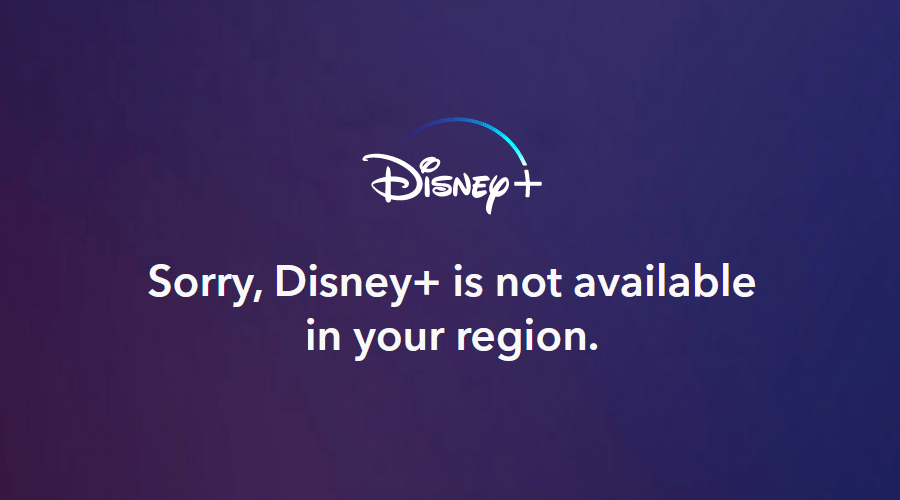
Worse yet, if you try to access it from an unsupported region, Disney+ will flat-out not work. Instead, you’ll get the following error: “Sorry, Disney+ is not available in your region.”
You can avoid all these problems by spoofing your location with a reputable VPN. You just have to connect to a server in the United States. Your device will be assigned an American IP address, and you’ll be able to create an account on the US version and watch Disney Plus outside the US.
Of course, you’ll need the best VPN for Disney Plus to accomplish this, as streaming services typically block VPNs due to licensing issues. As a result, only a handful of them actually work on the platform. Using NordVPN is our favorite because it easily unblocks any Disney+ libraries and delivers high-speed connections for streaming.
The Best VPNs to Watch US Disney Plus in South Africa
The VPN you choose should be able to unblock US Disney Plus and other streaming services. To that end, the VPN needs to have a sizable US server network, as well as plenty of servers worldwide. Naturally, the VPN should deliver stable performance and fast speeds during streaming and other activities.
You’ll also need obfuscation to hide your VPN usage and a kill switch to protect against IP leaks. Look for a VPN that keeps no logs of your online activity and secures your data with advanced protocols like OpenVPN and WireGuard along with top-of-the-line encryption (AES-256 and ChaCha20).
The VPN has to work on all your devices (Windows, macOS, smartphones, smart TVs, and more). You also need enough simultaneous connections for multi-screen streaming on Disney Plus, as the platform allows 4 concurrent streams. Finally, you’ll need 24/7 live chat and a 30-day money-back guarantee in case of any issues.
Based on the criteria above, these are the best VPNs to watch Disney+ in South Africa:
- NordVPN - Our #1-Rated VPN to Watch Disney Plus in South Africa
- Surfshark - Stream Disney+ in South Africa with Blazing-Fast Speeds
- ExpressVPN - Fully Obfuscated VPN for Unblocking Disney Plus
- CyberGhost VPN - Budget-Friendly VPN to Get Disney+ in South Africa
1. NordVPN - Our #1-Rated VPN to Watch Disney Plus in South Africa
NordVPN is the best VPN to unblock Disney Plus in South Africa, thanks to its massive network in the US (1,970+ servers in 16 locations). It also works well for unblocking any other streaming services because it has a total of 6,800 servers in 111 countries.
One thing that makes NordVPN great for streaming is its SmartPlay feature, which changes DNS servers whenever a pesky geo-block is giving you headaches. Moreover, you can expect incredible performance and lightning-fast speeds regardless of the distance between you and the server you're connected to.
NordVPN comes with various specialized servers for any occasion, including stealth servers for obfuscation when you want to stay under the radar. There’s also a kill switch you can customize however you want, so you can disable traffic to the Disney Plus app when disconnected, for example.
Security-wise, NordVPN comes with all the industry-standard protocols, such as NordLynx (based on WireGuard). Or, you can choose from OpenVPN and IKEv2/IPsec paired with AES-256 encryption instead. The provider doesn't store logs of your activity, and their claims have been independently verified by top security firms.
NordVPN’s apps have an intuitive, map-based design and are supported on all popular platforms. You can install it on Windows, macOS, Linux, iOS, Android, smart TVs, you name it. More importantly, you get 10 simultaneous connections per subscription, which is enough for most users.
As expected, all plans are backed by a 30-day money-back guarantee. Furthermore, NordVPN features 24/7 customer support via live chat for troubleshooting, server tips, and more.
PROS
- 1,970+ high-speed US servers.
- Great for unblocking Disney+.
- Stealth servers.
- Secure streaming with SmartPlay.
- 24/7 live support.
- 30-day money-back guarantee.
CONS
- Not all servers are obfuscated.
2. Surfshark - Stream Disney+ in South Africa with Blazing-Fast Speeds
Surfshark made our list because it can effortlessly unblock Disney Plus and other streamers from anywhere in the world. It has 600+ servers in 22 US cities and an overall network of 3,200+ servers in 100 countries. Moreover, every single one is obfuscated.
During our tests, we observed blazing-fast speeds and consistent performance regardless of which server we connected to. Surfshark's Nexus technology utilizes its entire network to enhance speed and stabilize connections. It also rotates your IP without interrupting the connection, which helps with bypassing geo-blocks.
When it comes to privacy, Surfshark comes with a reliable kill switch to cut your Internet connection if the VPN has any issues, preventing IP leaks. You'll also be protected by its audited no-logs policy. As for security, it offers OpenVPN, WireGuard, and IKEv2 protocols with AES-256 encryption for secure tunneling.
You can install Surfshark on any streaming devices, including computers, smartphones, tablets, smart TVs, and more. Even better, it allows unlimited simultaneous connections, making it a great choice for large households.
Of course, Surfshark comes with a 30-day refund period, so you can thoroughly test its features. Lastly, if you need any help, it has customer support available 24/7 via live chat.
PROS
- 600+ servers in the US.
- Unblocks Disney Plus easily.
- Obfuscation on all servers.
- Nexus technology to enhance speeds.
- 24/7 support via chat.
- 30-day refund period.
CONS
- iOS apps reportedly glitchy.
3. ExpressVPN - Fully Obfuscated VPN for Unblocking Disney Plus
ExpressVPN is another great choice, as its fully obfuscated network makes it easy to unblock Disney Plus and other streaming platforms without being detected. You get access to servers in 105 countries, including an extensive US network in 24 locations, to stream local content uninterrupted.
What’s more, the VPN offers amazing performance and high-speed connections no matter which server you use. This makes it ideal not just for Disney+ but for all sorts of other services from around the world. We could stream in crisp 4K without any noticeable slowdowns.
The apps come with a reliable kill switch as well, so streaming services can’t detect your actual location if the VPN disconnects for whatever reason. Moreover, ExpressVPN has an audited no-logs policy to ensure your activity isn’t stored on its network.
To protect you against hacking attempts, ExpressVPN employs advanced protocols like Lightway (with WolfSSL encryption), as well as the standard OpenVPN and IKEv2 options (both with AES-256 encryption).
You can stream with ExpressVPN on Windows, Linux, macOS, smartphones, tablets, and select smart TVs. There’s also a router app if you want VPN capabilities on Xbox or Playstation, among other unsupported devices.
ExpressVPN lets you link up to 8 devices at the same time, which is plenty considering the 4-screen limit on Disney+. You also get a hassle-free 30-day money-back guarantee with your subscription, as well as 24/7 live chat support that responds in a timely manner.
PROS
- Beginner-friendly.
- Super-fast servers worldwide.
- Unblocks Disney+ with ease.
- Fully obfuscated server network.
- 24/7 customer support.
- 30-day money-back period.
CONS
- Limited customization.
4. CyberGhost VPN - Budget-Friendly VPN to Get Disney+ in South Africa
CyberGhost VPN is a fantastic option to unblock Disney Plus in South Africa when you’re on a budget. With a single subscription, you get access to servers in 100 countries (including 11 US cities), which gives you the ability to unblock 40+ streaming sites.
A portion of its network is specifically optimized for streaming on various platforms from around the world. And despite not having any obfuscation, CyberGhost never failed us when testing them out. Not to mention, it delivered reliable performance and decently fast speeds in the process.
That said, the lack of stealth servers may be a problem if you’re trying to stream from work, on campus, or any other networks that block VPNs - so keep that in mind.
Otherwise, you get an always-on kill switch to keep your IP a secret during disconnections. The VPN also includes all the latest protocols available - such as the fast and lightweight WireGuard with ChaCha20 encryption and the standard OpenVPN and IKEv2/IPsec options with AES-256 encryption.
CyberGhost works on all popular systems, whether you’re a PC or mobile user, or like to stream on your smart TV. Better yet, the VPN comes with 7 simultaneous connections, making it an excellent choice if you have lots of gadgets.
The provider has a generous 45-day money-back guarantee on longer subscriptions. Finally, feel free to contact their round-the-clock live chat support for any issues regarding their service.
PROS
- Available servers in 100 countries
- Works well with Disney Plus.
- Unblocks 40+ streaming platforms.
- Budget-friendly plans.
- 45-day money-back guarantee.
- 7 simultaneous connections.
CONS
- No obfuscated servers.
How to Get US Disney Plus on Your Devices in South Africa
To watch everything available on Disney Plus in South Africa, you’ll need to change your location to the US with a VPN. In some cases, you have to install a VPN on your router, as PlayStation, Xbox, and other gadgets don’t support VPNs.
We have a Disney+ setup guide for several popular devices below, so take a look:
Watch Disney Plus on Hisense TV
The Hisense TV OS (VIDAA) doesn't natively support VPNs. As such, you’ll have to set one up on a compatible router to watch Disney+ in South Africa. Follow this short guide:
- Subscribe to a VPN with a working router app (we recommend NordVPN).
- Install the VPN on your router according to your provider’s guides.
- During setup, ensure your region is set to the 'United States.'
- Connect your VPN-protected Wi-Fi network using your Hisense TV.
- Get Disney Plus from the VIDAA Home Launcher.
- Sign in, select a show, and start watching.
Watch Disney Plus on a Smart TV
Most smart TVs (outside Android TV and a few others) don’t have VPN capabilities. Once again, you’ll need to install a VPN on your router. Here’s what you need to do:
- Sign up for a VPN that has a router app (we recommend NordVPN).
- Follow your provider’s setup guide for routers.
- Set your region to the US during the installation process.
- Join your newly created VPN network from your smart TV.
- Install the Disney Plus app using your TV’s app store.
- Sign into your account and enjoy any Disney Plus content.
Watch Disney Plus on PlayStation (PS4 & PS5)
There are no VPN apps for PlayStation, so you’ll have to settle for installing one on your router instead. Follow the steps below:
- Get a VPN with a reliable router app (we recommend NordVPN).
- Set up the VPN on your router according to the provider’s instructions.
- Change your region to the US during setup.
- Connect your PlayStation to your VPN Wi-Fi network.
- Visit the PlayStation Store and get the Disney Plus app.
- Sign in, pick something to watch, and enjoy.
Watch Disney Plus on Xbox
Much like PlayStation, Xbox consoles have no native VPN support. As such, you’ll have to install a VPN on a compatible router to get started. Here’s a quick guide:
- Subscribe to a VPN that works on routers (we recommend NordVPN).
- Use your provider’s router setup guide to proceed.
- Make sure your region is set to the US.
- Connect your Xbox to your VPN Wi-Fi network.
- Download Disney+ on your console.
- Log into your Disney account and start watching.
How to Pay for US Disney Plus in South Africa
To pay for US Disney Plus in South Africa, your debit or credit card billing address must be in the US. So, if you don’t have a valid US debit or credit card, you’re left with 4 options: iTunes or Google Play gift cards, a virtual credit card, or a US PayPal account. Following are step-by-step guides for each method.
Method 1: Pay for US Disney Plus Using an iTunes Gift Card
Some online retailers sell US iTunes gift cards, so all you need to do is create a US-based Apple ID, get a VPN, connect to the US, and get a gift card to pay for Disney Plus, as shown below:
- Get a VPN that unblocks US Disney+ on iOS (we recommend NordVPN).
- Install the VPN and connect to a US server from the provider’s list.
- Create a separate Apple ID with its address set in the US.
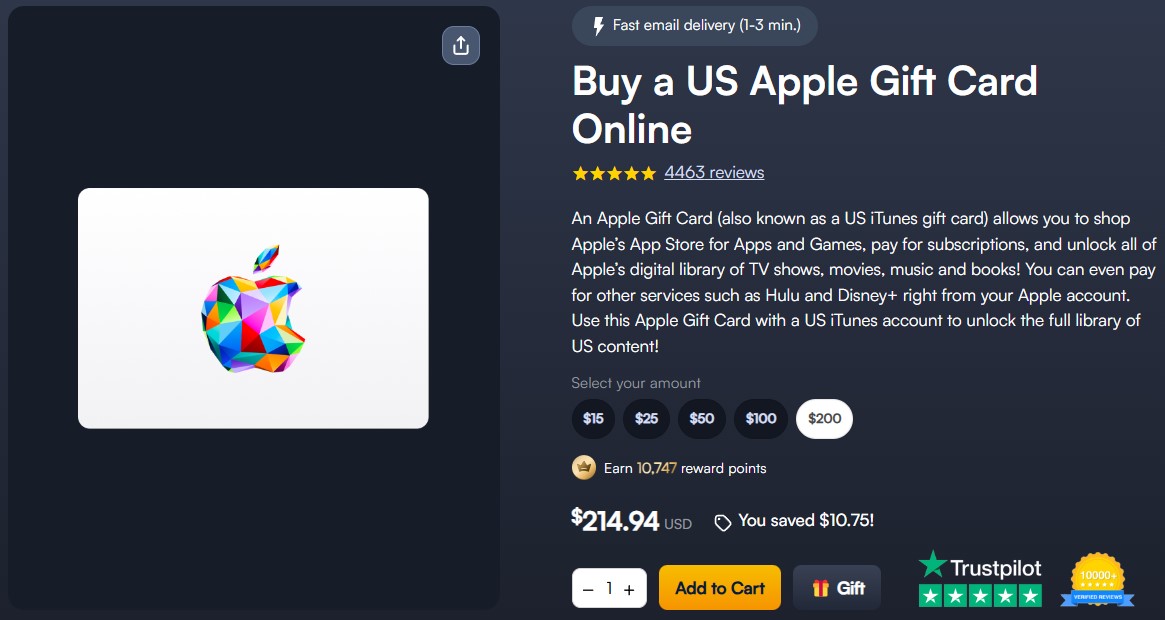
- Purchase an iTunes gift card online (from a retailer like MyGiftCardSupply).

- Add the funds to your US App Store account.
- Download the Disney+ app on your Apple device.
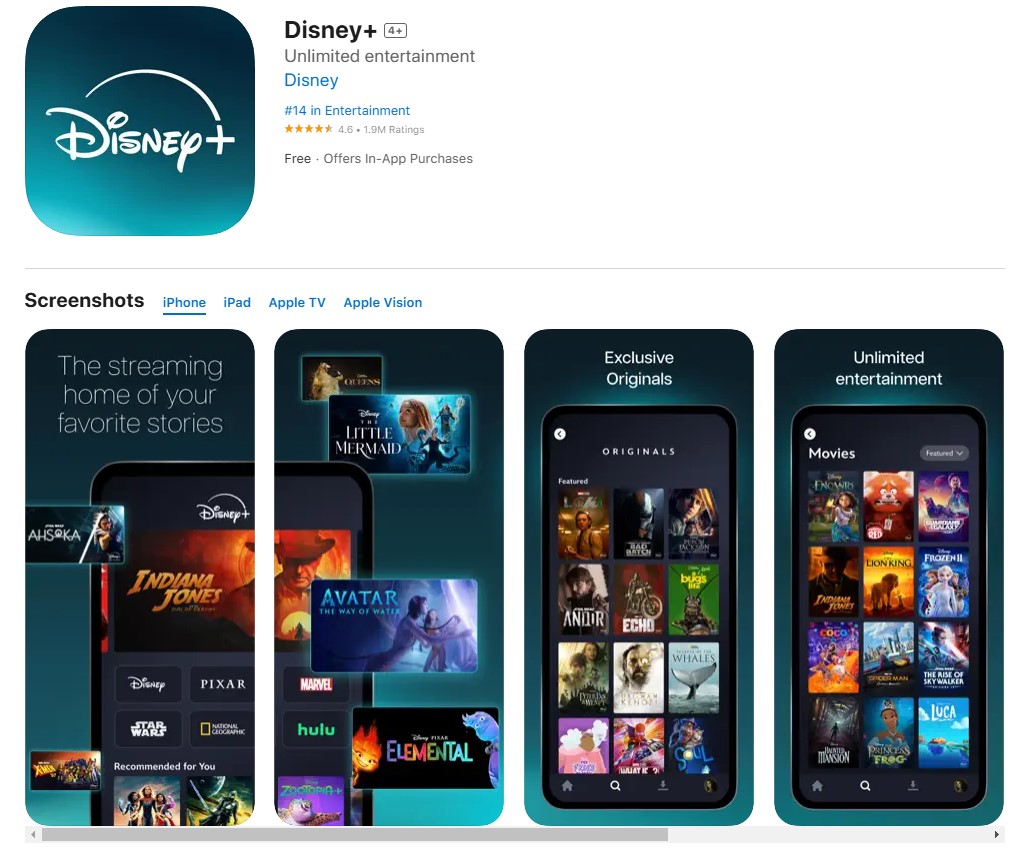

- Launch the app, subscribe, and start watching.
Method 2: Pay for US Disney Plus Using a Google Play Gift Card
As with iTunes, you can buy a US Google Play gift card to pay for Disney Plus. To do so, you’ll also have to create a US Google account and get a VPN to change your region, like below:
- Get a Disney+ VPN from the Google Play Store (we recommend NordVPN).
- Install the VPN, then connect to the US.
- Sign up for a US Google account.
- Buy a Google Play gift card from a site like MyGiftCardSupply.
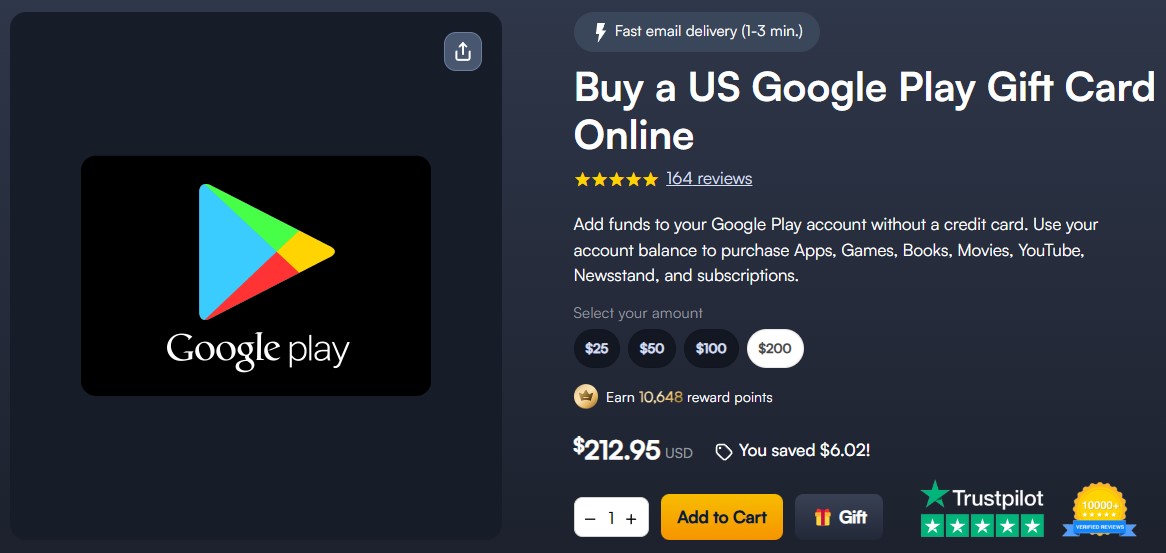

- Apply the gift card to your US Play Store account.
- Download the Disney+ app on your Android device.
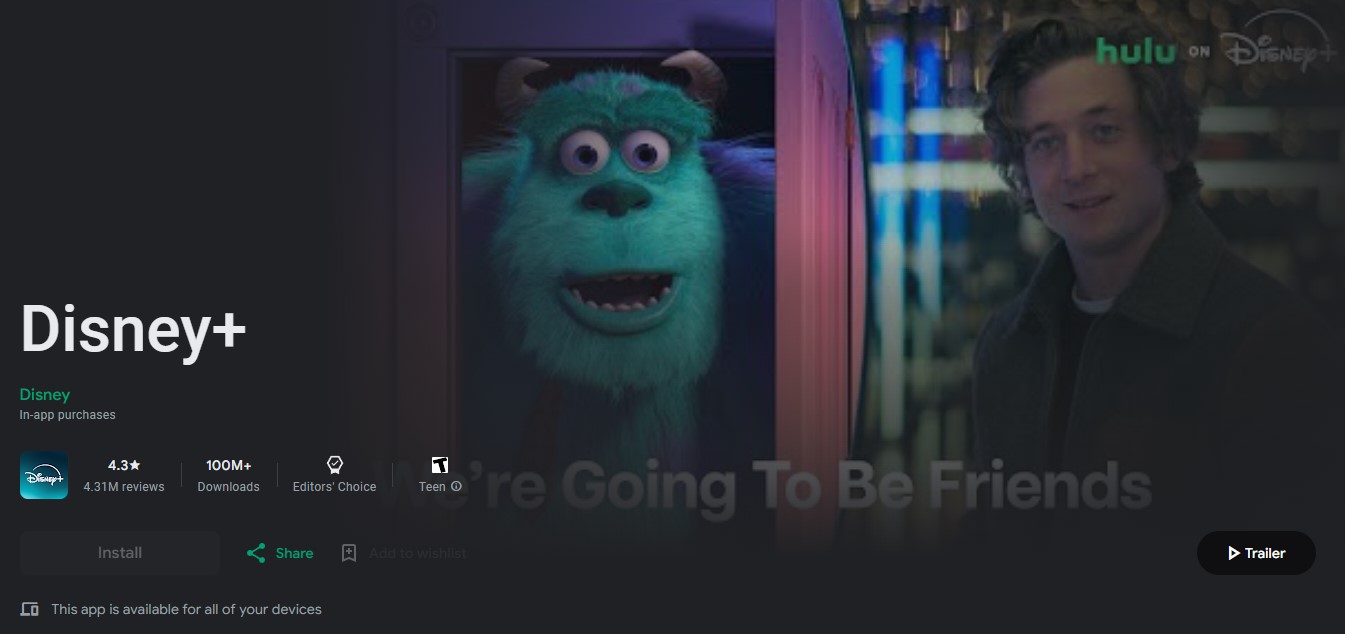

- Open the app, sign up, and enjoy streaming movies and TV shows.
Method 3: Pay for US Disney Plus Using a Virtual Credit Card
To pay for a Disney+ subscription in South Africa with a US-based virtual credit card, you have to get a VPN and connect to a US server first. Here’s what to do:
- Subscribe to a VPN that can unblock Disney Plus (we recommend NordVPN).
- Download and install the VPN on your device.
- Connect to a US server.
- Launch US Unlocked, and click “Get Started.”
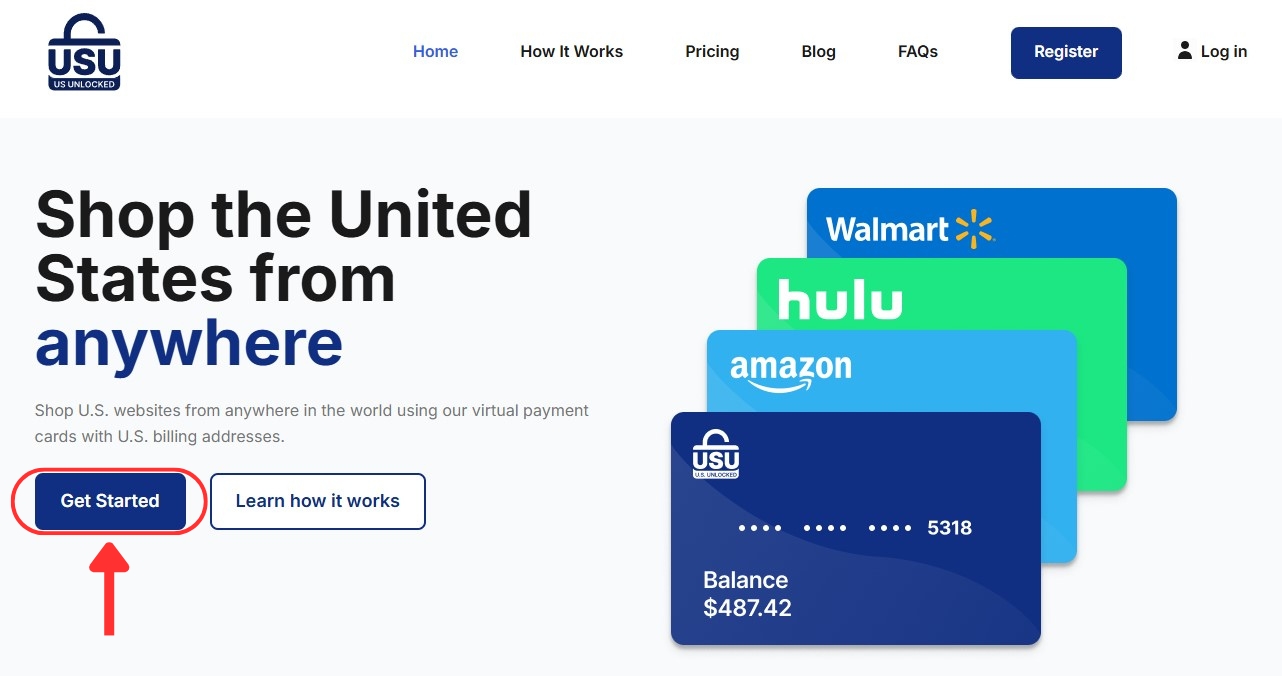

- Input your details to create an account.
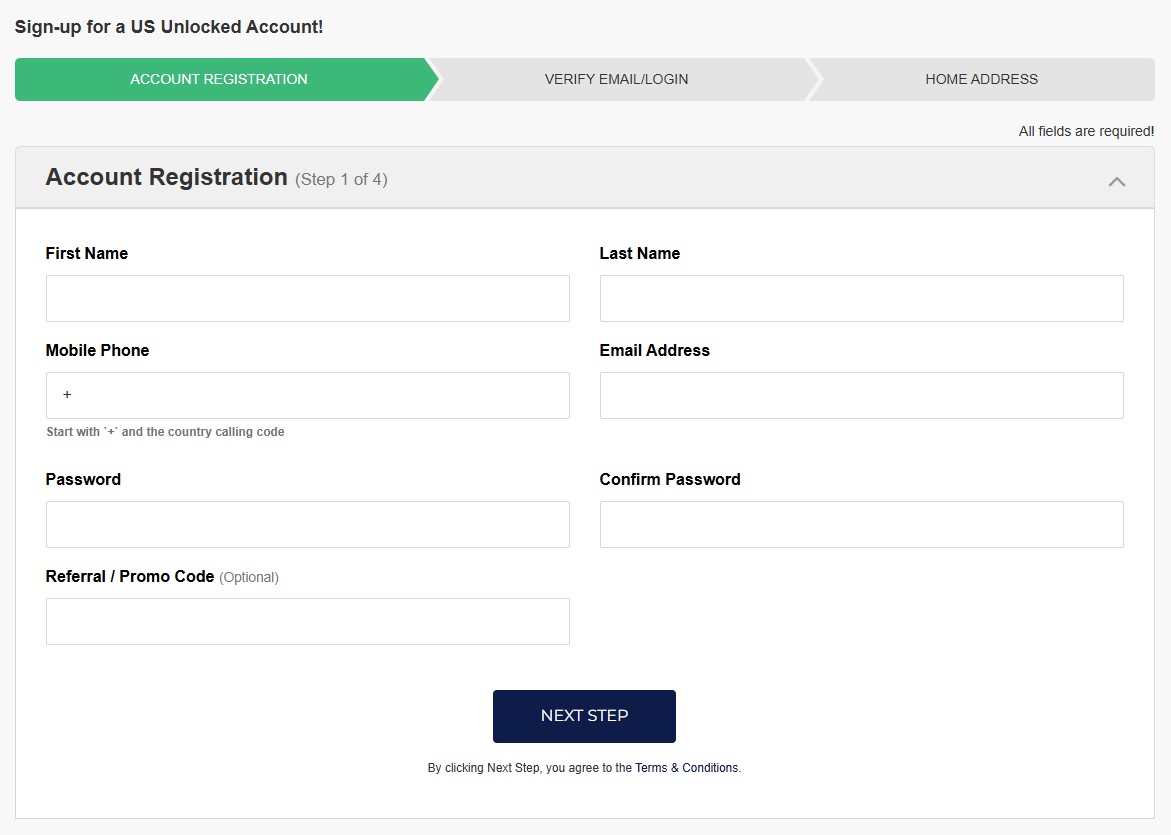

- Fund your account to get your new virtual card details.
- Open the Disney Plus website and follow the usual sign-up process.
- Choose 'Credit Card' as your payment method.
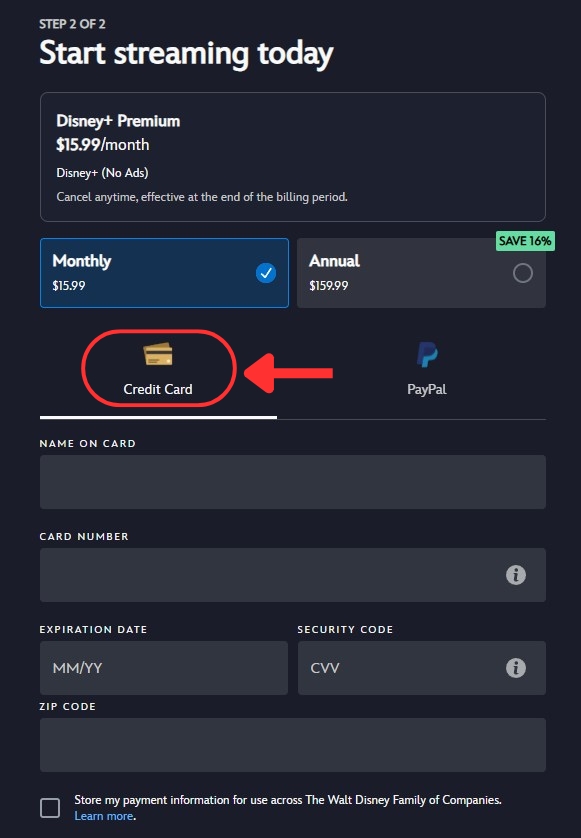

- Finish paying with your virtual credit card and start streaming!
Method 4: Pay for US Disney Plus Using a US PayPal Account
If you know someone who lives in the US and is willing to let you use their PayPal account, that's an easy solution. Here’s what you need to do:
- Sign up for a VPN that unblocks Disney+ in South Africa (we recommend NordVPN).
- Install the VPN on your device.
- Connect to a server in the US.
- Go to the Disney Plus site and click on “View All Plan Options.”
- Pick the plan that fits your needs and continue with registration.
- When you reach the payment method step, choose 'PayPal.'
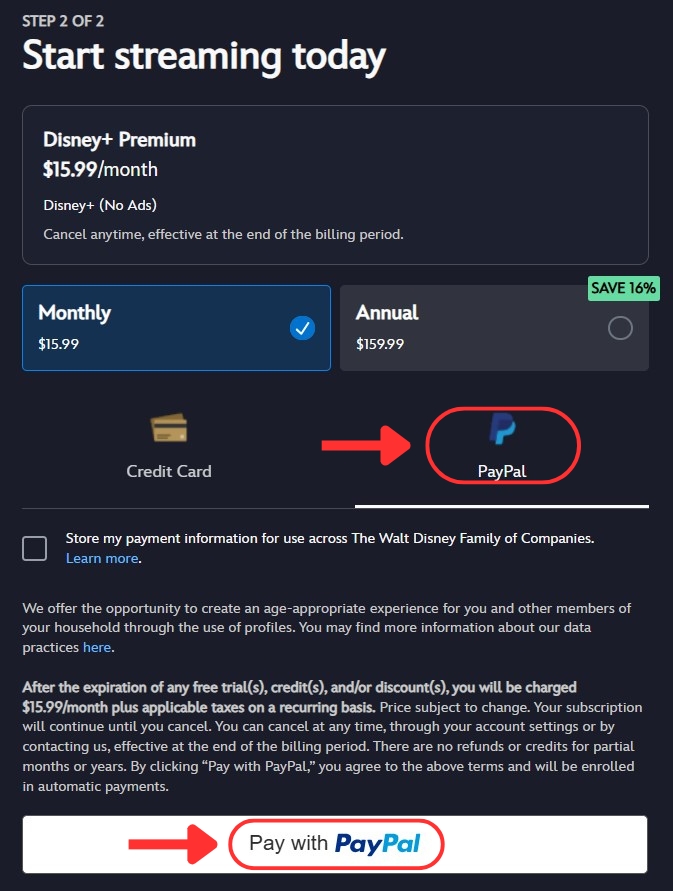

- Use the borrowed US PayPal account to complete payment.
- Now, you can watch your favorite movies and TV shows on Disney Plus.
How Much Is US Disney Plus in South Africa?
The price of a US Disney Plus subscription in South Africa ranges from $9.99 (ZAR 181.12) per month for the Basic plan to $159.99 (ZAR 2,900.67) per year for the Premium plan. There are no differences between the monthly and annual plans aside from the price.
Both plans allow you to watch Disney Plus in 4K UHD on up to 4 screens at once. You also get personalized Disney+ recommendations for up to 7 profiles on any subscription. The only major difference (aside from the ads) is the ability to download select content to watch on the go with the Premium plan. You can also opt for Duo or Trio packages that include Hulu and ESPN Plus.
Here’s a pricing breakdown in both USD and South African Rand:
What US Disney Plus Content Can You Watch in South Africa?
Disney+ offers thousands of hit movies, TV shows, and documentaries from franchises and brands like Disney, Pixar, Marvel, Star Wars, and National Geographic. Watch some of the best movies, including Disney’s classic animation, or explore the entire Marvel Cinematic Universe.
As for the best shows on Disney Plus, you can catch up on The Mandalorian right now, revisit The Simpsons, watch the spy thriller Alias, and more. And if you get the US Disney Duo or Trio bundle, you gain access to the entire library on Hulu and ESPN+, including plenty of TV episodes and movies, as well as live sports.
Here’s a quick overview of what you can expect on Disney+ in South Africa:
Can You Use a Free VPN to Watch Disney Plus in South Africa?
Yes, you can use a free VPN to watch Disney Plus in South Africa. However, we don’t recommend doing so. Why? Well, for one, the VPN might outright not work since Disney blocks most of them due to licensing restrictions.
The real reason not to use a free VPN, however, is the poor streaming experience they provide. Slow speeds, few servers, monthly data caps, you name it. Disney+ already has its own set of buffering issues, even if you don’t use a VPN. Moreover, many free VPNs sell user data to advertisers to stay afloat. No TV show or movie is worth putting your privacy at risk.
Try out one of our best VPN recommendations instead. They respect your privacy and offer plenty of servers, as well as amazing performances on Disney+ in South Africa.
Final Thoughts
Disney Plus is available in over 100 countries, including South Africa, but the largest Disney+ library is only available in the US. Plus, if you have an account and you travel outside the region you signed up in, you won't be able to access the content you're used to. Luckily, you can unblock all the Disney+ libraries with a VPN.
Subscribe to NordVPN to watch Disney Plus in South Africa. It easily unblocks Disney+ and delivers super-fast streaming speeds. Moreover, you get access to over 6,800 servers in 111 countries, letting you unblock content from around the globe.
That concludes our guide on how to watch Disney Plus in South Africa. Thanks for reading, and let us know if you need any more help down in the comments.
Related