When you purchase through links on our site, we may earn an affiliate commission. Here’s how it works.
Best Free VPNs for Windows in 2026


Our experts have reviewed 53 VPN providers, which were put through extensive rounds of testing. To learn more about that process, here’s how we review VPNs, where we explain our criteria and our policy of being fully transparent.
- If you just want a solid free VPN for Windows, Proton VPN is the easiest one to rely on. It keeps things secure, runs smoothly, and doesn’t limit your usage with a data cap, so you can use it more freely without constantly watching your data. If you’re after more features and control, Windscribe is a great option. And if streaming or picking your own server matters more, PrivadoVPN is worth going with instead.
Picking a free VPN for Windows sounds easy until you actually start using one. On the surface, most of them claim strong security and smooth performance, but once you install them, the differences show up fast. Some restrict data, others limit server access, and a few start slowing down or becoming less stable the longer you use them. What looks like a simple “free VPN” often comes with trade-offs in speed, control, and overall reliability.
For this guide, we didn’t just test basic performance. We also checked how secure and dependable each VPN really is on Windows. That includes things like leak protection, connection stability, ease of use, and how reliably they hold up during everyday browsing and streaming. Everything here is based on real-world testing of free plans, not just feature lists or marketing claims.
Quick Comparison Table
Note: Windscribe has better ratings than Proton VPN, but we still recommend Proton VPN as the best one, as it does not have any data caps. You get unlimited data bandwidth, which, honestly, makes a huge difference.
How We Tested Free VPNs for Windows
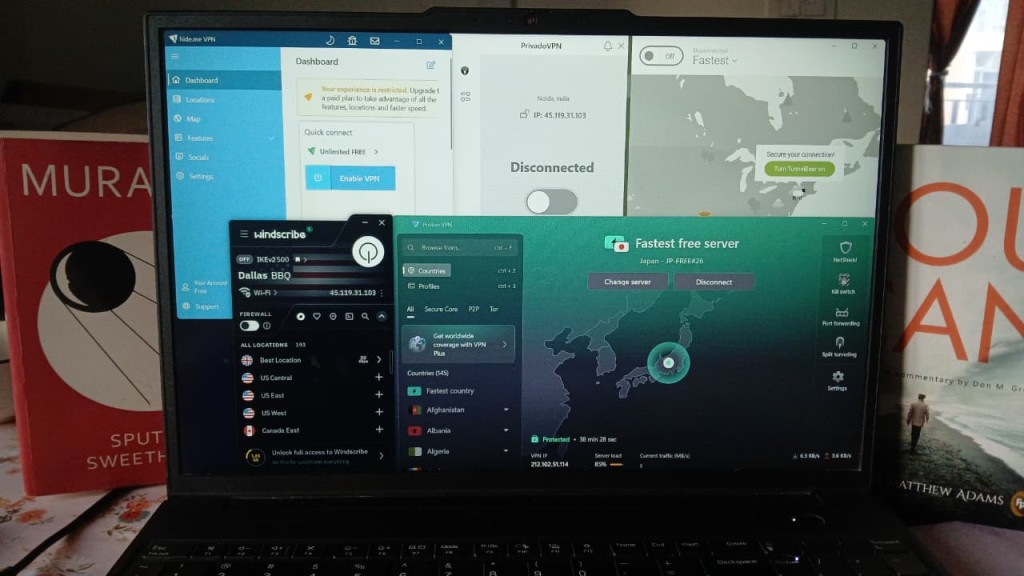
All testing was done on a Windows laptop (Lenovo ThinkPad with an Intel Core Ultra 7 processor running Windows 11 Pro) to reflect how these free VPNs perform in a normal desktop setup. Instead of relying on listed features, we used each VPN in day-to-day scenarios like browsing, streaming, and switching between servers to see how they actually hold up. Along the way, we focused not just on performance, but also on security, ease of use, system load, and how the restrictions of free plans impact the overall experience.
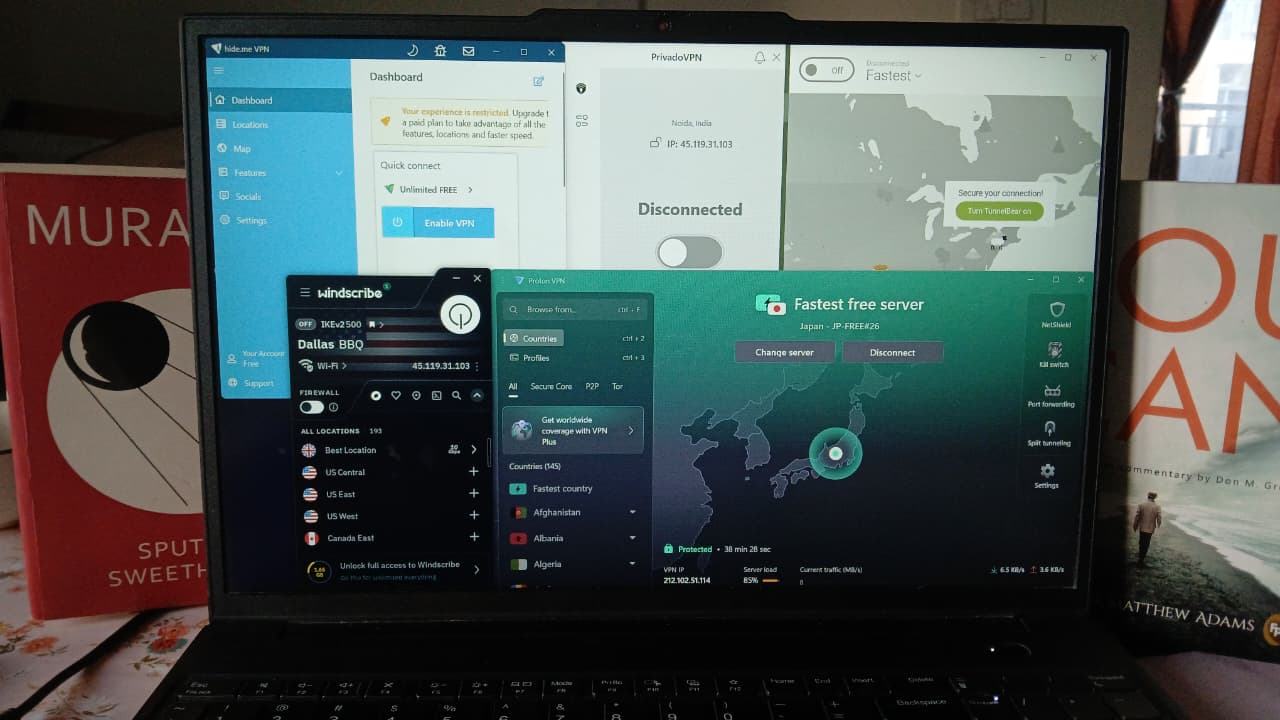
Installation & Setup: We started by installing each free VPN from scratch on our Lenovo ThinkPad to see how smooth (or annoying) the process actually is. This included download size, how long it takes to get up and running, whether you’re forced to create an account, and how much the app pushes you toward paid plans before you even start using it.
User Interface & Usability: Here, we focused only on the free version experience. We explored what features are actually available without paying, how many servers you can access, whether you can choose locations manually, and how restricted the overall experience feels. We also looked at how easy it is to navigate the app and whether basic actions like connecting or switching servers feel straightforward or frustrating.
Speed Consistency: We ran multiple tests using the Cloudflare Speed Test and compared results across sessions. Our baseline connection delivered 218 Mbps download, 193 Mbps upload, with 29.2 ms latency and 10 ms jitter on an Airtel 5G Wi-Fi network. Since some free VPNs don’t allow manual server selection, speeds were measured based on the automatically assigned server during each session. Rather than focusing only on peak performance, we evaluated how stable the connection remained in real-world use - tracking fluctuations, consistency across repeated tests, and overall reliability during browsing and streaming.
Extended Stability: Each VPN was kept running for longer sessions (minimum 35 minutes) to see how well it holds up over time. We paid attention to things like random disconnects, slowdowns after a while, and how the app behaves when you switch servers multiple times in a row.
Kill Switch & Leak Protection: We tested security using browser leak testing tools, checking for IP, DNS, and WebRTC leaks. For each VPN, we tested at least two different server connections to see if protection stays consistent. We also observed how reliable the connection feels overall during use.
Server Network Size: We went through each provider’s server list, checked what locations actually show up inside the app, and tried connecting to different regions to make sure they’re not just listed but actually usable.
Jurisdiction: We checked where each VPN company is legally based and what kind of data laws apply there. This helps understand if user data could be subject to government access or retention requirements.
Independent No-Logs Audit: We reviewed any third-party audit reports to see if the VPN’s no-logs claims have actually been verified. This included checking who conducted the audit and how detailed the findings were.
Encryption and Protocol Support: We looked at the protocols each VPN supports, like WireGuard and OpenVPN, along with their encryption standards. For consistency in testing, we stuck to WireGuard across all VPNs while comparing performance.
Customer Support Responsiveness: We reached out to support through available channels like live chat and email, asking both basic and technical questions. This helped us see how fast they respond and how useful their answers actually are.
⟶ Server access is restricted, and in some cases you can’t even pick a location manually
⟶ Data limits can cut usage short pretty quickly (except for a few options)
⟶ Speeds can drop a lot, especially on distant or crowded servers
⟶ Switching servers multiple times can slow things down or lock you out temporarily
⟶ Streaming isn’t always reliable or optimized on free plans
⟶ Many useful features are locked unless you upgrade
⟶ Performance can feel inconsistent depending on time and server load
The Best Free VPNs for Windows
Based on these criteria, here are the top 3 free Windows VPNs:
1. Proton VPN – ⭐ Best Overall Balance
Spending time with free version of Proton VPN gives off a pretty smooth and hassle-free vibe, especially in the early stages. The onboarding doesn’t feel rushed or confusing, and even though the app isn’t the lightest, it gets you from installation to actual usage without much effort. Once inside, the interface is clean and easy to read, with that color-based connection system doing a great job of showing your status instantly. For basic usage like connecting and browsing, it all feels simple and well put together.
In terms of reliability, it holds up quite well. The connection stayed steady during testing, and there were no signs of IP, DNS, or WebRTC leaks at any point, which makes it dependable from a privacy perspective. Streaming also worked nicely - Netflix kicked off in good quality with just a brief buffer at the start, and YouTube gradually reached 1080p without any interruptions. Features like the Kill Switch and access to multiple free server locations make it feel more complete than a typical free VPN.
However, the free version does come with its share of trade-offs. You don’t get the freedom to pick servers manually, so you’re relying entirely on the automatic selection. On top of that, switching servers multiple times slows things down quite a bit after the first few attempts. Speed performance isn’t always consistent either, with noticeable drops and higher latency depending on the server you’re connected to. So while it’s secure and easy to live with, it can feel a bit limiting if you want more control or better consistency.
Limitations (Free Version)
⟶ No manual server selection – you can’t pick a specific location yourself and have to rely on automatic server assignment.
⟶ Server switching becomes slow after multiple attempts – changing servers repeatedly leads to long wait times, sometimes taking several minutes.
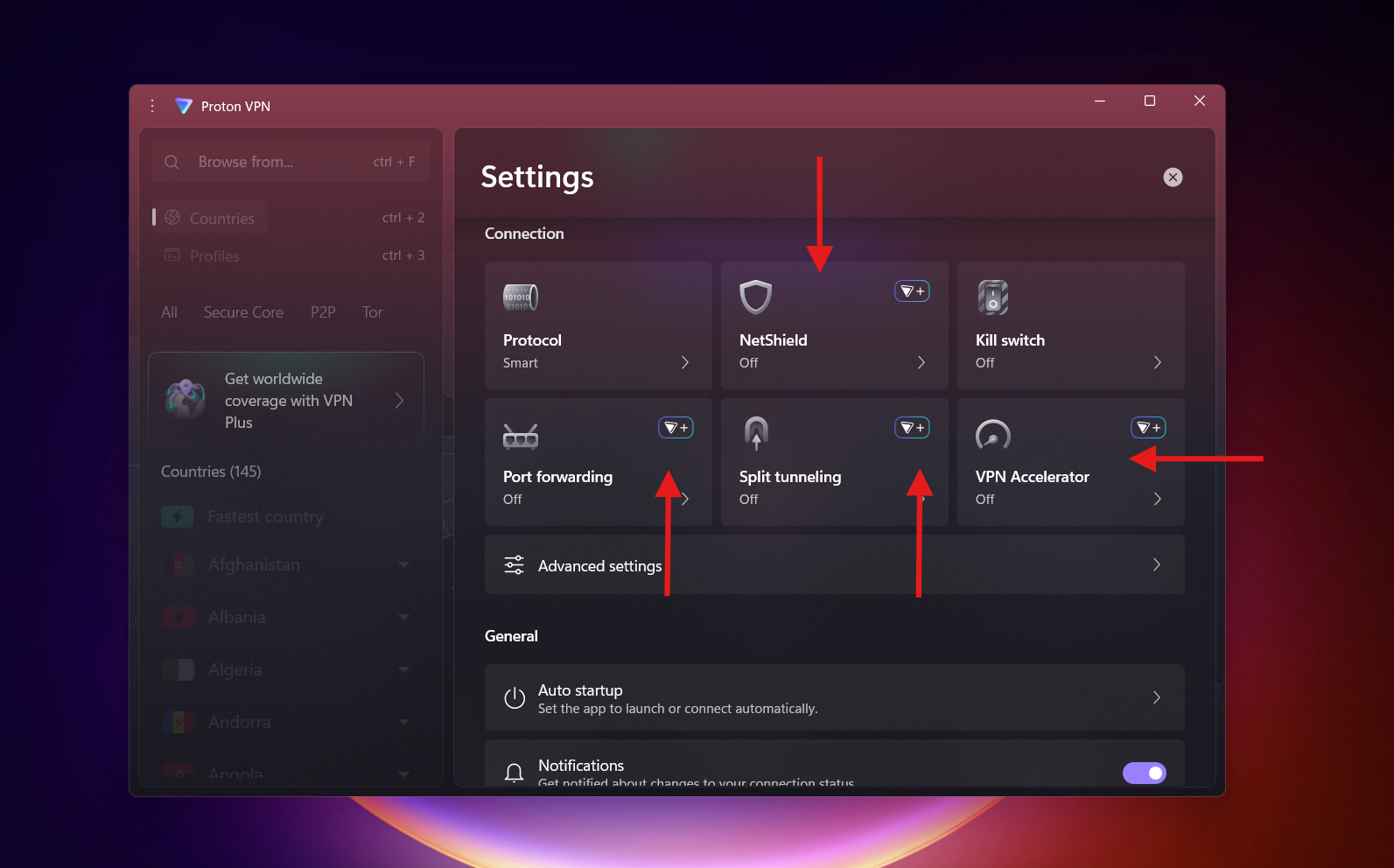
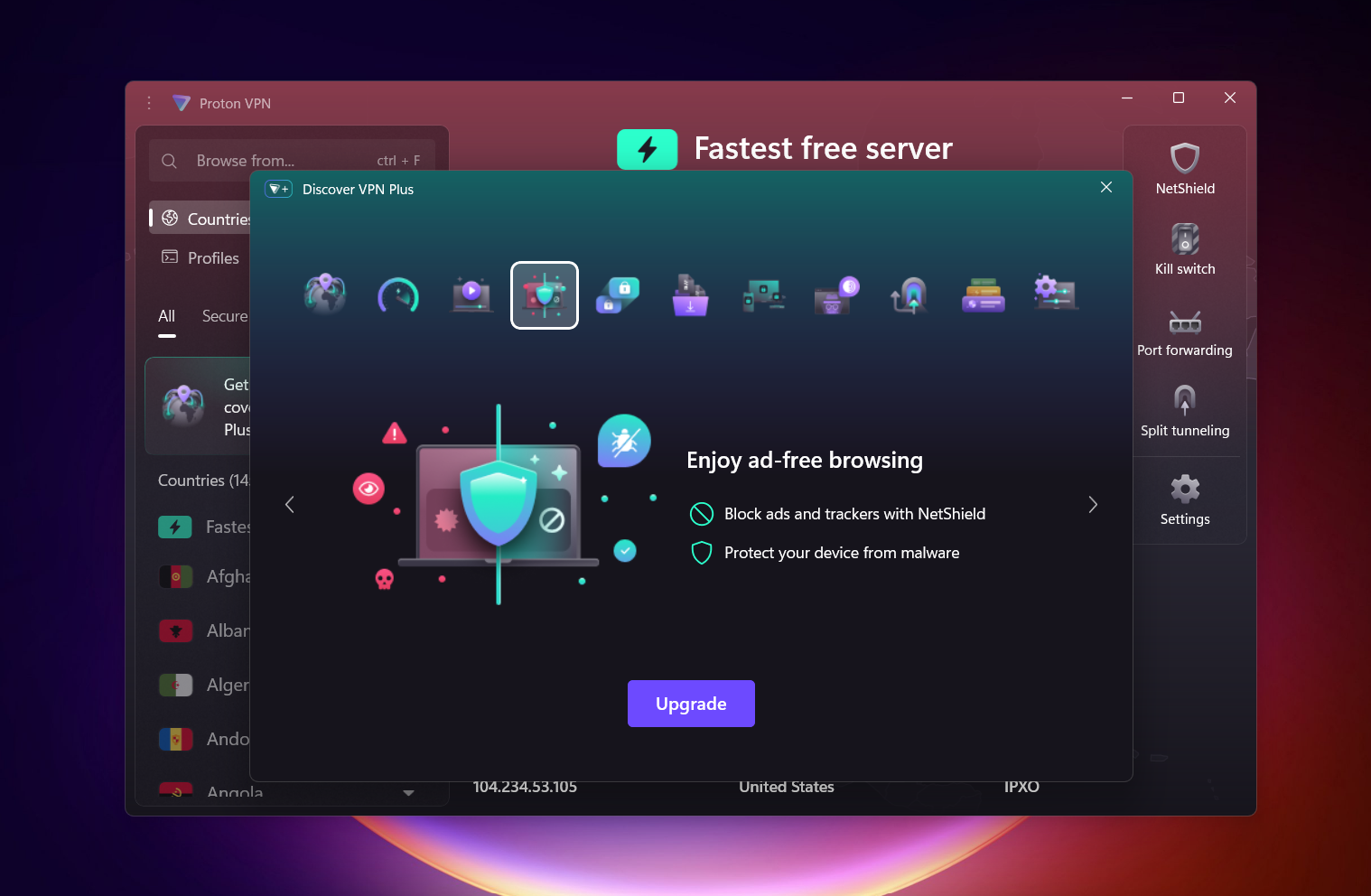
⟶ Features like NetShield, Split Tunneling, Port Forwarding locked behind paid plan – key tools for blocking ads, controlling traffic, and advanced networking aren’t available on the free version.
Performance Table Result
Getting started with Proton VPN felt pretty straightforward overall, even if the initial download was slightly on the heavier side. At around 107 MB, it wasn’t instant, but it only took about a minute - nothing that really slows you down unless your connection is struggling.
Once the installer kicked in, it didn’t just rush through blindly. It gave a few optional add-ons like Proton Mail, Proton Drive, and Proton Pass, along with the usual desktop shortcut option. It felt more like a quick customization moment than clutter, and opting in didn’t complicate anything.
After installation wrapped up, the flow moved naturally into account setup. You either log in or create a new account - I went ahead and created one, which didn’t take long. Right after that, Proton nudges you toward its paid plans, but it doesn’t lock you in. Choosing the free tier is clearly available, and once selected, you’re basically dropped straight into the main dashboard.
From start to finish, the whole process feels guided without being overbearing - you move from download to actually using the VPN in just a few clicks, without any confusing detours.
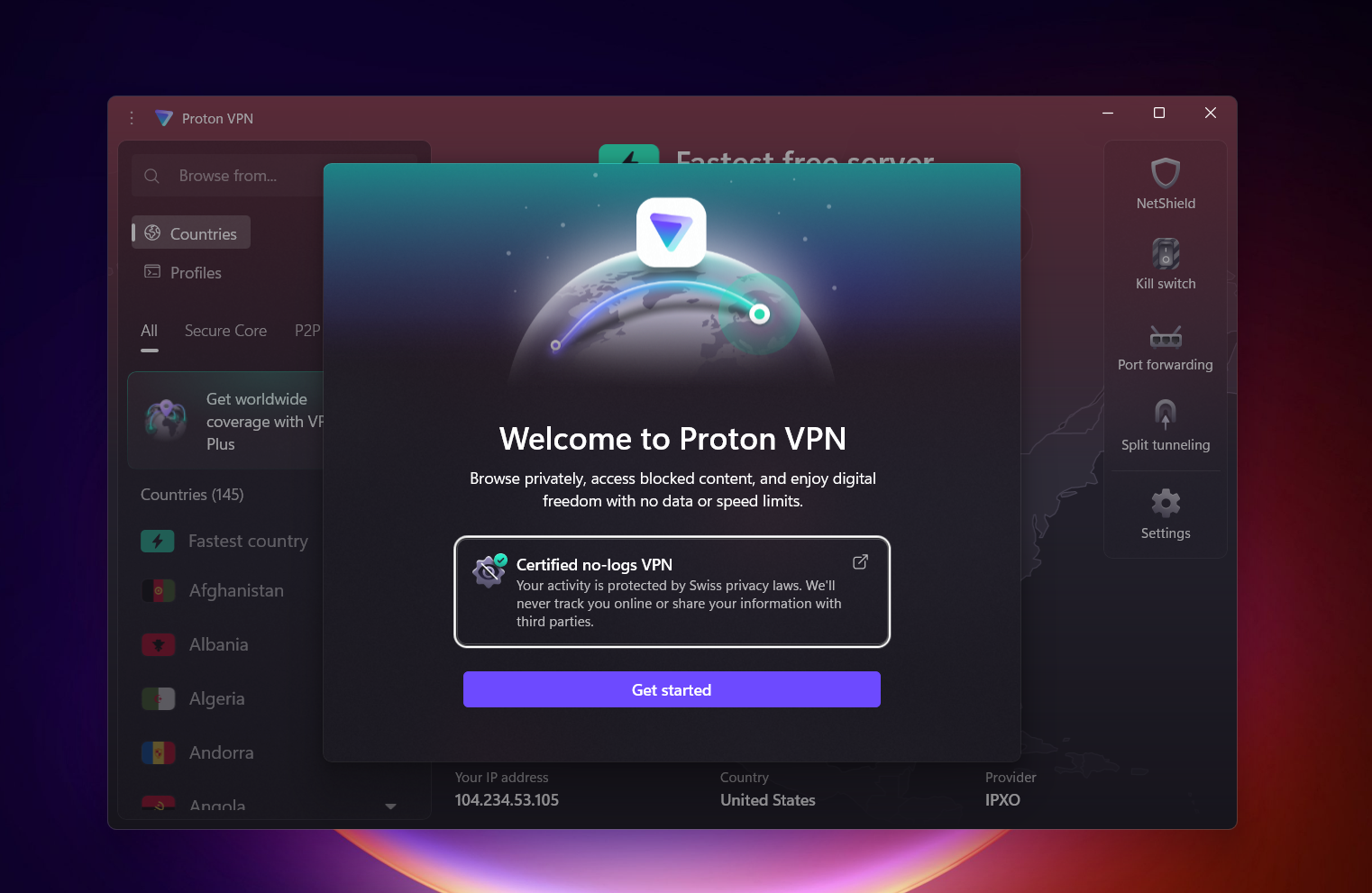
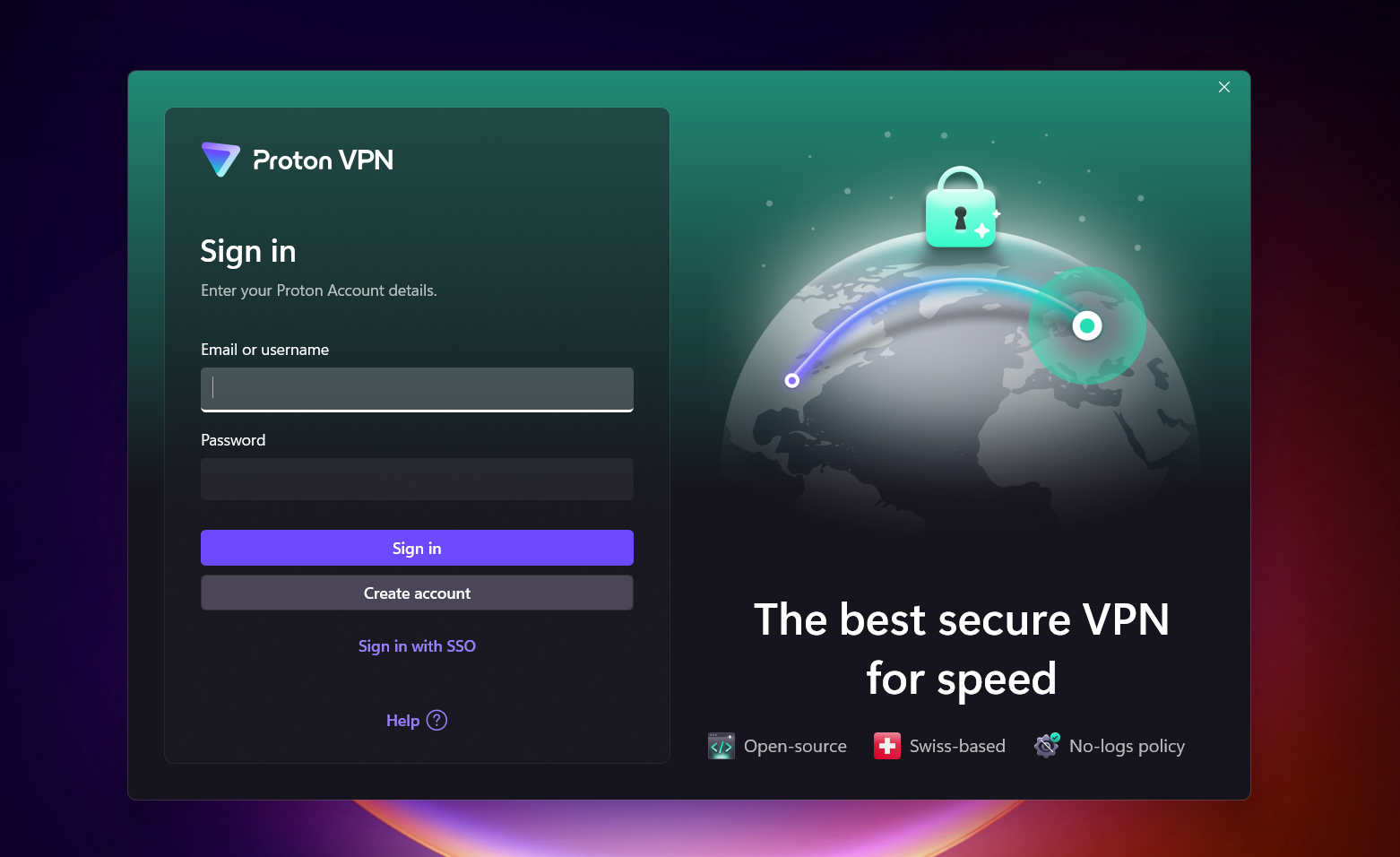
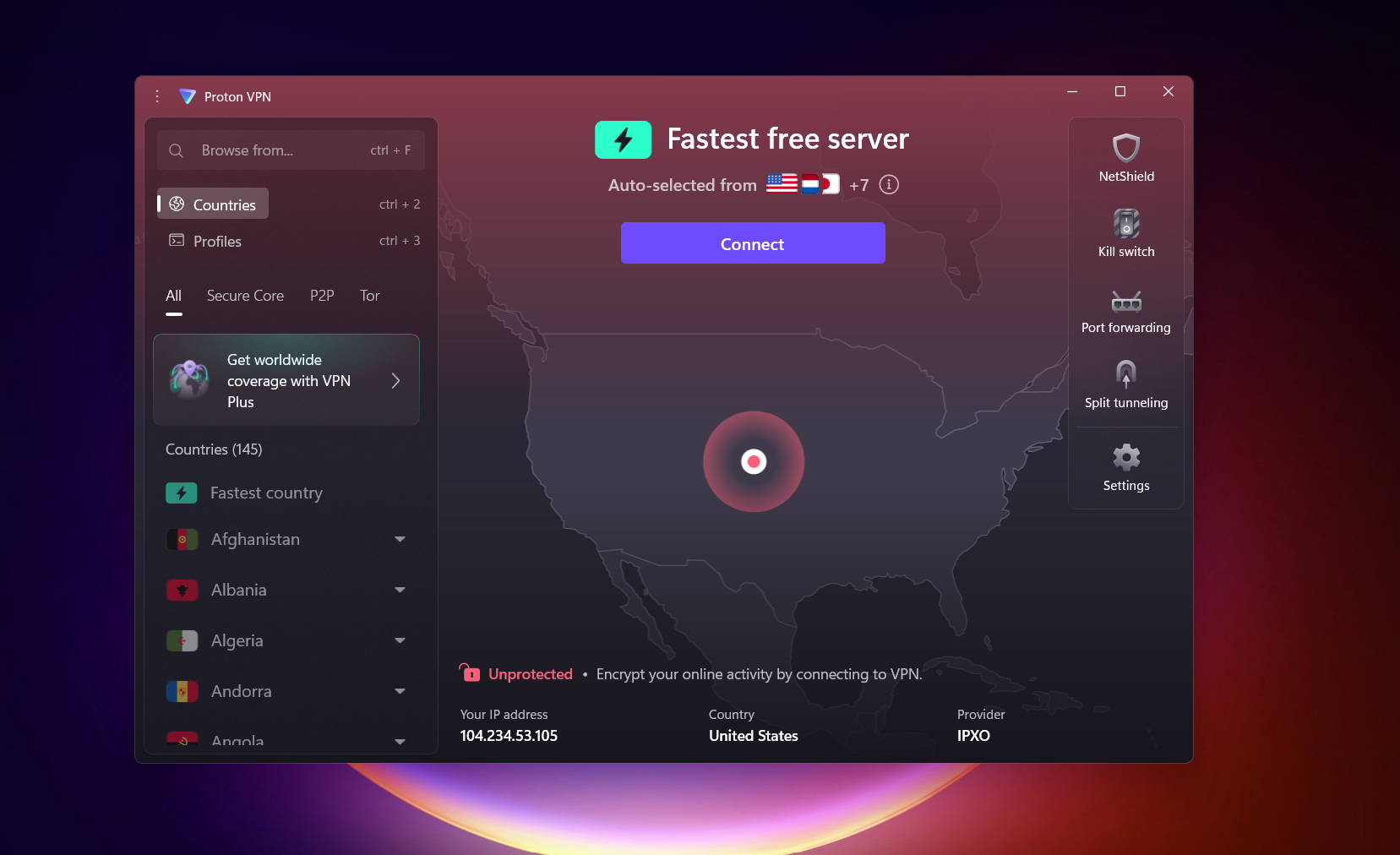
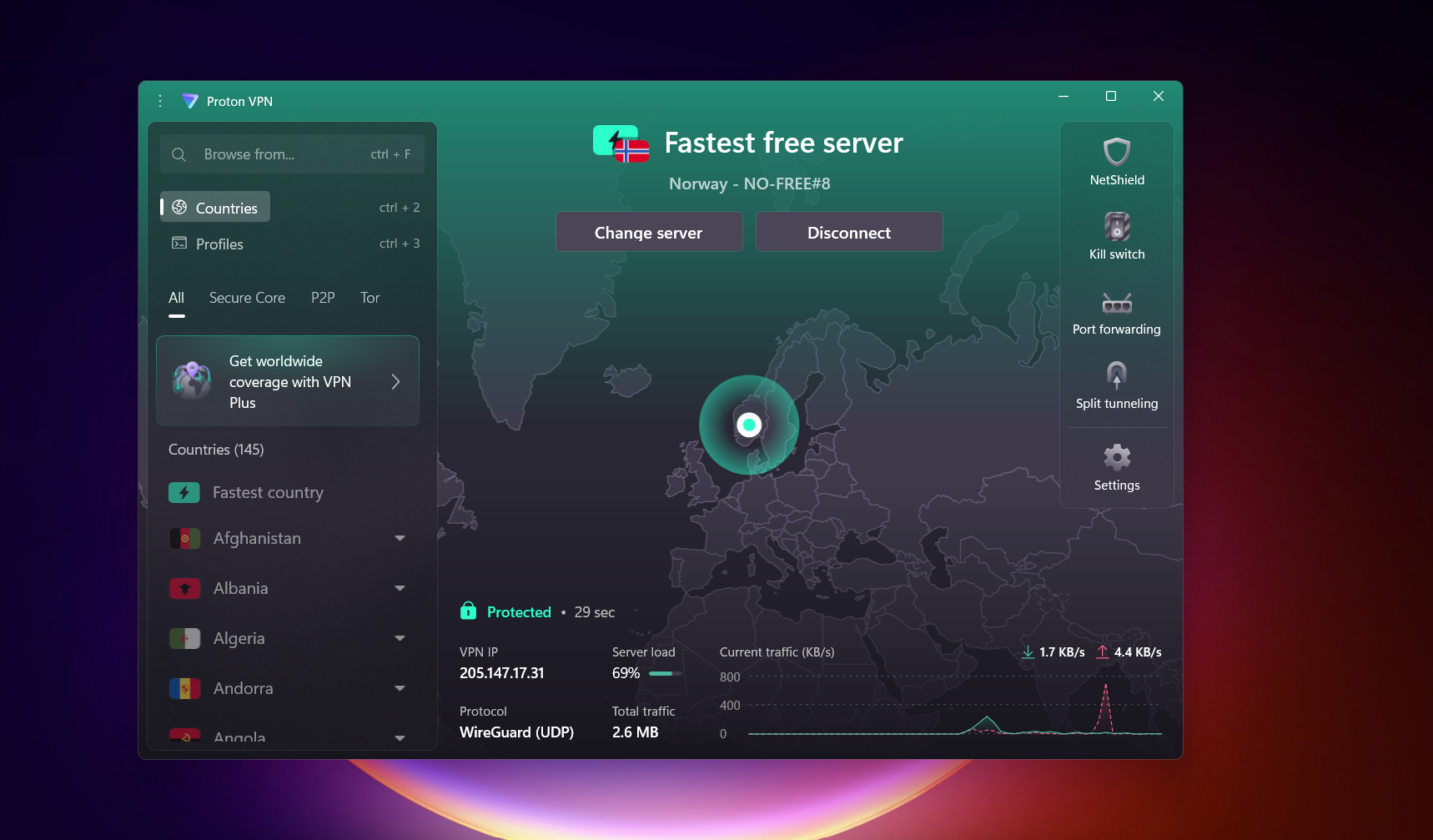
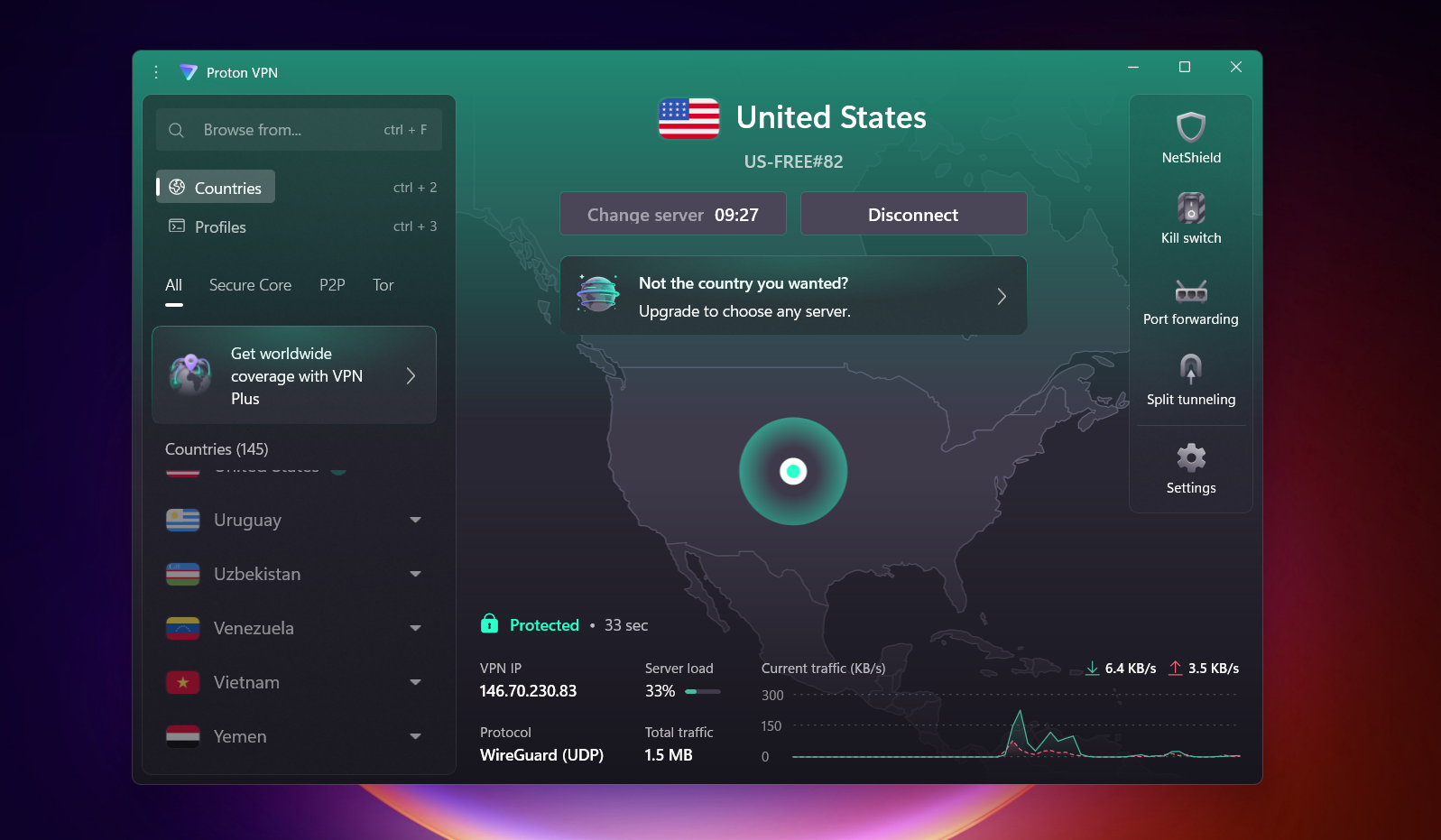
Proton VPN has a clean, modern interface that is very easy to navigate, even for first-time users. It uses an interactive map layout, although in the free version it doesn’t add much functional value and is mostly visual. The usability is greatly improved by its color-based connection system - when disconnected, the interface appears maroon, and once connected, it switches to green, making the status instantly clear. The same logic extends to the app icon as well, which shows a red open lock when disconnected and a green closed lock when connected.
Overall, it feels intuitive and visually clear, and the inclusion of a Kill Switch along with access to 10 free server locations (including some strong regions) is a definite advantage. If you wish to change server, you will have to click change server. First time, server changes within no time, but after that, when you switch 2–3 times, it starts taking around 10 minutes. However, the free version is noticeably restricted since you cannot manually choose a server and must rely on automatic fastest-server connection.
General Settings – VPN Protocols and Kill Switch
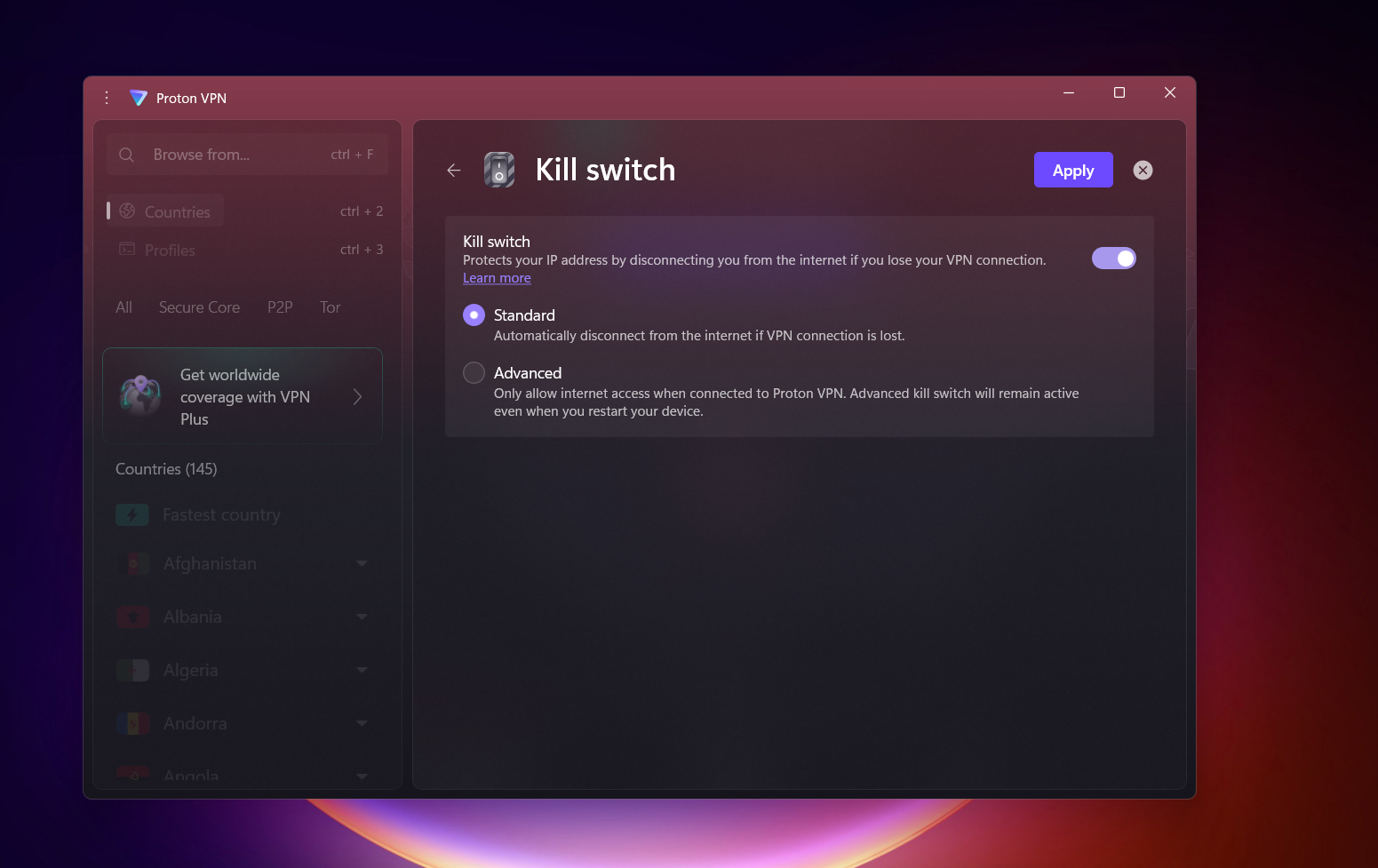
- Simple on/off toggle system for controls
- Standard mode for regular VPN usage
- Advanced mode blocks all internet access unless connected to Proton VPN
- Automatic Obfuscation activates when using Stealth Protocol
Servers Availability (Free Version): Proton VPN offers 10 free server locations. Most of its free infrastructure is concentrated in North America, Europe, and parts of Asia, giving a fairly balanced global spread for a free plan.
- Canada
- Mexico
- Japan
- Netherlands
- Norway
- Poland
- Romania
- Singapore
- Switzerland
- United States
Note: NetShield, Port Forwarding, Split Tunneling, and VPN Accelator among other features are only available on the paid version.
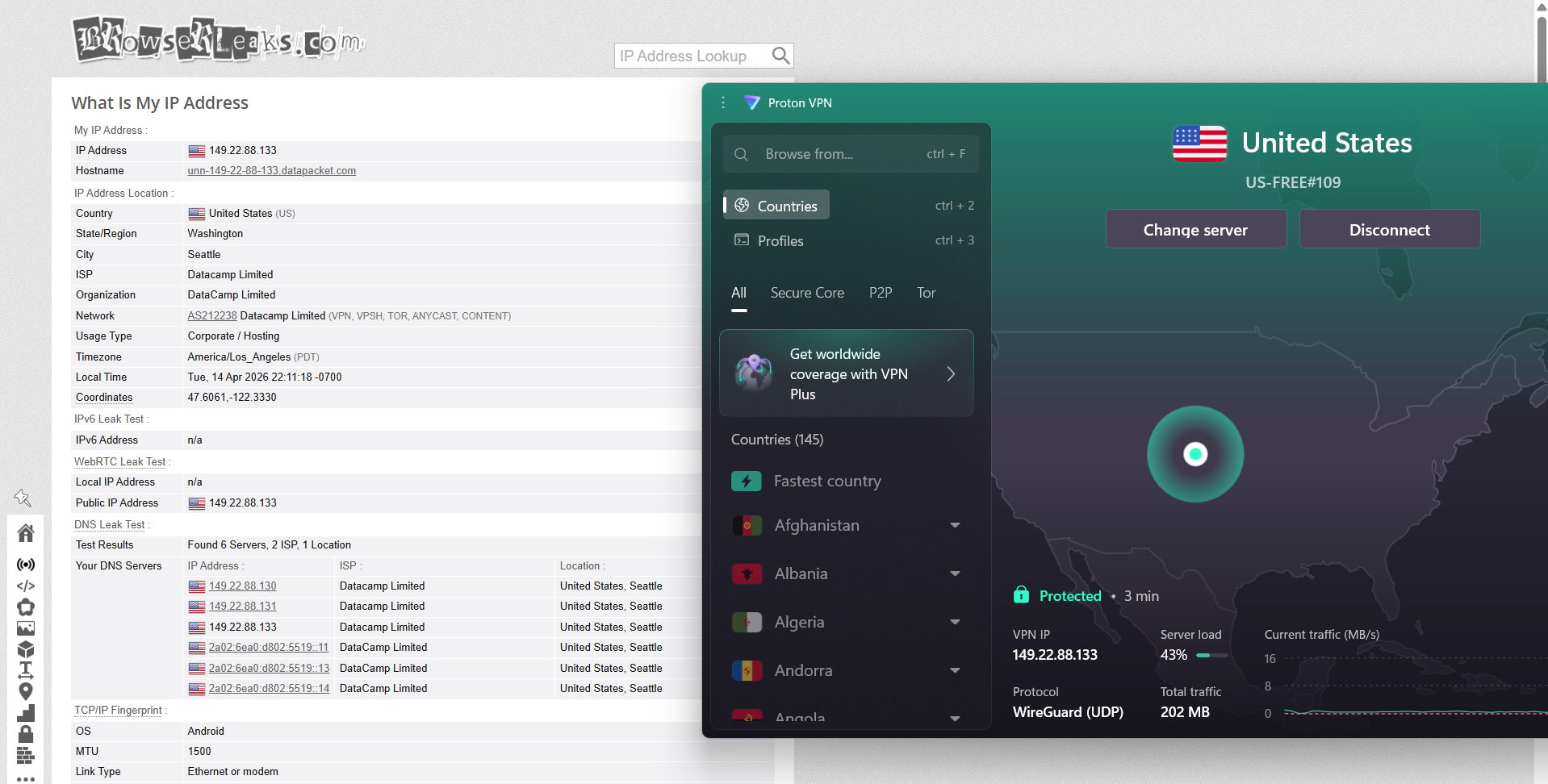
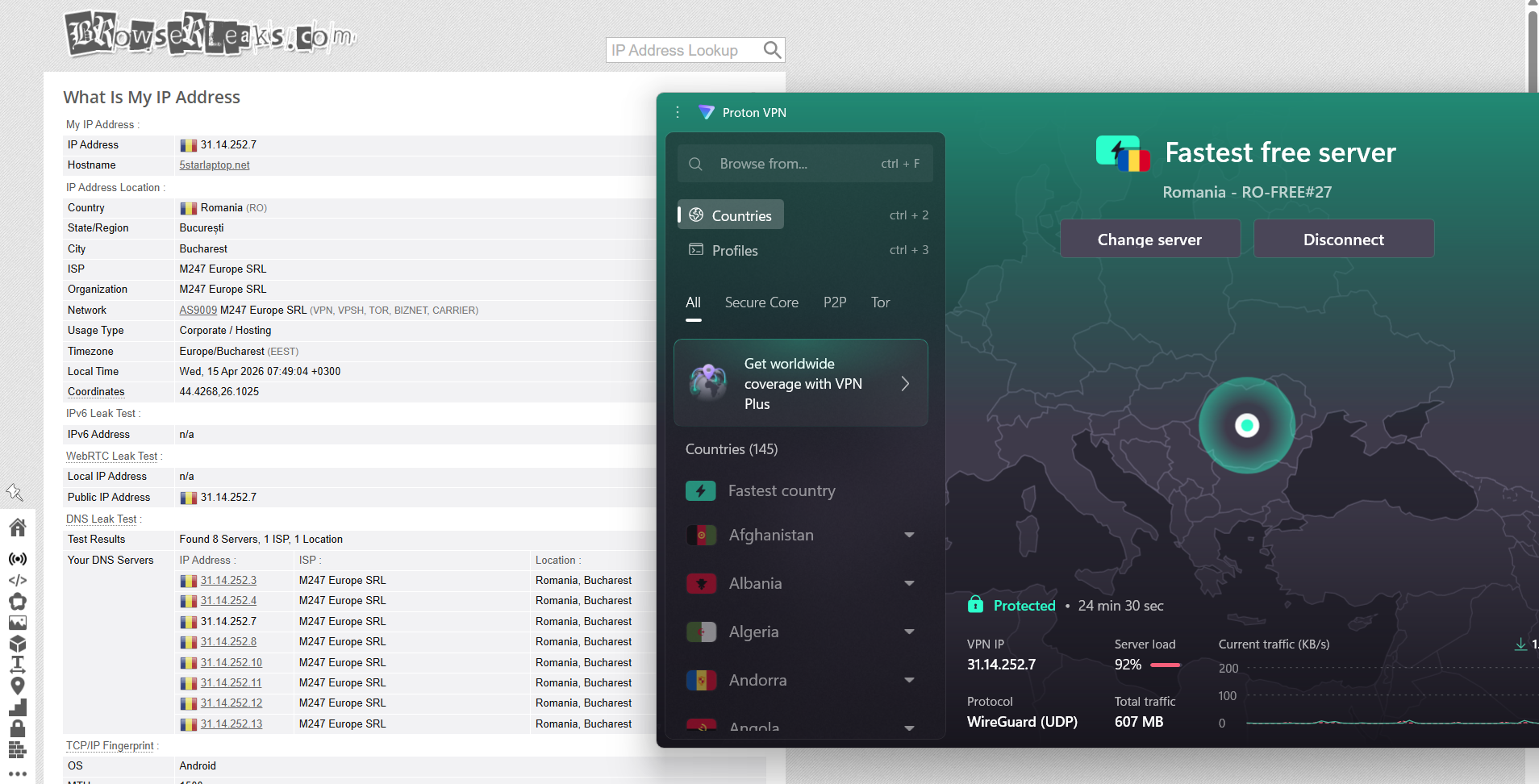
Proton VPN showed a mixed performance in speed consistency during testing from India, depending on the server it automatically connected to. The “fastest server” selection routed traffic through Romania on the first attempt and the United States on the second, and both connections delivered noticeably different results. Overall responsiveness stayed usable, but there was a clear drop in speed and stability compared to a direct local connection, especially in upload performance and latency.
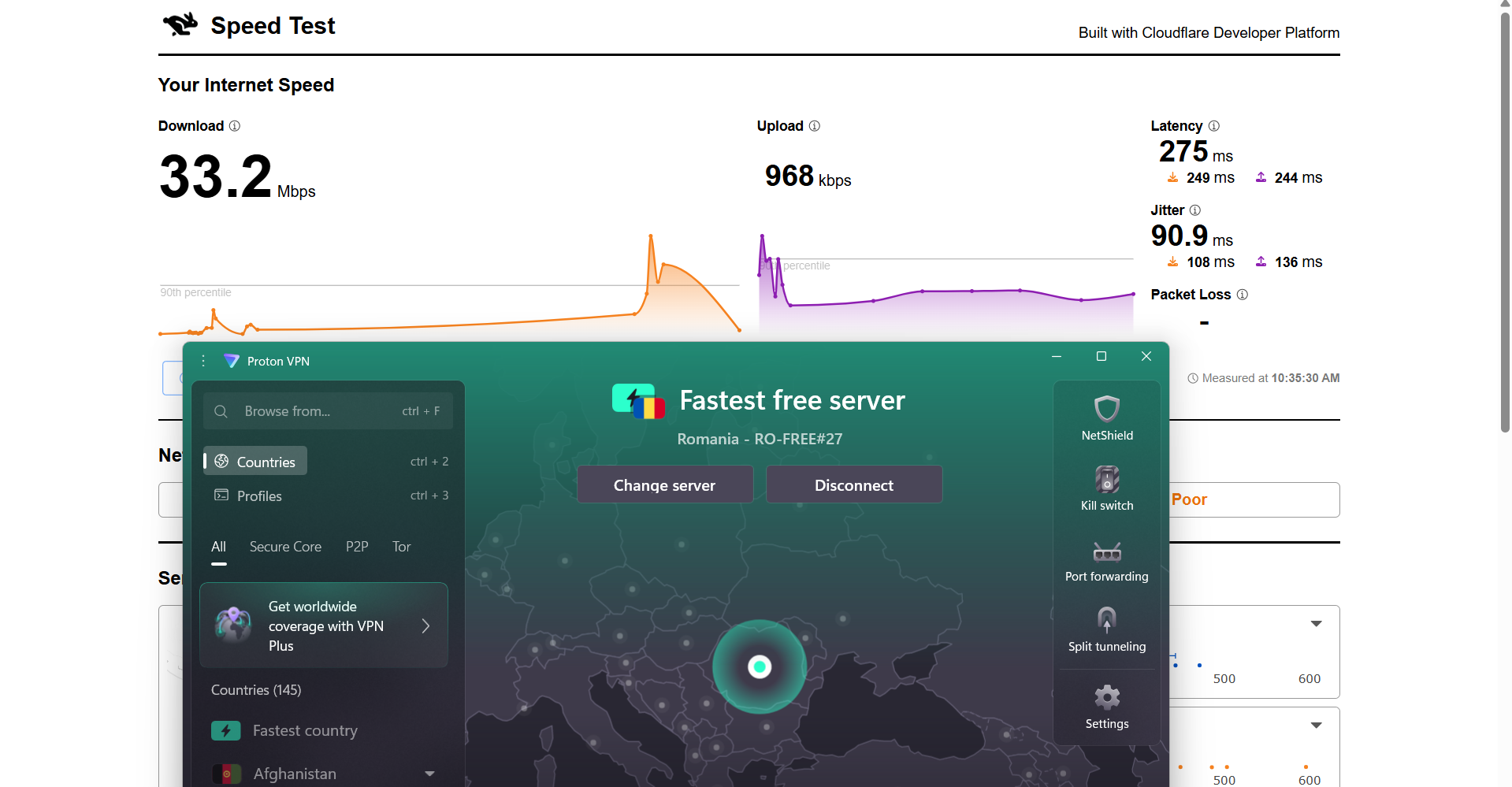
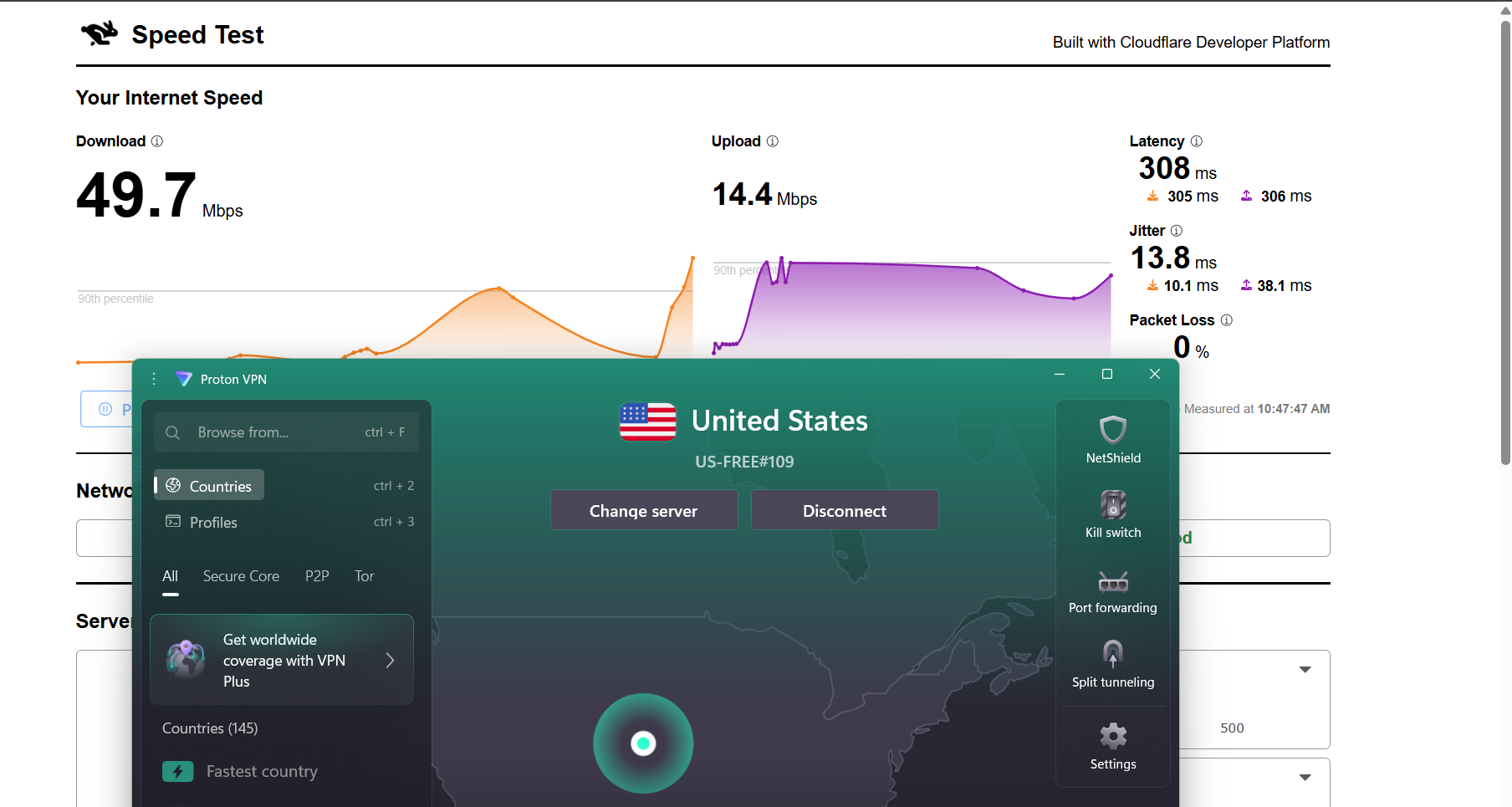
Romania Server: 83.06% drop in speed
- Download Speed: 33.2 Mbps
- Upload Speed: 968 Kbps
- Latency: 275 ms
- Jitter: 90.9 ms
US Server: 74.7% drop in speed
- Download Speed: 49.7 Mbps
- Upload Speed: 14.4 Mbps
- Latency: 308 ms
- Jitter: 13.8 ms
Proton VPN felt pretty steady during testing, with a generally smooth streaming experience across sessions. On both browsing and playback, the connection stayed consistent without random drops or interruptions getting in the way. There was a very small initial buffer when video playback started, but it settled almost immediately and didn’t affect the rest of the session. Overall, it gave the impression of a stable connection that quickly finds its rhythm once things are running.
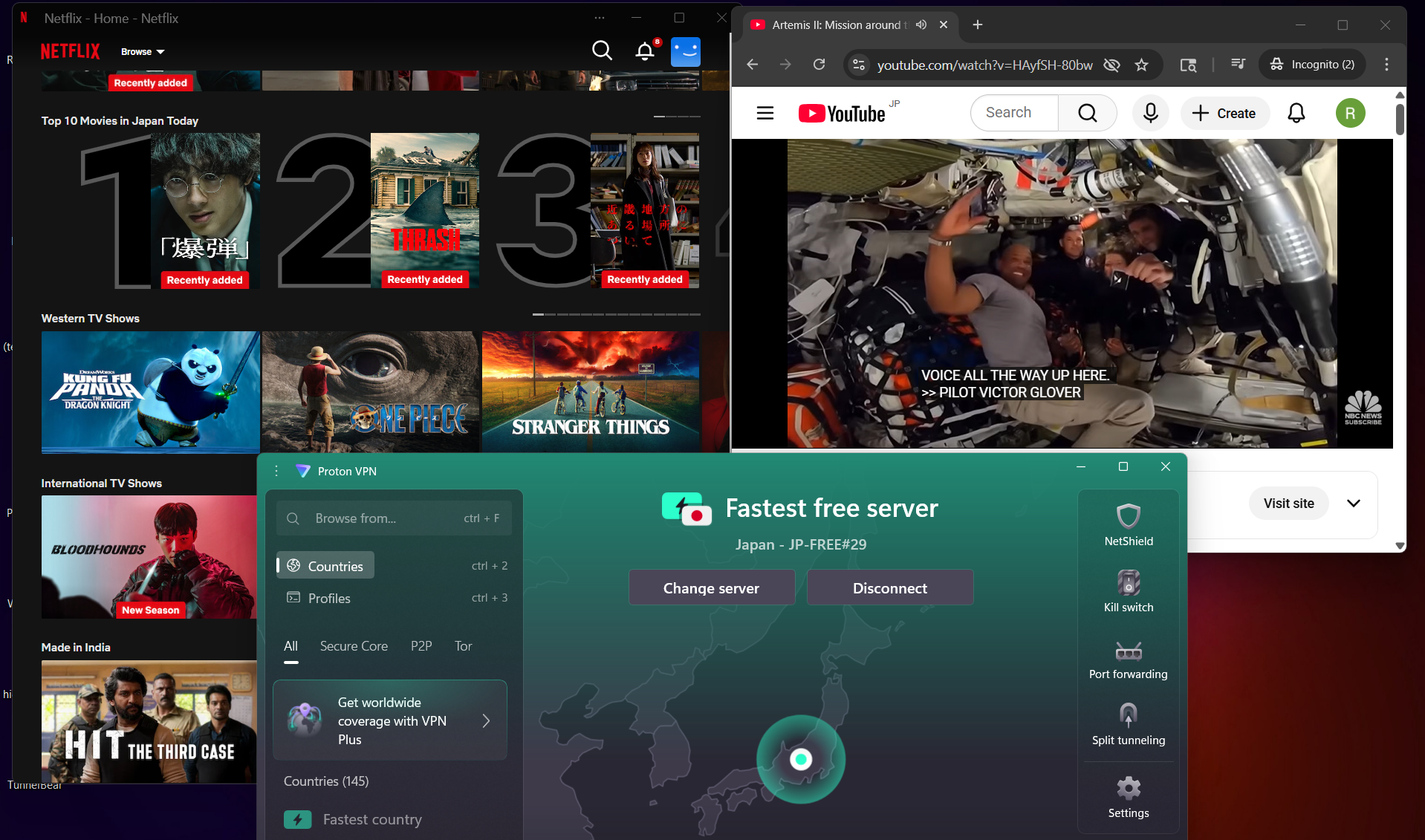
Netflix Playback: Video playback started in good quality with no playback errors or interruptions during watching. There was a brief moment of buffering right at the beginning, but it cleared quickly and didn’t come back. Once the stream settled, everything ran smoothly without lag or quality drops.
Seeking (Forward & Rewind): Skipping forward in the video didn’t cause any major issues - there was a short pause of around 2–3 seconds, after which playback resumed normally. Rewinding behaved in a similar way, with a brief buffer of a few seconds before continuing smoothly, without any glitches or playback failures.
YouTube Performance: On YouTube, videos loaded almost instantly without access issues. Playback initially started at around 360p, but the quality gradually improved and reached 1080p within 2–3 minutes. After that adjustment period, streaming remained stable and smooth for the rest of the session.
For Proton VPN, testing on both Romania and United States servers showed a solid level of reliability when it comes to privacy protection. There were no leaks detected during the tests - IP, WebRTC, and DNS all remained fully protected throughout the session. Even while switching between servers and maintaining the connection for a while, everything stayed consistent with no unexpected exposure, which makes it dependable from a security standpoint.
PROS
- Clean and modern interface with clear color-based connection status
- Easy setup process with guided flow and optional integrations like Proton Mail, Proton Drive, and Proton Pass
- Built-in Kill Switch with advanced mode for full traffic blocking
- Unlimited Data Bandwidth for all sorts of tasks
- Strong privacy performance with no IP, DNS, or WebRTC leaks detected
- Access to 10 free server locations including US, Japan, and Netherlands
- Stable streaming performance with smooth Netflix and YouTube playback
- Fast initial server connection with minimal buffering during playback
CONS
- No manual server selection in the free version (auto-connect only)
- Server switching slows down significantly after 2–3 attempts
- Speed drops are quite high, especially on distant servers
- Interactive map is mostly visual and not very useful in the free version
👉 See full Proton VPN review →
2. Windscribe – 🥈 Runner-Up with Stable Performance
Jumping into Windscribe feels almost effortless, especially compared to bulkier VPN apps. The setup is quick, there’s no forced sign-up at the start, and you’re basically inside the app within seconds, ready to connect. That instant access makes a strong first impression. Once you start exploring, though, it becomes clear that the interface is quite feature-heavy. It’s not confusing, but it does feel more like a control panel than a simple VPN, with plenty of customization options that take a bit of time to fully get comfortable with.
On the performance side, it does a solid job where it matters most. Streaming, in particular, is a strong point. Netflix starts almost immediately in good quality, and YouTube ramps up to 1080p fairly quickly without any drops afterward. The connection itself feels stable, and from a privacy standpoint, it holds up well with no IP, DNS, or WebRTC leaks during testing. Features like R.O.B.E.R.T for blocking and flexible split tunneling add a lot of practical value, especially if you like tweaking how your VPN behaves.
That said, it’s not completely consistent across the board. Speed performance varies quite a bit depending on the server, with noticeable drops and fluctuations in latency and jitter. The interface, while powerful, can feel slightly overwhelming at first due to the number of options packed into it. On top of that, the free plan comes with a data limit (10 GB on Standard and 2 GB on Hashed sccount), which can feel restrictive if you’re using it regularly. So while it’s feature-rich and capable, it does require a bit of adjustment and comes with some trade-offs in consistency.
Limitations (Free Version)
⟶ 10 GB monthly data cap (if verified) – you get a higher usage limit, but it still runs out quickly with regular browsing or streaming.
⟶ 2 GB monthly cap if not verified – without verifying your account, the data limit is extremely low and only enough for very light use.
⟶ Interface can feel dense initially due to high customization – the number of settings and options can make it feel a bit overwhelming at first.
Performance Table Result
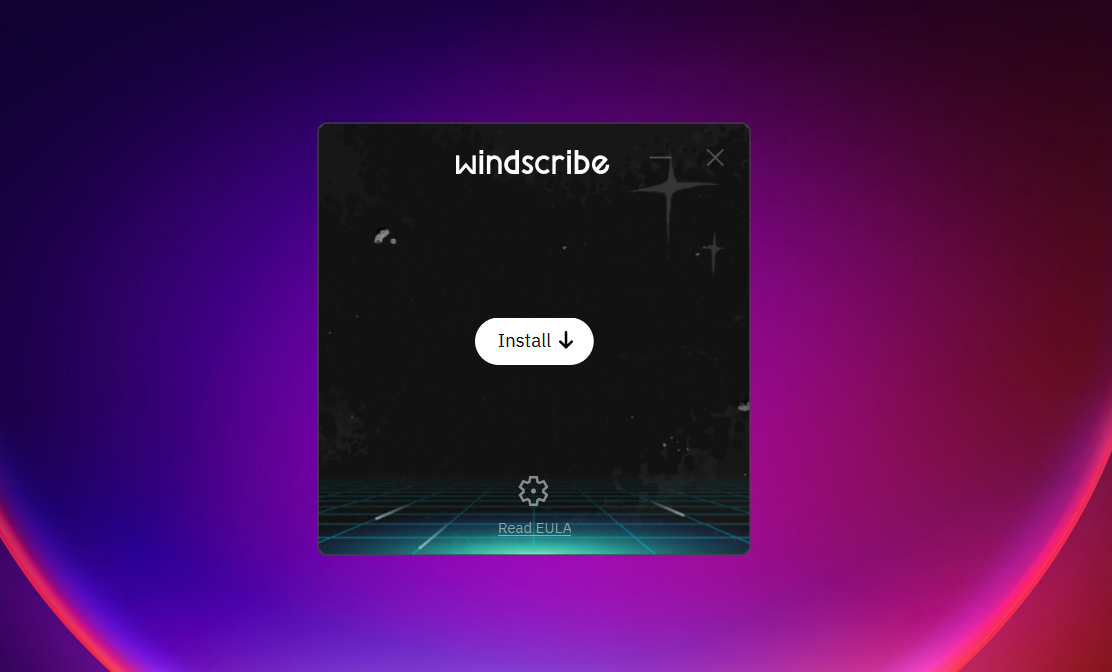
Getting up and running with Windscribe feels almost instant, especially compared to heavier apps. The download is lightweight (~38.1 MB), and the installation is quick without extra prompts or bundled steps - it’s very much an install-and-go experience.
Right from the start, the process feels hands-off. You’re not forced to sign up immediately, and the app opens straight into a usable interface. On the login screen, you’ll notice a few useful shortcuts: an emergency connect option for restrictive networks, quick access to settings, and an option for external configuration (OpenVPN/WireGuard) without an account.
If you do choose to log in, there are two paths. A standard account requires basic details and gives you 10 GB/month, while a hashed (unverified) account can be generated instantly - no email required - but is limited to 2 GB/month and can’t be recovered later. You can generate one with a single click and jump straight in.
Once inside, the home screen is clean and straightforward, with a prominent connect button and quick server access. It also shows usage limits clearly without feeling intrusive. Overall, the experience feels less like a setup process and more like flipping a switch and getting started immediately.
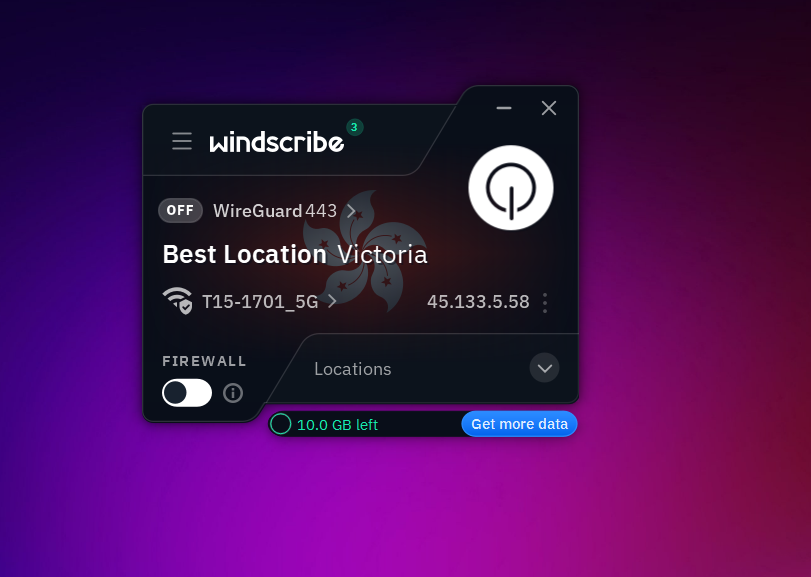
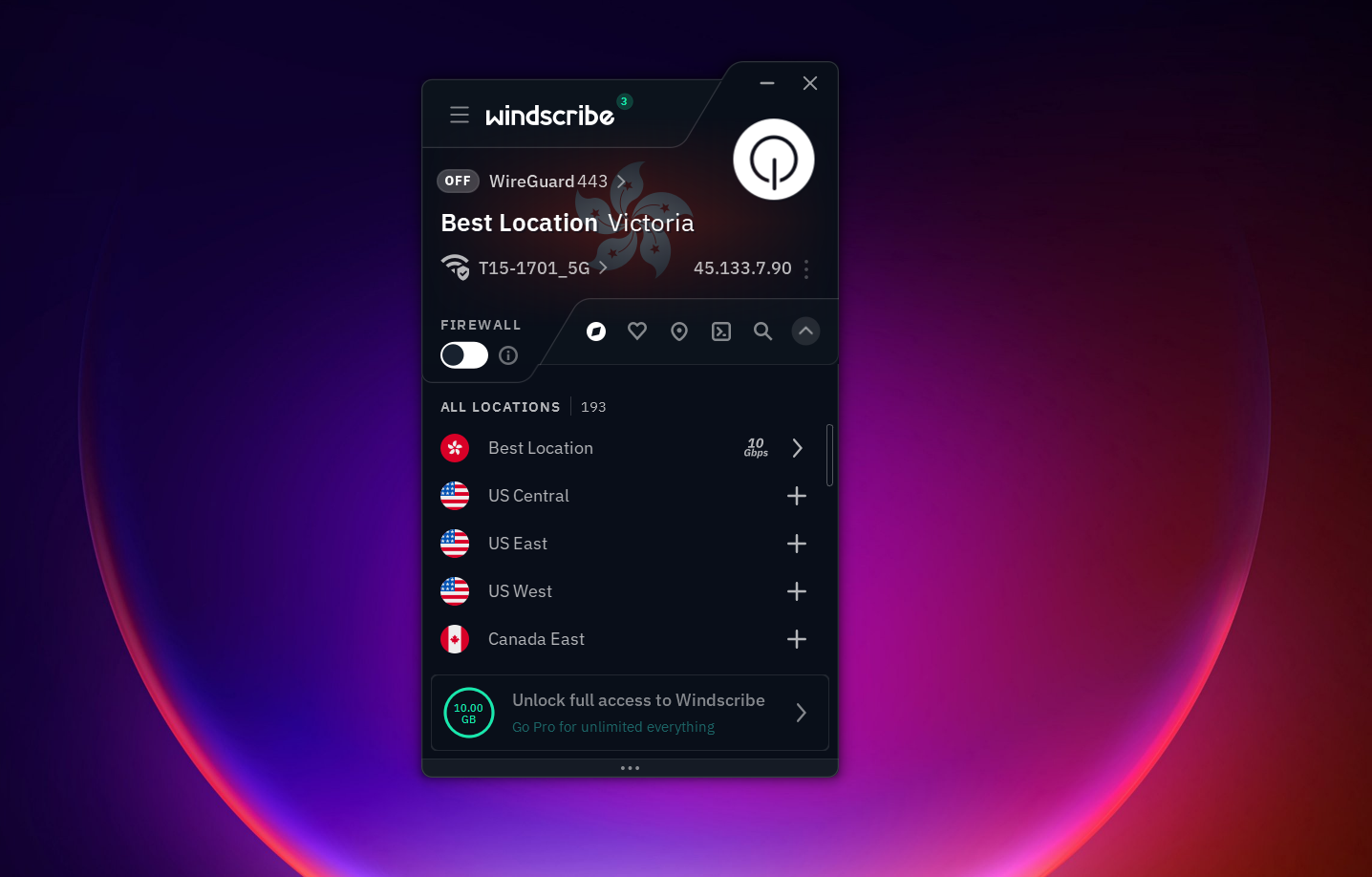
Windscribe has a very feature-packed interface that feels more like a control center than a simple VPN app. Despite having a lot going on, the layout is still fairly structured, so once you get used to it, everything starts to feel accessible rather than overwhelming. It leans heavily into customization, letting you shape how the app behaves in the background, from startup preferences to how locations are displayed. What stands out is how much control it gives over both connection behaviour and filtering, especially through its built-in blocking system and advanced privacy tools. The overall experience feels powerful but slightly dense at first, rewarding once you start exploring deeper settings.
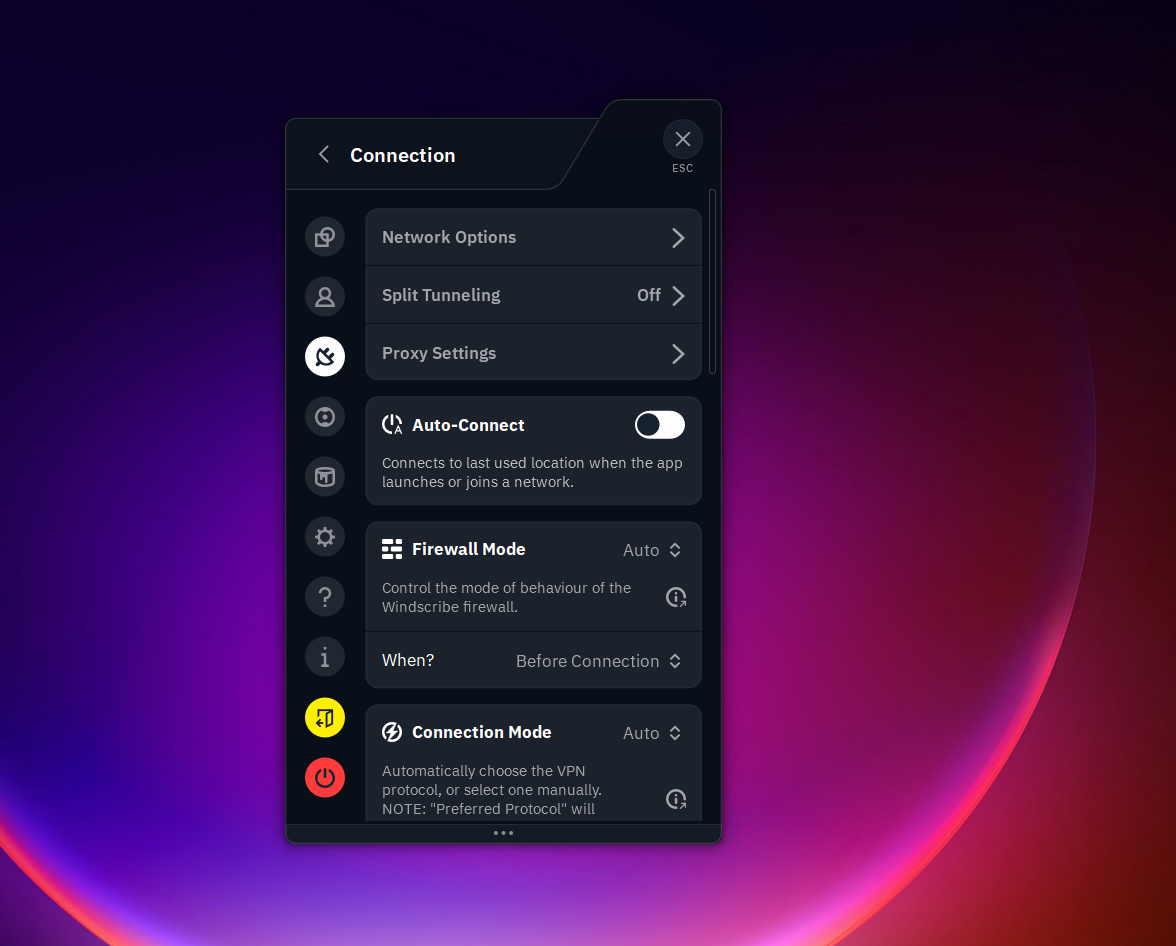
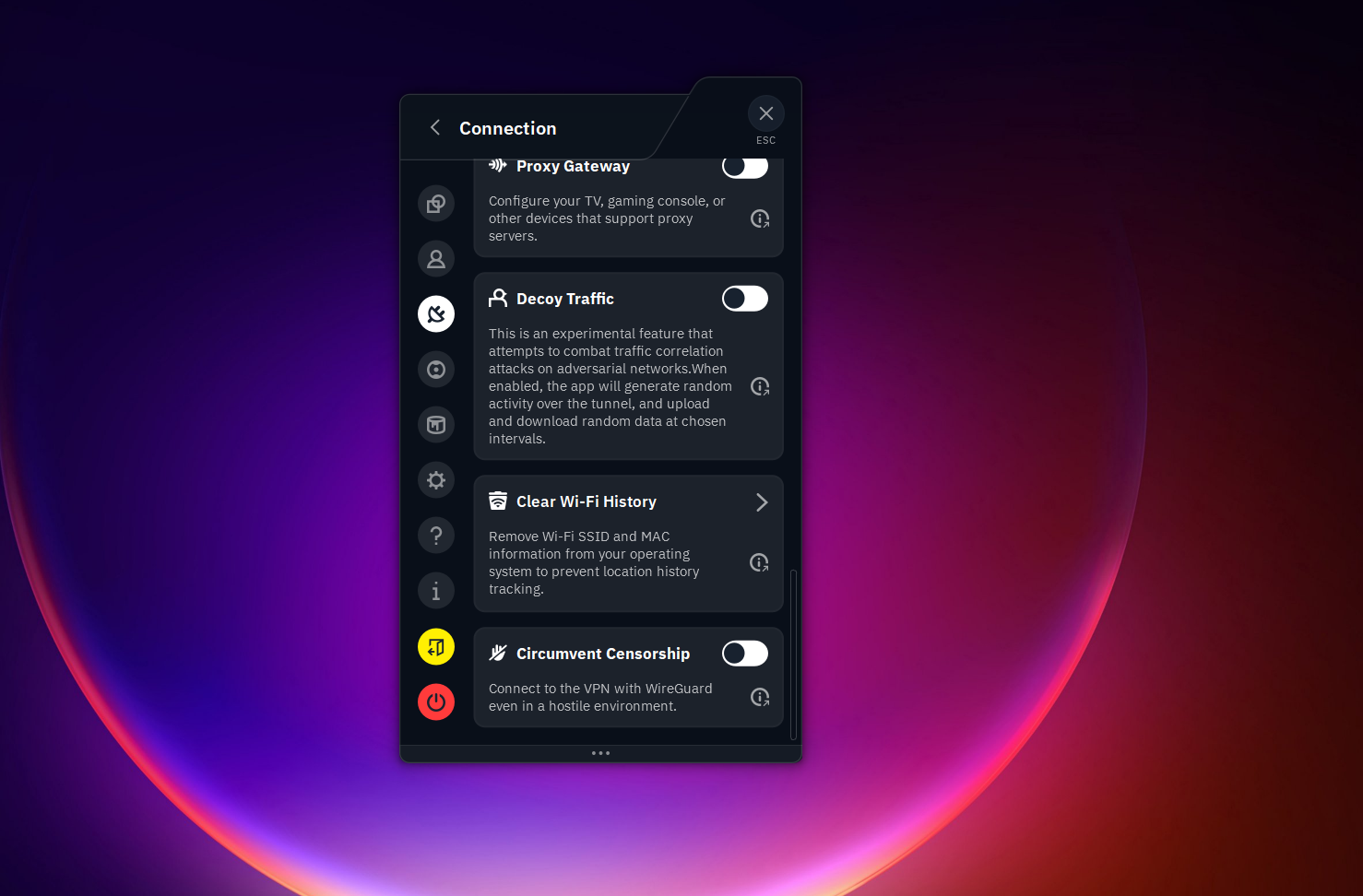
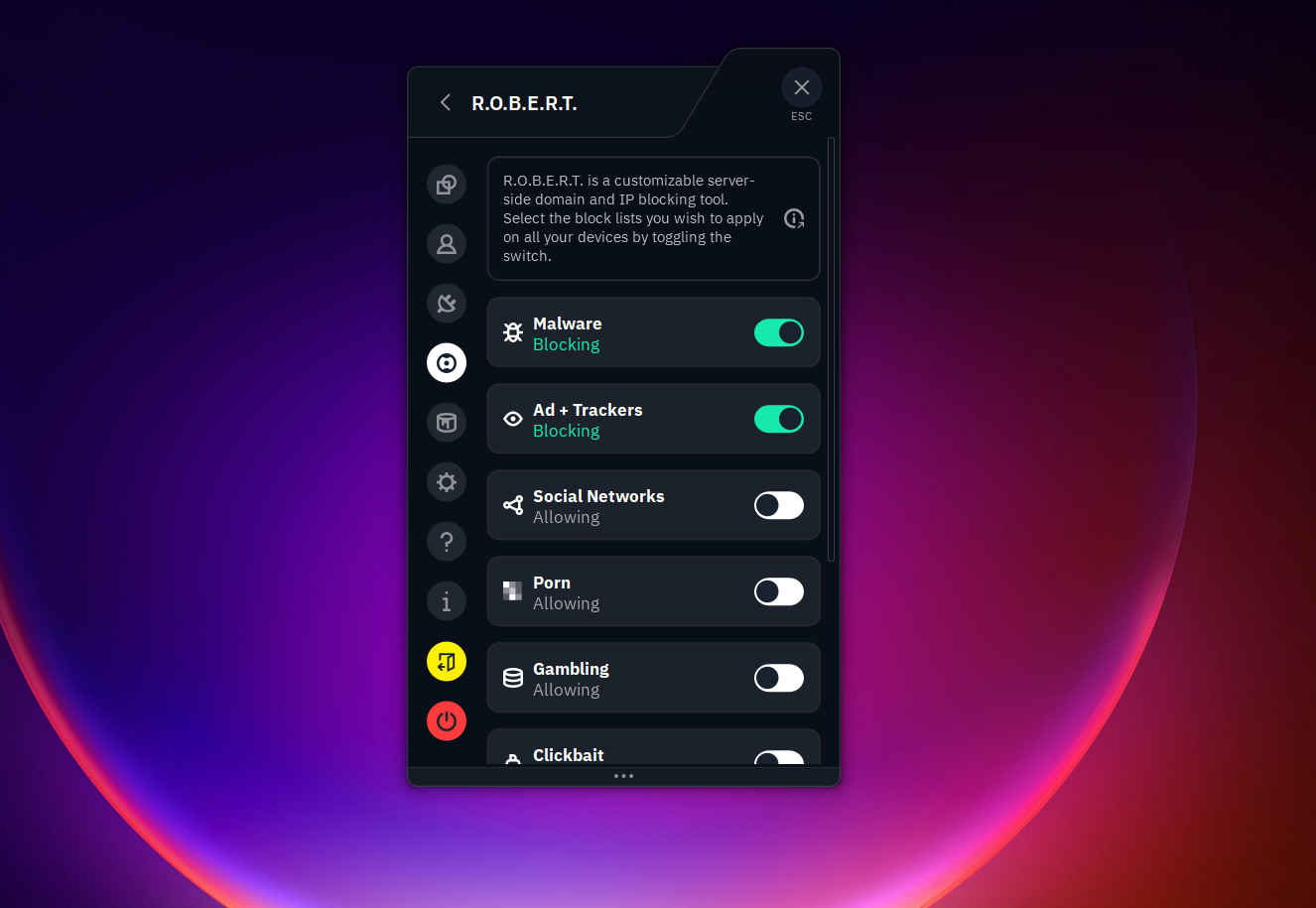
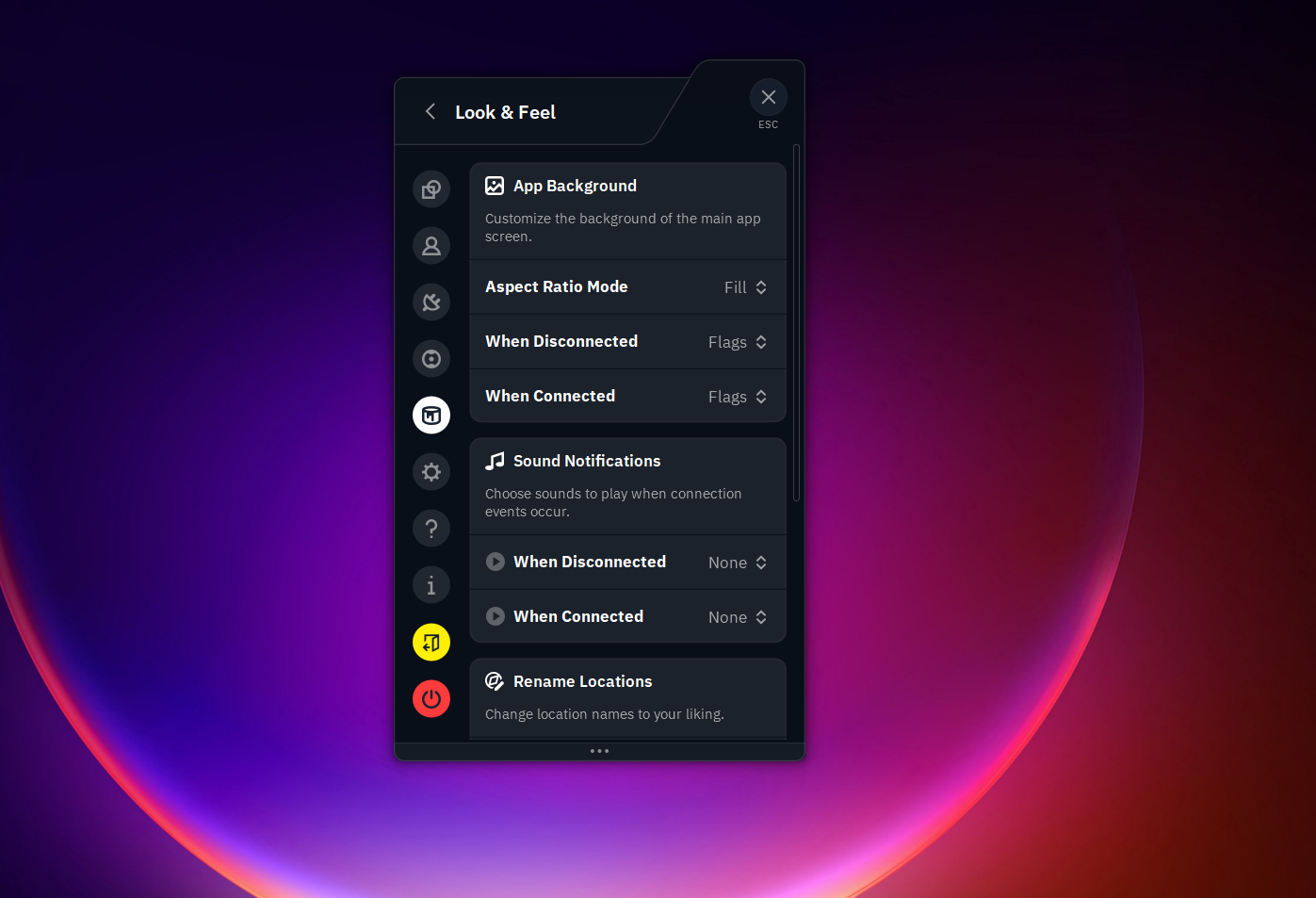
General
- Launch on startup
- Start minimized
- Close to the system tray
- Docked mode
- Allow location load
- Location sorting (geography, latency, or alphabetical order)
Special Features / Connections
- Allow LAN traffic
- Circumvent censorship mode
- Clear Wi-Fi history
- Decoy traffic
- Secure hotspot mode
Split Tunneling
- Apps-based routing control
- IPs and hostnames-based exclusions/inclusions
R.O.B.E.R.T (Blocking System)
- Malware blocking
- Ads and tracker blocking
- Social media filtering
- Porn blocking
- Gambling restriction
- Clickbait filtering
- Blocking other VPN services
- Crypto-related site filtering
Servers Availability: Windscribe offers 10 free server locations, with most servers concentrated in Europe and North America, and a smaller presence in Asia via Hong Kong. This gives it a fairly balanced but Western-heavy distribution overall.
- Canada
- United States
- France
- Germany
- Netherlands
- Norway
- Romania
- Switzerland
- United Kingdom
- Hong Kong
Look and Feel
- Sound customization options
- Interface appearance settings
- App skin/theme variations
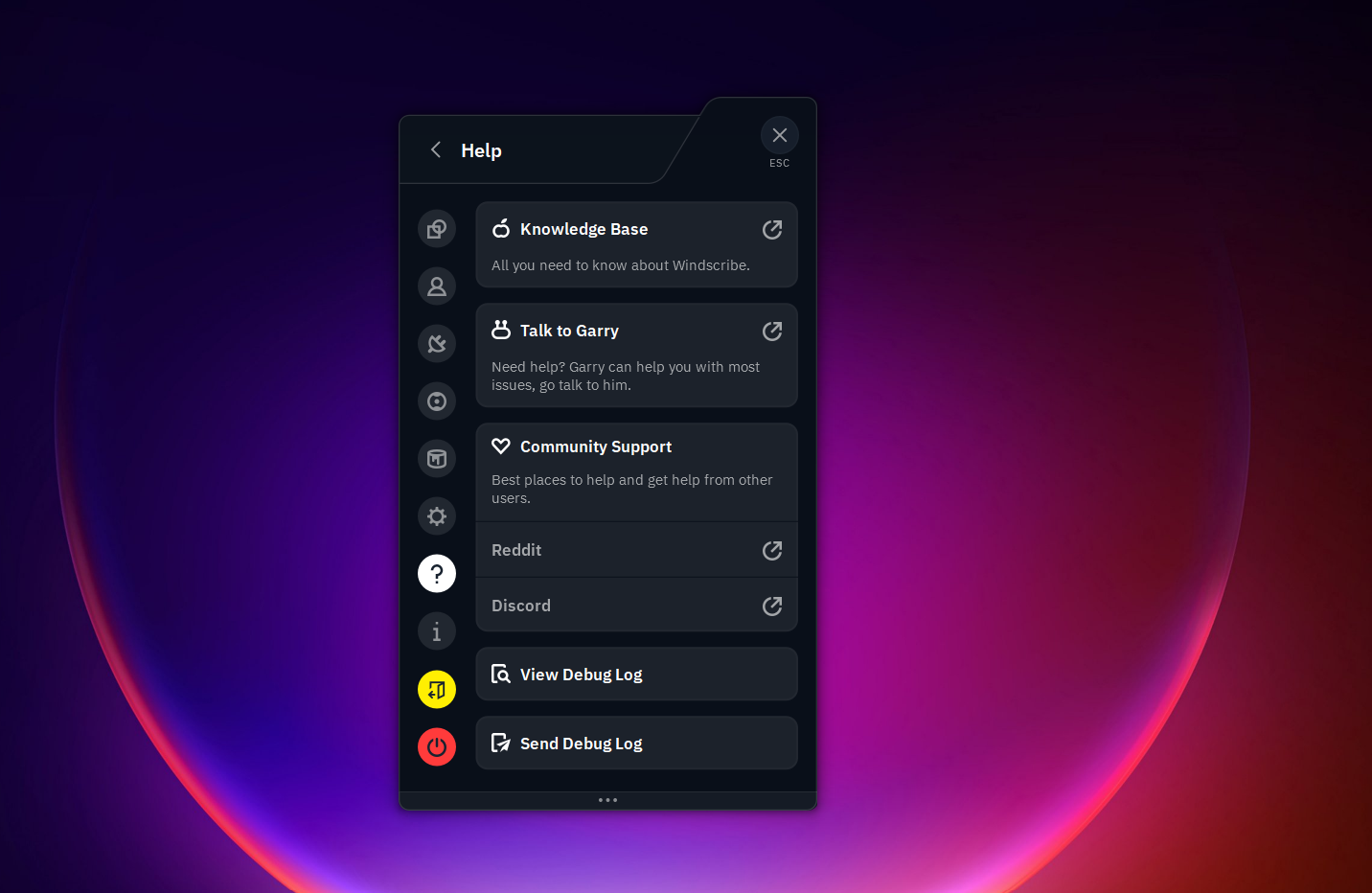
Help and Support
- Knowledge Base
- “Talk to Garry” live chat support
- Community-driven support system
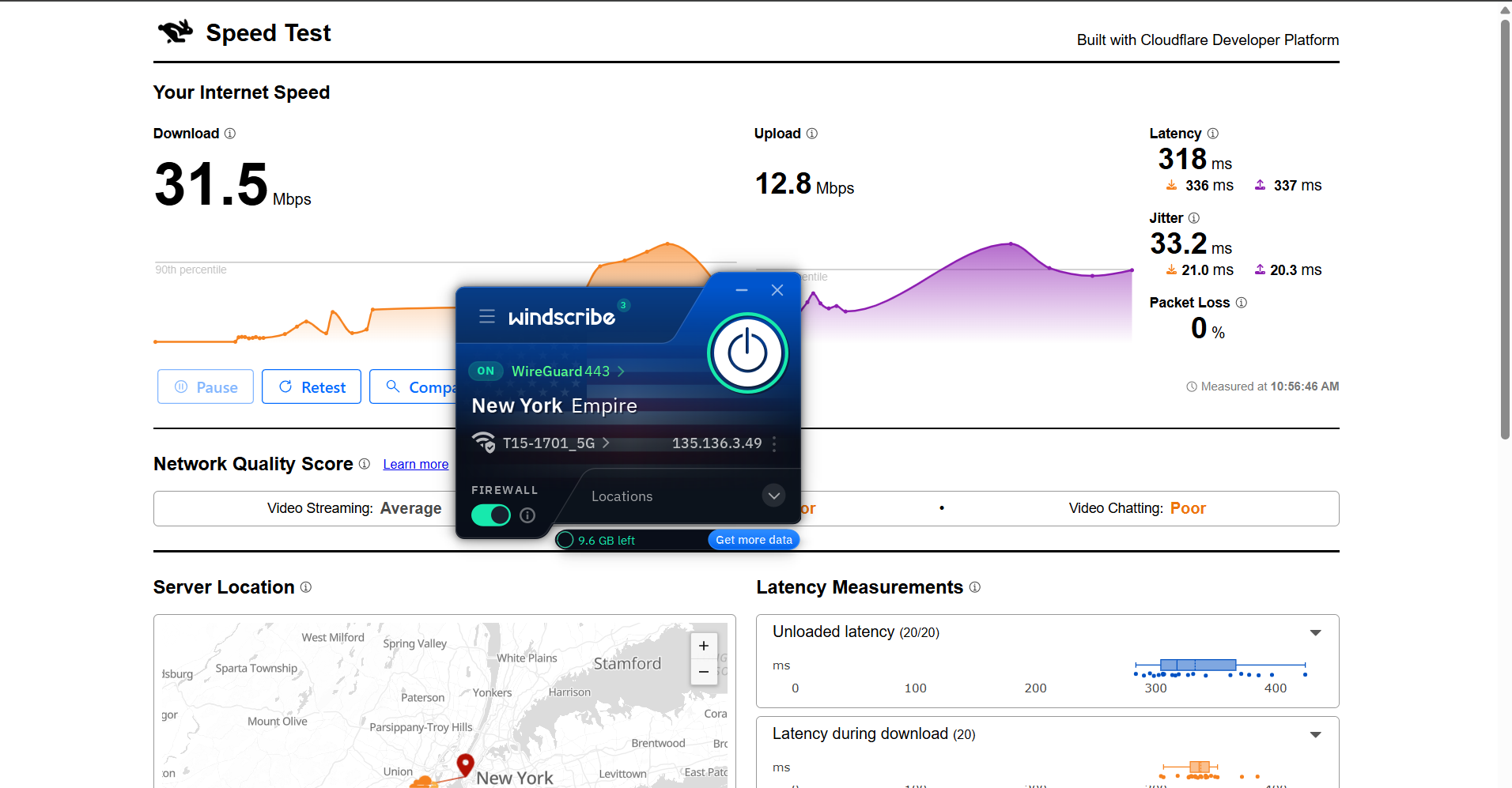
Windscribe showed a fairly uneven speed performance during testing from India, depending on the server selected. The connection felt usable overall, but there was a clear difference in stability between locations, with one server performing noticeably better in terms of consistency. While download speeds stayed reasonable in both cases, latency and jitter fluctuations made the experience feel less stable, especially on the higher-latency route.
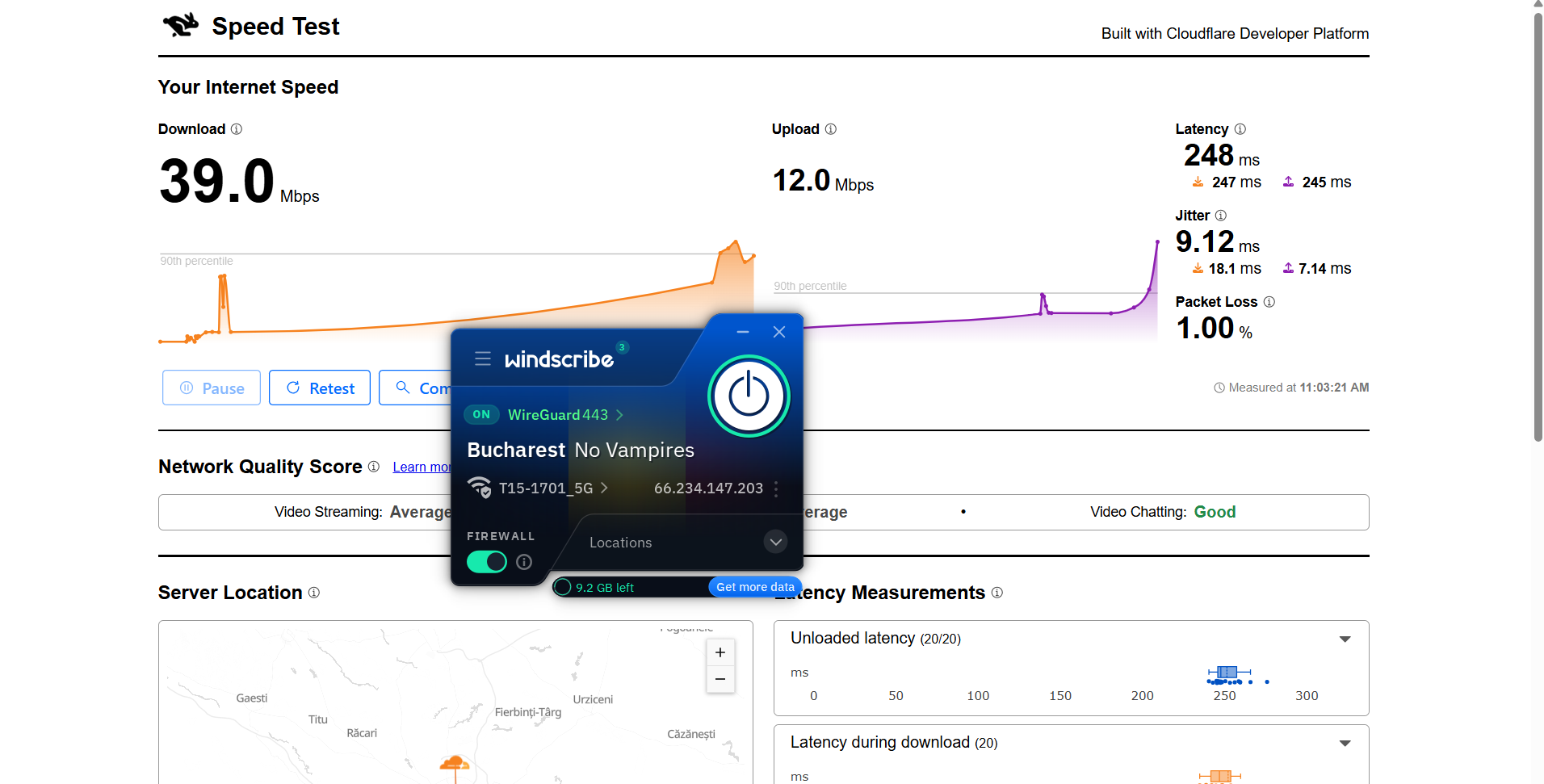
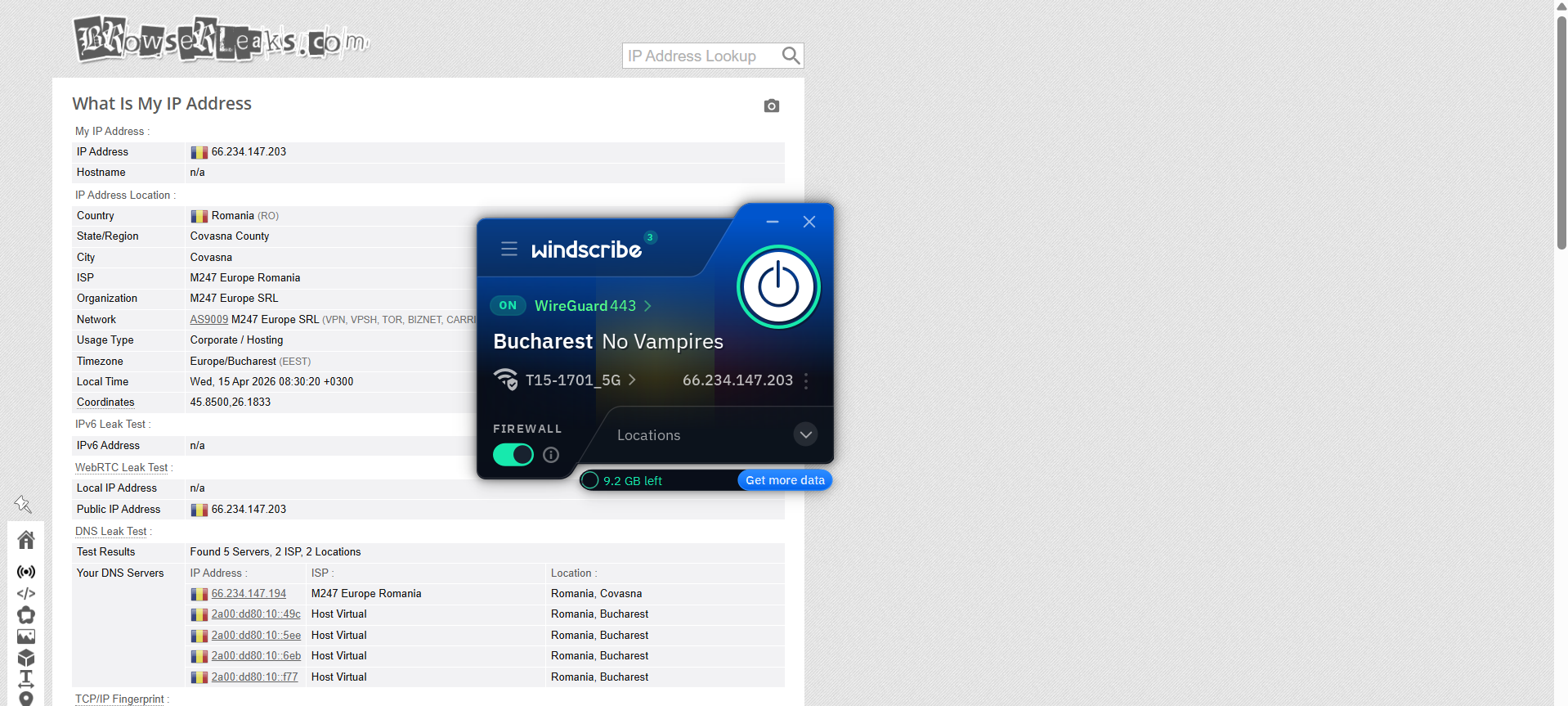
Romania (Bucharest – “No Vampires”): 80% drop in speed
- Download Speed: 39.0 Mbps
- Upload Speed: 12.0 Kbps
- Latency: 248 ms
- Jitter: 9.12 ms
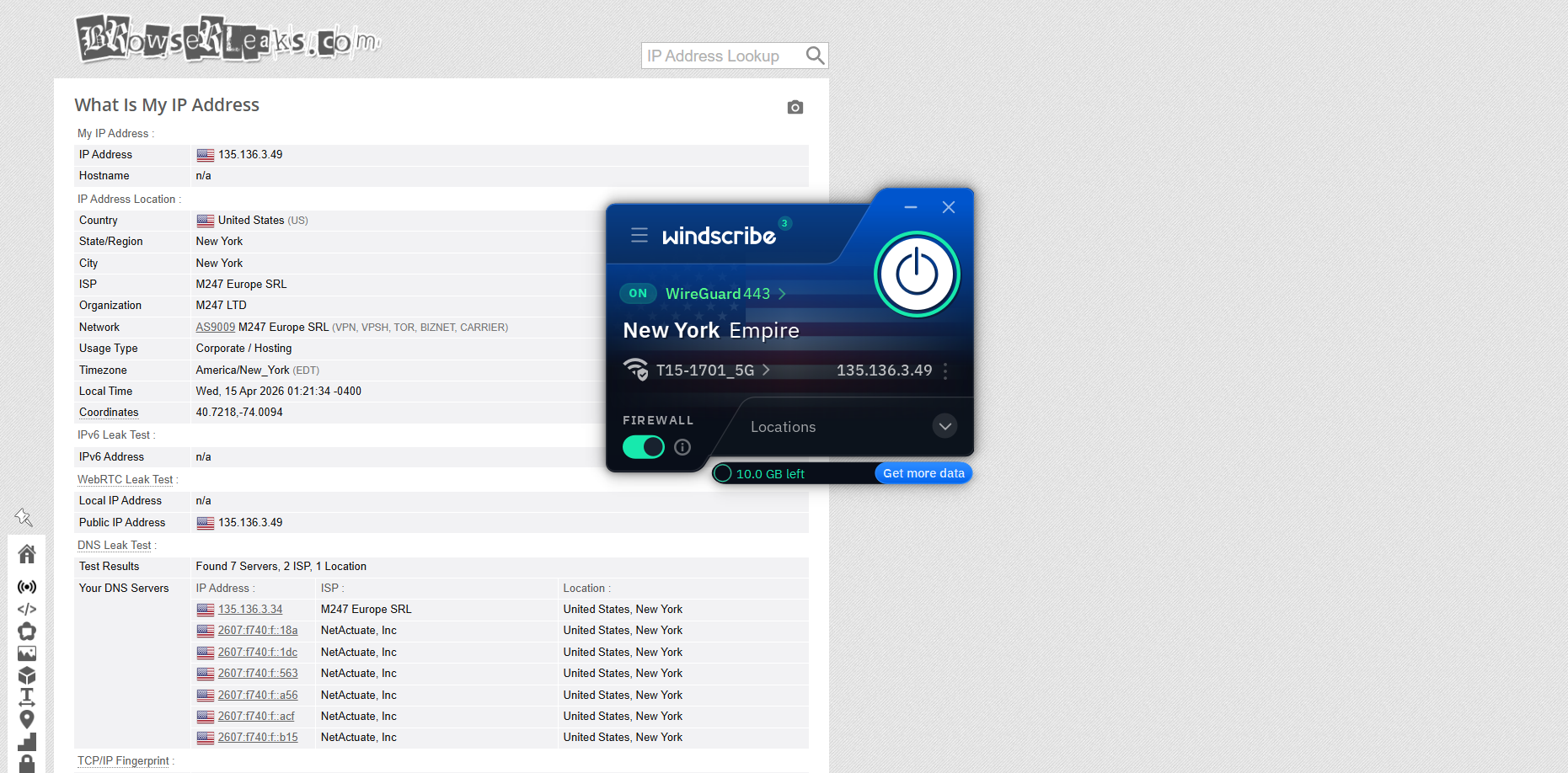
US (New York Empire): 83.9% drop in speed
- Download Speed: 31.5 Mbps
- Upload Speed: 12.8 Mbps
- Latency: 318 ms
- Jitter: 33.2 ms
Windscribe delivered a strong and noticeably smooth streaming experience during testing. Netflix performance, in particular, stood out with fast loading and stable playback right from the start, without any major interruptions. Overall, the connection felt responsive and capable of handling streaming tasks well, with only minor delays appearing during seeking actions.
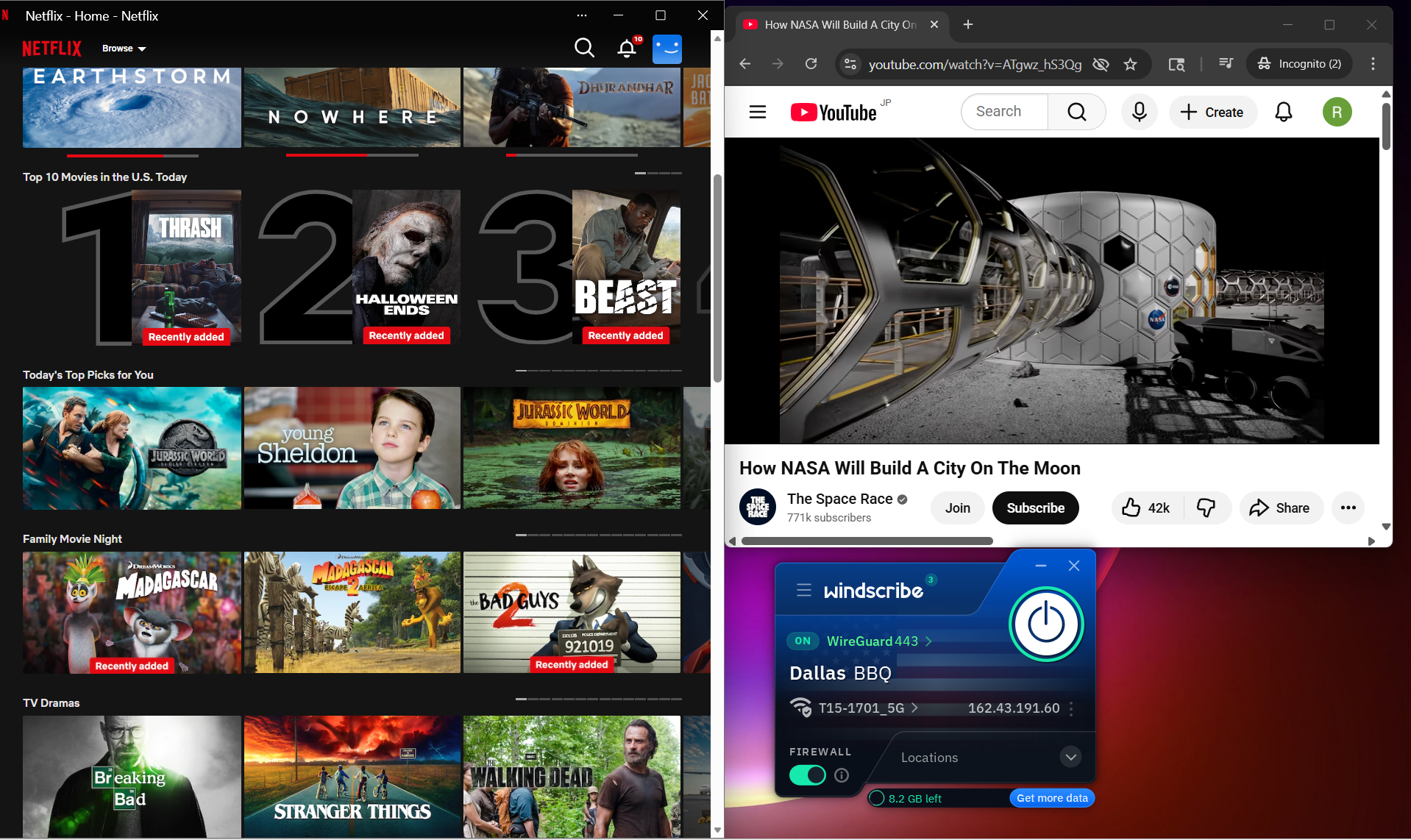
Netflix Playback: Streaming on Netflix kicked off instantly, with the video loading quickly and already playing in good quality. Throughout the session, there were no noticeable lags or buffering issues, which made the experience feel consistently smooth and reliable.
Seeking (Forward & Rewind): Fast-forwarding caused a small delay of about 1–2 seconds before the video reacted, followed by a short buffering period lasting under a minute. After that, playback resumed properly and stayed in strong quality. Rewinding behaved similarly, taking around 1–2 seconds to load before continuing smoothly without any playback errors.
YouTube Performance:
On YouTube, performance felt even more impressive and slightly better compared to Proton VPN. Videos started at around 480p and gradually climbed up to 1080p within about 3 minutes. Once it reached full resolution, playback stayed locked in without drops or interruptions for the rest of the viewing session.
With Windscribe, the experience across Romania and United States servers remained stable from a security perspective. Throughout testing, there were no IP, DNS, or WebRTC leaks observed, even during reconnections and extended usage. The VPN maintained a secure tunnel consistently, without any moments where real network details were exposed, which adds a good level of confidence in its privacy protection.
PROS
- Extremely quick setup with no sign-up required to get started
- Lightweight app size with fast installation
- Highly customizable interface with deep control over settings and behavior
- Powerful built-in blocker (R.O.B.E.R.T) for ads, malware, trackers, and more
- Split tunneling with support for apps, IPs, and hostnames
- Wide range of connection features like censorship bypass and decoy traffic
- Strong streaming performance with instant Netflix playback and stable quality
- Better YouTube performance compared to Proton VPN
- No IP, DNS, or WebRTC leaks detected during testing
- Access to multiple server locations even on free setup
- Helpful support options including “Talk to Garry” live chat
CONS
- Interface can feel slightly dense and overwhelming at first
- Speed performance is inconsistent across servers
- High speed drop on both tested servers
- Upload speeds can drop drastically on certain servers (e.g., Romania)
- Noticeable latency and jitter fluctuations
- Free plan limited to 10 GB monthly data
👉 See full Windscribe review →
3. Privado VPN – Inconsistent Speeds Across Servers
Getting started with PrivadoVPN isn’t the smoothest ride right away, mainly because it leans quite heavily into promoting its paid plans during setup. You have to look around a bit to find the free option, and the account creation flow feels more involved than usual, especially with credentials being generated and sent via email. Once you’re past that initial hurdle, though, things settle down and the app becomes straightforward to use. The interface itself is simple and functional, and one standout advantage is that it actually lets you manually pick servers even on the free plan, which isn’t something most free VPNs offer.
In day-to-day use, it performs quite well, particularly when it comes to streaming and privacy. Netflix starts instantly in good quality and runs without interruptions, while YouTube stays stable once you manually bump it up to higher resolutions. The connection remains secure throughout, with no IP, DNS, or WebRTC leaks detected during testing. On top of that, features like a system-level and app-level kill switch, along with split tunneling, add a layer of control that makes it feel more capable than a typical free VPN.
That said, performance isn’t entirely consistent across all servers. Some locations, like the Netherlands, deliver strong speeds and a more responsive experience, while others show higher latency and bigger drops. The interface also feels a bit basic and doesn’t offer much in terms of visual polish or advanced customization. So while it delivers where it matters, especially in streaming and security, it still comes with a slightly rough setup experience and some variability in performance depending on where you connect.
Limitations (Free Version)
⟶ Setup friction with unclear free option – finding and activating the free plan takes extra steps and isn’t immediately obvious.
⟶ 10 GB data limit – monthly usage is capped, which can run out quickly with regular use.
⟶ Interface is basic with limited customization – the app feels simple but lacks deeper controls and personalization options.
Performance Table Result
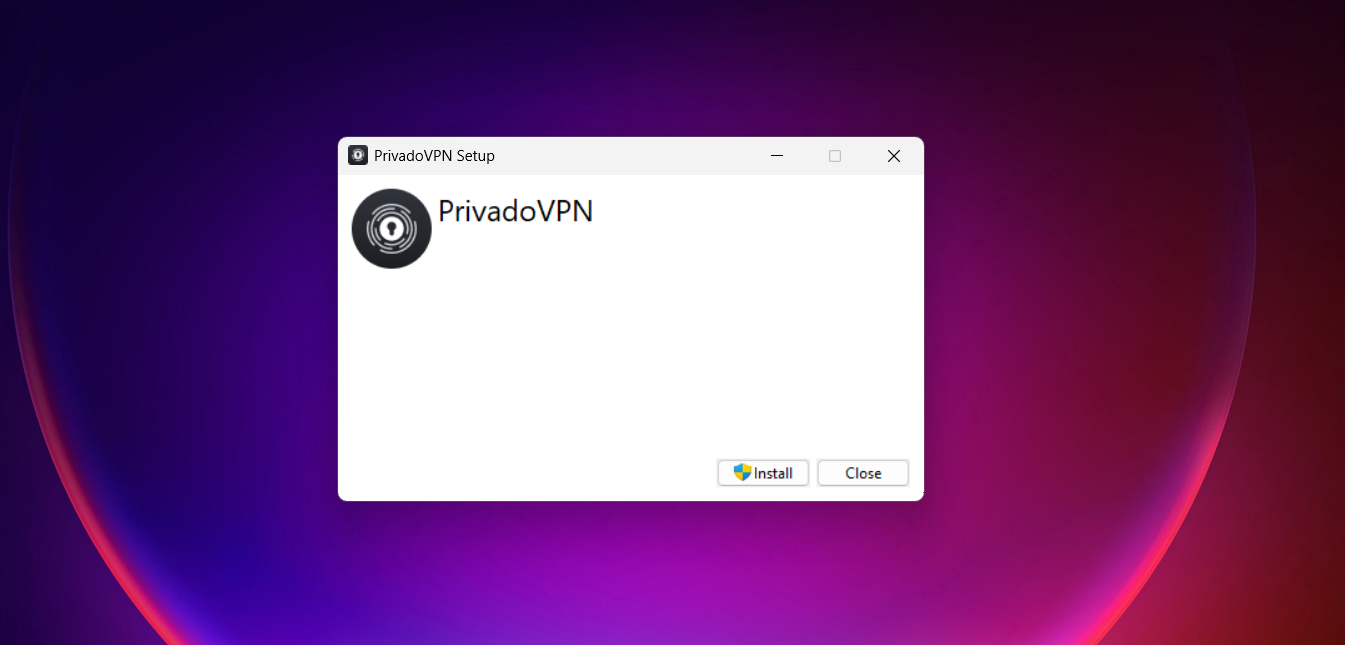
Getting set up with PrivadoVPN felt a bit more involved than the smoother, one-click style apps. From the moment you start the installer, there’s a noticeable push toward the paid plans, which can make the early experience feel crowded before you even get to the actual VPN part.
Finding the free option isn’t immediately obvious either, so the first few moments are more about navigating the interface than actually using it. Once you push past that, though, you’re into account creation, which is fairly structured.
The service generates a username and password for you, and you can tweak the password if you want a bit more control. Everything is then sent through email, so you’re basically just confirming and retrieving your login details before moving forward.
After signing in with those credentials, things finally settle down and you land in the app itself. At that point, it does become usable and straightforward, but the earlier friction sticks with you a bit. The experience feels more like it’s guiding you toward premium before letting you explore the free tier. Still, once you’re past the setup hurdle, you’re good to go and can start using the VPN without further interruptions.
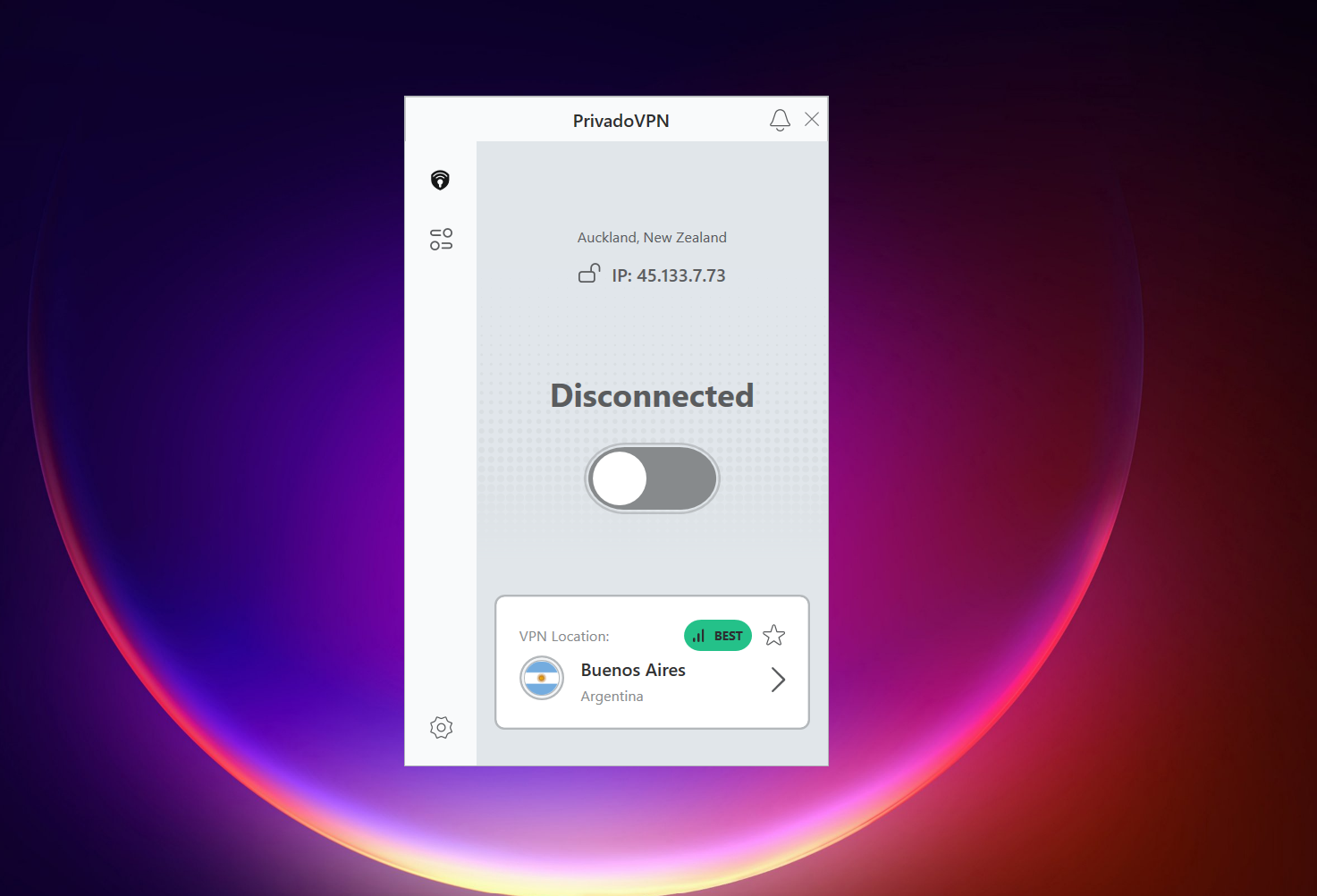
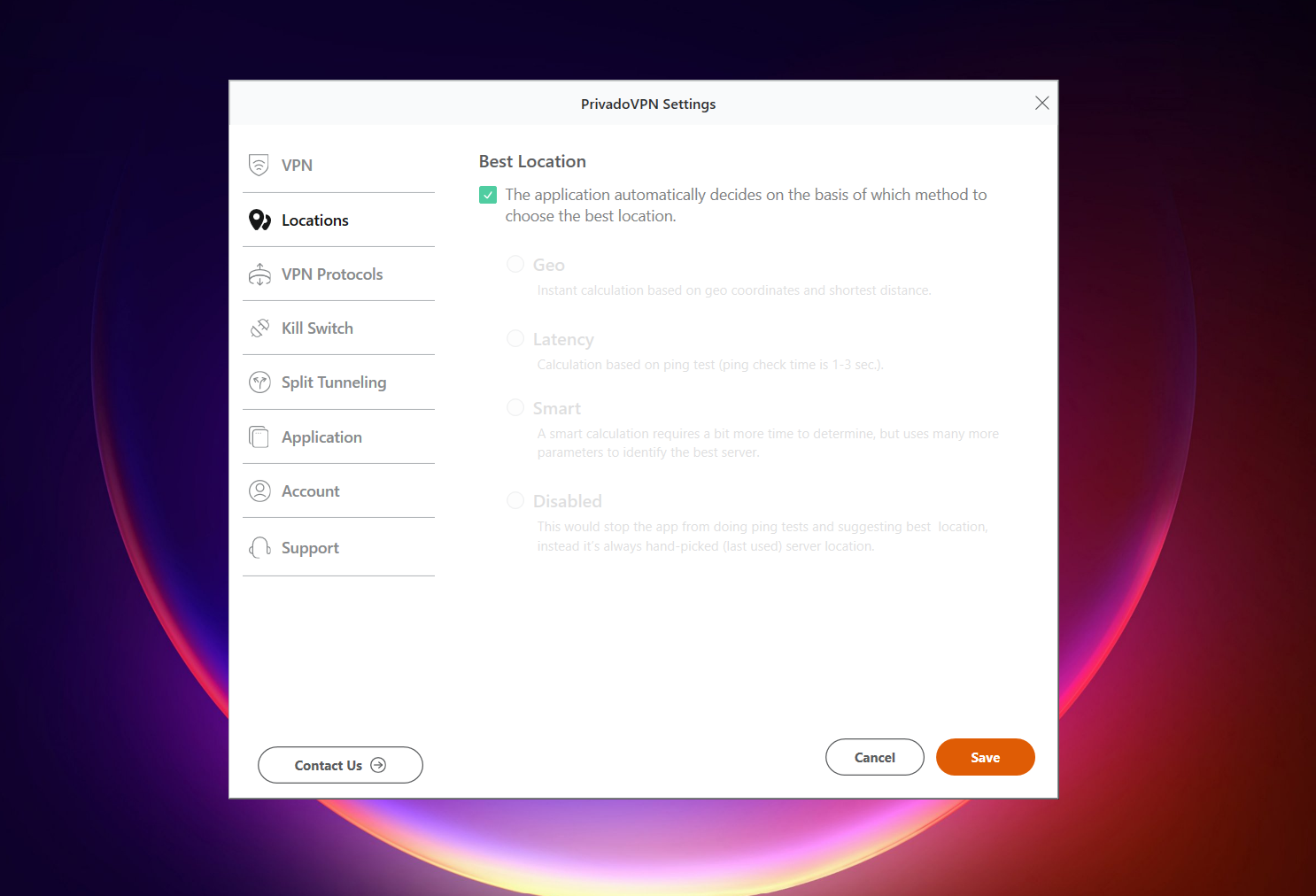
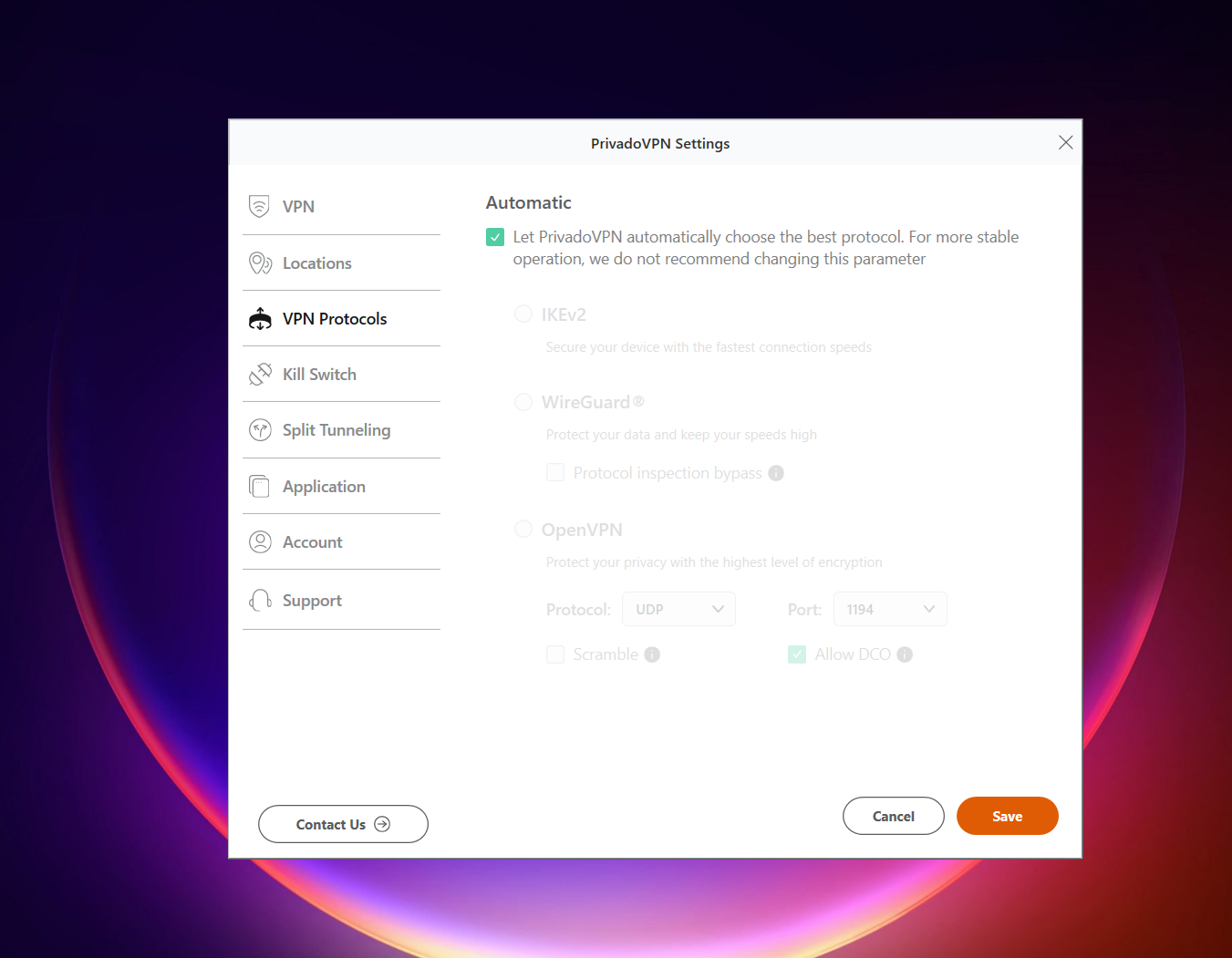
PrivadoVPN feels fairly straightforward in terms of layout, but it leans more toward a functional, no-frills design rather than something visually modern or feature-rich. The interface is easy enough to get around, but a noticeable chunk of the experience still feels tied to the paid version, so the free tier can feel a bit limited in depth. Even so, it remains simple to use and doesn’t really create confusion - you just don’t get a lot of advanced control in most areas. Also, it comes with a 10 GB data cap. One thing that does stand out in a positive way, though, is that unlike many free VPNs, it actually allows manual server selection, which gives you a bit more freedom and control over your connection.
General
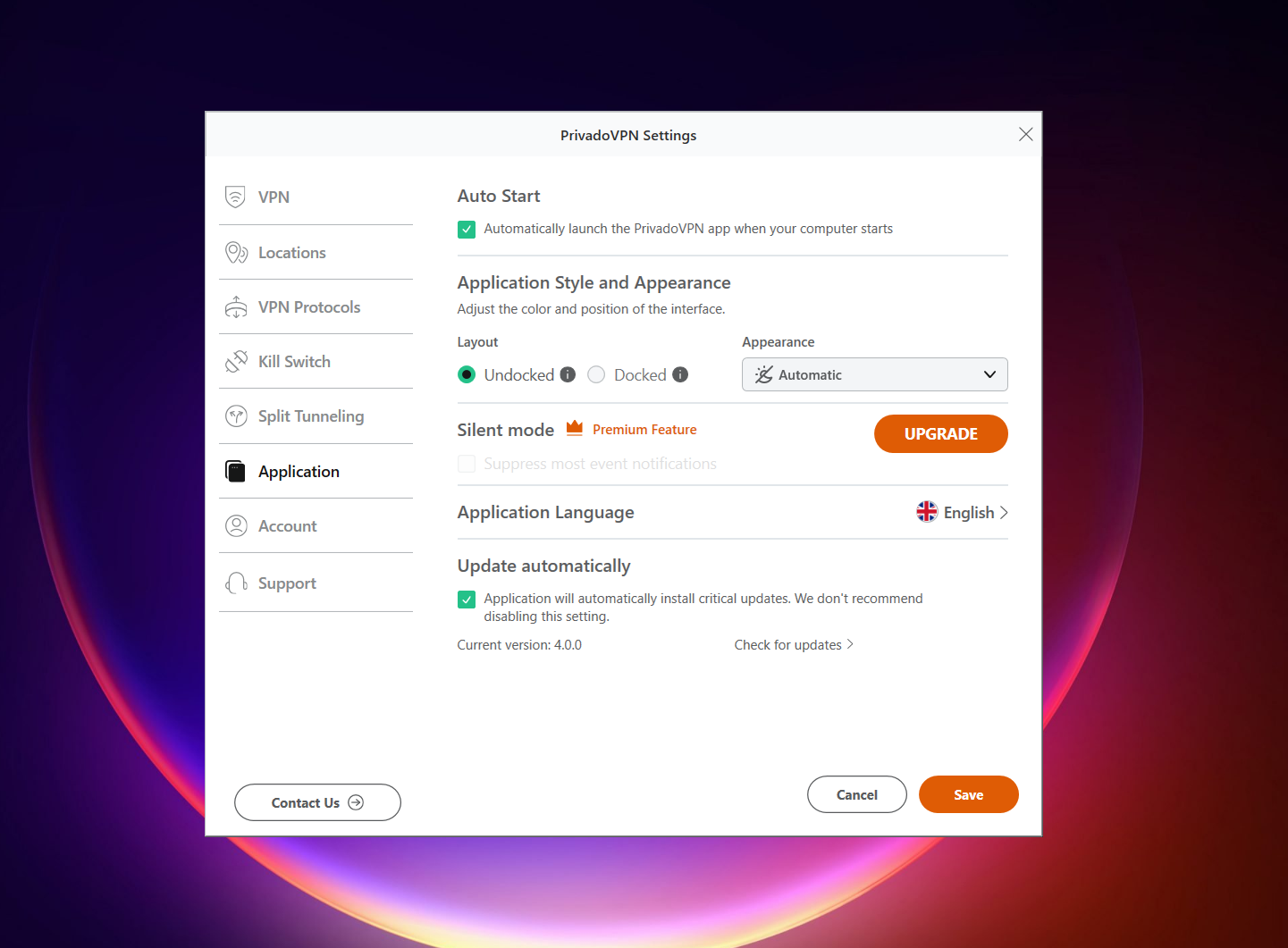
- Auto connect
- Auto start
- Application style and appearance settings
- Automatic app updates
Special Features / Connections
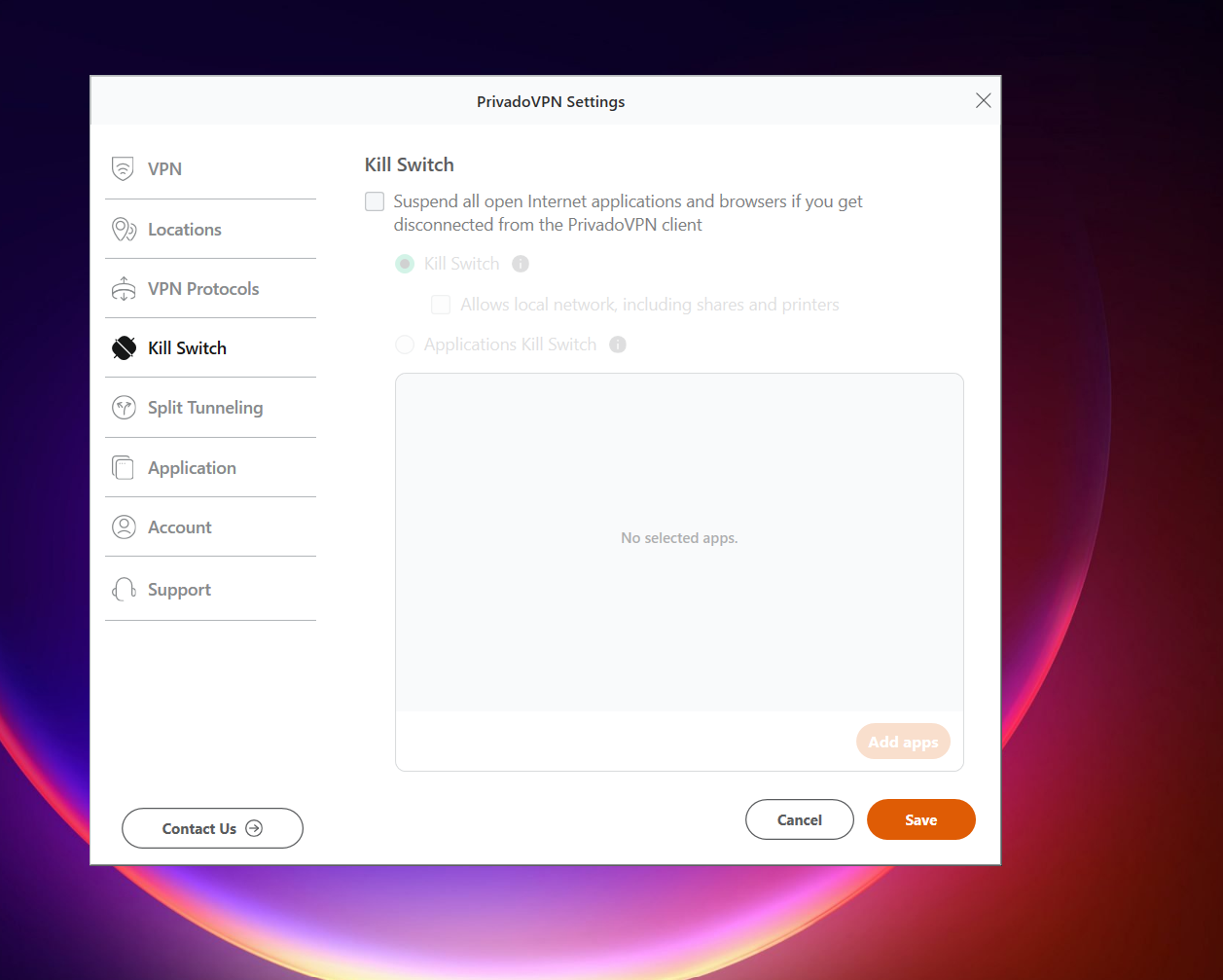
- Kill Switch (system-level and app-level protection)
Split Tunneling
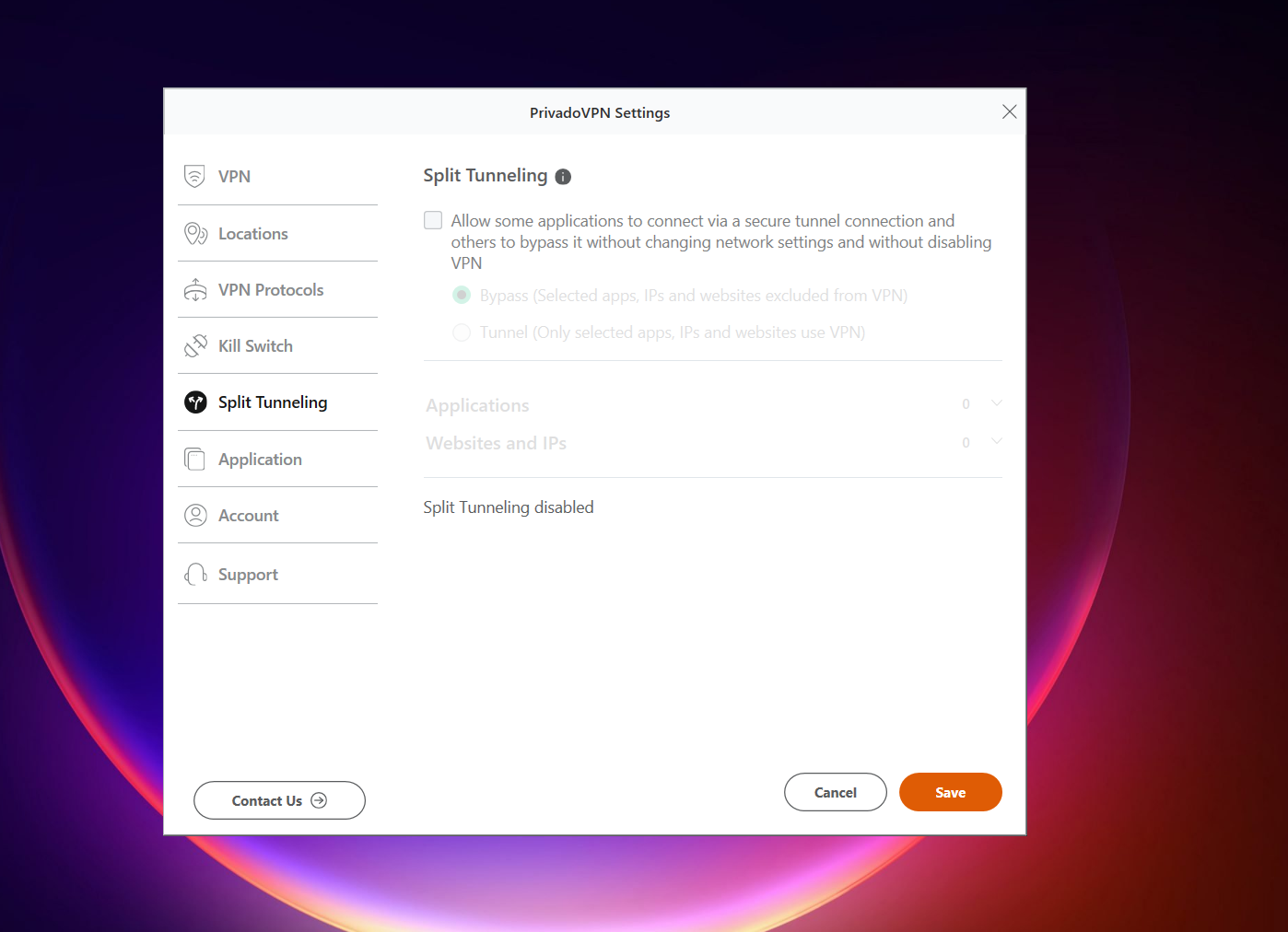
- Apps-based control
- IP and website-based routing rules
Servers Availability (Free Version): The free plan includes access to 10 different server locations, with the strongest coverage spread across Europe and North America. A smaller number of options extend into South America and Asia. Overall, the distribution leans heavily toward Western regions, with a few additional locations outside that core network for broader connectivity.
- Netherlands (Fastest)
- Brazil
- India
- Germany
- Argentina
- France
- United Kingdom
- Canada
- United States
- Mexico
Help and Support
- Contact support via email
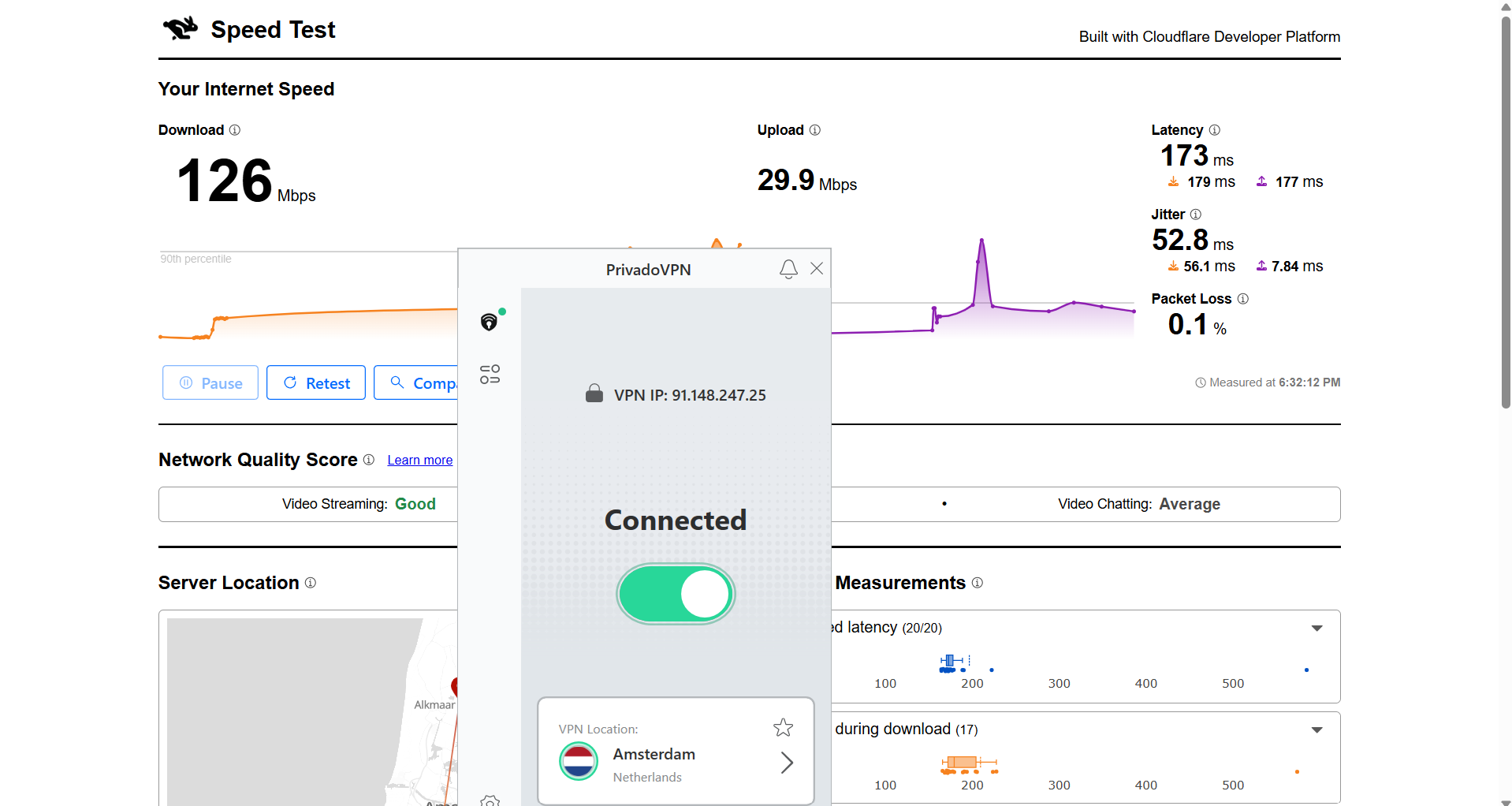
PrivadoVPN delivered a fairly balanced performance during speed testing from India, with noticeable differences depending on the server location. The Netherlands server stood out with much stronger speeds and lower drop compared to the US, making it feel significantly more responsive for regular use. While latency was still on the higher side, the overall connection remained usable, especially on the better-performing route.
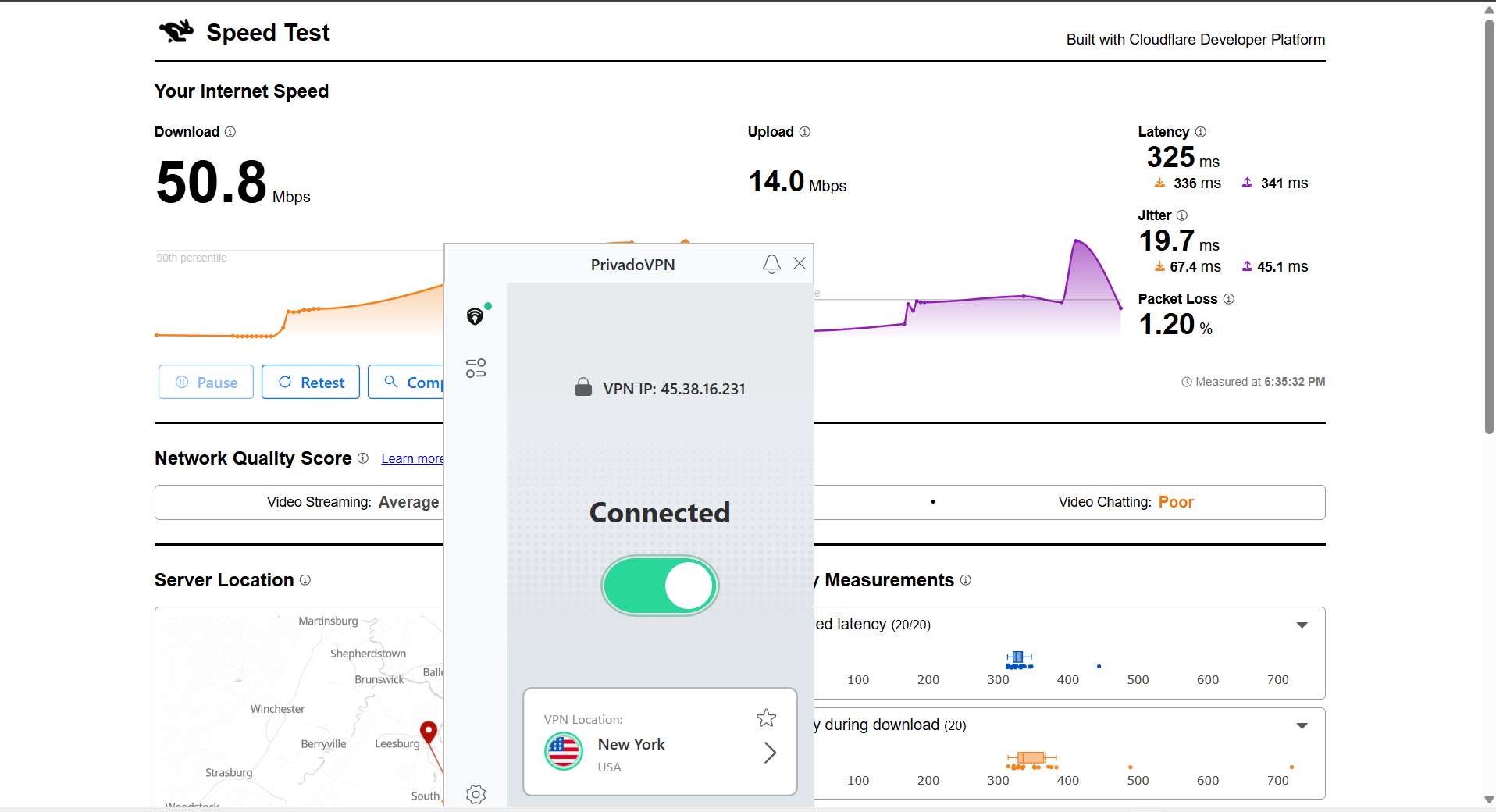
US Server: 74.1% drop in speed
- Download Speed: 50.8 Mbps
- Upload Speed: 14 Mbps
- Latency: 325 ms
- Jitter: 19.7 ms
Netherlands Server: 35.71% drop in speed
- Download Speed: 126 Mbps
- Upload Speed: 29.9 Mbps
- Latency: 173 ms
- Jitter: 52.8 ms
PrivadoVPN gave a pretty solid streaming experience overall, especially on Netflix where everything kicked off instantly without any waiting around. Once playback started, it stayed stable and smooth, and the connection didn’t show any signs of buffering or interruptions. YouTube was also fairly consistent, with a bit of manual tweaking needed for resolution but otherwise running without issues once set properly.
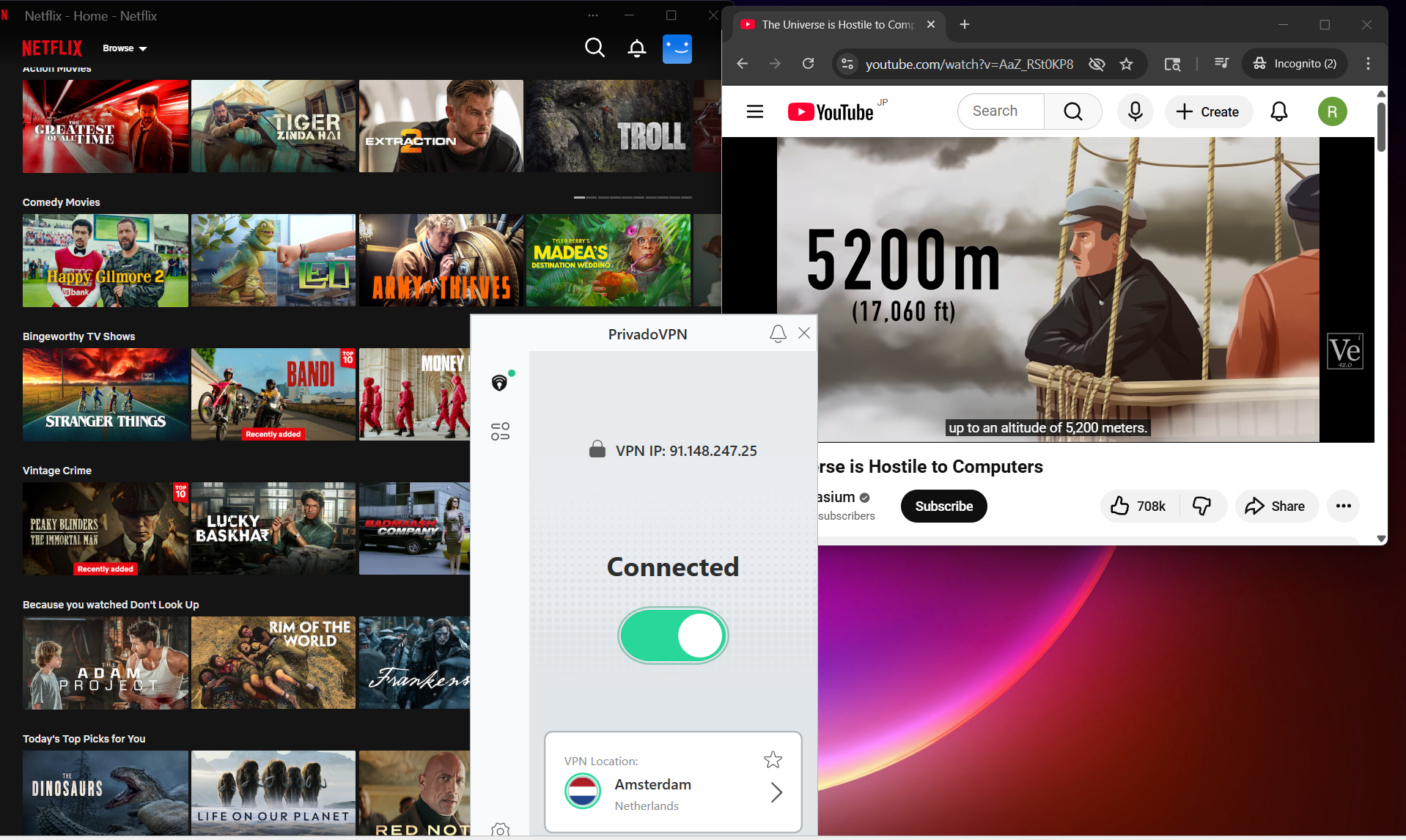
Netflix Playback: Playback on Netflix started straight away with no delay, which made the experience feel really seamless from the beginning. The video launched in good quality and stayed smooth throughout, without any buffering or sudden drops. Overall, it felt stable and responsive during the entire viewing session.
Seeking (Forward & Rewind): When skipping forward, there was a short pause of about 2–3 seconds before the video resumed, but it came back in good quality without any distortion. Rewinding felt even smoother, with the video resuming almost instantly and maintaining strong playback quality right away.
YouTube Performance: On YouTube, videos started at around 240p, but there were no visible blurs or quality instability during playback. After manually switching to 1080p at around the 7-minute mark, the video adjusted smoothly and continued playing without delays or interruptions, holding steady for the rest of the session.
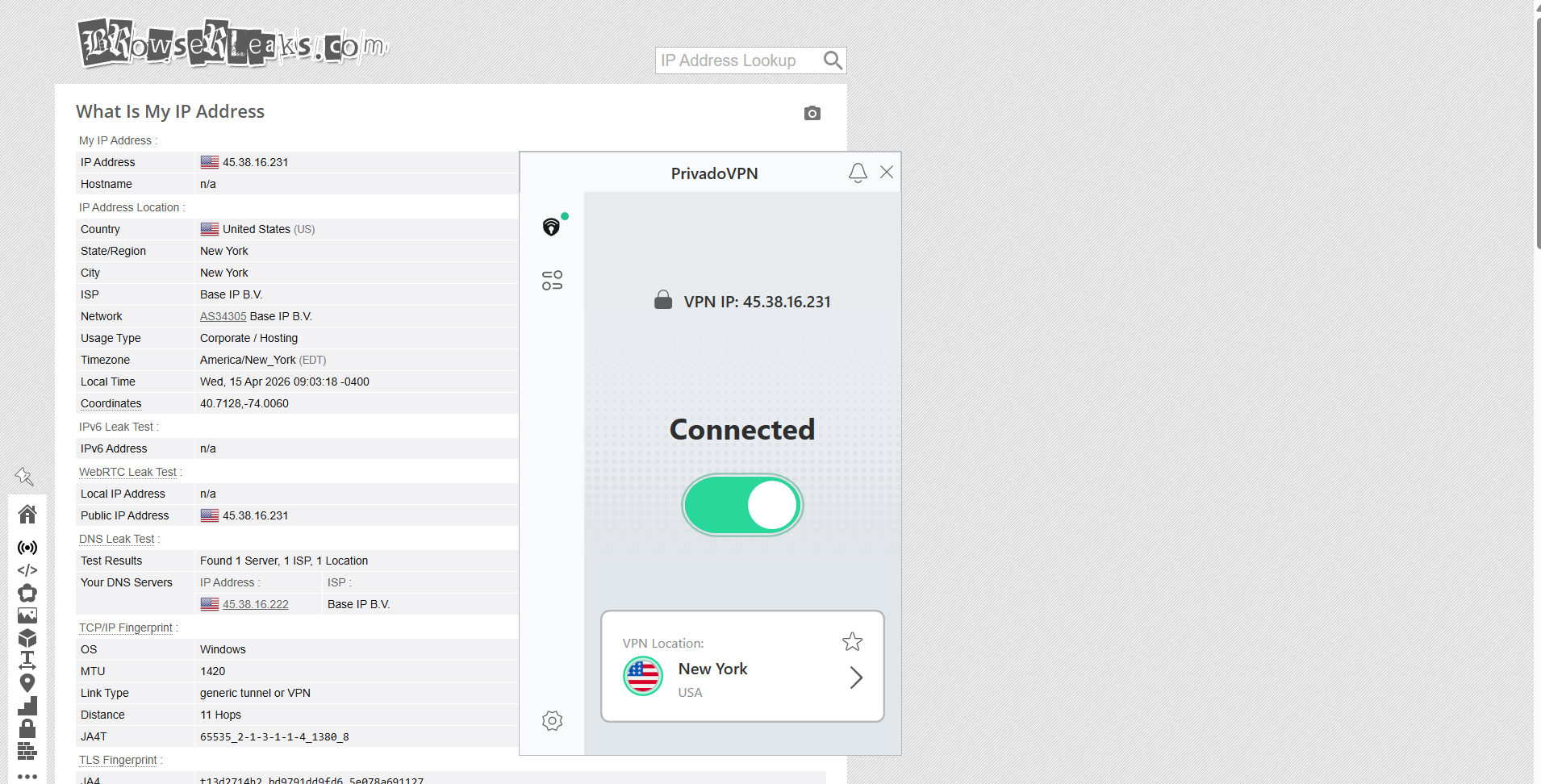
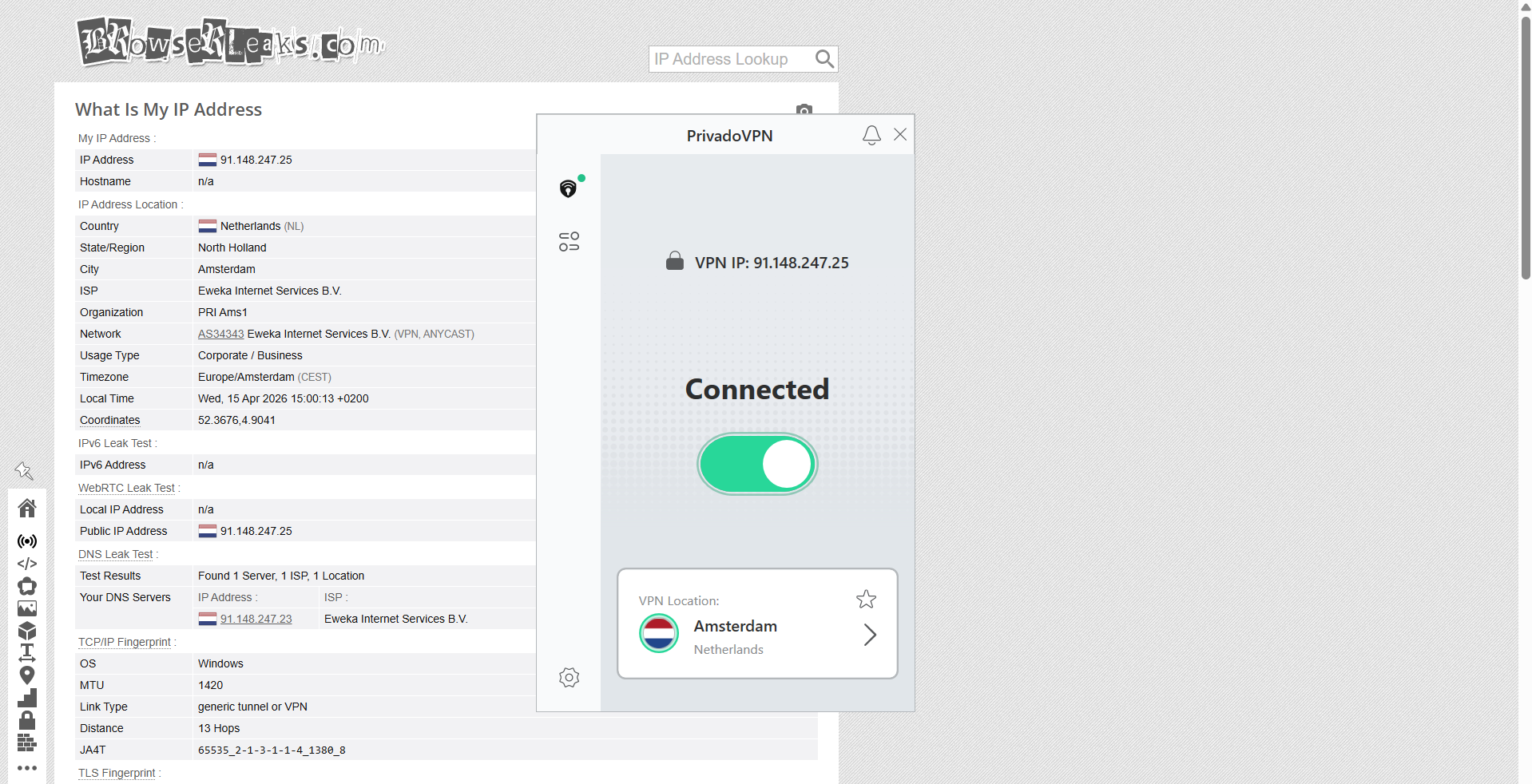
On PrivadoVPN, checks on the US and Netherlands servers showed a clean and secure output throughout the session. No IP, DNS, or WebRTC leaks were detected during testing, even when the connection was held for longer durations and re-established a few times. The VPN kept everything tightly routed through its tunnel, with no moments where real network data slipped through.
PROS
- Allows manual server selection even on the free version
- Good range of free server locations across multiple regions
- Strong streaming performance with instant Netflix playback
- Smooth seeking experience with minimal delay
- Stable YouTube playback once resolution is adjusted
- Reliable privacy protection with no IP, DNS, or WebRTC leaks
- Decent speed performance on certain servers (especially Netherlands)
- Includes Kill Switch (system and app level) and split tunneling
CONS
- Setup process feels a bit tedious with push toward paid plans
- Free option is not immediately visible during onboarding
- Interface is basic and lacks modern design or depth
- Comes with a 10GB data limit
- Performance varies significantly depending on server location
- Latency remains relatively high across servers
👉 See full Privado VPN review →
Decent But Limited Performance Free VPNs
These free VPNs are still usable, especially for basic browsing or occasional use, but the compromises become more noticeable over time. If you’re expecting consistent speeds, better control, or reliable streaming, this is where things start to fall short. Here’s how they hold up in practice:
1. Hide.Me – Very Slow Speeds with Limited Control
Getting into hide.me is about as quick and low-effort as it gets. The app is lightweight, installs fast, and doesn’t slow you down with sign-ups or unnecessary steps, which makes the first impression quite smooth. Once you’re inside, the interface is simple and easy to follow, though it does feel a bit dated compared to more modern VPNs. There’s not much to explore either, and it becomes clear pretty quickly that the free version keeps things fairly limited, especially with no real control over server selection.
From a reliability and privacy standpoint, it does a solid job. The connection stayed secure throughout testing, with no IP, DNS, or WebRTC leaks detected at any point. Streaming is a bit of a mixed bag - Netflix takes a few seconds to get going and starts off slightly blurry, but it stabilizes soon after and runs without interruptions. YouTube is slower to ramp up in quality, but once you manually push it to a higher resolution, playback holds steady without further issues.
Where it falls short is in overall performance and flexibility. Speeds are noticeably weak across tested servers, with very high drops that make anything beyond basic browsing feel slow. The lack of manual server selection and limited feature access in the free version also make it feel restricted over time. So while it’s secure and easy to use, it doesn’t offer the same level of performance or control as some of the other options.
Limitations (Free Version)
⟶ No server selection – you can’t choose a specific location and are limited to automatic connections.
⟶ Most features locked behind paid plan – key tools and advanced options are unavailable on the free version.
⟶ Limited customization – there’s very little control over settings or how the VPN behaves.
Performance Table Result
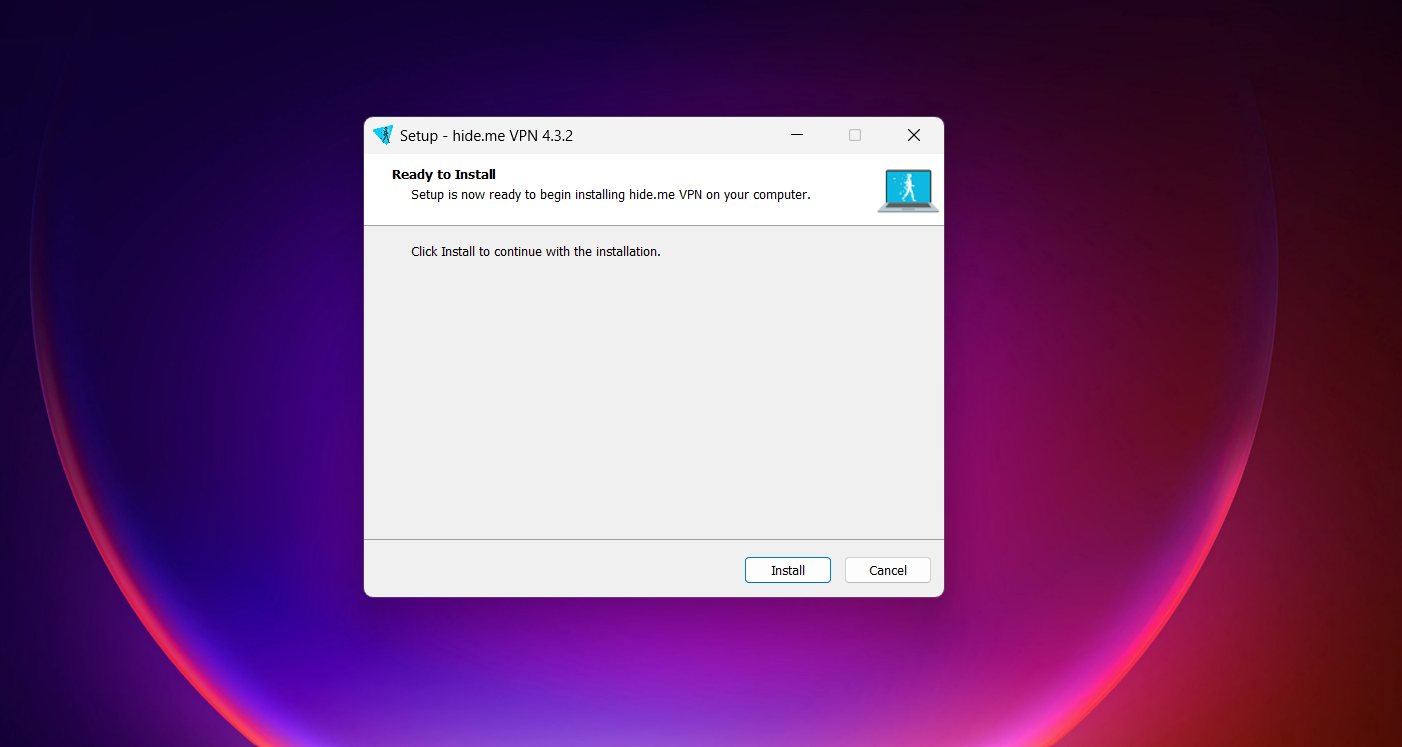
Setting up hide.me was refreshingly quick, even more so than most VPNs I’ve tried. The download size was just 18.7 MB, so it barely took any time before I was already launching the installer. From there, things moved along without any unnecessary friction.
Going with the free version felt very similar to Windscribe in one key way: there’s no pressure to hand over personal details. You don’t get hit with signup forms or email verification right away, which makes the whole experience feel a lot more relaxed.
Instead of slowing you down, the app actually guides you with a few helpful on-screen prompts, pointing out features and giving a bit of direction as you land inside. It’s a small touch, but it makes the interface easier to get comfortable with.
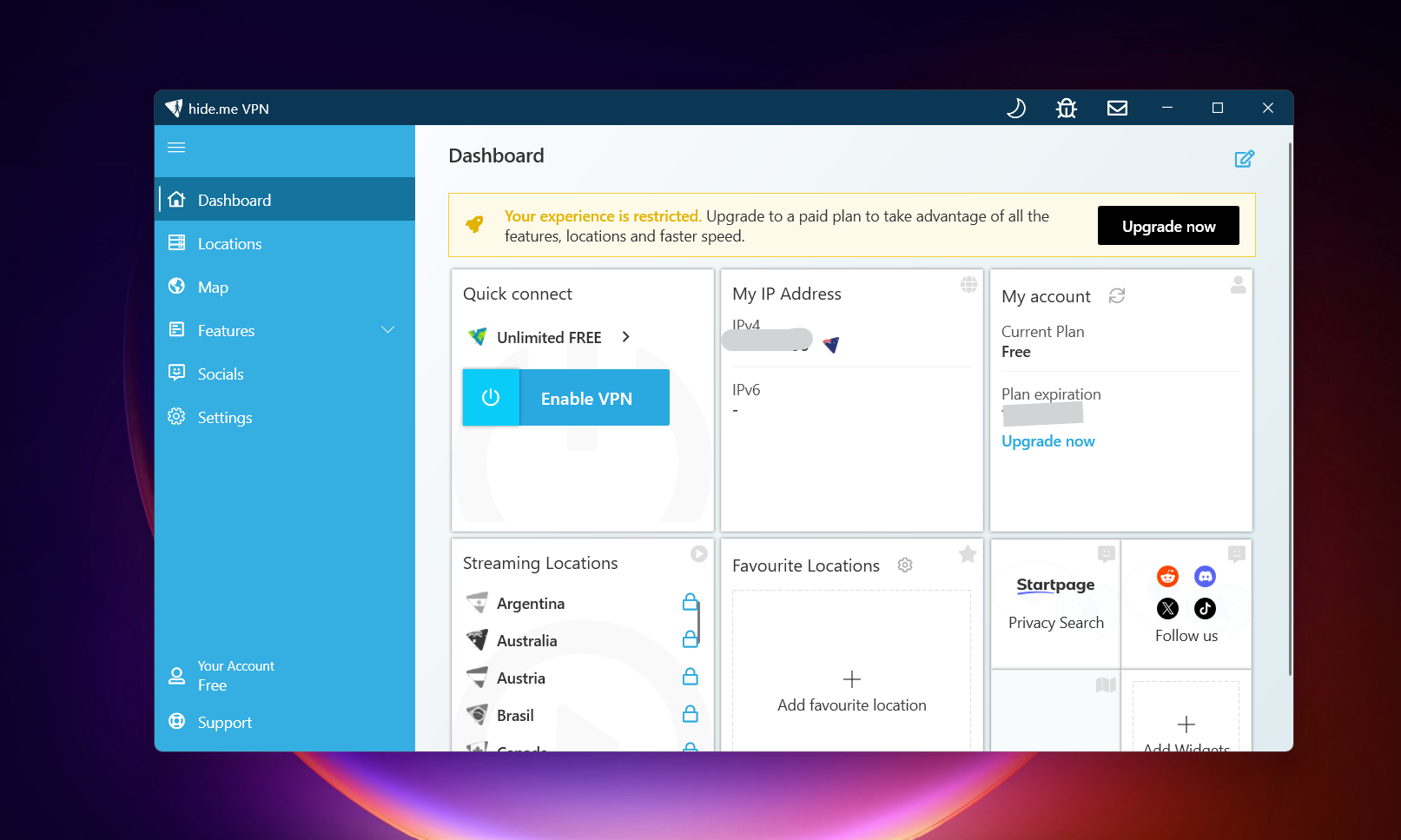
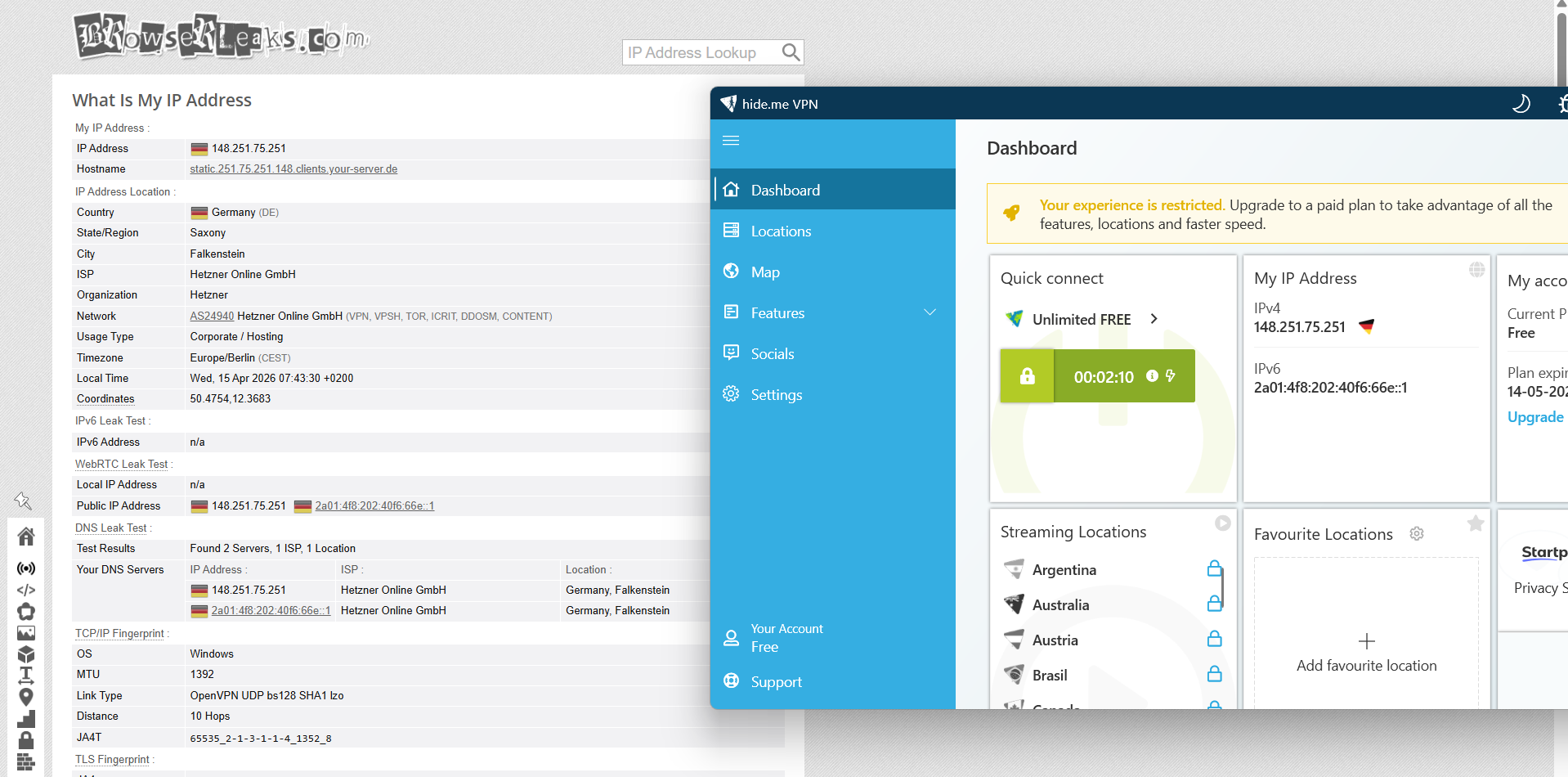
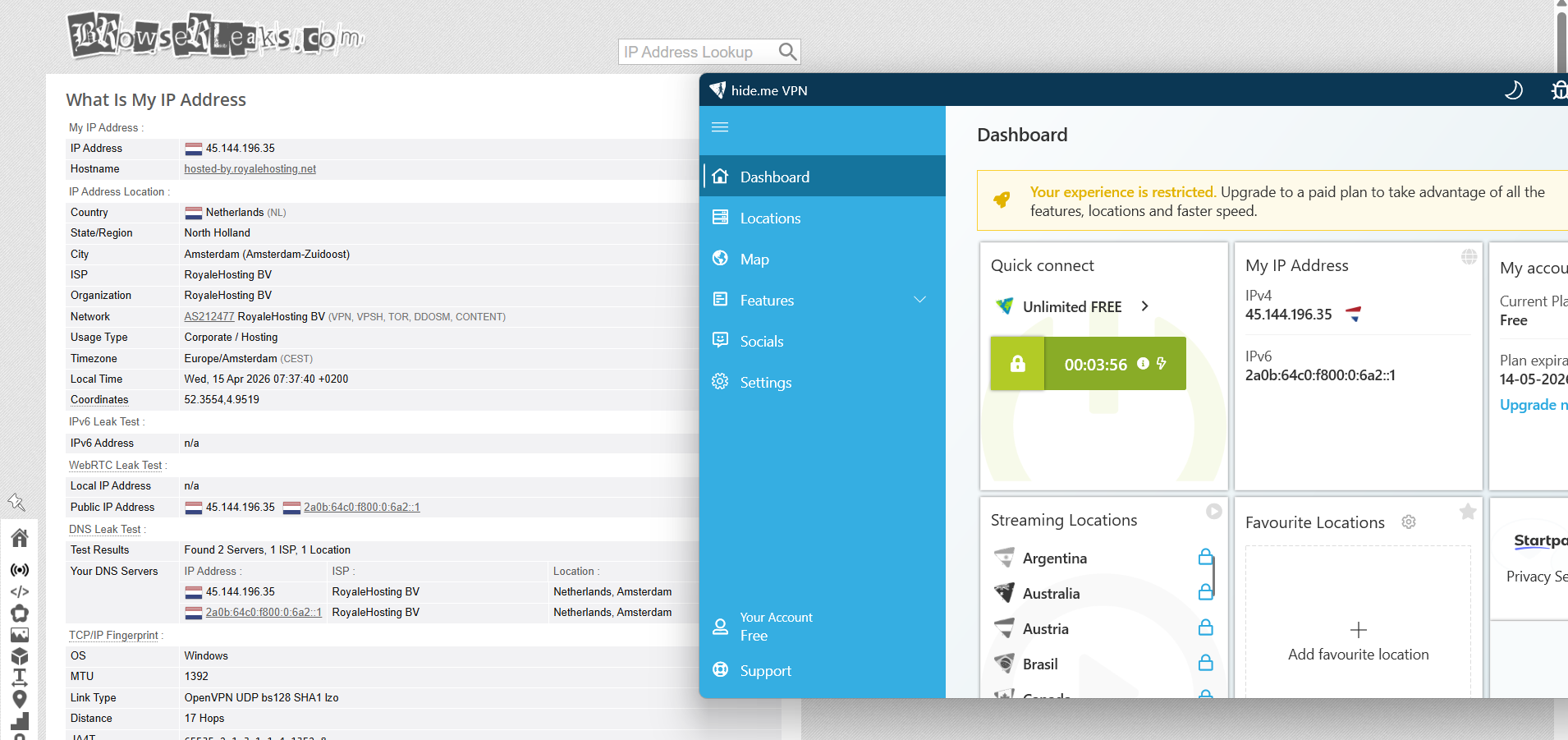
Once you’re on the home screen, though, the limitations are pretty upfront. It doesn’t take long to notice that server selection isn’t really part of the free experience - you’re more or less locked into what’s available. At the same time, the “upgrade now” nudge is clearly visible at the top, so you’re constantly aware there’s a paid tier waiting. Still, the overall setup feels smooth and intentional, even if the free version keeps things pretty tightly controlled.
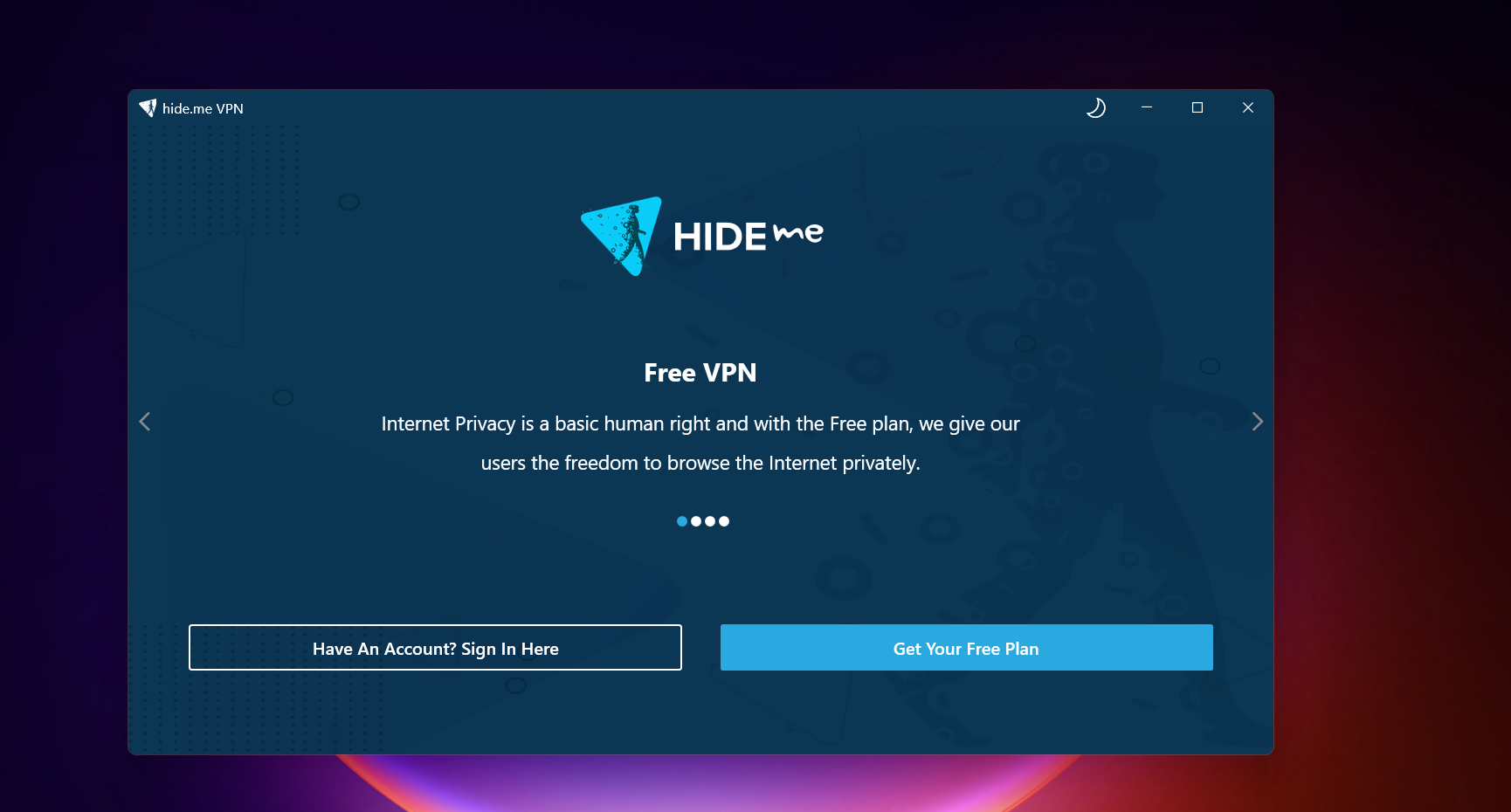
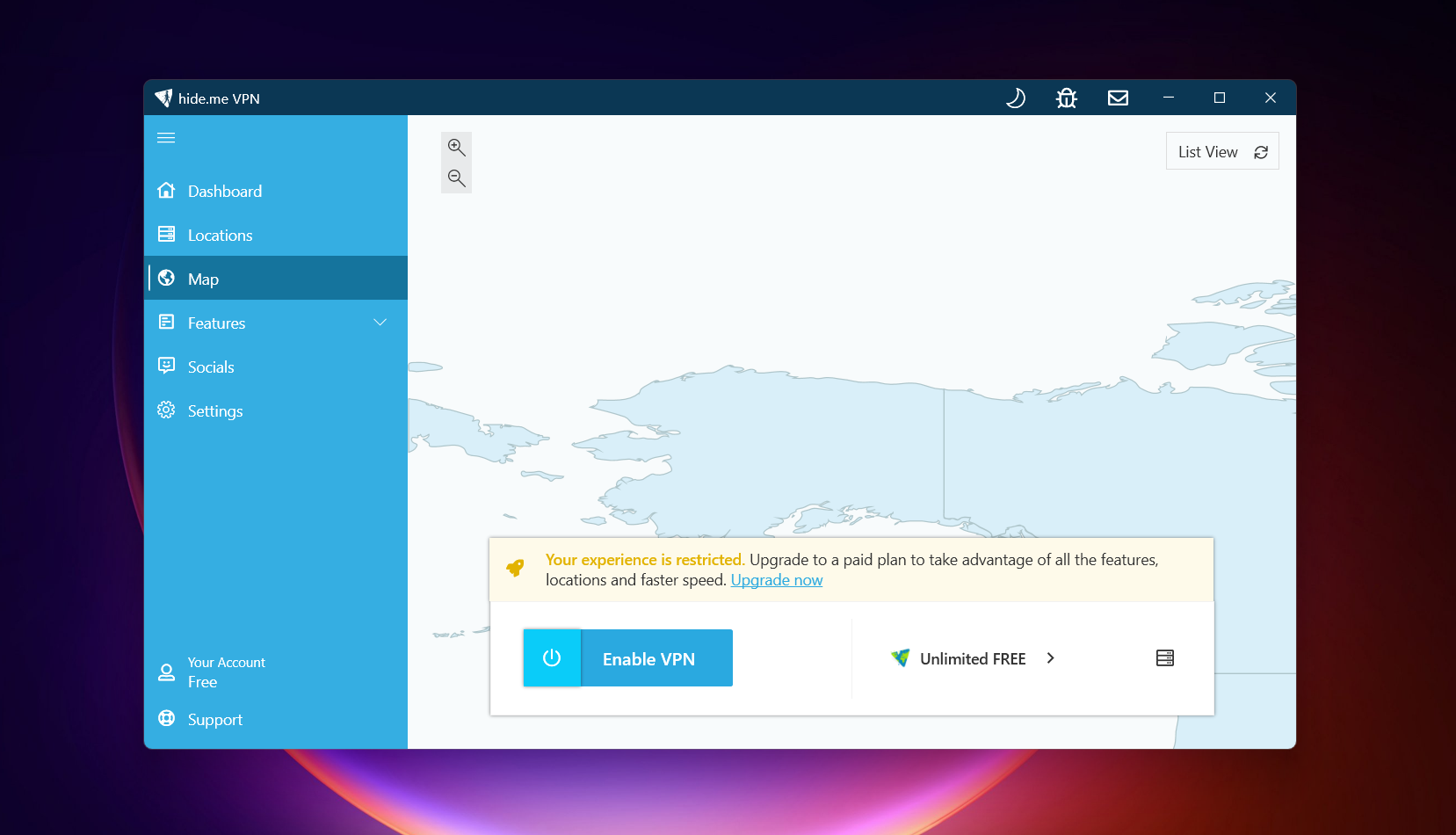
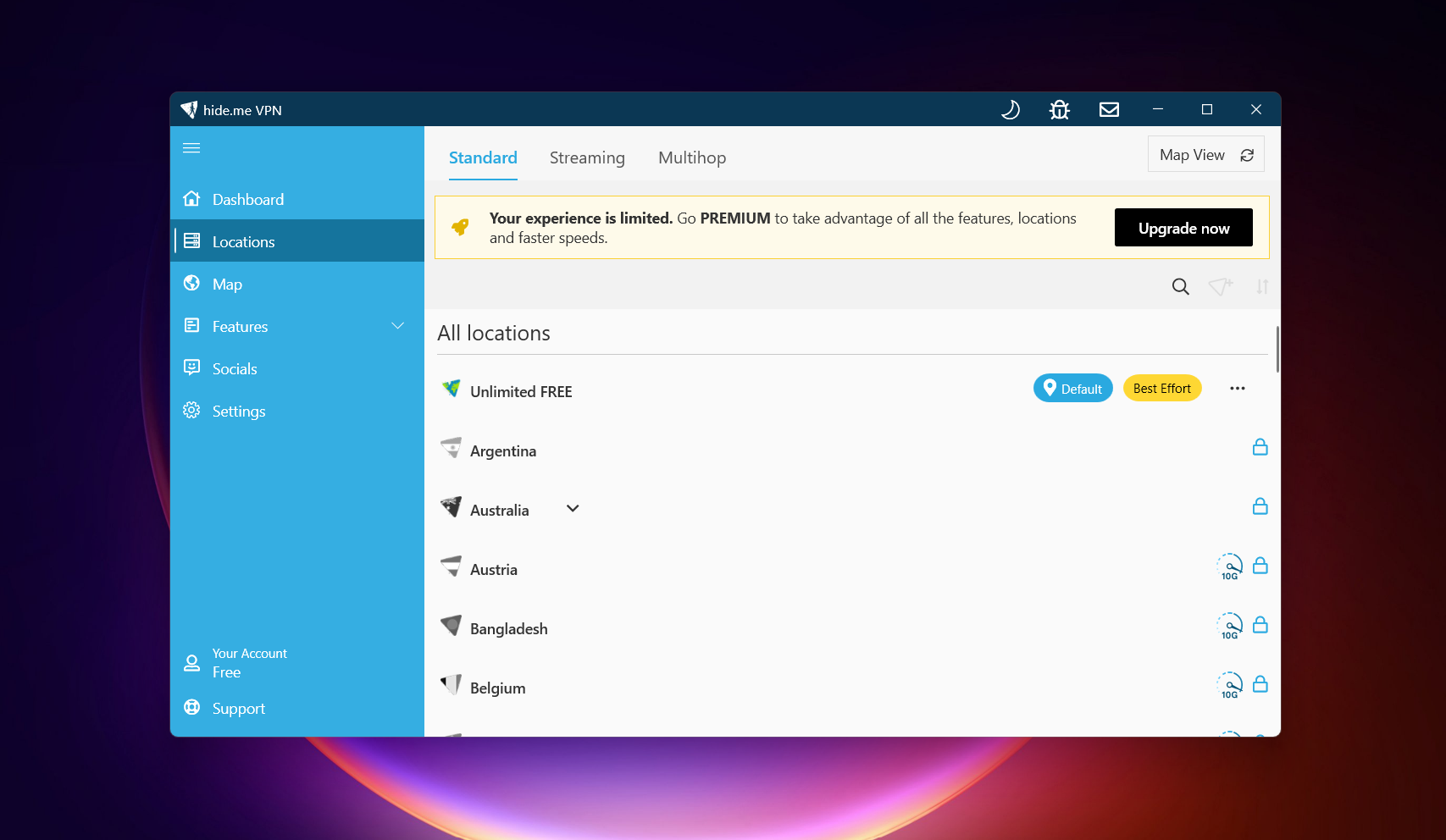
hide.me feels quite minimal and slightly dated compared to more modern VPN apps. The interface is clean and easy to understand at a glance, but it doesn’t offer much depth in terms of design or customization, and you can instantly tell that a large portion of features are reserved for the paid version. Because of this, the free experience feels a bit restricted, with only the core essentials available to interact with. Still, navigation is simple and nothing feels confusing - you just don’t have much to explore beyond the basics. There is an option for map too, but that does not work on free version. There is no option for you to explore servers. There is only one option - connect and reconnect or change servers.
General
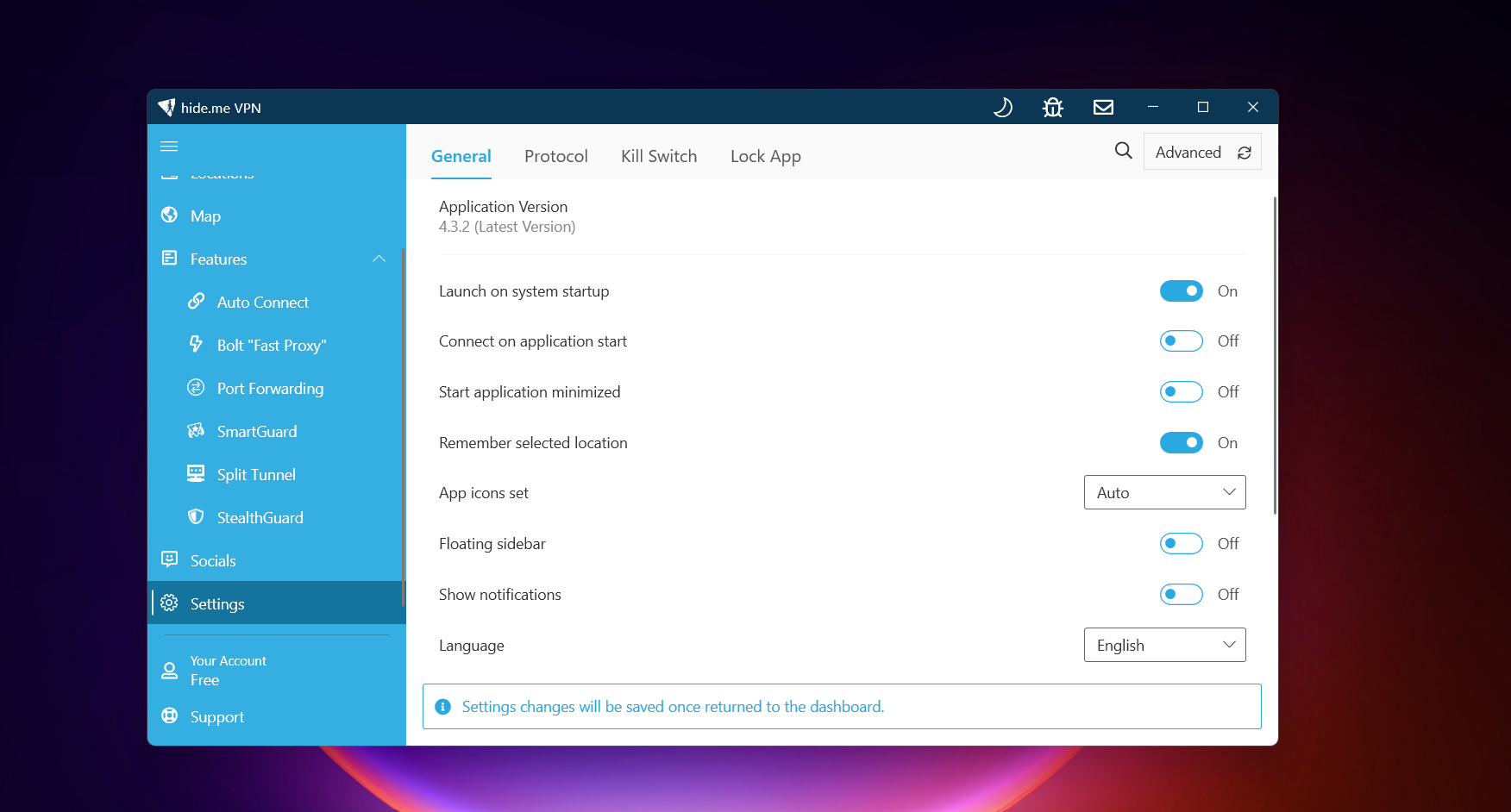
- Launch on startup
- Auto connect
- Connect on application start
Special Features / Connections
- Stealth Guard (disable/bind to internet/limit apps to VPN)
Split Tunneling
- Do not allow selected apps
- Allow selected apps
Servers Availability
- Direct connect using the free “Connect” button (no manual server selection)
Help and Support
- In-app email support
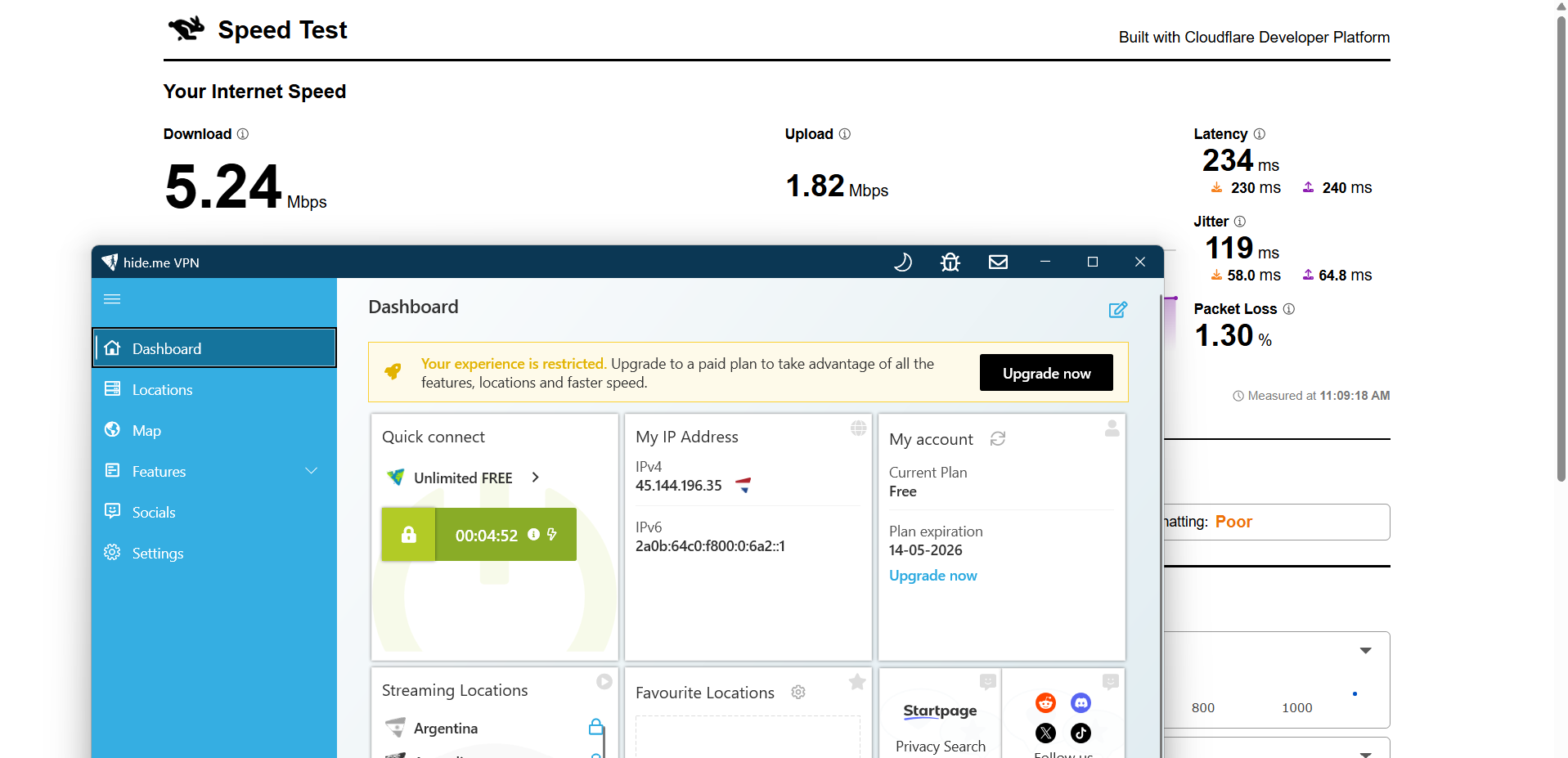
hide.me struggled quite a bit in terms of speed consistency during testing from India. Both tested servers showed extremely high drops in speed, which directly impacted overall usability. While the connection remained active, the low download and upload speeds made it feel slow for anything beyond basic browsing, and higher jitter levels further affected stability.
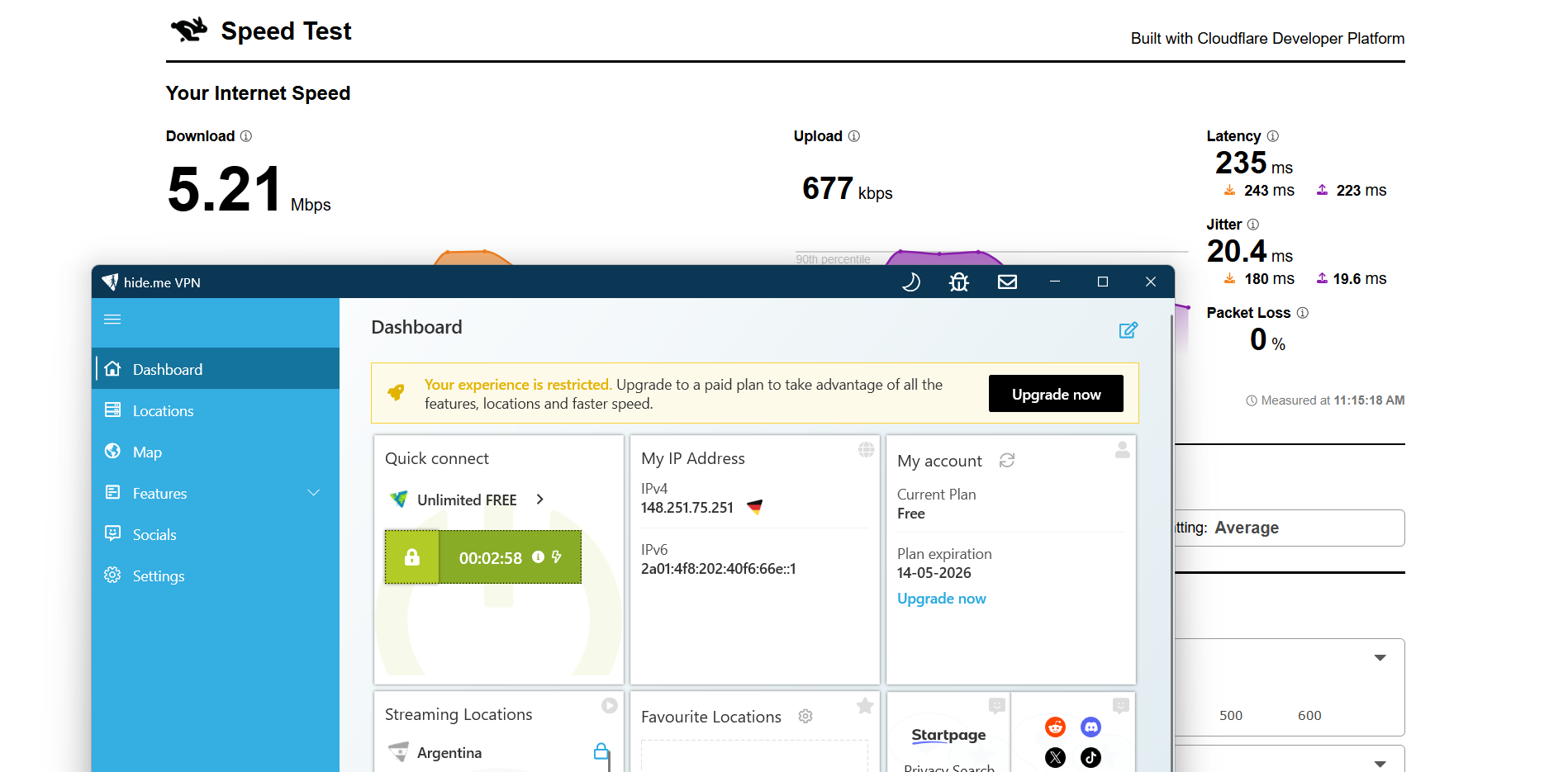
Germany Server: 97.34% drop in speed
- Download Speed: 5.21 Mbps
- Upload Speed: 677 Kbps
- Latency: 235 ms
- Jitter: 20.4 ms
Netherlands Server: 97.33% drop in speed
- Download Speed: 5.24 Mbps
- Upload Speed: 1.82 Mbps
- Latency: 234 ms
- Jitter: 119 ms
hide.me had a more uneven streaming experience compared to the other VPNs, with slightly slower start-up behaviour but generally stable playback once the video settled. Netflix took a few extra seconds to kick in, and initial clarity wasn’t great, though it improved quickly after the intro phase. YouTube performance felt a bit slower in reaching higher resolutions, but once manually adjusted, playback became stable and consistent.
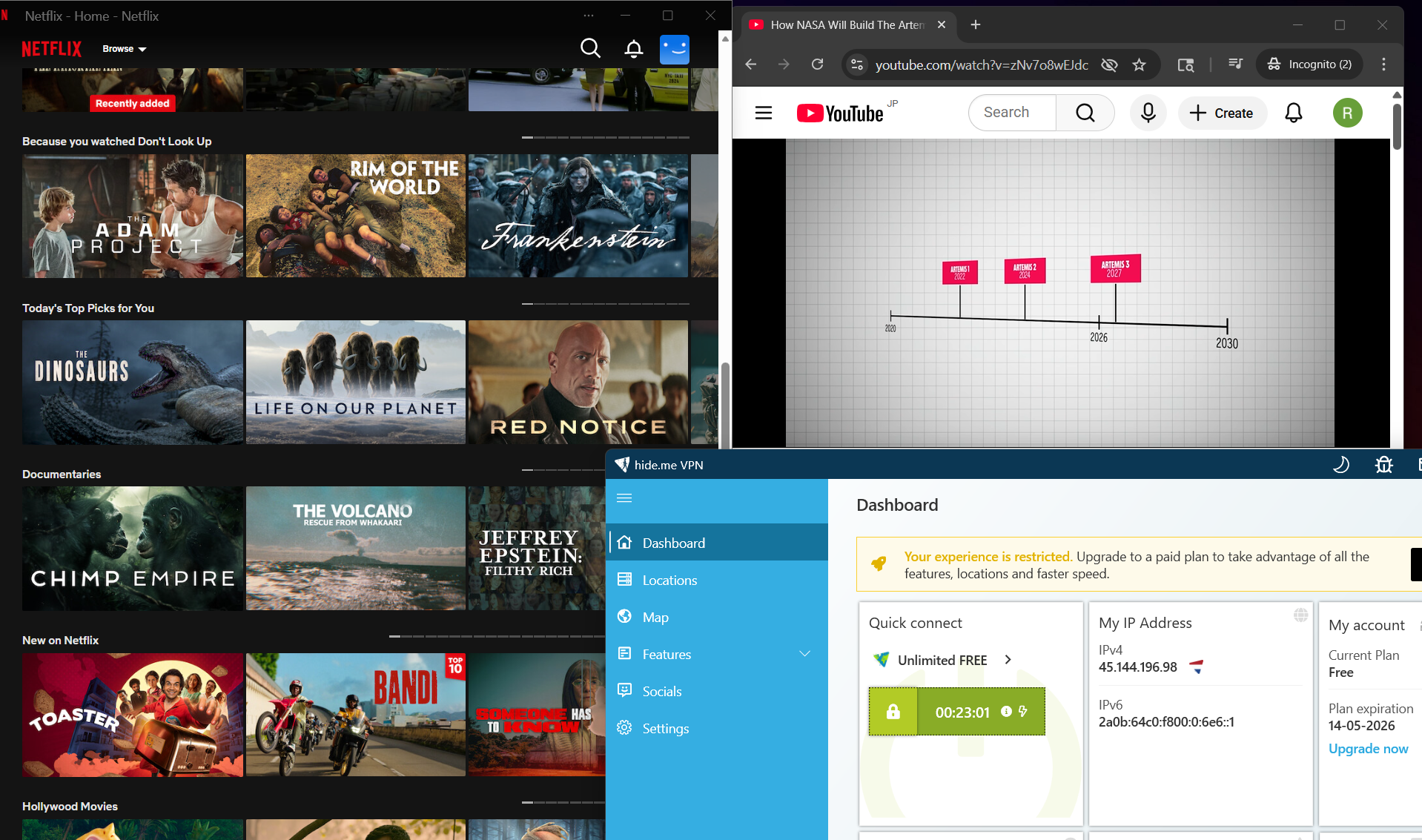
Netflix Playback: The video didn’t start instantly and took around 4–5 seconds to begin. When it did load, it came in slightly blurred quality at first, mainly during the Netflix intro screen. After that short phase, playback stabilised and the stream continued without further issues or interruptions.
Seeking (Forward & Rewind): Fast-forwarding introduced a short delay of about 3–4 seconds before playback resumed. It initially came back in a slightly blurry state, but the quality improved shortly after and stayed stable with no further drops. Rewinding was a bit quicker, taking around 2 seconds to resume, and it restarted in good quality without errors.
YouTube Performance: YouTube loaded immediately, but playback began at a very low resolution of around 240p. Even after several minutes, it only improved gradually, reaching roughly 780p after about 7 minutes. After manually switching it to 1080p at around the 10-minute mark, the stream held steady and played smoothly without any further lag or quality fluctuations.
While using hide.me on Netherlands and Germany servers, the connection stayed secure throughout the testing phase. There were no IP, DNS, or WebRTC leaks detected at any point, even during continuous usage. The VPN handled the session cleanly without exposing any real network information, which makes it dependable in terms of maintaining privacy.
PROS
- Very quick and lightweight setup with minimal installation time
- No sign-up or personal details required to start using the free version
- Clean and simple interface that’s easy to navigate
- Unlimited bandwidth for any task
- Helpful on-screen guidance for first-time users
- Built-in Stealth Guard and split tunneling options
- Strong privacy protection with no IP, DNS, or WebRTC leaks detected
- Stable streaming once playback settles
- Reliable connection without unexpected drops during use
CONS
- Outdated interface design with limited customization
- No manual server selection in the free version
- Most advanced features locked behind the paid plan
- Speed performance is quite poor on tested servers
- Streaming takes time to stabilize, especially on YouTube
👉 See full Hide.Me VPN review →
2. TunnelBear – Weak Performance and Streaming Experience
Using TunnelBear feels simple once you’re inside, but getting there takes a bit more time than expected. The app itself is quite large, and the setup process stretches across multiple steps with repeated prompts, so it doesn’t have that quick, instant-start feel. After everything is set up, though, the interface is very clean and minimal, making it easy to understand without any clutter. It’s clearly designed to keep things basic, though small annoyances like having to log in frequently can interrupt the overall flow.
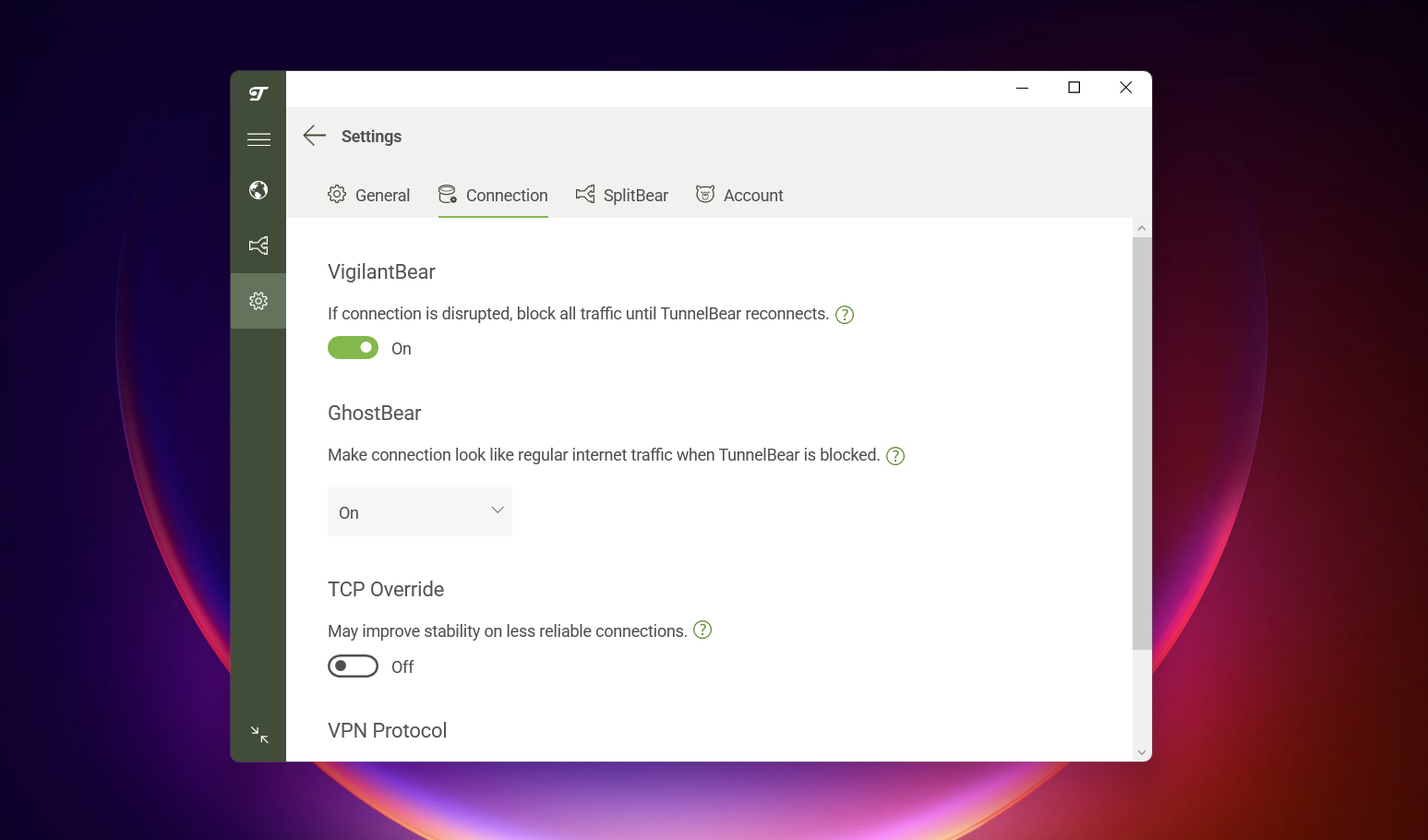
From a security standpoint, it does its job well. The connection remained stable during testing, and there were no IP, DNS, or WebRTC leaks observed, even across different servers. It also includes useful features like VigilantBear for protection and GhostBear for obfuscation, along with split tunneling for some added flexibility. So while the feature set isn’t very deep, it covers the essentials and maintains a reliable, secure connection.
Where it starts to struggle is in performance and overall usability beyond basic tasks. Speed drops are quite high, and latency remains on the higher side, which affects responsiveness. Streaming, in particular, is not its strong point - Netflix takes a long time to load and doesn’t consistently reach good quality, while YouTube struggles with low default resolution and playback instability. Add to that the 2000 MB data cap and lack of server choice, and it ends up feeling more like a light-use VPN rather than something suited for regular or heavy usage.
Limitations (Free Version)
⟶ 2000 MB data cap – the monthly limit is very low and runs out quickly with even moderate use.
⟶ No server selection – you can’t choose where to connect and are limited to automatic server assignment.
⟶ Frequent login required – you’ll need to sign in repeatedly, which interrupts the overall experience.
⟶ Limited streaming capability and performance – streaming is slow, inconsistent, and struggles to maintain good quality.
Performance Table Result
TunnelBear felt a bit more drawn out compared to the lighter VPNs. The download itself was noticeably bigger at around 187 MB, so it already took a little patience before anything even began installing. Once that was done, the setup flow wasn’t complicated, but it did stretch over a few screens and prompts that made it feel less instant than you might expect from a modern VPN.
You go through a short sequence of setup steps, then move into account creation before finally landing on the main dashboard. Nothing is technically difficult, but the process doesn’t exactly rush you in either. It has a slightly stop-and-go rhythm with multiple confirmations along the way. By the time you actually reach the home screen, you’ve already spent a few minutes just getting everything in place.
Once inside, the interface is quite minimal, almost to the point where there isn’t much competing for your attention. It’s clean, but in this case the simplicity is paired with a setup experience that feels longer than it needs to be. Between the repeated prompts and the overall install size, it doesn’t give that instant “I’m in” feeling you get with some of the lighter VPN apps.
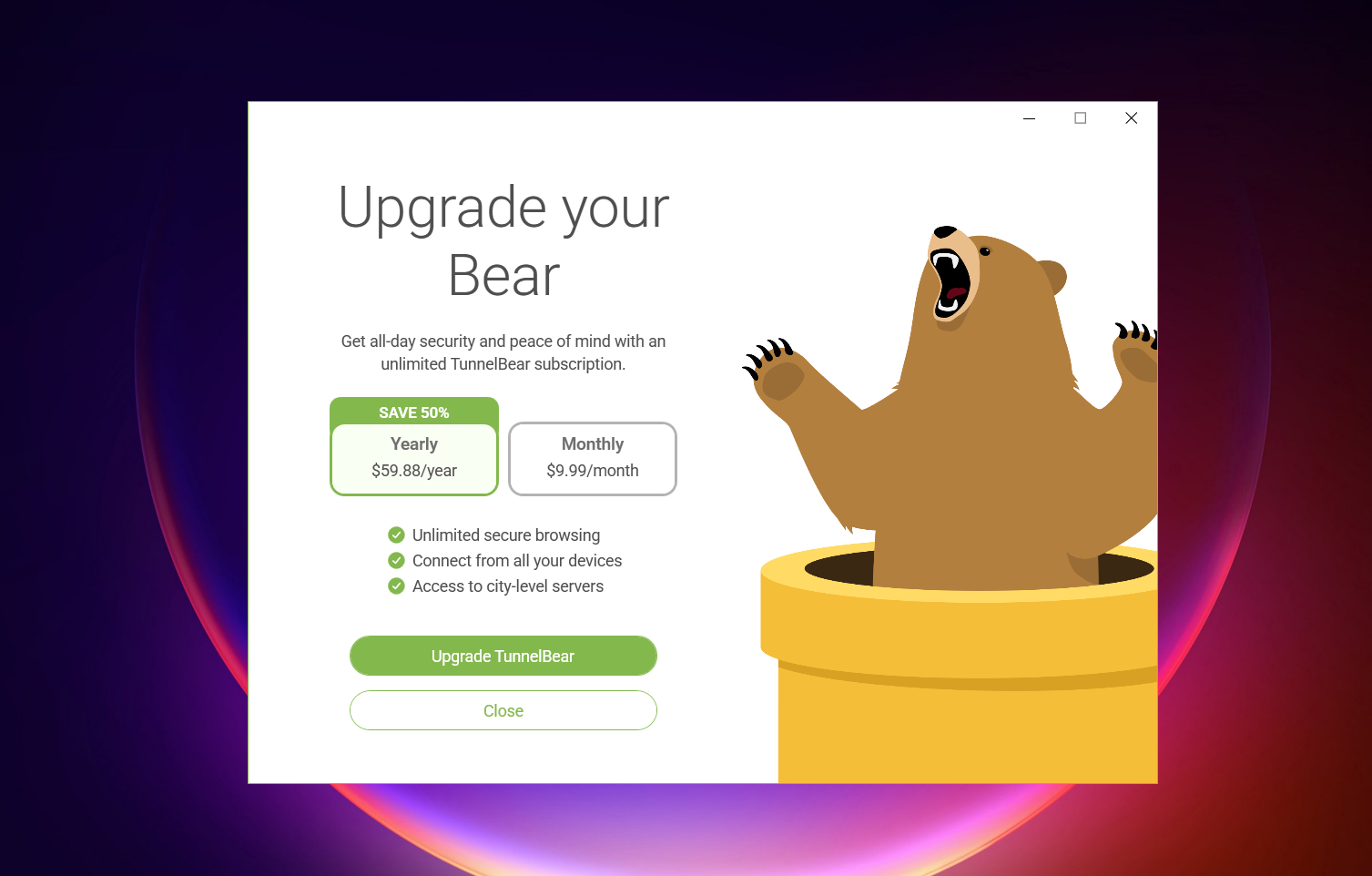
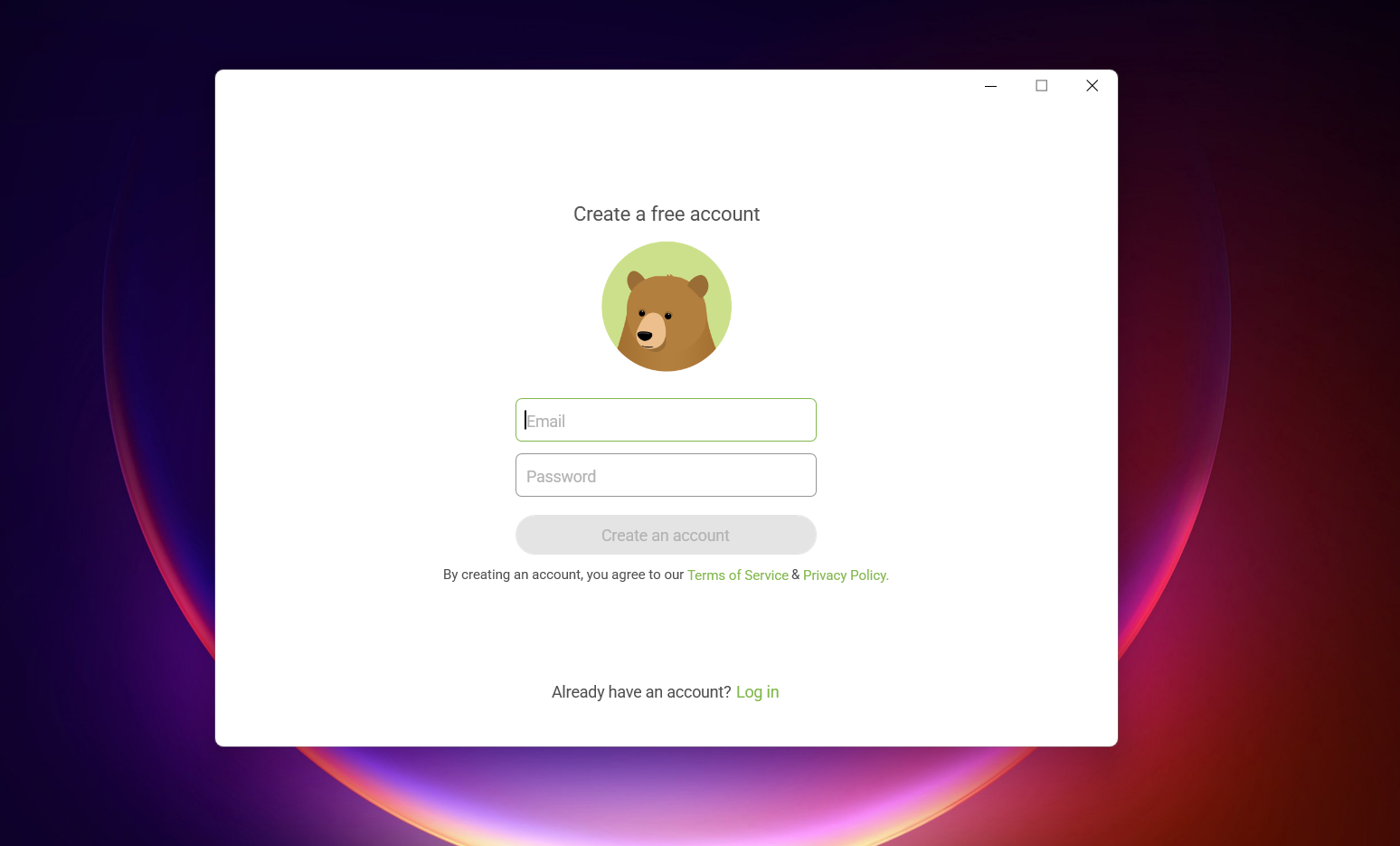
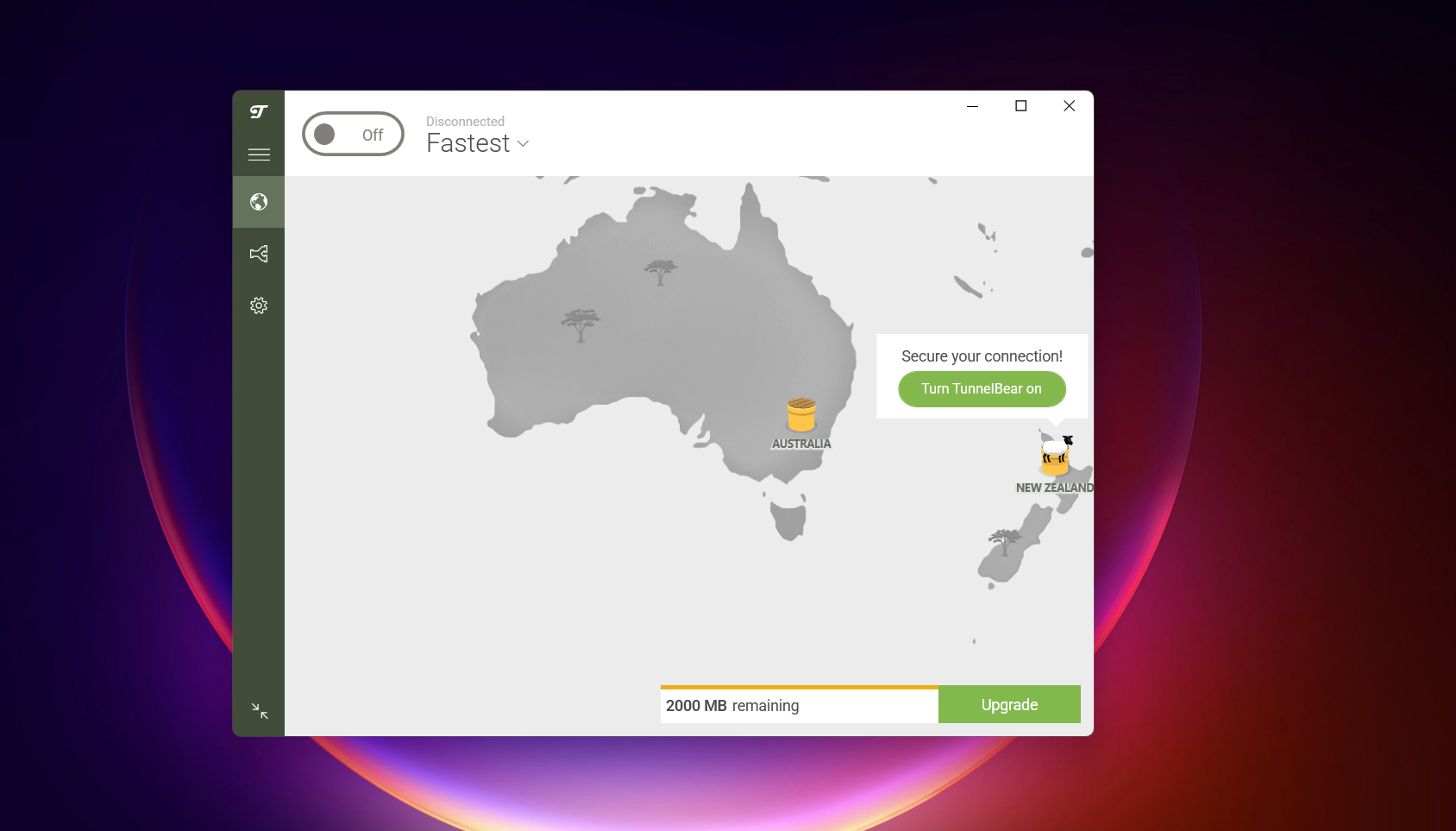
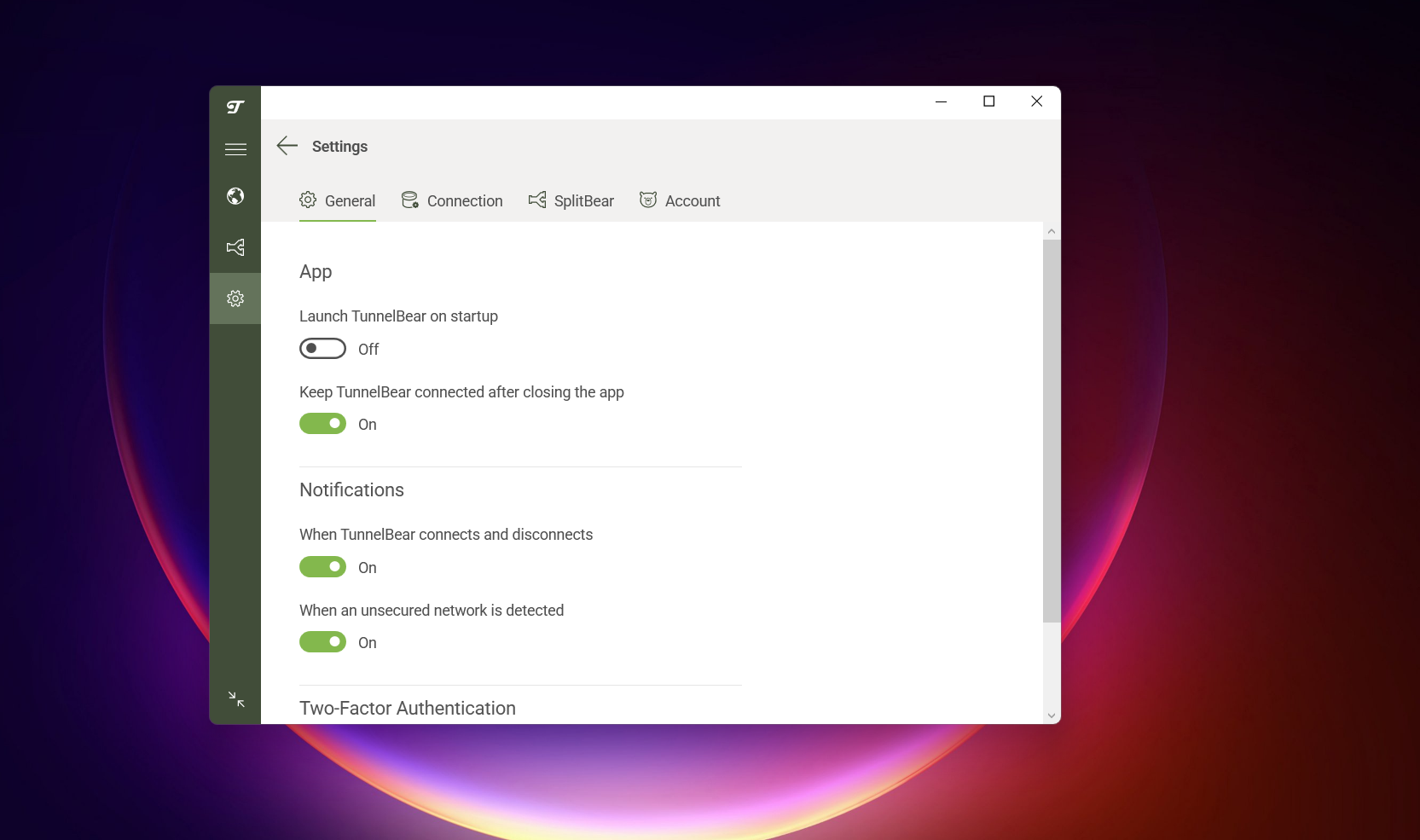
TunnelBear has a very simple, lightweight interface (even though the app is 187 Mb) that keeps things stripped down and easy to understand at first glance. It doesn’t overload you with settings or complicated menus, so everything feels fairly straightforward during everyday use. That said, one of the more annoying parts of the experience is having to log in every time you want to use it, which interrupts the flow a bit. There’s also a visible data limit of 2000 MB on the free plan, which quickly reminds you that it’s more of a light-use VPN than something for heavy browsing. The background map adds a bit of visual character, but in practice it doesn’t really serve much purpose beyond aesthetics. Overall, it feels consistent and usable, but quite basic in both design and functionality.
General
- Protocol selection options
- Launch TunnelBear on startup
- Keep connected after closing the app
- Two-factor authentication (2FA)
Special Features / Connections
- VigilantBear (kill switch style protection)
- GhostBear (obfuscation feature)
Split Tunneling
- Do not allow selected apps
- Allow selected apps
Servers Availability
- Simple “connect” button for free users (no manual server selection)
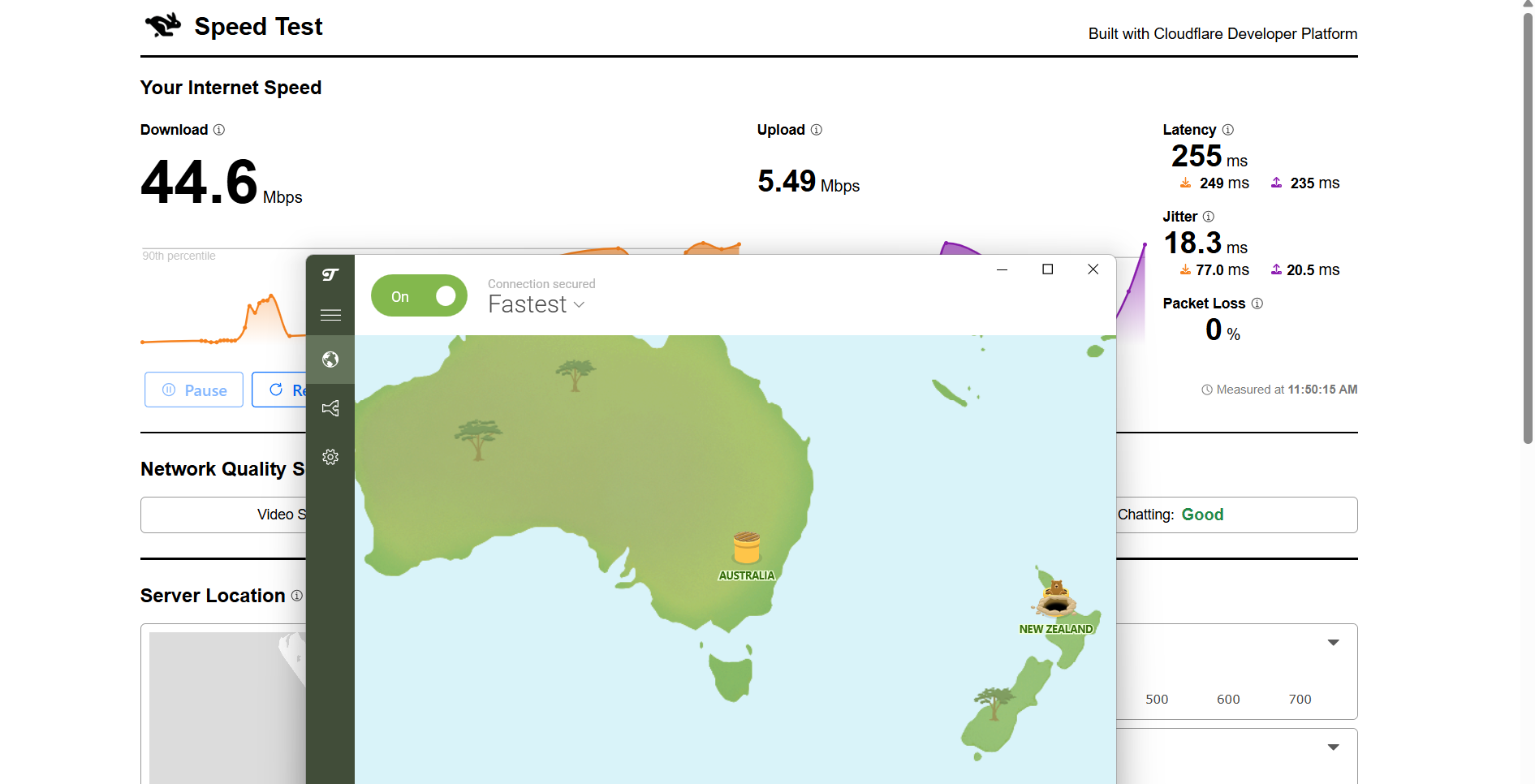
TunnelBear showed inconsistent performance during speed testing from India, with a significant drop in speeds across both tested server locations. The New Zealand server performed relatively better, offering more usable speeds and improved stability compared to the US. However, high latency remained a concern on both routes, making the experience less ideal for real-time activities despite moderate usability on the better-performing connection.
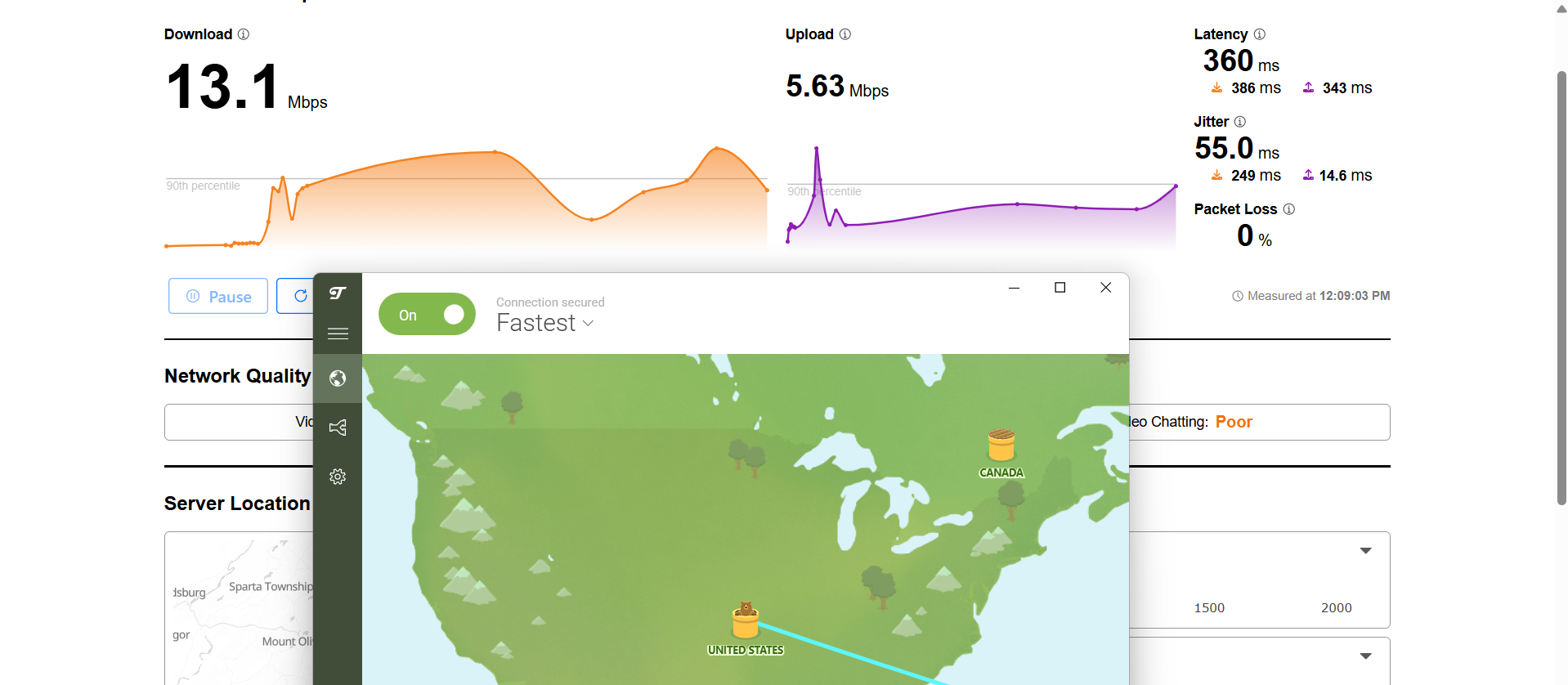
US Server: 93.32% drop in speed
- Download Speed: 13.1 Mbps
- Upload Speed: 5.63 Mbps
- Latency: 360 ms
- Jitter: 55 ms
New Zealand Server: 77.24% drop in speed
- Download Speed: 44.6 Mbps
- Upload Speed: 5.49 Mbps
- Latency: 255 ms
- Jitter: 18.3 ms
TunnelBear struggled a bit during streaming tests, especially on Netflix where loading times were noticeably longer than the other VPNs. Even after the content loaded, playback didn’t feel very smooth and required patience before it stabilized. YouTube performance also felt inconsistent, with resolution issues and occasional playback interruptions that affected the overall experience.
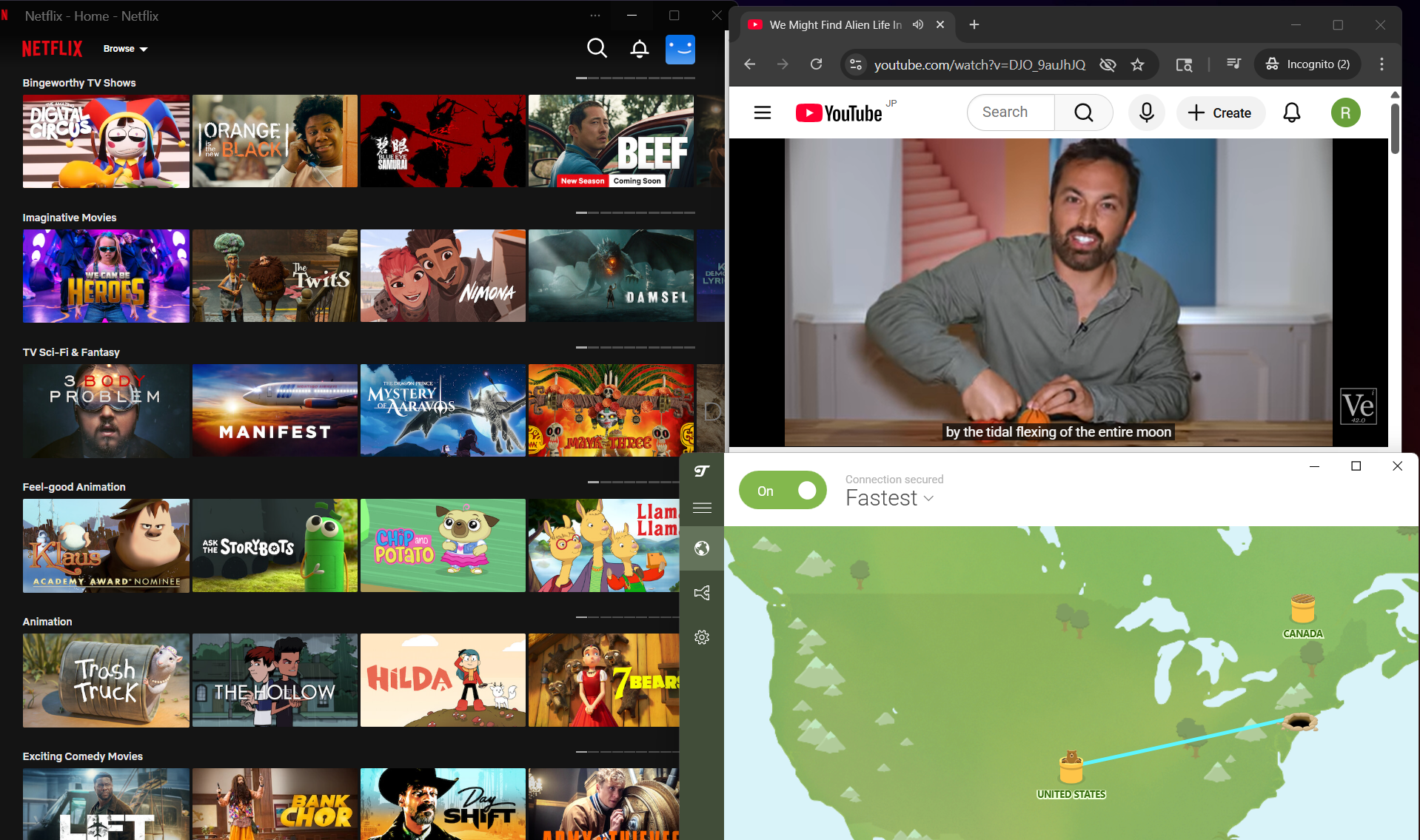
Netflix Playback: Titles took quite a while to load, and once the video finally started, there was already a delay of around 1–2 minutes before playback began. The stream opened in a blurry state, and although the quality did improve slightly over time, it never really reached a consistently sharp level during viewing.
Seeking (Forward & Rewind): Fast-forwarding made things less smooth, with playback becoming even more blurry and taking close to a minute to load again before continuing. Rewinding had a similar behavior but took even longer to recover, making navigation feel quite slow and unresponsive overall.
YouTube Performance: YouTube performance was fairly weak compared to the other VPNs. Videos initially started at 144p and stayed there for a long period without improving on their own. Even after manually switching to 1080p after about 10 minutes, playback became unstable and eventually stopped, forcing a downgrade to a lower resolution before the video could run properly again.
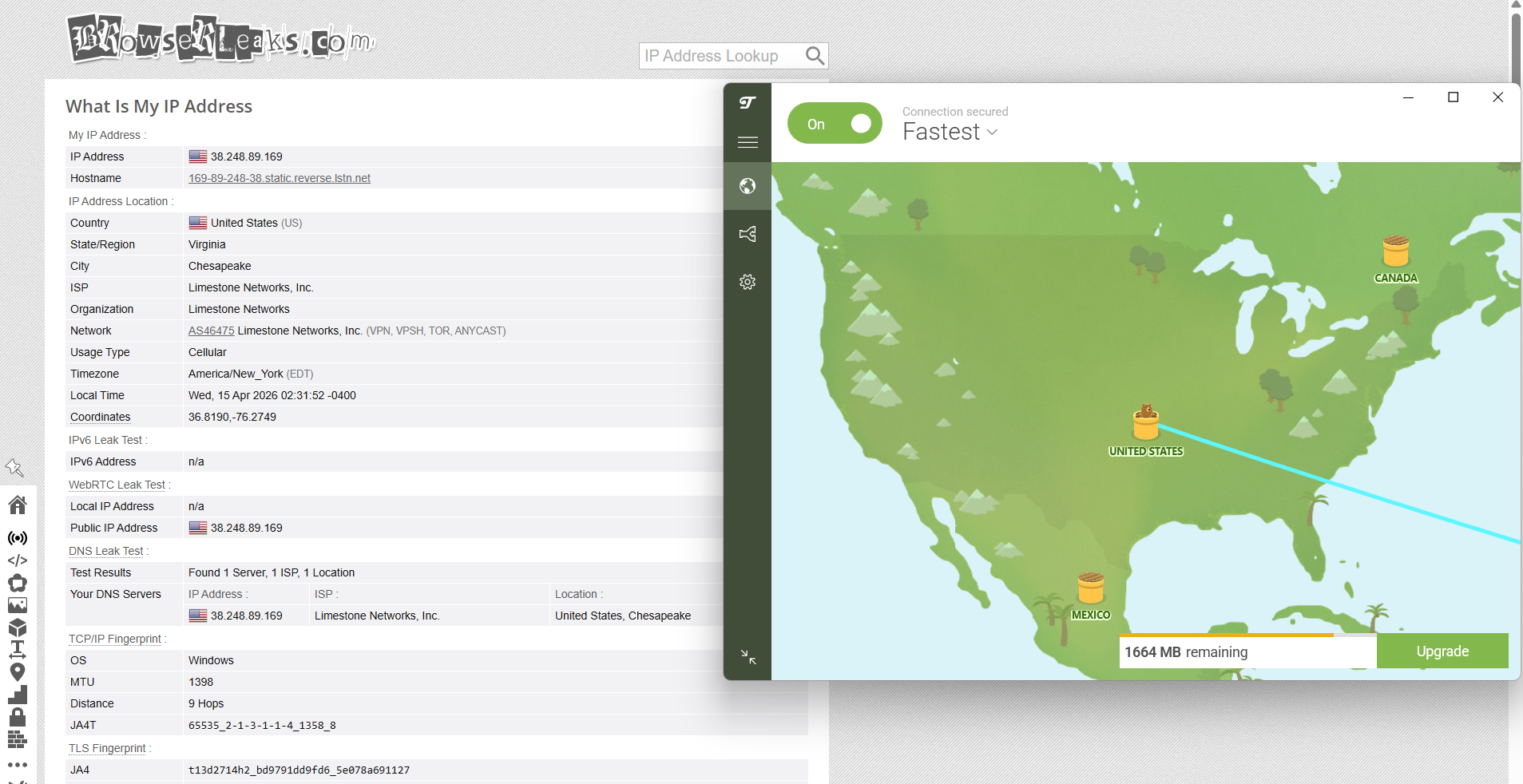
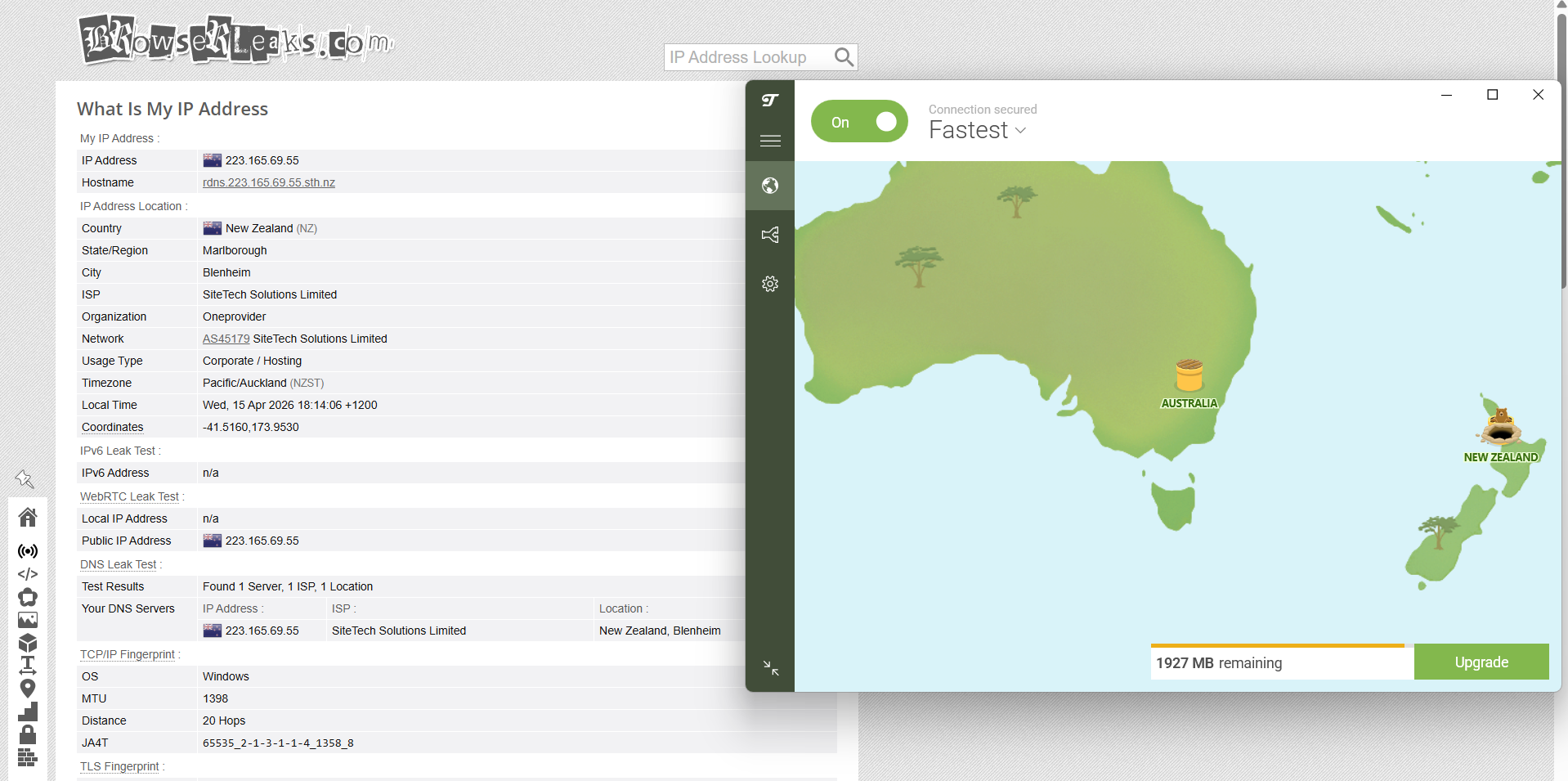
With TunnelBear, testing on both the United States and New Zealand servers showed a stable and secure connection overall. During use, there wasn’t any sign of IP, DNS, or WebRTC leakage, even when the session was kept active for extended periods or when moving between locations. The VPN maintained its protection consistently, without revealing any underlying network details at any stage.
PROS
- Simple and easy-to-use interface with minimal learning curve
- Clean layout with no clutter or overwhelming settings
- Built-in features like VigilantBear (kill switch) and GhostBear (obfuscation)
- Supports split tunneling for app-level control
- Strong privacy performance with no IP, DNS, or WebRTC leaks
- Stable connection without random disconnections
- Two-factor authentication (2FA) for added account security
CONS
- Large app size with a slower, multi-step setup process
- Requires login frequently, which interrupts usability
- Limited free plan with 2000 MB data cap
- No manual server selection in free version
- Streaming performance is inconsistent and often slow
- Slow loading times and poor seeking experience on Netflix
- Weak YouTube performance with low default resolution and instability
👉 See full TunnelBear VPN review →
Free vs Paid VPNs for Windows: Key Differences
We’ve already tested both free and paid VPNs on Windows ourselves, checking things like setup, speed, streaming, stability, and security. Based on what we saw during testing, we’ve put together the comparison below to show how they actually differ in real use.
If you’re not ready to jump straight into a paid plan, that’s completely fair. A lot of these paid providers offer free trials or risk-free periods, which give you a better idea of how the premium experience feels without committing long-term. It’s a good middle ground - start with a VPN's free trial, test the speeds and features yourself on Windows, and then decide if it’s worth subscribing.
Explore VPN Options Beyond Free Plans
Free VPNs can work for simple needs, but they usually have certain restrictions. If you're looking for improved performance or want to use a VPN on multiple devices, you might want to check out these guides:
- Best VPN for Windows
- Best VPN for Android
- Best VPN for iPhone & iPad
- Best VPN for Mac
- Best VPN Services Overall
Looking for Free VPNs on Other Devices?
If you’re using multiple devices, you can also explore free VPN options available on other platforms:
Final Thoughts
Using these free VPNs on Windows over time feels less like choosing a single “best” option and more like picking what compromises you’re okay with. They all cover the basics well enough, your connection stays protected, and you don’t have to worry about leaks. But beyond that, the experience starts to split in very different directions.
Some tools prioritize convenience and get you online with almost no effort, while others trade that simplicity for added features or better control. Then there are the limitations that come with free plans, like capped data, inconsistent speeds, or restricted server access, which become more noticeable the longer you use them. So while none of these feel broken, they each fit a slightly different kind of user. Here’s how they compare when used on Windows over time:
Key Free VPN Standouts From Our Testing
When you look at how these VPNs behave across setup, usability, server availability, speed patterns, streaming handling, connection stability, and free-tier restrictions, the differences become easier to spot. Instead of one clear winner, each option stands out for a specific reason:
- Best Overall Free VPN for Windows: Proton VPN – offers the most balanced experience with strong security, stable connections, no data limits, and smooth streaming, despite limited control over server selection.
- Best for Customization & Feature Control: Windscribe – stands out with deep customization options, split tunneling, and its R.O.B.E.R.T blocking system, making it ideal for users who want more control.
- Simplest & Fastest Setup Experience: Windscribe and hide.me – both provide extremely quick installation with no mandatory sign-up, letting you start using the VPN almost instantly.
- Best for Streaming Performance: Proton VPN, PrivadoVPN and Windscribe – deliver the most consistent streaming experience, with fast Netflix startup and stable playback during longer sessions.
- Best Free VPN with Manual Server Selection: PrivadoVPN and Windscribe – one of the few free VPNs that allows you to choose servers manually, giving you more flexibility and control over performance.
- Best for Privacy & Leak Protection: All five VPNs – performed reliably with no IP, DNS, or WebRTC leaks detected during testing across different servers.
- Best for Beginners & Ease of Use: Proton VPN and Windscribe – both offer clean, simple interfaces that are easy to understand, even for first-time VPN users.
- Most Feature-Rich Free VPN: Windscribe – includes advanced tools like ad blocking, split tunneling, and connection customization rarely seen in free plans.
- Most Stable Connections Overall: Proton VPN and PrivadoVPN – maintained steady sessions with minimal interruptions and consistent behavior during extended use.
- Biggest Limitations to Watch: TunnelBear and hide.me – restrictive free plans with low data caps or limited control make them better suited for light or occasional use.
That’s all for our guide on choosing the best free VPN for Windows. If you have any additional questions, please leave them in the comment section below. Thank you for reading!