When you purchase through links on our site, we may earn an affiliate commission. Here’s how it works.
How to Watch Hulu in the UK in 2026
Last updated May 25, 2024


Hulu houses premium TV shows and movies, whether you want to revisit classics like Alien, or binge new originals like Shogun. However, Hulu is geo-restricted to the US (and its territories) and Japan. Star on Disney+ offers some Hulu content in the UK, but the reality is that US Hulu has a much larger library.
Plus, its libraries vary by region, so Hulu Japan has very different content than what you can watch in the US. You also can’t watch Hulu abroad as a US national traveling to the UK. Fortunately, changing your IP address to the US with a VPN makes it easy to watch Hulu in the UK—provided you have a valid payment method to sign up.
In this guide, we’ll teach you all about how to use Hulu in the UK. This includes which VPNs work best on the platform (and why you need one), how to get Hulu with alternate payment methods, Hulu pricing, how to watch Hulu on various devices, and a watch guide for when you’re done setting things up. We’ll also offer tips and tricks to try if Hulu isn’t working.
How to Watch Hulu in the UK
To watch Hulu in the UK, you’ll need to sign up for a capable Hulu VPN and connect to one of the provider’s US servers. Note that you’ll also require a valid US payment option (such as a credit card) to sign up. Here’s what you need to do:
- Sign up for a VPN that can unblock Hulu in the UK (we recommend NordVPN).
- Download the VPN app to your preferred streaming device.
- Connect to a US server.
- Go to Hulu’s website and click on “Sign up for Hulu only.”
- Choose a plan to proceed.
- Add your account details.
- Input your payment info (US credit card or PayPal needed).
- Click “Submit” to finish up and start watching.


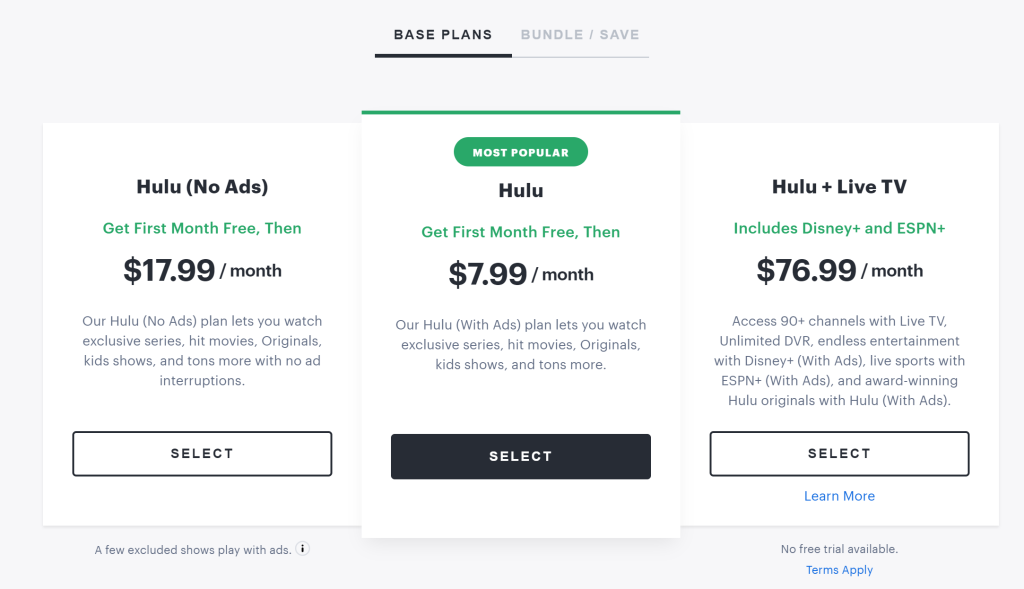
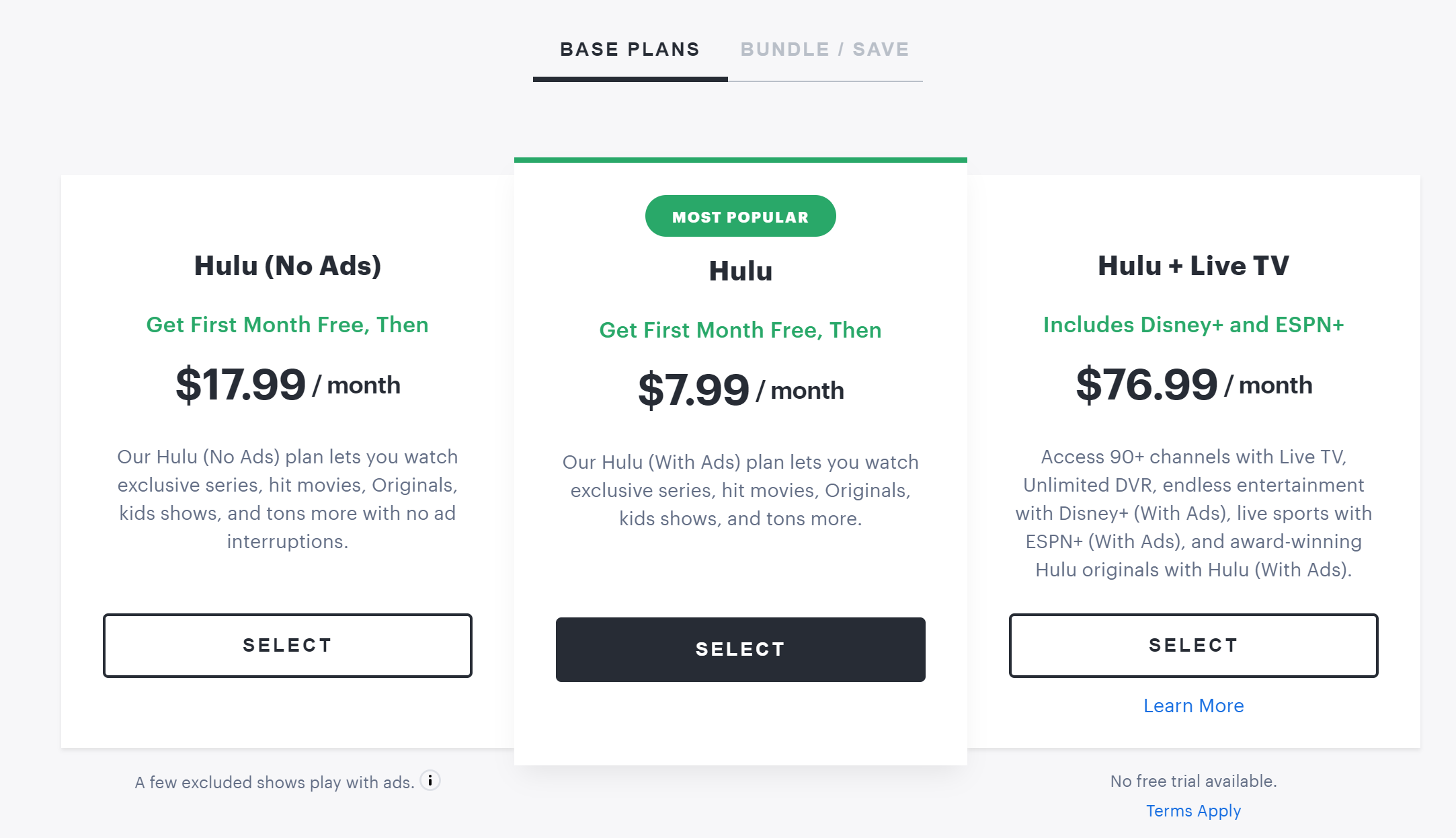

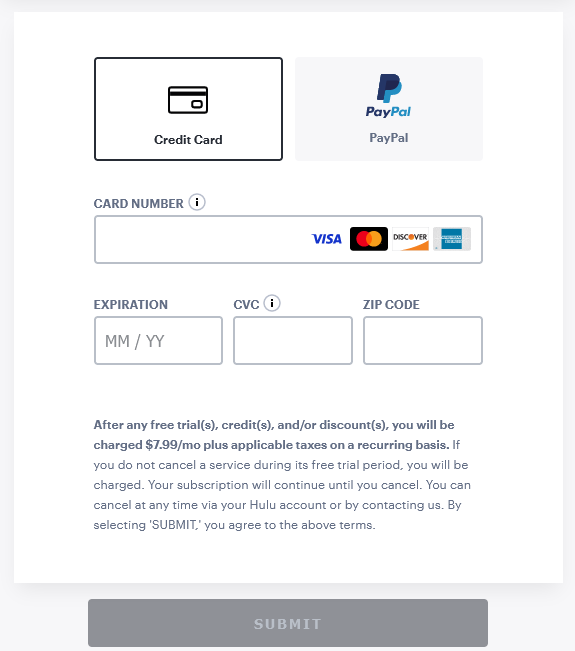
As previously mentioned, Hulu requires a form of payment with a valid US billing address. If you don’t have one, we’ll cover some alternate payment methods in a later section. These include Hulu’s own gift cards, US Apple/Google Play gift cards, and US virtual credit cards. You can also try a US PayPal account if you have friends or relatives in the States who can help out.
Why Do You Need a VPN to Watch Hulu in the UK?
You need a VPN to watch Hulu in the UK because Hulu is only available in the United States, US territories, and Japan. Now, some Hulu titles are available through the Star content hub on Disney+. That said, the selection of content is limited compared to the US Hulu library. The Hulu Japan library is vastly different and focuses more on the Japanese market.
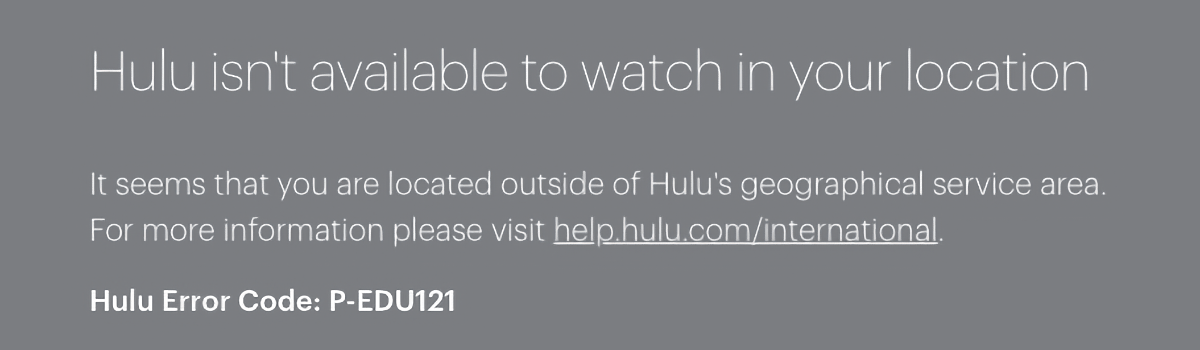
Hulu doesn’t automatically block you from merely viewing its website, and sometimes you can even manage to sign up. But the moment you try to watch Hulu outside the US, you’ll receive this error message: “Hulu isn’t available to watch in your location. It seems that you are located outside of Hulu's geographical service area.”
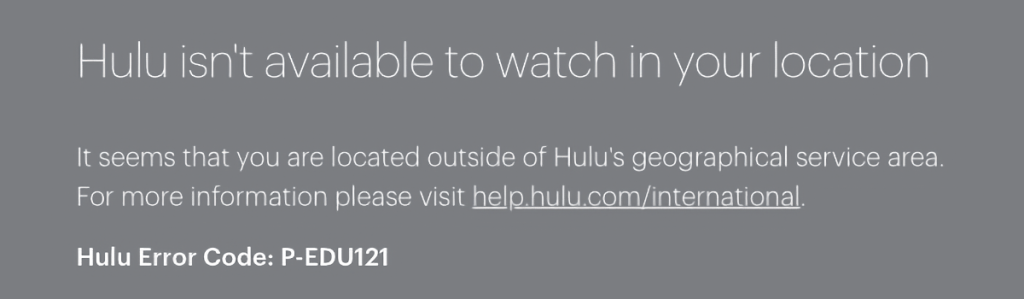
To use Hulu in the UK without such interruptions, you’ll have to change your IP to the US with a VPN. By doing so, you’ll be able to access any US-exclusive service out there, much like any local resident. You can watch Hulu TV shows and movies if you’re simply vacationing in the United Kingdom or are an expat.
Unfortunately, not all VPNs are capable of unblocking Hulu. Most streaming services have VPN detection measures that block IP ranges belonging to VPNs. Only VPNs that have strong security measures like obfuscation and smart DNS can evade detection. Therefore, you’ll need the best Hulu VPN at your disposal to get around the company’s strict filters.
We recommend NordVPN as the best VPN to watch Hulu in the UK, as its SmartPlay feature also spoofs your DNS requests, adding an extra layer of invisibility. And with 1,970+ ultra-fast US servers at your disposal, Hulu will have a hard time blocking you.
The Best VPNs for Streaming Hulu in the UK
If you want to get Hulu in the UK, you need to find a VPN that is able to reliably unblock Hulu and similar streaming sites from all over the world. As such, you should look for a provider with an extensive global server network with strong US coverage, along with some form of obfuscation in case of VPN blocks on strict networks or services.
Fast speeds and great performance are necessities, especially if you plan to stream in 4K or view live events. A kill switch will prevent IP leaks upon disconnecting, while a strict no-logs policy guarantees your VPN won’t spy on your activity. Meanwhile, you’ll need top-shelf protocols (like OpenVPN and WireGuard) and encryption (AES-256) to guard against hackers.
If you have a lot of gadgets, ensure the VPN supports multiple simultaneous connections and has apps for every popular system (Windows, Android, iOS, macOS, Linux, and more). Finally, you’ll want 24/7 live chat for troubleshooting and a generous money-back guarantee for good measure.
Based on the criteria above, these are the best VPNs to watch Hulu in the UK:
- NordVPN – Our #1-Rated VPN to Watch Hulu in the UK
- Surfshark – Get Hulu in the UK on Unlimited Devices
- ExpressVPN – User-Friendly VPN for Streaming Hulu in the UK
1. NordVPN – Our #1-Rated VPN to Watch Hulu in the UK
NordVPN is the best VPN to watch Hulu in the UK, complete with features like SmartPlay that help you unblock Hulu anywhere. You also get 6,000+ servers in 61 countries, with 1,970+ servers in 16 US locations. This will help if you’re planning on watching streaming sites from other areas. Safe to say you won’t run out of options any time soon.
Plus, you get lightning-fast speeds and consistent performance no matter your location. Live streaming the latest sporting events on Hulu + Live TV? Binge-watching your favorite sitcoms or action flicks on Hulu? NordVPN guarantees a seamless experience in any situation.
And if you run into any VPN blocks on stricter networks (like college Wi-Fi or at work), you can always rely on NordVPN’s obfuscated servers. Moreover, the VPN has a kill switch feature that can interrupt traffic if you get disconnected, so no online services discover your true IP.
Meanwhile, NordVPN offers a true no-logs policy and solid protocols (OpenVPN, IKEv2/IPsec, and NordLynx), as well as impenetrable encryption (AES-256 or ChaCha20, depending on your protocol) to ensure your privacy and security while using the service.
For multi-screen streaming on all your home devices, NordVPN provides 6 simultaneous connections and easy-to-use apps for Windows, Linux, macOS, Android (and Android TV), iOS (and Apple TV), and many others.
Run into any issues? Contact 24/7 live chat support for assistance, or take advantage of their 30-day money-back policy if things don’t work out.
PROS
- 16 US locations, 1,970+ servers.
- Unblocks Hulu with ease.
- SmartPlay for seamless streaming.
- Obfuscated servers.
- 24/7 live chat.
- 30-day money-back guarantee.
CONS
- Limited simultaneous connections.
2. Surfshark – Get Hulu in the UK on Unlimited Devices
Surfshark is yet another premium VPN for you to stream Hulu in the UK. Its advanced features (such as smart DNS) help you unblock Hulu or any other popular service. And with 3,200+ servers in 100 countries, including 600+ servers in 25 US cities, you can explore a whole world of content.
The VPN offers high-speed connections and solid performance, aided in part by their unique Nexus technology. By routing your data through the provider’s entire network, Nexus stabilizes your connection, allowing you to watch Hulu at maximum 4K quality without interruptions.
A handy kill switch is also part of Surfshark’s offering, keeping your IP safe in case of unforeseen disconnections. Otherwise, Camouflage Mode (obfuscation) hides your VPN activity on stringent public networks. Stream all your favorite content without nosy network admins getting in the way of your fun.
Surfshark follows a strict no-logs policy, so your privacy is in safe hands while connected. What’s more, you get top-of-the-line protocols (OpenVPN, WireGuard, and IKEv2), and encryption ciphers (AES-256 or ChaCha20) protecting your data against cyber threats.
Surfshark lends itself well to account-sharing with friends or family, allowing unlimited simultaneous connections to cover all your bases. It has a compatible app whether you’re on Windows, macOS, iOS, Android, Android TV, Linux, or others.
Lastly, the provider has 24/7 customer support available through live chat for troubleshooting any issues, and all plans are backed by a 30-day money-back guarantee.
PROS
- US servers in 25 cities.
- Nexus technology.
- Camouflage Mode (obfuscated servers).
- Unlimited simultaneous connections.
- 24/7 support via live chat.
- 30-day refund period.
CONS
- Initial connection times may lag.
3. ExpressVPN – User-Friendly VPN for Streaming Hulu in the UK
ExpressVPN is a solid VPN to use Hulu in the UK, as it provides 3,000+ servers in 105 countries around the world (including 24 US server locations). Better yet, the entire network has built-in obfuscation technology, allowing you to unblock Hulu and plenty of other streamers in the UK, all without any service discovering your VPN activity.
Despite the inclusion of this feature (which often decreases speeds), ExpressVPN’s blazing-fast speeds and reliable performance remain unaffected. You can count on a great streaming experience, whether you’re interested in Hulu’s on-demand content or are curious about their Hulu + Live TV offering.
Like most top VPNs, ExpressVPN has a kill switch, so you don’t risk exposing your IP during disconnections. The provider’s no-logs policy has also been audited extensively, ensuring total privacy while browsing, streaming, and so on.
ExpressVPN has 3 protocols available: the classic AES-256-enabled OpenVPN and IKEv2 options, along with Lightway, the provider’s own alternative with WolfSSL encryption. All these protocols offer amazing security, though we prefer the latter for streaming.
You can use ExpressVPN on 8 devices at the same time, with streamlined apps available for all major platforms from Windows to Linux and from smartphones to smart TVs. Those preferring to watch Hulu in the UK on their PlayStation or other unsupported devices may be interested in ExpressVPN’s router app instead.
As always, round-the-clock live chat support is available if you encounter any problems. Plus, you have a 30-day money-back policy just in case.
PROS
- Excellent speeds.
- Tons of US servers.
- Extensive international network.
- Servers obfuscated by default.
- 24/7 customer support.
- 30-day money-back policy.
CONS
- Customization options could be improved.
How Much Does US Hulu Cost in the UK?
The basic Hulu (Ads) package comes at a cost of $7.99 (£6.30) per month, while getting Hulu (No Ads) will set you back $17.99 (£14.20) a month. If you’re interested in a Hulu free trial, these are the only packages that offer the option. Otherwise, you can try out Hulu + Live TV with ads at $76.99 (£60.75) monthly or without ads at $89.88 (£71.01) monthly.
For those that want to try out Disney+ and ESPN+ without the live TV offering, the better choice would be one of the three Disney Bundle options. The ad-supported Disney Bundle Duo Basic costs $9.99 (£7.88) per month, with Trio Basic being $14.99 (£11.83) per month. Going ad free on Trio Premium takes you up to $24.99 (£19.72) monthly.
Here’s what’s included in each Hulu package, and how much it’ll cost you in US dollars and British pounds:
How to Get Hulu in the UK?
It’s easier than ever to get Hulu in the UK, as you have diverse payment choices at your disposal. Below, we’ll go over how to pay for Hulu using US gift cards (Hulu, Apple, or Google Play), a US virtual credit card, or a US PayPal account.
Method 1: Sign Up for Hulu Using a Hulu Gift Card
Streaming services that offer a gift card option are a rarity nowadays. Luckily, you can still buy a Hulu gift card and pay for your subscription while connected to a US VPN. See how to do it below:
- Sign up for a VPN that can unblock Hulu in the UK (we recommend NordVPN).
- Download the VPN to your preferred device.
- Launch the VPN and connect to a server in the United States.
- Purchase a Hulu gift card through an online retailer.
- Head to the Gifting page on Hulu’s website to redeem your gift code.
- Sign up following the process covered earlier and have fun exploring Hulu’s content!


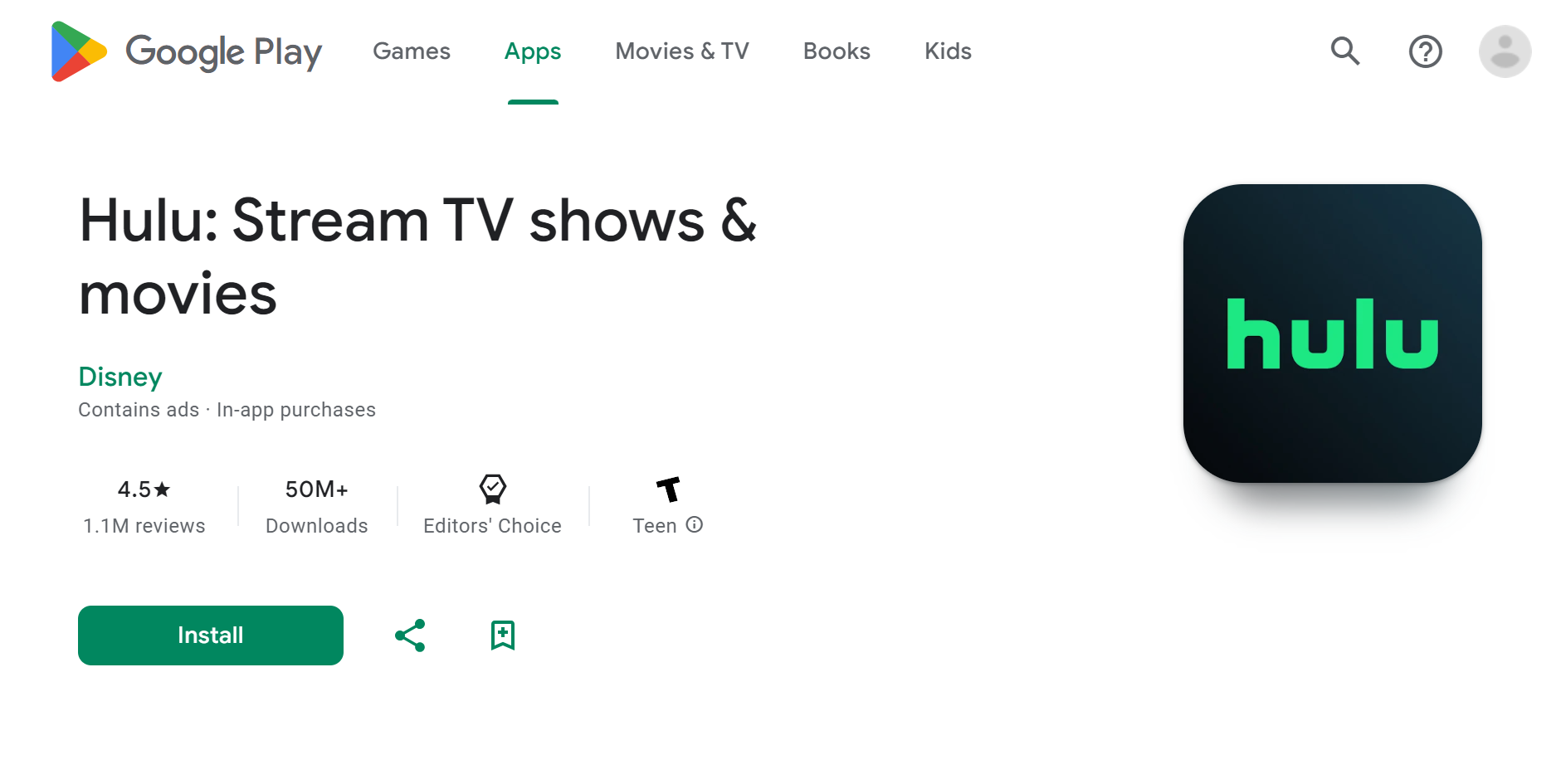
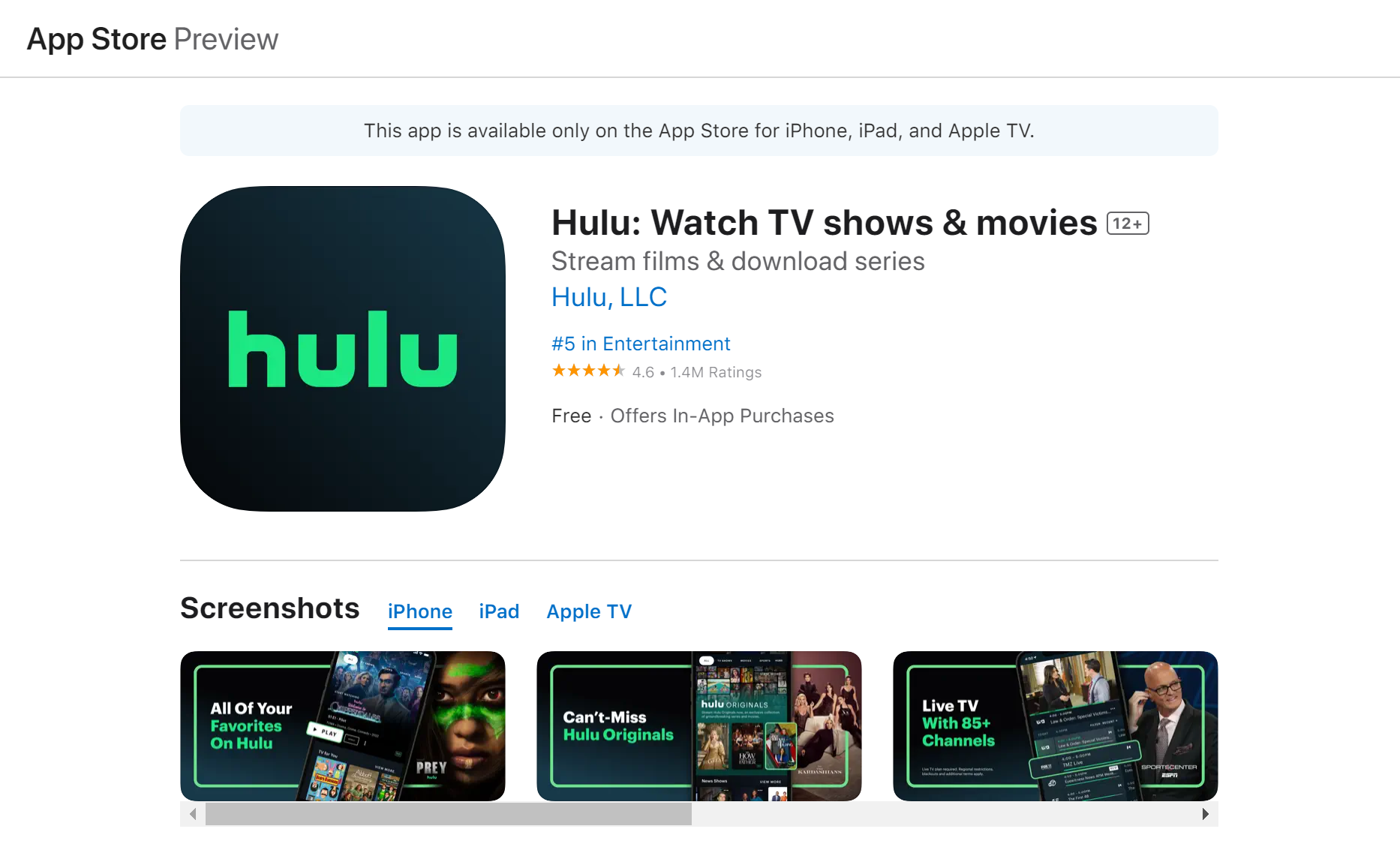
Method 2: Sign Up for Hulu Using a US Google Play Gift Card
This process requires a US Google account, so create one first. Then, get a US Google Play gift card, and subscribe with your account funds while connected to a US VPN server. Follow these steps:
- Subscribe to a VPN that works on Hulu in the UK (we recommend NordVPN).
- Install the provider’s Android app.
- Launch it and connect to an American VPN server.
- Get a US Google Play gift card from any trusted retailer.
- Sign up for a new Google account based in the US.
- Redeem your gift card code.
- Download the Hulu app from Google Play.
- Open Hulu, and sign up as you normally would through the app.


Method 3: Sign Up for Hulu Using a US Apple Gift Card
After creating a separate Apple ID (with a US billing address) and purchasing a US Apple gift card, you can connect to an American VPN server and pay for Hulu in the UK. More info below:
- Subscribe to and download an iOS Hulu VPN (we recommend NordVPN).
- Connect to a US server.
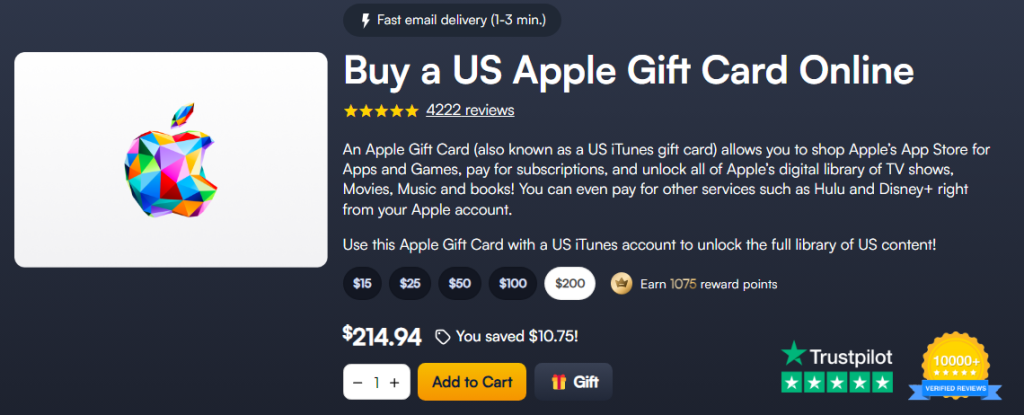
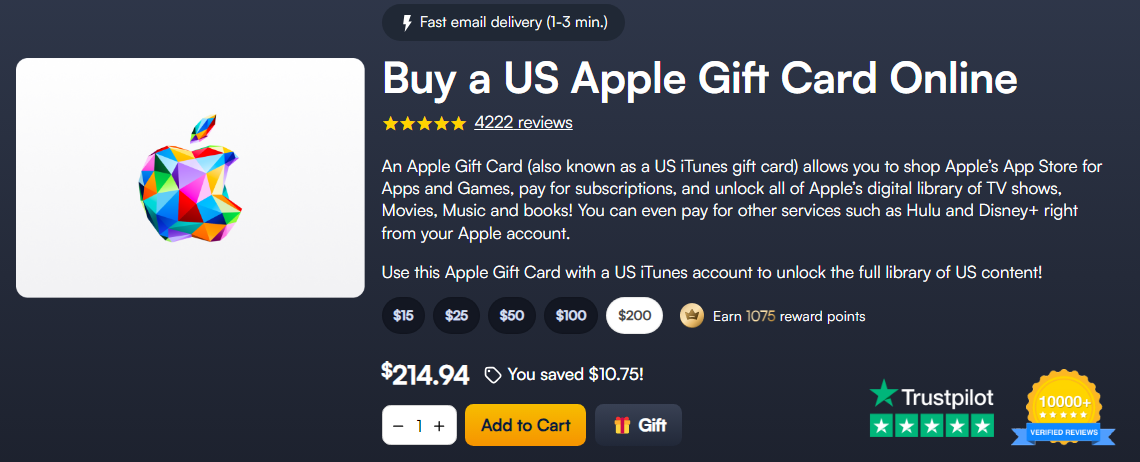
- Buy a US Apple gift card from MyGiftCardSupply or similar shops.
- Register a new Apple ID with a US address.
- Redeem your Apple gift card code.
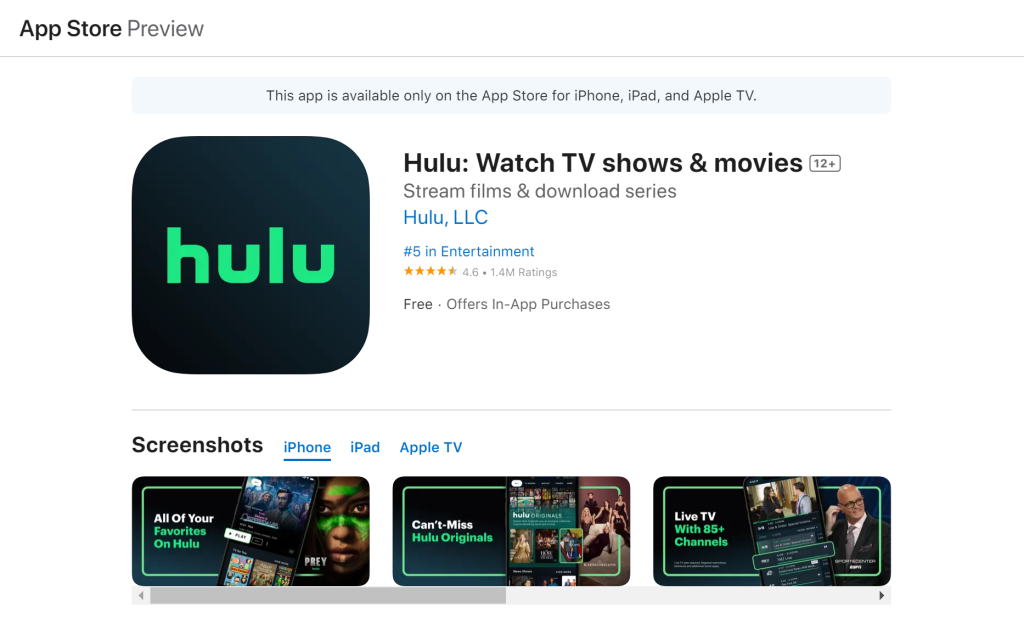
- Get the Hulu app on your iPhone/iPad.
- Launch it, and subscribe to Hulu with your gift card funds via the app.
Method 4: Sign Up for Hulu Using a US Virtual Credit Card
A US virtual credit card will let you pay for Hulu and other US-only services in the UK. As before, you’ll need to change your IP to the US with a VPN. Here’s how:
- Sign up for and install a VPN for Hulu (we recommend NordVPN).
- Open the app, and select a US server to connect to.
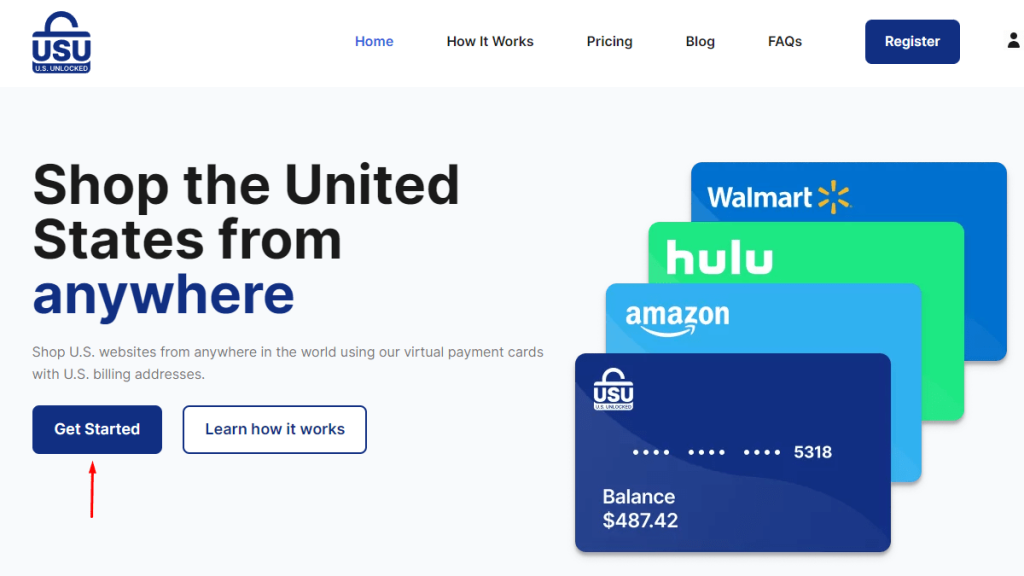
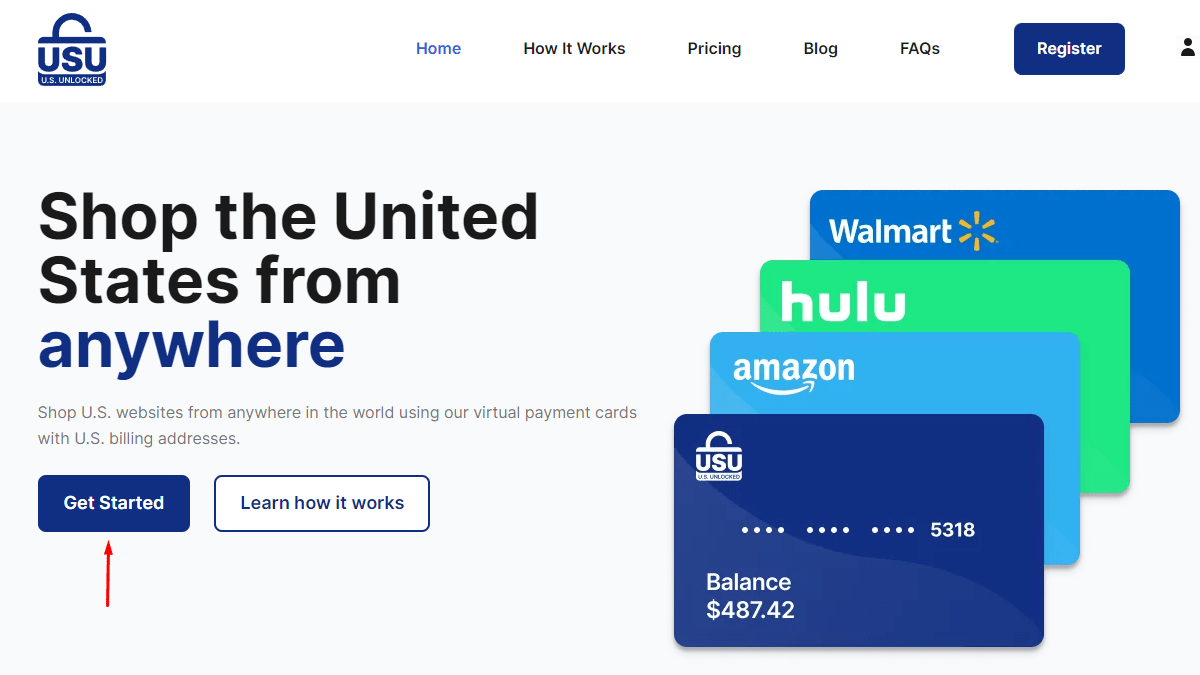
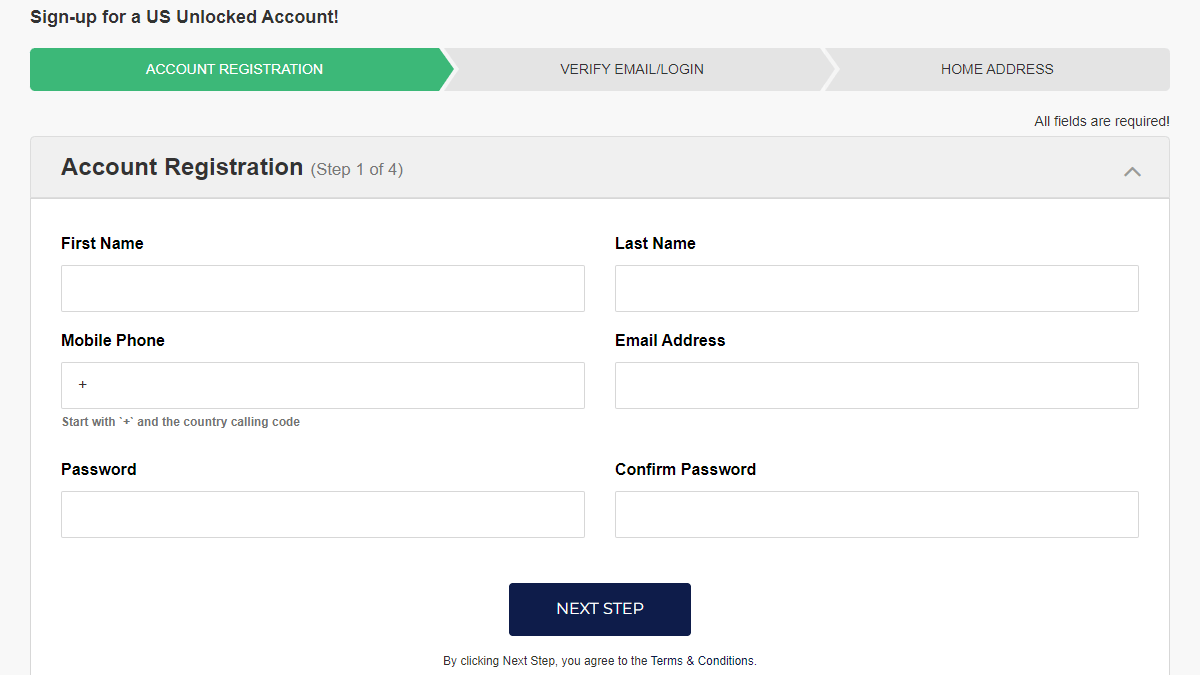
- Go to USUnlocked and choose “Get Started.”
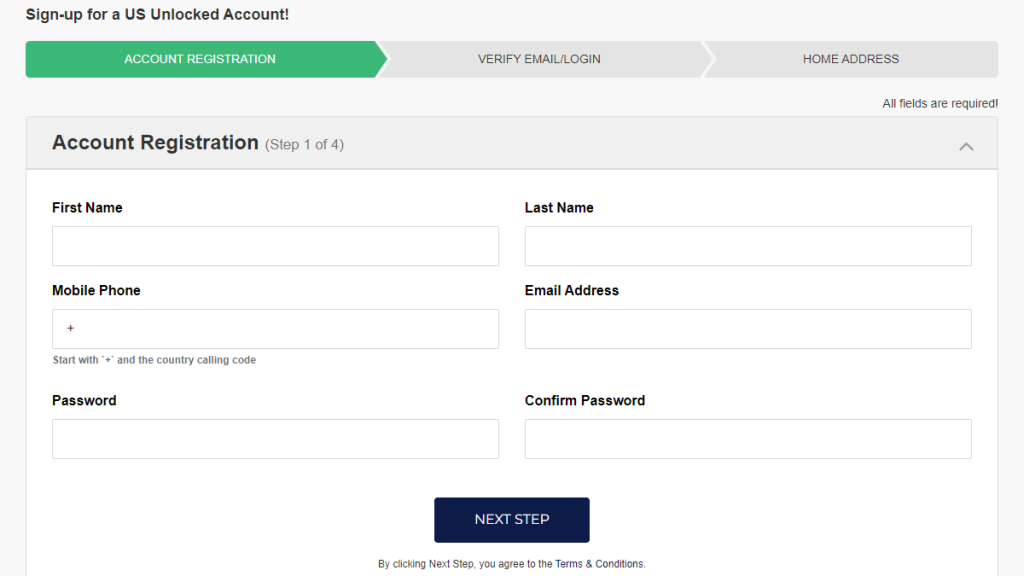
- Add your personal info.
- Fund your USUnlocked account to receive your payment data.
- Sign up for an account through the Hulu website.
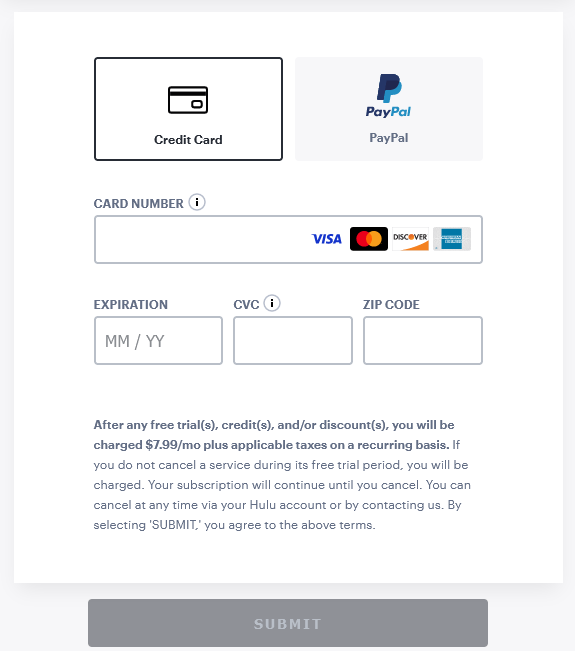
- Select “Credit Card” at checkout, and add your virtual credit card info.
- Complete the sign-up process and start watching.
Method 5: Sign Up for Hulu Using a US PayPal Account
Borrowing a friend’s US PayPal account to pay for Hulu should make things quicker. Naturally, a US VPN is still required to bypass geo-blocks on the platform, so use this guide to get started:
- Get a premium VPN for unblocking Hulu (we recommend NordVPN).
- Install it and connect to a server in the USA.
- Access Hulu’s website and sign up as per usual.
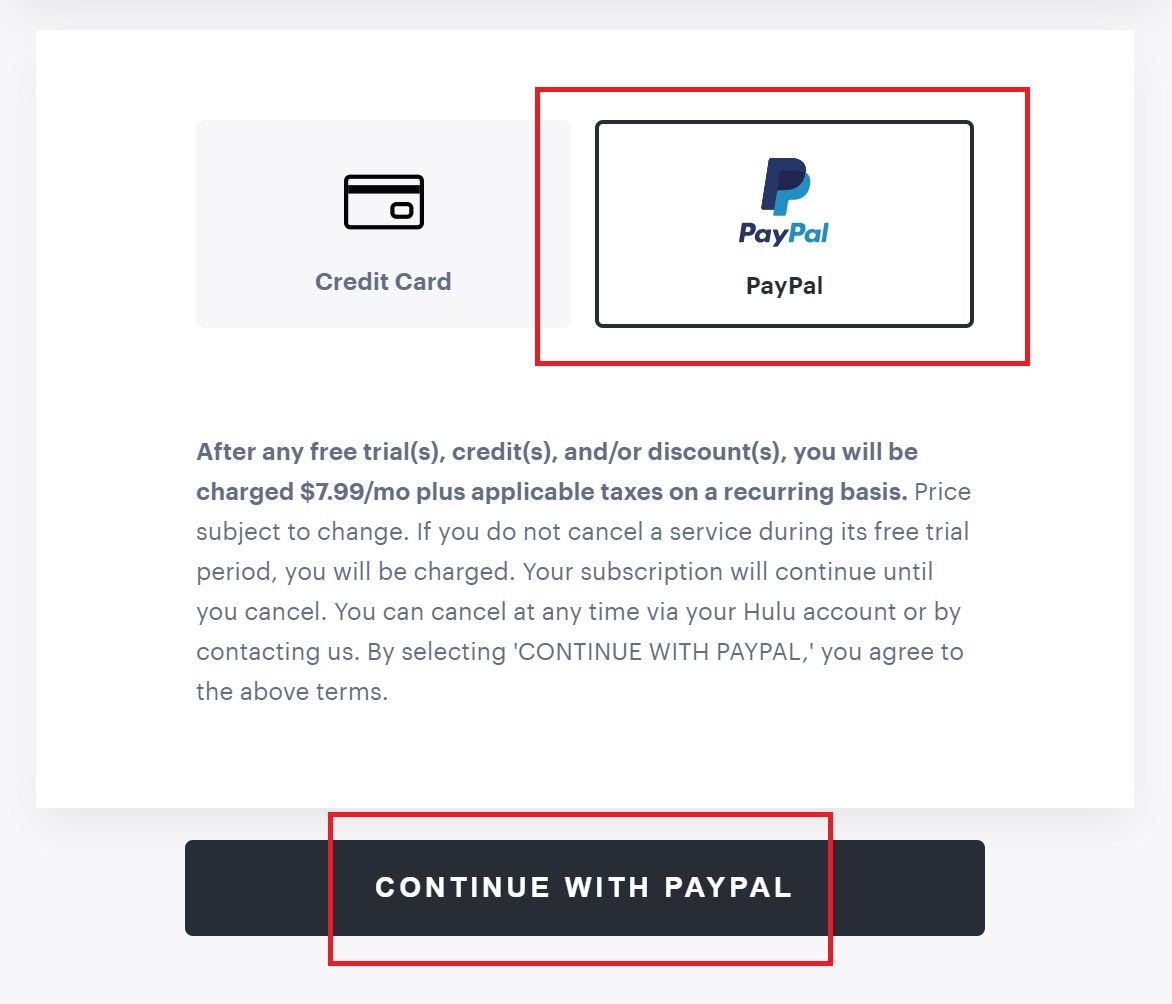
- Choose PayPal when paying, and click “Continue with PayPal.”
- Use the US PayPal account to subscribe and enjoy streaming.
Can I Download the Hulu App in the UK?
Yes, you can download Hulu's app in the UK, but you will need a US-based Google account or Apple ID. Luckily, this isn't too complicated of a process. You can simply create a new account on your respective Android or iOS device with a US address after connecting to a US server with a Hulu VPN.
After that, you can sign into your device using this new account, and the Hulu app will become available on the US versions of the Play Store or App Store. However, by signing into a new account, you will temporarily lose access to existing apps on your device along with cloud data such as passwords and contacts.
That said, we recommend you watch Hulu in the UK using its website. That’s the easiest way to unblock the streaming service, especially when paired with a VPN. But if you really want to download Hulu instead, follow our handy guides in this article.
How to Watch Hulu in the UK on Your Devices
You can watch Hulu in the UK on any of your devices by installing a VPN and connecting to a server in the US. If you prefer streaming on the big screen (and your smart TV or console doesn’t support it), you might need to install a VPN on your router instead. Regardless, here’s how to get Hulu working in the UK on most popular devices.
How to Watch Hulu on Windows or Mac
To watch Hulu on Windows and macOS, you can connect to a server in the US with a VPN, and watch through your browser. Follow this guide:
- Subscribe to a VPN for Hulu (we recommend NordVPN).
- Download the VPN on your computer.
- Open the VPN and connect to the US.
- Go to Hulu’s website and log in.
- Pick something to watch and start streaming.
How to Watch Hulu on Android
To get Hulu on Android in the UK, the easiest option is to bypass the Google Play Store and manually install the app. You’ll still have to connect to a US VPN server to use it, though. See how below:
- Sign up for an Android VPN that works on Hulu (we recommend NordVPN).
- Download the VPN from Google Play.
- Launch the app and connect to a US server.
- Download Hulu’s APK file from a site like APKMirror.
- Manually install the APK file by tapping on it and following the prompts.
- Log in to Hulu and enjoy.
How to Watch Hulu on Smart TV
Most smart TVs aren’t equipped with VPN capabilities, so installing a VPN on your router and setting your location to the US is your only choice. More details in this guide:
- Get a VPN for Hulu that works on routers (we recommend NordVPN).
- Go to your provider’s website, and follow their router setup guide.
- During installation, set your location to the US.
- Go to your TV’s system settings, and change your region to the US as well.
- Get the Hulu app from your TV’s app store, and subscribe as shown in our intro guide.
- Pick a title and have fun!
How to Watch Hulu on iOS
To use Hulu on iOS in the UK, you have to sign up for a US-based Apple ID. Then, you may connect to the US with a VPN and install the Hulu app. Full guide below:
- Install an iOS VPN for Hulu (we recommend NordVPN).
- Open the VPN, then connect to an American server.
- Sign up for a US Apple ID.
- Get the Hulu app on your iPhone/iPad.
- Log in and enjoy your Hulu binge sessions.
How to Watch Hulu on Amazon Fire Stick
Amazon Fire devices support VPNs, but before you can watch Hulu on Amazon Fire Stick, you’ll have to change a few settings. Here’s everything you need to know:
- Grab a VPN that works on Amazon Fire Stick (we recommend NordVPN).
- Get the VPN from the Amazon Store.
- Launch the app, then select a US server from the provider’s list.
- Go to your Fire Stick settings and change your location to the US.
- Log out of your Amazon account, wait a few minutes, then log back in.
- Download the Hulu app on your Fire Stick.
- Launch it, log in, and pick something to watch.
What Can You Watch on Hulu in the UK?
Hulu has a little something for everybody, including the stellar new Shogun series, all-time classics like It’s Always Sunny in Philadelphia, quirky shows for the whole family (such as The Tick), and some excellent picks for movie night (like Blade Runner 2049).
With Hulu + Live TV, you gain access to 95+ live channels such as ABC, NBC, CBS, Fox, and more. And if you’re into sports, the same package gets you live events from the NFL, NBA, NHL, MLB, NCAA, UFC, and WWE.
We’ve put together a useful list of stuff to watch on Hulu in the UK. Check it out:
Why Hulu Is Not Working in the UK with a VPN - How to Fix?
If Hulu is not working in the UK with a VPN, there could be a number of culprits. Your Internet connection might be too slow, the server you're connected to could be overcrowded, or your VPN might simply need a reboot. To narrow things down and get Hulu in the UK using a VPN, try the following:
- Restart Your Device and VPN – Always go with the easiest solution first. Rebooting your device (and the VPN along with it) can often fix many issues going on behind the scenes. This should always be your first step.
- Check Your Internet – Run a test on your Internet speed (there are a lot of simple tools online to do so). If it's too slow or its speeds fluctuate, your VPN won't be able to keep a steady connection, which can prevent it from working with Hulu as it should. You can also try switching to a different network like mobile data.
- Connect to a Different VPN Server – Sometimes, streaming services blacklist certain IP addresses. Servers also experience overcrowding from time to time. Connecting to a different server location within the same country usually resolves both issues.
- Try Switching Protocols – Certain protocols can be blocked on networks like those in schools or workplaces in an attempt to prevent VPN usage. Plus, some protocols just work better for streaming than others. Try a different protocol and see if things start working.
- Update Your VPN App – As with any kind of application, if not updated regularly, your VPN app can start malfunctioning. Updates contain patches and fixes that solve known issues and keep things running smoothly. Make sure your VPN is updated to the latest version.
- Delete Cookies and Cache – If you visited Hulu before without a VPN, it likely stored cached data in your browser. Websites do this to speed up load times. But streaming sites use existing browser data to geo-restrict users. Clearing your browser's cache and cookies often resolves this problem.
- Try Using Incognito Mode – Incognito mode prevents websites from accessing cookies and previously stored data. Hence, it is always recommended to stream geo-blocked services like Hulu in Incognito mode.
- Temporarily Disable Your Firewall – When VPNs get installed, they usually add exceptions to your firewall's rules to allow them to operate. If this didn't happen, if the rule was subsequently removed, or if there are other issues with your firewall blocking your VPN, turning it off temporarily should fix that.
- Uninstall Other VPNs – Multiple VPNs that are installed at the same time can sometimes conflict with each other. Make sure the VPN you want to use is the only one installed.
- Contact the Customer Support Team – If nothing else works, you should contact the customer support team of your VPN provider and see if they have any tips.
Can I Use a Free VPN to Watch Hulu in the UK?
Yes, you can use a free VPN to watch Hulu in the UK, but there are several reasons why we don’t recommend it. First, and most importantly, is the fact that the free VPN may not unblock Hulu at all, since the company regularly bans VPN IPs.
Free VPN providers also have slow speeds, a small number of servers, and monthly data caps that make streaming impossible. Plus, they’re not safe—many lack crucial security features and engage in data logging and selling to fund their free services. As a temporary solution, a VPN free trial is the better alternative.
We recommend checking out the NordVPN free trial. On Android, you get 7 days to try out the service, no strings attached. Otherwise, you have 30 days to test out NordVPN’s 1,970+ blazing-fast US servers and see how SmartPlay gets rid of geo-blocks on Hulu. In fact, most top VPN services have similar policies in place, so you can give them a shot, too.
Final Thoughts
Hulu is a very popular streaming service that is only available in the US, its territories, and Japan (in a limited capacity). Hulu’s website is accessible outside the US and Japan, but trying to watch anything outside these regions results in a geo-block error. Luckily, getting a US IP address with a trusty Hulu VPN can help you get around such restrictions.
We recommend NordVPN as the best VPN to watch Hulu in the UK. With 1,970+ US servers in 16 US locations and solid tools to bypass geo-blocks (such as SmartPlay)—as well as some of the fastest speeds in the industry—NordVPN never disappoints.
That’s all for our guide on how to unblock and watch Hulu in the UK. If you have any questions, let us know via the comments section below. Thanks for reading!
Related