

DesignCap Review – The Easiest Way to Get Professional-Looking Posters & Flyers!
Last updated November 15, 2018

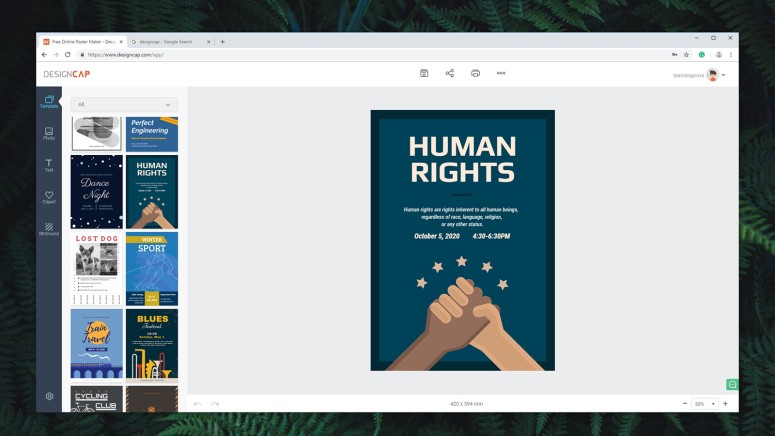
When it comes to designing posters and flyers, you have two options in front of you. You can hire a professional that will create custom graphics and fine-tune the design to your liking. However, graphic designers usually charge by the hour and they can be a significant investment. Or, you can do it yourself by relying on a beginner-friendly graphics editor. However, the problem with this option is that you’ll hardly come up with a professional-looking design. So, how about we combine the best of those two worlds? With this said, welcome to our review of DesignCap!
Before we go any deeper into explaining this application, let’s take a look at its ID card. The following table provides the basic set of information, so check it out.
Now, we’re going to show you the biggest strengths and weaknesses of DesignCap. The following table should come in handy if you're comparing this solution to its competitors.
Finally, let’s dive into our full and hands-on review of DesignCap. We will be taking a very close look at different aspects of this software solution, so let’s jump right in.
DesignCap for Web – TechNadu’s Review
Before we start, you should know that we’ve tested DesignCap via Google Chrome (on a Windows 10 PC). Being a Web-based application, you don’t need a powerful system and you’ll always have access to the latest version of this app. With this said, there’s no need for us to list our PC’s specs – since that kind of information doesn’t relate to DesignCap’s functionality or performance.
Platform Compatibility
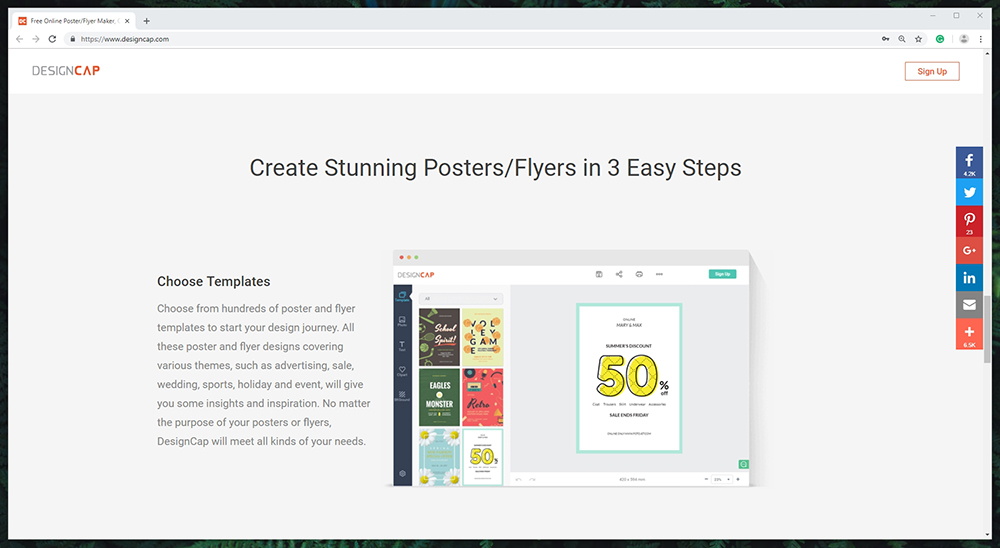
Being a Web application, DesignCap lives entirely within your Web browser. As such, it’s platform-agnostic and be used across all devices. Our Score: 10/10.
The get the best possible experience, you should run DesignCap on a desktop platform (this includes both Windows, MacOS, Chrome OS, and Linux). Theoretically, you could also open this Web-based tool on mobile devices and even tablets. However, having a large screen and using a keyboard and mouse looks like the most suitable combination.
In addition, it should be noted that you can use any Web browser to open and launch this application. This includes Google Chrome, Microsoft Edge, Firefox, Safari – and pretty much any other.
Installation Process
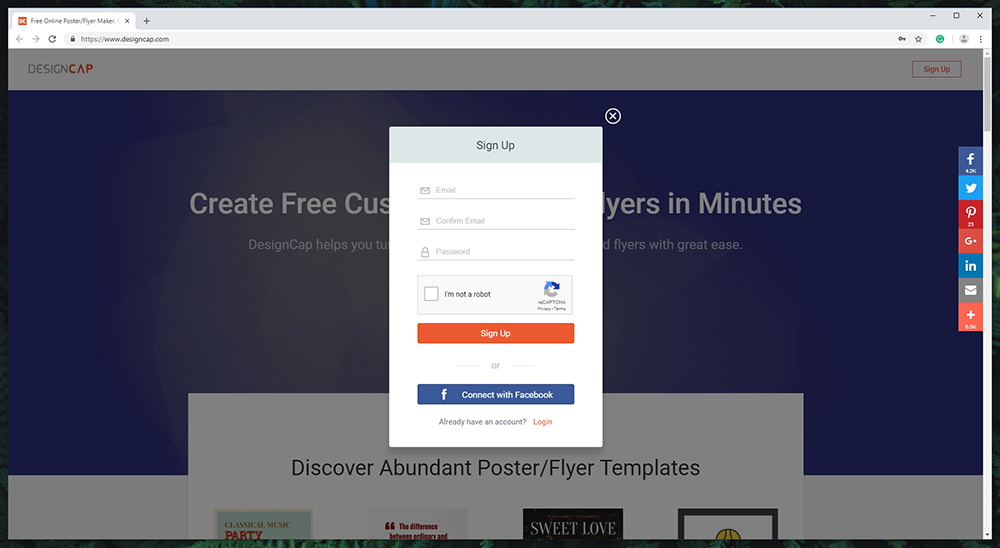
DesignCap doesn’t need to be installed on your system, saving valuable disk space and resources. Our Score: 10/10.
Getting started with this tool is quite easy. You need to open your Web browser and visit the official website of DesignCap. Then, you’ll get to see a button in the top-left corner, allowing you to sign up for the service. After entering your email and password, you’ll be ready to proceed.
As you can see, DesignCap is not a usual application. Instead, it fully relies on your Web browser. In turn, this also means that it relies on the company’s servers for all the computing – providing you with a flawless performance. And since you can save your work in the cloud, you can easily switch between different devise and platforms, and continue where you left off.
User Interface
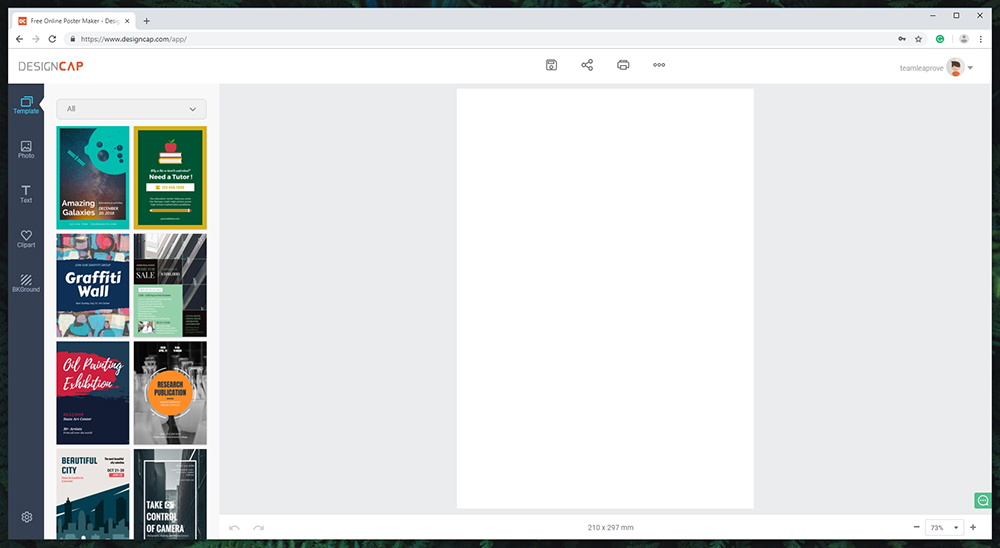
This application strikes the right balance between complexity and simplicity. It’s great for beginners and somewhat advanced users alike. Our Score: 10/10.
Once you to get to the editor, you will see a few key areas around the screen – similar to how other graphic editors work. It’s clear that DesignCap uses a proven formula instead of coming up with something entirely different. In this case, this is a good thing.
On the left side of the window, you will see five major tools named Template, Photo, Text, Clipart, Background – giving you a glimpse into what kinds of interventions you could do. As you start using these elements, you will see a series of related tools that are mainly based on drag-and-drop techniques. The rest of the screen is reserved for the area where you create your posters and flyers.
It’s also worth noting that there are two toolbars surrounding the main art-creation area. At the top, you can save your design, share it via social media, and print it directly from the Web browser. And on the top, you’ll find handy tools for undo and redo, and you can zoom in and out.
Ease of Use
Despite its very easy to use, it might take some time until you learn how to fully utilize this service and overcome some of its limitations. Our Score: 9/10.
We are going to show you how DesignCap works by taking a look at the process of designing a poster. So, we’ll be taking you through our step-by-step guide, explaining what kinds of tools to expect and how to use them. Let’s get started!
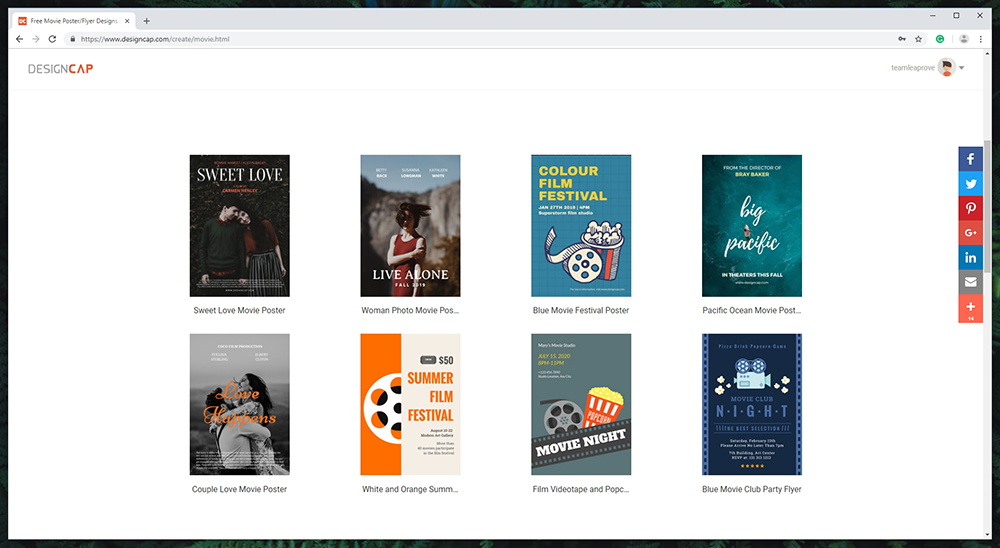
- There are two possible ways to get stared. You can either start building your design from scratch, or you can use a template – which is a faster way to get started.
- There are hundreds of professionally design templates at your disposal, and you can browse all of them or check out different categories. When you find something you like, just click on the template. Please note that each of those brings a specific size (dimension of the paper), so keep that in mind.
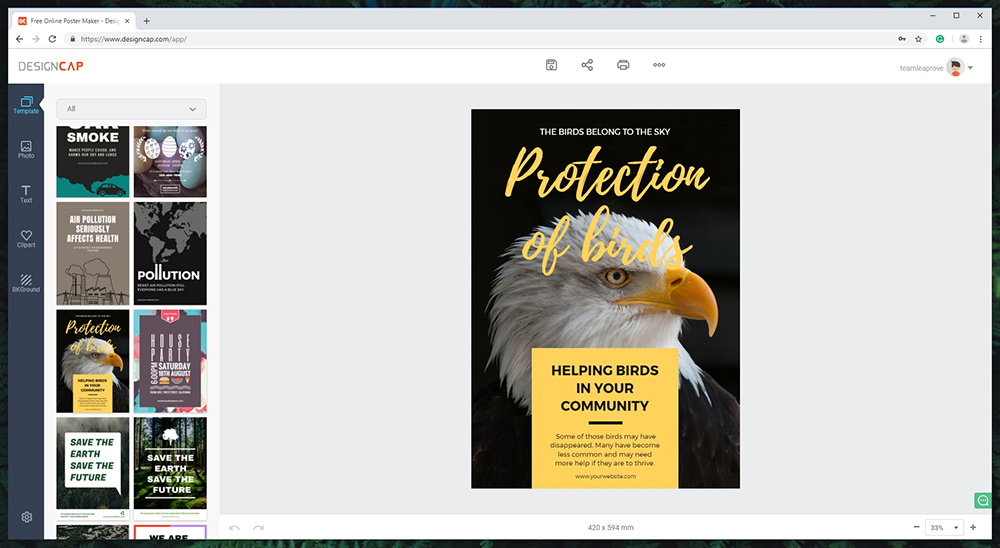
- Now, you can start repositioning the elements of the template. Delete those that you don’t need, move some graphic elements around, and you can also scale them. To add new elements, we need to use the left-placed toolbar, so let’s start with photos.
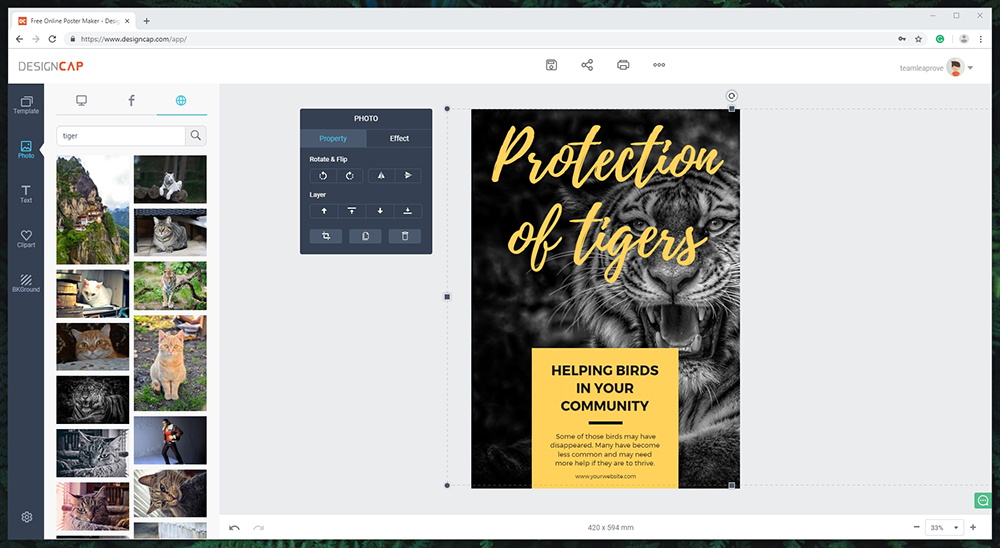
- When you click on ‘Photo’ on the left-placed toolbar, you will get to see a few interesting options. You can upload a photo from your computer or import one from Facebook. The final option lets you search over 500,000 free stock photos – which is a nice addition to this mix. Just like with the templates, you can click on the chosen photo to import it and you can then resize and reposition it.
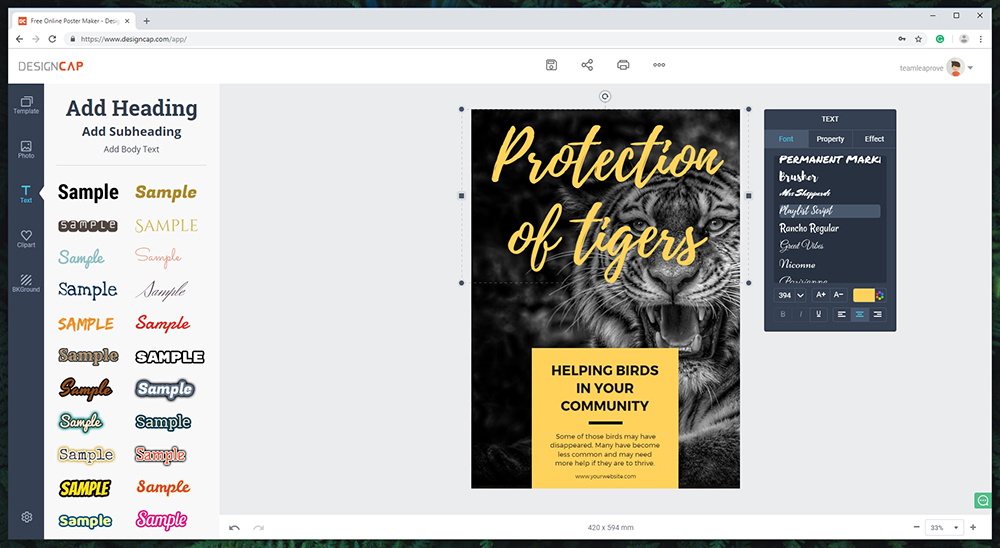
- When it comes to text, DesignCap lets you start with several dozen stylized options. However, you can also insert regular text, and then change its font, size, alignment, add different kinds of options, and similar.
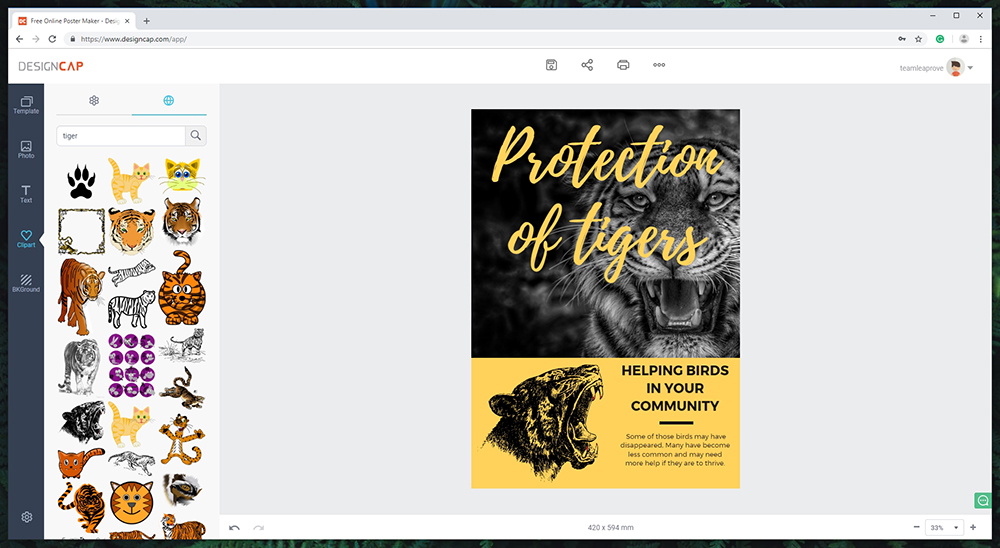
- Next, we have clipart. These are individual graphic elements that you can use to enrich your design. Aside from hundreds of preloaded categories (nature, travel, icons, shapes…), you can also search the Web for free-of-charge clipart elements. If you decide to go with a colored clipart, DesignCap will you change the colors of individuals aspects of that image.
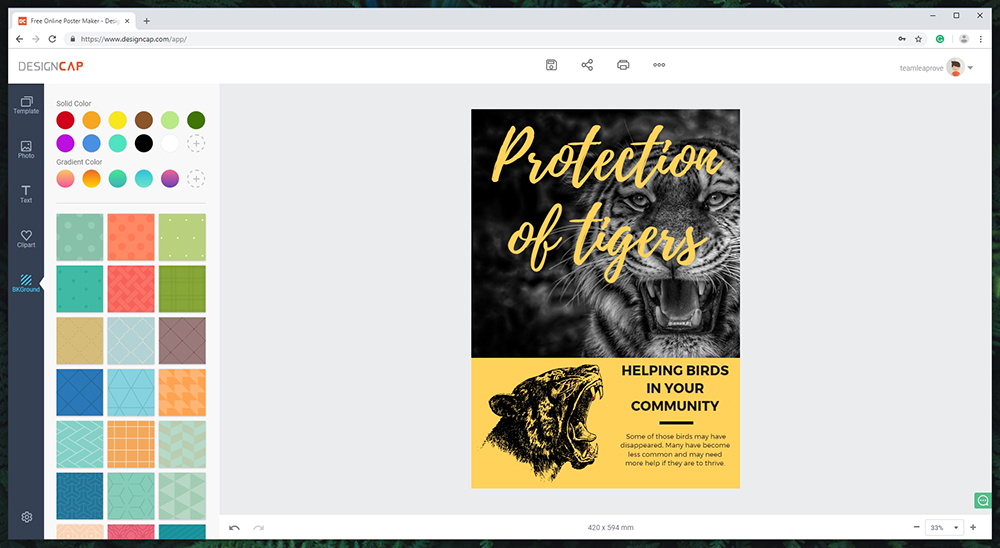
- Finally, we have the ability to play with backgrounds. Aside from using a solid color, you can also go for gradients, and custom-designed backgrounds.
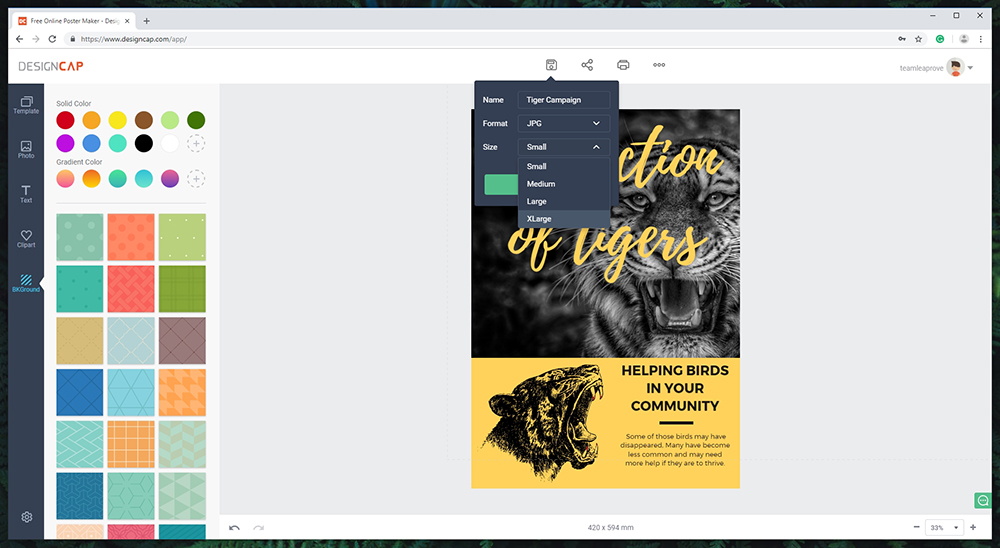
- Once you’re happy with your design, it’s time to save it. You can find this option at the top of the window. You’ll be asked to name your file, select a format (JPG or PNG) and select it size. Most often, the largest files can be exported in ultra-high resolution, which provides very clear-looking images (perfect for high-quality printing).
Speed & Performance
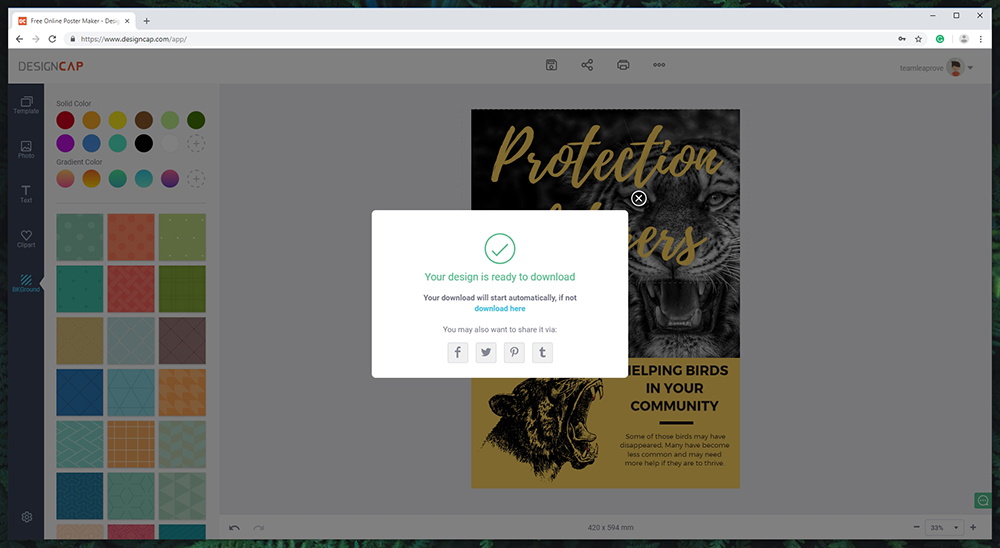
Being a Web-based application, DesignCap relies on the website’s servers to process your input. As a result, this tool comes with a fluid performance. Our Score: 10/10.
As we noted in the introduction to this article, you don’t need a fast device to use DesignCap. Being Web-based, this application doesn’t require a lot of resources to run. As a user, you will get to see a very fluid performance, without any bugs. Adding a large number of design elements to your creations had little impact on the overall performance. In addition, you’ll get to save and export even high-resolution files in a matter of seconds.
Customer Support
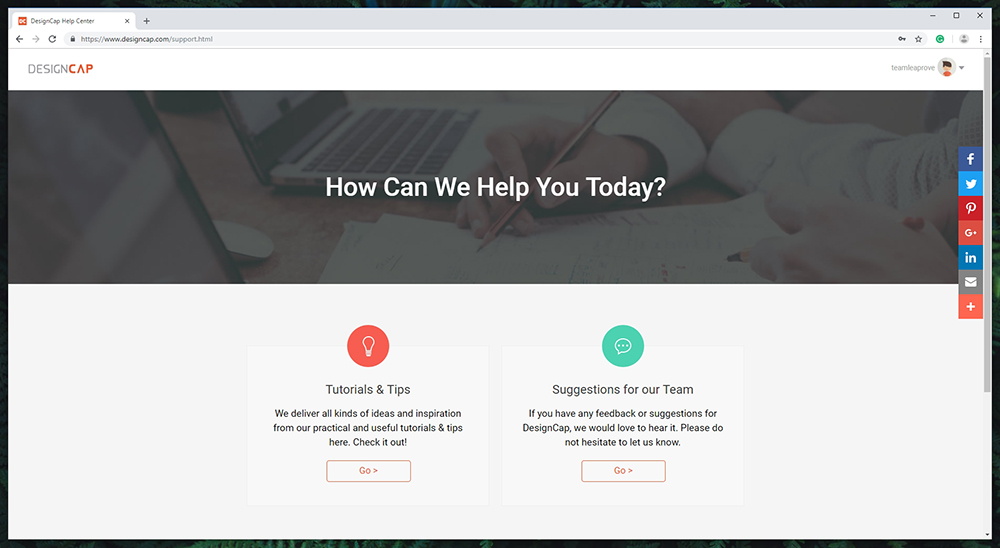
The official website of DesignCap offers a nice way to get started – but you’re on your own for mastering this graphics editor. Our Score: 8.5/10.
Let’s say that you start using DesignCap but you can’t figure out how to use a certain tool. So, you should first turn to the official support page where you’ll find two options. You can check out the official tutorial or you send suggestions and question to the team behind this application. And that’s pretty much it.
In all fairness, DesignCap is really simple to use. It comes with a self-explanatory UI that is designed for complete beginners. However, you’ll need to rely on your own creativity and intuition if you want to get the most out of this application. Sadly, the company doesn’t offer advanced help resources.
Pricing
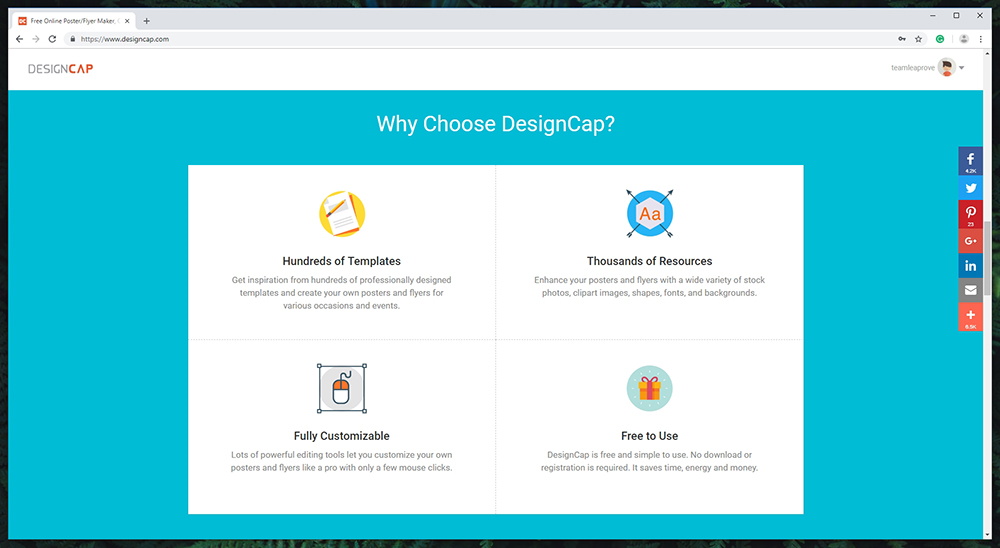
You can use DesignCap free of charge – and yes, without any hidden fees. What’s not to like about that? Our Score: 10/10.
This tool is free-of-charge and you only need to register to get started. This means providing your email address and coming up with a password. There are no hidden fees here – you’ll see that all of its options come fully unlocked. We have to say that we felt surprised by this since DesignCap is an excellent all-around solution for creating posters and flyers.
The Final Verdict
DesignCap is a close-to-perfect graphics editor. We are certain that beginners and advanced users are going to love what’s on offer. With this said, our team highly recommends it to those looking for a way to get nicely designed posters and flyers that can be shared online or printed.
- PROS: Completely free of charge; A comprehensive set of tools; Hundreds of preloaded templates; Very easy to use; Exports files in high-resolution formats.
- CONS: Not the perfect solution for highly advanced users; Support documentation could be better.
- OUR SCORE: 9.6 out of 10.
Final Thoughts
Dear readers, this is where we end our DesignCap review. If you think we missed something important, make sure to let us know in the comments section. And also, feel free to share your questions and thoughts.
If you made it this far, why not share this review online? And you can also follow us on Facebook and Twitter. Thank you!
| Review Summary Looking for a way to create professional-looking posters and flyers? Need something very simple to use – but that brings amazing results? Do you want high-resolution, print-ready files? Well, DesignCap is the perfect choice for you! | 9.6 Overall Score | ||
| Platform Compatibility | 10 | ||
| Installation Process | 10 | ||
| User Interface | 10 | ||
| Ease of Use | 9 | ||
| Speed & Performance | 10 | ||
| Customer Support | 8.5 | ||
| Pricing | 10 | ||
Related






Get expert insights on threats, breaches, scams, and security trends — delivered every Monday.
Most Popular



Get expert insights on threats, breaches, scams, and security trends — delivered every Monday.
Most Popular