

9 Best Kodi Alternatives in 2026
Last updated November 18, 2024

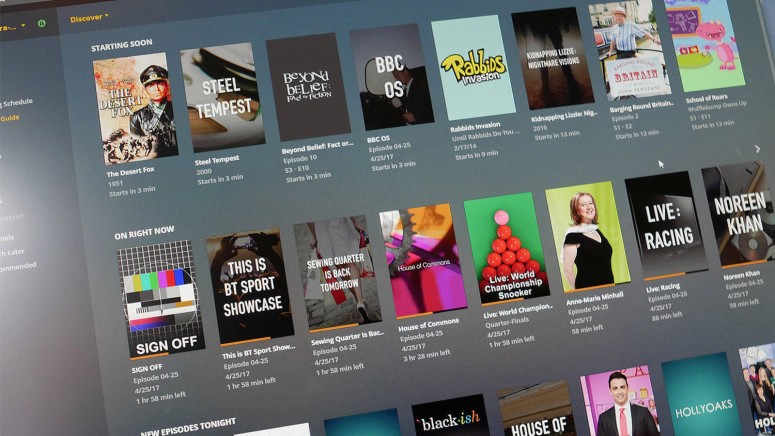
In many ways, Kodi is a unique application, so talking about alternatives doesn't come easy. After all, you can use it to store your online and offline media library, expand its features via add-ons, and even watch live TV. And, of course, all that comes free of charge. So, naturally, the best alternative to Kodi needs to tick all the right boxes.
That said, we recommend you consider what you like and don't like about Kodi. In other words, what features do you care about, and what features would you like to see improved? That's because we can talk about better alternatives for specific purposes, such as streaming or file organization.
We've tried dozens of solutions, and we will present only the most interesting ones in this article. They might not be complete alternatives in every sense, but each of the following options does certain things differently than Kodi, improving upon the original.
Best Kodi Alternatives
We've created a list of powerful replacements for Kodi that can help you create a rich media library on various devices, access online content sources, and more. Let's go over all 9 of our recommended best Kodi alternatives.
1. Plex - Best All-Around Kodi Alternative
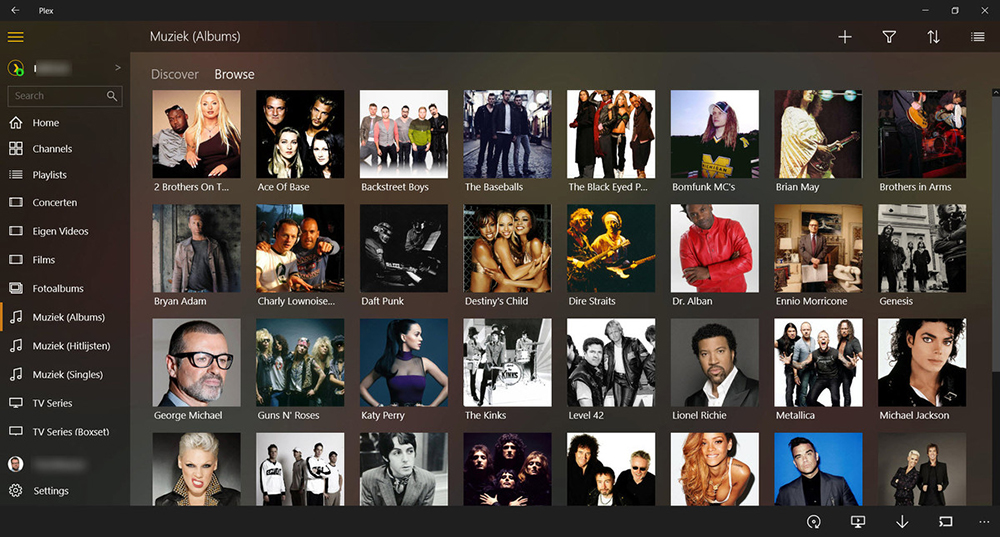
If not better, Plex is almost as good as Kodi. It comes loaded with many features, while the platform's client-server architecture makes it the right foil for streaming media on various devices. This allows the same content to stream seamlessly on all your supported devices, including computers, mobile devices, media streaming devices, and more.
Plex mimics many Kodi features when it comes to the types of media supported. You're free to add your own movies, photos, and music—all of which can be organized in more ways than one. Plex downloads the required metadata automatically, filling out plenty of useful information. In turn, this gives you many ways to filter your content.
Let's not forget to mention that Plex has a rich subscription-based model, whose pricing starts at $4.99/month. Even without paying, you can watch a selection of free TV channels, as well as a nice group of on-demand movies and TV shows. Getting a subscription helps you add more than 80+ commercial TV channels.
- Pros: Intuitive interface; Great platform compatibility; Can be used free of charge; Plenty of freshly released features; Includes free live TV; Supports podcasts.
- Cons: Limited UI customization; The initial setup might be confusing.
2. Emby - Best Kodi Look-Alike Alternative
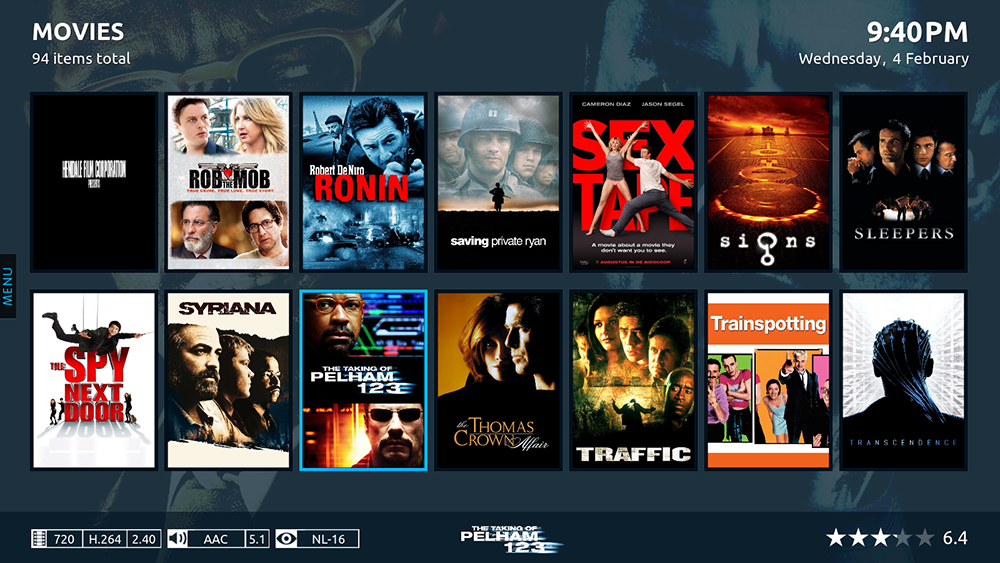
Emby calls itself the 'Open Media Solution,' and we do not disagree there. It functions much like Plex and Kodi, minus the risk of proprietary software. Being an open-source platform, Emby also uses the client-server mechanism, which comes with numerous benefits attached.
For one, Emby makes it super-easy to stream media to all connected devices. There is also a bit of live TV functionality in Emby that allows you to play with DVR recordings. Parental control is a tactical component that sets Emby apart from other platforms, including Kodi. Besides being convenient, Emby is also pretty smart. It recognizes the hardware capabilities of different devices and adjusts media components accordingly.
We fell in love with Emby's neat media organization. Once connected, it notifies users of important events based on their activity on the platform. The premium feature lets you access back-ups and the app's Cinema Mode. Overall, the application is quite polished, and it's easy to see why Emby is one of the best Kodi alternatives right now.
- Pros: Can integrate with Kodi (for an easier switch); Open source; Supports plugins (limited); Parental controls available free of charge.
- Cons: A small user base; You need to pay to unlock all its features.
3. Media Portal - Best for Windows PCs

Not many have heard about Media Portal because it is relatively new to the scene and not as feature-rich as Kodi. However, some apps seem to be built around specific functionalities that the app they are trying to beat lacks. And this is precisely where Media Portal comes into play.
The USP of Media Portal is Digital Video Recording (DVR). This feature allows you to record, schedule, or watch live TV. While Kodi does support live TV, it is also known for a few hiccups. With Media Portal, you have a huge range of hardware and software components to choose from, giving you plenty of customization along the way.
Of course, you are always welcome to use Media Portal to play music, videos, and Blu-Ray discs. The application is further enhanced by plugins, which allow you to do everything, from watching YouTube to tracking the latest scores. The one serious downside is that Media Portal is presently available only on Windows. Even the remote control apps for iOS and Android are defunct.
- Pros: Comes free of charge; Great for former Media Center users (on Windows); Very useful for organizing a content library locally; Modern interface.
- Cons: Available on Windows only; Not as frequently updated.
4. Stremio - Best Streamlined Kodi Alternative
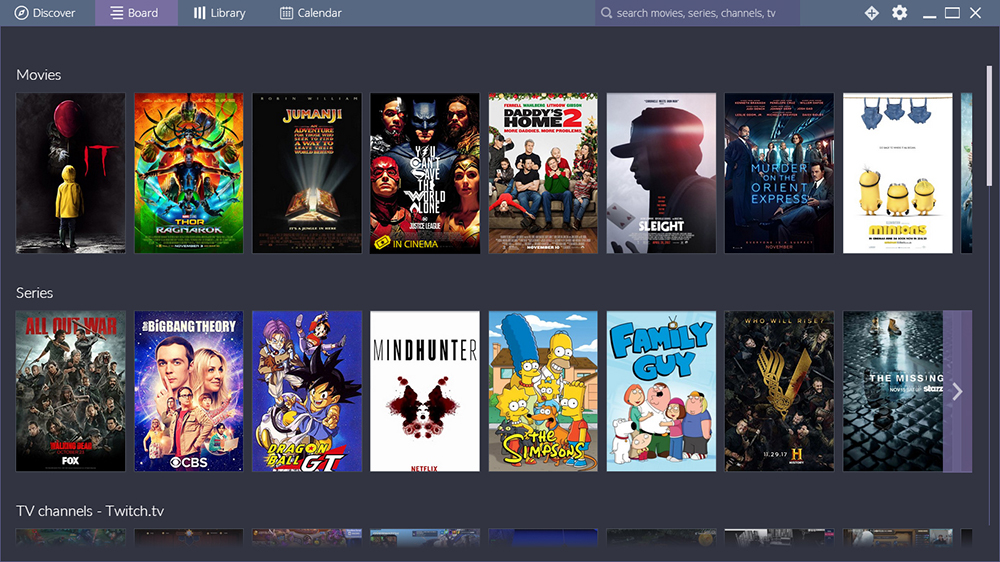
Much like Kodi, Stremio allows you to enjoy TV shows and movies on different platforms, primarily from a single screen. The great thing about using Stremio is that you will always find the best quality of content regardless of which medium you view it on.
The platform allows you to create a personal library to store all your content and collections. The service works fine across several devices. Syncing the library in one place syncs it with the other places as well, without any issues.
An additional Stremio feature, the Linvo database, ensures that the data is adequately arranged on each device. A special notification setting tells you if your favorite show has a new episode. Lastly, the recommendation engine also gives you plenty of hints of new shows that you may like to watch.
- Pros: An intuitive interface; Integrates plenty of media file types; Plays online media; Not as frequent, but useful updates.
- Cons: Can't be expanded via third-party add-ons (in terms of core functionalities).
5. Serviio - Best (Affordable) Premium Kodi Alternative
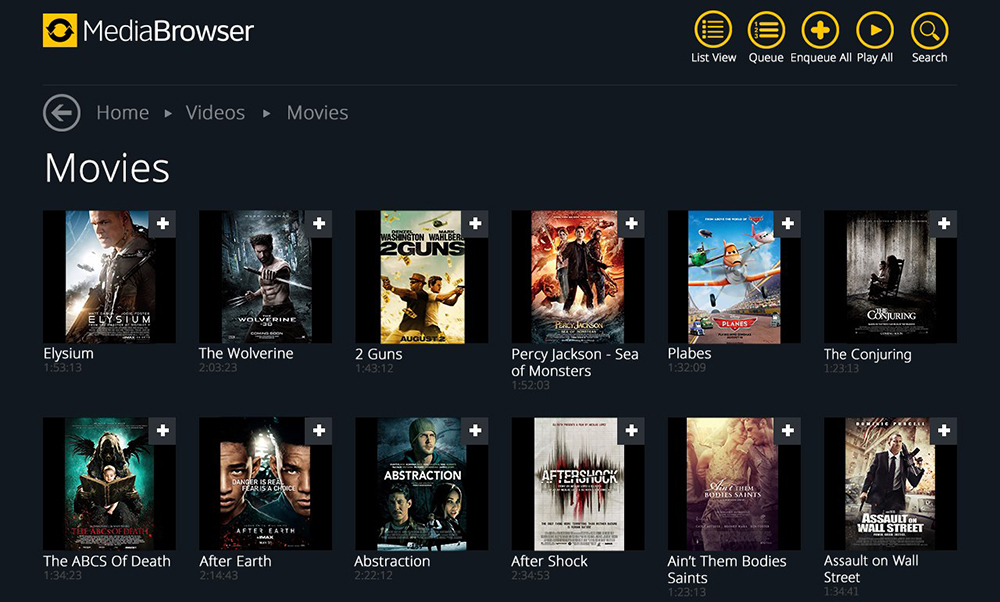
Serviio is a media server that seems to have been modeled after Kodi. It allows you to stream various media files, including music, games, and videos, to devices like Bluray players, TV sets, games consoles, or even mobile phones. All of this is possible once Serviio is connected to a home network.
For one, Serviio is quite on top of the line as far as multi-device compatibility is concerned. It even streams media to the Xbox 360. It also supports individual device profiles, making it easier to play the best quality for each device.
Since Serviio has been built with Java technology, it tends to run well on most platforms, including Linux, Mac, and Windows. You can choose whether to stream video and audio just in Standard Definition or true High Definition. Serviio also allows you to stream content from online resources like live video and audio streams, RSS feeds, or even Web pages.
- Pros: Many ways of organizing files; Plays even "exotic" file types; Cross-platform; Works with subtitles; Highly functional free version.
- Cons: Requires a subscription to fully unlock the app; No mobile app.
6. OSMC - Best for Raspberry Pi
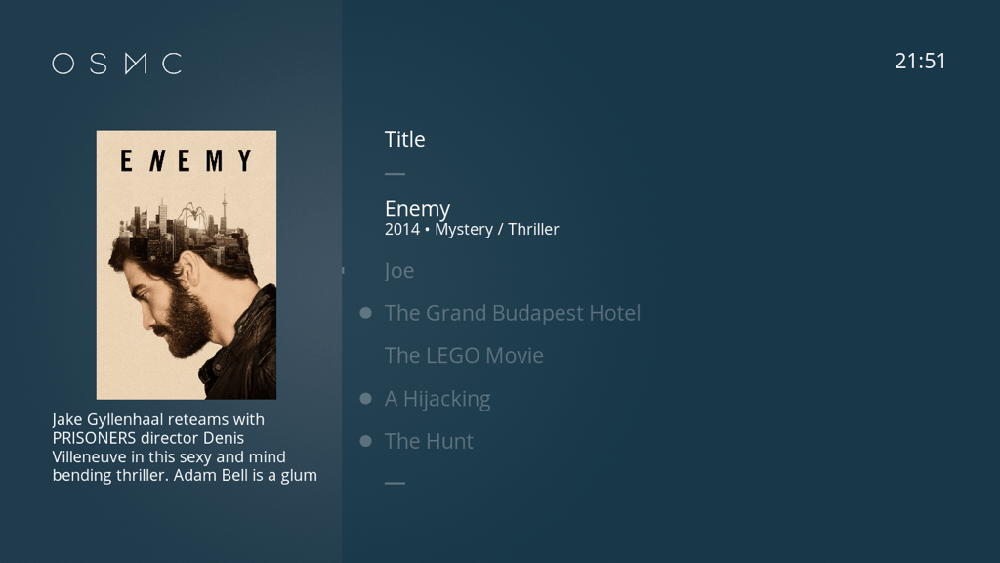
The abbreviation stands for Open Source Media Center (OSMC). New and raring, the first thing that anyone notices about OSMC is the remarkably simple interface. The design's simplicity runs as an undercurrent in all its operations – attached storage, local network, and internet media play.
The exciting part is that even OSMC is built on the Kodi model. Or, you may call it Kodi's very own Linux version. With this said, it's no wonder OSMC is primarily built for Raspberry Pi computers. Considering how lightweight it is, you can count on the application performing admirably - even with sizeable content libraries.
Apart from regular things, OSMC supports a range of Wi-Fi adapters and TV tuners. The Web-based UI and support for desktop environments show that the platform is here to stay. So much so that OSMC has also launched its flagship device, the VERO 4K. The device supports HD audio, 4K video, and 10-bit content.
- Pros: Incredibly polished interface; Really lightweight (in terms of performance); Highly suitable for Raspberry Pi set-ups; Free of charge.
- Cons: Not as broad platform compatibility.
7. Universal Media Server - Best for Desktop Servers
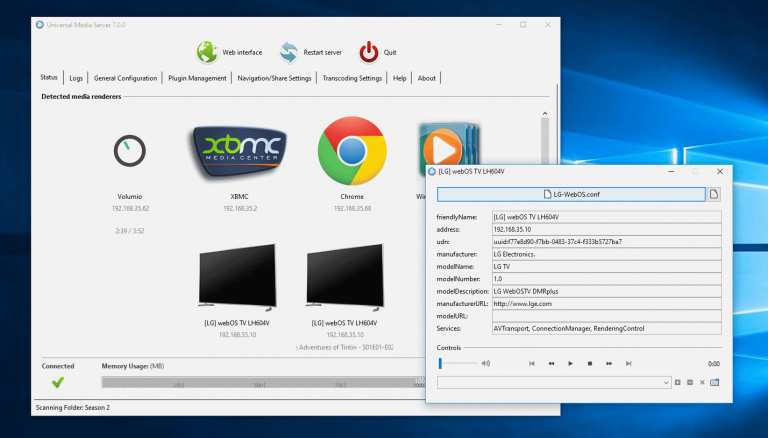
Universal Media Server is a hassle-free, DLNA-compliant media streaming platform. Originally a PS3 media server fork, USM allows users to stream media files to multiple devices, including Blu-ray players, smartphones, TVs, and game consoles.
The UI is amazingly simple and can be set up very easily. However, the installation process is more complex than what Kodi offers. The media player can stream, transcode, and play video, audio, and images in several formats. Features of the players include bit-rate adjustment and, of course, DLNA support.
Universal Media Server is also a classic because it is Java-based. Apart from that, there are quite a few plugins that come built-in the platform. Additionally, you can also install plugins on your own. If that is not enough, you can even get extended info on movies from IMDB and integrate MediaMonkey's music database. While UMS is not exactly Kodi, it sure has a stream of functionalities of its own.
- Pros: Highly useful, if you put effort into it; Can be expanded via extensions; Open source; Free of charge; Great for advanced users.
- Cons: Can be confusing for beginners; Limited platform compatibility.
8. JRiver - Best for Advanced Users
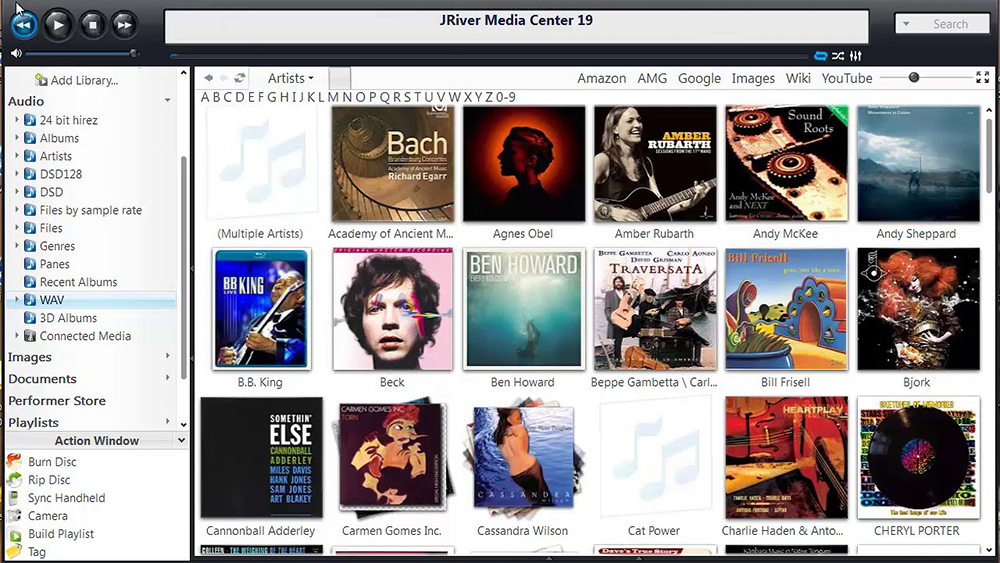
JRiver has been designed along the lines of Kodi. It is meant to be the one place where you will find all your media playing needs to be addressed. However, keep in mind that JRiver is designed for Windows primarily, even though you'll also find versions for Windows, macOS, and Linux.
As you can see, this application doesn't fully imitate Kodi, especially since it's made for desktop systems. This is a good thing (if you're looking for a media player for your computer) since its interface is optimized for keyboard-and-mouse input. As you know, Kodi is available on TVs and touchscreen devices, so it brings an interface that can sometimes be hard to interact with on computers.
We should also note that JRiver's interface isn't the most polished. Luckily, there's a 'Theater Mode,' which transforms this application into something that resembles Kodi in a big way. The best thing is that you can use plenty of different remotes to interact with this mode, especially if you connect your computer to your TV or a projector.
- Pros: Highly useful for organizing your media library; Supports many file types; Plenty of useful support documentation; An active user forum.
- Cons: Doesn't come free of charge; Somewhat obsolete UI.
9. SPMC - Best Direct Kodi Fork Alternative
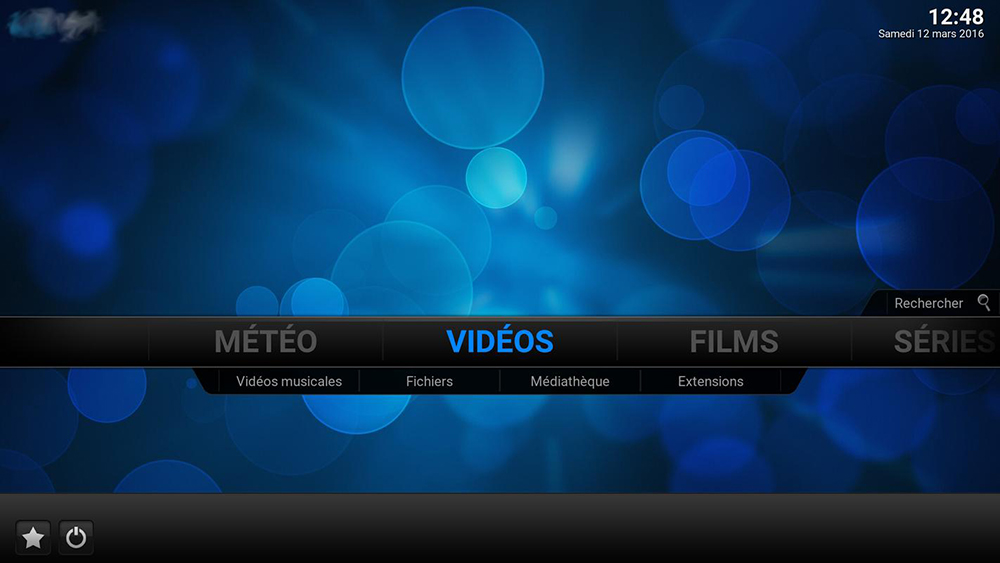
If you are an Android user and want something that looks and behaves just like Kodi, this is it. SPMC is the abbreviation for Semper Media Center. It has been developed by a former Android manager for Kodi and gives you the same overall aesthetics. This also means that any add-on that is compatible with Kodi also works well on SPMC.
As the maker himself calls it, SPMC is the 'Android-minded fork' for Kodi. As such, it's clear that this is one of the best Kodi alternatives for Android phones, tablets, and smart TVs. However, this also means you won't find it available on other platforms except for Amazon's Fire OS.
As noted above, keep in mind that SPMC is no longer under active development. This isn't a major obstacle since SPMC is still fully functional. It has a really polished design, plays all kinds of media files, works with some older Kodi addons, and has no bugs or performance issues. In other words, it should still meet the needs of most Kodi users looking for an alternative.
- Pros: Very similar to how Kodi works; Incredibly fluid performance; Free of charge; Plenty of options for choosing how to install the software.
- Cons: Limited platform compatibility; Primarily optimized for Android TV; No longer under active development.
What Should You Look For in a Kodi Alternative?
We're here to help you approach your search for a Kodi alternative the smart way. It means thinking about your needs and priorities and coming up with a list of options you care about primarily, as follows:
- Platform/Device Compatibility: One of the best things about Kodi is its platform compatibility, as you can use it on just about any device. There's no true alternative here that runs on all those platforms. This means you need to think about which devices you want your new home theater software to cover and start from there.
- Maintenance & Updates: Just like Kodi, its alternatives are also made by independent developers and volunteers (in many cases). So, you can expect occasional updates, but these typically don't come per a predefined schedule. If you care about getting new features and bug fixes, a commercial Kodi alternative is the way to go.
- Media Files Organization & Playback: One of the reasons behind Kodi's popularity is its capability to import and store a media library. You'll want an alternative that supports videos, photos, and music - while allowing you to sort and filter those files. Lucky for us, we have plenty of different options when it comes to this.
- Online Services Integration: Now, this is where we come to the biggest limitation of Kodi alternatives. They typically don't have a rich library of official and unofficial add-ons. However, some of them integrate with third-party services, allowing you to easily import cloud libraries, access media streaming platforms, and more.
- Extra Features: And finally, think about any extra features that interest you. For example, is there something that you miss when using Kodi? Even though this is a powerful application, individual users have their individual needs. So, if Kodi is failing to meet your needs, make a list of features you'd like to have access to.
Final Thoughts
Kodi is a fantastic application, so much so that it's hard to find a viable alternative. Plex is perhaps the closest to Kodi in terms of its interface, features, and functionalities. Plus, both applications are under highly active development and work on any imaginable platform. However, as this article has shown, your options don't stop there.
The recommendations found above usually target one of Kodi's weaker points, so we advise you to search for the features you prioritize. These can include media organization, the ability to sync your library across many devices, the ability to play unusual file formats, and similar features. You have all of the options in front of you, so now's the time to take your pick.
This is where we conclude our guide to the best Kodi alternatives. If you have any recommendations for us, we'd love to hear them! Feel free to post your comment, and we'll respond as soon as possible.
Related



Get expert insights on threats, breaches, scams, and security trends — delivered every Monday.
Most Popular

Get expert insights on threats, breaches, scams, and security trends — delivered every Monday.
Most Popular