


Mullvad Removes OpenVPN Support in Latest Desktop App Update
Published on December 11, 2025

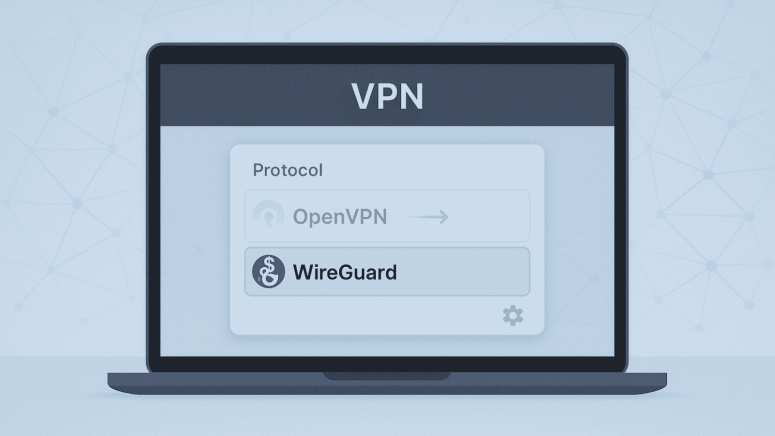
- Protocol Removal: Mullvad Removes OpenVPN support in version 2025.14, shifting entirely to WireGuard.
- User Impact: Previous OpenVPN selections auto-switch to WireGuard; some server locations may stop working.
- Migration Needs: Users relying on OpenVPN must adjust anti-censorship or router setups before January 2026.
Mullvad VPN has removed support for the OpenVPN protocol from its desktop application with the release of version 2025.14, marking a major shift toward a WireGuard-only future. The company previously announced its plan to retire OpenVPN and has now completed that transition.
Why Mullvad Is Dropping OpenVPN
Mullvad first adopted WireGuard in 2017 and has gradually expanded its use across its apps. According to the company, WireGuard now offers the same anti-censorship capabilities that previously made OpenVPN useful for users in restrictive environments. Mullvad states that WireGuard provides superior security, performance, and obfuscation compared to OpenVPN.
OpenVPN had long served as a fallback protocol, especially in regions where basic VPN traffic is blocked. However, Mullvad says its newer WireGuard-based anti-censorship tools now make OpenVPN unnecessary.
What Users Should Expect
Mullvad confirms that all users who previously selected OpenVPN will automatically be switched to WireGuard. No manual action is required, but the company notes a few issues that may affect some setups:
Location Selection Problems
- If a user’s selected server or custom server list contained only OpenVPN servers, the connection may fail.
- Mullvad says users may need to choose a new location, as OpenVPN servers no longer appear in the app or custom lists.
Anti-Censorship Options
For users who relied on OpenVPN to bypass firewalls or censorship systems, Mullvad has outlined several WireGuard-based alternatives. These can be found under:
Settings → VPN Settings → Anti-censorship
Options include:
- UDP-over-TCP (Port 443) – mimics OpenVPN over TCP.
- Shadowsocks – mimics OpenVPN with Bridge mode.
- Automatic – the default; the app selects an anti-censorship method when standard WireGuard fails.
- QUIC – another obfuscation option, though all anti-censorship modes may reduce performance.
Mullvad emphasizes that these methods do not improve privacy and should only be used when necessary. They may also slow down speeds or increase device resource usage.
Additional Technical Considerations
MTU Settings for Former MSSfix Users
Some users may have relied on OpenVPN’s MSSfix option to prevent packet fragmentation. Mullvad advises adjusting the MTU setting within the WireGuard configuration if needed:
Settings → VPN Settings → (scroll to bottom)
Impact on External Apps and Routers
Users running OpenVPN configurations on routers or external VPN apps will need to migrate to WireGuard. Mullvad confirms that:
- All remaining OpenVPN servers will be removed by January 15, 2026.
- The ability to generate OpenVPN configuration files may disappear before that date.
Mullvad’s shift aligns with a broader industry trend as more VPN providers move to WireGuard-centric architectures. Users who rely on OpenVPN for specialized setups may need to reconfigure their devices over the coming weeks.
Related





Get expert insights on threats, breaches, scams, and security trends — delivered every Monday.
Most Popular






Get expert insights on threats, breaches, scams, and security trends — delivered every Monday.
Most Popular