When you purchase through links on our site, we may earn an affiliate commission. Here’s how it works.
Fastest VPN in 2026



Our experts have reviewed 53 VPN providers, which were put through extensive rounds of testing. To learn more about that process, here’s how we review VPNs, where we explain our criteria and our policy of being fully transparent.
- Right now, the fastest VPN overall is NordVPN as it consistently gave us the best mix of speed and stability in real-world use across Windows, iOS, and Android. It handled streaming, browsing, and even gaming smoothly without major slowdowns, especially on Wi-Fi. ExpressVPN comes close with very strong speeds too, but in our testing, it wasn’t as consistent, especially on mobile data where performance could fluctuate more.
Picking a fast VPN sounds easy until you actually start using one. Speeds can look great on paper, but in real use, things aren’t always that simple. A VPN that feels smooth on Wi-Fi might struggle on mobile data, and performance can change a lot depending on the device you’re using. That’s why just trusting specs or marketing claims doesn’t really tell the full story.
For this guide, we didn’t rely on promises. We tested everything ourselves. All the insights here come from our detailed hands-on testing across three separate guides (Best VPN for Windows, iOS, and Android), where we used each VPN in real-world conditions to see how they actually hold up. From speed drops to stability and everyday usability, this is based on what we experienced directly, not just what these VPNs claim to offer.
Quick Comparison Table
Note: Our testing includes both Wi-Fi and mobile data, but performance can vary quite a bit between the two. Mobile data is naturally less stable because it depends on signal strength, network congestion, and movement between towers, so speeds can fluctuate more compared to a fixed Wi-Fi connection. Because of this, you may notice higher speed drops and more inconsistency on mobile data. We’ve included results from both to give a more realistic view of how each VPN performs in everyday use across different conditions.
How We Test and Evaluate the Fastest VPNs
Speed is important, but one quick test doesn’t really tell you much. A good VPN should stay fast and reliable no matter what device you’re using, which server you connect to, or whether you’re on Wi-Fi or mobile data. So instead of just looking at raw speed, we focused on how much it drops, how responsive the connection feels, and how stable it stays when connected to international servers.
We also didn’t rely on a single test setup. The results are based on combined data from our posts - Best VPN for Windows, Best VPN for Android, and Best VPN for iPhone, along with testing done on multiple devices, networks, and sessions. This gives a much more realistic picture of how each VPN performs in everyday use and shows how consistent (or inconsistent) it is across different situations.
All testing was done in real-world conditions, not a controlled lab. On Windows, we used a Lenovo ThinkPad with Windows 11 and the native VPN apps, and tested during normal browsing, streaming, and downloads. For mobile, we used both Android (Samsung F17 5G)and iPhone devices (iPhone 14 Pro) the same way. We also tested on Airtel Wi-Fi (200 Mbps) and Airtel mobile data to see how performance changes between home internet and on-the-go usage.
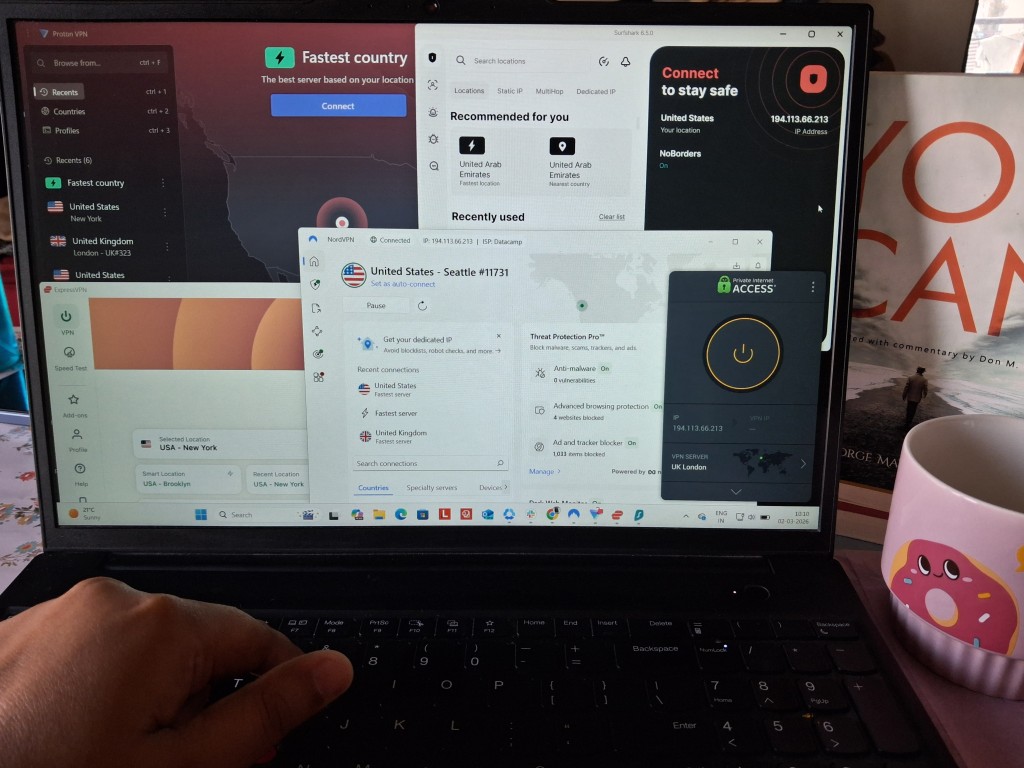
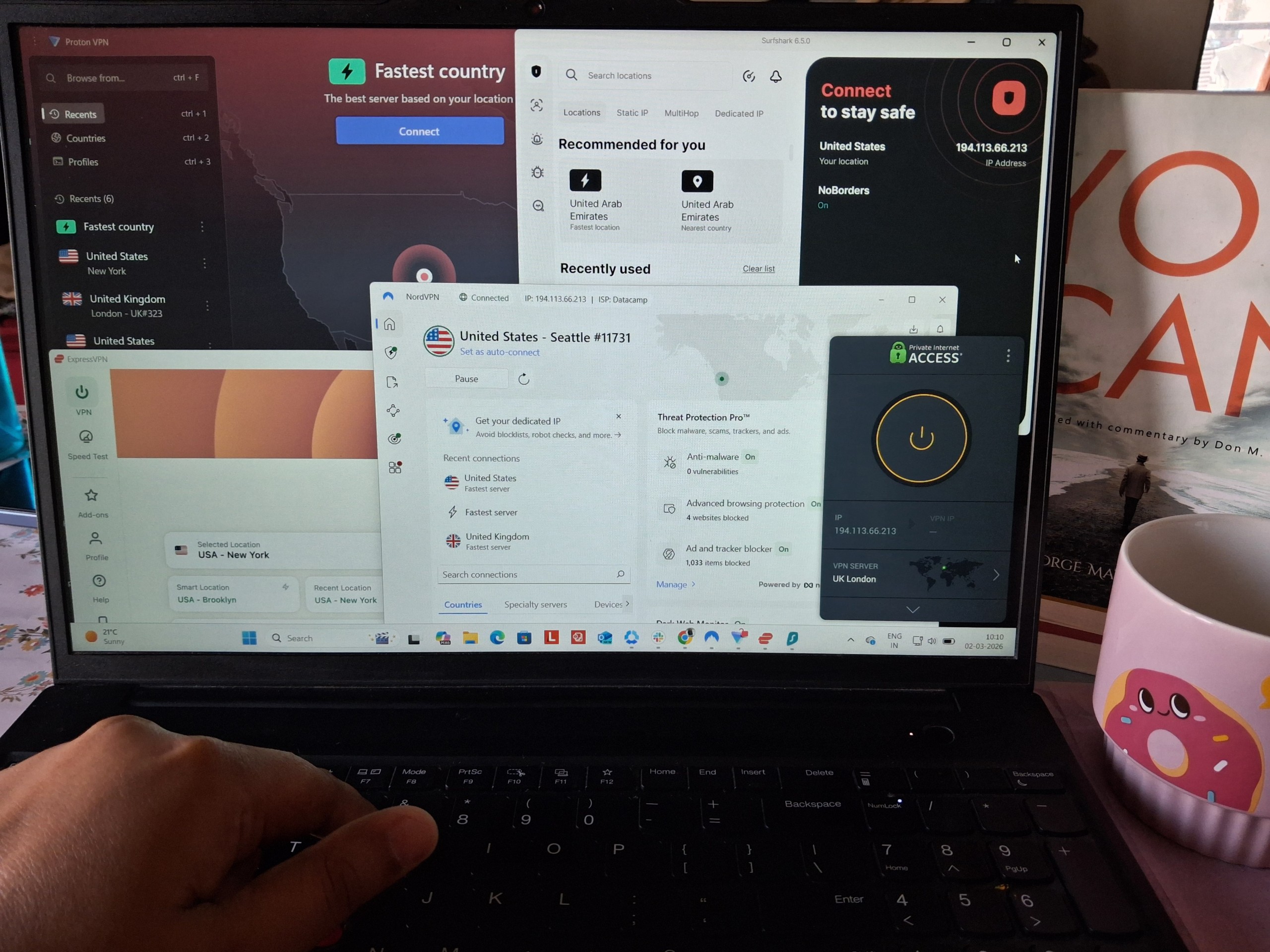
Speed Performance (Baseline Comparison): When testing speed, we focused on how much each VPN actually slows your connection down in real use. To do that, we measured the percentage drop in speed instead of just Mbps, since that gives a much clearer picture across different devices and networks. We tested everything on Windows, iPhone, and Android, using both Wi-Fi and mobile data, and connected to US and UK servers to see how performance changes based on location. We also checked how speeds held up over time, so it’s not just about peak performance but how consistent it feels when you’re actually using it for streaming, browsing, or downloads.
Latency & Responsiveness: Speed isn’t everything, so we also looked at how responsive each VPN feels during real use. For that, we measured latency (how quickly the connection responds) and jitter (how stable that response is over time). This is especially important for things like gaming, video calls, or even just how “snappy” browsing feels. We tested this across all devices, Windows, iPhone, and Android, on both Wi-Fi and mobile data, and compared results between US and UK servers. Instead of just noting the numbers, we focused on how it actually feels in use, whether things stay smooth or start to feel delayed and inconsistent.
Connection Stability & Reliability: We also tested how well each VPN holds up during longer sessions, because a fast connection doesn’t mean much if it keeps dropping or struggling to stay stable. We ran extended sessions (30+ minutes) to check for disconnects, buffering during streaming, and how quickly video quality stabilizes when you start or resume playback. We also looked at how the connection behaves when you pause, seek, or reconnect. The goal here was to see if the VPN can maintain a smooth, uninterrupted experience over time, not just connect successfully at the start.
Consistency Across Networks & Server Locations: Speed and performance don’t mean much if they change every time you switch devices or networks, so we paid close attention to consistency. Each VPN was tested across different setups (Windows, iPhone, Android, Wi-Fi, mobile data, and both US and UK servers) to see how stable the experience really is. We also ran tests across multiple sessions to catch day-to-day variations, not just one-off results. This helped us understand whether a VPN feels predictable and reliable, or if performance depends too much on the situation, which is especially noticeable on mobile data and certain devices like Android.
Server Infrastructure & Distribution: We looked at how large and spread out each VPN’s server network is. A bigger network usually helps with speed, but we also checked if those servers actually stay stable under load.
Privacy, Jurisdiction & Logging: We reviewed where each VPN company is based and how it handles user data. We also considered whether their privacy claims are backed by audits or a solid track record.
Security & Leak Protection: We checked the level of encryption, available protocols, and whether key features like kill switch and leak protection work properly. A fast VPN still needs to be secure.
Compatibility & Ease of Use: We tested how easy the apps are to install and use across devices. This includes layout, settings, and how simple it is to connect and switch servers.
Customer Support: We looked at how easy it is to get help if something goes wrong. This includes live chat availability and how useful the responses actually are.
Pricing & Long-Term Value: We didn’t just look at the starting price. We checked renewal costs, refund policies, and whether the overall value makes sense based on performance and features.
The Fastest VPN Services in 2026
Based on the criteria established above, here are the 3 fastest VPNs in 2026:
1. NordVPN – ⭐Best Overall
NordVPN is generally easy to rely on for everyday use. Speeds are good, streaming works smoothly, and you don’t really have to think much about it once it’s running. Most of the time, it just does its job. That said, it’s not perfectly consistent everywhere. The experience can change a bit depending on the device and network, so it doesn’t always feel the same across the board.
When you look at different devices, Windows clearly has the best experience with strong speeds and very stable performance. iPhone isn’t as fast on paper, but in real use it still feels smooth and dependable. Android is a bit less consistent. It can work well, but it’s also where you’re more likely to notice performance dips or variation over time. So while all devices are usable, the overall experience isn’t equally stable on each one.
Server choice also makes a difference. UK servers usually give you slightly better speeds, while US servers tend to feel more steady and predictable. The difference isn’t massive, but you can notice it depending on what you’re doing. Overall, NordVPN strikes a good balance between speed and stability, but it’s not completely consistent, especially if you’re using Android or dealing with less stable network conditions.
Performance Testing Results - NordVPN
Overall, NordVPN delivers a generally strong but uneven performance profile across Wi-Fi and mobile data. On average, speed drops remain moderate (~37% on Wi-Fi and ~34% on mobile data), and day-to-day usability is good for browsing, streaming, and general tasks. However, the key difference lies in consistency: Wi-Fi performance is stable and predictable across all devices, while mobile data performance is significantly more variable, with noticeable fluctuations depending on device and testing conditions. This makes NordVPN reliable in controlled network environments but less dependable on mobile networks where stability changes over time.
On Wi-Fi, performance is consistently usable across all devices, but with clear differences in efficiency: The results were best on Windows, on iPhone, they were okayish and Android saw the worst drops.
- Windows: Best overall performer with the lowest and most stable speed drops (22%–31%), maintaining strong download and upload speeds with smooth real-world performance.
- Android: Balanced and stable experience with moderate drops (33%–41%), offering reliable browsing and streaming with no major inconsistencies.
- iPhone: Highest Wi-Fi impact (~46%–49% speed loss), but still stable in real-world use, with smooth browsing and streaming despite reduced efficiency.
Wi-Fi Speed Performance (Average Drop: 37.15%)
On mobile data, performance becomes more inconsistent and less predictable:
- Android: Major concern due to sharp performance degradation over time, with speed loss escalating from moderate levels to as high as 56%, making long-session usage unreliable.
- iPhone: Highly variable results ranging from strong performance (16% drop) to significantly weaker drops (~47%), with occasional instability and higher jitter affecting consistency.
Mobile Data Speed Performance (Average Drop: 33.96%)
NordVPN shows a fairly moderate latency pattern overall, with Wi-Fi performing more consistently than mobile data. On Wi-Fi, response times are fairly steady and jitter stays mostly controlled, so the connection feels smooth in normal day-to-day use. On mobile data, latency becomes a bit more inconsistent, and jitter fluctuates more, which can affect how “snappy” the connection feels during real-time activity. However, it is good for almost anything you want to do, including good gaming.
On Wi-Fi, NordVPN feels pretty stable overall, with latency staying in a moderate range across all devices. It’s not ultra-low, but it’s consistent enough that you don’t really notice sudden delays. Jitter is also fairly well-controlled, so data flow feels smooth.
- Windows: Latency is steady but a bit on the higher side. Still, it behaves consistently with no sudden spikes, and jitter stays stable.
- iPhone (Wi-Fi): Slightly better responsiveness compared to Windows, with smoother reaction time and low jitter, so things feel a bit more fluid.
- Android (Wi-Fi): Latency varies more here compared to other devices, so you may notice occasional small delays, but jitter is still fairly stable overall.
Average Latency on Wi-Fi Connectivity- 246.5 ms and Average Jitter - 12.85 ms
On mobile data, NordVPN becomes a bit less consistent in terms of responsiveness. Latency is higher compared to Wi-Fi, and jitter also becomes more noticeable, which can make real-time interactions feel slightly less smooth.
- iPhone: Latency is noticeably higher than Wi-Fi, so responses feel a bit slower at times. Jitter also increases, leading to occasional unevenness in how smooth things feel.
- Android: More variation overall, both in latency and jitter, so responsiveness can feel less predictable.
Average Latency on Mobile Data- 294 ms and Average Jitter - 35 ms
NordVPN delivers a very stable and reliable connection overall, with no disconnects observed during testing. Playback remains smooth across devices, and the connection holds well during extended sessions. While there are minor quality adjustment delays on some devices, especially Android, the connection itself stays intact and dependable throughout. Overall, it performs strongly in maintaining consistent sessions without interruptions.
On Wi-Fi, NordVPN shows excellent connection stability with smooth and uninterrupted playback across most devices.
- Windows: Fully stable connection with no buffering or drops. Playback starts instantly in high quality and remains consistent throughout.
- iPhone (Wi-Fi): Stable overall with no buffering during playback. Only minor buffering appears when seeking backward, but it resolves quickly.
- Android (Wi-Fi): No buffering and stable connection, but takes around 5–6 minutes to fully stabilize in quality. Some quality drops may happen after resuming playback.
On mobile data, NordVPN remains reliable in maintaining connection, with no drops, but shows slight inconsistency in how quickly playback stabilizes.
- iPhone: Smooth and stable playback with quick quality adjustments and no interruptions during use.
- Android: Connection remains stable with no buffering, but quality stabilization takes longer and may fluctuate slightly after pauses.
NordVPN is very consistent on Wi-Fi, but that consistency drops once you move to mobile data, especially on Android. When it comes to server locations, there’s a clear pattern: the UK server tends to offer better speeds, while the US server is more stable. So while performance is generally solid, there are noticeable trade-offs depending on network and server choice.
- On Wi-Fi, performance is strong and predictable across all devices. Windows delivers the best experience with stable 4K playback and no buffering. iPhone shows a slight speed drop but remains consistent, with no major difference between US and UK servers in day-to-day use. Android also sees some speed loss, but stays reliable, maintaining similar performance across both server locations without major fluctuations.
- On mobile data, consistency drops. iPhone remains usable with moderate variation, but higher jitter on the UK server makes it feel less stable compared to the US. Android shows the biggest issues here, with clear inconsistency across days and a significant performance drop at times. The difference compared to Wi-Fi is quite noticeable, especially in terms of stability and speed reliability.
- Looking specifically at US vs UK servers, the UK server generally provides better speeds, but at the cost of higher jitter and less stable performance - this is most noticeable on iPhone. The US server, while slightly slower, offers a more stable and predictable experience. On Android, both servers show similar instability, especially on weaker days, so neither stands out as more reliable. Windows remains consistent across both, with almost no visible difference between US and UK performance.
STRENGTHS
- Easy to use with smooth streaming and everyday performance
- Windows delivers the best speeds with low and stable drops (22%–31%)
- iPhone feels smooth and reliable in real use despite lower speeds
- Wi-Fi performance is stable and predictable across all devices
- Android Wi-Fi performance remains consistent with moderate drops (33%–41%)
- No disconnects observed during testing
- Playback is smooth with no buffering on Wi-Fi across devices
- US servers provide more stable and predictable performance
- UK servers offer slightly better speeds
- Latency and jitter are controlled on Wi-Fi (avg ~246 ms, ~12.85 ms jitter)
- Suitable for gaming and real-time activities
- Maintains stable long sessions without interruptions
WEAKNESSES
- Android shows inconsistent performance over time
- Mobile data speed drops can reach up to 56%–64%
- iPhone has a high Wi-Fi speed loss (46%–49%)
- Latency and jitter increase on mobile data (avg 294 ms, 35 ms jitter)
- Quality stabilization is slow on Android (up to 5–6 minutes).
2. ExpressVPN – 🥈Runner-Up
ExpressVPN feels fast and polished when conditions are right, but that experience doesn’t carry evenly across all scenarios. In ideal setups, speeds are strong and everything from streaming to downloads works smoothly without much effort. The catch is consistency. Performance can swing quite a bit depending on the device and network, and the gap becomes more noticeable outside stable connections. So while it can deliver excellent results, it doesn’t always do so in a predictable way.
Across devices, the experience isn’t evenly balanced. Windows easily leads with the most reliable performance, keeping speeds steady and handling high-quality streaming without issues. iPhone sits in the middle, where things generally work well but with some visible slowdowns and occasional delays in responsiveness. Android sees the biggest hit in terms of speed, though it manages to stay somewhat consistent under stable conditions. So while all devices are usable, the level of efficiency and smoothness varies quite a bit between them.
Server choice adds another layer to how ExpressVPN performs. UK servers often feel faster, especially in everyday use, while US servers tend to be slightly more controlled and stable. The difference isn’t always dramatic, but it shows up depending on the situation. Overall, ExpressVPN delivers strong performance at its best, but it’s not the most consistent option, especially when conditions are less stable or when using Android.
Performance Testing Results - ExpressVPN
All-in-all, ExpressVPN delivers strong peak performance on Wi-Fi but highly inconsistent performance on mobile data. On average, speed drops are moderate on Wi-Fi (~40.50%) but significantly higher on mobile data (~68.86%). While Wi-Fi performance remains fast, stable, and suitable for streaming, browsing, and downloads, mobile data performance varies widely across devices and test conditions, ranging from usable to severely degraded. This makes ExpressVPN highly reliable on fixed broadband connections but far less predictable on mobile networks.
On Wi-Fi, ExpressVPN delivers strong and generally stable performance, with consistently usable speeds across devices (just like NordVPN). Windows is performing best, and Android is showing the highest speed loss.
- Windows: Strongest and most stable performance, with low speed loss (29%–31%) and consistently smooth real-world usage.
- iPhone (Wi-Fi): Moderate speed loss (34%–45%), but still delivers smooth browsing, streaming, and file transfers with stable latency.
- Android (Wi-Fi): Highest Wi-Fi impact (~51%–52%), though performance remains consistent across servers despite reduced efficiency.
Wi-Fi Speed Performance (Average Drop: 40.50%)
On mobile data, ExpressVPN shows significantly reduced performance and high variability, especially on Android. While iPhone performance is usable on the UK server, Android experiences severe degradation across both days and servers.
- Android (Mobile Data): Worst-performing category overall, with extreme speed loss ranging from ~80%, making mobile usage highly unreliable under load.
- iPhone (Mobile Data): Mixed performance, with strong variation between servers (40% to 60% loss). UK server performs significantly better and more consistently than US.
Mobile Data Speed Performance (Average Drop: 68.86%)
Just like NordVPN, ExpressVPN also shows a moderate-to-high latency profile overall, with fairly stable behavior on Wi-Fi but noticeably higher variability on mobile data. On Wi-Fi, response times are reasonably consistent across devices, and jitter remains controlled, so interactions feel smooth in most cases. On mobile data, latency increases further and jitter becomes more unpredictable, especially on Android, which can affect how responsive the connection feels during real-time tasks.
On Wi-Fi, ExpressVPN delivers fairly consistent latency across devices, staying in a moderate range. Jitter is also generally controlled, which helps maintain smooth and stable responsiveness without noticeable interruptions.
- Windows: Latency is steady across both servers, with no major fluctuations. Jitter is slightly higher compared to other devices but remains stable overall.
- iPhone (Wi-Fi): Shows some variation between servers, with one higher latency reading, but overall responsiveness remains smooth. Jitter is moderate and does not significantly impact stability.
- Android (Wi-Fi): Most consistent among all devices, with stable latency and the lowest jitter values, resulting in very smooth responsiveness.
Average Latency on Wi-Fi Connectivity – 257.17 ms and Average Jitter – 16.54 ms
On mobile data, ExpressVPN becomes less consistent in terms of responsiveness, with higher latency and significantly more variation in jitter, especially on Android.
- Android: Shows significant variation in jitter, with some very high values, leading to inconsistent responsiveness. Latency also fluctuates across tests, adding to the unpredictability.
- iPhone: Latency is noticeably higher than on Wi-Fi, particularly on the US server, which can make response times feel slower. Jitter varies but remains manageable overall.
Average Latency on Mobile Data – 309.67 ms and Average Jitter – 52.25 ms
ExpressVPN provides a highly stable and consistent connection across most devices, with no disconnections observed during testing. Playback is generally smooth, and streams begin quickly in high quality, particularly on Windows and Android. While performance is strong overall, iOS shows some slower responsiveness and minor quality delays. Despite these small inconsistencies, the connection remains dependable for extended usage.
On Wi-Fi, ExpressVPN performs very well, delivering stable connections and smooth playback across devices.
- Windows: Connection is completely stable with no buffering or interruptions. Playback begins instantly in 4K quality and remains consistent throughout the session.
- iPhone (Wi-Fi): Playback runs without buffering, but there is a noticeable delay in reaching full sharpness, especially on certain servers like the US. Browsing speed feels slower, and quality may briefly drop after reconnecting. Slight delay is also observed when seeking.
- Android (Wi-Fi): Smooth playback with no buffering during normal use. Quality adjusts quickly within seconds, and the connection stays stable. Minor buffering may occur when seeking backward, but it resolves quickly.
On mobile data, ExpressVPN maintains a reliable connection with no drops, though performance varies slightly by device.
- iPhone: Stable playback overall with no interruptions, but initial quality takes longer to stabilize and may briefly degrade after reconnecting. Slight latency is noticeable during seeking.
- Android: Consistent and stable connection with no buffering during playback. Quality adjusts quickly, and performance remains steady even after pauses or seeking.
ExpressVPN holds up well on Wi-Fi, where performance feels smooth and dependable across most devices, but things change once you switch to mobile data. The drop isn’t subtle - latency increases, speeds fall, and consistency becomes harder to rely on, especially on Android. Server choice also plays a role, but not in a perfectly predictable way. In general, UK servers tend to push higher speeds, while US servers feel slightly more controlled, though neither completely avoids fluctuations depending on the device and network conditions.
- On Wi-Fi, Windows stands out with excellent performance, handling 4K streaming effortlessly without buffering or slowdowns. iPhone stays stable as well, although speeds can dip when connected to more distant servers, sometimes causing a short delay before video quality fully adjusts. Android shows a more noticeable speed reduction compared to Windows, but the experience remains steady overall, with no major differences between US and UK servers in typical use.
- On mobile data, the experience becomes much less consistent. iPhone is still usable, but the drop in speed is clear - around 61% on US servers and 39% on UK servers, paired with higher latency that makes the connection feel less responsive. Android struggles the most here, with performance varying heavily from one session to another. Speed drops can be extreme, ranging between 83% and 97%, and stability is difficult to rely on. Compared to Wi-Fi, the difference is immediately noticeable, particularly in how unpredictable the connection becomes.
- Looking specifically at US vs UK servers, the UK side generally delivers better speeds, especially on iPhone where the improvement is consistent enough to notice in daily use. The US server, while slightly behind in raw speed, tends to feel a bit more stable. On Android, though, neither option clearly stands out - both can be unreliable, with the UK server occasionally dropping to very low speeds and the US server also showing inconsistent behavior. Windows remains unaffected by most of this, maintaining a steady experience regardless of server location, with almost no visible difference between the two.
STRENGTHS
- Strong and fast performance on Wi-Fi
- Reliable and stable on fixed broadband connections
- Windows delivers best performance with low speed loss (29%–31%)
- Smooth streaming, browsing, and downloads on Wi-Fi iPhone
- Wi-Fi performance remains stable despite moderate drops (34%–45%)
- Android Wi-Fi performance is consistent across servers
- No disconnects observed during testing
- Stable connection during long sessions
- Fast playback start with high quality on Windows and Android
- Wi-Fi latency and jitter are fairly stable (avg ~257 ms, ~16.5 ms jitter)
- Android has lowest jitter and smooth responsiveness on Wi-Fi
- UK servers generally provide better speeds
- US servers feel slightly more stable
WEAKNESSES
- Performance drops significantly on mobile data (68.86% avg loss)
- Android mobile data performance is highly unreliable (80%–87% drop)
- iPhone mobile data shows noticeable variation (40%–60% drop)
- Latency and jitter increase on mobile data (avg 309 ms, 52 ms jitter)
- iPhone has slower responsiveness and quality stabilization delays
- Server performance varies depending on device and network conditions
👉 See full ExpressVPN review →
3. Surfshark VPN – Strong on Wi-Fi; Weaker on Mobile
Surfshark feels a bit unpredictable overall. You can get really good performance out of it, but it doesn’t always stay that way. In some cases, everything runs smoothly and fast, while in others, speeds drop more than expected and responsiveness takes a hit. It’s not that it fails completely, but the experience can shift depending on the setup. Because of that, it feels less dependable compared to more consistent options like NordVPN and ExpressVPN.
The difference between devices is quite noticeable here. Windows handles things the best, staying stable and delivering solid speeds without much trouble. iPhone is generally fine for everyday use, though it can feel a bit slow at times, especially when starting streams or switching quality. Android is where most of the issues show up. Speeds drop heavily, and even though the connection itself stays active, the overall experience feels sluggish and less reliable. It works, but not as smoothly as you’d want.
Server location doesn’t completely change the picture, but it does shift the experience slightly. The UK side can feel a bit more balanced in some situations, especially on iPhone, while the US side doesn’t always stand out in any major way. On Android, both options behave similarly, so switching servers doesn’t really solve the problem. Overall, Surfshark is usable and stable at a basic level, but consistency is where it falls short, especially when you start moving across devices or less ideal conditions.
Performance Testing Results - Surfshark
Overall, Surfshark delivers inconsistent but sometimes strong performance depending on device and network type. On average, speed drops are moderate on Wi-Fi (~42.65%) but significantly higher on mobile data (~55.93%), with Android mobile performance showing extreme instability. While Wi-Fi performance is generally usable with occasional strong results on Windows and iPhone, Android experiences major degradation across both Wi-Fi and mobile data. This makes Surfshark suitable for general Wi-Fi use, but far less reliable for mobile data, especially on Android where performance is highly unstable.
On Wi-Fi, Surfshark shows mixed but generally usable performance, with strong results on Windows but highly inconsistent behavior on mobile devices. It is slightly higher than ExpressVPN and much higher than NordVPN (which also owns Surfshark).
- Windows: Most stable performance overall, with very strong low-latency results in some cases (as low as 11% drop), though variability exists across tests.
- iPhone (Wi-Fi): Mixed performance. Average 30% drop, but still usable for browsing and streaming.
- Android (Wi-Fi): Weakest Wi-Fi performer, with consistently high speed loss (~68%–70%), although connection stability remains relatively steady.
Wi-Fi Speed Performance (Average Drop: 42.65%)
On mobile data, Surfshark shows significantly reduced performance and high instability, especially on Android devices.
- iPhone (Mobile Data): Moderately usable performance, with speed loss ranging from 47.9% to 55.2%, and slightly better efficiency on the UK server.
- Android (Mobile Data): Extremely poor and highly unstable performance, with very high speed loss (~89%–94% across days and servers), making it unreliable for sustained use.
Mobile Data Speed Performance (Average Drop: 55.93%)
Surfshark shows a higher latency profile overall, with noticeable differences between Wi-Fi and mobile data. On Wi-Fi, latency is relatively high across devices, but jitter remains well-controlled, which helps maintain a stable and smooth connection despite slower response times. On mobile data, latency increases further and jitter becomes more inconsistent, which can affect how responsive the connection feels during real-time activities. Overall, the experience is stable in terms of connection quality, but response times are slower compared to other VPNs, especially NordVPN and ExpressVPN.
On Wi-Fi, Surfshark shows consistently high latency across all devices, meaning response times are slower, but jitter remains low, helping keep the connection stable without sudden fluctuations.
- Windows: Latency varies significantly between servers, with a much higher reading on the UK server. Jitter is low, so despite slower response time, the connection remains stable.
- iPhone (Wi-Fi): Shows a noticeable difference between servers, with better latency on the UK server. Jitter remains low, supporting smooth interaction.
- Android (Wi-Fi): Highest variability among all devices, with very high latency on the UK server. However, jitter stays relatively controlled, so instability is limited.
Average Latency on Wi-Fi Connectivity – 317.5 ms and Average Jitter – 11.91 ms
On mobile data, Surfshark becomes less consistent in responsiveness, with both higher latency and more noticeable jitter variation, which can impact real-time interaction smoothness.
- iPhone: Latency remains high but relatively stable compared to Android. However, jitter values are significantly higher, which can lead to less consistent responsiveness.
- Android: Shows high latency along with fluctuating jitter, though jitter is lower compared to iPhone in this case. Responsiveness can vary depending on network conditions.
Average Latency on Mobile Data – 336.83 ms and Average Jitter – 47.68 ms
Surfshark delivers a stable connection overall, with no disconnections observed during testing. Playback is generally smooth on most devices, but performance varies more noticeably compared to other NordVPN and ExpressVPN. While Windows maintains strong consistency, mobile devices (especially Android) show slower quality stabilization and occasional drops after interaction. Overall, it remains usable for extended sessions, though with some visible delays in quality optimization.
On Wi-Fi, Surfshark provides a stable connection, but playback quality and responsiveness differ across devices.
- Windows: Fully stable connection with no buffering or interruptions. Playback starts immediately in high quality and remains consistent throughout the session.
- iPhone (Wi-Fi): Playback runs without major buffering, but starts with a noticeable blur that takes around 2–3 minutes to fully stabilize. Initial loading is slightly slower, and minor buffering may occur when seeking backward. Once stabilized, playback remains steady.
- Android (Wi-Fi): No buffering during playback, but performance feels less responsive. Initial quality is significantly lower compared to other devices, with more visible blur. It takes time to reach higher quality, and drops may occur again after seeking or reconnecting.
On mobile data, Surfshark maintains connection stability with no drops, though quality consistency remains uneven.
- iPhone: Stable playback with no major interruptions, but initial quality takes time to improve. Slight delays in loading and occasional minor buffering during seeking are noticeable before the stream fully settles.
- Android: Connection remains stable without buffering, but quality takes longer to stabilize and may fluctuate after pauses or reconnections. Latency is more noticeable compared to other devices, affecting overall responsiveness.
Surfshark delivers a smooth and reliable experience on Wi-Fi, but that stability doesn’t fully carry over to mobile data. While it performs well in controlled conditions, performance drops become more noticeable once network conditions are less stable. There’s also a clear difference in how devices handle the connection - Windows remains strong throughout, while Android shows more aggressive slowdowns. Server choice has some impact, though the differences are less about speed gains and more about stability and latency shifts between US and UK connections.
- On Wi-Fi, performance is generally dependable, though not perfectly uniform across devices. Windows handles everything effortlessly, with fully stable connections, smooth 4K playback, and no buffering. iPhone stays consistent as well, but can feel slightly slower on distant servers, sometimes taking a moment for streaming quality to fully stabilize. Android sees the biggest hit here, compared to baseline, but despite that, it remains consistent in day-to-day use.
- On mobile data, things become far less reliable. iPhone holds up reasonably well, with moderate speed drops, but remains usable for most tasks despite feeling slower. Android, however, struggles significantly. Speed drops can exceed 90%, and performance becomes highly inconsistent, making the experience unreliable for anything beyond basic usage. The gap compared to Wi-Fi is quite noticeable, especially in terms of stability and overall usability on Android.
- Comparing US and UK servers, the differences are present but not dramatic. On iPhone, both servers are usable, though the UK tends to feel slightly more stable in practice. Android shows heavy speed loss regardless of server choice, with no real advantage on either side, although the UK server can introduce higher latency. Windows once again remains unaffected by most of these variables, delivering a stable experience with minimal noticeable difference between US and UK performance.
STRENGTHS
- Usable and generally reliable performance on Wi-Fi
- Windows delivers strongest and most stable performance
- Windows can achieve very low speed drops (as low as ~11%)
- iPhone Wi-Fi performance remains usable (~19%–37% drop)
- Stable connection with no disconnects during testing
- Smooth playback on Windows with instant high-quality streaming
- No buffering during playback across most devices
- Jitter remains low on Wi-Fi (~11.9 ms), keeping connections stable
- Suitable for browsing and streaming on Wi-Fi
- UK servers can feel slightly more stable on iPhone
WEAKNESSES
- Overall inconsistent performance across devices and networks
- High Wi-Fi speed loss on Android (68%–70%)
- Very poor Android mobile data performance (90%+ drop)
- Mobile data performance is unstable (55.93% avg drop)
- High latency across networks (Wi-Fi 317 ms, mobile 336 ms)
- Slow quality stabilization and responsiveness on mobile devices
Moderate and Slower Performance VPNs
Not every VPN is built for speed, and that shows pretty quickly when you start comparing them. Some do really well in areas like security, leak protection, and features, but don’t quite keep up when it comes to performance. Speeds can be inconsistent, and the overall experience can vary depending on the device or network you’re using. In this section, we’re looking at VPNs that fall somewhere in the middle - usable, but not always fast or smooth.
1. Proton VPN – Slow on Both; Worse on Mobile
Proton VPN doesn’t really give you a consistent experience you can count on. It can work fine in some situations, but those moments don’t always last, and performance tends to shift more than you’d expect. Speeds are often on the lower side, and the overall experience can feel uneven depending on where and how you’re using it. It’s usable, but not something that feels reliably smooth from one session to the next.
The way it performs changes quite a bit depending on the device. iPhone handles things better than the others, especially when connected to the right server, where it manages to stay fairly smooth despite slower speeds. Windows is less predictable, with noticeable swings in performance that make it feel inconsistent at times. Android has the toughest experience overall, with heavy slowdowns and a laggy feel that affects both browsing and streaming. It’s the device where the limitations show up the most clearly.
Server selection has a bigger impact here than usual. The UK option often feels noticeably better, especially on iPhone, where the difference is easy to notice in everyday use. The US side tends to fall behind, particularly in speed. That said, switching servers doesn’t really solve things on Android, where performance remains unreliable either way. In the end, Proton VPN works for light use, but it struggles to deliver the kind of steady, dependable performance you’d expect for more demanding tasks.
Performance Testing Results - Proton VPN
In synopsis, Proton VPN shows a highly inconsistent performance profile with strong variation between devices and network types. On average, speed drops are relatively high on both Wi-Fi (~64.52%) and mobile data (~66.95%), making it the weakest performer among the tested VPNs in terms of speed efficiency. While it can deliver strong results on specific servers (especially UK Wi-Fi on iPhone), performance is unstable across platforms, with particularly poor results on Android and extreme degradation on mobile data in worst-case scenarios. This makes Proton VPN less suitable for high-speed or consistency-focused use cases.
On Wi-Fi, Proton VPN shows generally strong variation and inconsistent performance, with some good results on iPhone but significant degradation on Android.
- Windows: Very inconsistent performance, ranging from 50% to 76% speed loss, indicating weak stability across servers.
- iPhone (Wi-Fi): Mixed but usable performance, with a wide range from 34.2% to 73.2%, showing strong dependence on server location.
- Android (Wi-Fi): Poor performance overall, with severe loss ranging from 65.5% to 88.21%, making it the weakest Wi-Fi platform for Proton VPN.
Wi-Fi Speed Performance (Average Drop: 64.52%)
On mobile data, Proton VPN shows very unstable performance, ranging from acceptable speeds on good days to extreme degradation under poor conditions.
- iPhone (Mobile Data): Highly variable performance, with speed loss ranging from 63.3% to 76.5%, indicating moderate usability but poor efficiency.
- Android (Mobile Data): Extremely unstable, with results ranging from 70% to 99.78% (worst case experienced on Day 2 of our Android speed test on the UK server), making it unreliable for consistent use.
Mobile Data Speed Performance (Average Drop: 66.95%)
Proton VPN shows a high and inconsistent latency profile overall, with noticeable variation between devices and network types. On Wi-Fi, latency is already on the higher side, though jitter remains relatively controlled, helping maintain a stable connection. On mobile data, latency increases significantly and jitter becomes highly unpredictable, especially on Android, which can make responsiveness feel uneven during real-time interactions. Overall, the connection remains usable, but responsiveness is less consistent compared to other VPNs.
On Wi-Fi, Proton VPN shows high latency across all devices, meaning response times are slower compared to lower-latency VPNs. However, jitter is generally controlled, which helps keep the connection stable despite higher delays.
- Windows: Latency is consistently high across both servers, with no major fluctuations. Jitter is moderate, keeping the connection stable but not particularly smooth.
- iPhone (Wi-Fi): Shows better latency compared to other devices, especially on the UK server. Jitter remains low, resulting in smoother responsiveness.
- Android (Wi-Fi): Latency remains high and varies between servers. Jitter is slightly higher compared to iPhone, which can introduce minor inconsistency.
Average Latency on Wi-Fi Connectivity – 291.17 ms and Average Jitter – 17.96 ms
On mobile data, Proton VPN becomes significantly less consistent, with much higher latency and very large fluctuations in jitter, especially on Android. If we compare it to the above three VPNs, it leads to less predictable responsiveness in real-time usage.
- iPhone: Latency is high but relatively stable compared to Android. Jitter is moderate, resulting in somewhat consistent but slower responsiveness.
- Android: Shows extreme variation in both latency and jitter, including very high spikes. This makes responsiveness highly inconsistent and unpredictable across sessions.
Average Latency on Mobile Data – 384.17 ms and Average Jitter – 115.27 ms
Proton VPN offers a stable connection, but performance is inconsistent across devices. While there are no disconnections during use, buffering and slower quality stabilization are more noticeable compared to other VPNs. Windows and iOS provide a usable experience after some initial delays, whereas Android performance is significantly weaker. Overall, it works for basic streaming but may struggle with maintaining consistent quality.
On Wi-Fi, Proton VPN maintains connection stability, though playback smoothness and quality vary depending on the device.
- Windows: Connection remains stable with no drops, but minor buffering can occur when streaming in 4K. Some fluctuations in performance are noticeable, though playback remains mostly watchable.
- iPhone (Wi-Fi): Playback starts with some buffering and visible blur, taking around 2 minutes to reach stable quality. Page loading is slightly slow, and quality may drop again when seeking. Once stabilized, playback continues without major interruptions.
- Android (Wi-Fi): Performance is highly inconsistent, with very slow response times and frequent instability. Streaming is likely to buffer, and general browsing feels laggy. The experience is significantly degraded, making it difficult to maintain continuous playback.
On mobile data, Proton VPN keeps the connection active, but performance limitations remain evident.
- iPhone: Stable playback after initial buffering, though quality takes time to stabilize and may dip again during seeking. Slight delays in page loading persist, but overall usage becomes smoother once settled.
- Android: Connection stability is unreliable in practical use, with ongoing lag, buffering, and inconsistent behavior. Performance issues are severe enough to interrupt normal streaming, resulting in a poor overall experience.
Proton VPN feels a bit uneven right from the beginning. Even on Wi-Fi, where most VPNs tend to settle into a stable pattern, performance here fluctuates depending on the device and server you’re connected to. Speeds don’t always hold up, and that inconsistency becomes more obvious as you switch environments. Moving over to mobile data makes things worse - latency spikes, speeds dip heavily, and reliability becomes a real concern, especially on Android. Server location also plays a bigger role than expected, with noticeable gaps between US and UK performance across multiple devices.
On Wi-Fi, it’s a mixed bag rather than a consistently smooth experience. Windows handles things reasonably well, but not without compromise - speed drops are noticeable, and 4K streaming can occasionally hit minor buffering. iPhone behaves differently depending on the server; it stays stable overall, but the US server feels significantly slower compared to the UK, which performs much better in day-to-day use. Android, on the other hand, struggles more visibly. Speed losses are high, and the added latency makes everything feel slower, even for basic browsing.
On mobile data, the instability becomes much harder to ignore. iPhone still manages to stay functional, but with heavy speed reductions, it’s clearly not as reliable. There are also occasional interruptions that can affect usability, especially during tasks like calls. Android has the roughest experience here by far. Speeds can collapse almost entirely - up to 99% drops, and performance isn’t just slow, it’s unpredictable. One session might work, the next might barely load anything. Compared to Wi-Fi, the difference is drastic, both in speed and consistency.
When comparing US and UK servers, the gap stands out more than usual. On iPhone, the UK server clearly comes out ahead, offering a noticeably smoother and faster experience, while the US server lags behind. Android doesn’t really benefit from either option - both servers are unreliable, though the UK can occasionally drop to extremely low speeds, making it even less dependable at times. Windows shows a similar pattern to iPhone, with the UK performing better overall, while the US side feels slower, even if it stays relatively stable.
STRENGTHS
- Maintains connection stability with no disconnects
- Usable performance on iPhone across Wi-Fi and mobile data
- iPhone can achieve better speeds on UK servers (~34% drop on Wi-Fi)
- Windows provides a generally usable experience despite fluctuations
- Jitter remains relatively controlled on Wi-Fi (~17.96 ms)
- iPhone shows better latency on Wi-Fi, especially on UK servers
- Works for basic browsing and streaming after initial delays
WEAKNESSES
- Very high speed loss on both Wi-Fi (64.52%) and mobile data (66.95%)
- Highly inconsistent performance across devices and servers
- Android performance is extremely poor (up to 88% Wi-Fi and 99% mobile drop)
- Mobile data performance is unstable and unreliable
- High latency and jitter on mobile data (avg 384 ms, 115 ms jitter)
- Slow buffering and quality stabilization across devices
👉 See full Proton VPN review →
2. PIA – Weakest on Mobile and Wi-Fi
PIA VPN feels quite limited in how it performs overall. It struggles to maintain decent speeds, and the experience often feels slowed down more than expected. While it technically works, it rarely feels smooth or efficient, especially when compared side by side with other VPNs. The gap becomes obvious pretty quickly, particularly if you’re doing anything beyond very basic usage.
The device you’re on makes a noticeable difference. iPhone comes across as the most manageable option here, even though it’s not particularly fast, it still handles everyday tasks without too much trouble. Windows is less predictable, sometimes holding up okay and other times dropping off enough to affect usability. Android is where things really fall apart. Performance drops heavily, and everything from loading pages to streaming feels noticeably slower and less responsive.
Changing servers doesn’t do much to improve things. In some cases, the UK option feels slightly better, particularly on iPhone, but the difference isn’t big enough to change the overall experience. Windows reacts more to server changes, with the US side generally feeling more stable than the UK. On Android, though, it barely matters which server you pick, since performance stays weak either way. In the end, PIA VPN works at a basic level, but it lacks the speed and consistency needed for a smoother, more reliable experience.
Performance Testing Results - PIA
Overall, PIA VPN shows a weak and highly inconsistent performance profile across all network types, with particularly poor results on mobile data. Wi-Fi performance is heavily reduced (~60.27% average drop), while mobile data performance is extremely poor (~78.92% average drop), making it the least efficient VPN in this comparison. While some Wi-Fi use cases remain usable (especially on iOS), Android and mobile data performance are significantly degraded, with frequent high latency and severe speed loss. This makes PIA VPN unsuitable for high-performance or mobile-heavy usage.
On Wi-Fi, PIA VPN delivers consistently degraded performance, with all devices showing high speed loss and limited efficiency. However, its average speed loss was still better than Proton VPN's, but surely it is no match to NordVN, ExpressVPN or even Surfshark VPN.
- Windows: Very inconsistent performance, ranging from 42.5% to 83% speed loss, showing unstable efficiency across servers.
- iPhone (Wi-Fi): Moderately usable but still reduced performance, ranging from 38.3% to 46.6% speed loss, with better stability compared to other devices.
- Android (Wi-Fi): Poor performance overall, with consistently high loss (70%–81.22%) and high latency, making it the weakest Wi-Fi platform.
Wi-Fi Speed Performance (Average Drop: 60.27%)
On mobile data, PIA VPN performs extremely poorly and inconsistently, with severe degradation across both devices and servers.
- iPhone (Mobile Data): Moderate-to-poor performance, with speed loss ranging from 57.81% to 68.6%, making it usable but inefficient.
- Android (Mobile Data): Extremely poor performance, with near-total degradation in worst cases (~89%–99%+ loss), making it unreliable for real-world usage.
Mobile Data Speed Performance (Average Drop: 78.92%)
PIA VPN shows a high latency profile with significant inconsistency on mobile data. On Wi-Fi, latency is moderately high across devices, but jitter remains fairly controlled, which helps maintain a stable connection despite slower response times. On mobile data, latency increases further and jitter becomes highly unstable, especially on Android, leading to noticeable fluctuations in responsiveness. Overall, while Wi-Fi remains usable, mobile responsiveness is significantly less consistent.
On Wi-Fi, PIA VPN shows moderately high latency across all devices, meaning response times are slower compared to lower-latency VPNs. However, jitter is generally controlled, which helps maintain a stable and predictable connection.
- Windows: Latency is consistently high across both servers, with noticeable difference between US and UK. Jitter varies but remains mostly stable overall.
- iPhone (Wi-Fi): Shows better latency compared to other devices, especially on the UK server. Jitter is relatively low, resulting in smoother responsiveness.
- Android (Wi-Fi): Latency is steady but remains on the higher side. Jitter is lowest among all devices and consistent, keeping the connection stable.
Average Latency on Wi-Fi Connectivity – 304.50 ms and Average Jitter – 14.51 ms
On mobile data, PIA VPN becomes highly inconsistent, with very high latency and extreme jitter variation, especially on Android. This results in unpredictable responsiveness during real-time usage.
- iPhone: Latency is high but relatively stable compared to Android. Jitter is moderate, so responsiveness is somewhat consistent but not smooth.
- Android: Shows very high latency along with extreme jitter spikes, leading to highly unstable and unpredictable responsiveness across sessions.
Average Latency on Mobile Data – 419.17 ms and Average Jitter – 137.67 ms
PIA VPN shows inconsistent performance across devices, with noticeable issues in streaming quality and responsiveness. While the connection itself remains active without drops, playback is often affected by buffering, slow quality stabilization, and frequent fluctuations. Overall, it struggles to deliver a smooth and reliable streaming experience, particularly on mobile devices.
On Wi-Fi, PIA VPN maintains connection continuity, but playback quality and stability are uneven across platforms.
- Windows: Connection is usable but not fully consistent. Playback begins with some buffering and lower initial quality, and frequent fluctuations are noticeable, especially on certain servers like the UK. Despite this, there are no disconnections during use.
- iPhone (Wi-Fi): Streaming performance is weak, with frequent buffering at the start and when seeking. Playback often remains blurry, and delays in loading and navigation are noticeable throughout. Overall consistency is poor.
- Android (Wi-Fi): Performance is inconsistent, with variable speeds and noticeable latency. Some buffering occurs during streaming, and video quality tends to remain low rather than improving significantly. Browsing and interaction feel slower than expected.
On mobile data, PIA VPN continues to maintain connection stability, but streaming performance remains limited.
- iPhone: Frequent buffering persists, both at the start and during seeking. Quality remains below optimal, and delays in loading and navigation impact the overall experience.
- Android: Connection remains active, but inconsistent speeds and latency continue to affect playback. Buffering may occur during streaming, and quality does not consistently reach higher resolutions, resulting in a weaker overall experience.
On the surface, PIA VPN handles Wi-Fi reasonably well, but the experience isn’t uniform across the board. Some devices and server combinations perform smoothly, while others show noticeable dips in stability and speed. This unevenness becomes much more obvious on mobile data, where performance takes a clear hit. Connections tend to slow down, latency rises, and reliability starts to break down, especially on Android. Server location adds to this inconsistency, with the gap between US and UK performance becoming more apparent under less stable network conditions.
On Wi-Fi, performance is generally reliable, though not perfectly balanced. Windows performs best (just like in all other VPNs). iPhone keeps things steady overall, though speeds are moderately reduced. Android shows a different pattern - speed drops are quite heavy, ranging from 70% to 81%, but despite that, performance remains consistent.
On mobile data, the picture changes quite a bit. On iPhone, speeds fall significantly, typically between 57% and 68%, and higher latency makes the connection feel less responsive. It’s still usable, but less consistent than on Wi-Fi. Android, once again, has the toughest time. Performance becomes extremely unstable, with massive speed drops in the 90% to 99% range. The connection can vary dramatically from one moment to the next, making it unreliable for most practical use. Compared to Wi-Fi, the drop in both speed and stability is very clear.
When comparing server locations, the gap between US and UK performance becomes quite noticeable. On iPhone, the UK server has a slight edge, even though speeds are reduced on both. Android sees little improvement either way - performance stays poor across both servers, with the UK occasionally dropping even lower in extreme situations. Windows, however, shows a more defined contrast, with US servers staying stable while the UK introduces more inconsistency and visible fluctuations.
STRENGTHS
- Maintains connection without disconnections
- Usable performance on Wi-Fi for basic tasks
- iPhone provides relatively better stability on Wi-Fi (~38%–46% drop)
- Android Wi-Fi connection remains stable despite high speed loss
- Jitter is fairly controlled on Wi-Fi (~14.51 ms)
- iPhone shows better latency on Wi-Fi, especially on UK servers
- Performance is somewhat consistent on Android Wi-Fi despite heavy drops
WEAKNESSES
- Very high speed loss on Wi-Fi (~60.27%) and mobile data (~78.92%)
- Extremely poor Android performance (up to ~81% Wi-Fi and ~99% mobile drop)
- Mobile data performance is highly unstable and unreliable
- Frequent buffering and slow quality
- Inconsistent performance across devices and server locations
Explore VPN Performance for Different Needs
Speed matters, but VPN performance can change depending on how you use it and where you’re connecting from. If you want a more tailored breakdown, you can check out our detailed guides below based on specific use cases, regions, and devices.
By Use Case
By Device
Final Thoughts
During our testing, the biggest differences showed up in consistency rather than just raw speed. On Airtel Wi-Fi (200 Mbps), most top VPNs performed well with manageable speed drops, but results varied more on mobile data, especially on Android. When connected to US and UK servers, some VPNs maintained stable performance, while others showed higher latency and less reliable speeds during everyday use like streaming and browsing. Here is how they compete against each other:
Key Fastest VPN Standouts From Our Testing
After evaluating each VPN based on speed performance, latency, stability, consistency, and real-world usability across devices and networks, a few clear patterns stood out:
- Fastest Overall Performance (Wi-Fi + Mobile): NordVPN – consistently delivered the best balance of speed and stability across Windows, Android, and iOS, even on distant servers.
- Strongest Wi-Fi Speeds: NordVPN and ExpressVPN – both maintained high speeds on Airtel Wi-Fi, with minimal slowdown during streaming and downloads.
- Most Consistent Across Devices: NordVPN – similar performance across Windows, iPhone, and Android, with fewer fluctuations compared to others.
- Best Stability During Long Sessions: NordVPN and ExpressVPN – reliable connections with minimal slowdowns or interruptions during extended usage.
- Lowest Latency & Smooth Responsiveness: NordVPN – kept latency relatively stable, making browsing and real-time activities feel more responsive.
- Best Performance on Mobile Data: NordVPN and ExpressVPN – handled Airtel mobile data better than others, though some variation still exists, especially on Android.
- Most Reliable Across US & UK Servers: NordVPN – maintained consistent speeds and usability even when connected to distant locations.
While speed is a key factor, it’s not the only thing that matters. For a more balanced comparison across features, security, and usability, you can explore our complete guide to the best VPN services.
This is where we conclude our guide. If you have any questions or doubts, feel free to post a comment below. Thank you for reading!