

When you purchase through links on our site, we may earn an affiliate commission. Here’s how it works.
How to Watch the Rotten Tomatoes Channel on Roku
Last updated May 21, 2024


We’re sure you’ve turned to Rotten Tomatoes many times in the past, especially when it came to finding high-quality movies and TV shows. Considering that you can now also watch its free linear TV streaming channel, you have another way to stay on top of the latest news. So, let’s talk about how to watch the Rotten Tomatoes channel on Roku.
How to Watch the Rotten Tomatoes Channel on a Roku Device
If you have a Roku media streaming device, you first need access to The Roku Channel to be able to access Rotten Tomatoes. So, here’s exactly what you need to do.
- Start from the 'Home' menu by pressing the home button (on your remote).
- Scroll down to the 'Streaming Channels' section.
- Then, select 'Streaming Channels' to launch Roku’s Channel Store.
- Pick 'Search Channels' and type in 'The Roku Channel.'
- Find the channel’s icon, select it, and you’ll open its overview.
- If you need to install it, select 'Add Channel.'
- If it’s already installed, go ahead and open it.
- At this moment, you should be looking at The Roku Channel’s interface.
- Finally, find the Rotten Tomatoes channel and start playing it. That’s it!
How to Watch the Rotten Tomatoes Channel on Roku’s Mobile App
Next, there's another way to watch the newly released channel – if you use Roku's mobile app. Using this method, you can stream The Rotten Tomatoes channel on your smartphone or tablet and even cast it to other devices (like your smart TV). So, do the following:
- Download the Roku Channel app (for Android)
- Decide whether to log in (you can also proceed as a guest).
- At this moment, you should be looking at the app’s home screen.
- Use the top-placed search bar to look up 'Rotten Tomatoes.'
- Then, tap on 'Rotten Tomatoes' among the search results just below.
- And finally, tap on 'Play.' That’s it!
How to Watch the Rotten Tomatoes Channel on Roku’s Website
And finally, keep in mind that The Roku Channel is available online as well. You don’t even need to have a Roku account to access it. So, that makes the Rotten Tomatoes channel available for everyone. Here’s how to watch it via Roku’s website.
- Using any Web browser, head over to The Roku Channel’s website.


- Use the search field you’ll see in the top-right corner of your screen.
- Type in 'Rotten Tomatoes,' and then press the Enter key.
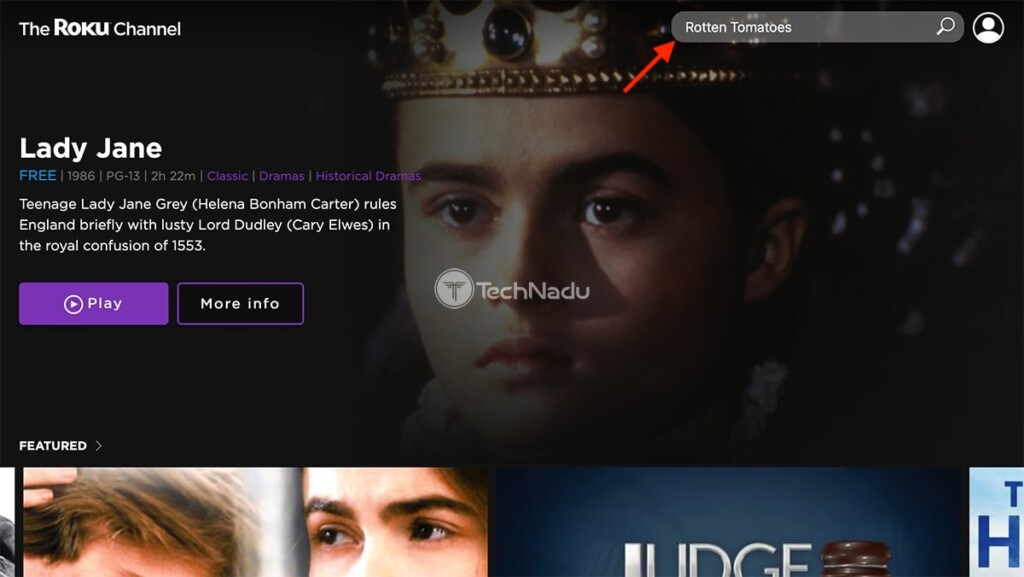
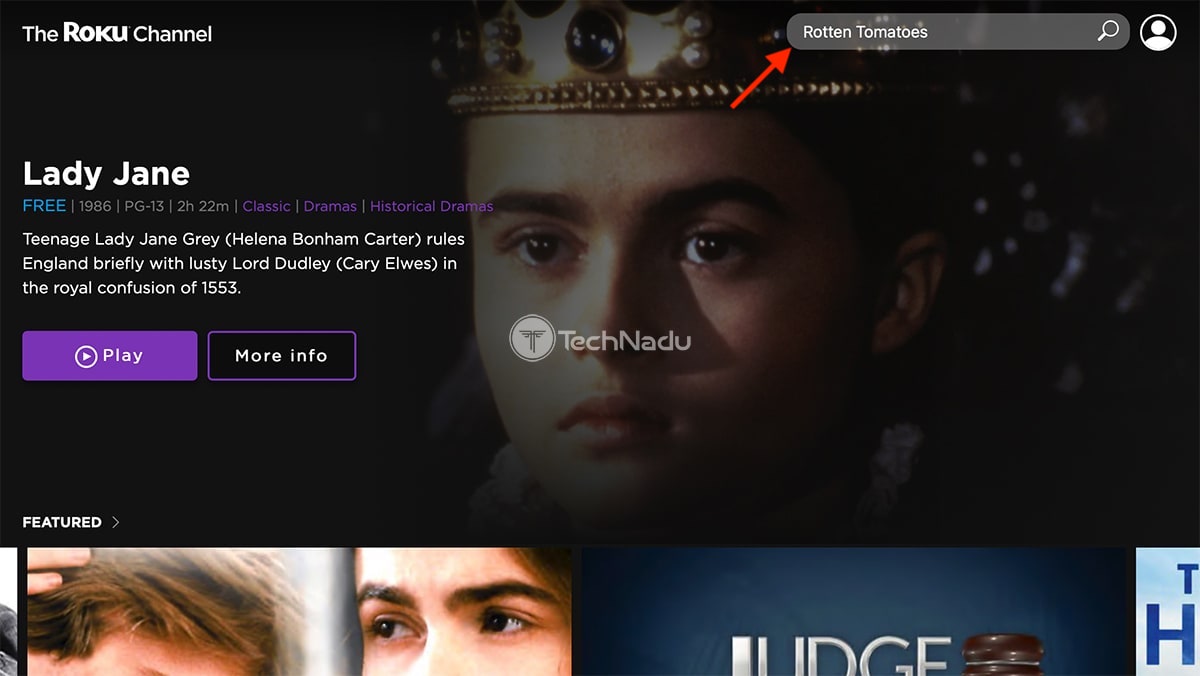
- You should now see the Rotten Tomatoes channel among the search results.
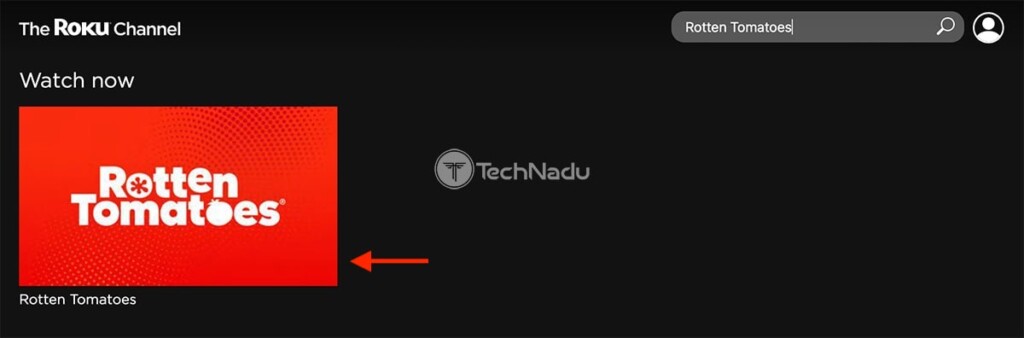
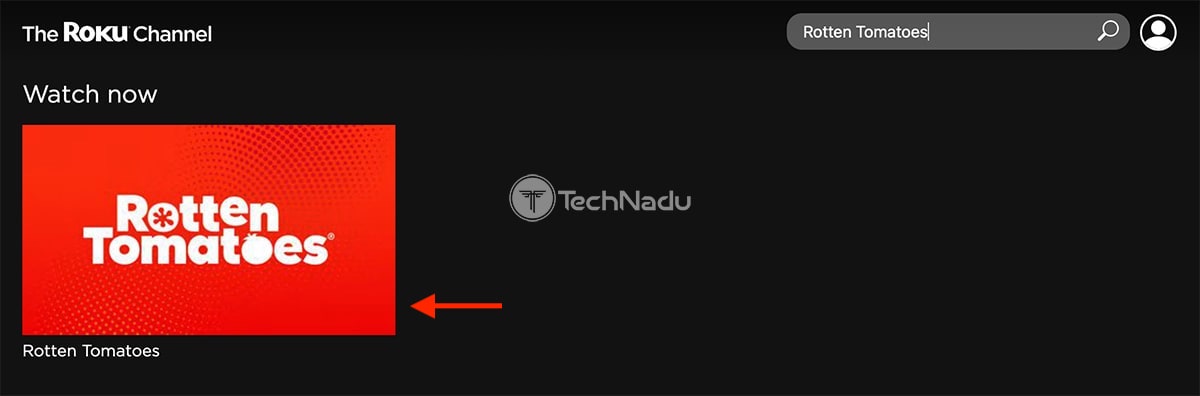
- Click on the channel's thumbnail, and after a few seconds – it will begin playing.


So, those would be the three ways to watch the Rotten Tomatoes channel on your Roku. In case you have any questions or doubts, let us know via the comments section below. And lastly, thanks for reading!
Related






Get expert insights on threats, breaches, scams, and security trends — delivered every Monday.
Most Popular



Get expert insights on threats, breaches, scams, and security trends — delivered every Monday.
Most Popular