


When you purchase through links on our site, we may earn an affiliate commission. Here’s how it works.
How to Watch ‘Chicago Fire’ Online – Live Stream Season 8 Episodes
Last updated September 28, 2019

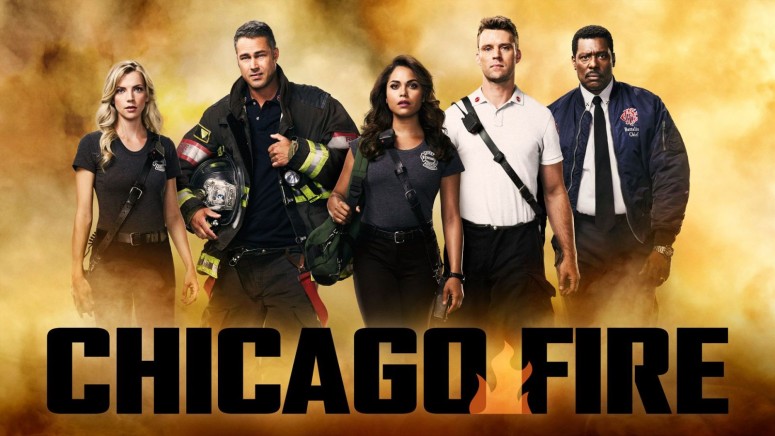
Chicago Fire is returning for another great season this fall! We are planning to watch it all online, and we invite you to do the same.
Chicago Fire first started airing back in 2012 and it's been quite a long time since the show established a steady stream of viewers. The show continues to feature Jesse Spencer as captain Matthew Casey, and Taylor Kinney as lieutenant Kelly Severide, as well as loads of regulars.
Last season's final call picks back up TOMORROW at 9/8c. pic.twitter.com/ydXXpFZ42z
— One Chicago (@NBCOneChicago) September 24, 2019
As the new season premiered with a shocking twist we hope to see lots of great episodes moving forward, hopefully with a little bit less heartbreaking drama.
When and Where to Watch Chicago Fire?
The eighth season of Chicago Fire kicked off on September 25th, 2019, and you will get to see new episodes every Wednesday starting with 9 PM. As always, the show is available on NBC.
How Can I Live Stream Chicago Fire?
Chicago Fire is a great show, but the airtime for the show may be a bit difficult to enjoy sometimes since you may not get to reach home in time. So, if you are still on the bus or maybe you are on vacation, it's always best to watch online because you have so much more freedom. Live TV platforms such as fuboTV can help you watch Chicago Fire anywhere you maybe. Start your 7-Day free trial on fuboTV now! The platform features a single bundle of channels, and among the hundred-and-something channels available you can also watch NBC.
On top of the main bundle, you can also add channel packs to your subscription, as well as various premium networks. If you want to watch fuboTV you have to download one of the apps they have, including for Amazon Fire TV, Android phones and tablets, iOS phones and tablets, Android TV, Apple TV, Google Chromecast, Roku, and Samsung Smart TVs. (Note: We can help you watch NBC but only if you do it while in the United States because the platform blocks people that are outside of the country. You can solve the problem with a VPN in under a minute, and you can click here to learn how to do this.)
Here's everything you need to know in order to start your 7-day free trial on fuboTV:
- You have to visit the fuboTV website and tap the "Start free trial" button on the page.
You now have to start creating an account by providing your email address and a password. Alternatively, you can use the social login buttons from Facebook and Twitter. - Then, you have to choose the bundle that you want to use since the fubo Standard one only features the main bundle. Additional plans such as Family, Family Deluxe, and Premium, include all the channels from the fubo Standard and extra channel packs and premium networks at discount prices.
- You now have to finish customizing your subscription by adding other channel packs or some of the premium networks that weren't included earlier, or even add-ons to expand the Cloud DVR storage space or the number of devices you can watch content on.
- Then have to provide the card details so you can finish up creating your account. You don't actually get billed until the trial period is over, so keep that in mind.
Other Ways to Watch Chicago Fire
Hulu - Another way to watch NBC is with the help of Hulu, which is a great platform that also has a live TV service and video-on-demand platform. Start your 7-day free trial on Hulu today! Your subscription for the live TV service includes access to NBC, as well as dozens of other channels, and to the video-on-demand library.
Sling TV - With Sling TV there are three bundles you can check out: Orange, Blue, and Orange + Blue, and NBC is part of two of these, namely Blue, and Orange + Blue. Start your Sling TV subscription with a 40% OFF deal for the first month. This platform is one of those that are highly customizable since there are tons of channel packs that you can add.
What Can I Do to Watch Chicago Fire Outside of the United States?
It's easy to watch TV nowadays since there are a lot of platforms that will help you check out dozens of TV channels online. The problem is that when you try to access Sling TV, fuboTV, or Hulu from anywhere outside of the United States, you will get blocked because they have to respect licensing deals. The issue can be fixed quite easily with the help of a VPN that will change your IP so you can trick the site into thinking you're still in the United States. Here, on TechNadu, we only recommend ExpressVPN, which is one of the best tools in the market.
Here's what you need to do to use Express VPN in order to watch Chicago Fire from any corner of the world:
- Start with visiting the ExpressVPN website so you can subscribe to the service (49% OFF) in just a few easy steps. Keep in mind that they offer a 30-day money-back guarantee so you can ask for a refund if you don't like the service.
- It's now time to download and install the app for your device. When that process is complete, you can launch the tool and log in to your brand new account.
- Next, you have to choose a server that is located in the United States so you can connect to it. You need this to watch anything in the US without detection.
- Once the connection has been established, you can load fuboTV so you can watch Chicago Fire online.
Can I Watch Chicago Fire on the NBC Website?
The NBC website continues to feature a live stream, so you can watch the show there. The problem is that you will need to use credentials from a TV provider, which can be a live TV service or a cable company. Either way, NBC needs to see that you are paying for a subscription somewhere that includes their channel.
NBC also has an app that will allow you to stream the latest episodes of any of the shows, and even access a live stream. The app works on iOS phones and tablets, Android phones and tablets, Amazon Fire TV, Amazon TV, Android TV, Xbox One, Xbox 360, as well as smart TVs from Samsung and Vizio. (Note: Both the website and the app are geo-blocked so if you're going to watch from outside of the United States you're going to use VPN. Click here to learn what you need to do.)
Can I Watch Chicago Fire With a TV Antenna?
One of the channels that continue to broadcast over-the-air is NBC, so you will be able to watch any of the shows with the help of an antenna. Antennas are quite popular because they are cheap and they allow you to watch dozens of channels for free.
Before you go ahead and make a purchase, we suggest you visit a site such as NoCable, which can tell you exactly which channels are available over-the-air in your specific location by checking out your zip code. Even more, they will tell you how far the broadcast stations are so you know what range to look for in your device. We hope you like the devices we recommended above, but you can also do your own research now that you know what you are looking for.
Can I Binge-Watch Chicago Fire?
You most certainly can do that quite easily, because you will find a bunch of episodes available on the NBC website. The latest episodes are even available to watch for free for a limited time period, but you'll have to log in to an account with TV provider credentials to watch the rest. You can also check out Chicago Fire episodes over on Hulu, so you can binge all the seasons.
Can I Purchase Chicago Fire Episodes?
Chicago Fire episodes or the whole four seasons are available to buy from platforms like Google Play, YouTube, iTunes, Microsoft Store, Vudu, or Amazon Prime. You should check all the links before you buy anything because they may have better deals available for you at the time of the purchase.
We would love to hear back from you so you can tell us what you love most about Chicago Fire. Drop us a note in the comments section below the article and share it with friends and family so they can find a better way to enjoy the show as well. Follow TechNadu on Facebook and Twitter for more tech news, guides, reviews, and interviews.
Related



Get expert insights on threats, breaches, scams, and security trends — delivered every Monday.
Most Popular


Get expert insights on threats, breaches, scams, and security trends — delivered every Monday.
Most Popular