When you purchase through links on our site, we may earn an affiliate commission. Here’s how it works.
5 Best VPNs with Adblock in 2026



Our experts have reviewed 53 VPN providers, which were put through extensive rounds of testing. To learn more about that process, here’s how we review VPNs, where we explain our criteria and our policy of being fully transparent.
Ads are everywhere, and they can easily disrupt us while streaming, browsing the Web, or reading articles. Some ads are more sinister and contain malware, phishing scams, or trackers, putting both your security and privacy at risk. This is why many people use adblocker browser extensions.
The problem is they can slow your connection, and many aren't compatible with every browser or device. A VPN with adblock technology can solve all these issues. It will remove all types of advertisements, such as video ads, pop-up windows, and more. A VPN will also improve your online privacy, let you access geo-restricted content, and protect you from many online threats.
This guide will present the 5 best ad blocking VPNs and thoroughly review each one. We will also explain how to use this kind of VPN, discuss how ad blocking works, cover all the benefits of using a VPN, show you how to choose a suitable provider, and much more.
Best VPNs with Adblock - Our Shortlist
- NordVPN – Our #1-Rated Best VPN with Adblock
- Surfshark – Super-Fast Adblocking VPN App
- CyberGhost – Reliable VPN Service with Huge Network
- PIA – VPN with Unlimited Simultaneous Connections
- Proton VPN – Secure and Cheap VPN
How to Use a VPN with Ad Blocking?
To use a VPN with ad blocking, you will first have to set up a premium service that can block ads on the device of your choice. Follow these steps:
- Subscribe to a VPN service that offers ad blocking (we recommend NordVPN).
- Download and sign in to your VPN.
- Access your VPN's settings/preferences section and find the ad blocker feature.
- Enable the ad blocker (the NordVPN ad blocker is called CyberSec, for example).
- Connect to a VPN server of your choice.
- That’s it! Now you can enjoy ad-free surfing and streaming!
The Best Ad Blocking VPNs in 2026
To select the best ad blocking VPN, we will follow a certain set of criteria. Most importantly, you must choose a service that has an ad blocking feature available on multiple devices. It should also have a vast server network with thousands of server locations around the world. Plus, it must offer reliable performance and blazing speeds.
An ideal VPN will have a no-logs policy, obfuscation, advanced protocols, a kill switch, and high-end AES encryption. Moreover, look for a VPN that allows many simultaneous connections and supports most modern devices. Finally, your chosen provider should offer responsive 24/7 live chat customer service and an iron-clad money-back policy.
Based on the criteria mentioned above, here are the 5 best ad blocker VPNs:
1. NordVPN – Our #1-Rated Best VPN with Adblock
NordVPN is the best VPN with adblock technology because it uses Threat Protection to block all types of ads, trackers, and malware. This feature will also scan your computer and delete any malware you've already downloaded. It’s available on Windows and macOS and works even if you aren't connected to a VPN server.
On top of that, NordVPN’s Android and iOS apps—along with Chrome, Edge, and Firefox browser extensions—have Threat Protection Lite. This version can't delete malware and works only if you are connected to a VPN server.
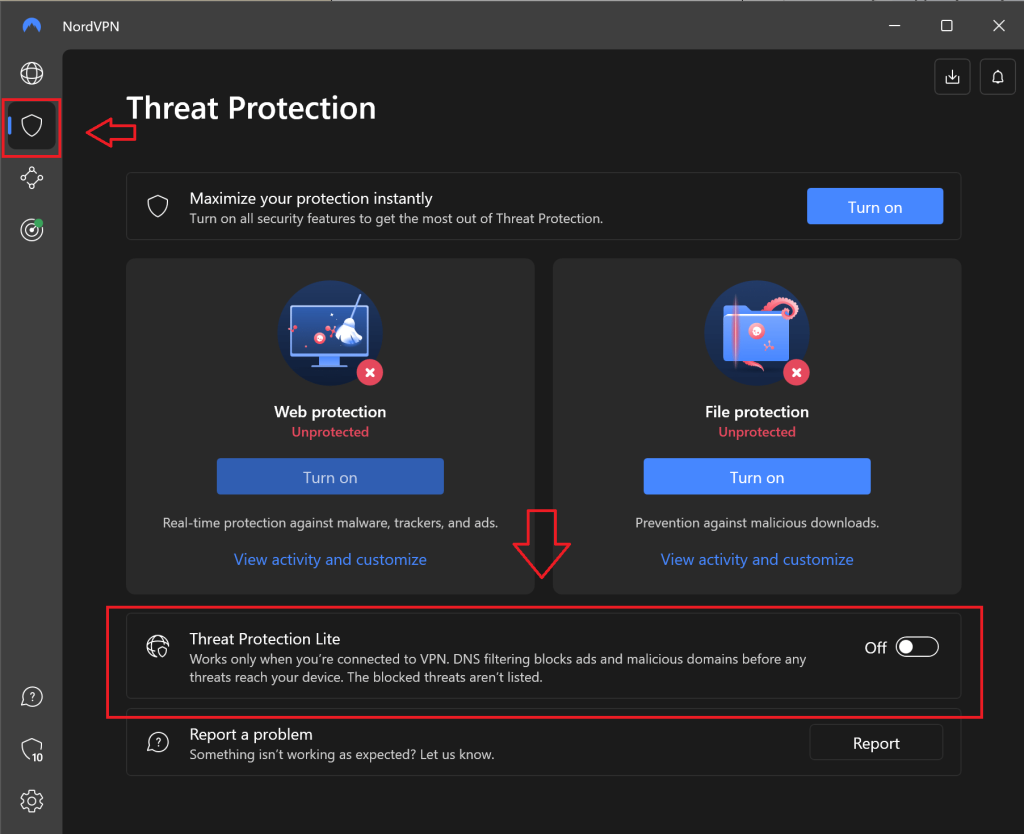
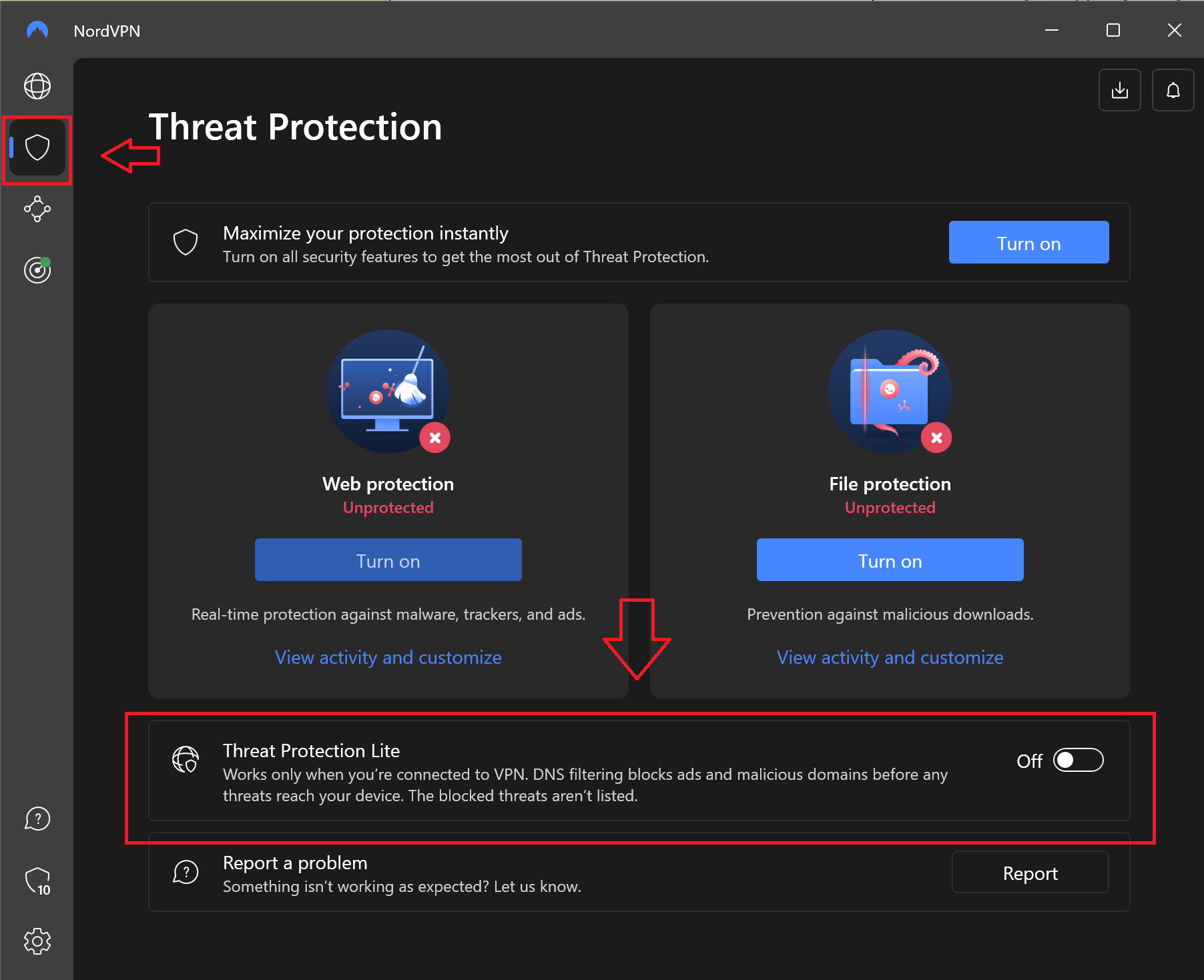
NordVPN has a network of 5,800+ servers in 60 countries worldwide. Obfuscated servers are available in some countries and will let you camouflage your VPN traffic for smoother content unblocking. It also uses a kill switch to prevent data leaks in case your VPN connection drops, along with many other leak protection tools.
This VPN follows a no-logs policy, so your sensitive data won't be stored on their servers. To improve your privacy and security, NordVPN employs AES 256-bit encryption to scramble your outgoing data. It also offers several advanced VPN protocols like NordLynx. With them, it achieves impressive speeds while maintaining stable performance.
NordVPN lets you make up to 6 simultaneous connections, and its app is available on smartphones, computers, tablets, gaming consoles, Smart TVs, routers, and more. In case you need help, you'll get 24/7 access to customer support through live chat. Furthermore, if you decide this provider isn't for you, you can get your money back within the first 30 days.
PROS
- Blocks all types of ads
- World-class security features
- 24/7 support through live chat
- Vast global server network
- 30-day money-back guarantee
CONS
- Limited simultaneous connections
2. Surfshark – Super-Fast Adblocking VPN App
Surfshark is an affordable VPN that easily blocks ads thanks to its CleanWeb feature. It’s available on iOS, Android, macOS, Linux, Windows, and FireTV devices. If you're using Chrome, Firefox, or Edge, you can install CleanWeb 2.0. Besides blocking ads, this version can also block pop-ups and alert you if it detects malware or if a website has had data breaches.
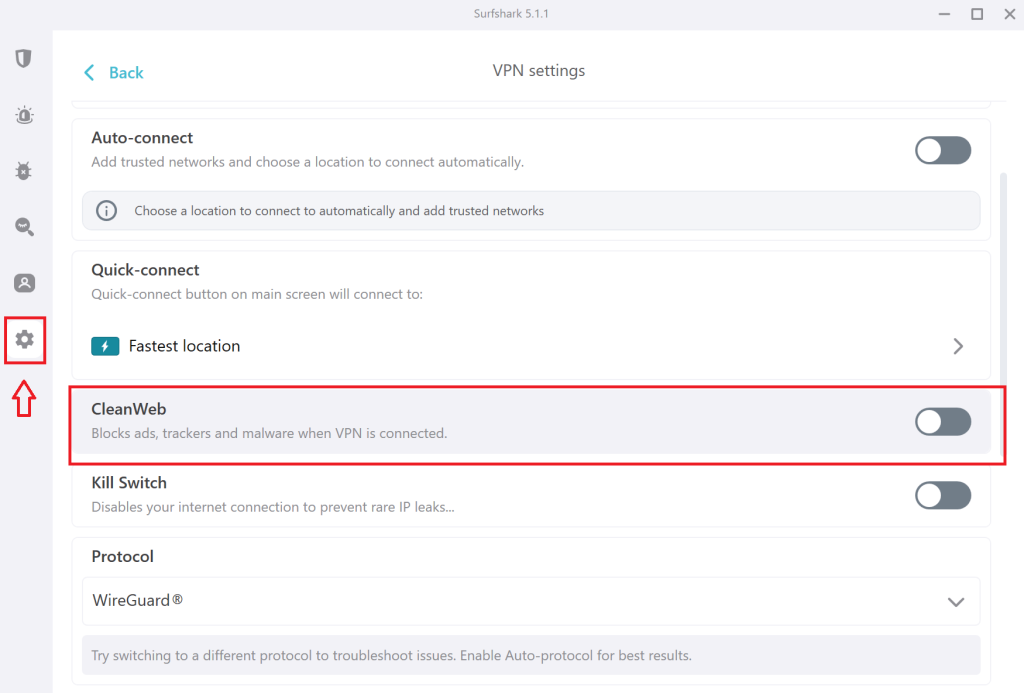
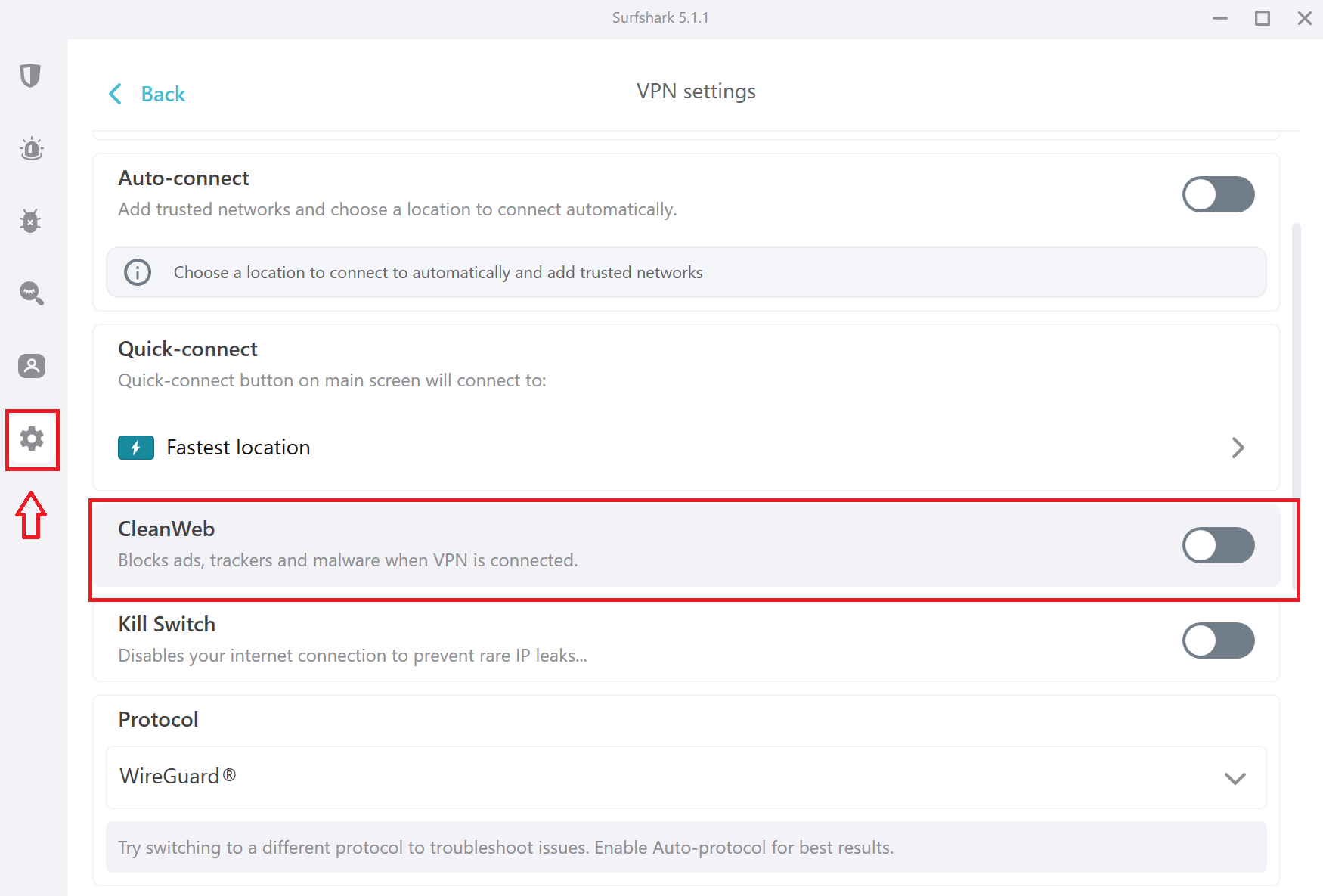
Surfshark lets you choose from 3,200+ servers in 100 countries. Many of them provide obfuscation (Camouflage mode), so you can prevent your ISP and government from knowing that you are using a VPN. This provider also offers reliable performance and uses advanced VPN protocols like OpenVPN. Plus, it delivers super-fast speeds on close and remote servers.
All your outgoing data will be kept safe, thanks to Surfshark's combination of AES 256 encryption and no-logs policy. Its split tunneling lets you create exclusive connections to strengthen your safety, while the kill switch feature makes sure your identity doesn't get compromised if something goes wrong.
Surfshark allows unlimited simultaneous connections, so you'll be able to block ads on all its supported devices, like smartphones, computers, and browsers. If you get stuck, Surfshark's 24/7 live chat customer support will gladly help. There's also a 30-day refund policy, so there's nothing to lose in trying it out.
PROS
- Easily blocks ads and more
- 24/7 support via live chat
- Unlimited simultaneous connections
- Budget no-logs VPN app
- 30-day refund policy
CONS
- CleanWeb 2.0 for browsers only
3. CyberGhost – Reliable VPN Service with Huge Network
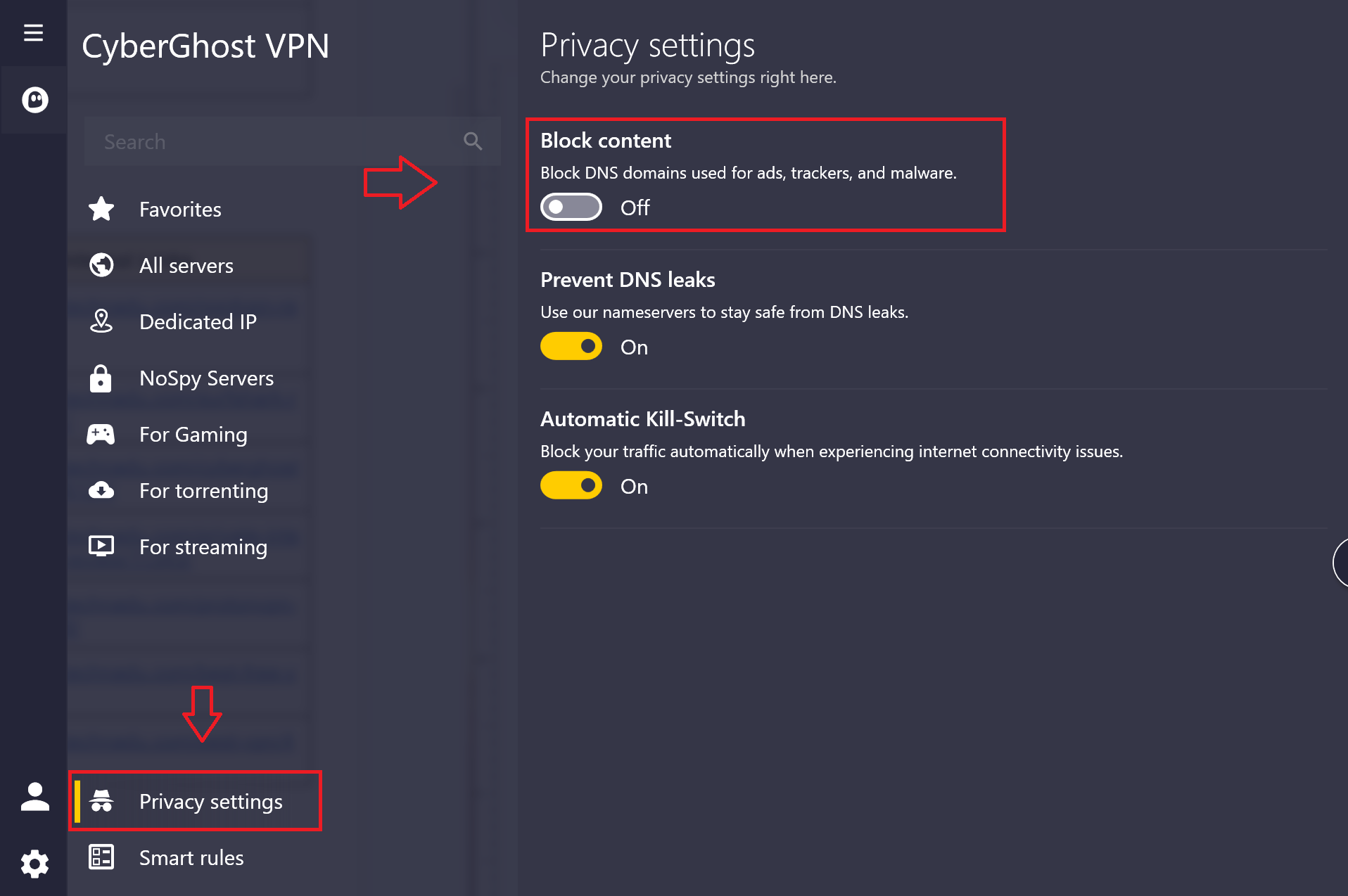
CyberGhost has an ad-blocking feature that is available on Windows, macOS, Android, iOS, Android TV, and Fire TV—but only when using the WireGuard protocol. Aside from eliminating ads, the “Block content” feature will also stop trackers and malware from infecting your device.
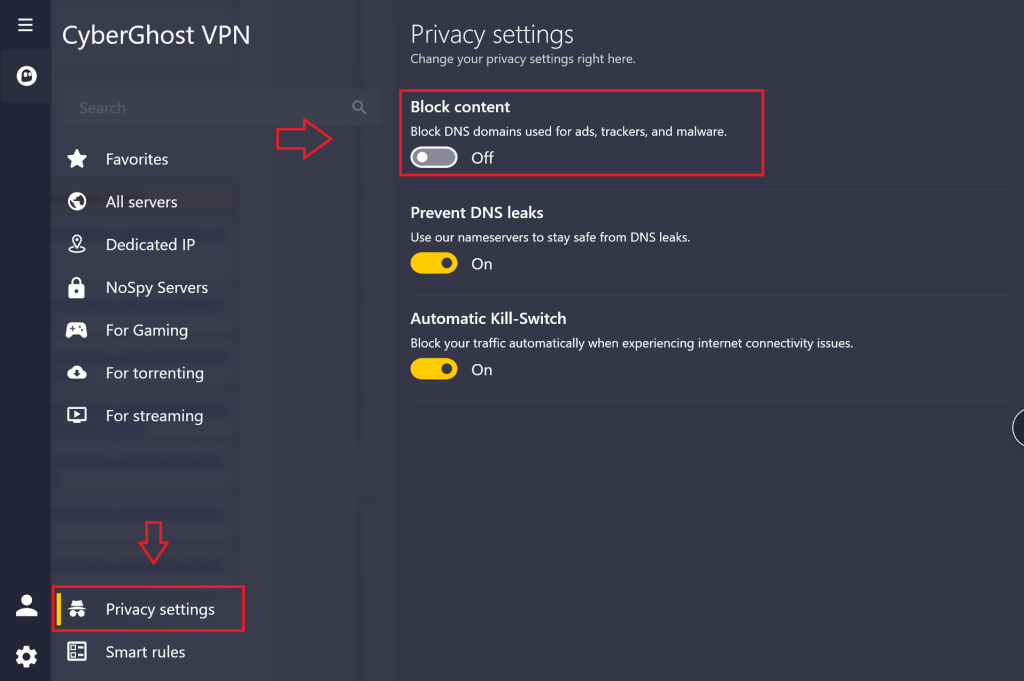
CyberGhost is a no-logs VPN with a healthy network that has 9,300+ servers in 100 countries. It offers advanced VPN protocols like WireGuard and OpenVPN, so you'll get consistent performance with medium-fast speeds.
From a security standpoint, CyberGhost is well-versed. It has high-end AES encryption that will stop third parties from accessing your sensitive data, giving you much-needed privacy. Although there is no obfuscation, this VPN has a quality kill switch and many leak protection tools in place. There's also split tunneling, which lets you manage what apps can use VPN traffic.
CyberGhost is available on most modern platforms, from computers to smartphones and routers. By subscribing, you'll be able to make up to 7 simultaneous connections and protect your entire home network.
This VPN also has a 24/7 live chat customer service that will gladly help you if something goes wrong. Finally, CyberGhost has the longest refund policy (45 days) of all the services we reviewed, so you can thoroughly test it out before fully committing.
PROS
- Reliably blocks ads and malware
- Extra-large server network
- Specialized streaming/gaming/torrenting servers
- Strict no-logs policy
- 45-day money-back guarantee
CONS
- Obfuscated servers are not available
4. PIA – VPN with Unlimited Simultaneous Connections
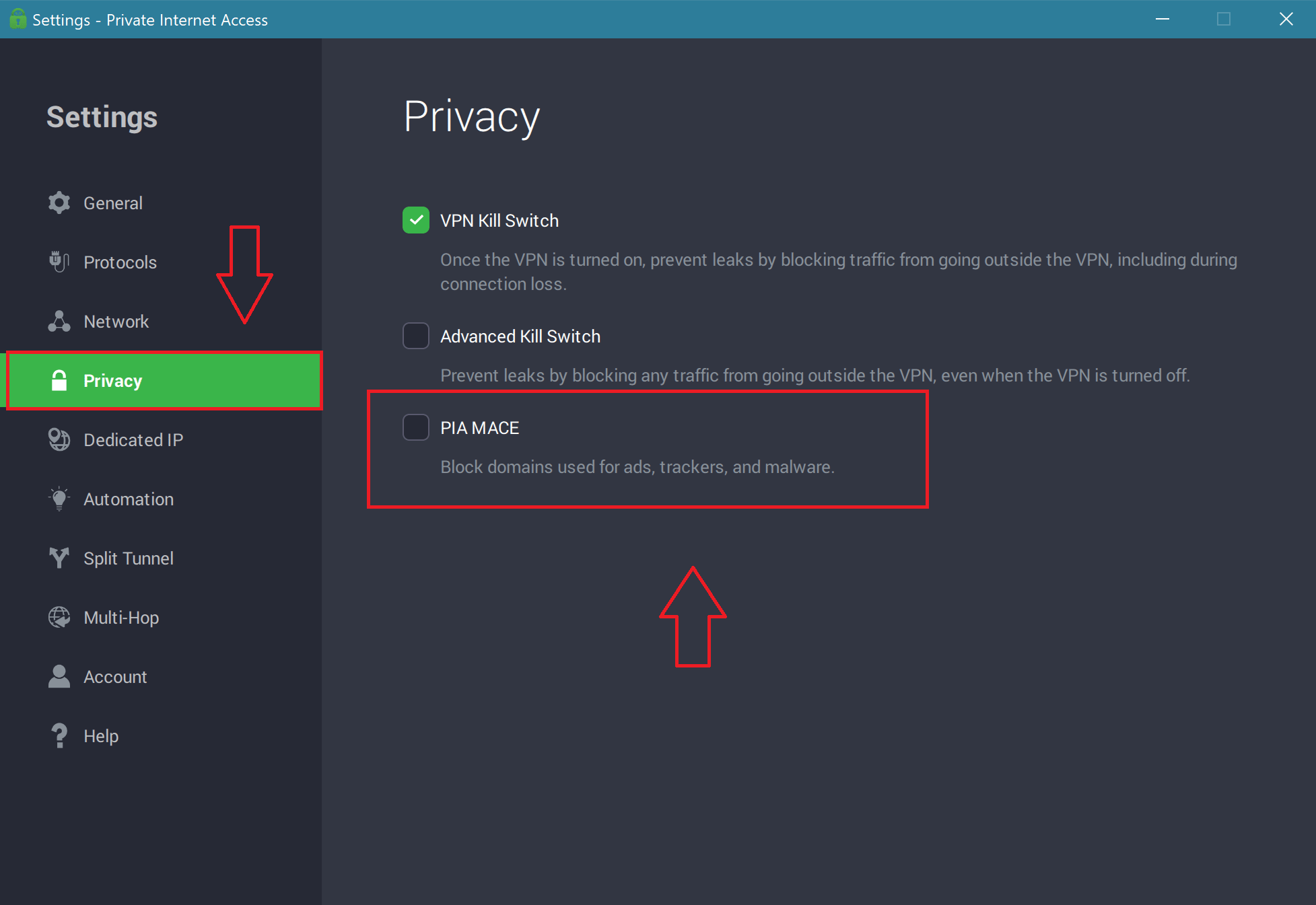
Private Internet Access (PIA) has an impressive ad blocker called PIA MACE. This feature is available on macOS, Windows, and Linux devices, as well as its Firefox and Chrome browser extensions. You can also get MACE on Android devices if you download the PIA APK from their website instead of installing it via the Google Play store.
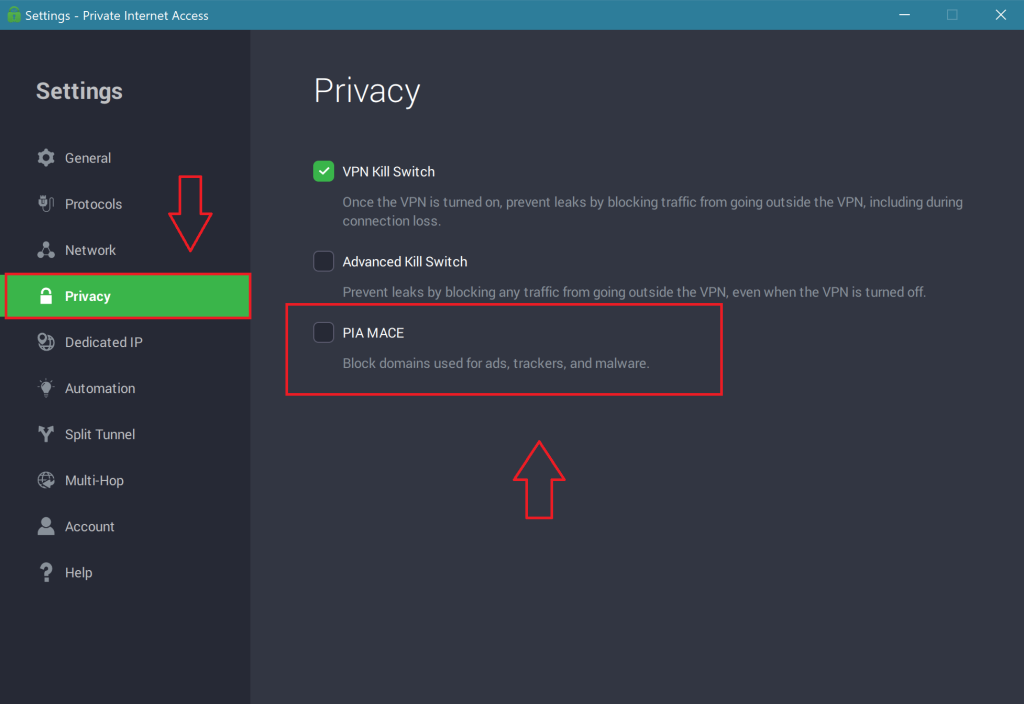
PIA employs a network of thousands of servers in 84 countries across the world. They provide obfuscation and rely on high-end VPN protocols like WireGuard and OpenVPN. Although it performs consistently, the provider is among the slower ad blocker VPNs.
This service implements a no-logs policy, using RAM-only servers that cannot store user data. For protection, there is AES 256 encryption, various leak protection tools, and a powerful kill switch that will cut off your Internet if your identity is about to be compromised. Plus, its split tunneling allows you to create an exclusive connection for certain purposes.
PIA lets you make unlimited simultaneous connections, and it is compatible with many devices like computers and smartphones. It can even be manually installed on a router. Its support team is available 24/7 through live chat for any inquiries you may have. If you aren't satisfied with it, you can get a refund by using their 30-day money-back policy.
PROS
- Solid ad blocking feature
- Largest worldwide network of servers
- Unlimited simultaneous connections allowed
- Highly customizable settings
- 30-day refund period
CONS
- Subpar connection speeds
5. Proton VPN – Secure and Cheap VPN
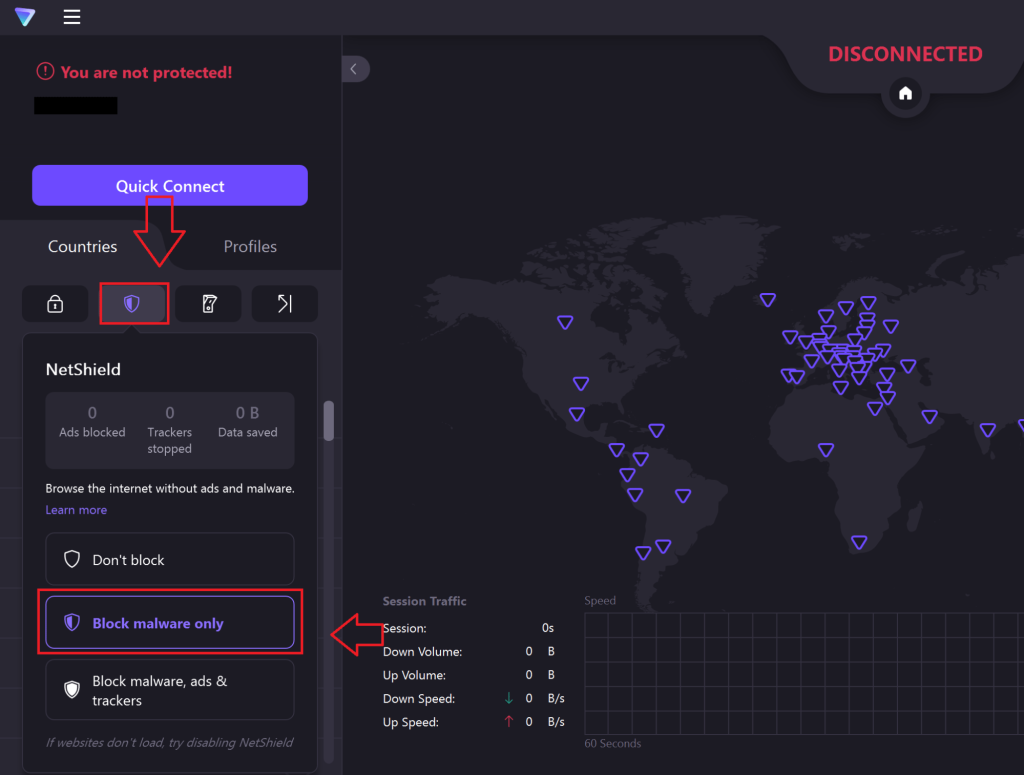
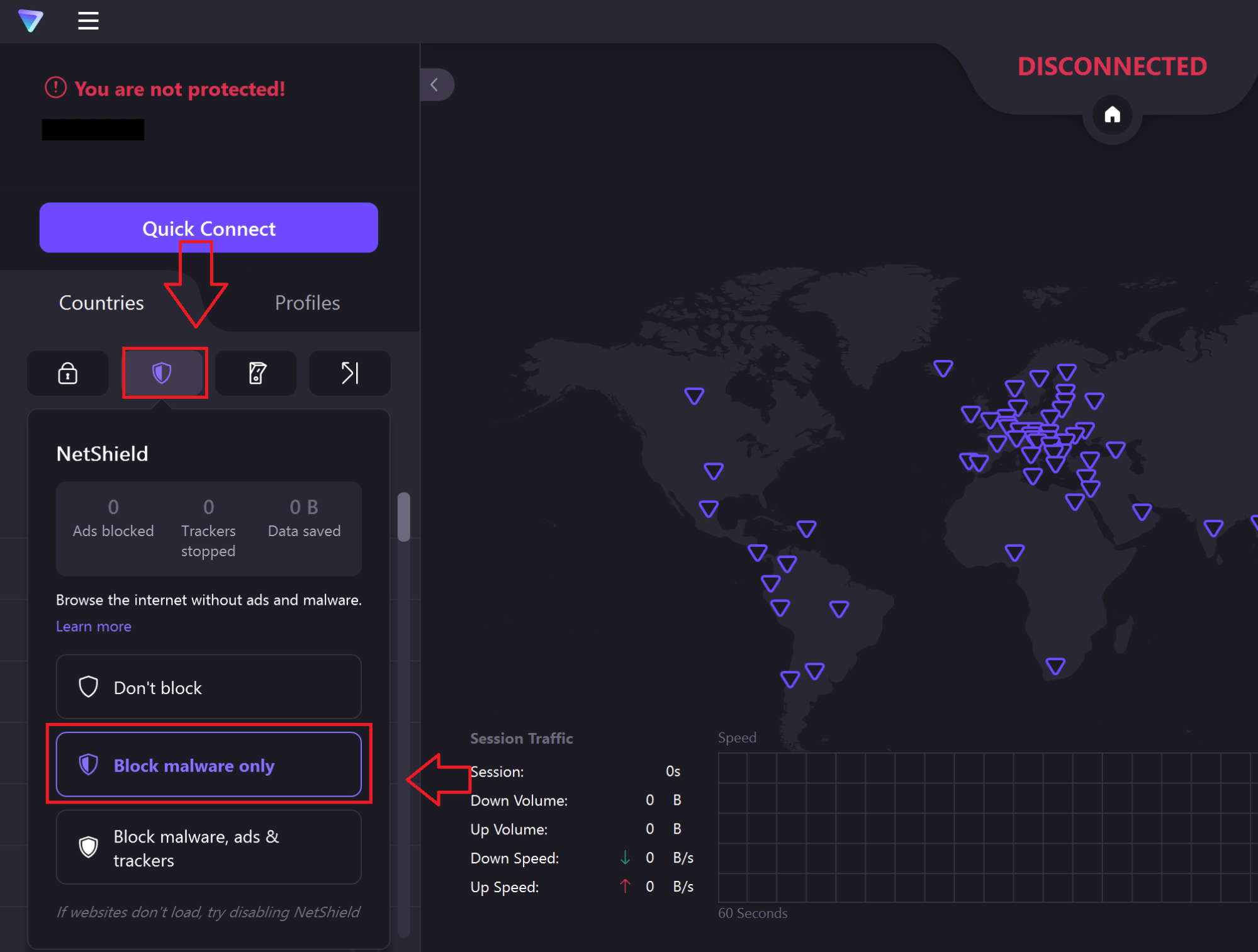
Proton VPN is another solid VPN that has an ad-blocking feature called NetShield. It also blocks trackers and malware. While this feature is available on Windows, Linux, macOS, Android, and iOS devices, it is not present on browser extensions.
This VPN operates 3,000+ servers in 69 countries around the world. You'll be able to use obfuscation by enabling Stealth protocol, but only on Android, iOS, and macOS devices. Its servers use multiple VPN protocols, such as WireGuard and IKEv2. All in all, Proton VPN offers stable performance with average speeds on close and remote servers.
Proton VPN is another service with a no-logs policy, so your privacy is taken care of. There's also a military-grade AES 256 encryption that protects your outgoing traffic and plenty of leak protection features. If your VPN connection drops, you won't have to worry about your security getting compromised thanks to its kill switch feature.
By subscribing to Proton VPN, you'll be able to make 10 simultaneous connections. Its app is available on computers, mobile devices, and even routers. Moreover, thanks to its 30-day refund policy, you can test out the app at no cost. Unfortunately, they don't offer live chat, and their customer support is only available through support tickets.
PROS
- Blocks ads on many devices
- Consistent server connections
- Follows strict no-logs policy
- Allows 10 simultaneous connections
- Healthy worldwide network
CONS
- No live chat support
What is Ad Blocking and How Does It Work?
Ad blocking allows you to stop all types of ads from displaying on your device while using the Internet. It can run as a separate software or a browser extension, which is known as an ad blocker.
An ad blocker will scan each site while it is loading and check if any domain names are on its blocklist. If there is any part of the site that gets flagged as advertising material, the ad blocker will make sure that it stops from loading.
This way, you can effectively remove video ads, pop-ups, intrusive website ads, and other content that slows down Web pages while opening. Many premium ad blockers will also improve your privacy by disabling tracking scripts that are designed to follow your online activities.
All in all, a solid VPN with adblock will eliminate most, if not all, advertisements and make surfing the Web a much more pleasurable experience.
Why Do You Need a VPN with Built-In Ad Blocker?
You need a VPN with a built-in ad-blocker because this is the safest way to eliminate ads while also improving your online security and privacy. Here are all the reasons why you should consider using an ad blocker VPN:
- Privacy Protection – VPNs hide your IP address and encrypt your traffic, so that third parties cannot access your data. This makes it much harder for advertisers to track your online activities and target you with personalized ads.
- Reduced Data Consumption – A VPN with adblock abilities will remove resource-heavy ads, reducing the amount of data your device needs to load. This is especially useful when you're on a limited data plan.
- Eliminate Malware – A solid VPN with ad blocking will also have a scanner that will catch and eliminate trackers and malicious ads, as well as stop phishing sites from opening.
- Improving Battery Life – Ads can require a lot of processing power, so by blocking them your device can run a bit longer.
- Faster Browsing – Using a VPN to block ads can significantly improve Web page loading time. It will also be more pleasing to the eye, as the website won’t be cluttered with advertisements.
- Advanced Security – Aside from ad blocking, VPNs that provide obfuscation, a kill switch, split tunneling, and other leak protection tools will enhance your safety on the Web.
- Wider Device Support – Many ad blocker extensions may not be compatible with your browser or device. On the other hand, the best ad blocking VPNs are available on most modern platforms.
How to Choose the Best VPN with Ad Blocking?
To choose the best VPN with ad blocking, make sure to pick a service that can reliably block all types of ads and trackers. Here are other crucial attributes that you should look out for:
- Ad Blocking Support – The VPN you choose must have a functional ad blocker compatible with many different devices and operating systems. It should also include browser extensions. The best ad blockers should be able to work on streaming sites like YouTube and music services like Spotify in addition to standard websites. Moreover, good ad blocking features can also find and eliminate malware and trackers.
- Server Network Size – Look for an ad blocking VPN with a huge worldwide server network and multiple server locations in as many countries as possible. This way, you can always get the best connection available and unblock geo-restricted content from anywhere in the world.
- Airtight Security – An ideal VPN with adblock technology will also have AES 256 encryption, advanced protocols like WireGuard, split tunneling, and obfuscation. On top of that, a solid kill switch and various leak protection tools will make sure that your sensitive data remains well protected.
- Uncompromised Privacy – Focus on getting a VPN with a no-logs policy because this means that your user information won't be stored long term on their servers.
- Performance and Speed – The best VPN app will provide consistent and fast connections on both close and remote servers.
- Money-Back Guarantee – It's always better to test a VPN before committing, which is what a generous refund policy will allow you to do.
- Customer Support – Ideally, you'll want a service with responsive 24/7 customer support available via live chat. It should also have other means of support, such as email, support tickets, FAQs, help articles, and more.
Can You Use a Free VPN That Blocks Ads?
Yes, you can use a free VPN service that blocks ads, but this is far from ideal. That is because most free VPNs have subpar encryption, which can threaten users' safety.
A free VPN that blocks ads will also offer slow connections and have smaller server networks that can easily be overcrowded. This is why they put bandwidth limits in place, meaning that you will have to use them sparingly. Not to mention that most free providers don't have advanced features or a functional ad blocker.
Furthermore, free VPNs are often infected with malware that collects user data. These services realize that your sensitive information is valuable, so they sell it to ad companies to generate profit.
We recommend that you use a high-end VPN instead. In case you need help picking one, we advise you to take a look at our list of best VPN services.
Final Thoughts
Ads are everywhere and can be very disruptive. They slow down your connection, drain your battery, and consume additional data. Some may even contain malware or redirect you to a phishing site, so your privacy and security are also at risk. While useful, ad blocker extensions are slow and not available on every browser or device. This is where a good VPN comes in.
We recommend NordVPN as the best VPN with adblock protection. It can easily bypass any geo-restrictions, and its Threat Protection effectively blocks ads, trackers, and malware. Moreover, its high-grade encryption and no-logs policy will protect your privacy and security. With NordVPN, you’ll enjoy a safe, fast, and ad-free online experience.
Thank you for reading our article on choosing a premium VPN with adblock protection. If you have any questions, don't hesitate to leave the comment below.