When you purchase through links on our site, we may earn an affiliate commission. Here’s how it works.
Best VPNs for Australia in 2026



Our experts have reviewed 53 VPN providers, which were put through extensive rounds of testing. To learn more about that process, here’s how we review VPNs, where we explain our criteria and our policy of being fully transparent.
- NordVPN is the best overall for Australia, delivering the most consistent performance across major cities like Sydney, Melbourne, Brisbane, Adelaide, and Perth, with smooth streaming, stable connections, and better speed retention than all competitors. ExpressVPN comes in second and offers broader Australian city coverage, including more cities, which can help reduce congestion at peak times. Overall, NordVPN stands out as the top pick for Australia due to its stronger consistency in real-world use, its better speed, and its range of specialty servers.
Using the internet in Australia isn’t always as straightforward as it used to be. Between occasional social media restrictions, stricter age-verification prompts on certain sites, and platforms tightening access rules, you can sometimes run into unexpected blocks even when you’re just trying to browse normally.
During testing, this showed up in different ways depending on the VPN. Some connected cleanly to Australian servers in places like Sydney, Melbourne, and Brisbane and kept everything running without interruptions. Others started fine but slowed down during busy hours, or felt less stable when routing through longer-distance locations like Perth or Adelaide.
I focused on real-world use rather than just numbers - switching between cities, checking how consistently services loaded, and seeing how well each VPN handled those extra verification steps that are becoming more common in Australia. I also looked at how they performed under everyday pressure, like streaming, social media use, and general browsing. Here are the VPNs that actually stayed steady, simple, and reliable across Australia.
Quick Comparison Table
Quick Facts About VPN Use in Australia
How We Test and Evaluate VPNs for Australia
We tested VPN performance for Australia in 2026 by connecting to Australian servers from outside the country and observing how each provider handled real usage scenarios. The goal was to simulate what it feels like to access Australian websites and streaming services from abroad, rather than doing controlled lab-style checks. All tests were run on a Lenovo ThinkPad (Intel® Core™ Ultra 7 155H, Windows 11 Pro), using the native Windows VPN apps during normal browsing, streaming, and download activity to keep the results as realistic as possible.
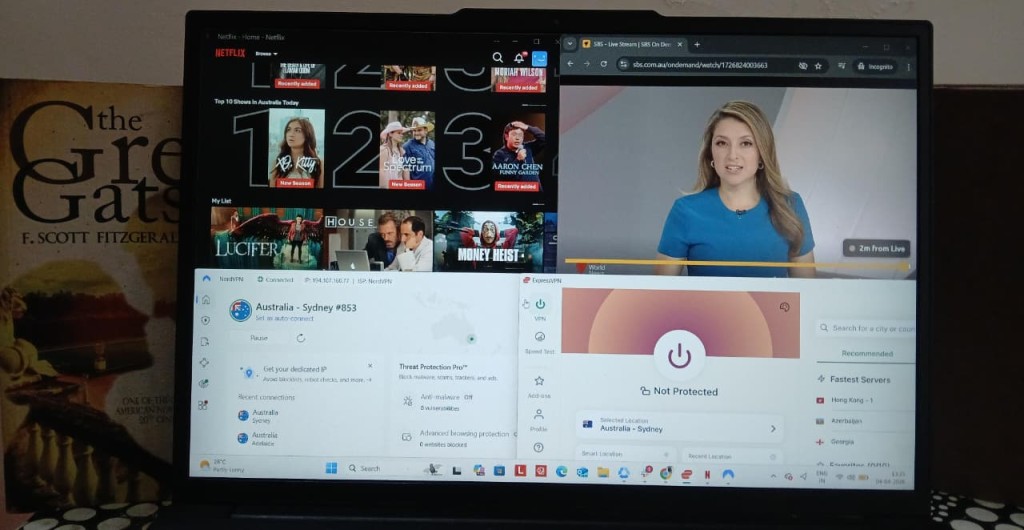
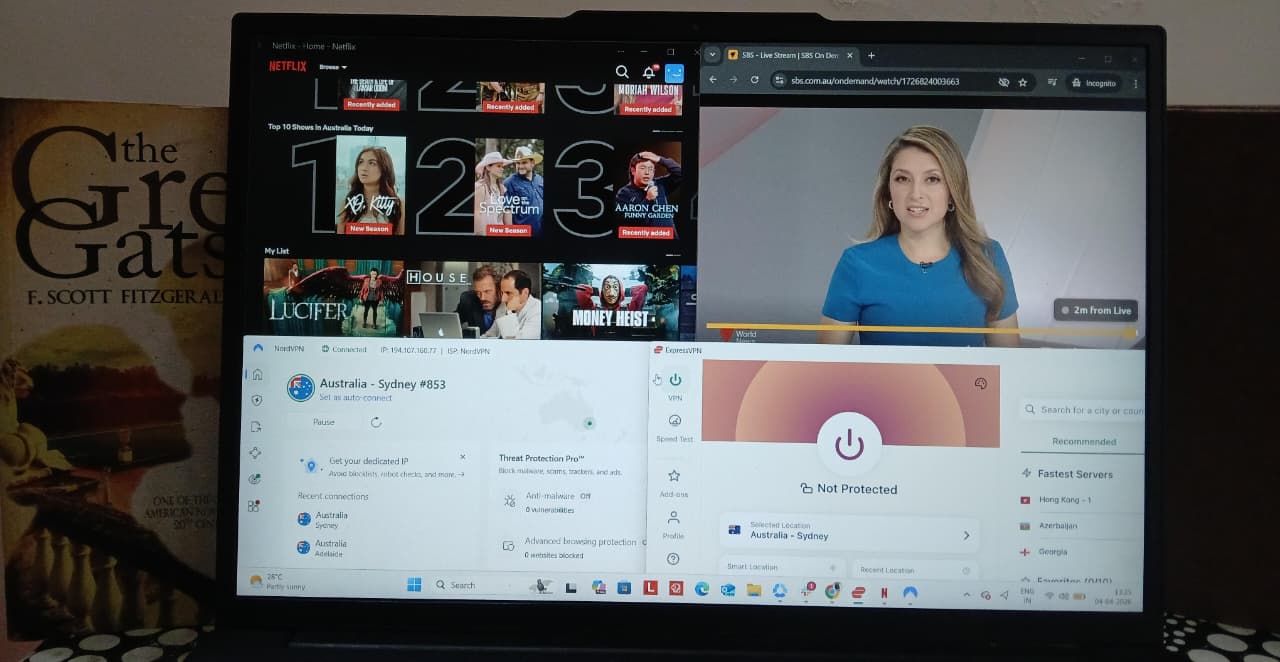
Australia Server Availability and Coverage - For Australia, I focused on how each VPN actually spreads its servers across the country rather than just counting them. I looked at how well coverage is balanced between key areas like the East Coast, West Coast, and South/Central regions, and whether users realistically get access to multiple major cities such as Sydney, Melbourne, Brisbane, Adelaide, and Perth. I also checked whether the servers are physical or virtual, since that can impact consistency, and noted any availability of specialty servers built for specific use cases like streaming or performance optimization.
Access to Australia Websites and Services - I tested how reliably each VPN could work with commonly used Australian services in real-world conditions. This included platforms like Netflix Australia, local streaming services, Google, Reddit, and other everyday websites. The focus here was simple: does it just work or not? I paid close attention to anything that broke the experience, such as proxy detection messages, repeated CAPTCHA prompts, or pages that refused to load while connected.
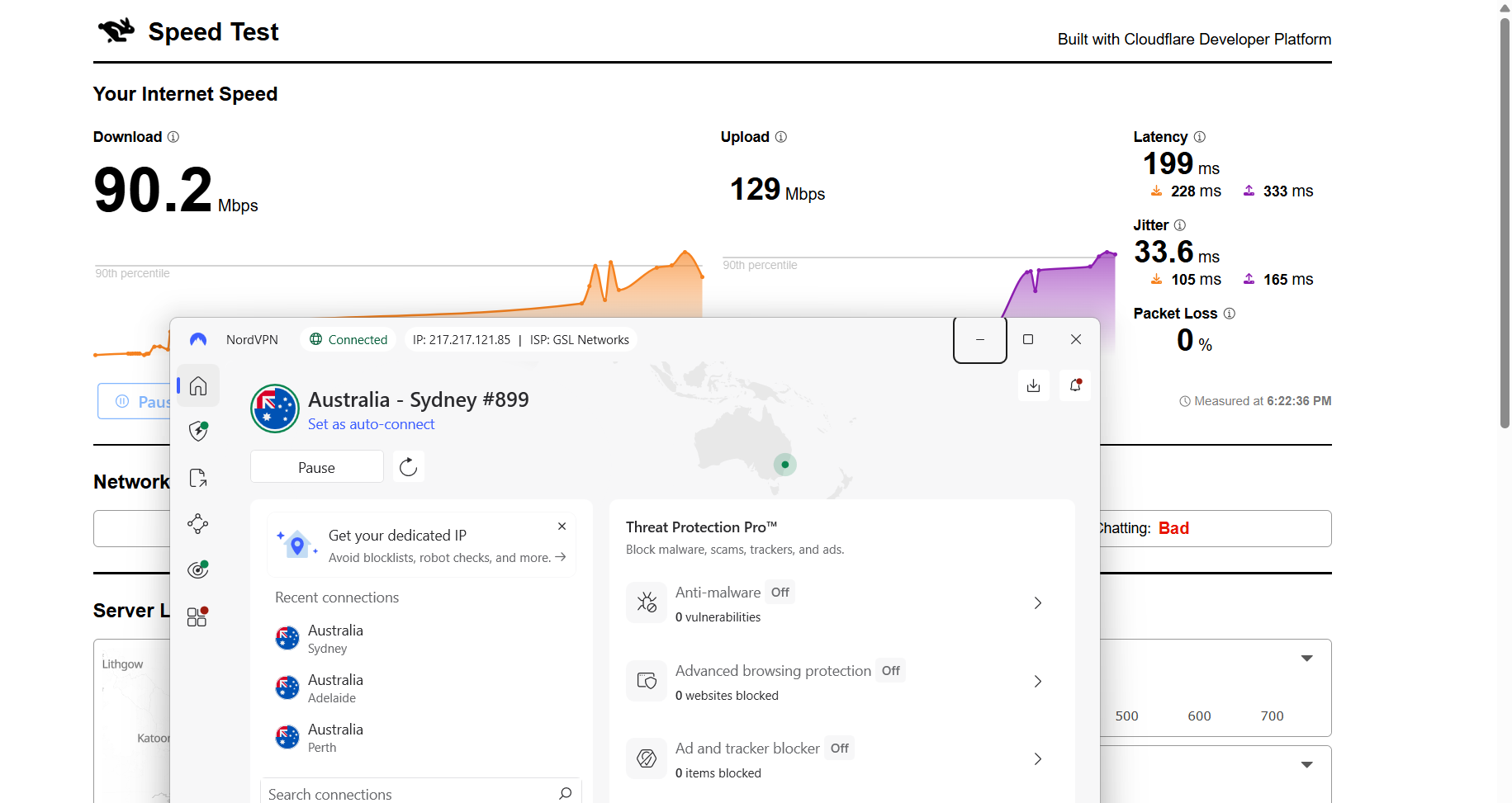
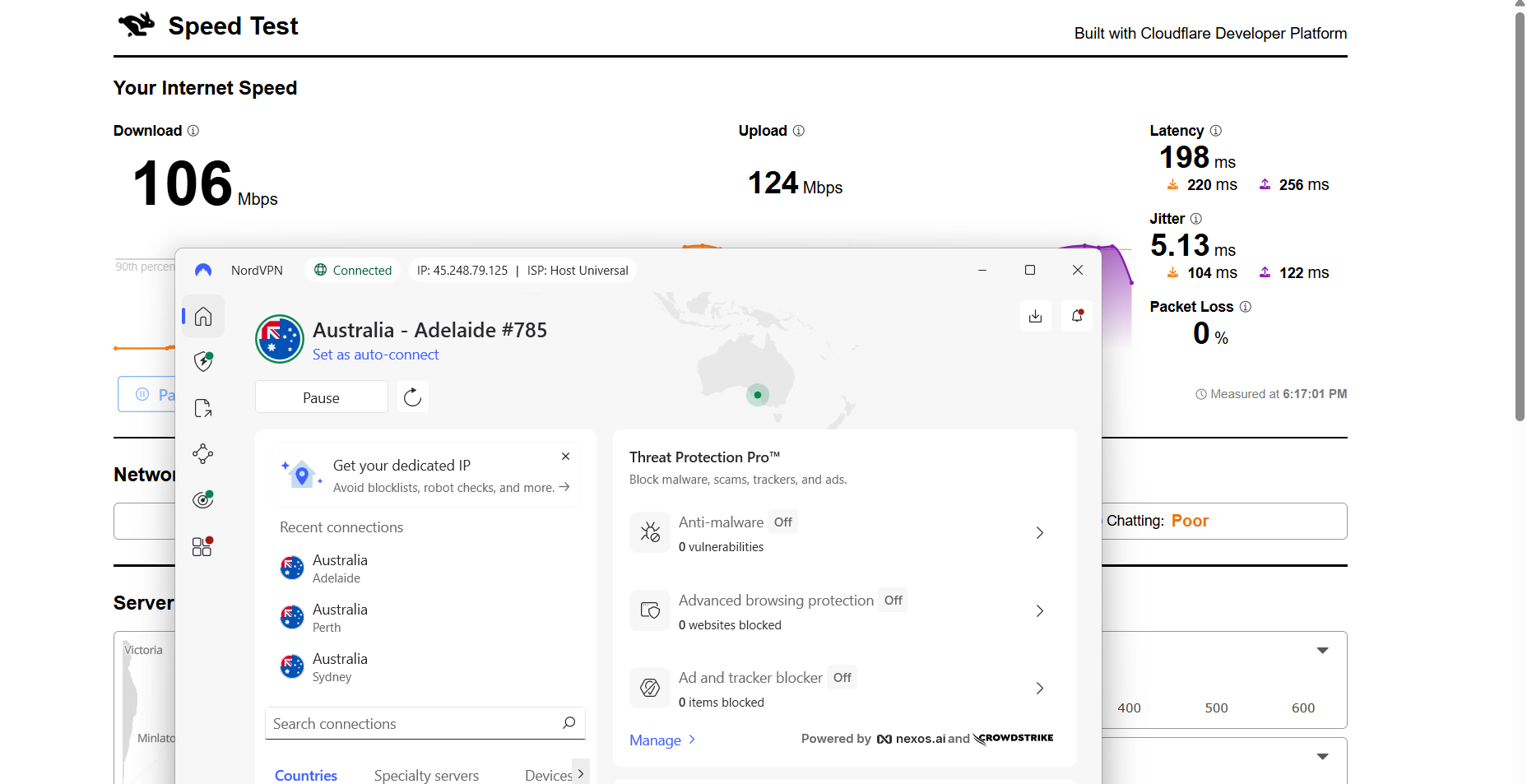
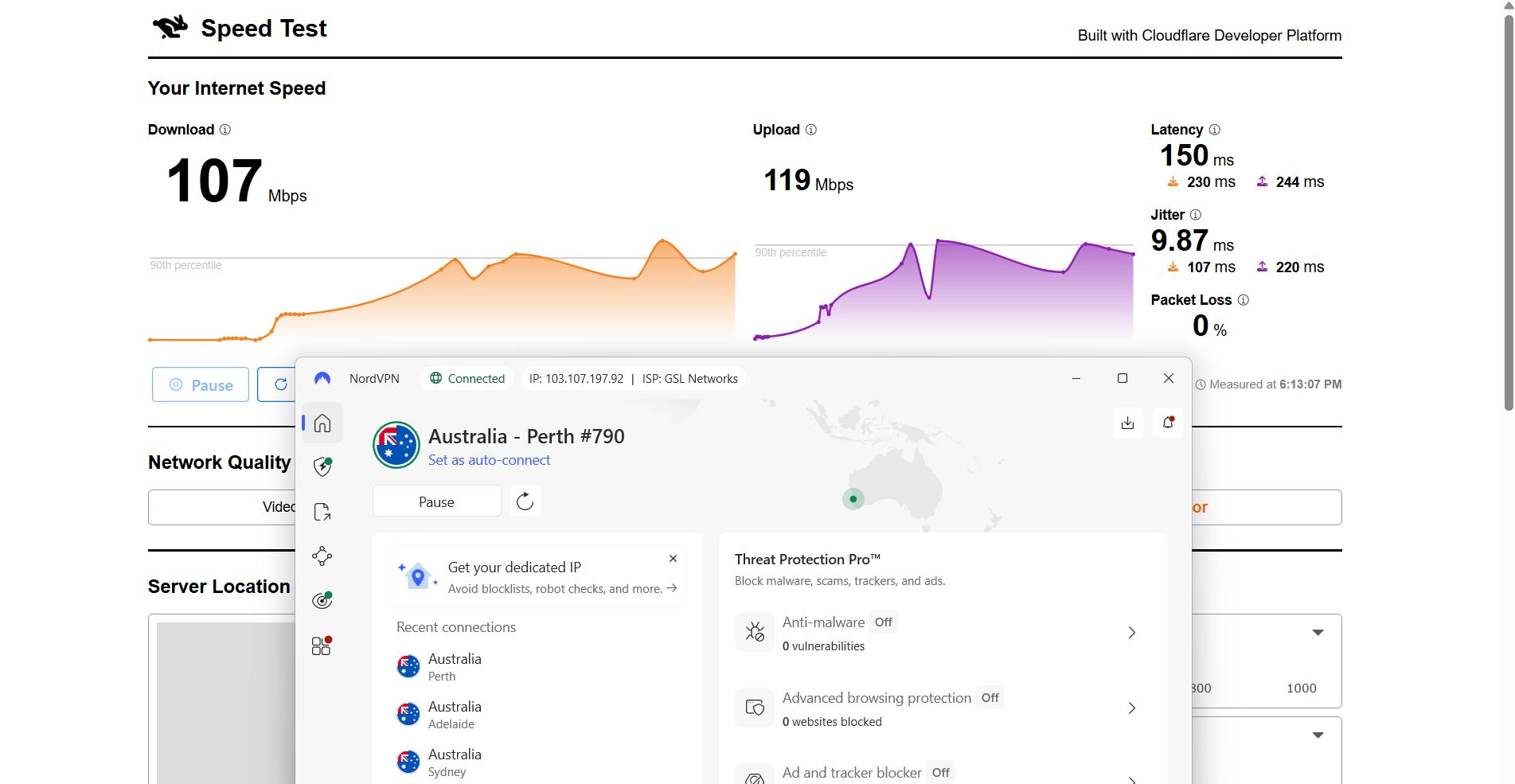
Speed and Latency on Australia Servers - To keep things consistent, I connected to multiple Australian locations including Sydney, Adelaide, and Perth and measured performance using Cloudflare’s speed test tool. I tracked download speed, upload speed, latency, jitter, and overall stability during each session. My baseline connection was 145 Mbps download, 253 Mbps upload, 31.9 ms latency, and 12 ms jitter. This gave a clear reference point for understanding how much each VPN impacted real-world performance across different parts of Australia.
Connection Reliability - Instead of quick checks, I used each VPN in normal browsing and streaming sessions lasting around 25–30 minutes. I looked at how fast each connection established, how stable it stayed over time, and whether anything dropped unexpectedly. I also paid attention to everyday usability like how quickly pages loaded and how smooth the experience felt while switching between sites. For streaming, I specifically observed buffering, playback quality, and whether access stayed consistent throughout the session.
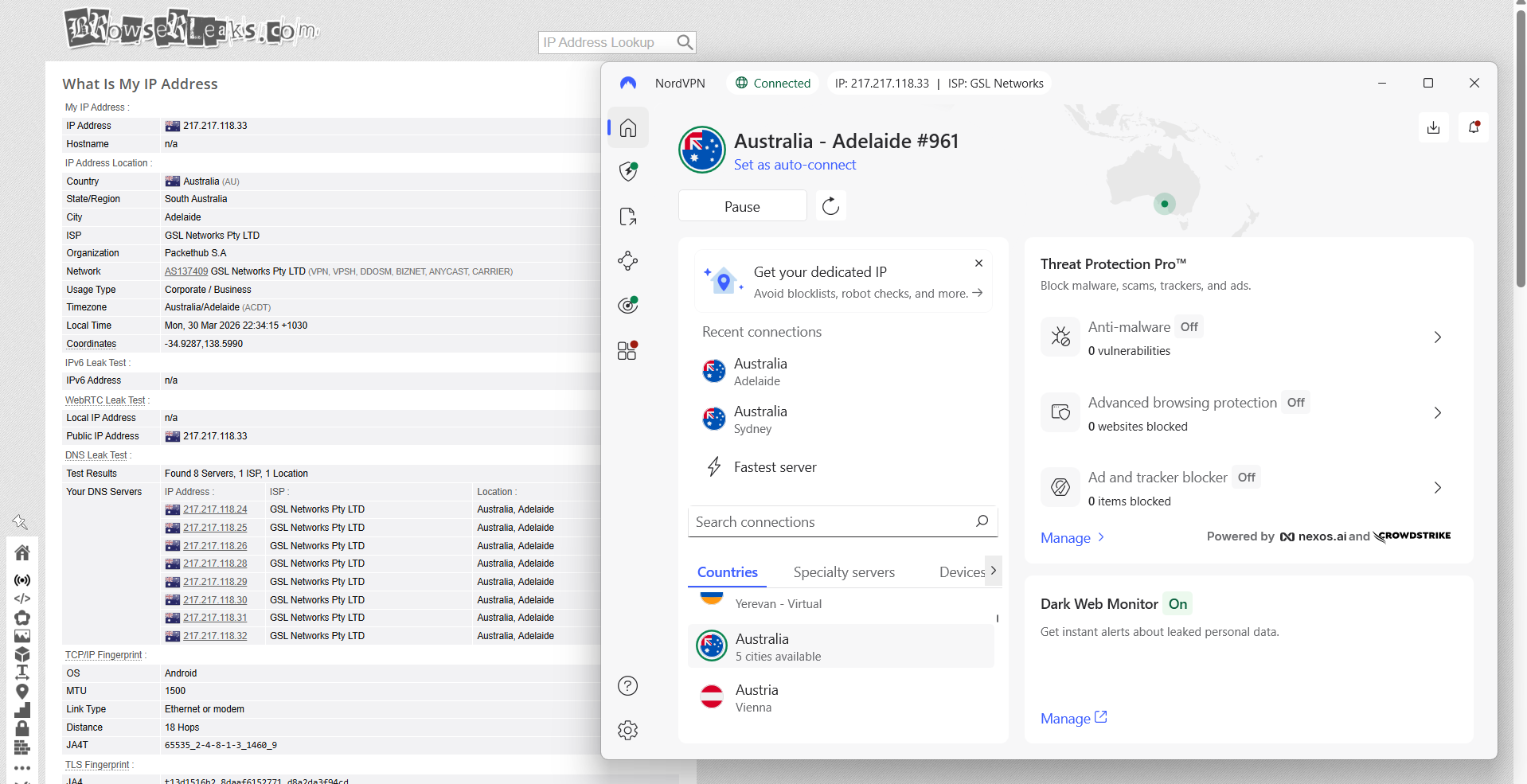
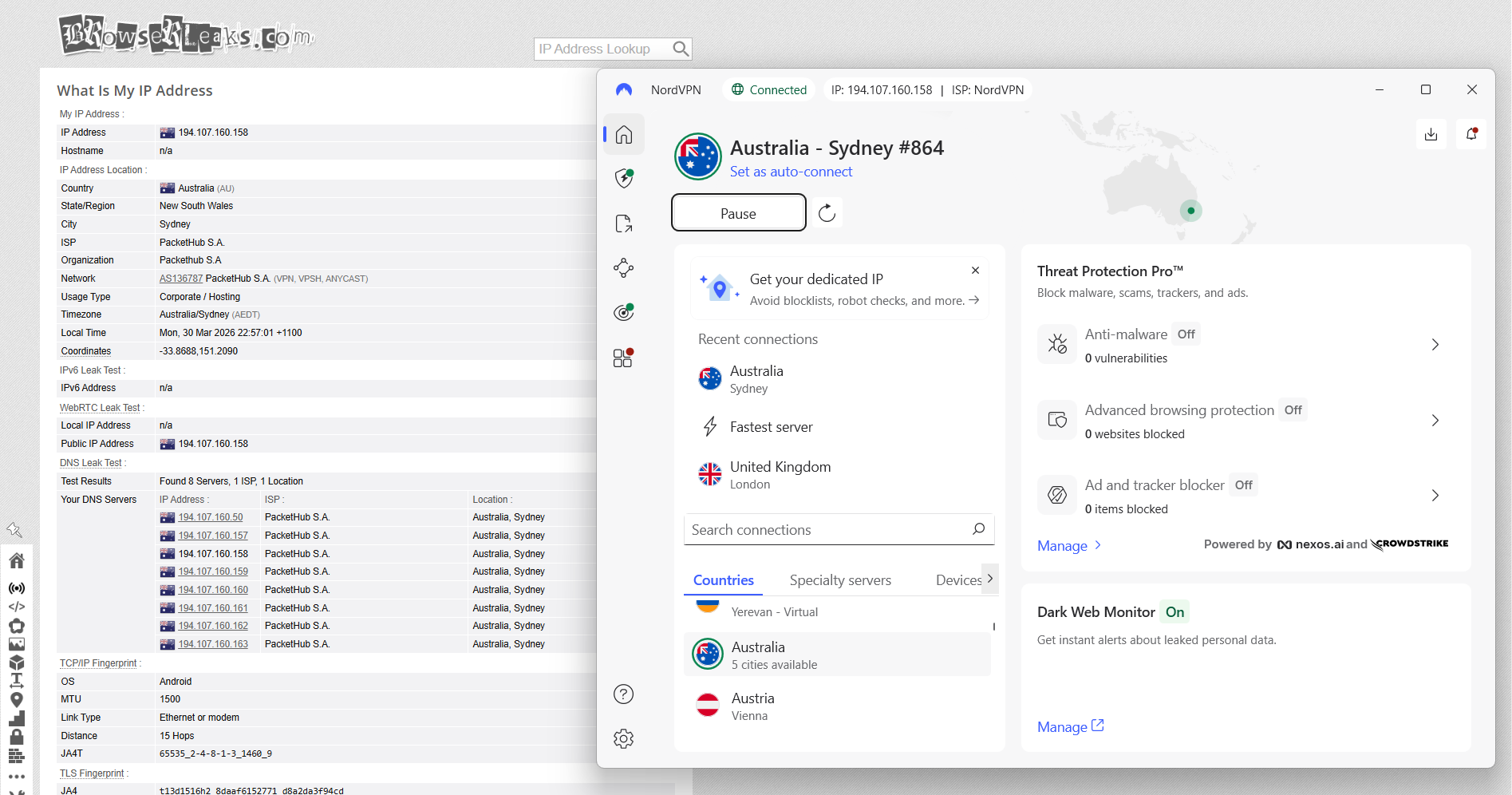
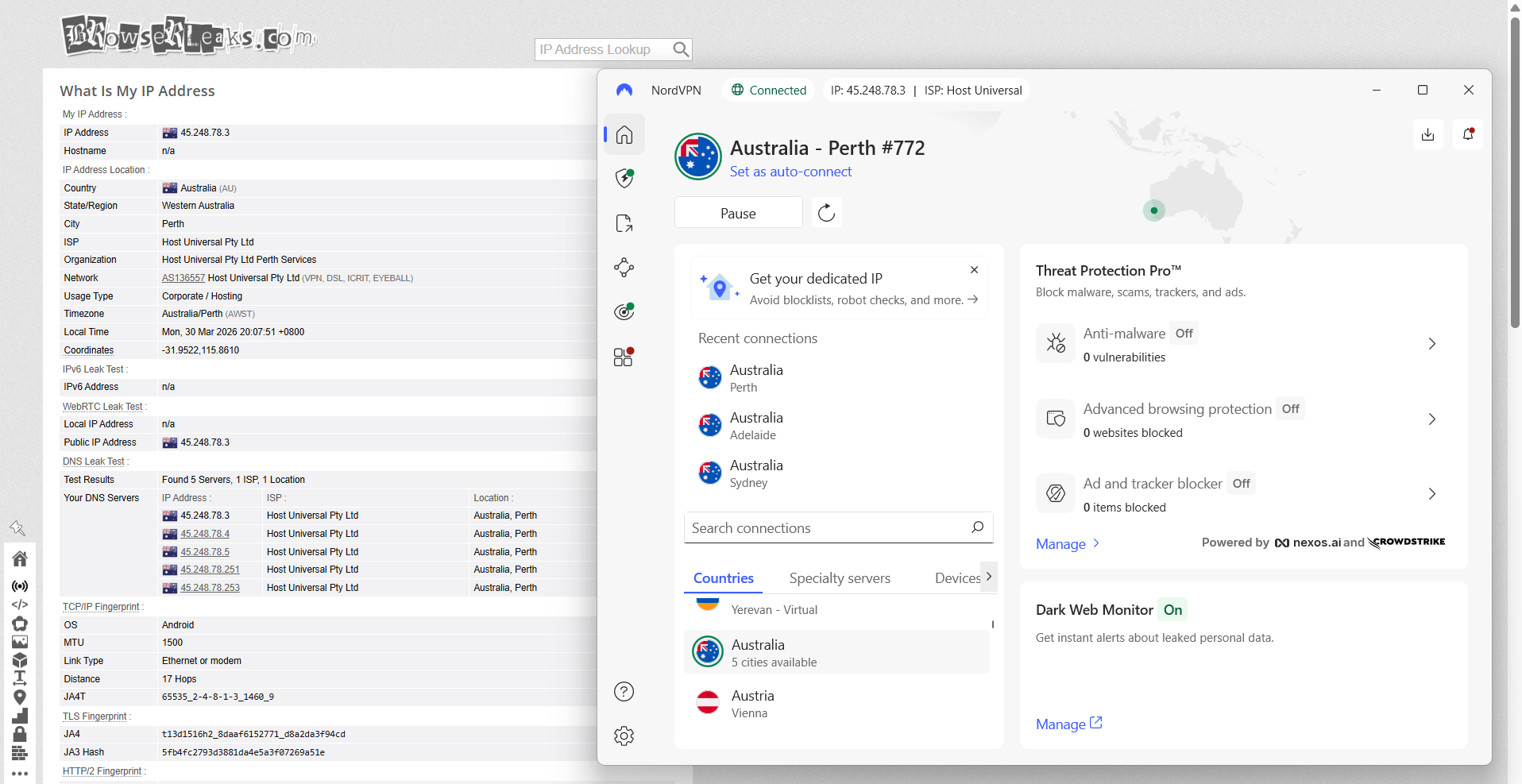
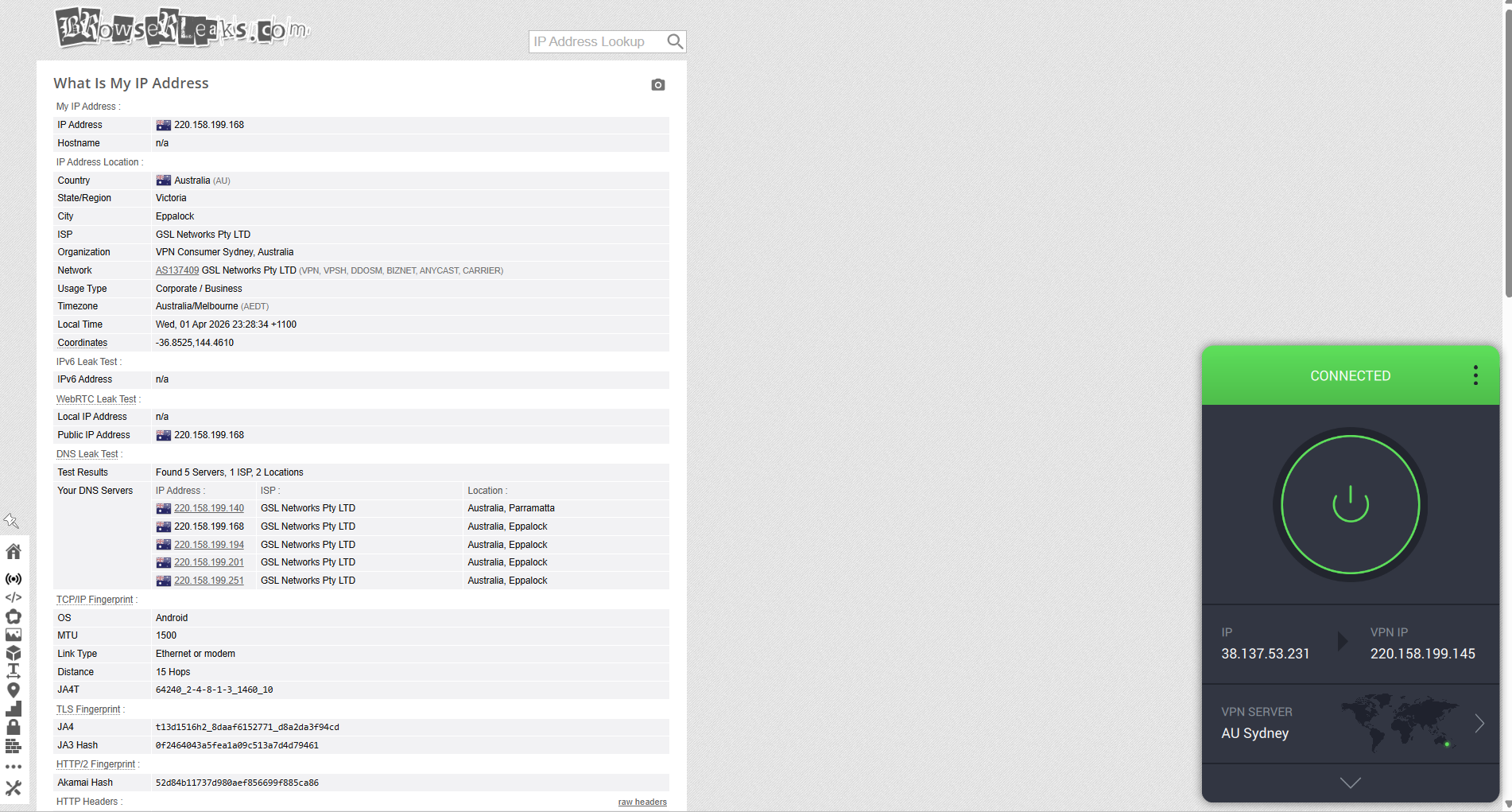
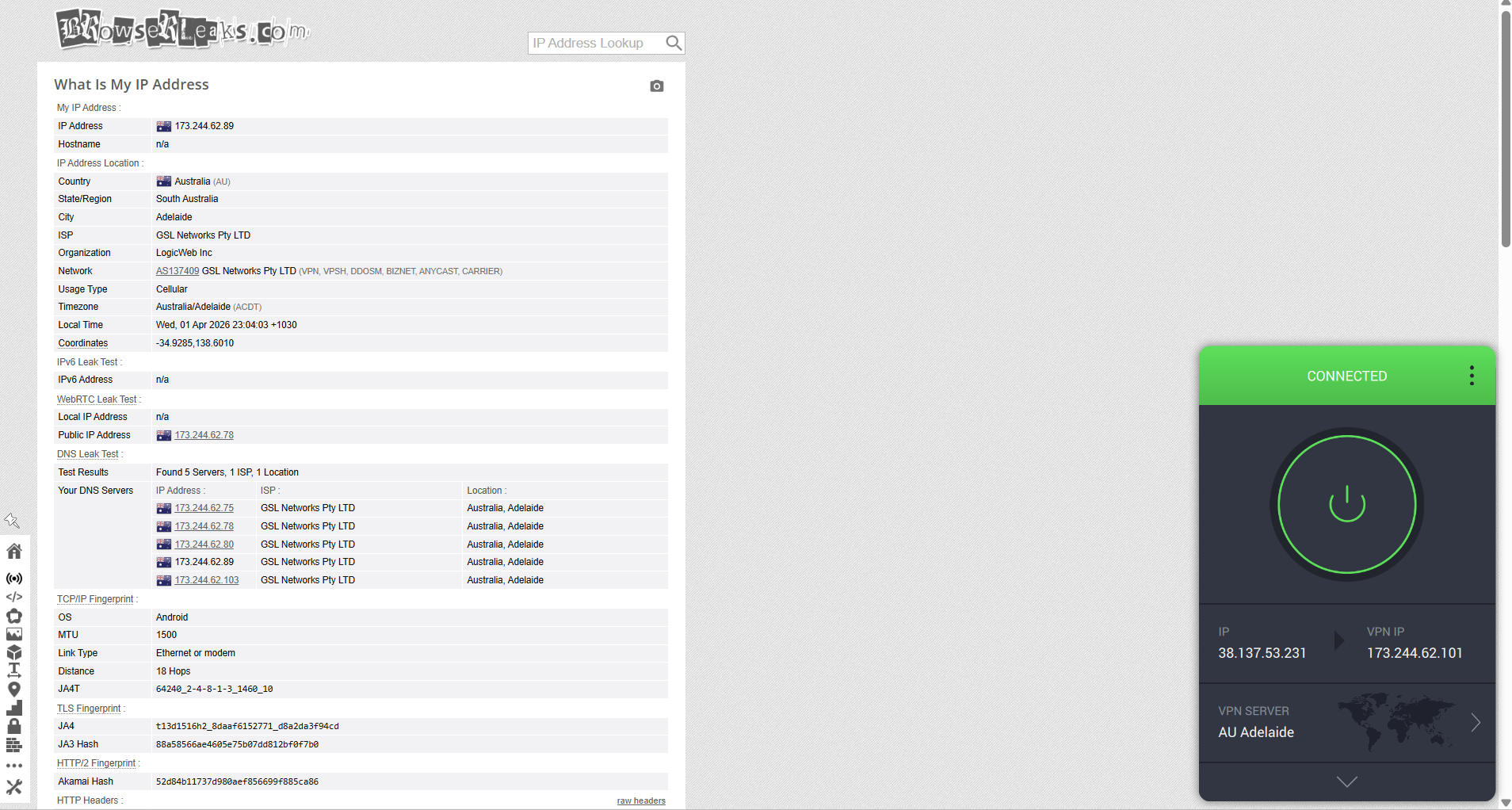
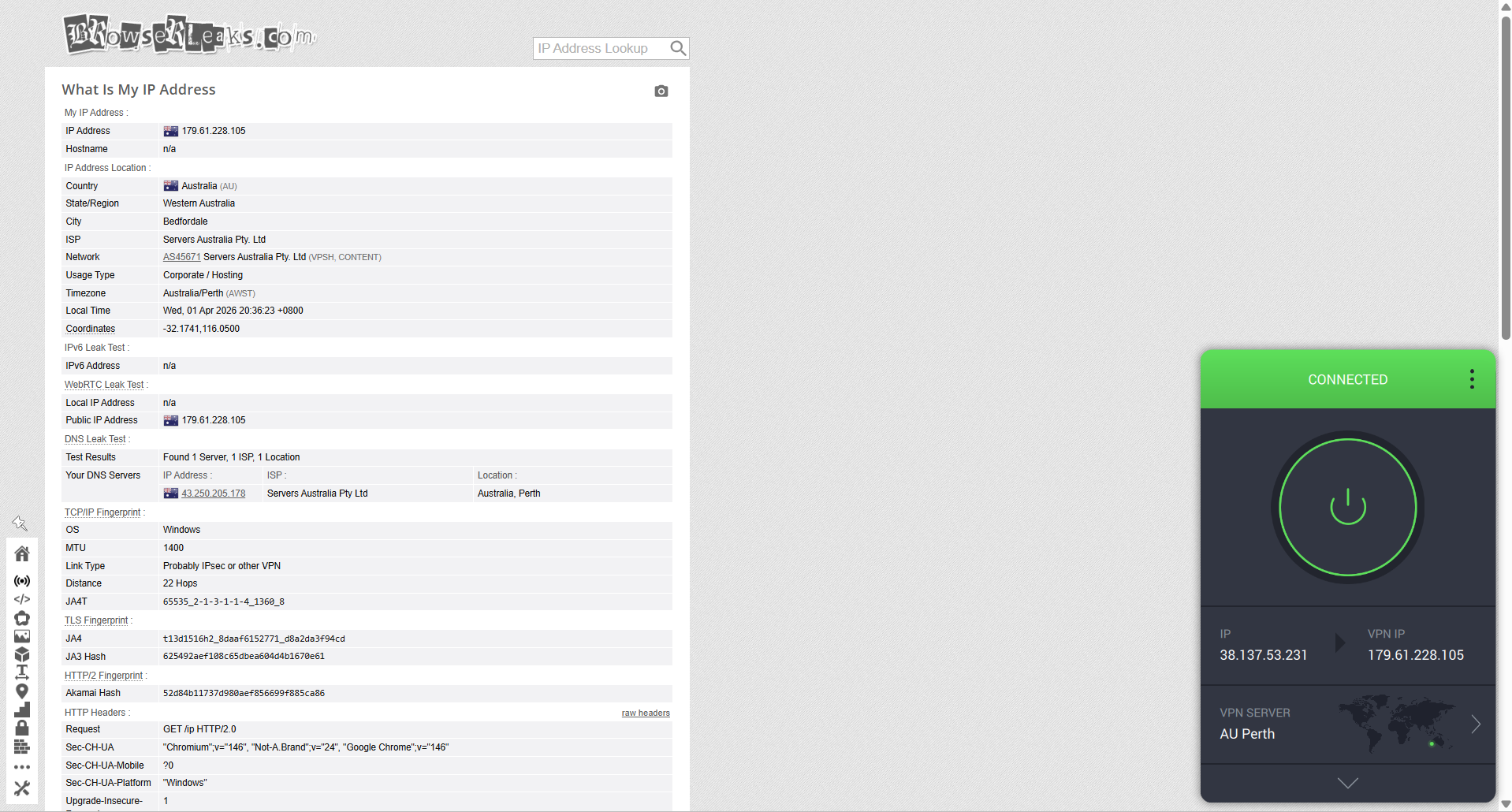
Leak Protection and Kill Switch: I ran checks using BrowserLeaks while connected to servers in Sydney, Adelaide, and Perth to see if any IP, DNS, or WebRTC leaks occurred. The goal was to confirm whether the VPN fully masked real network details under normal use. After that, I tested the Kill Switch by intentionally cutting the internet connection to simulate sudden drops and observed whether the VPN successfully blocked traffic and prevented any data exposure during interruptions.
Server Infrastructure - I started by looking at the overall structure of each VPN’s network in Australia and beyond. This included how large their server fleets are, how those servers are distributed across different regions, and whether they rely on physical hardware or virtual locations.
Privacy and Jurisdiction - Next, I focused on where each VPN is based and how that jurisdiction might affect user privacy. I also reviewed how clearly each provider explains its no-logs policy and whether there’s any independent verification or audit backing those claims.
Security Features - From there, I checked the core security setup behind each VPN. I looked at encryption strength and tested how well different protocols like WireGuard and OpenVPN perform in terms of balancing speed and protection.
Compatibility and Ease of Use - Since all testing was done on Windows, I evaluated how each VPN feels to use on a desktop system. This included how quickly it installs, how easy it is to move through the interface, and whether key settings are simple to access or require digging through menus. I also paid attention to how flexible each app is when it comes to adjusting settings.
Customer Support - I also reached out to each provider using live chat and email to see how they handle real user queries. The focus here wasn’t just response time, but also how useful and clear their answers were when dealing with actual problems or setup questions.
Pricing and Value - Finally, I compared subscription pricing, renewal rates, and refund policies to understand long-term value. I also looked at whether the features offered genuinely justify the cost, or if users end up paying more for things they may not actually use.
Best VPNs for Australia - Detailed Review
Based on the criteria mentioned above, the 5 best VPNs for Australia are:
1. NordVPN - ⭐Best Overall
I tested NordVPN on Australian servers, and overall it felt pretty smooth and easy to use in everyday situations like browsing, streaming, and accessing local Australian sites. I didn’t really have to think about it much - I just connected to an Australian server and it ran in the background without needing any tweaks or adjustments.
What I noticed during testing was how well the Australian servers are spread out across the main cities, which made the experience feel balanced no matter which region I connected to. On using it, websites loaded quickly and streaming stayed steady without buffering or interruptions, so everything felt quite natural like a regular connection. Speeds did change a bit depending on the server picked, but in my experience, nothing ever dropped to a level where it felt unstable or frustrating.
The only real limitation is that it’s still limited to five Australian cities, and I didn’t get access to some of the more advanced specialty servers locally. Even so, since everything runs on physical servers in Australia, the performance still felt stable and predictable throughout my testing. Overall, from my experience, it just felt like a reliable, no-fuss VPN for using Australian content without any headaches.
Performance Testing Results
NordVPN’s approach in Australia is fairly focused rather than overly expanded. Instead of scattering servers across every possible location, it concentrates on a smaller number of key cities where performance actually matters most. In everyday use, this feels efficient - connecting is quick, and the app usually routes you to a nearby Australian server that delivers stable speeds without much manual selection.
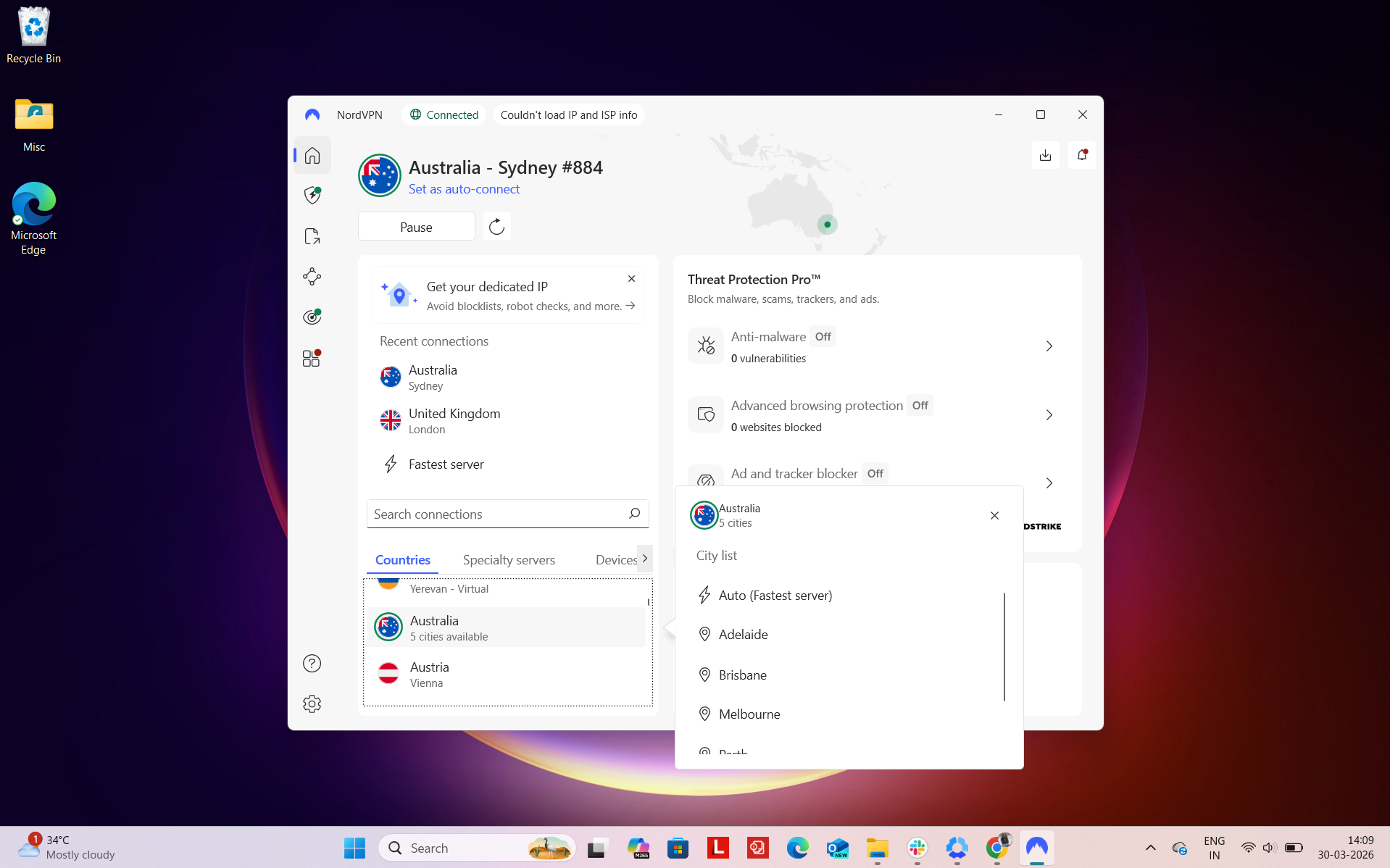
Number of Cities & Coverage: NordVPN currently offers servers in 5 key Australian cities, covering the most populated and network-critical areas:
- Adelaide
- Brisbane
- Melbourne
- Perth
- Sydney
This setup prioritizes areas with strong infrastructure, which directly translates into better speeds and fewer connection drops during real-world use.
Regional Distribution: The network is spread across Australia’s main geographic zones, giving a fairly balanced reach:
Total: 5 cities across 3 regions
From experience, most of the performance benefits are concentrated along the East Coast, particularly around Sydney and Melbourne. That’s not surprising as these cities act as major internet exchange hubs, so connections there tend to be the fastest and most consistent.
However, what makes a noticeable difference is the inclusion of Perth and Adelaide. If you're located far from the East Coast, having these alternatives helps reduce latency and avoids routing all traffic through Sydney.
It means users in or near major cities will get the best results - quick connection times, stable streaming, and minimal lag. If you're in more remote parts of Australia, the experience is still solid, but you may rely more on the nearest regional server (like Perth for Western Australia). The spread isn’t massive, but it’s thoughtfully placed, which matters more than sheer numbers when it comes to consistent performance.
Physical vs Virtual Servers: One thing that stood out during testing is that NordVPN keeps its Australian infrastructure fully grounded in physical servers. There are no virtual locations assigned to Australia, which makes connections feel more direct and predictable. In real-world use, this adds a sense of stability - speeds don’t fluctuate heavily, and performance stays fairly consistent across sessions compared to virtual routing setups.
Specialty Servers: NordVPN also offers a few specialized server types, although their availability varies by region.:
- P2P-optimized servers – Available in Australia
- Obfuscated servers – Not available in Australia
- Double VPN – Not available in Australia
- Onion over VPN – Not available in Australia
- Dedicated IP – No clear availability listed
For most everyday use cases like streaming or downloads, the P2P-optimized option is the most relevant and practical. However, users looking for more advanced privacy routing will find that some of the deeper specialty options are limited in the Australian region.
Using NordVPN in Australia felt consistently smooth in day-to-day use, especially when accessing local services. Once I connected to an Australian server, platforms like ABC iView, 9Now, SBS, and Amazon Australia loaded immediately without any extra steps or interruptions.
What stood out during testing was how naturally everything blended into regular browsing. I didn’t run into any login loops, verification prompts, or session resets when moving between different sites. It genuinely felt like I was just using a normal local connection rather than going through a VPN.
Across extended sessions, performance stayed steady the whole time. Pages loaded on the first try, switching between services didn’t cause any delays, and I didn’t experience buffering or random slowdowns. Overall, the experience felt stable, consistent, and easy to rely on for everyday Australian streaming and browsing.
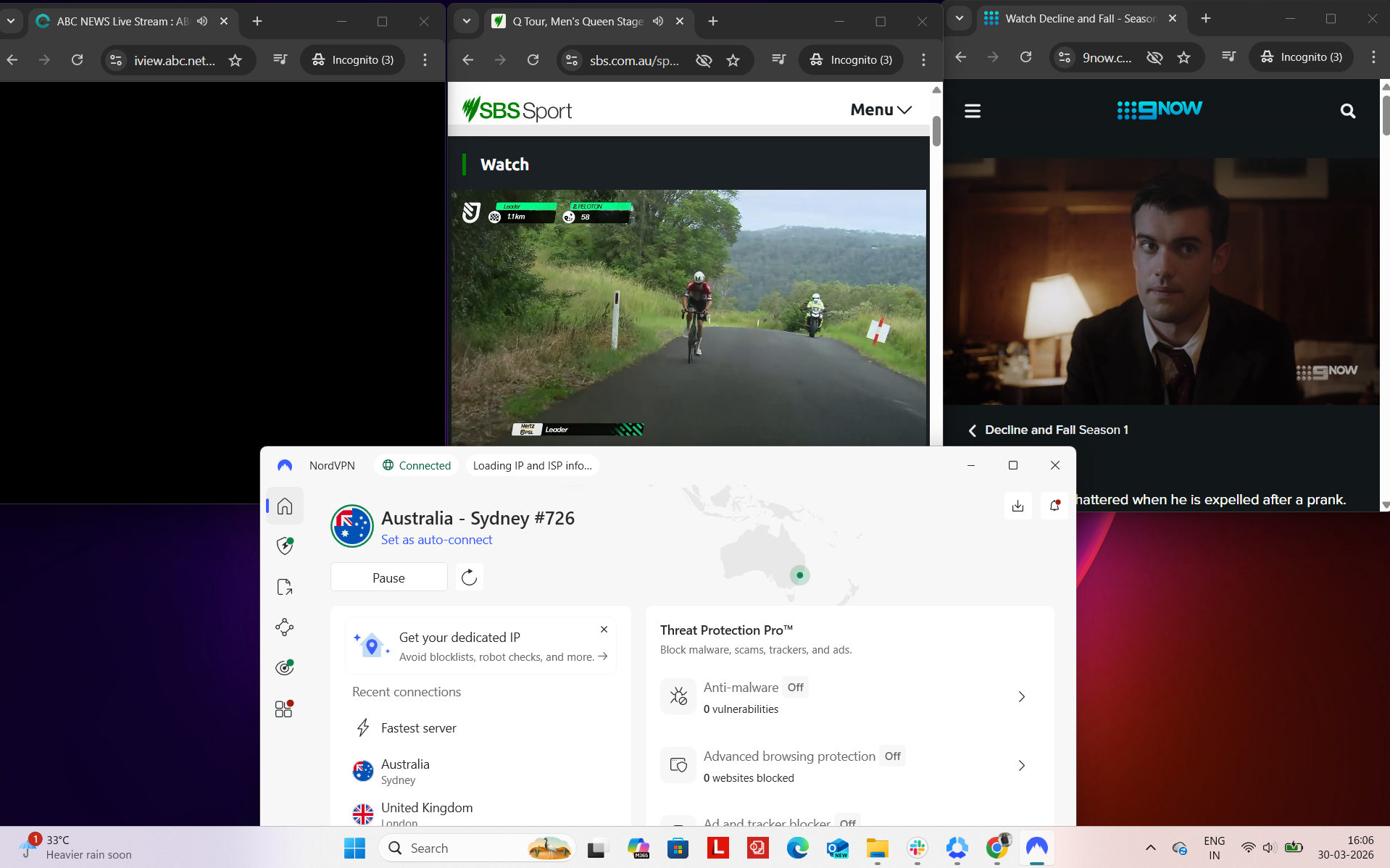
Platform Access Results
- ABC iView – Unblocked flawlessly on the first attempt, with no detection issues
- 9Now – Worked immediately without any interruptions or VPN flags
- SBS – Accessible instantly, no restrictions encountered
- Amazon.com – Browsing was smooth with no delays
- Google – Pages loaded instantly and behaved normally
- Reddit – Fully accessible with no limitations
Detection & Verification Behavior
- Proxy errors – None encountered
- CAPTCHA prompts – None encountered
- Service blocking – No issues bypassing major platforms
Across Australian servers, performance stayed generally steady, though every location showed a drop compared to the baseline connection. Sydney handled downloads reasonably well, but upload speeds fell more noticeably, which made heavier tasks feel less balanced.
Adelaide and Perth delivered a more even experience overall, with less variation between download and upload results. Perth felt the most responsive in real time thanks to lower latency, which helped with smoother browsing and quicker reaction times. Adelaide didn’t necessarily push the highest speeds, but it kept jitter low, which made the connection feel more stable during extended use.
Sydney, while still fully usable, showed a bit more inconsistency compared to the other two, especially in terms of jitter. Even so, none of the locations dropped connection or became unstable at any point. The performance dip was present, but it remained within a usable and stable range across all Australian servers.
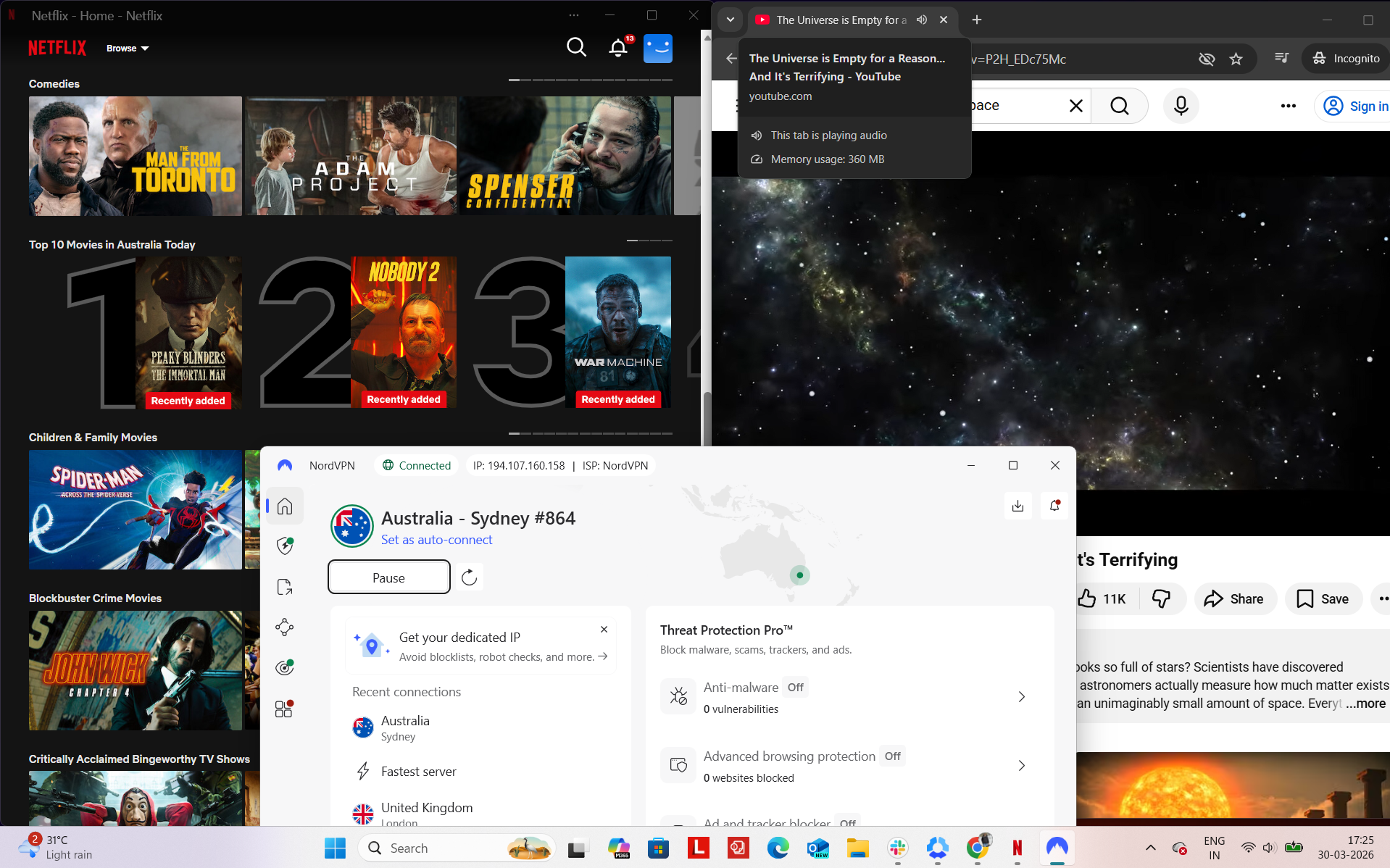
While using NordVPN on Australian servers, everything ran smoothly without any hiccups during my sessions. I spent time streaming on Netflix Australia, watching YouTube, and casually browsing on Chrome, and the connection held up the entire time without dropping or needing a reconnect. It felt stable in the background, with no interruptions, blocks, or anything that required extra attention while switching between different activities.
Observed Connection Behavior
- Unexpected disconnects – None
- Reconnection attempts – Not needed at all
- Network drops – None
- Lag spikes or buffering – Not encountered
- Browsing Performance – In my experience, browsing felt very smooth and responsive. Websites loaded quickly, and navigating between tabs or pages was seamless without any noticeable delays.
Streaming & Content Handling
- Netflix Playback: While testing on Netflix, the video started instantly without any delay and began in high quality right from the start. Throughout a 30-minute session, the playback remained consistently clear with no buffering, drops in resolution, or lag.
- Seeking (Forward & Rewind) on Netflix: When skipping forward, the video resumed immediately in very good quality without any buffering. Rewinding was equally smooth, with no delay at all, and playback restarted instantly in high quality.
- YouTube Performance: Videos started directly in 1080p quality and maintained that level throughout the entire session. There were no fluctuations in resolution, buffering issues, or interruptions during playback.
NordVPN provided a consistently secure experience while testing across Australian servers in Sydney, Adelaide, and Perth. Each server connection reflected the correct regional IP without any mismatches or fluctuations. During the entire testing period, DNS queries remained protected within the VPN tunnel, and there was no indication of IP leaks or exposure.
The kill switch also proved dependable in practice. Whenever I forced a connection drop, the system immediately blocked internet access, ensuring no traffic bypassed the encrypted connection. In all scenarios, the feature worked flawlessly, maintaining privacy even when the connection became unstable.
PROS
- Servers available in 5 major Australian cities
- Well-distributed across East, Central, and West regions
- Physical servers in Australia (no virtual locations)
- Fast and stable connections in real-world use
- Smooth and instant access to Australian platforms
- No proxy errors, CAPTCHAs, or detection issues
- Reliable performance across long browsing sessions
- Strong streaming experience with no buffering
- No disconnects or connection drops observed
- Consistent IP and no DNS/IP leaks
- Kill switch works instantly and reliably
- Easy-to-use app with quick server selection
CONS
- Limited availability of specialty servers in Australia
- No obfuscated, Double VPN, or Onion servers locally
2. ExpressVPN - 🥈Runner-Up
I spent some time using ExpressVPN on Australian servers, and what stood out to me wasn’t how many options there were, but how consistent everything felt once connected. The network in Australia feels more focused than expansive. Instead of spreading across a long list of cities, it leans into a handful of key locations, with multiple server options around Sydney. From my experience, that actually helped more than it limited - connections felt less crowded, and switching between servers didn’t change things dramatically. No matter which location I picked, the experience stayed stable without sudden drops or weird performance issues.
In terms of speed, I did notice some variation depending on where I connected, but it never really disrupted anything. Streaming stayed smooth, and regular browsing didn’t feel sluggish or delayed. It’s not the fastest setup overall, but it’s consistent enough that you don’t really notice the drop unless you’re actively looking for it.
One thing I noticed is that ExpressVPN doesn’t really offer different server types here - everything runs on standard optimized servers. There’s no P2P or multi-hop style options, so it’s clearly designed to keep things simple rather than customizable. On the plus side, all Australian locations are backed by physical servers, which made the performance feel more stable and predictable during my testing. Overall, it comes across as a very steady and well-balanced option for accessing Australian content without running into reliability issues.
Performance Testing Results
When using ExpressVPN in Australia, the network feels more refined than expansive. Instead of offering a long list of cities, it focuses on 7 locations with 600+ endpoints, many of which are clustered around key connectivity hubs. In the app, you’ll notice multiple Sydney option, including a more specific location like Woolloomoolloo, which gives a bit more flexibility without overcomplicating the selection process.
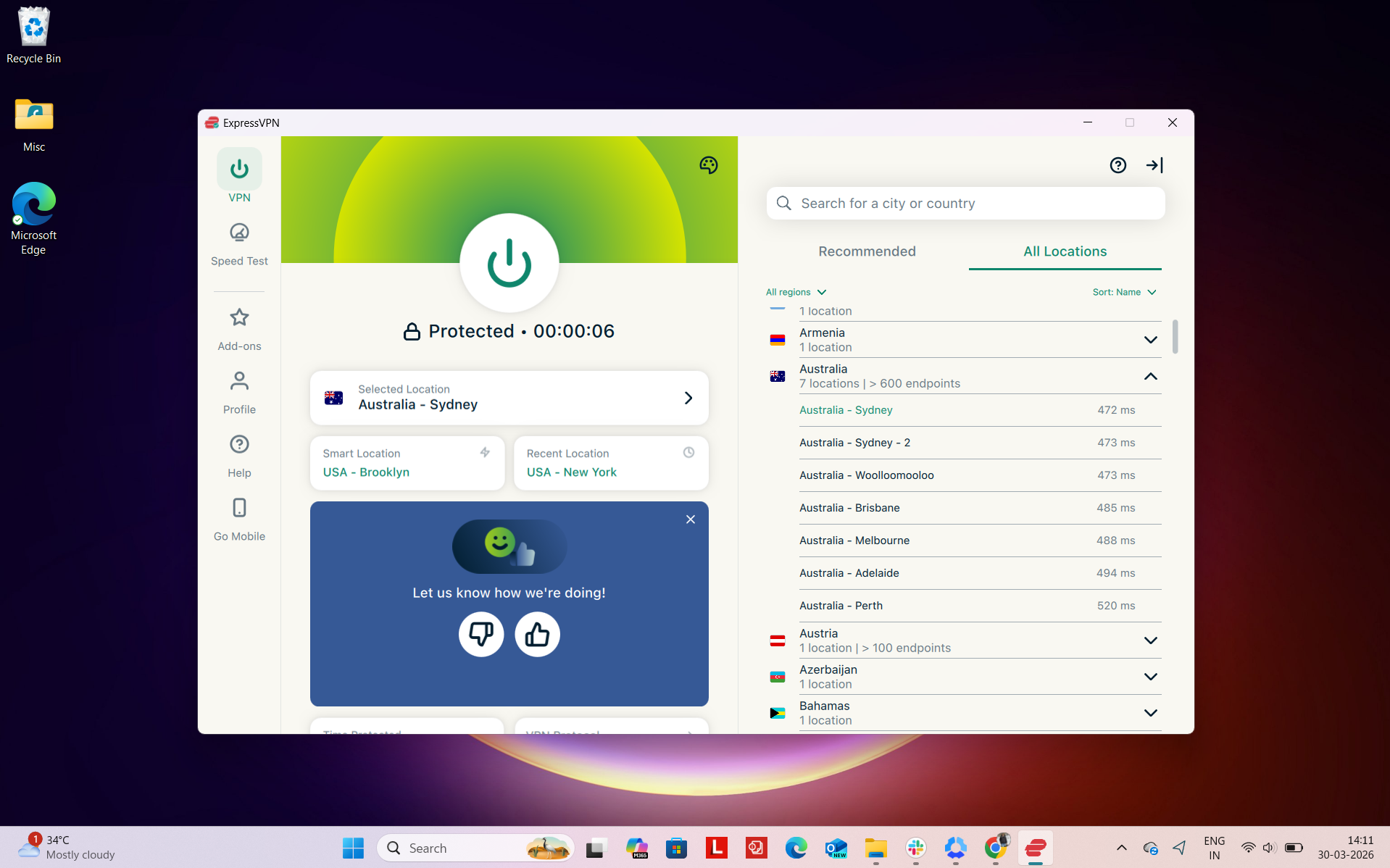
Number of Cities & Coverage: ExpressVPN covers the following Australian locations:
- Woolloomoolloo
- Sydney (multiple options)
- Melbourne
- Brisbane
- Adelaide
- Perth
This setup leans into depth over breadth, especially around Sydney, where multiple endpoints help distribute traffic more efficiently.
Regional Distribution: The network is spread across Australia’s primary regions:
Total: 7 locations across 3 regions
In real-world use, most of the performance advantage sits on the East Coast, particularly around Sydney. Having multiple server options in the same city actually makes a difference, you’re less likely to run into congestion. At the same time, coverage in Perth and Adelaide ensures that users outside the eastern corridor aren’t forced to rely on distant servers.
Practically, ExpressVPN feels very polished in day-to-day use. Connections are quick, server switching is seamless, and there’s very little guesswork involved, everything just works. If you’re in a major city, the experience is consistently smooth. For users in more remote areas, performance remains reliable, with nearby regional servers helping maintain stable speeds and reducing sudden slowdowns.
Physical vs Virtual Servers: ExpressVPN doesn’t heavily emphasize the distinction between physical and virtual servers, but it does provide some transparency. Virtual locations are labeled with a “(via)” tag in the app, so you can identify them if needed. For Australia specifically, no virtual servers are listed, meaning all locations are backed by physical infrastructure. In practice, this translates to more predictable performance and fewer inconsistencies in connection quality.
Specialty Servers: Unlike some other VPNs, ExpressVPN keeps things simple:
- No P2P-specific servers
- No Double VPN or MultiHop
- No Onion over VPN
Instead, every server is optimized to handle all types of traffic. You don’t need to switch between server types, and performance remains consistently strong whether you’re streaming, browsing, or downloading.
When using ExpressVPN in real-world conditions, accessing UK and international online services was straightforward and consistently reliable. After connecting to a UK server, platforms like ABC iView, 9Now, SBS, Amazon, and others were available immediately, without requiring additional actions such as re-authentication or session resets.
From a user perspective, the experience closely mirrored that of a regular local connection. Navigating between different services was seamless, and each platform responded quickly, loading properly on the first attempt without any need for retries.
Even over extended usage, the connection maintained its stability. There were no noticeable slowdowns, buffering issues, or unexpected interruptions, resulting in a smooth and dependable browsing experience throughout.
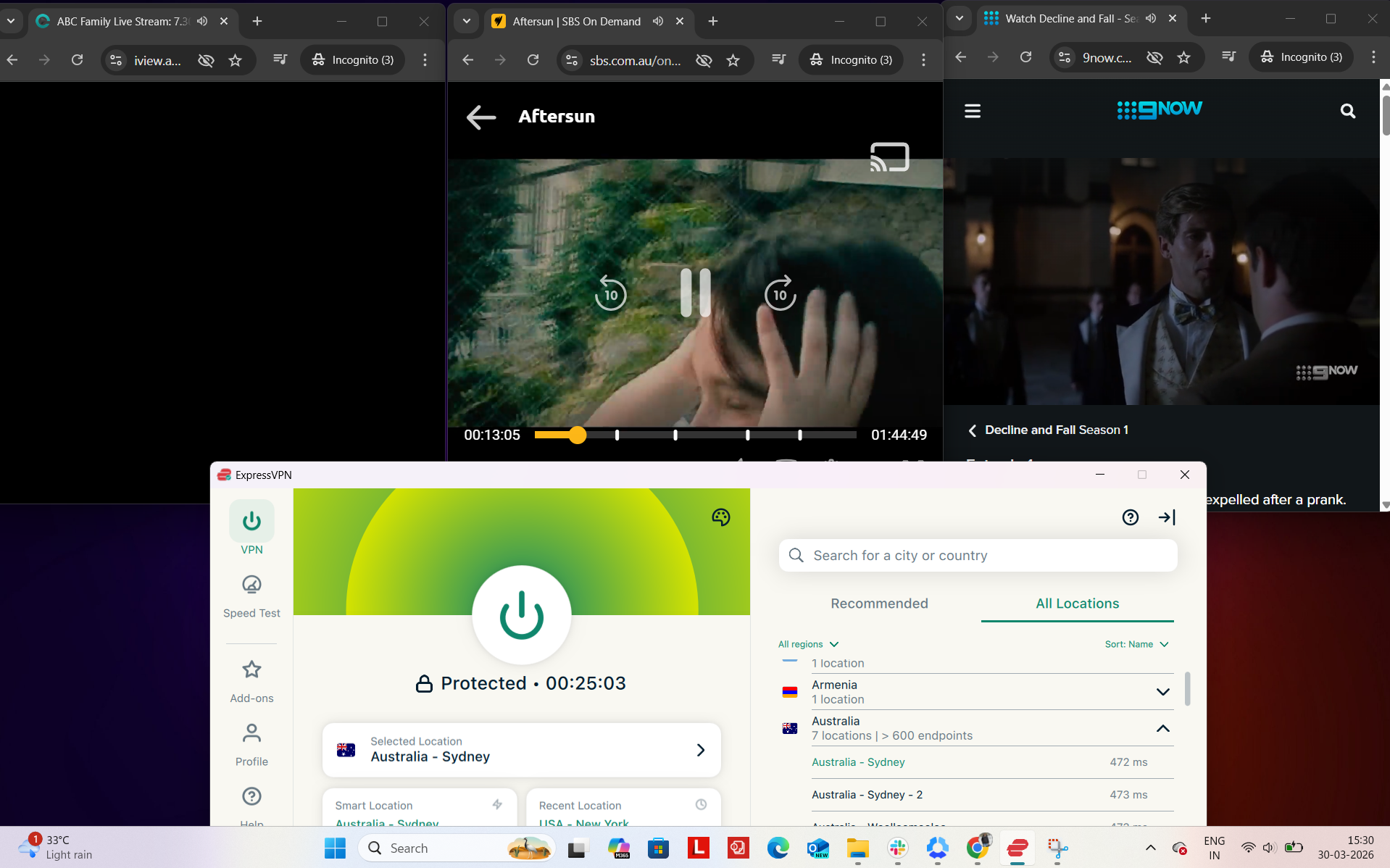
Platform Access Results
- ABC iView – Accessed instantly with no detection or playback issues
- 9Now – Worked right away without any warnings or restrictions
- SBS – Loaded successfully with no access barrier
- Amazon.com – Browsing remained fast and responsive
- Google – Pages opened immediately and functioned normally
- Reddit – Fully accessible with uninterrupted usage
Detection & Verification Behavior
- Proxy errors – No proxy-related errors encountered
- CAPTCHA prompts – No excessive or unusual verification prompts
- Service blocking – All major platforms were accessible without any blocking issues
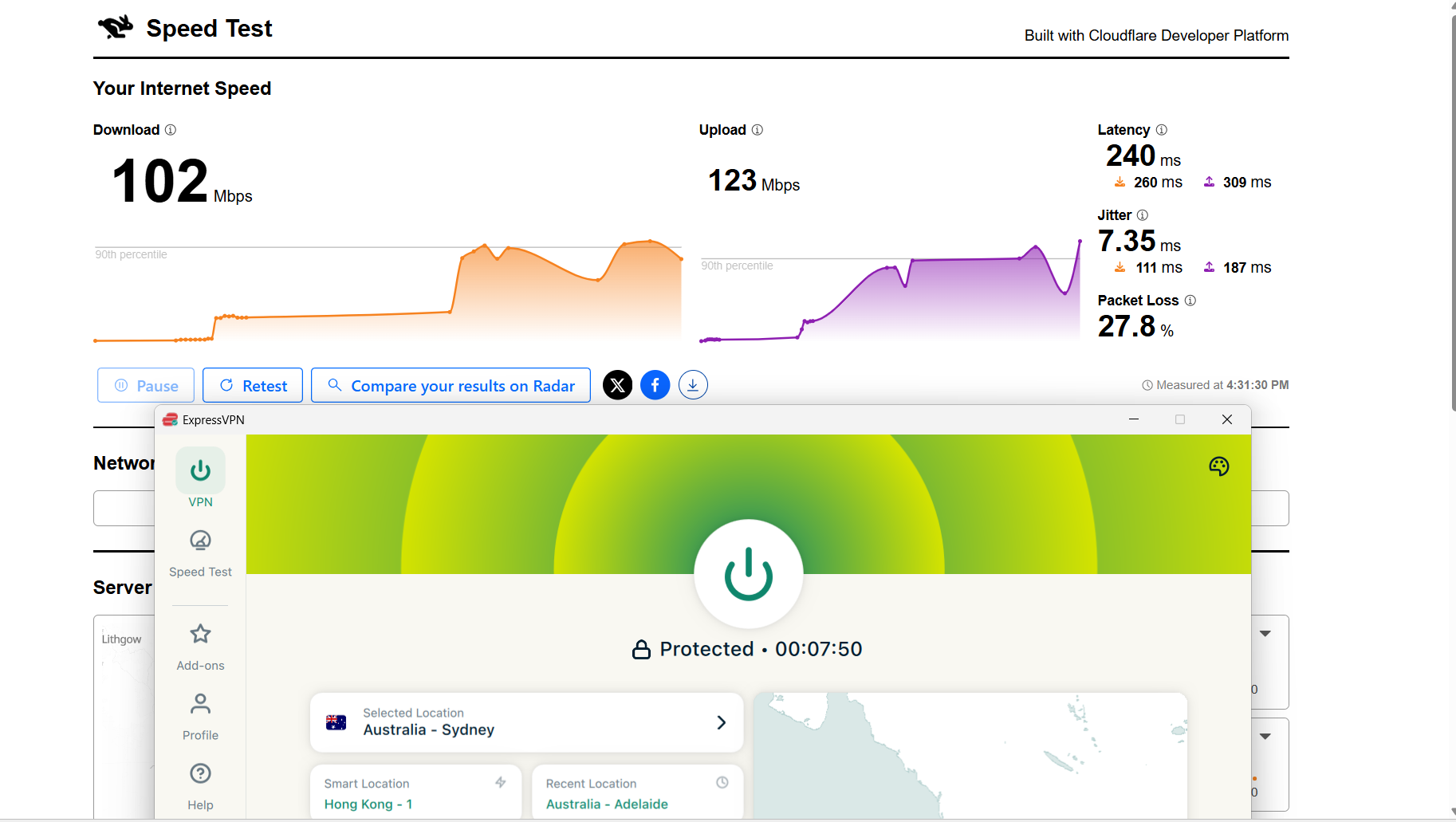
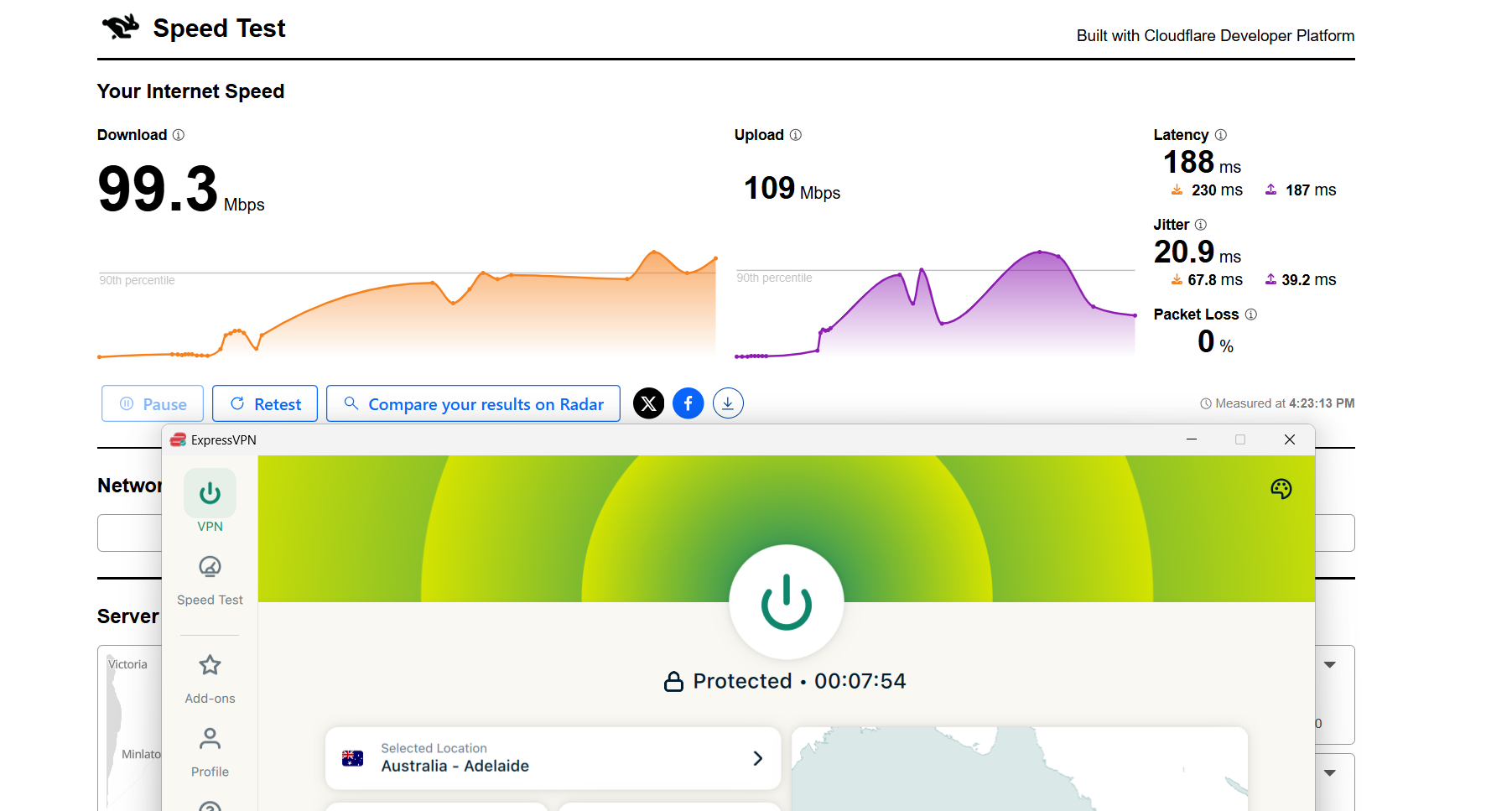
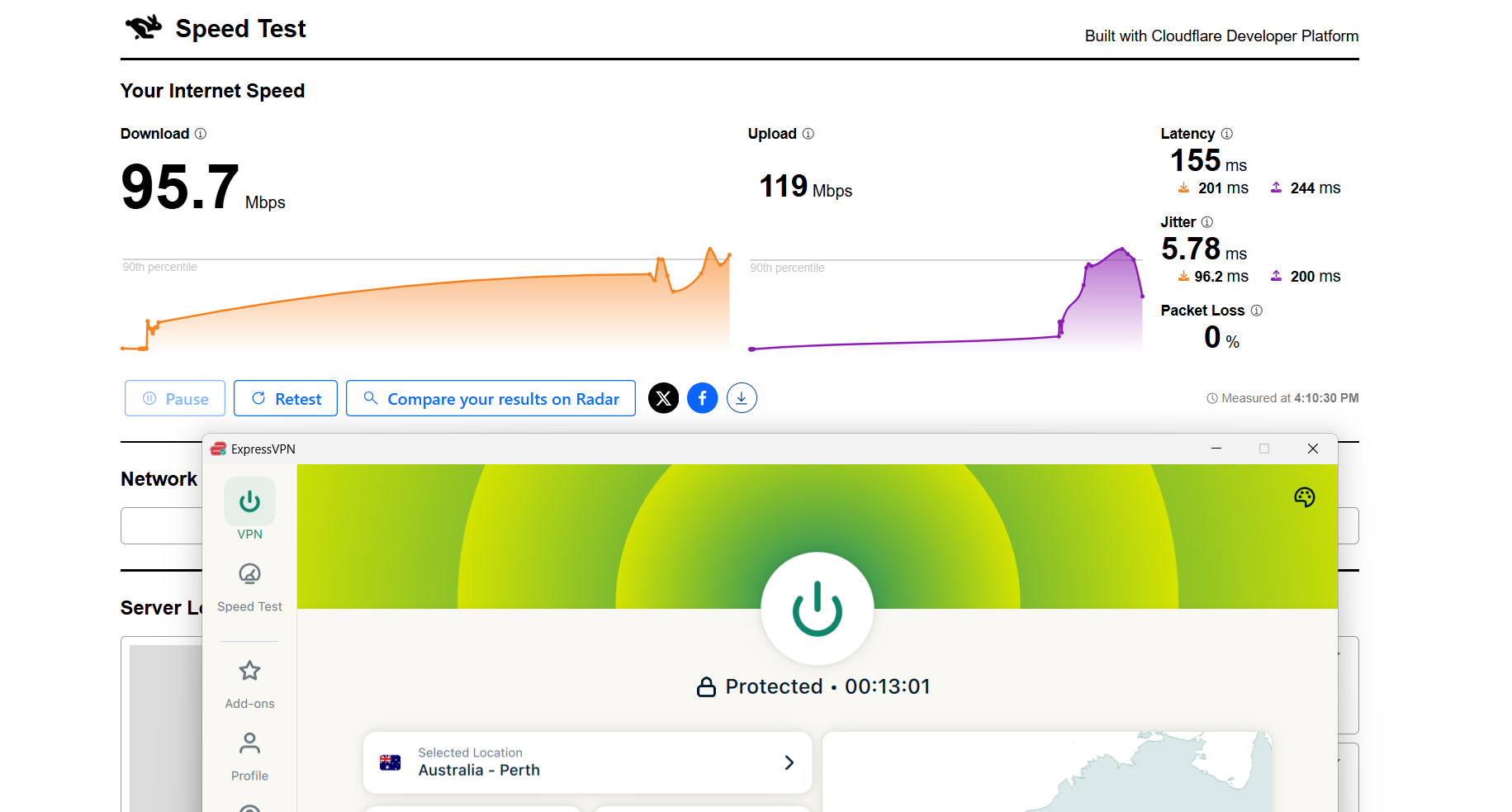
ExpressVPN maintained a fairly steady performance across Australian servers, with speeds holding up well enough for everyday use even though there was still a clear dip from the baseline connection.
Sydney came across as the most balanced point in the network, offering the best mix of download speed and stable upload performance, which made it feel dependable for general browsing and streaming. Adelaide introduced a bit more fluctuation, though nothing that impacted usability in a major way. Perth behaved differently in a positive way, showing noticeably lower latency that helped the connection feel more immediate and responsive, even if raw speeds weren’t the highest.
Overall, the connection stayed consistent across all tested cities, with no drops or interruptions, and day-to-day activities like streaming and browsing remained smooth despite the expected reduction in speed compared to the baseline.
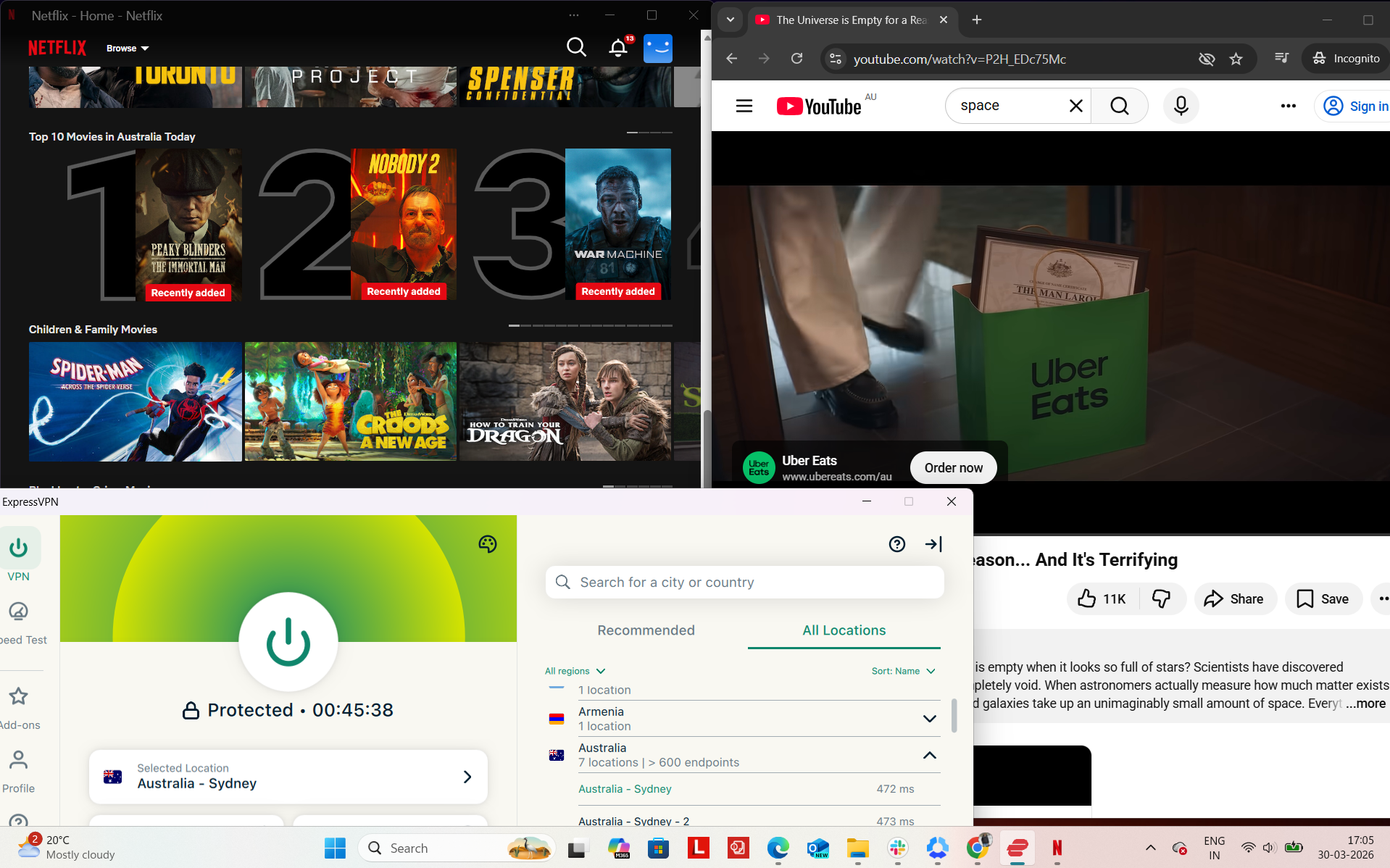
ExpressVPN performed exceptionally well during my testing session and felt highly reliable throughout. To evaluate its stability, I tested it on Netflix Australia and YouTube while also doing some light browsing on Chrome. The connection stayed active the entire time without any interruptions, and I didn’t have to reconnect at any point. There were no blocks or access issues observed during testing.
Observed Connection Behavior
- Unexpected disconnects – None
- Reconnection attempts – Not needed at all
- Network drops – None
- Lag spikes or buffering – Not encountered
- Browsing Performance – From my side, browsing felt quick and smooth. Pages loaded promptly, and switching between tabs or opening new websites didn’t introduce any noticeable lag or delay.
Streaming & Content Handling
- Netflix Playback: While testing on Netflix, the video started immediately without any delay. The initial Netflix logo appeared slightly blurred, but within about 2 seconds, the quality significantly improved and became very clear. After that, playback remained stable in high quality for the entire 30-minute session without any buffering or drops in resolution.
- Seeking (Forward & Rewind) on Netflix: When I skipped forward, the video loaded for about 1 second before resuming in excellent quality. Rewinding was even smoother, with no delay at all, and playback resumed instantly in high quality without any interruptions.
- YouTube Performance: On YouTube, videos started instantly without delays and initially played at around 720p (including local Australian ads). Within a few moments, the quality quickly ramped up to 1080p. After that adjustment, playback stayed consistent and smooth without any buffering or quality fluctuations.
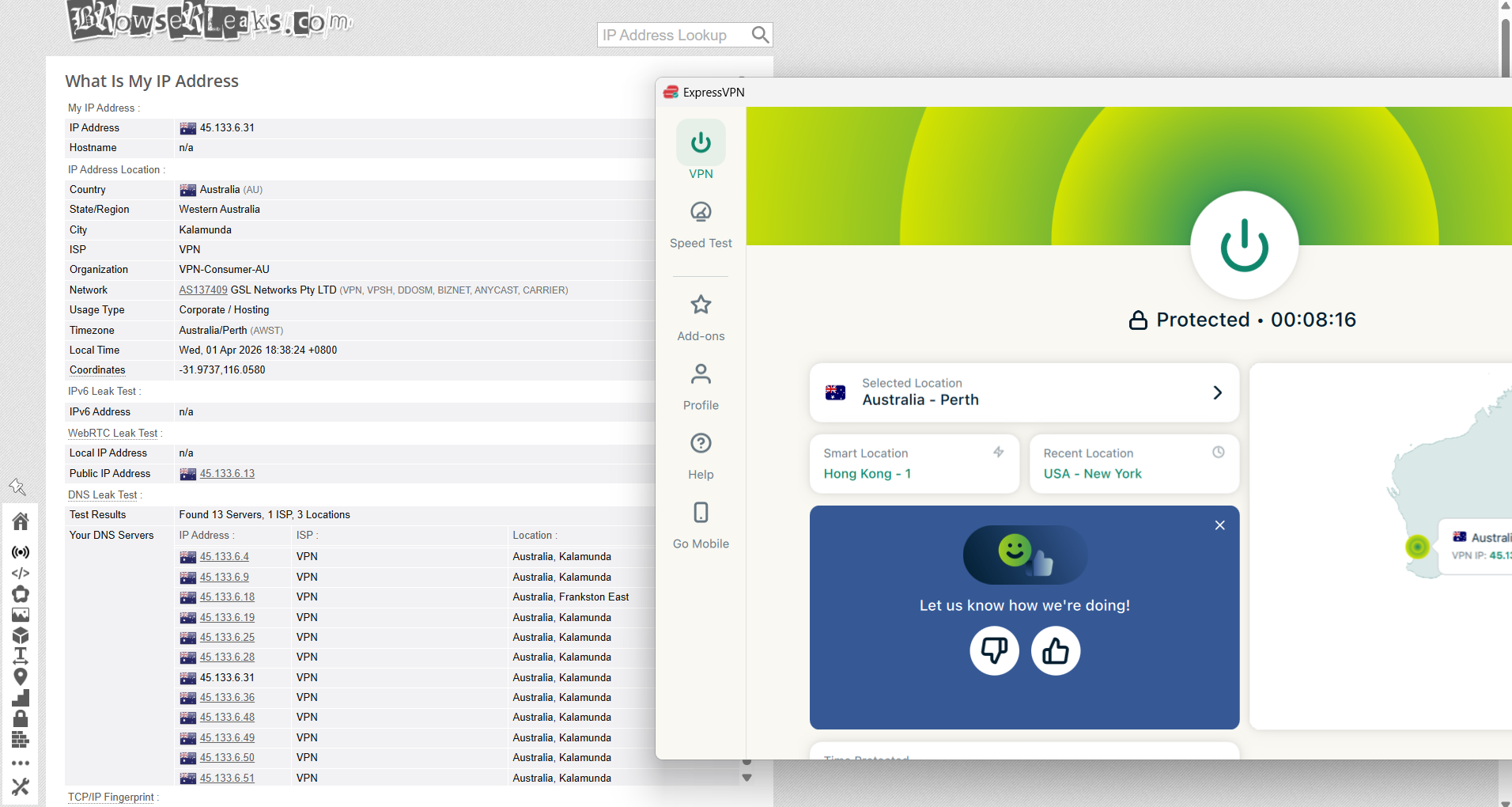
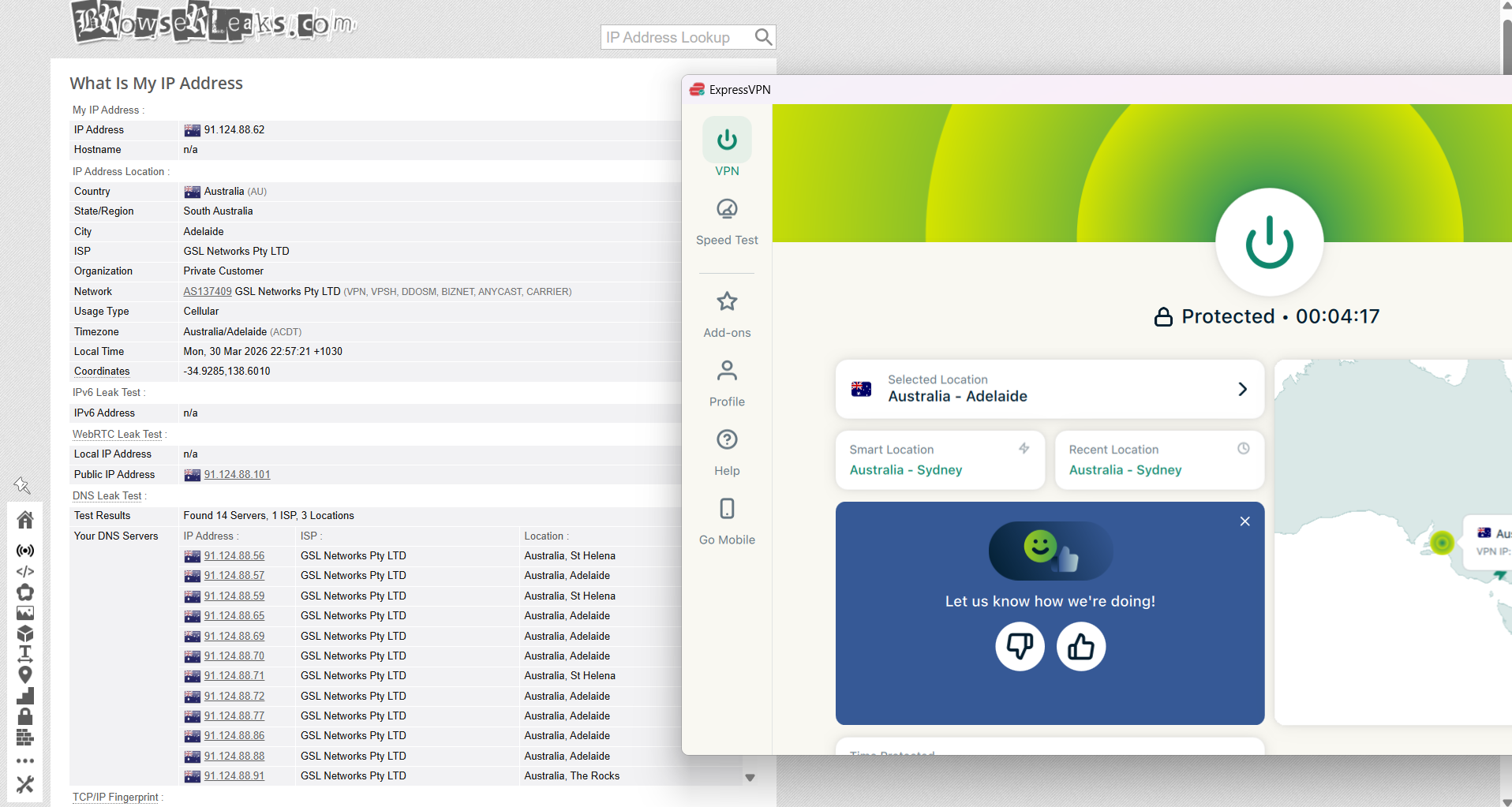
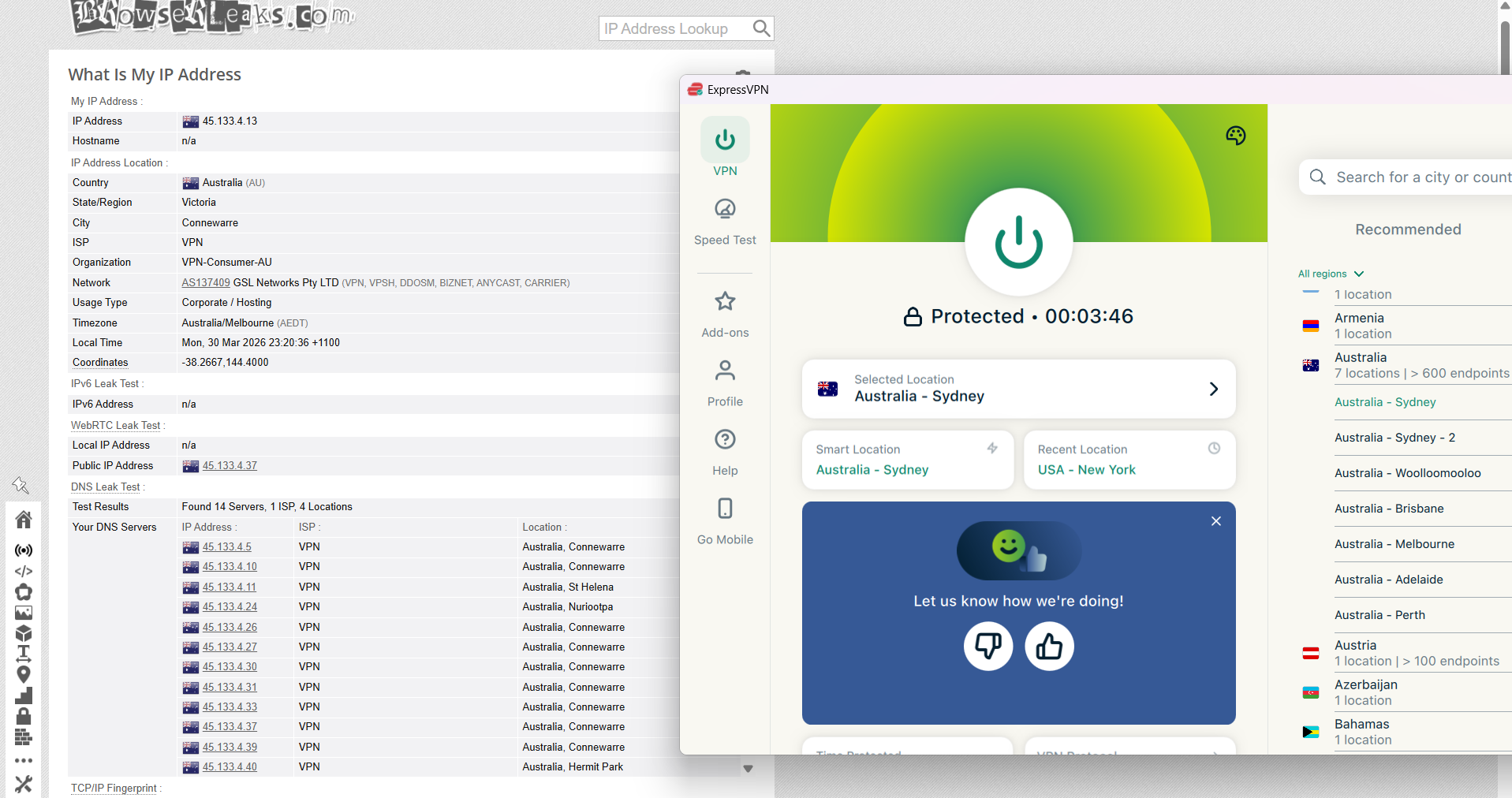
ExpressVPN maintained a highly reliable performance throughout testing across multiple Australian server locations, including Sydney, Adelaide, and Perth. In each case, the assigned IP address accurately reflected the selected region, with no inconsistencies or unexpected changes during the sessions. From what I observed, all traffic remained securely routed through the VPN tunnel, and there were no signs of DNS leaks or accidental IP exposure at any stage.
When it came to connection safeguards, ExpressVPN handled interruptions effectively. During simulated drop scenarios, the kill switch responded immediately by cutting off internet access, ensuring no data left the secure tunnel. Across all test cases, I didn’t notice any leaks or failures in this mechanism, and it consistently protected the connection even during abrupt disruptions.
PROS
- Servers available in 7 Australian locations
- Well-distributed across East, Central, and West regions
- Physical servers in Australia (no virtual locations)
- Fast and stable connections in real-world use
- Smooth and seamless server switching
- Reliable access to Australian platforms
- No proxy errors, CAPTCHAs, or blocking issues
- Strong and consistent streaming performance
- No disconnects or network drops observed
- Stable performance during long sessions
- Perth offers low latency and stable jitter
- Sydney delivers strong overall speed performance
- Simple setup with no need for specialty servers
- All servers optimized for all types of traffic
- Kill switch works instantly and reliably
- No IP or DNS leaks detected
CONS
- No specialty servers (P2P, Double VPN, Onion)
- No advanced configuration options for power users
👉 See full ExpressVPN review →
3. Surfshark VPN - Reliable but Limited Performance on Australian Server
When testing Surfshark across Australian servers, the overall experience felt more focused on simplicity and convenience than detailed control. It doesn’t really feel complicated at any point - you just connect to a server or use the fastest option, and everything runs in the background for everyday use like browsing, streaming, and accessing local services.
The Australian server network is straightforward. You’ve got servers in key cities, along with a fastest-server option that usually takes away any guesswork. Speaking of speed, there were clear differences depending on location, with some servers performing well for general use while others dropped noticeably in performance, especially on the West Coast. Despite those variations, nothing ever felt unstable. There were no random disconnects, lag spikes, or interruptions during use.
One thing to note is that Surfshark performance can vary quite a bit depending on which server you connect to. Still, once connected, the experience remains stable enough for normal browsing and streaming. Overall, it feels like a simple, no-fuss setup that prioritizes ease of use and accessibility over fine-tuned performance control.
Performance Testing Results
When using Surfshark in Australia, the experience feels geared toward simplicity and speed rather than detailed server control. Instead of overwhelming you with too many options, it highlights a few key locations, including a “fastest server” option, which often works well if you just want a quick, reliable connection without overthinking it.
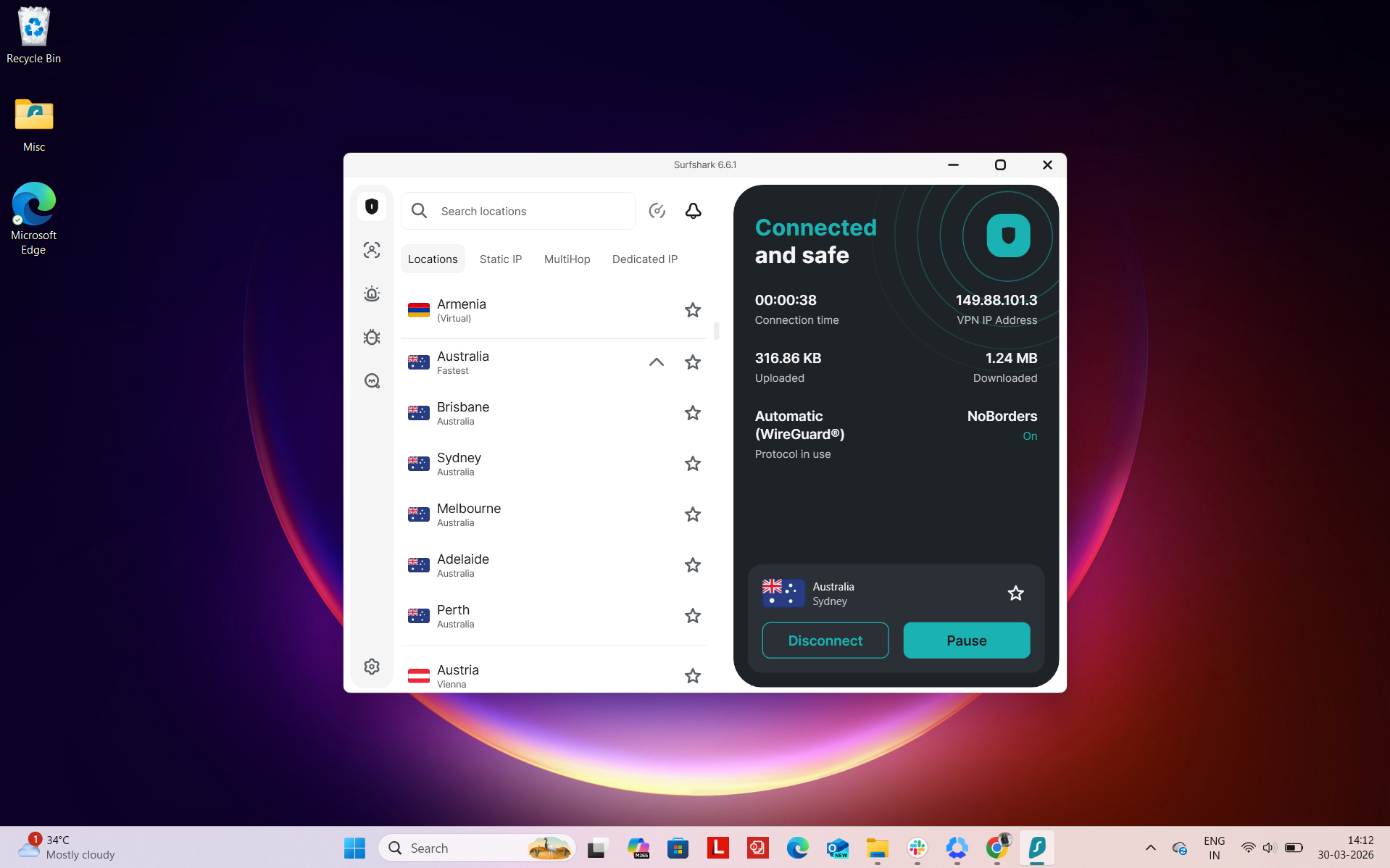
Number of Cities & Coverage: Surfshark provides coverage across 5 major Australian cities, along with an automatic fastest-location option:
- Brisbane
- Sydney
- Melbourne
- Adelaide
- Perth
- Australia (Fastest server option)
This setup focuses on high-demand areas, which helps maintain solid speeds for everyday use like streaming or browsing.
Regional Distribution: The servers are spread across Australia’s main regions, similar to what you’d expect from a well-balanced network:
Total: 5 cities across 3 regions
Most of the performance strength is concentrated along the East Coast, where internet infrastructure is strongest. In real usage, connections to Sydney, Melbourne, or Brisbane tend to be the quickest and most stable. The addition of Perth and Adelaide makes a noticeable difference if you’re outside the eastern states.
In everyday use, Surfshark feels smooth and low-maintenance. If you're in a major city, connections are nearly instant and speeds remain consistent even during peak times.
For users in regional or remote areas, performance still holds up well, though like most VPNs, your experience depends on how far you are from the nearest server location. The ability to quickly switch cities, or just rely on the fastest option, helps keep things flexible.
Physical vs Virtual Servers: One area where Surfshark is less clear is server transparency. It doesn’t explicitly state which of its Australian servers are physical or virtual, so from a user perspective, you’re selecting locations without knowing how they’re actually hosted. In practice, this doesn’t always impact performance, but it does mean there’s less insight into the underlying infrastructure compared to more transparent providers.
Specialty Servers: Surfshark does include a few additional server types, but it’s important to note that these aren’t specifically available within Australia. Instead, they’re part of its broader global network.
- Static IP servers – Useful if you want the same IP across sessions
- MultiHop (double VPN) – Routes traffic through two locations for extra privacy
- Dedicated IP – Gives you a personal IP for more consistent access
So while these features are available, you won’t find Australia-based specialty servers like you do with some other providers. In practice, this means you’re mostly relying on standard Australian servers for local use, with specialty options kicking in only when connecting through other regions.
In real-world testing with Surfshark on Australian servers, the experience felt straightforward and generally reliable when using local services. Once I connected to an Australian location, platforms like ABC iView, 9Now, SBS, and similar services were accessible straight away without any extra steps such as re-logins or verification checks getting in the way.
What I noticed during use was that everything behaved pretty normally, like a regular internet connection rather than something being routed through a VPN. Moving between different services was smooth, pages loaded properly on the first attempt, and I didn’t run into situations where I had to refresh or troubleshoot just to get things working.
Over longer sessions, performance stayed fairly stable. I didn’t see sudden drops or complete interruptions, and streaming generally ran without major buffering problems. Overall, it felt like a decent, no-drama experience for everyday use, even if it wasn’t the most premium or refined setup.
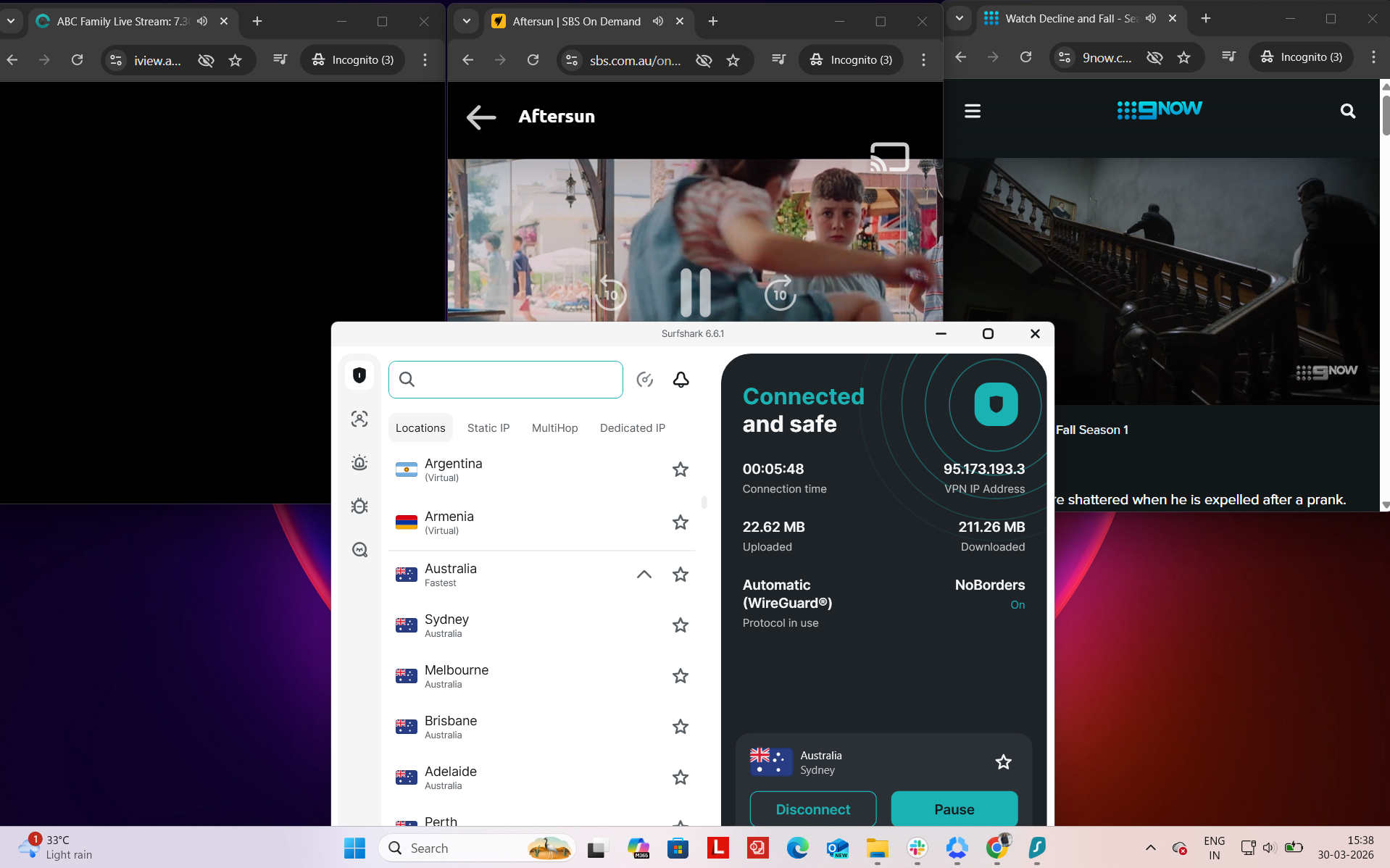
Platform Access Results
- ABC iView – Successfully accessed on the first attempt with no signs of VPN detection
- 9Now – Loaded instantly and functioned without any interruptions
- SBS – Opened without restrictions and streamed without issues
- Amazon.com – Browsing experience was fluid with no lag or delays
- Google – Pages loaded quickly and performed as expected
- Reddit – Fully usable with no access limitations
Detection & Verification Behavior
- Proxy errors – None observed during testing
- CAPTCHA prompts – No unusual verification requests encountered
- Service blocking – All tested platforms were accessible without being blocked
Surfshark’s performance across Australian servers felt a bit uneven, with noticeable differences depending on which location you connected to. Instead of a consistent experience across the board, some servers held up well while others dropped off more sharply, especially when compared to the base connection.
Sydney was usable for most tasks, but speeds took a clear hit on both download and upload, and the added latency and jitter made it feel slightly less stable during longer sessions. Adelaide turned out to be the most reliable option, offering the best overall balance between speed and consistency, with lower jitter helping things feel smoother in real use. Perth was where the drop-off became most noticeable.
For general browsing and casual streaming, things still worked fine most of the time. But depending on the server, especially on the West Coast, you could run into occasional slowdowns or buffering, which made the overall experience feel less consistent compared to stronger performers.
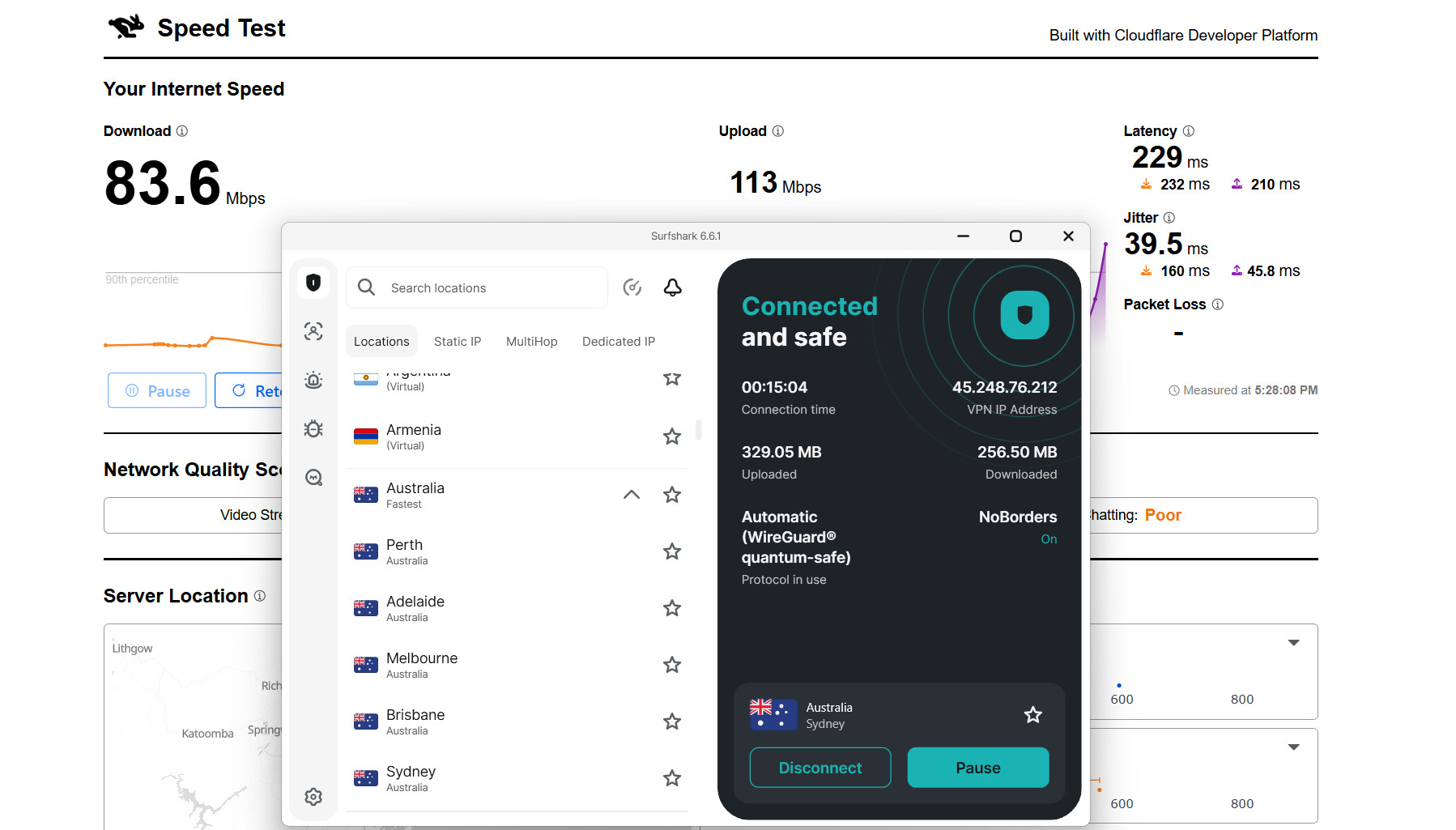
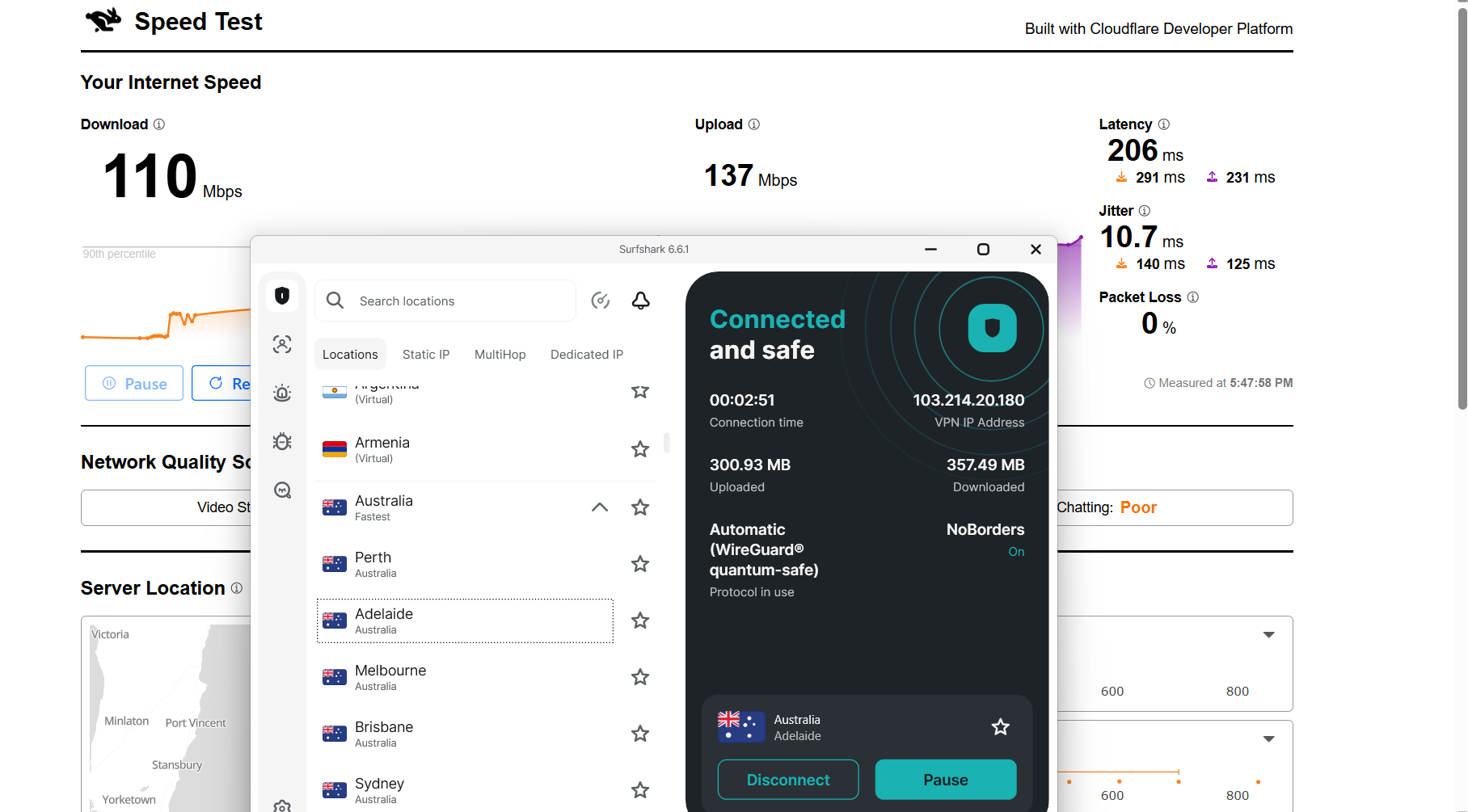
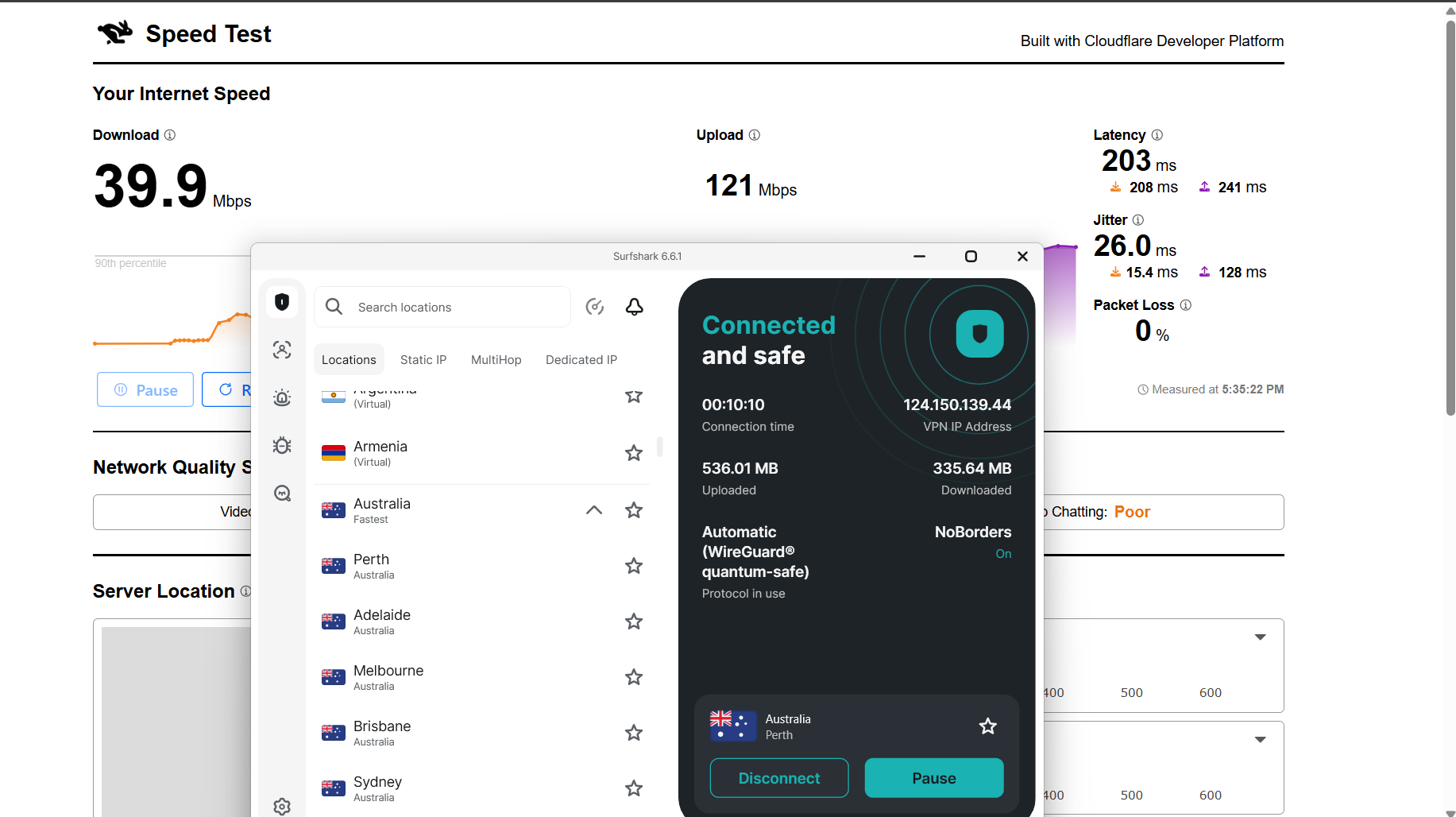
Here are the results compared to the baseline to show the real-world impact:
Surfshark delivered a stable and consistent performance during my testing session. To evaluate its reliability, I tested it on Netflix Australia and YouTube, along with some general browsing on Chrome. The connection stayed active throughout, and I didn’t encounter any interruptions or need to reconnect. There were no access blocks or disruptions observed during usage.
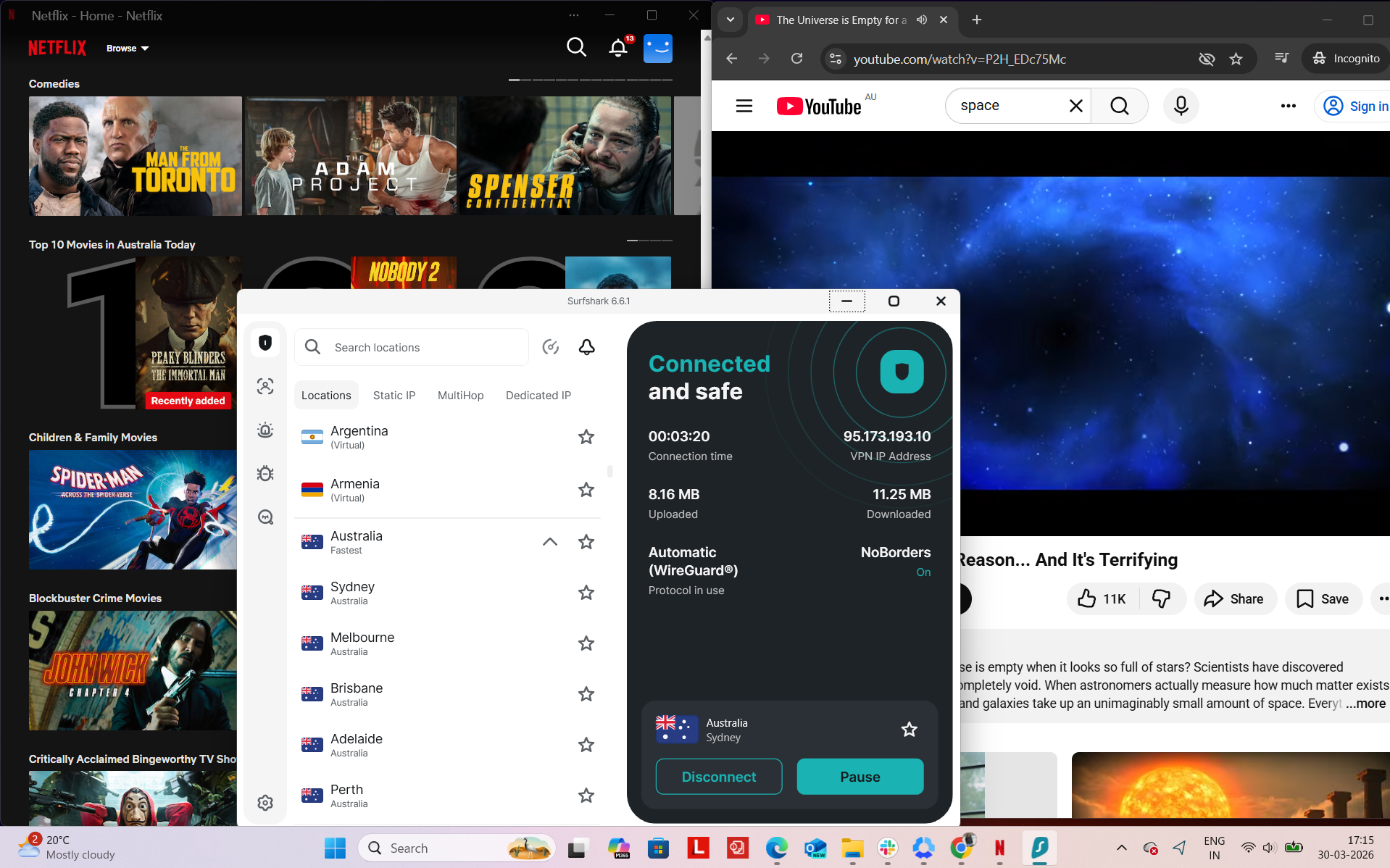
Observed Connection Behavior
- Unexpected disconnects – None
- Reconnection attempts – Not needed at all
- Network drops – None
- Lag spikes or buffering – Not encountered
- Browsing Performance – Browsing felt smooth and responsive. Websites loaded at a normal pace, and switching between tabs didn’t cause any noticeable delays or slowdowns.
Streaming & Content Handling
- Netflix Playback: While testing on Netflix, the video took about 1 second to start. Playback began in good quality and gradually improved, reaching optimal quality within 1–2 minutes. Once it stabilized, the video continued smoothly without buffering or drops in resolution during the session.
- Seeking (Forward & Rewind) on Netflix: Forwarding the video caused no delays or buffering, and playback resumed instantly in good quality. Rewinding introduced a slight delay of about 2 seconds, but once the video resumed, it played clearly without any blurring or quality issues.
- YouTube Performance: On YouTube, performance was solid overall. Videos started at around 360p initially but improved steadily, reaching 1080p within 2–3 minutes. After reaching optimal quality, playback remained stable and uninterrupted without any blurs or buffering for the rest of the session.
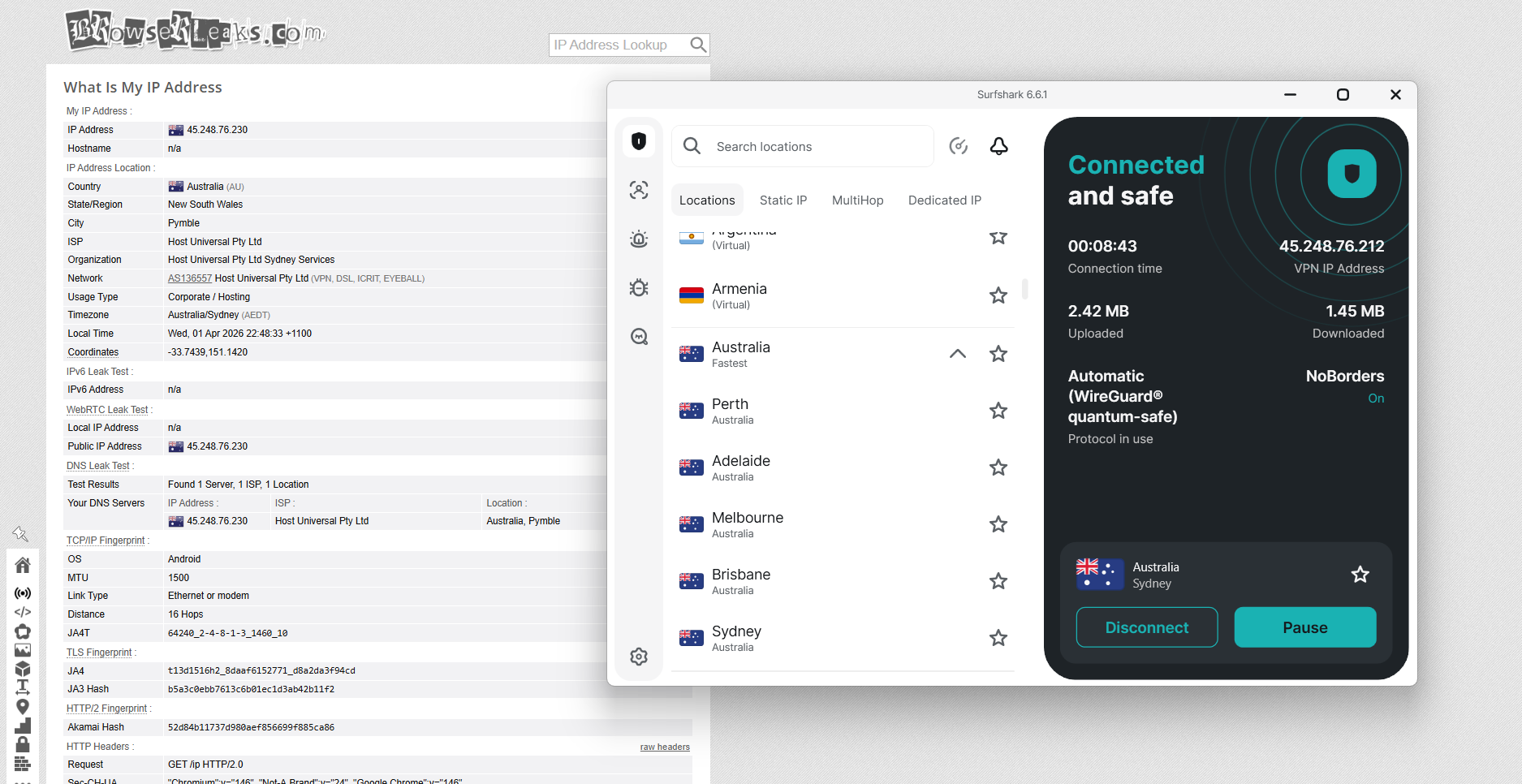
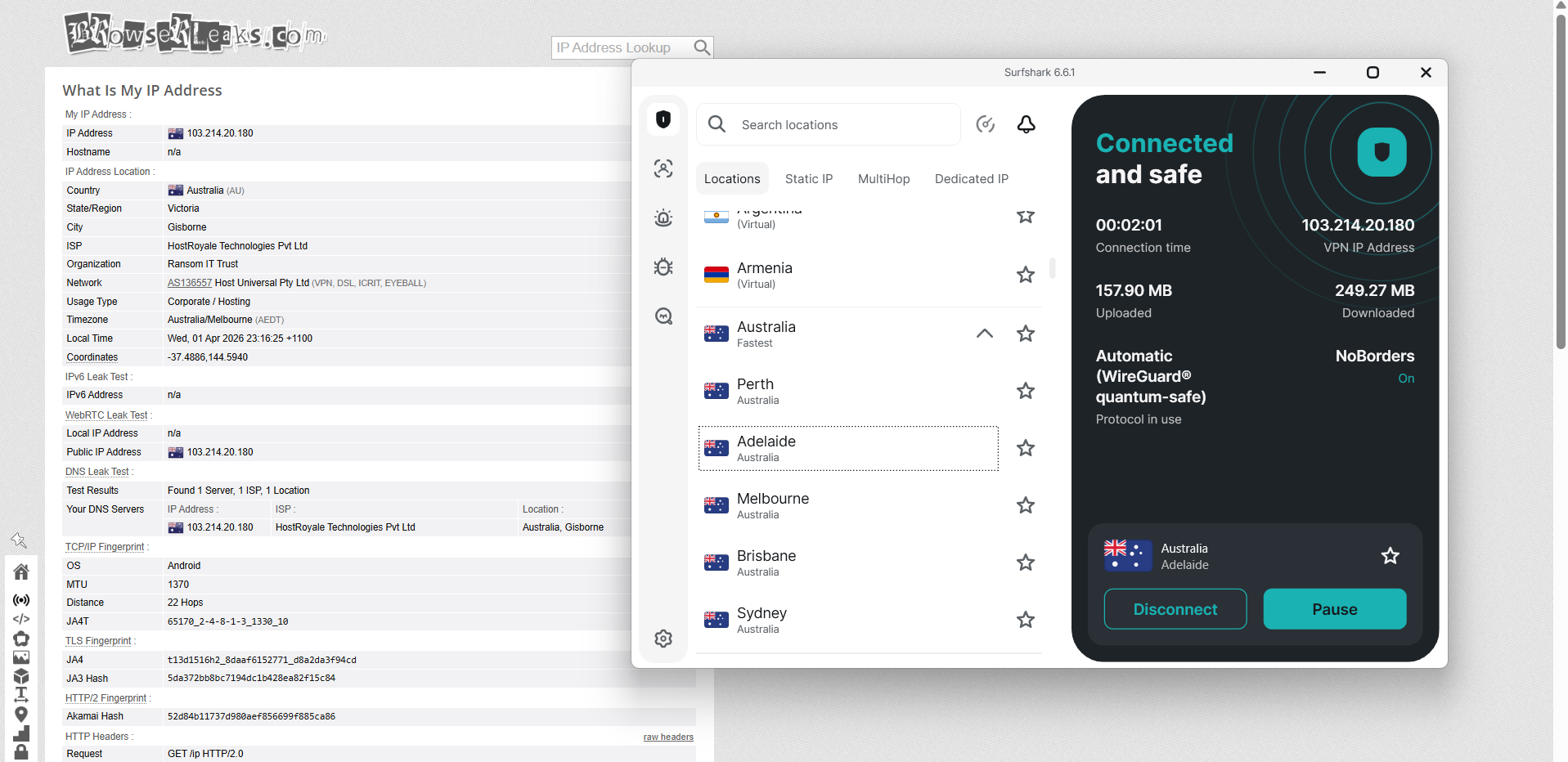
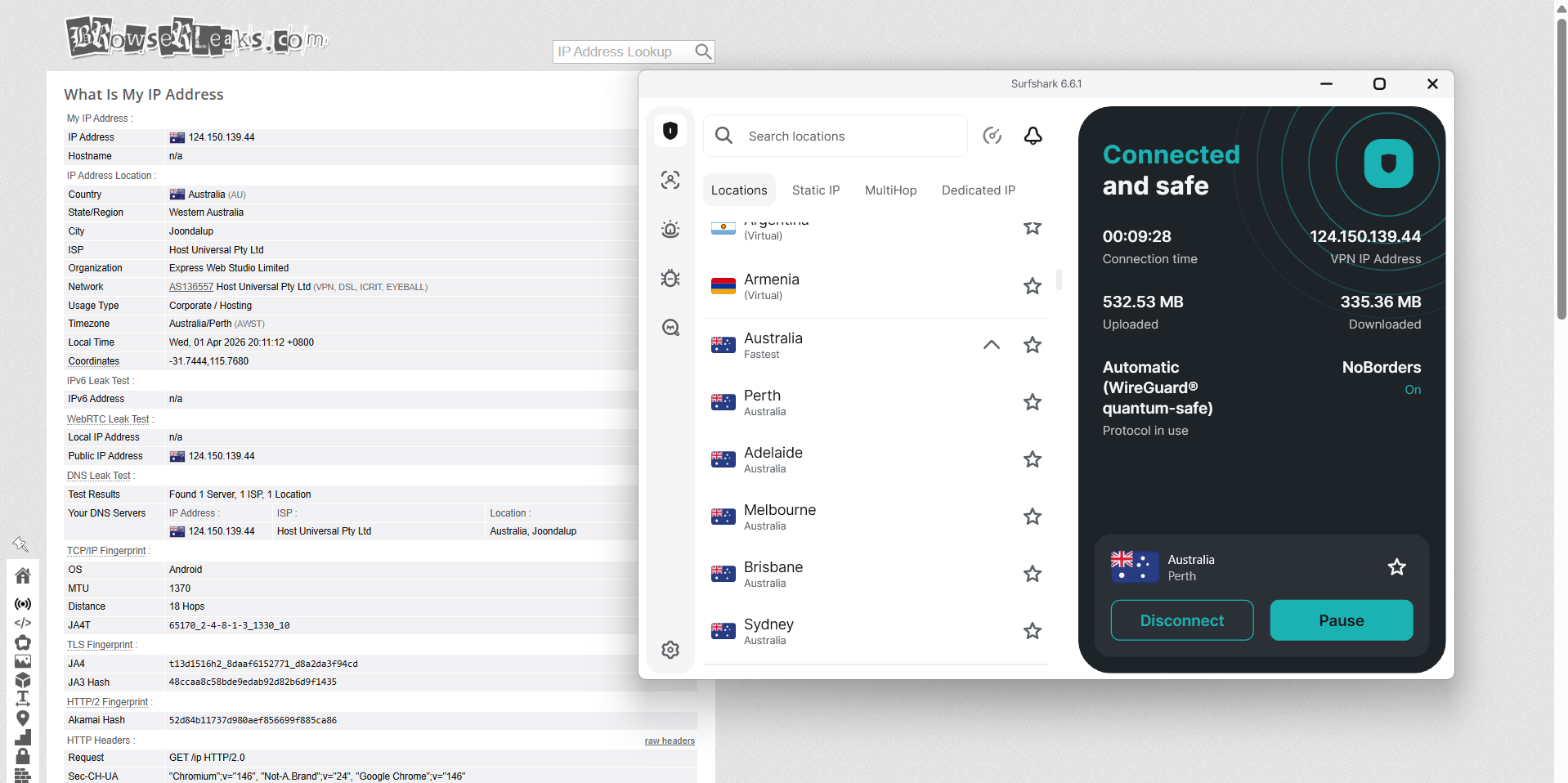
Surfshark delivered a steady and trustworthy performance across Australian servers located in Sydney, Adelaide, and Perth. While switching between these regions, the IP address always matched the selected server location correctly, and I didn’t encounter any irregularities during testing. All DNS requests stayed within the encrypted tunnel, and there was no instance where my real IP address was exposed.
In terms of reliability, Surfshark’s kill switch functioned as intended. When I simulated connection interruptions, internet access was instantly halted, preventing any unprotected traffic from passing through. Throughout these tests, the feature remained consistent and didn’t show any signs of leakage, even during unstable network conditions.
PROS
- Servers available in 5 major Australian cities
- Well-balanced coverage across key regions
- Simple and easy-to-use interface
- Smooth and consistent access to Australian platforms
- No proxy errors, CAPTCHAs, or blocking issues
- Stable performance during long sessions
- No disconnects or network drops observed
- Strong browsing and streaming experience overall
- Includes useful features like Static IP and MultiHop
- Kill switch works reliably
- No IP or DNS leaks detected
CONS
- Noticeable speed drop compared to baseline
- Perth has significant speed drop (worst performance)
- Inconsistent speeds across different locations
- Streaming quality takes time to reach optimal resolution
4. Proton VPN - Lowest Speed and Average Performance
As I used the Australian servers of Proton VPN, the experience felt more privacy-oriented and detail-driven, with a stronger emphasis on control and visibility rather than just quick connection simplicity. It still stays fairly easy to use, but you also get more insight into what’s happening in the background, especially with features like server load indicators.
Proton VPN's Australian network, like others, is built around major population hubs instead of wide dispersion. You get coverage in key cities, which keeps the structure fairly focused. In real use, East Coast locations like Sydney and Melbourne generally deliver the strongest speeds and responsiveness, while south tends to be slightly more limited. Even with those differences, the connection stays dependable overall, with no sudden drops or unexpected interruptions during normal usage.
Additionally, Proton VPN leans heavily into transparency and privacy-focused design rather than just raw speed or simplicity. Features like Secure Core add extra routing for privacy, while P2P-optimized servers are available in Australia for specific use cases. At the same time, the lack of clear labeling around physical versus virtual infrastructure means there’s still some uncertainty about backend deployment. Overall, it feels like a more technical and privacy-focused setup that prioritizes control and security while still remaining usable for everyday browsing and general online activity.
Performance Testing Results
When using Proton VPN in Australia, the experience balances performance with a stronger focus on transparency and privacy-focused features. While the interface remains relatively clean, it offers more insight and control compared to simpler VPNs, particularly with tools like real-time server load visibility.
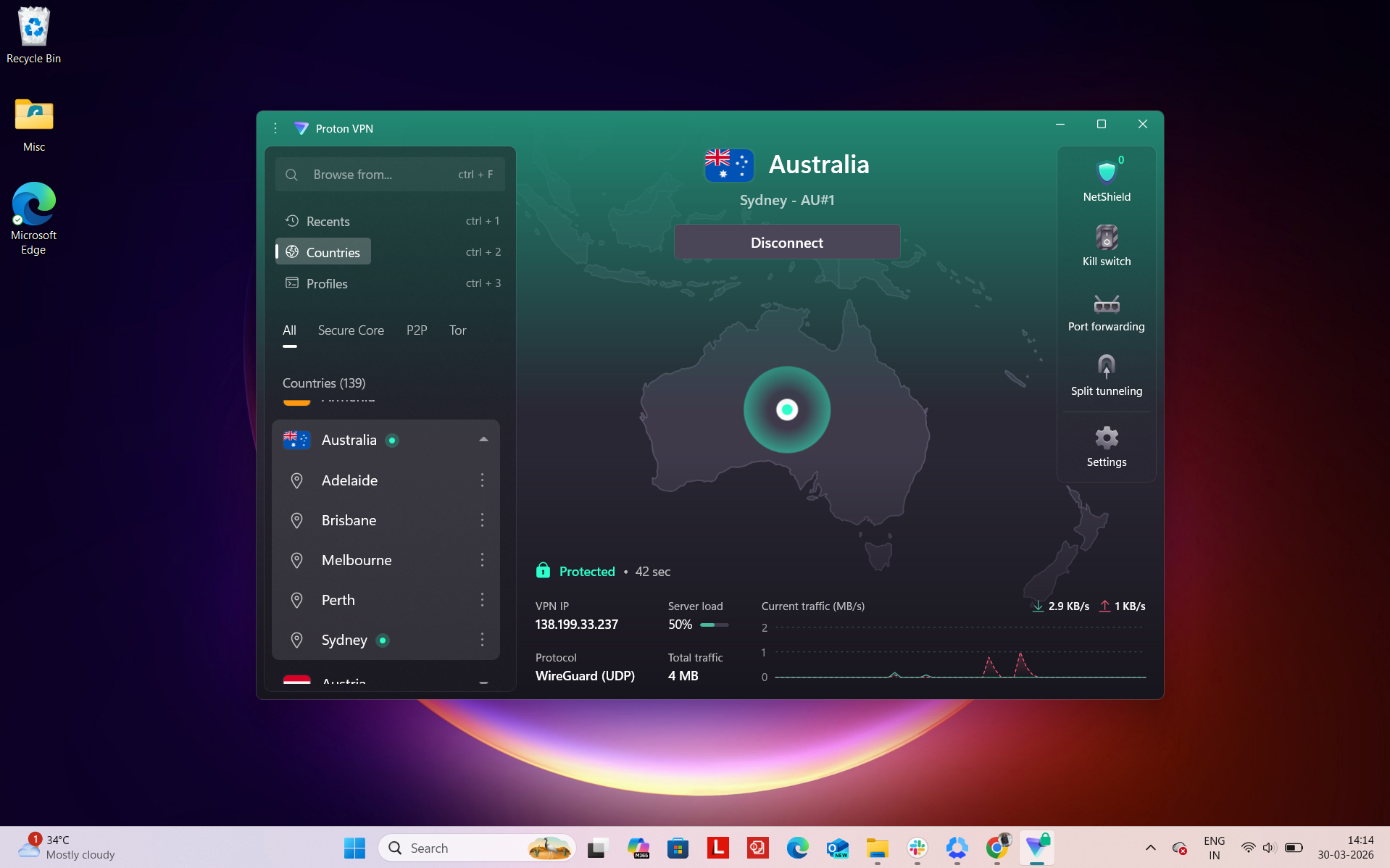
Number of Cities & Coverage: Proton VPN’s Australian coverage targets key urban centers, helping deliver stable performance for streaming, browsing, and secure connections across the country. Proton VPN provides coverage across 5 major Australian cities:
- Brisbane
- Sydney
- Melbourne
- Adelaide
- Perth
Regional Distribution: The servers are distributed across Australia’s main regions:
Total: 5 cities across 3 regions
As expected, the strongest performance is concentrated along the East Coast, where infrastructure is most developed. Cities like Sydney, Melbourne, and Brisbane typically provide the fastest and most reliable connections, while Adelaide and Perth improve accessibility for users in less central areas.
In everyday use, Proton VPN delivers consistent and reliable performance. Connection speeds are generally strong, and the ability to view real-time server load makes a noticeable difference.
For users in regional or remote areas, the inclusion of Perth and Adelaide helps extend coverage beyond the East Coast, improving usability across wider parts of Australia.
Physical vs Virtual Servers: Proton VPN does not clearly label whether its Australian servers are physical or virtual within its interface. While the network is generally considered reliable and privacy-focused, the lack of detailed infrastructure transparency means users don’t get a full picture of how servers are deployed or managed behind the scenes.
Specialty Server: Proton VPN stands out more in this category, offering several advanced server types:
- Secure Core (MultiHop routing) – Routes traffic through privacy-friendly countries before reaching Australia for added security
- P2P-optimized servers – Designed for efficient and stable file sharing (Available in Australia)
- Tor over VPN – Not available in Australia
A key advantage is Proton VPN’s real-time server load display, which adds a layer of transparency and allows users to make smarter decisions for better performance.
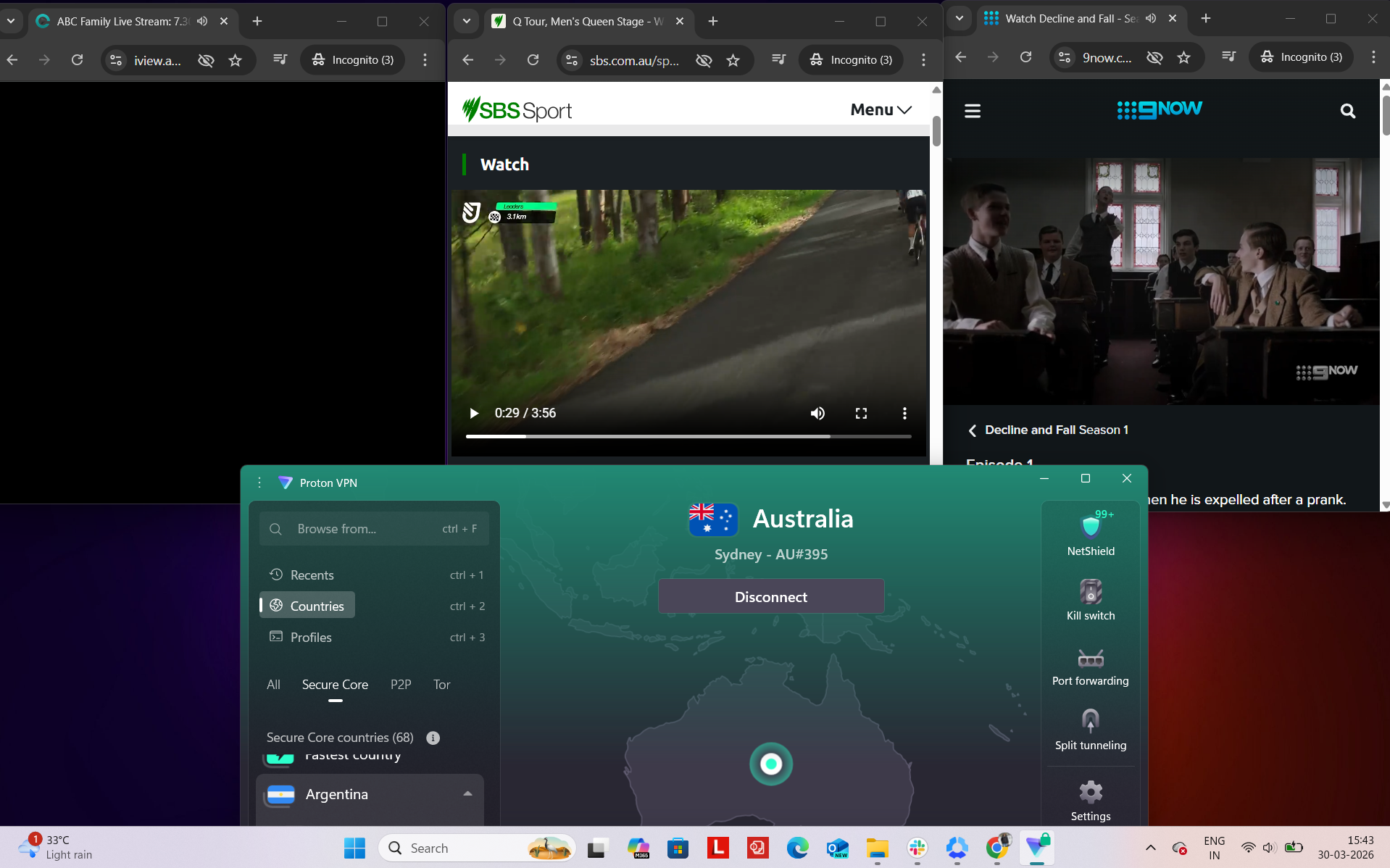
In my testing with Proton VPN on Australian servers, the experience was pretty low-effort and consistent when using local sites. Once I was connected to an Australian location, services like ABC iView, 9Now, SBS, and other everyday platforms just worked right away without asking for extra verification or forcing any re-logins.
What I noticed most was how “normal” everything felt. Pages opened properly on the first load, and jumping between different services didn’t cause any hiccups or weird behaviour. It stayed fairly predictable throughout, without anything feeling broken or out of place.
Over longer use, it held up steadily in the background. I didn’t run into sudden disconnects or any obvious buffering spikes while browsing or streaming. Overall, it’s the kind of experience where nothing really stands out in a bad way - it just quietly works without demanding attention.
Platform Access Results
- ABC iView – Accessed instantly with no detection or playback issues
- 9Now – Worked immediately without any warnings or interruptions
- SBS – Loaded without restrictions and streamed smoothly
- Amazon.com – Browsing was quick and responsive
- Google – Pages opened instantly and behaved normally
- Reddit – Fully accessible with no restrictions
Detection & Verification Behavior
- Proxy errors – None observed throughout testing
- CAPTCHA prompts – No unusual verification requests encountered
- Service blocking – No difficulties accessing or bypassing major platforms
If I talk about Proton VPN, then speeds across all Australian locations with Proton VPN showed a significant drop compared to the baseline, with overall performance leaning more toward inconsistency across servers. Sydney provided the highest download speeds among the tested locations, but still experienced a notable reduction alongside higher latency and jitter.
Adelaide and Perth both struggled more on the download side, with substantial speed losses, though they managed to retain relatively better upload performance. Adelaide offered a more stable experience with lower jitter, while Perth showed slightly improved latency but continued to lag behind in overall speed performance.
Latency increased considerably across all servers, particularly on Sydney, which had the highest delay. In real-world use, basic browsing remained usable, but streaming, downloading, or other bandwidth-heavy tasks were more likely to be affected due to the reduced speeds and higher variability in connection quality.
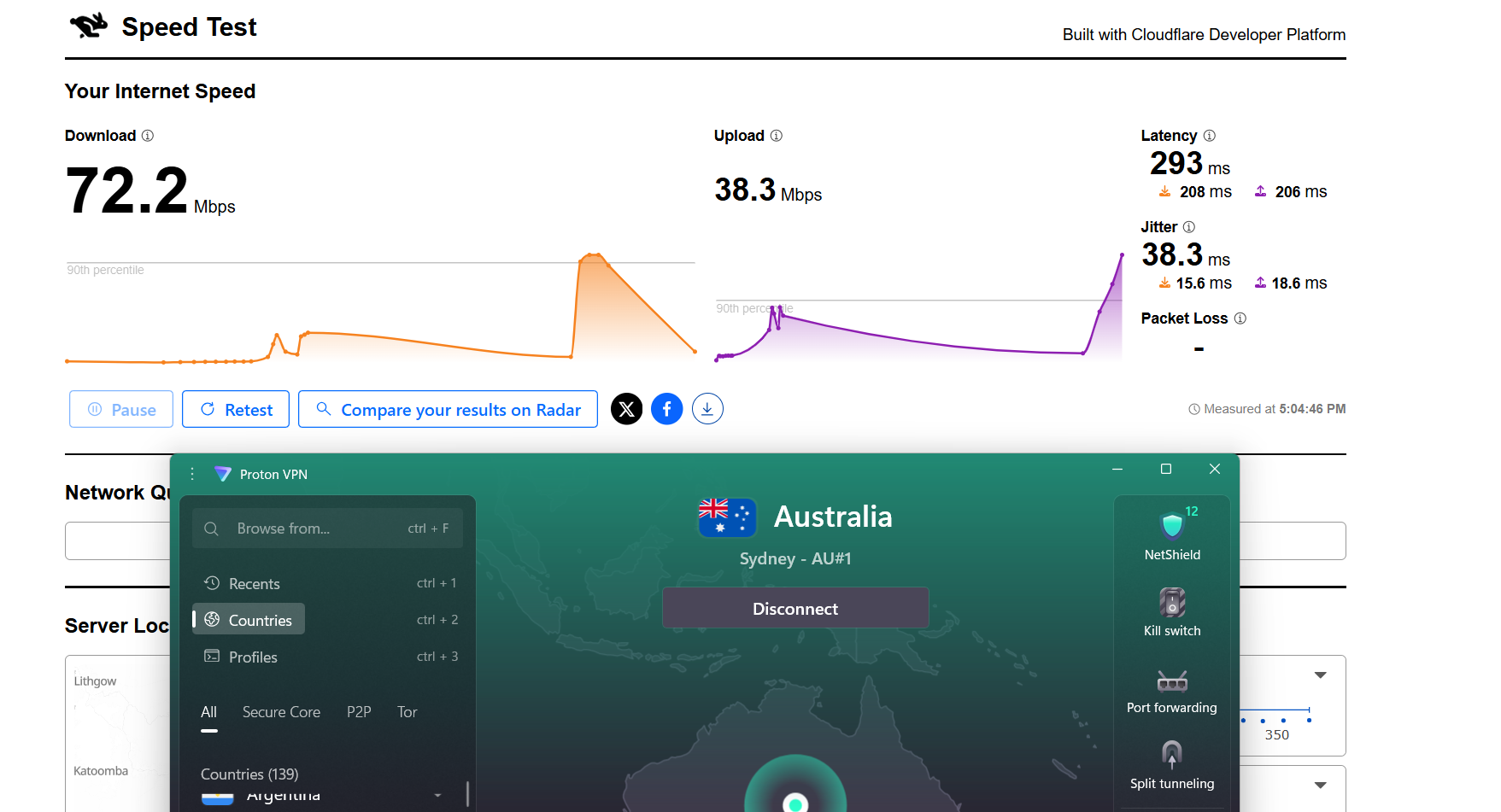
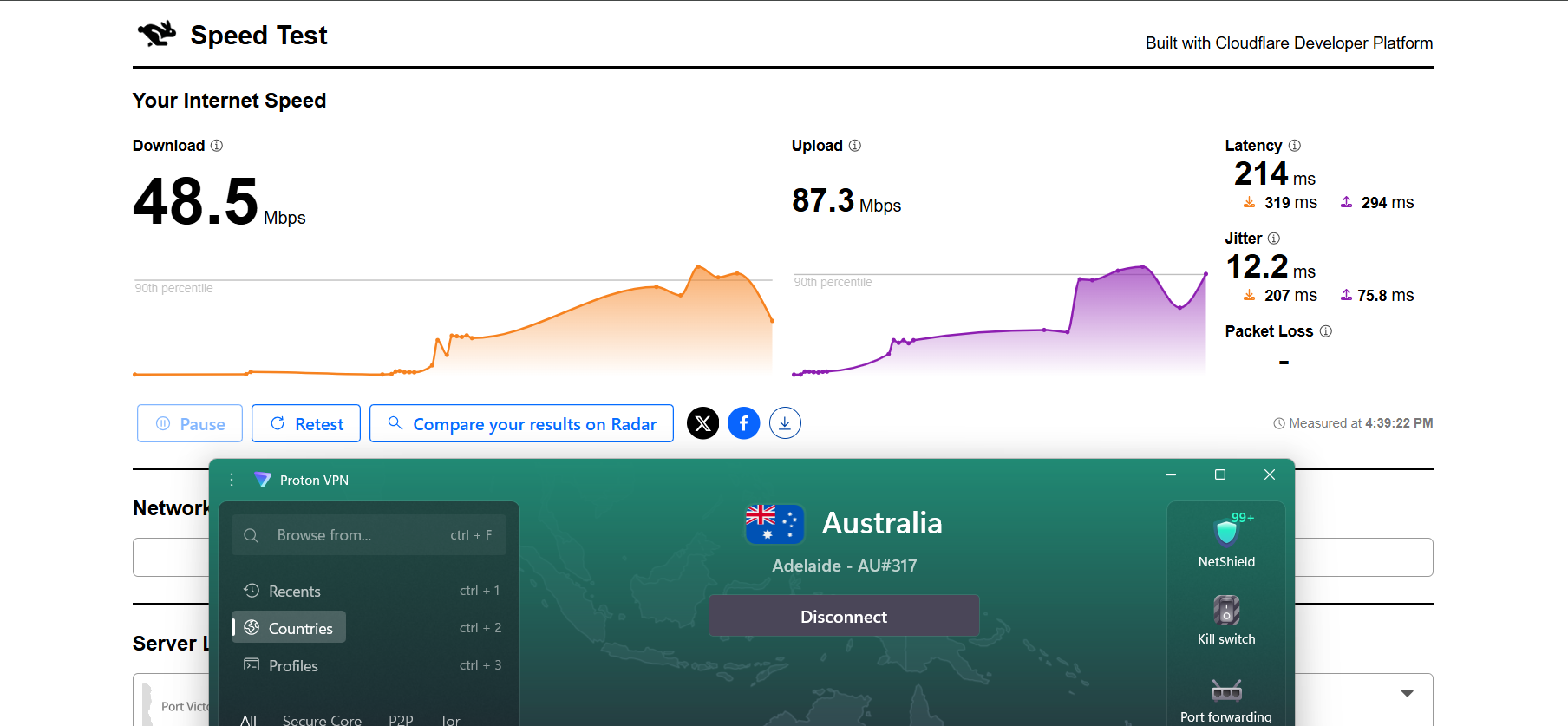
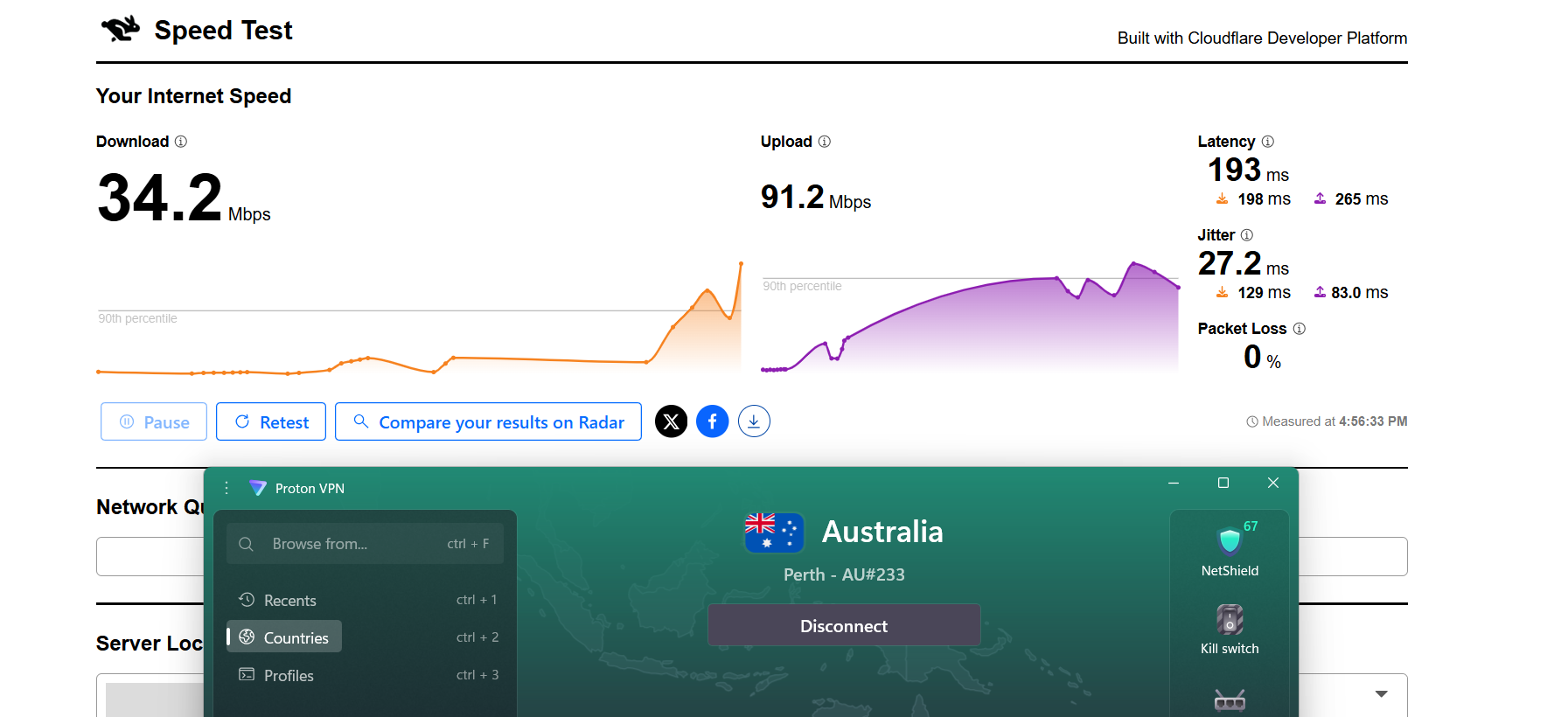
Here are the results compared to the baseline to show the real-world impact:
Proton VPN offered a fairly consistent connection during my testing, though its streaming performance felt somewhat limited compared to other options. I tested it using Netflix Australia and YouTube, along with some light browsing on Chrome. The connection itself remained stable throughout the session, with no drops or need for reconnection. I also didn’t run into any access restrictions or blocks.
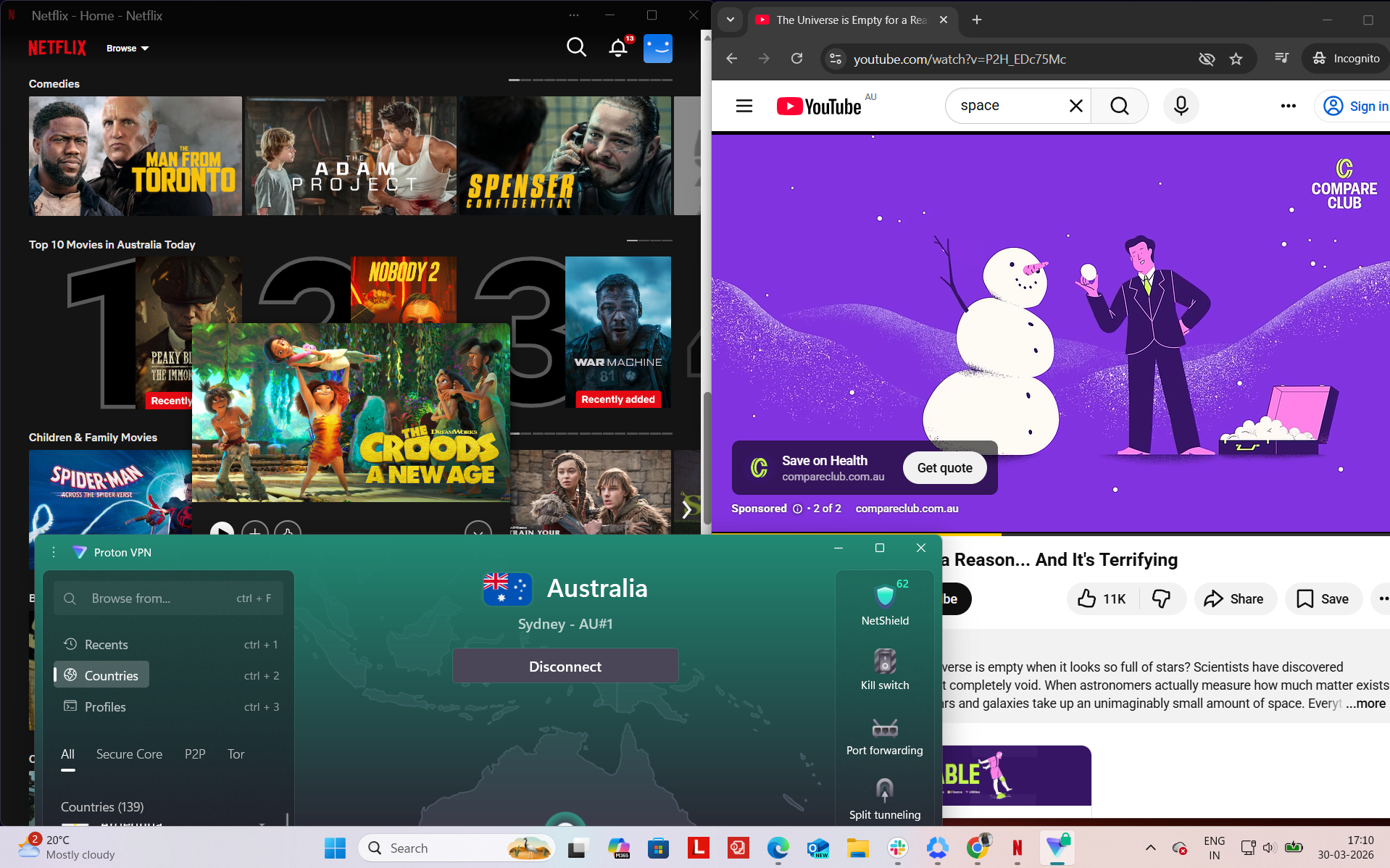
Observed Connection Behavior
- Unexpected disconnects – None
- Reconnection attempts – Not needed at all
- Network drops – None
- Lag spikes or buffering – Noticed mainly during streaming interactions
- Browsing Performance – In terms of browsing, performance was decent. Websites opened in a reasonable time, and general navigation felt smooth enough, although not as fast as higher-tier VPNs.
Streaming & Content Handling
- Netflix Playback: During Netflix testing, the initial load time was quite slow, taking roughly 15–20 seconds before the video started. The stream didn’t begin in top quality and required a noticeable amount of time to fully sharpen and reach its best resolution.
- Seeking (Forward & Rewind) on Netflix: Skipping ahead resulted in buffering and a drop in quality when playback resumed. It then took several minutes (around 5–10) for the stream to stabilize and return to a clearer resolution. Rewinding was quicker in comparison, with the video restarting immediately, though initially in lower quality before improving.
- YouTube Performance: The experience was more stable but capped in quality. Videos started at 720p without any delay or buffering and stayed consistent throughout playback. However, the resolution did not increase beyond 720p at any point during the session.
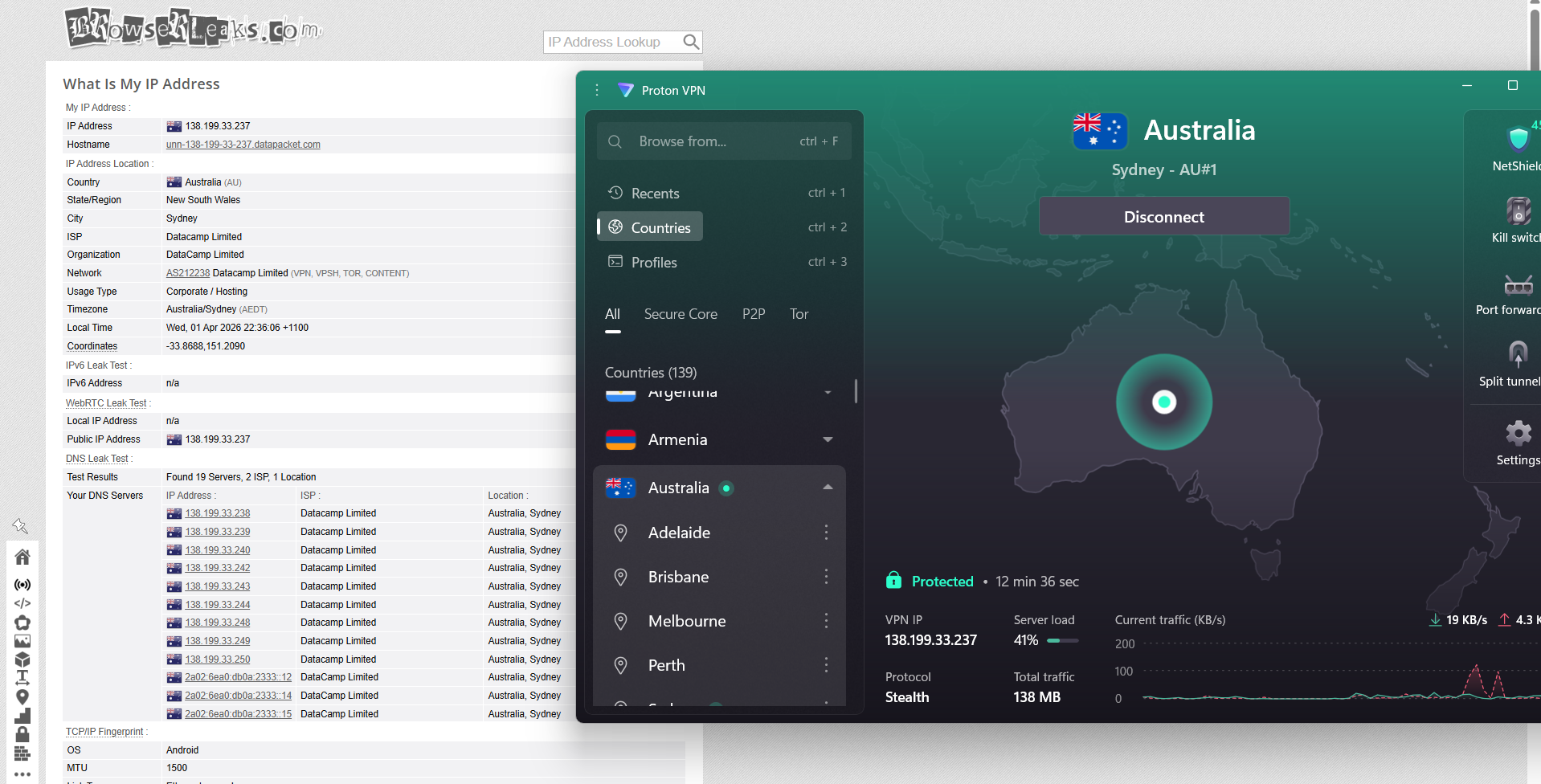
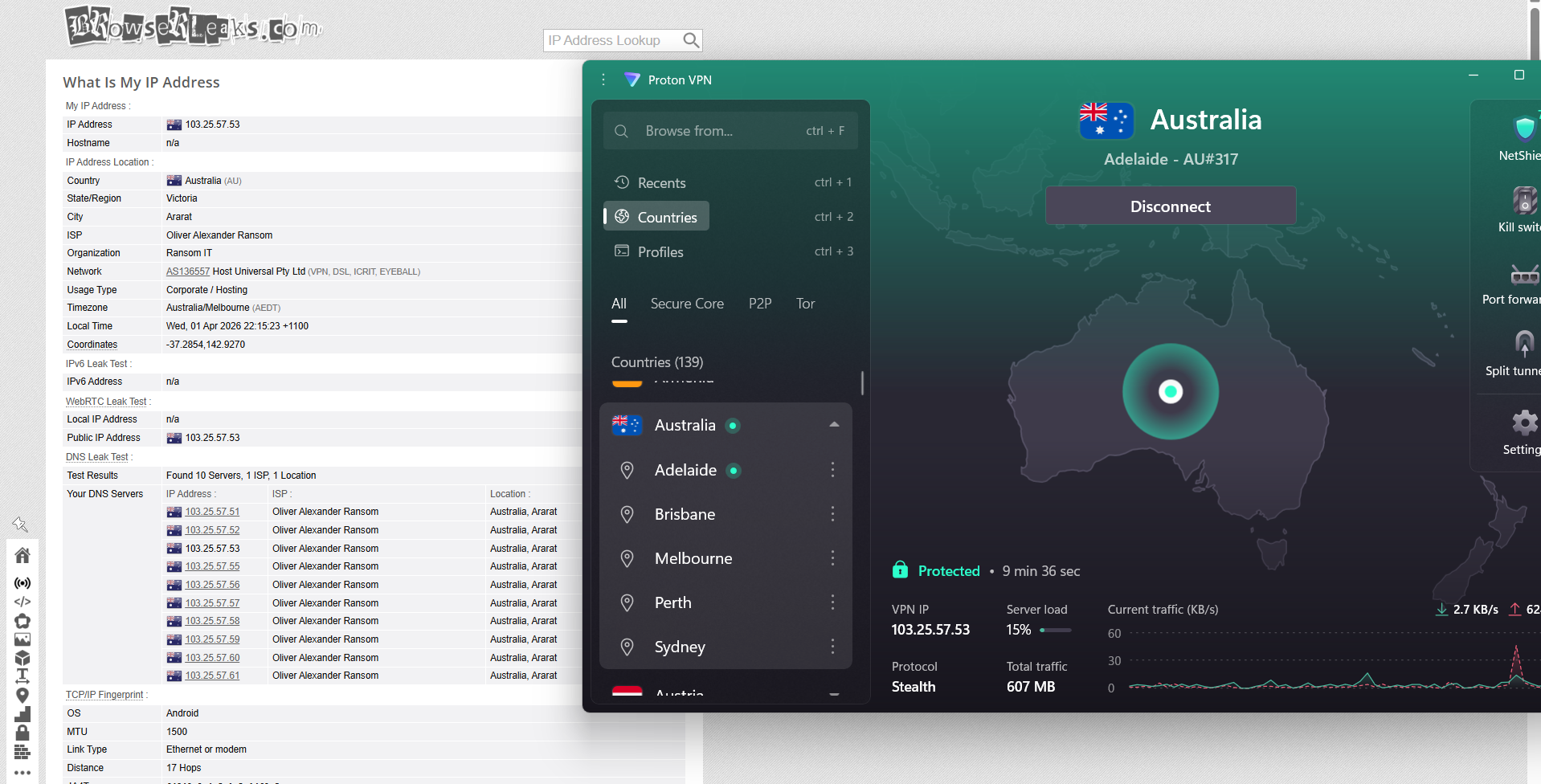
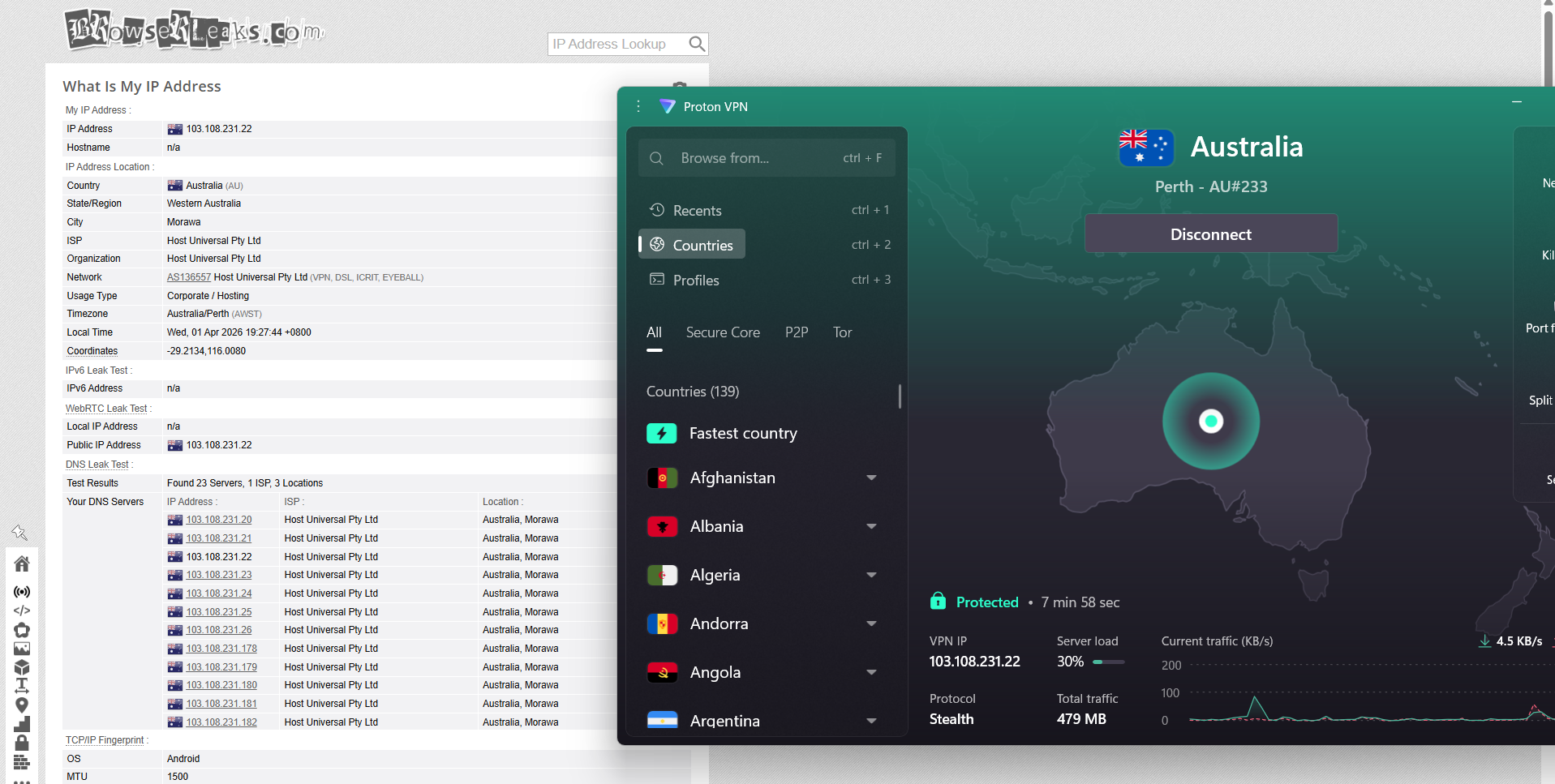
Proton VPN maintained a secure and consistent connection across Australian servers in Sydney, Adelaide, and Perth. Each time I connected to a different location, the assigned IP correctly reflected the selected region, with no inconsistencies. Throughout the testing process, DNS requests were properly routed through the VPN, and there were no instances of IP leaks or unintended exposure.
The kill switch also operated reliably during testing. When I simulated connection interruptions, the internet connection was promptly cut off, ensuring that no traffic escaped the encrypted tunnel. Across all scenarios, the feature worked as expected and maintained privacy without any leakage, even during connection instability.
PROS
- Servers available in 5 major Australian cities
- Balanced coverage across key regions
- Strong focus on privacy and transparency features
- Real-time server load visibility for better server selection
- Reliable and stable connections in daily use
- Smooth access to Australian platforms
- No proxy errors, CAPTCHAs, or blocking issues
- Stable performance during long sessions
- No disconnects or network drops observed
- Includes Secure Core (MultiHop) for added privacy P2P-optimized servers available in Australia
- No IP or DNS leaks detected
- Kill switch works reliably
CONS
- Significant speed drop compared to baseline (lowest among all)
- High latency across all locations
- Inconsistent performance between servers Sydney shows very high latency and jitter Adelaide and Perth have major speed losses
- Slower overall performance for streaming and downloads
- Streaming takes longer to start and stabilize
- Quality drops during seeking on Netflix
- Buffering observed during streaming activities
👉 See full Proton VPN review →
5. PIA VPN - Weak Performance and Frequent Disruptions
I tried PIA on Australian servers to see how it holds up in real use, and it feels more like a straightforward, utility-focused VPN than something polished or feature-heavy. After connecting, it handled everyday tasks like browsing and streaming without needing much involvement - it just stayed active in the background and did its job.
The server setup is centered around the main Australian cities, which keeps things simple but also a bit limited in flexibility. From what I experienced, performance depended quite a bit on the location. East Coast servers felt noticeably quicker and more responsive, while other regions like central and southern locations didn’t perform as strongly. Even with that variation, the connection itself remained stable, and I didn’t run into random drops or interruptions.
PIA doesn’t really lean into advanced configurations or specialized routing options. Instead, it sticks to a more basic setup, with streaming-optimized servers helping when accessing content. There’s also not much clarity on whether the infrastructure is physical or virtual, but in day-to-day use, it held up consistently enough for general browsing and streaming. Overall, it feels like a practical choice that focuses on reliability over extra features or fine-tuned performance.
Performance Testing Results
The experience of using PIA VPN on Australian servers leans more toward reliability and straightforward functionality rather than a highly guided or simplified interface. It offers a solid range of server locations without overwhelming users, but doesn’t emphasize smart recommendations like automatic fastest-server selection in the same way some competitors do.
Number of Cities & Coverage: PIA provides coverage across 5 major Australian cities:
- Sydney
- Melbourne
- Brisbane
- Adelaide
- Perth
Regional Distribution: The servers are distributed across Australia’s primary regions:
Total: 5 cities across 3 regions
Most of the network strength is concentrated along the East Coast, where infrastructure is strongest. In practical use, connections to Sydney, Melbourne, and Brisbane tend to deliver the best speeds and stability. Adelaide and Perth help extend coverage more evenly across the country, especially for users outside the eastern states.
In day-to-day use, PIA delivers a stable and consistent experience. Connections are generally quick to establish, and speeds remain reliable for standard tasks like streaming, browsing, and downloads.
For users in regional or remote parts of Australia, performance remains usable but can vary depending on distance from the nearest server location. Like most VPNs, latency increases the farther you are from major cities, but having servers in Perth and Adelaide helps improve reach beyond the East Coast.
Physical vs Virtual Servers: One limitation with PIA is its lack of transparency around server infrastructure. It does not clearly indicate whether its Australian servers are physical or virtual. While this doesn’t necessarily impact everyday performance, it does make it harder for users to evaluate how traffic is being routed or how the backend network is structured compared to providers that openly disclose this information.
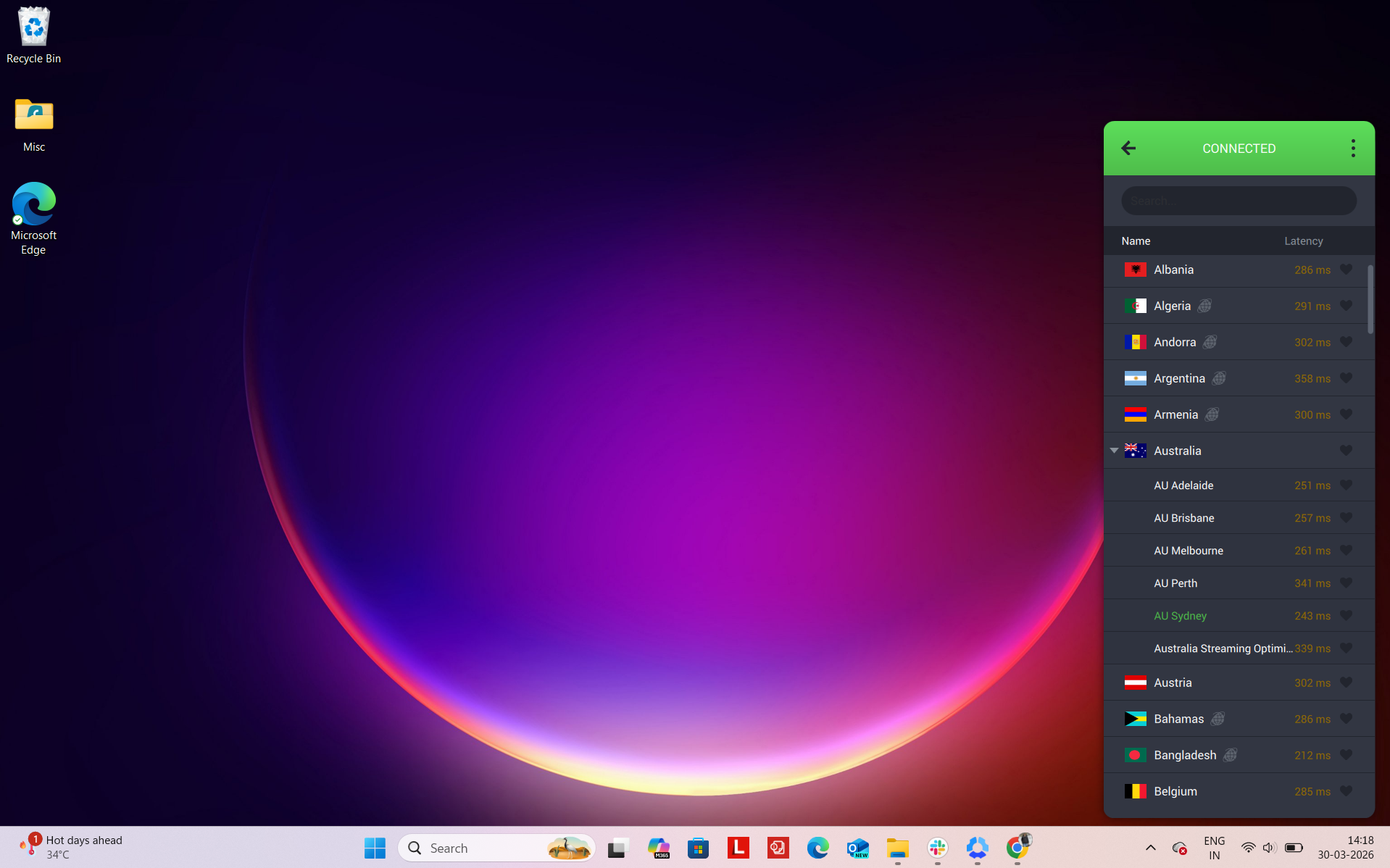
Specialty Servers: PIA keeps its specialty server offering fairly minimal, focusing on practicality:
- Streaming-optimized servers – Designed to improve access to streaming platforms and can be found by searching “streaming” within the app
Unlike some competitors, PIA does not prominently offer features like MultiHop (double VPN), dedicated IP options, or region-specific specialty configurations within Australia.
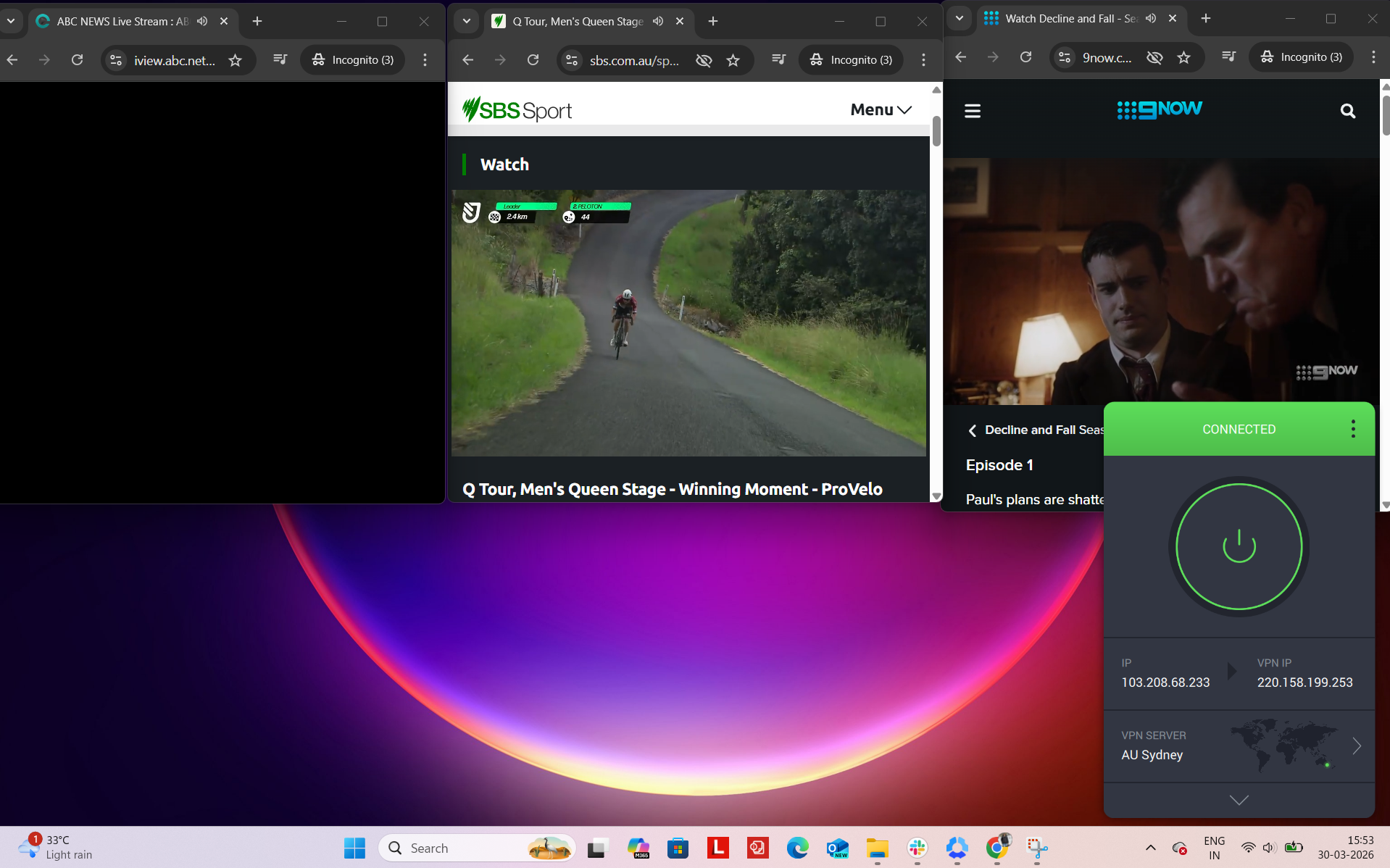
While testing Private Internet Access (PIA) in real-world scenarios, access to UK and global online services was smooth, with a slightly more utilitarian feel compared to premium counterparts. Once connected to a UK server, platforms like ABC iView, 9Now, SBS, Amazon, and others were reachable without requiring additional login steps or verification checks.
From a day-to-day usage perspective, the connection performed reliably and handled typical browsing tasks without friction. Switching between platforms was straightforward, and most services responded quickly, loading successfully without repeated attempts.
Across longer sessions, performance stayed consistent with no major disruptions. Speeds remained stable, and there were no noticeable buffering problems or unexpected drops, making it suitable for continuous use.
Platform Access Results
- ABC iView – Unlocked immediately with no detection warnings
- 9Now – Accessible right away with smooth playback
- SBS – Opened without restrictions and worked as expected
- Amazon.com – Browsing was responsive and delay-free
- Google – Pages loaded quickly with normal behavior
- Reddit – Fully functional with unrestricted access
Detection & Verification Behavior
- Proxy errors – No proxy-related issues encountered
- CAPTCHA prompts – Yes, a few times
- Service blocking – Successfully bypassed restrictions across all tested platforms
PIA’s Australian servers didn’t feel very consistent overall, with performance changing quite a bit depending on the location. Compared to the original connection, speeds dropped noticeably, and the experience varied more than expected between cities.
Sydney delivered decent download speeds, but uploads took a bigger hit, and the higher jitter made the connection feel a bit less steady during longer use. Adelaide turned out to be the most reliable spot, offering a better balance between speed and stability, with lower jitter helping things run more smoothly. Perth was the weakest of the three, where both download and upload speeds dropped significantly.
For basic browsing, everything worked fine, but when it came to streaming, uploads, or heavier tasks, the slower speeds and inconsistency across servers could make things feel a bit sluggish at times.
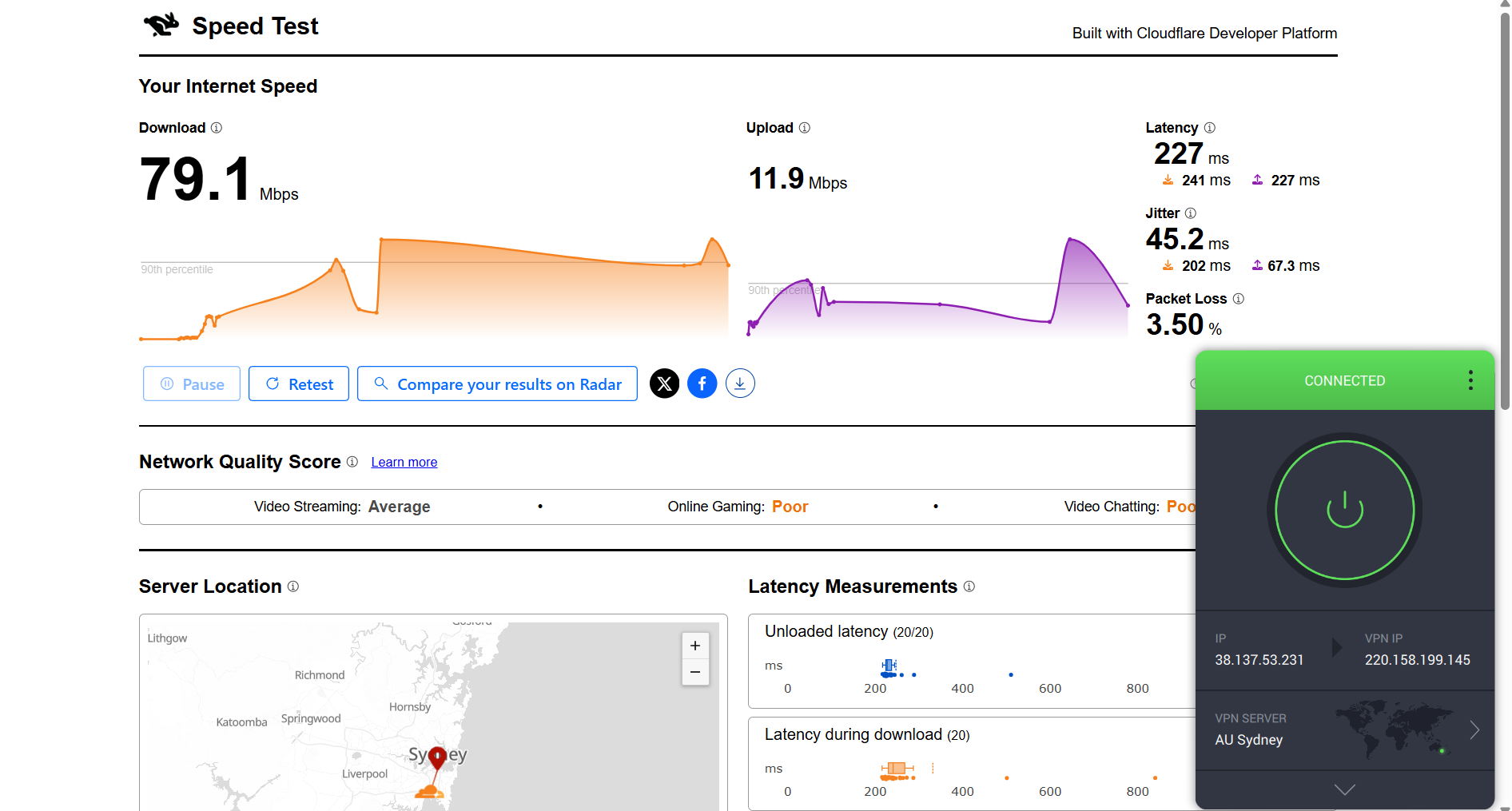
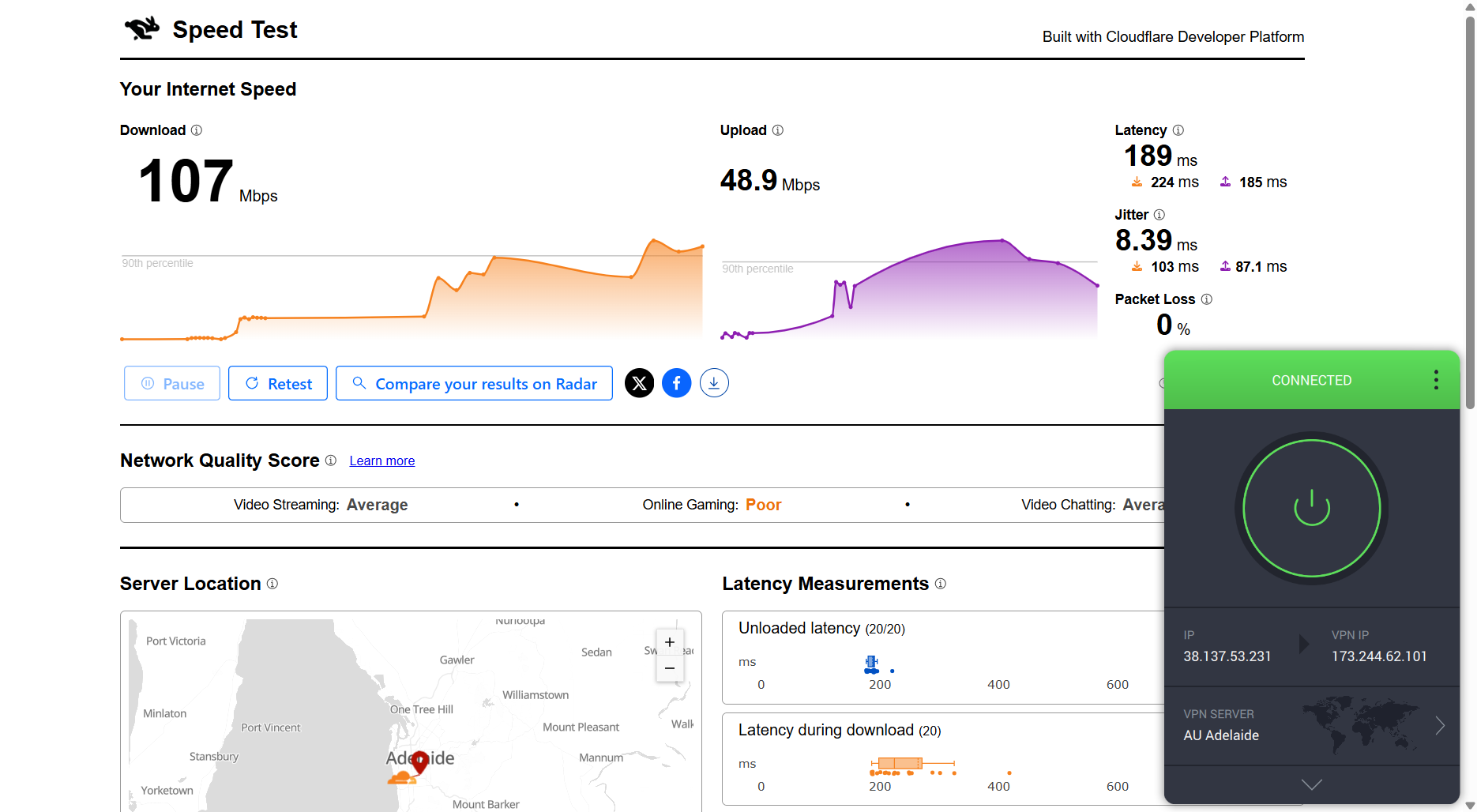
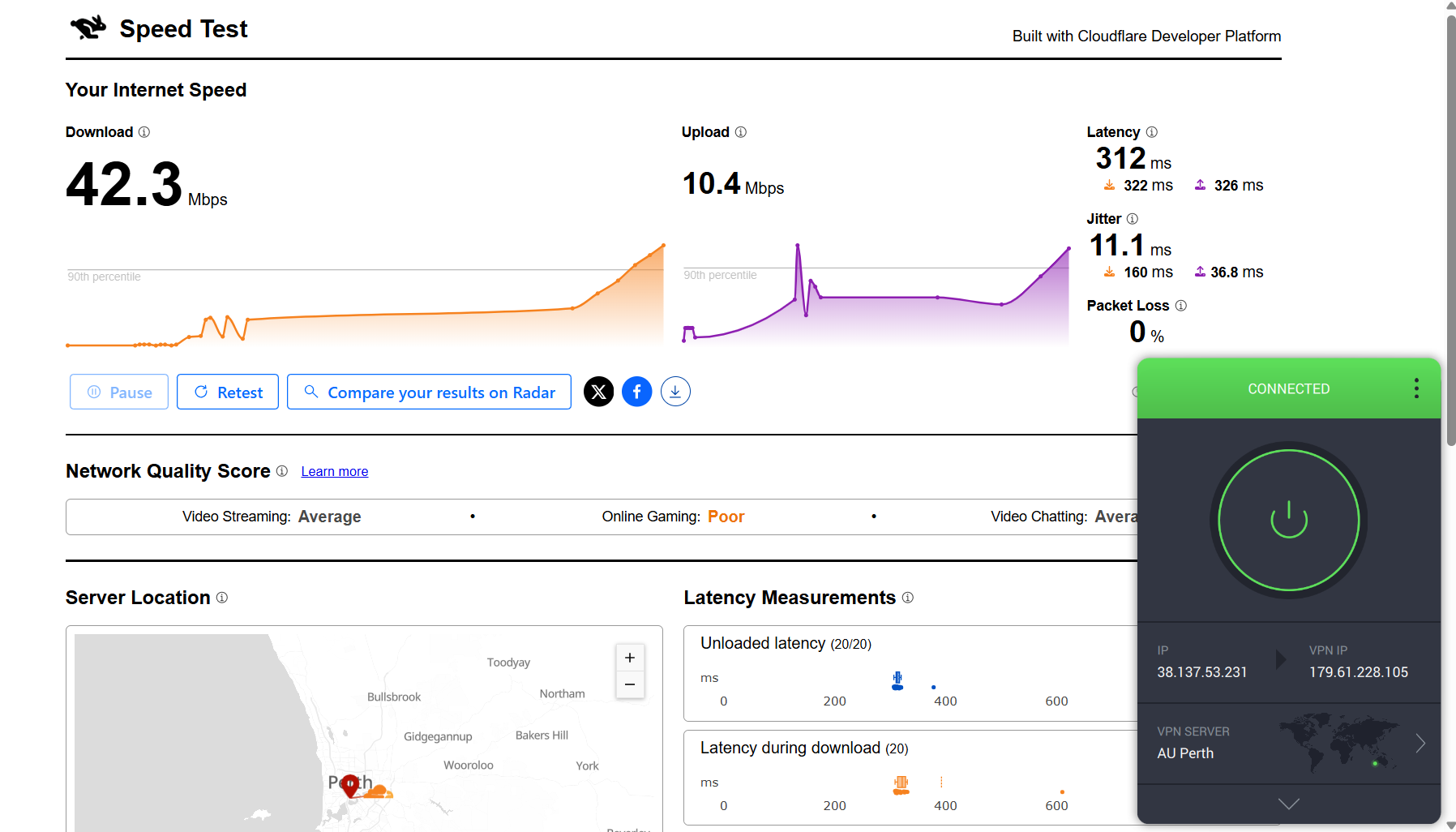
Here are the results compared to the baseline to show the real-world impact:
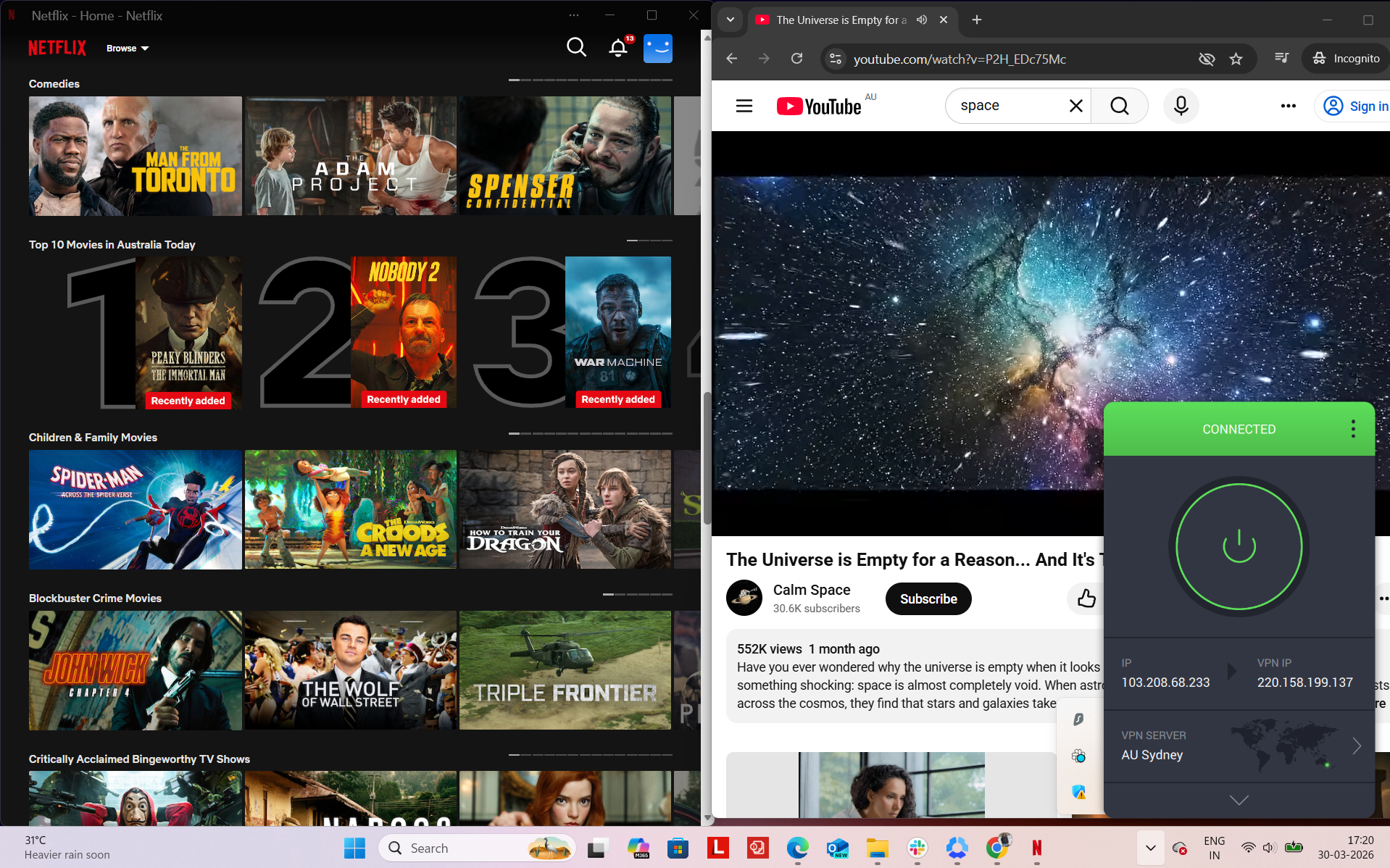
PIA delivered a generally stable connection during my testing session, though its performance was slightly slower compared to other VPNs. To assess its reliability, I tested it on Netflix Australia and YouTube, along with some browsing on Chrome. The connection remained active throughout, and I didn’t experience any disconnections or need to reconnect manually. There were no access blocks encountered during the session.
Observed Connection Behavior
- Unexpected disconnects – None
- Reconnection attempts – Not needed at all
- Network drops – None
- Lag spikes or buffering – Occasionally observed during streaming actions
- Browsing Performance – Browsing was decent. Websites loaded at a reasonable speed, though not as fast as higher-performing VPNs. Switching between tabs was smooth overall, with only minor delays at times.
Streaming & Content Handling
- Netflix Playback: While testing on Netflix, the video took around 5–10 seconds to start. Playback began in good quality and gradually improved, reaching optimal quality after approximately 10 minutes. Once stabilized, the video played smoothly without further buffering.
- Seeking (Forward & Rewind) on Netflix: Forwarding the video introduced some delay and buffering initially, but playback improved after a short time and continued smoothly. Rewinding caused a slight delay of about 2 seconds, and the video resumed in lower quality before gradually improving.
- YouTube Performance: Overall performance was good. Videos started at around 360p without delays or blurring and steadily improved, reaching 1080p after about 7–8 minutes. Once the highest quality was reached, playback remained stable and uninterrupted for the rest of the session.
PIA showed stable behavior across its Australian server network, including Sydney, Adelaide, and Perth. In my testing, the IP address consistently aligned with the chosen location, and there were no unexpected shifts or anomalies. DNS leak checks came back clean, with all traffic securely contained within the VPN, and I didn’t observe any exposure of my real IP.
Regarding safety features, PIA’s kill switch performed reliably during simulated disruptions. When the VPN connection dropped, internet access was immediately restricted, preventing any unsecured data transmission. Across all tests, the feature held up well and did not produce any leaks, even under unstable conditions.
PROS
- Servers available in 5 major Australian cities
- Balanced coverage across key regions
- Good performance on East Coast servers
- Smooth access to Australian platforms
- No proxy errors or blocking issues
- Stable performance during long sessions
- No disconnects or network drops observed
- Includes streaming-optimized servers
- No IP or DNS leaks detected
- Kill switch works reliably
- Simple and functional interface
CONS
- Noticeable speed drop compared to baseline
- Inconsistent speeds across different locations
- Slower overall performance compared to competitors
- Streaming takes longer to reach optimal quality
- Fewer CAPTCHAs encountered
- Occasional buffering during streaming actions
How to Get an Australian IP Address
- Pick a VPN and create your account: Go to the VPN’s official website, choose a plan, and sign up. Once you’re done, you’ll get access to your account area (we recommend NordVPN)
- Install the app on your device: After logging in, download the app for whatever you’re using - Windows, Mac, phone, etc. It only takes a minute to set up.
- Sign in and get everything ready: Open the app and log in. Before connecting, it’s a good idea to turn on features like the Kill Switch and any built-in blockers so everything stays secure while you’re connected. Make sure to use obfuscation.
- Connect to an Australian location: Pick an Australian server - cities like Sydney, Melbourne, Brisbane, Adelaide, or Perth are usually available. If there’s a “fastest” option, you can use that for better performance.
- Start using Australian services: Once connected, you’ll be browsing with an Australian IP. That means you can access local platforms, stream content, and use sites as if you were in Australia, all while keeping your connection private.
Explore VPNs for Other Needs
If you want to go beyond this region, you can also check how these VPNs perform across different devices and locations:
By Device
By Region
Final Thoughts
After spending time testing all VPNs on Australian servers, the overall experience was honestly pretty solid no matter which one you pick. All our recommended five VPNs handled the basics well - strong security, no leaks, stable connections, and smooth access to Australian sites like ABC iView and 9Now. So at a surface level, you’re not really going to run into major issues with any of them.
The differences become more noticeable once you start using them regularly. Things like how quickly videos reach full quality, how stable the connection feels during longer sessions, how consistently they bypass platform detection, and how evenly servers are spread across Australia all start to matter more. Some VPNs feel more responsive and seamless, while others trade speed for extra features or broader coverage. Here’s how each one performs in real-world Australian usage:
Key Australian VPN Standouts From Our Testing
When compared side by side, the differences were clear. Some handled load better, others offered wider coverage, and a few stood out in specific areas rather than overall balance. Here’s where each one stands based on testing:
- Top Pick for Australia: NordVPN – stood out for keeping things consistently smooth across all tested Australian locations, whether it was streaming, browsing, or longer sessions without slowdowns.
- Most Consistent Experience Across Cities: NordVPN and ExpressVPN – both handled switching between Australian locations really well, with fewer dips in performance and more predictable results overall.
- Best Low-Cost Option (With Trade-Offs): Surfshark – works fine for everyday use, but performance isn’t always even across all Australian servers, especially outside major cities.
- Best If You Like More Control: Private Internet Access – feels more utility-focused, giving you extra settings to tweak, though performance isn’t as strong as the top options.
- Handles Speed Best in Australia: NordVPN and ExpressVPN – managed bandwidth better than the others, making them more reliable for streaming, downloads, and heavier usage.
- Works Best with Australian Platforms: NordVPN, ExpressVPN, and Surfshark – were the most dependable when accessing local services like ABC iView and 9Now without interruptions.
- More Location Options Within Australia: ExpressVPN – offers more server locations than the rest, which helps a bit with flexibility and avoiding crowded nodes.
- Most Extras Built In: NordVPN and Surfshark – include more additional tools and features beyond just basic VPN usage.
- Best for Advanced Routing Options: NordVPN and Proton VPN – give access to things like multi-hop connections and specialized server types.
- Best for Choosing Less Busy Servers: Proton VPN – shows server load in real time, which actually helps when picking a faster option.
- Connection Stability Across the Board: NordVPN, ExpressVPN and Surfshark VPN – stayed connected reliably during testing, with no major dropouts even over longer use.
If you’re not just focused on Australia and want a bigger picture of how these VPNs stack up overall, you can explore our complete VPN comparison. It goes deeper into global performance, features, and how each provider holds up in different regions.
That's all for our guide on picking a VPN for secure browsing from Australia. If you have any questions, let us know via the comments section below. Thanks for reading!