



Malware Can Now Hijack Your Google Passkeys Without Ever Asking for a Fingerprint
Published


Key Takeaways
- Novel attacks: Unit 42 disclosed three "Pass-ta-key" attacks against Google's synced passkey ecosystem on Windows and Chrome.
- Key theft: Malware can extract the security domain secret (SDS) to decrypt all synced passkey private keys.
- Vendor fix: eBay closed a user verification flag validation gap after Unit 42's report, and Google removed the SDS from Chrome's device logs.
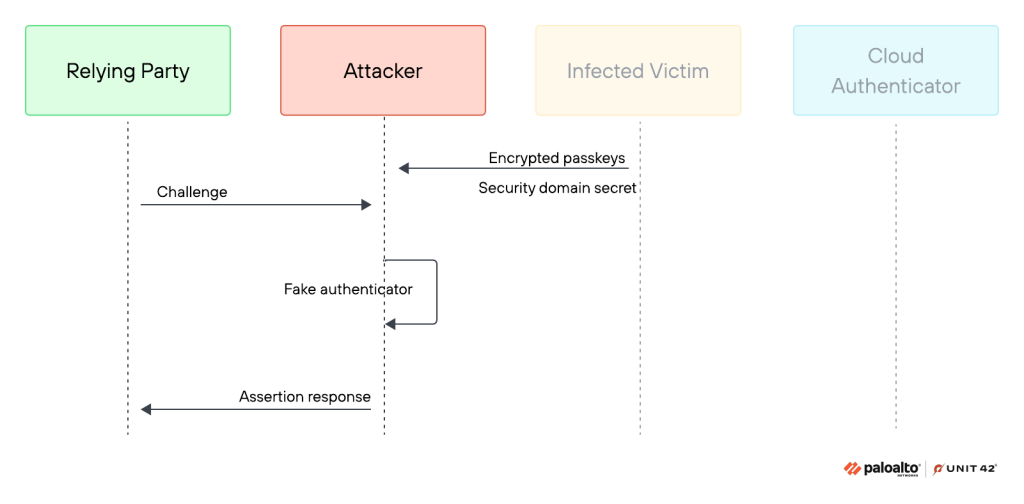
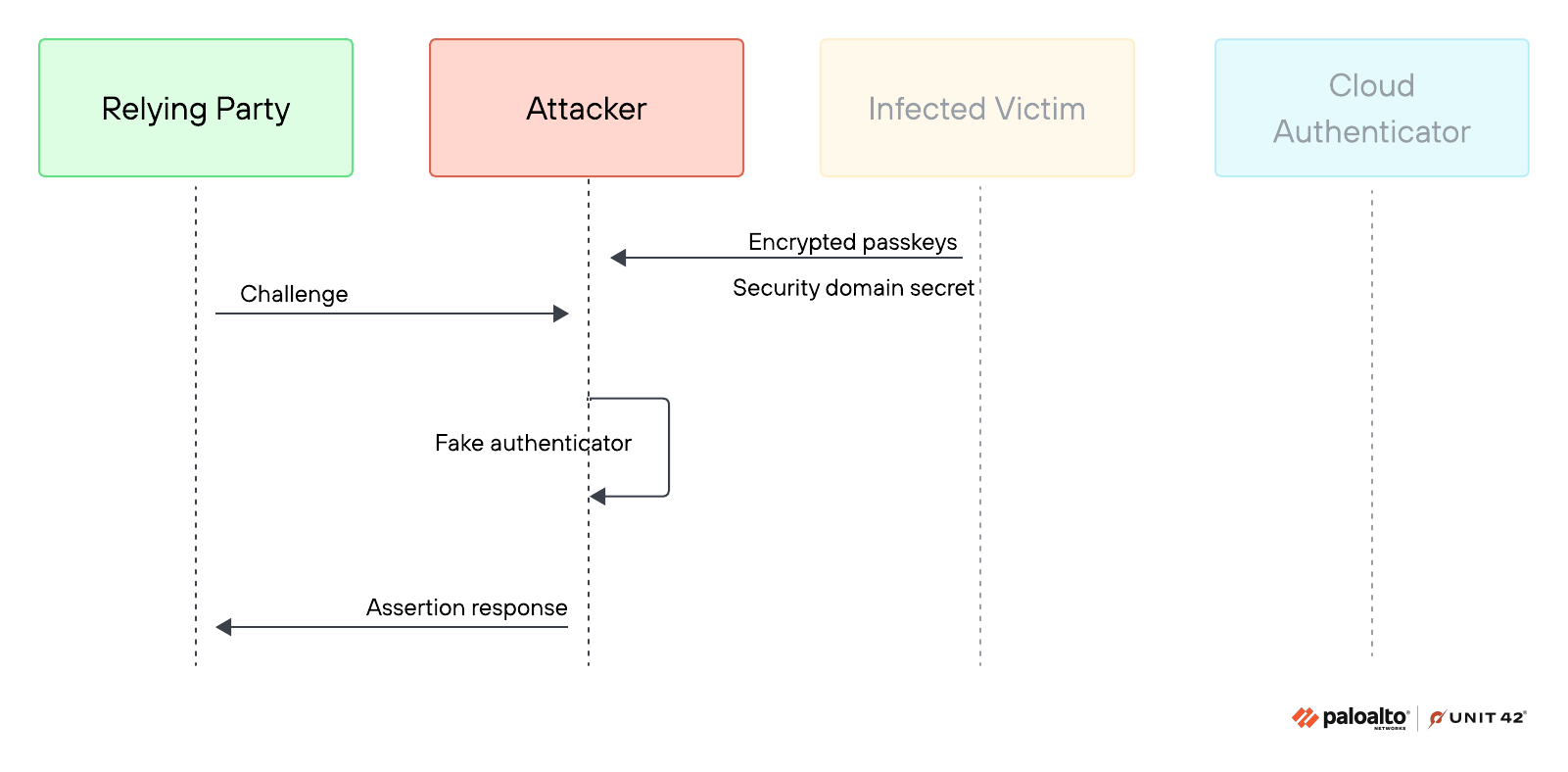
Three "Pass-ta-key" attacks on Google were discovered, which require malware to already be running on the victim's machine as the logged-in user and do not break passkey cryptography itself. This isn't a remote, zero-click exploit, as the base Pass-ta-key attack lets unprivileged malware take over a passkey-protected account by extracting Chrome's wrapped device identity key and signing authentication requests without user interaction, device unlock, or biometrics.
The new attack surface in passwordless authentication was revealed in a new Palo Alto Networks' Unit 42 report in a series examining Google Password Manager's synced passkey ecosystem and the Cloud Authenticator on Windows devices running Chrome with a Trusted Platform Module.
Three Pass-ta-key Attack Classes
The flaw traces back to how Chrome handles that key in the first place: rather than keeping it permanently locked inside the TPM, Chrome generates it as a temporary, exportable blob, letting malware pull it out and sign requests using standard Windows cryptography APIs exactly as the browser would.
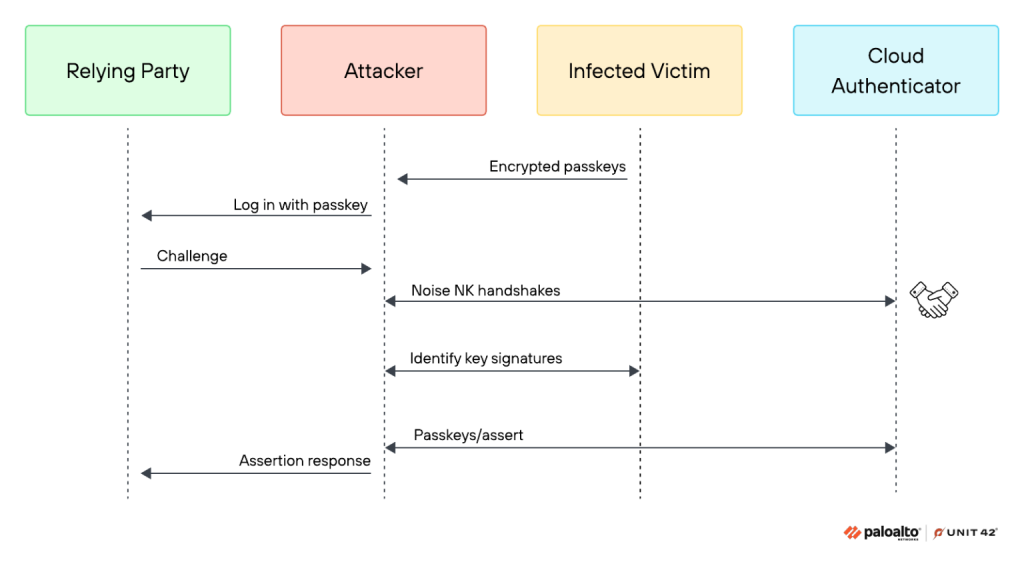
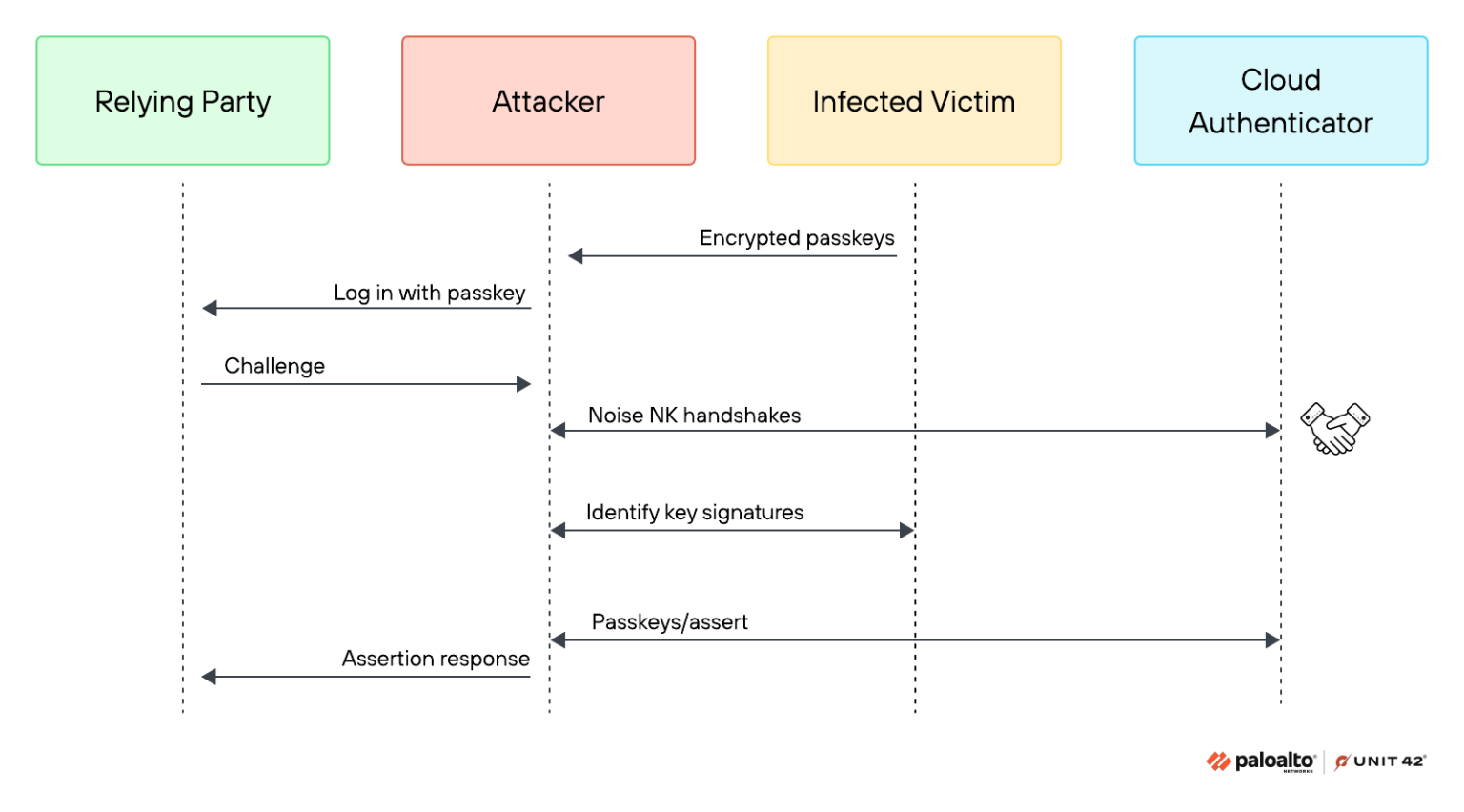
The Silver Pass-ta-key attack goes further, invalidating the existing user verification key and registering an attacker-controlled key instead. Since the Cloud Authenticator doesn't check whether a newly registered key actually came from secure hardware, this enables reusable account takeover even when user verification is supposedly enforced.
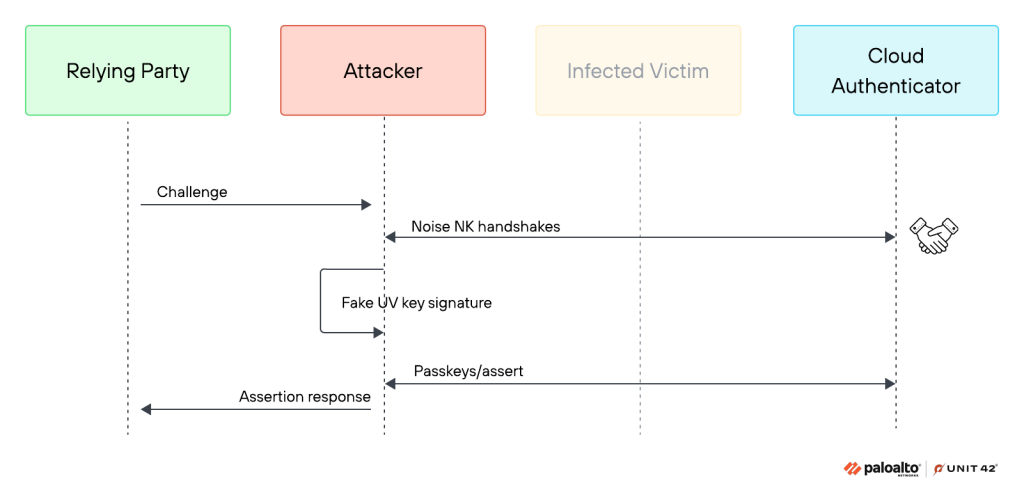
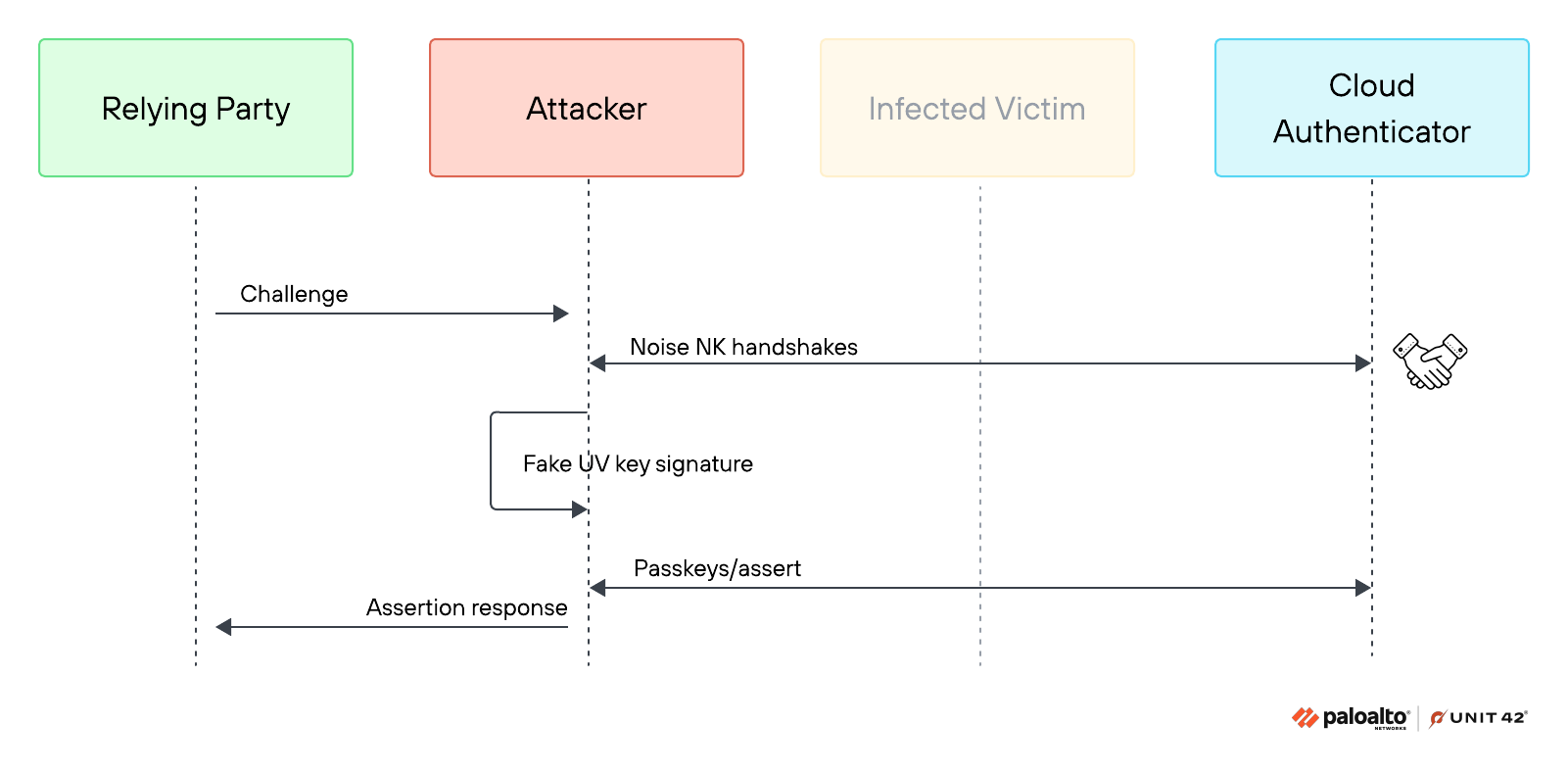
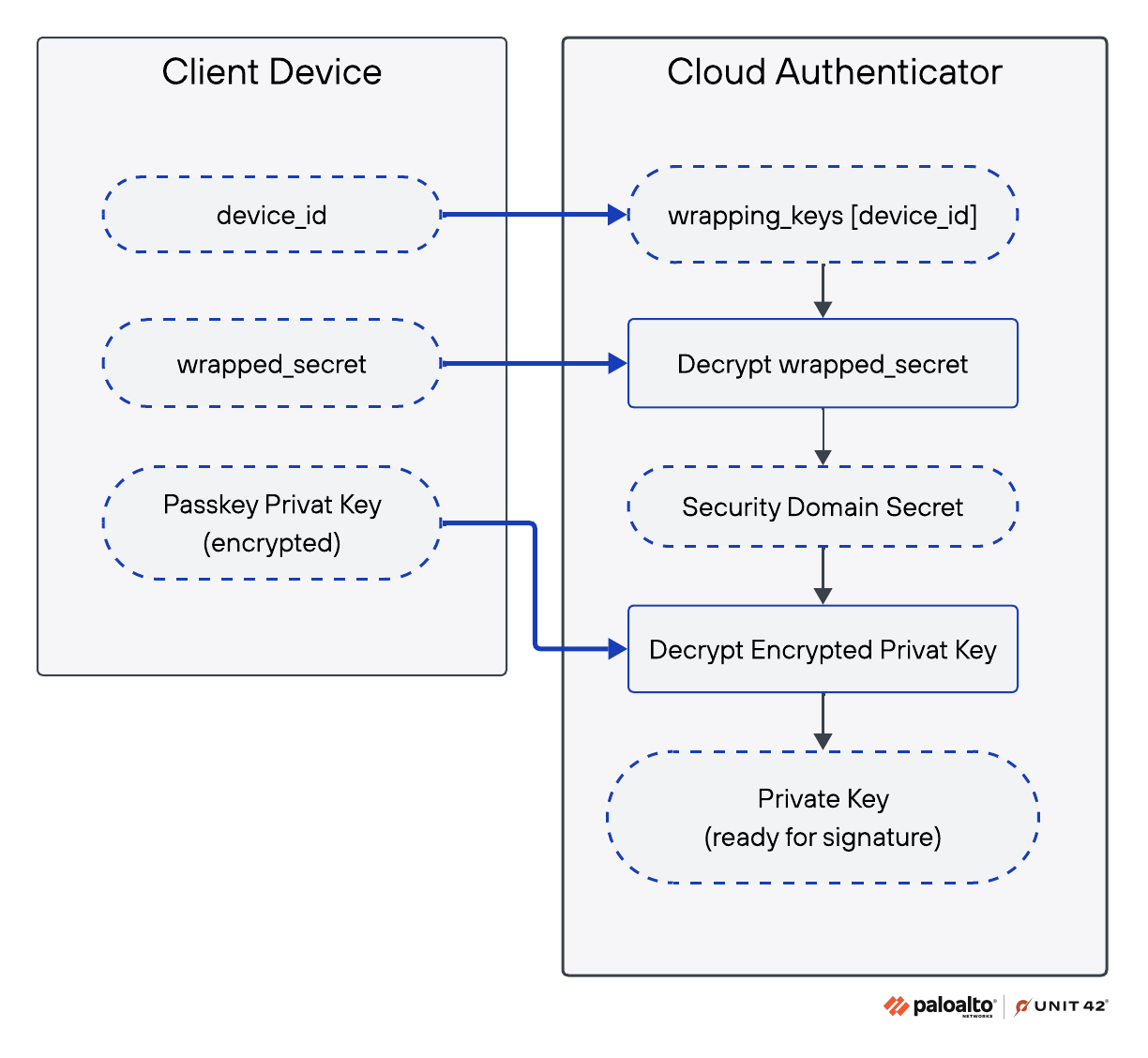
The Golden Pass-ta-key attack, the most serious of the three, extracts the 32-byte security domain secret (SDS) from Chrome's process memory – the master key that decrypts all current and future synced passkeys.
UV Flag and the eBay Gap
Authentication hinges on a single User Verified (UV) bit in the authenticator data. When relying parties fail to validate this flag, multi-factor authentication (MFA) effectively collapses into a single factor.
Unit 42 demonstrated a successful passkey login against eBay despite its required user verification; eBay has since fixed the validation gap following disclosure. GitHub, by contrast, rejected the attempt by properly checking the flag.
Researchers also found Chrome stores synced passkey metadata locally in an unencrypted, easily readable database, effectively handing malware a map of every service where a victim uses passkey login, without needing elevated privileges to read it.
Recommended Mitigations
Relying parties should enforce userVerification = required and actually validate the UV flag rather than treating it as informational.
Credential managers should:
- verify device key attestation,
- harden onboarding and recovery flows,
- prevent SDS exposure in memory and logs,
- restrict access to local passkey data such as passkey_enclave_state.
Google has already acted on one front, removing the SDS from Chrome's internal FIDO logs after Unit 42 reported the exposure.
A July report outlined that an O-UNC-066 vishing campaign abused Microsoft Entra passkey enrollment.
Related






Get expert insights on threats, breaches, scams, and security trends — delivered every Monday.
Most Popular


Get expert insights on threats, breaches, scams, and security trends — delivered every Monday.
Most Popular