



We Tested Windscribe Clear Wi-Fi History Feature on Desktop Apps for Privacy Control – Here is How it Works
Published on February 24, 2026


Key Takeaways
- Windscribe Clear WiFi History feature rollout: New desktop update lets users erase stored Wi-Fi records without disconnecting current internet sessions safely.
- Availability and access steps: Feature appears in Windows, macOS, Linux apps under Preferences Connections Clear Wi-Fi History option menu.
- Privacy purpose and function: Tool removes saved network history that could reveal location patterns over extended usage periods time.
VPN provider Windscribe has introduced a new privacy-focused feature called Clear WiFi History, now available in the latest versions of its desktop applications for Windows, macOS, and Linux.
The company announced the update as part of its ongoing efforts to improve user privacy and give customers more control over their digital footprint.
What Is the Clear WiFi History Feature?
According to Windscribe, Wi-Fi history stored on a device can potentially be tracked and used to map out a user’s location over time. This stored data may reveal patterns about where a device has previously connected to wireless networks.
With the new Clear Wi-Fi History feature, users can remove their saved Wi-Fi connection history directly from within the Windscribe desktop app. The goal is to reduce the risk of location tracking tied to stored network records.
The feature is designed to delete all previously saved Wi-Fi history without interrupting the user’s active internet connection.
How to Access the Feature
The Clear Wi-Fi History option is available in the most recent versions of Windscribe’s desktop apps for:
- Windows
- macOS
- Linux
Users can access it by navigating to:
Preferences > Connections > Clear Wi-Fi History
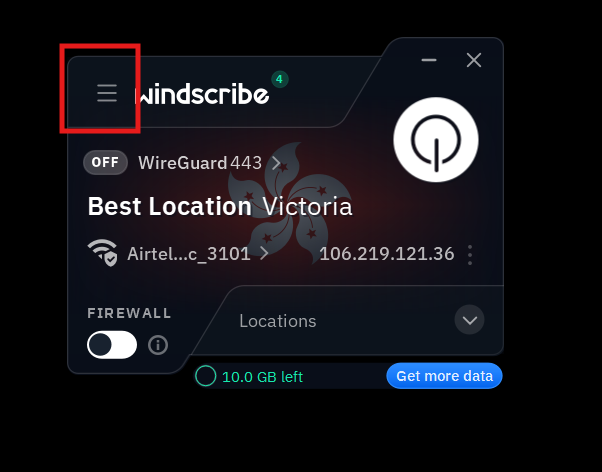
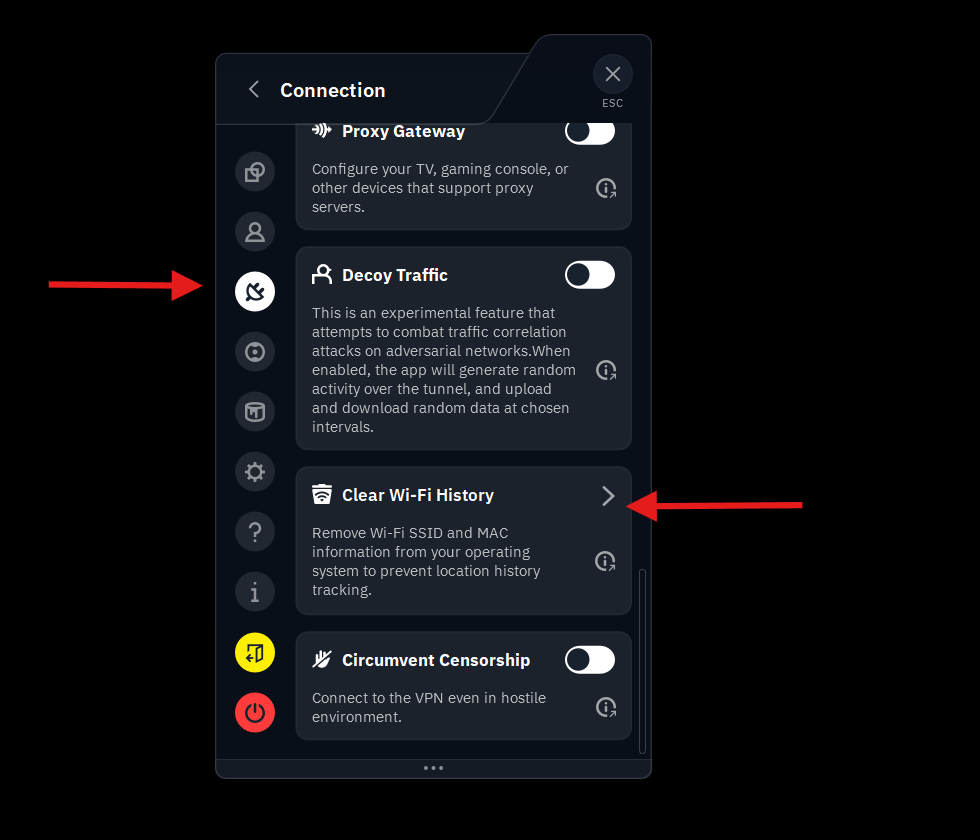
Once selected, the tool wipes stored Wi-Fi history while keeping the current connection active.
Windscribe has also shared additional details about the feature through its official blog. The update is now rolling out to desktop users running the latest version of the app.
Related






Get expert insights on threats, breaches, scams, and security trends — delivered every Monday.
Most Popular




Get expert insights on threats, breaches, scams, and security trends — delivered every Monday.
Most Popular