



Surfshark Ends Support for Legacy iPhones and Macs, Here’s the Full List
Published on October 3, 2025

- Support Policy Change: Surfshark now supports only the four latest iOS and macOS versions.
- Reason for Update: Older Apple systems lack security patches, posing risks and limiting new features.
- Options for Legacy Users: Manual WireGuard, OpenVPN, or older app versions remain available.
Surfshark has announced that it will no longer support Legacy versions of Apple’s iOS and macOS operating systems. The change, which took effect on October 1, 2025, affects users running legacy Apple software and is aimed at improving overall security and app performance.
Why Surfshark Is Dropping Legacy Support
According to Surfshark, the decision was made to encourage users to move to newer operating systems that continue to receive security patches from Apple. Older versions of iOS and macOS no longer get regular updates, making them more vulnerable to potential threats.
By narrowing support to newer releases, Surfshark says it can focus resources on:
- Rolling out new features and technologies (often not supported on older systems).
- Delivering a better-quality interface and app performance.
- Ensuring a faster, smoother update process.
Which Versions Are Still Supported?
From now on, Surfshark will only support the four most recent iOS and macOS versions. Whenever Apple releases a new update, Surfshark will add it to the supported list while dropping the oldest one.
As of October 2025, here’s the breakdown:
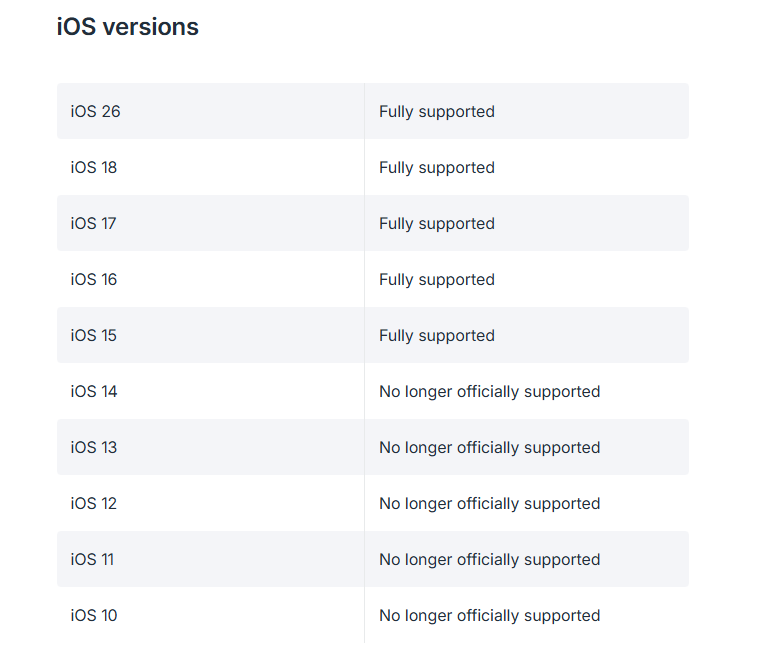
Supported iOS versions:
- iOS 26
- iOS 18
- iOS 17
- iOS 16
- iOS 15
(iOS 14 and older are no longer supported.)
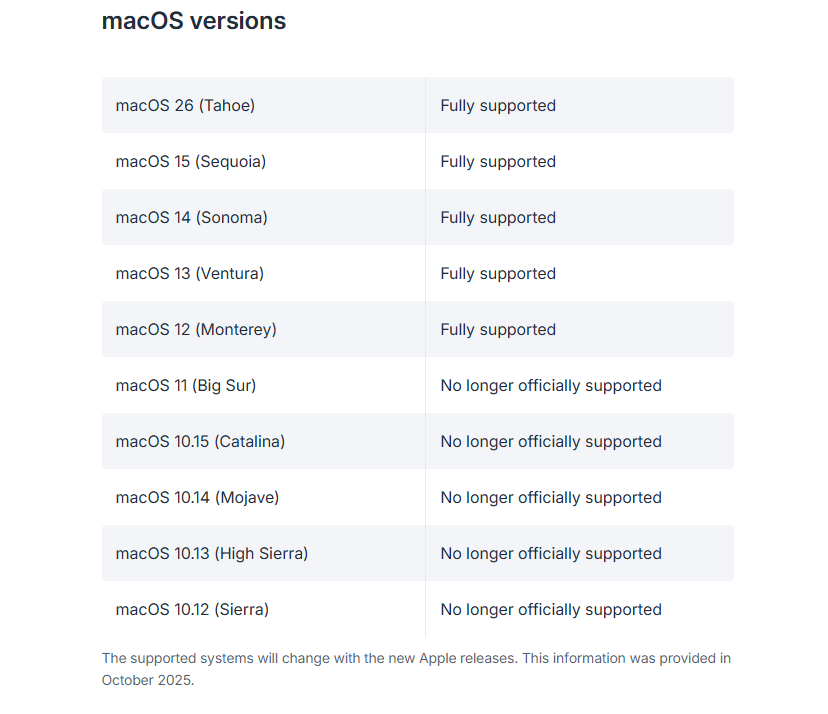
Supported macOS versions:
- macOS 26 (Tahoe)
- macOS 15 (Sequoia)
- macOS 14 (Sonoma)
- macOS 13 (Ventura)
- macOS 12 (Monterey)
(macOS 11 Big Sur and earlier are no longer supported.)
What Should Users Do Next?
Surfshark recommends that users update their devices to the latest available operating system as the first step. Regular updates not only improve security but also ensure compatibility with new Surfshark features.
For those unable to upgrade their macOS devices, Surfshark has provided alternatives:
- Download older versions of the Surfshark app (available for Big Sur, Catalina, Mojave, High Sierra, and Sierra).
- Use manual WireGuard, OpenVPN, or IKEv2 configurations with third-party apps or built-in settings.
On iOS devices that cannot update beyond unsupported versions, users can still connect using:
- Manual WireGuard connections.
- Manual OpenVPN configurations.
- Built-in manual IKEv2 connections.
Surfshark also confirmed that customer support remains available 24/7 via email or live chat to help users with setup and troubleshooting.
Related





Get expert insights on threats, breaches, scams, and security trends — delivered every Monday.
Most Popular






Get expert insights on threats, breaches, scams, and security trends — delivered every Monday.
Most Popular