


Pixel VPN by Google Update Makes It Easier to Check Your VPN Status at a Glance
Published on February 13, 2026

Key Takeaways
- Pixel VPN Quick Settings Update: Displays live connection status directly in tile, reducing taps and improving everyday usability.
- Version 2025.12.19.x Rollout: Available on Pixel 7 and newer models with server-side activation.
- Larger 2x1 Tile Required: Expanded tile shows Connected, Paused, Connecting, or Can’t connect status.
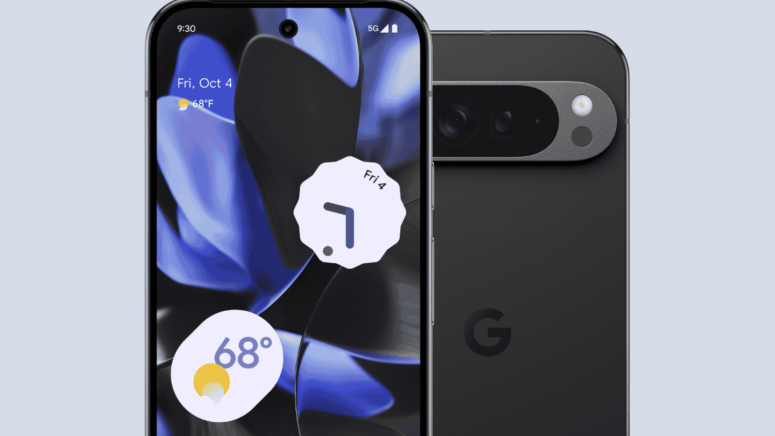
Google is rolling out a small but practical update to Pixel VPN by Google, focusing on ease of use rather than new security features. The change improves the VPN’s Quick Settings tile, allowing users to check their connection status directly from the panel without opening the full app interface.
The update is designed to reduce extra taps and make everyday VPN use more convenient on supported Pixel devices.
Clearer Connection Status at a Glance
With the latest update, users can now see whether the VPN is “Connected,” “Paused,” “Connecting…,” or “Can’t connect” directly from the larger 2x1 Quick Settings tile. Previously, the tile showed “VPN by Google” twice, and connection status was only indicated by a color change, filled when active and lighter when disconnected. To view detailed status information, users had to long-press the tile and open the full VPN interface.
Now, the second line of the expanded 2x1 tile displays the live connection state in text. The tile’s shape and color also change depending on the VPN’s status. When active, it appears as a filled rounded rectangle. When paused, it switches to a lighter pill shape.
The smaller 1x1 tile still does not show the connection status in text. However, long-pressing either tile size continues to open the full VPN interface.
The update is being released with version 2025.12.19.x of VPN by Google, along with a server-side switch that enables the new functionality. It applies to supported devices starting from the Pixel 7 and newer models.
How to Enable and Use the Feature
Users who have not yet enabled Pixel VPN by Google can do so by going to Settings > Network & internet > VPN > VPN by Google and accepting the terms. Once activated, the VPN tile appears in the Quick Settings panel.
To use the new live status feature, users need to:
- Swipe down from the top of the screen to open Quick Settings.
- Tap the pencil (edit) icon.
- Drag the VPN tile into position if it is not already visible.
- Expand it to the larger 2x1 size, which is required to display the live connection status.
With this setup, users can quickly check whether the VPN is connected, paused, or facing connection issues. This can make troubleshooting faster, especially when using public Wi-Fi, and reduces the number of taps needed to confirm protection status.
A Small but Meaningful Improvement
Pixel VPN replaced Google One VPN and is now offered for free on supported Pixel devices. Its main appeal lies in its simplicity and built-in integration with the Pixel system.
While this update does not introduce new security capabilities, it improves visibility and reduces confusion about whether the VPN is active. Clearer connection information may also encourage users to keep the VPN turned on more consistently.
The app remains a basic VPN solution compared to dedicated standalone VPN services, but the update reflects Google’s ongoing efforts to refine the Pixel VPN experience by improving everyday usability rather than expanding features.
Related



Get expert insights on threats, breaches, scams, and security trends — delivered every Monday.
Most Popular





Get expert insights on threats, breaches, scams, and security trends — delivered every Monday.
Most Popular