


Public Release for Microsoft Your Phone App Now Available on Android
Last updated June 10, 2021

- Windows Insider users were able to access Microsoft’s new Your Phone app for Windows 10, and the app has finally been released for all users.
- The new phone companion app requires at least the April build of the OS for installation.
- The support is limited to Android phones only as of now, and iPhones will be added in the near future but with limited functionality.
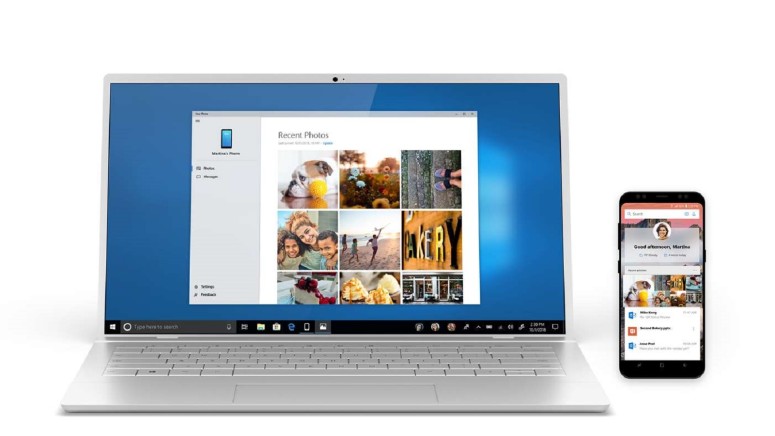
After a month of testing its new "Your Phone" app, Microsoft finally launched the software for all users. Your Phone is a utility that allows Android displays to be mirrored on a Windows 10 device and it also offers the ability to drag and drop files from your phone to your Windows desktop, laptop or tablet wirelessly. The app requires the April build of Windows 10 if you want to install it via the Microsoft Store and become a part of the OS by default with the upcoming Redstone 5 update that is headed to Windows 10 users in the near future.
Apple phones are currently not supported by the new app from Microsoft, and the company announced that they are working on it. However, iPhones will not receive the ability to sync messages, access and manage media libraries or provide notification access due to iOS restrictions.
To use the new Microsoft app, you need to link your Android device to your computer via Windows Settings or through the Your Phone app. Installing the app on Windows prompts you to enter your phone number, and you will receive a text link to download the companion app.
After logging into your Microsoft account on both devices, you will be able to use the new service. Your mobile device needs to have Android 7.0 or later to use the app. Microsoft has also requested users to use the Feedback button in the app to submit feature requests, which may be added depending on the number of users requesting a specific functionality.
What do you think about the new Microsoft Your Phone app? Let us know in the comments below. Also, to get instant tech updates, follow TechNadu’s Facebook page, and Twitter handle.
Related






Get expert insights on threats, breaches, scams, and security trends — delivered every Monday.
Most Popular

Get expert insights on threats, breaches, scams, and security trends — delivered every Monday.
Most Popular