



Microsoft Released a Tool to Check Whether Your Computer Can Run Windows 11
Last updated May 17, 2024

- Windows 11 have been unveiled, and they look modern and inviting, but running them on your older system is a different story.
- As it appears to be the case, any chips that came out before the summer of 2016 won’t be able to upgrade to the new OS.
- This will make the chip shortage problems even worse, as many users will see this as a good reason to build new systems.
As we already knew from last week’s leaks, Microsoft was planning to present the world with Windows 11 on June 24, and it happened indeed. The new major operating system has arrived with a fresh new “glassy” look, rounded corners, a revamped Start Menu, new system sounds, Android app compatibility, window snapping, individualized virtual desktops, themes, widgets, and a lot more. If you have missed the presentation, check out the following video that sums up the most important new features.
Although some see Windows 11 as a glorified beautification of Windows 10, everyone expects the new system to evolve over time, so there are many users who would like to jump to it straight away. The question is, can your computer run it? Microsoft released a tool that checks your computer’s “health,” whatever that means, and generates a message to informs you if your PC or laptop, or tablet is compatible with Windows 11.
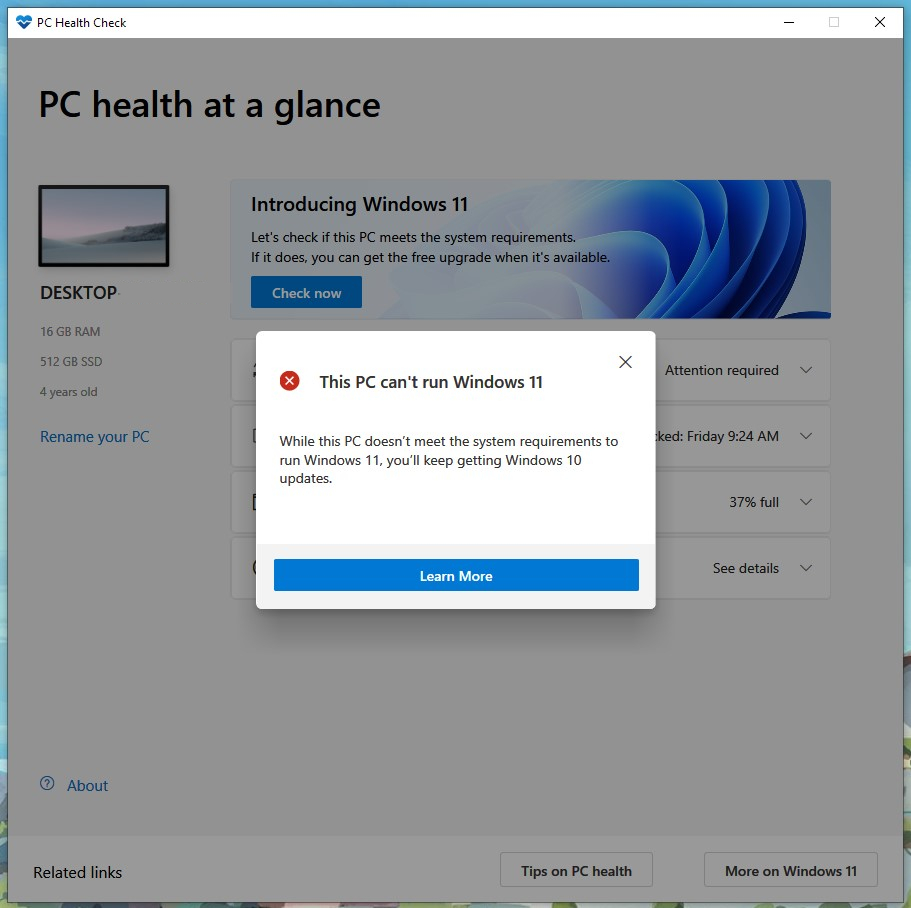
Unfortunately, the tool doesn’t give many details about where your system is lacking in the case of a negative result. By checking several systems, we could determine that the only factor that consistently determines what’s considered compatible and what’s not is the processor support for TMP (Trusted Platform Module) 2.0, a hardware-based security technology made mandatory for implementation since July 2016. If you’ve built your system earlier than that, you won’t be able to upgrade to Windows 11 no matter how powerful your computer is otherwise.
In fact, the minimum requirements published by Microsoft yesterday aren’t even that demanding. To run Windows 11, you’ll need to cover the following system requirements:
- 1 gigahertz (GHz) or faster with 2 or more cores on a compatible 64-bit processor or System on a Chip (SoC)
- 4 GB RAM
- 64 GB or larger storage device
- UEFI, Secure Boot capable
- Chip supporting Trusted Platform Module (TPM) version 2.0
- DirectX 12 compatible graphics / WDDM 2.x
- Display of more than 9" of size with at least HD resolution (720p)
- Microsoft account and internet connectivity
This will undoubtedly lead a significant number of people to build new systems, but this is not the best time to set that TPM 2.0 requirement in this day of chip and computer component shortages. It’s not that security shouldn’t take the front seat - but the release of Windows 11 is bound to aggravate a situation that’s already pretty bad and which is not expected to get any better until at least another couple of years.
Related





Get expert insights on threats, breaches, scams, and security trends — delivered every Monday.
Most Popular





Get expert insights on threats, breaches, scams, and security trends — delivered every Monday.
Most Popular