

Is It Bad to Leave a MacBook Pro/Air Plugged-In Overnight?
Last updated October 27, 2021


The Web is quick to provide all kinds of answers regarding how/when you should charge your MacBook's battery. However, the truth is that this situation is quite simple, really. In general, you can feel free to leave your MacBook Pro/Air plugged-in overnight, which should not affect its long-term longevity.
Of course, we’re talking about relatively new MacBooks here, made in 2015 and later. In recent years, Apple has done plenty to improve lithium-ion batteries that go inside their notebooks and smartphones, making them very stable and long-lasting. With that said, make sure to keep on reading this article to learn more about the effects of leaving your MacBook Pro/Air plugged-in overnight.
Here’s Why Leaving Your MacBook Pro/Air Plugged-In Overnight Isn’t a Problem Anymore!
In the past, batteries used to be affected by how you would charge them (in addition to being easily affected by heat, physical damage, and more). However, that’s no longer the case as today’s lithium-ion batteries (those that Apple uses in their products) come with optimized charging that’s designed to make your notebook’s battery last as long as possible.
Apple's optimized charging is a combination of hardware and software technologies, working completely automated and in the background. With that said, let's explain this technology in greater detail.
Could Charging Your MacBook Overnight Overcharge Its Battery?
The answer is – no. In 'modern' MacBook Pro and Air models (especially those running the latest macOS version), the chances of your notebook's battery overcharging are close to zero. That's because today's lithium-ion batteries go through two stages of charging.
The first stage is designed to charge your notebook’s battery as quickly as possible. This stage lasts until your battery reaches 80% of its current capacity. Then, it enters a 'trickle stage,' easing the electrical current to expand your notebook’s battery lifespan. That's what makes it safe to charge your MacBook Pro/Air overnight without having to worry about overcharging or damaging its battery.
The same applies even to the recently introduced MacBook Pro models (in a slightly enhanced way), despite the fact that their battery life is absolutely massive. Those MacBooks come with fast charging - if you use Apple's 96W or 140W USB-C power adapter, and can charge from 0 to 50 percent in around 30 minutes.
What to Consider When Leaving Your MacBook Charging Overnight?
When charging any notebook's battery over an extended period of time, your primary worry should be keeping the battery's temperature in check. If your computer is doing a lot of data processing (an indication of which is a fan that continually spins, especially on Intel-based models), it would be best not to leave your MacBook charging overnight without supervision.
That's why we recommend leaving your MacBook plugged in overnight – but only if you place it in 'Sleep More' or if you turn the device off. That way, your MacBook will be fully charged in the morning so that you can use it throughout your day. The same applies if you need it for a specific reason, such as downloading a large file (which isn't a taxing activity, usually).
Lastly, if you plan on leaving your MacBook turned on throughout the night, make sure to place it on a sturdy and flat surface. You'll want to ensure proper ventilation around all sides of your MacBook Air/Pro. The same applies to your notebook's power adapter, which should have adequate ventilation on all sides.
What’s the Best Way to Preserve the Longevity of Your M1- or Intel-based MacBook’s Battery?
Finally, we have a helpful piece of advice for you. Know that the latest macOS version comes with handy tools for optimizing the way your notebook's battery charges. Here's how to access and use these battery-friendly tools.
- Click on the Apple menu in the top-left corner of your screen.
- Then, click on 'System Preferences' and pick 'Battery.'
- Make sure to select the 'Battery' tab using the left-placed sidebar.
- Our recommendation is to make sure that 'Optimized battery charging' is enabled. This tool will reduce your notebook’s battery aging by analyzing your charging patterns. Also, this option should be present on both Apple's M1- and Intel-based MacBook Pro/Air models.
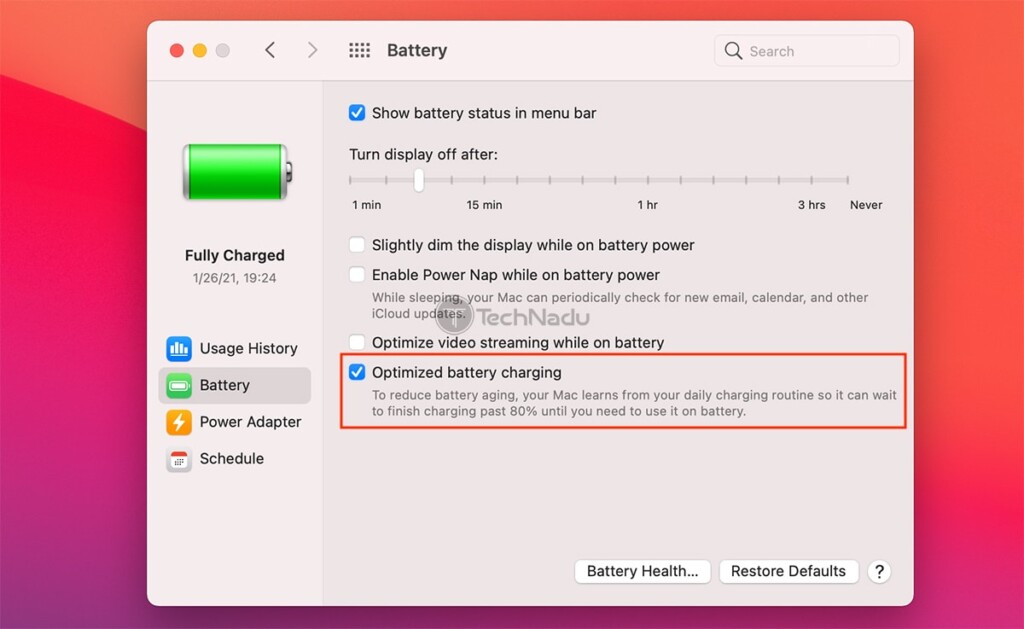
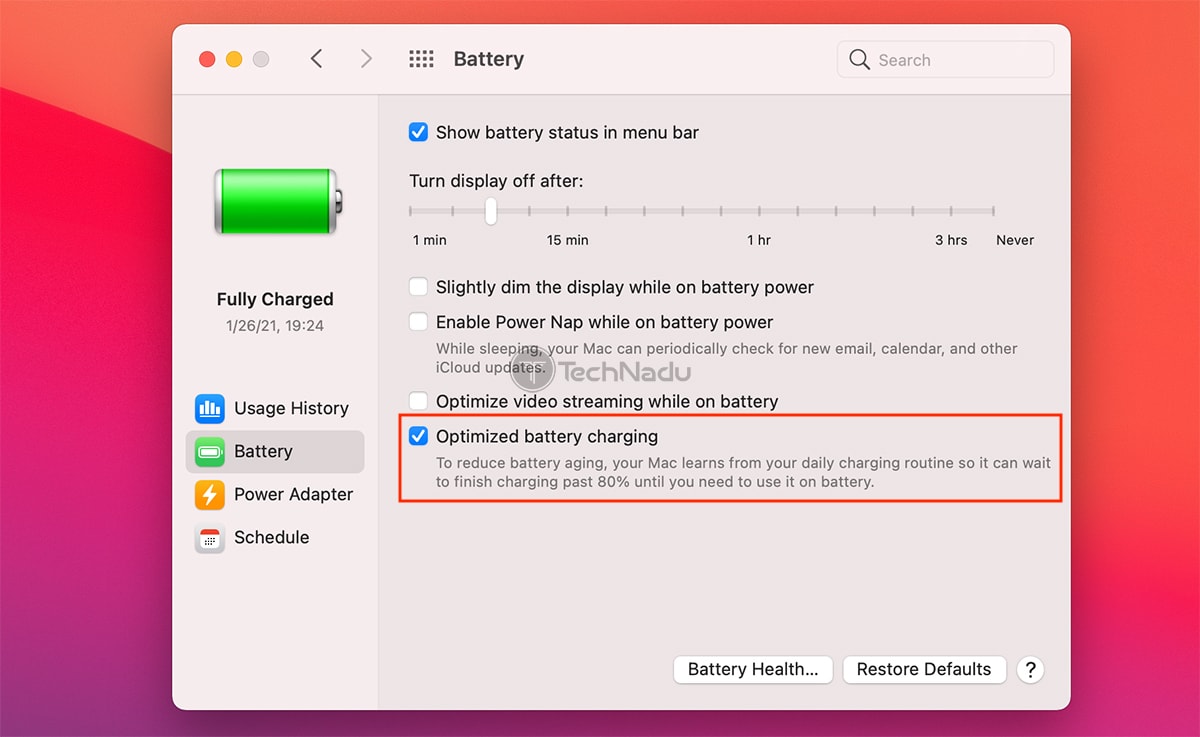
- Then, here's a useful piece of advice that applies to Intel-based MacBook Pro/Air models. Click on the 'Battery Health' button in the lower-right corner.
- A pop-up will now appear, telling you about your notebook’s battery health. Make sure to enable the 'Manage battery longevity' checkbox, which will prompt macOS to limit your battery’s peak capacity to extend its lifespan.
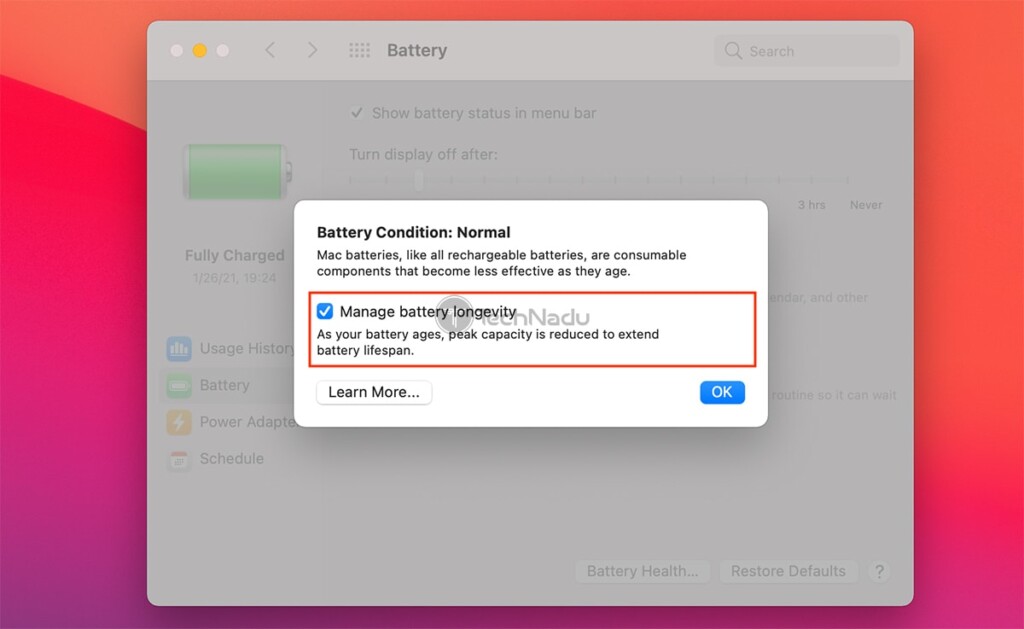
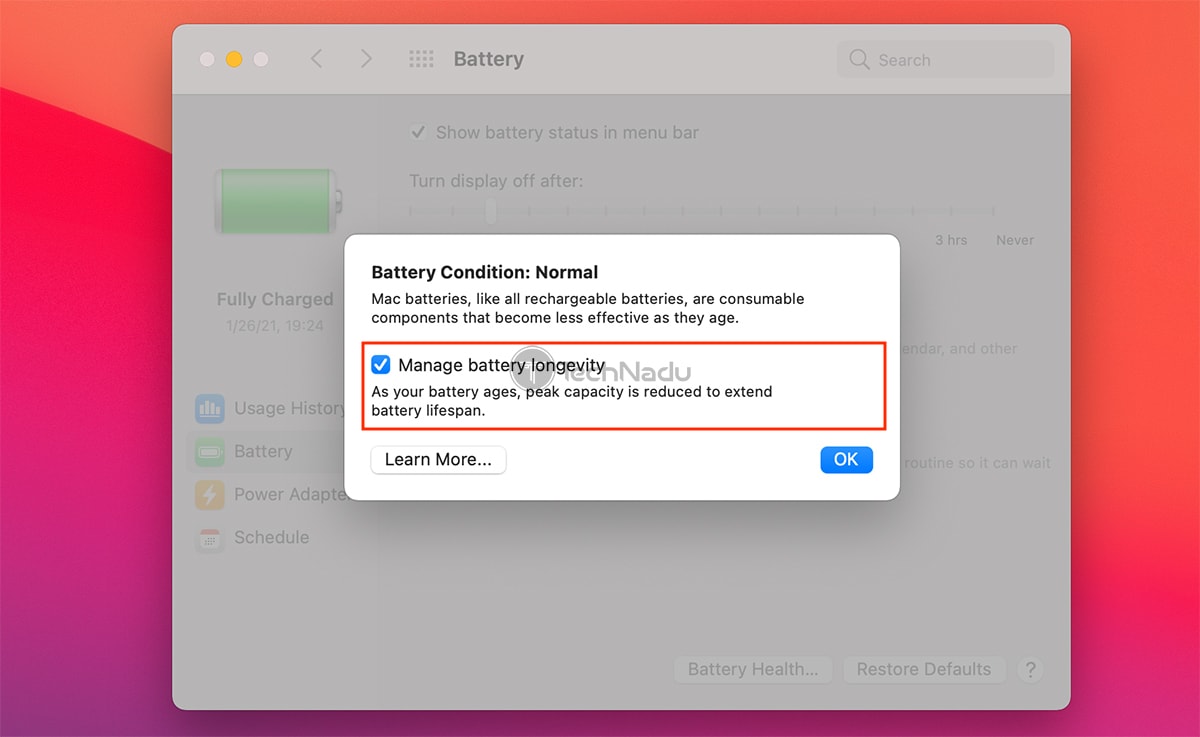
We hope that we’ve resolved your dilemmas about whether it’s bad to leave your MacBook Pro/Air charging overnight. However, if you have any questions on your mind, know that we’re here for you. So, make sure to post your comment below. And finally, thanks for reading!
Related






Get expert insights on threats, breaches, scams, and security trends — delivered every Monday.
Most Popular




Get expert insights on threats, breaches, scams, and security trends — delivered every Monday.
Most Popular