

When you purchase through links on our site, we may earn an affiliate commission. Here’s how it works.
How to Watch UFC on Samsung Smart TV
Last updated February 28, 2022

The Ultimate Fighting Championship (UFC) events are diverse, and some can be seen through subscriptions alone, while others are pay-per-view (PPV) fights that need to be purchased separately, on top of the subscription. UFC matches are available on a lot of devices considering they are some of the most popular sporting events in the world, and millions of fans watch them every time their favorite fighters enter the arena. These devices include iOS, Android, consoles, smart TVs, and streaming devices, so let's see how to watch UFC on Samsung Smart TV.
Where to Watch UFC
You can watch UFC fights through the ESPN+ platform or through the UFC Fight Pass service.
UFC Fights on ESPN+
All you need to do is to subscribe to ESPN+ and watch your favorite Fight Nights live. Nothing more is required since UFC Fight Nights are not pay-per-view events, so you're all set. You can either go for the monthly plan, which costs $6.99 per month, or go for the yearly plan for a better price overall and pay $69.99 per year. If you're also interested in the PPV events, read below.
Watch UFC on ESPN+. Get access to UFC Fight Nights. Subscribe to ESPN+ today.
If you want more than the standalone ESPN+ subscription, you can go for The Disney Bundle, which costs $13.99 per month with ad-supported Hulu or $19.99 with Hulu No Ads. You can save 25% compared to the monthly cost of subscribing separately to each of these three services if you choose to bundle ESPN+, Hulu, and Disney+ with this subscription.
UFC PPV Events on ESPN+
- New customers can buy their first UFC PPV event through a special deal. So if you're interested in watching the latest UFC PPV event and don't already have an ESPN Plus subscription, you can save over 25% by purchasing the UFC PPV event access bundled with the annual ESPN+ plan for $99.98 (then $69.99 per year after the first year). You can also buy a UFC PPV event bundled with The Disney Bundle for $88.98 (then $13.99 per month).
- Existing ESPN Plus subscribers need to pay a one-time access fee on top of the subscription in order to see a UFC pay-per-view match. You can purchase the latest UFC PPV event live in HD for $74.99. The other option would be to upgrade from a monthly ESPN+ subscription to an annual one and then take advantage of the deal mentioned above by choosing "Upgrade and buy" while logged in.
ESPN+ is the exclusive streaming partner of UFC. All UFC Pay-Per-View events are broadcasted only on ESPN+. To Purchase UFC PPV events, subscribe to ESPN+ today.
We should mention that an ESPN+ subscription only allows you to watch the Main Card of a UFC PPV event. So, if you want to see all the bouts, you can go for the UFC Fight Pass subscription. This service offers access to the Early Prelims from the biggest UFC pay-per-view cards along with over 200 live events from promotions such as Invicta FC, GLORY Kickboxing, QUINTET (Team Submission Grappling), Eddie Bravo Invitational, Polaris, and many more for $9.99 per month or $95.99 per year.
What Samsung Tizen Devices Are Supported on ESPN+?
As per the ESPN Plus website, the following Samsung Tizen devices are compatible if you want to watch UFC:
QRQ900B, QRQ90, QRQ85_OC, QRQ80_OC, QRQ80, QRQ75, QRQ70, QRQ69, QRQ6X, QRQ60, LS01R, LS03R, URU800D, URU8000, LS01R, LS03R, QRQ750, URU74A0, URU7450, URU7410, URU7400, URU7700, URU7800, URU730D, URU7300, URU710D, URU7100, URU750, QRQ900, QNQ9S, QNQ9F, QNQ8C, QNQ8FB, QNQ8F, QNQ7C, QNQ75C, QNQ7F, QNQ75F, QNQ7FH, QNQ6F, QNQ65F, QNQ65FB, QNQ6FK, UNU8500, UNU850D, UNU8000, UNU800D, UNU80A0, ULS03NU, SEK-4500, UNU7500, UNU76A0, UNU7400, UNU7450, UNU74A0, UNU7300, UNU730D, UNU7100, UNU710D, UNU7103, UNU7090, UN5500, UN5300, UN5200, UN4500, UN4300, UMU9000, UMU8000, UMU7500, UMU70A0, UMU7000, UMU66A0, UMU6500, UMU64A0, UMU6470, UMU6400, UMQS9, UMLS003, QMS9Y, QMQ9F, QMQ8C, QMQ7FD, QMQ7F, QMQ7C, UMUF31E, UMU6000, UMU6100, UMU6300, UMU6310, UMU6320, UMUF30E, UM6300, UM5600, UM5520, UM5510, UM5500, UM5300, UM4500, UKS9800, UKS9500, UKS9000, UKS8500, UKS8000, UKS7500, UKS7000, UKU66A0, UKU6510, UKU6500, UKU64A0, UKU6400, UKU630D, UKU6300, UKU6000, UK6300, UK6250, UK6200, UK5600, UK5520, UK5510, UK5500, UK5300, UK4300
How to Watch UFC on Samsung Smart TV
You can use the following steps to watch UFC on Samsung Smart TV (running the Tizen OS) compatible devices through the ESPN app.
1. First, turn on your Samsung Smart TV and use the Smart Hub button (Home) on the remote.
2. Now, select Apps and search for ESPN using the search feature's on-screen virtual keyboard.
3. Select ESPN from the results that appear on the screen and then download the app.
4. After it's installed, launch ESPN from the Apps section.
5. Use the Log In button, then enter the credentials belonging to the ESPN+ account.
6. After that, use the Log In button again, and your subscription will be linked to your Samsung Smart TV running Tizen.
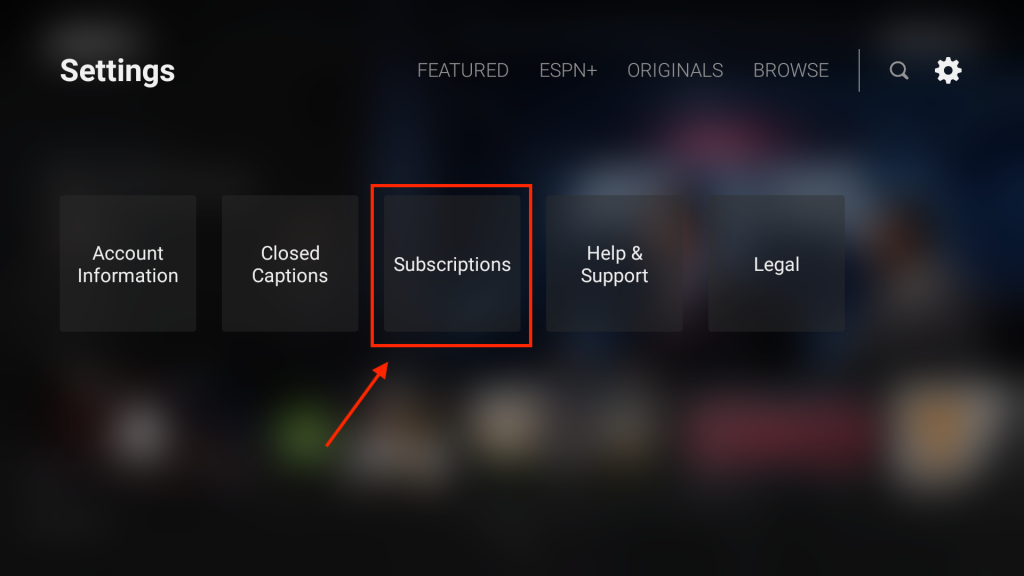
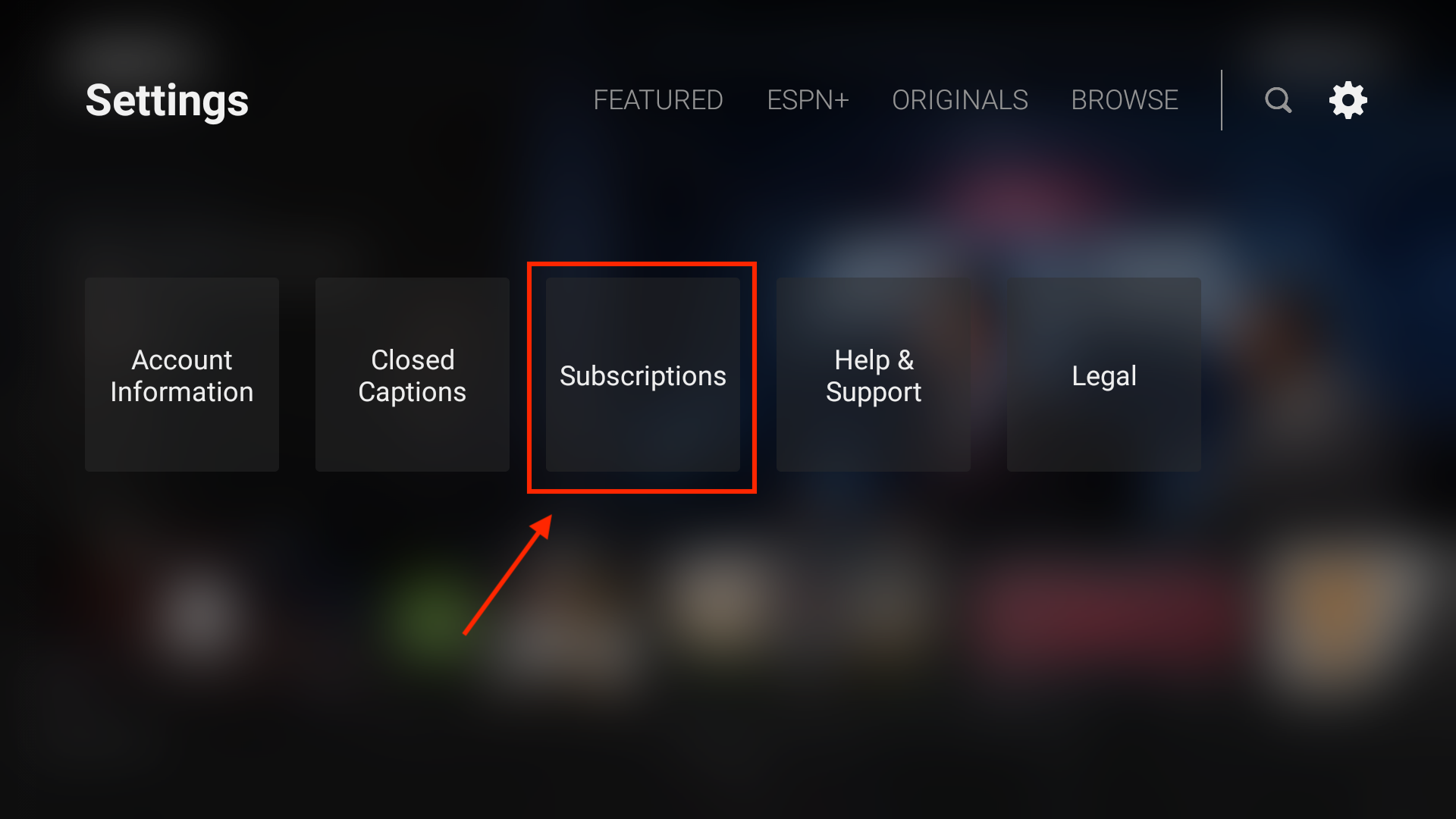
7. Now, select Settings on the top right of the ESPN app (the gear icon), then Subscriptions > ESPN+ > Log In.
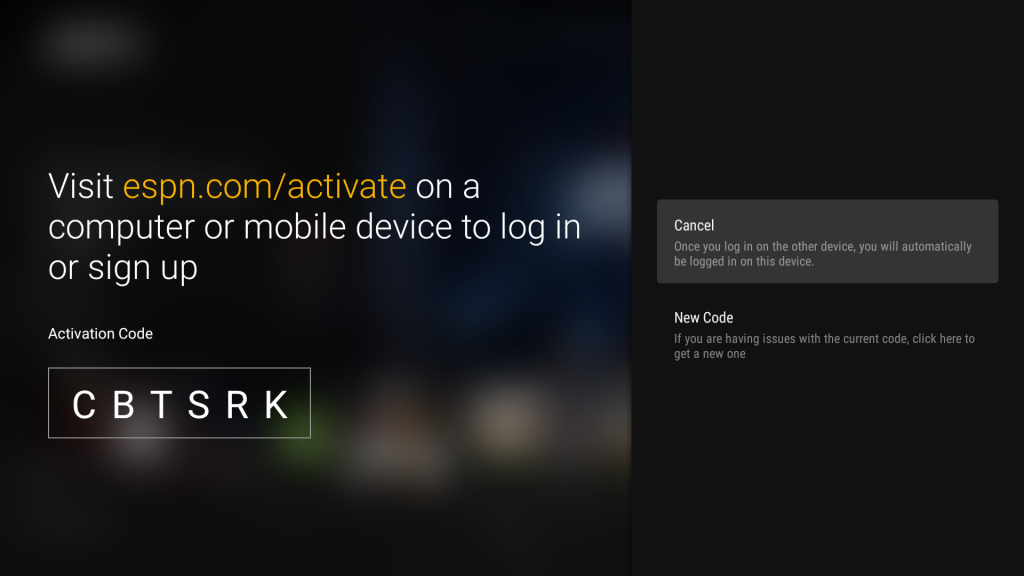
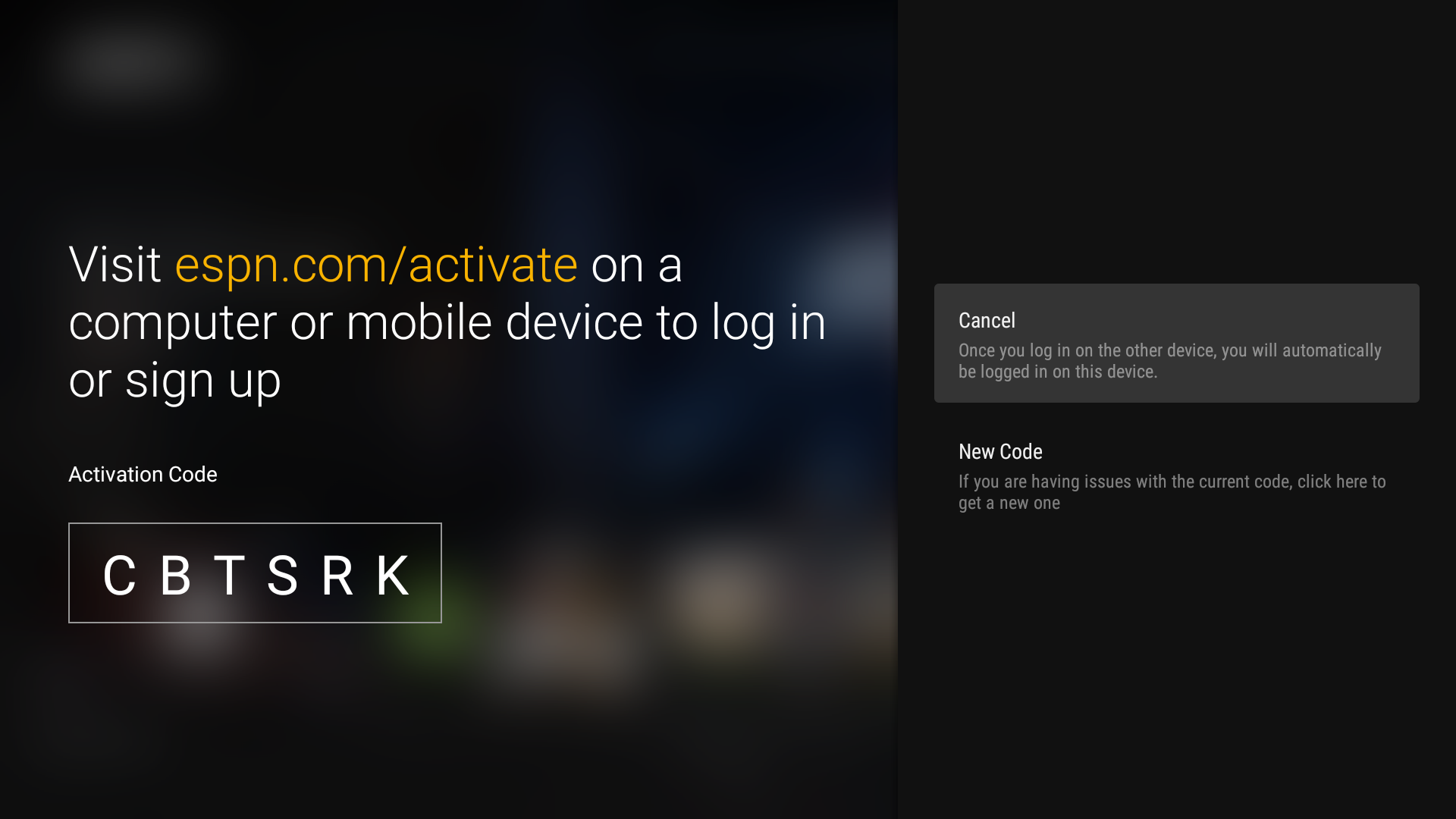
8. If you are required to activate your Samsung Smart TV, visit "espn.com/activate" on another device (such as a computer) and enter the code provided on your TV screen.
9. Click Continue and log in using your ESPN account username and password.
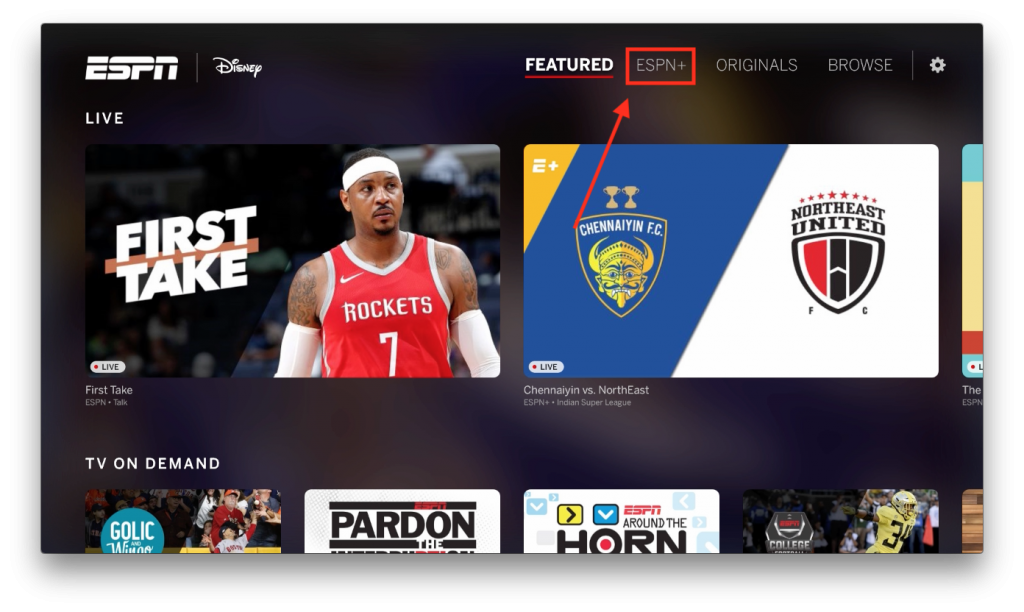
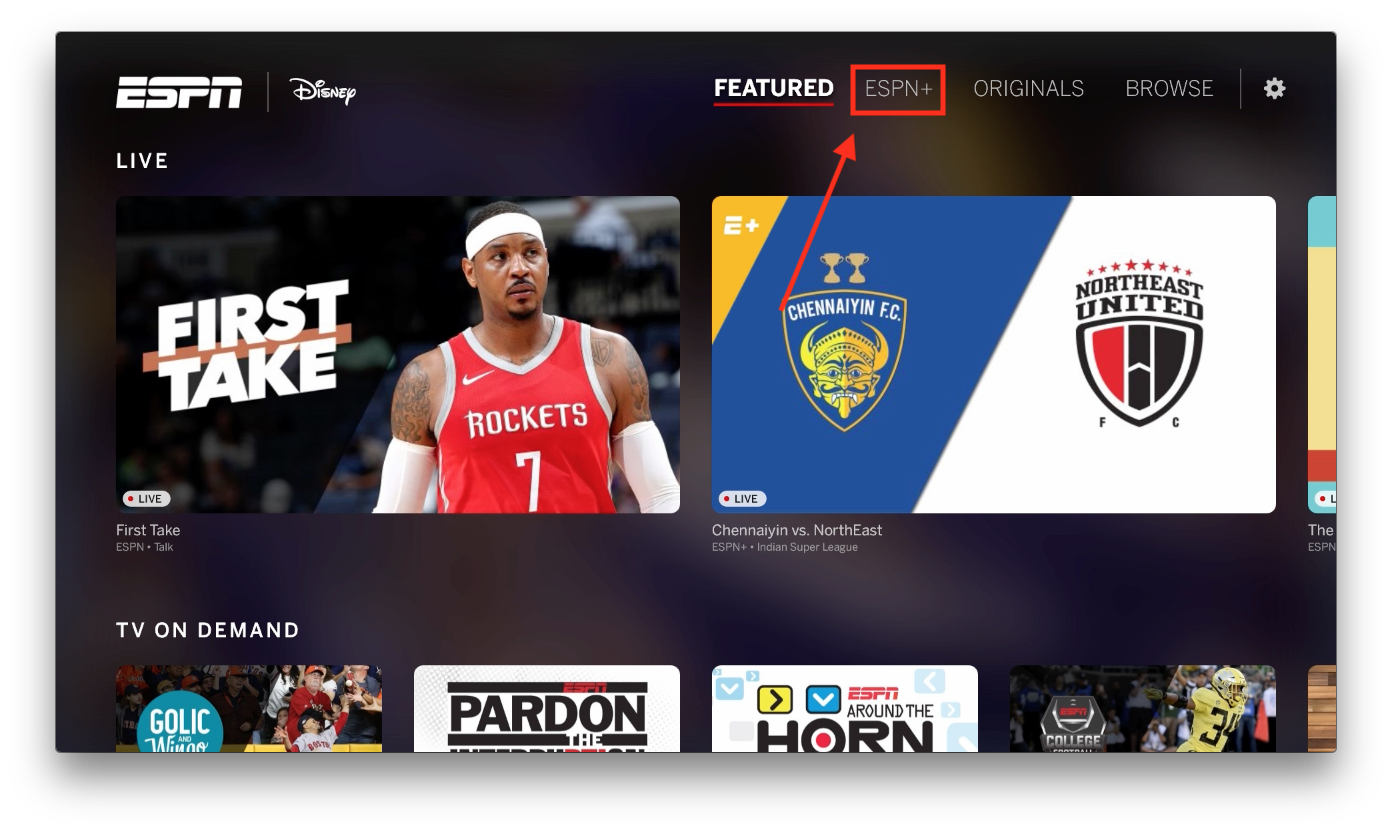
10. Finally, access the ESPN+ tab and then the UFC section on your TV to find and watch the desired fight.
How to Watch UFC on Samsung Smart TV With UFC Fight Pass
- First, open the Tizen OS Samsung Smart TV's and press the Smart Hub button on the remote
- Select Apps and search for UFC using the magnifying glass icon.
- Then, select the UFC app from the results and use the Download button to start installing it.
- Finally, open your newly-installed app and enter your UFC Fight Pass account username and password to log in.
- To watch a PPV event, visit UFC Fight Pass, find and select the UFC PPV tile, then select Purchase.
UFC Schedule
This is all on how to watch UFC on Samsung Smart TV. If you have any questions, don't hesitate to post a comment below, and we'll respond as quickly as possible. Thank you for visiting TechNadu, and enjoy watching UFC!
Related




Get expert insights on threats, breaches, scams, and security trends — delivered every Monday.
Most Popular




Get expert insights on threats, breaches, scams, and security trends — delivered every Monday.
Most Popular