

FotoJet Designer Review – Professional-Level Graphic Design for Everyone!
Last updated November 9, 2018

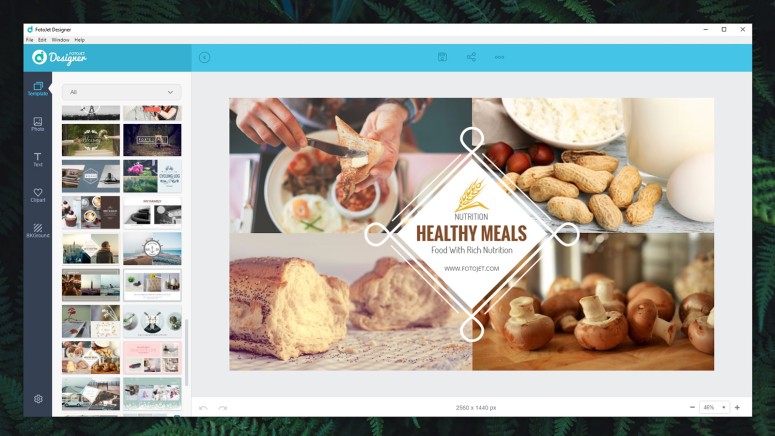
You know how they say – a picture is worth a thousand words. If you run a website, blog, or social media accounts, we’re sure you’re putting a lot of effort toward producing great content. However, all that effort can be hindered without amazing photos. So, what can you do? Well, you could turn to graphic design solutions, but you need to find an option that works for you. Professional tools aren’t only overly complex to use; they are quite expensive as well. This means that you need something affordable yet capable not to limit your creativity. And as it turns out, we might have a perfect solution right here. Welcome to our review of FotoJet Designer for PC!
Before we get started, let’s take a quick look at this application. We have a handy table found below with the basic information on this graphic design tool.
Some of you might be in a hurry, which is why we always include two tables in the introduction to all our reviews. The second one gives you a glimpse of our opinion, which is a good way to check out the software if you don’t have the time to read the entire article.
Now, we are ready to dive in-depth and see what FotoJet Designer has to offer. Keep on reading our full review to learn more.
FotoJet Designer for PC – TechNadu’s Review
Before we get started, you should know that we’ve tested the latest available version of FotoJet Designer (1.1.5). Our PC is powered by Windows 10, Intel’s i7-8700K CPU, and 16GB of RAM. But, as you’re about to see, this application runs equally well on powerful and quite dated machines.
Platform Compatibility
You don’t need to have a highly capable PC to run FotoJet Designer. It runs perfectly fine even on computers bought 10+ years ago. Our Score: 10/10.
By taking a look at this application’s official system requirements, we can see that your computer needs to run Windows 7, 8, or 10. And that’s about it. If your PC is capable of running either of these versions of Windows, you’re good to go. That’s because this application relies on Web-delivered templates and takes very little local resources. In other words, almost everyone will be able to run FotoJet Designer.
It’s also worth knowing that there’s a Web version of this application, and an edition made for MacOS. And please note that there aren’t any mobile versions just yet. We’re just putting this information out there – and they won’t be covered by this review.
Installation Process
If you have a fast Internet connection, you can download and install FotoJet Designer in a matter of minutes. Our Score: 10/10.
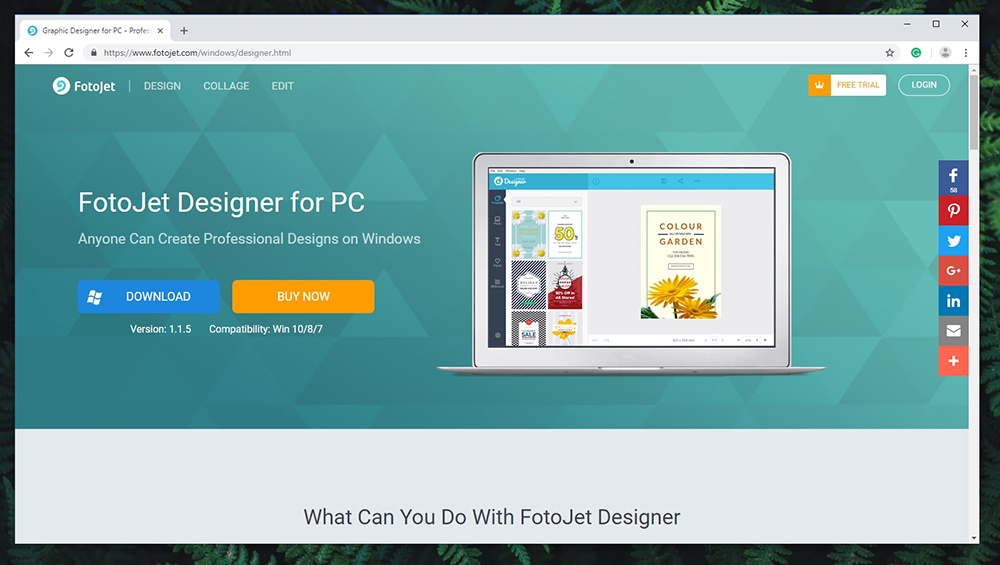
If you visit the official website of FotoJet Designer, you’ll see two prominent buttons at the top. You can buy a license (don’t worry, you can use a free trial as well), or download the installation file. The latter one will download the file that’s about 240MB in size. Once downloaded, click on it to start the installation process.
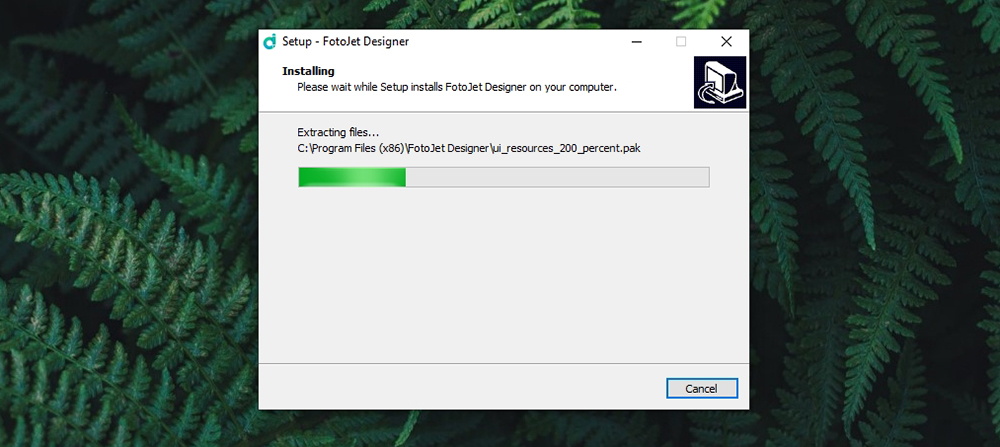
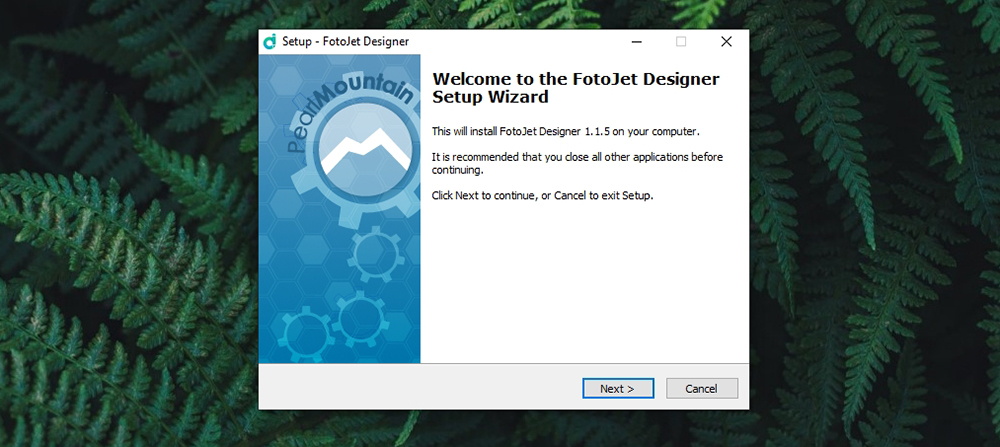
The installation is as simple as it could possibly be. There are no unexpected surprises or promotional offers. Select where you want the application to be installed, check out a few other options, and that’s pretty much it.
User Interface
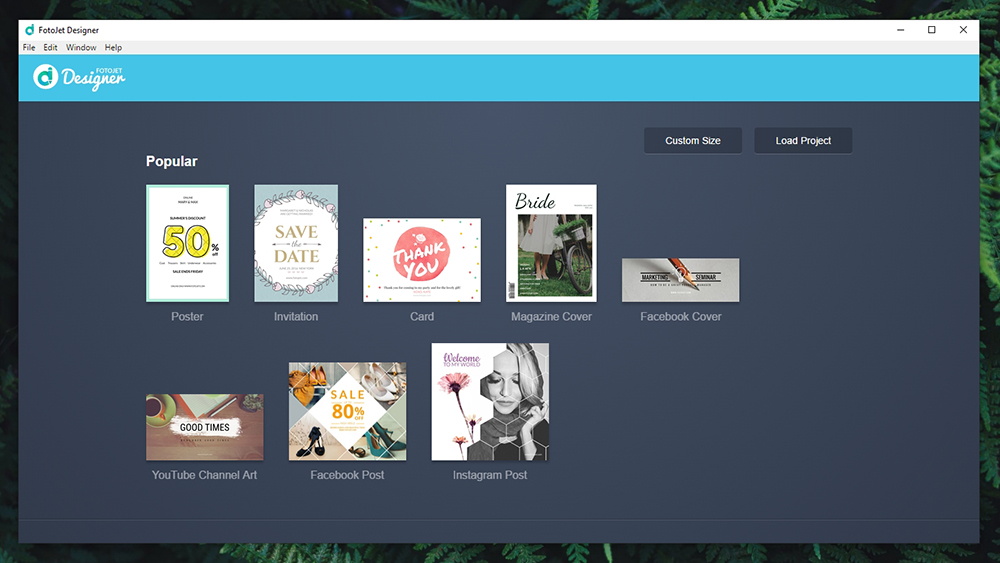
This application is made for beginners and graphic design enthusiasts – which means that it’s quite simple to use (and nicely designed all-around). Our Score: 10/10.
When you launch FotoJet Designer on Windows, you’ll see a nice grid of available templates. The application doesn’t have any ‘Welcome’ screens or any other types of distractions. What’s interesting to note is that there aren’t any settings to play with. The main system bar at the top lets you perform a few basic operations, get help, and that’s about it. However, if you want to be fully immersed in the application, we recommend clicking on Window > Toggle Full Screen – which should give you a more pleasurable workspace.
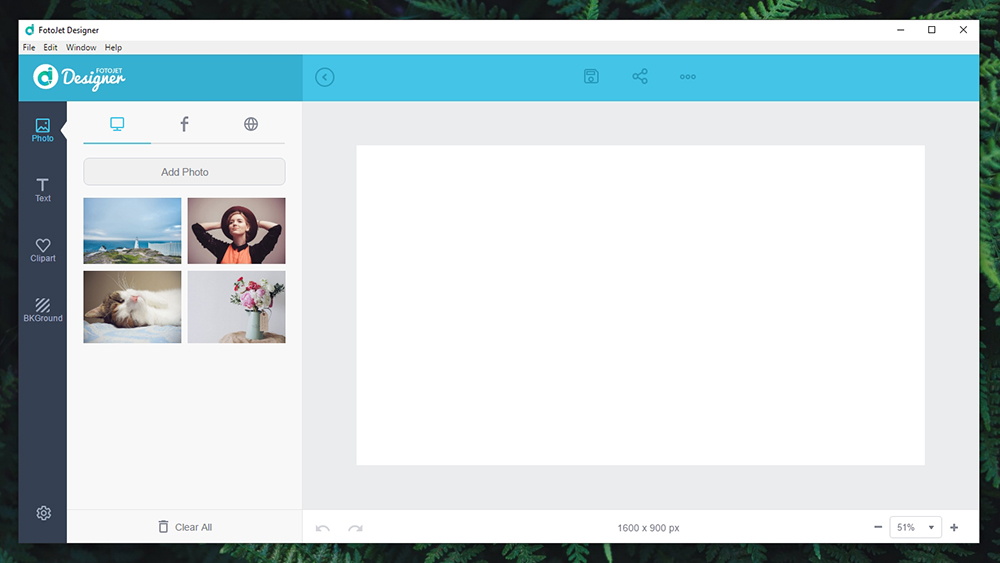
Once you open a template, the application transforms into an easy-to-use editor. On the right-hand side, you’ll see your workspace area with the ability to save and share your work by using the top-placed bar. At the bottom, you can undo and redo your actions and also zoom in/out. And then, there are plenty of interesting tools on the left-hand side. This is where you can download different elements, import them into your project and choose between online sources of content. We’re going to show you in-depth how this application works, so keep on reading.
Ease of Use
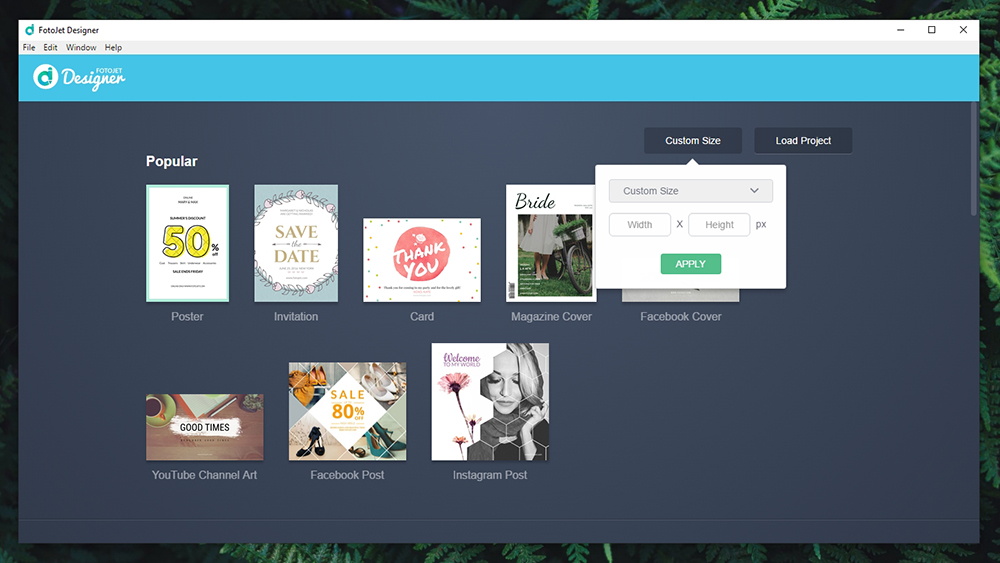
This application’s developers have done a marvelous job. However, you’ll still need to invest a bit of time if you want to dive in-depth into its capabilities. Our Score: 9/10.
The best way to talk about the ease of use is by showing you how this application works. So, we’re going to guide you through the process of creation of custom graphics. Let’s take a look:
- When you open FotoJet Designer on Windows, you’ll see a bunch of templates. However, there are not actually templates but instead – preloaded and custom sizes for different purposes. Once you open any of those, you’ll get a blank slate. It is also important to be said that you can create your photo from scratch by clicking on the ‘Custom Size’ button (top-right corner);
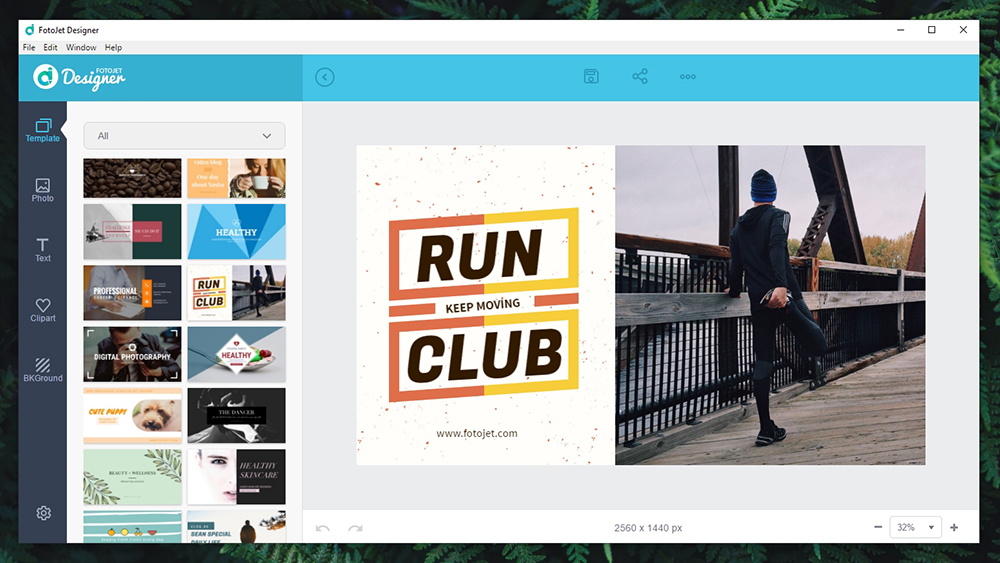
- Now, this is where the real fun starts. On the left side of the screen, you will find five groups of graphic elements: template, photo, text, clipart, and background. First, we need to select a template if we want to speed up the process. Select a theme from the top-placed dropdown menu and find something you like.
- Once you’ve found the perfect template, it should appear on the right side of the screen – and it comes fully editable. You are free to change the text, remove unwanted parts, and you’re ready to publish your graphic design creation. However, you can also dive deeper and change all those elements.
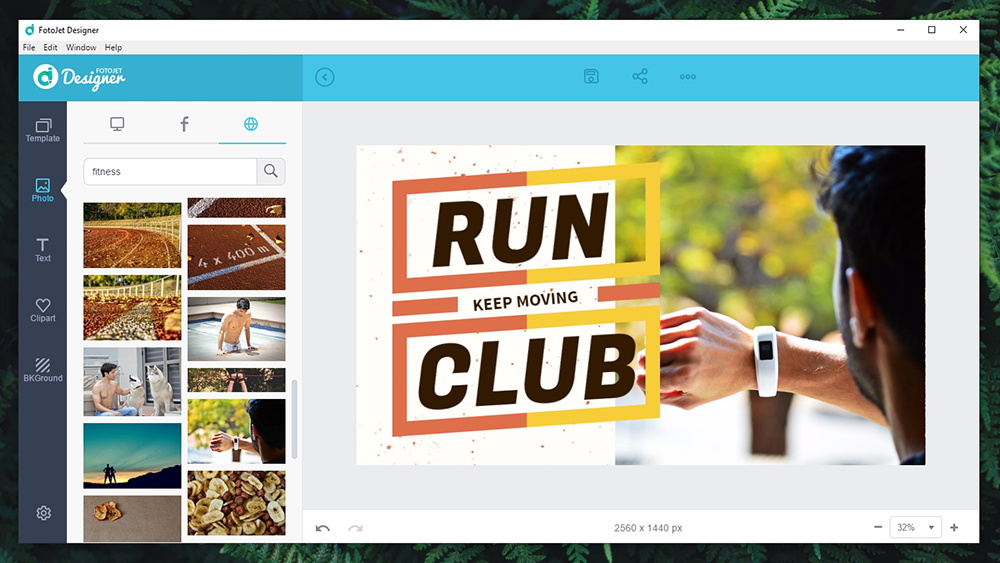
- On the left side, we can click on ‘Photo’ to replace the photo we got with the template. You can add a photo from your PC, Facebook, or search the Web (free stock photos). Click on something you like, position the photo, change its dimensions and make it look the way you want. Also, pay attention to what pops up when you click on your photo (in the workspace area). You get options to rotate, mirror, and play with layers (very important!).
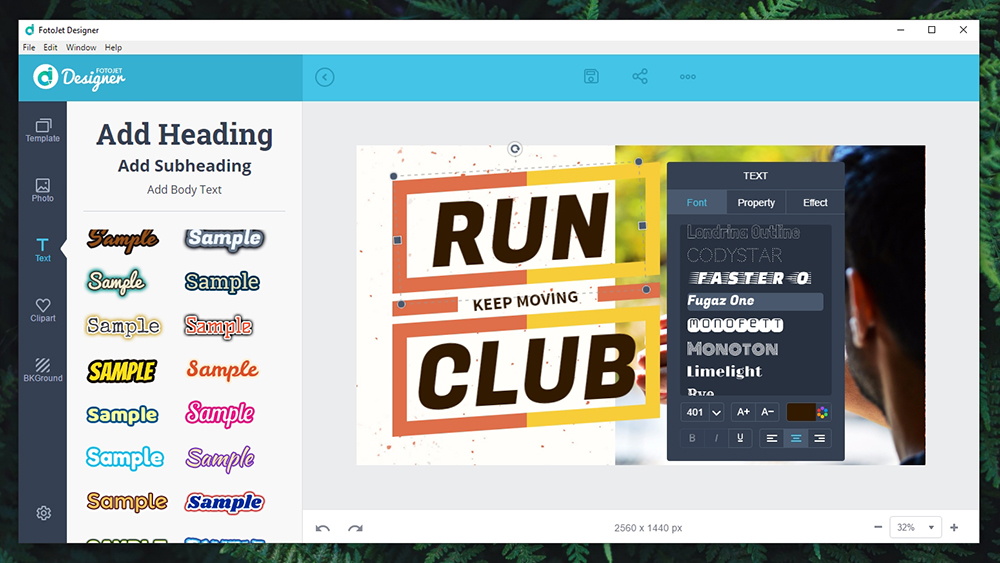
- Next, we can click on ‘Text’. At the top, we can choose from three groups: headings, subheadings, and body text. You can also use text templates to speed up the process. Once again, click on the text you add to the workspace area – and you’ll see a bunch of fine-tuning options. You can change the font, size, color, alignment, style, and much more.
- Then, we can proceed with the new group – ‘Clipart’. You can think of these are graphic elements to add some dynamics to your creations. Once again, you can find preloaded templates from all over the Web.
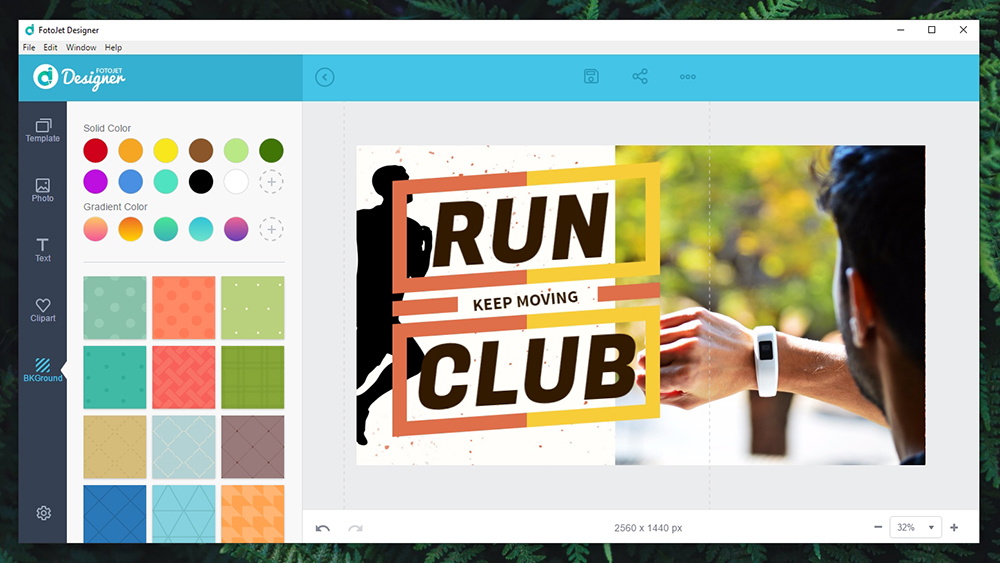
- And finally, you can choose a new background. In case your photo has some ‘free’ space, it will be covered by the background you choose.
- Once you’re happy with your creation, you can save it on your PC or share it social media platforms (Facebook, Twitter, Pinterest, and Tumblr).
Speed & Performance
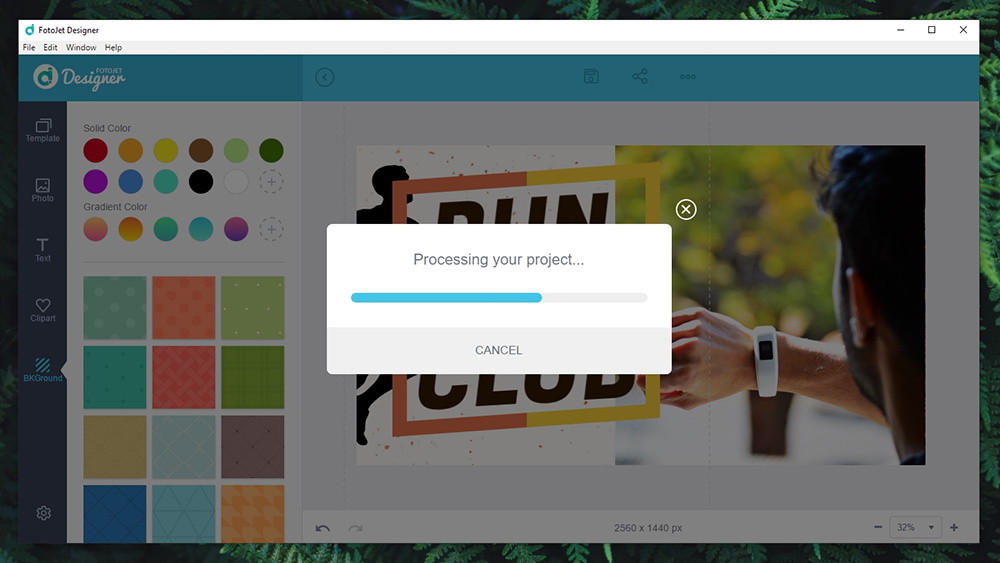
FotoJet Designer for PC is a highly optimized application that performs without a single problem. Our Score: 10/10.
We’ve spent quite a bit of time testing FotoJet Designer and playing with its features. During all that time, we didn’t experience a single problem. Adding a whole bunch of elements and playing around with them was very smooth. We got the same experience with creating some high-resolution files. Exporting those files (with a bunch of layers present) didn’t take more than a few seconds.
Customer Support
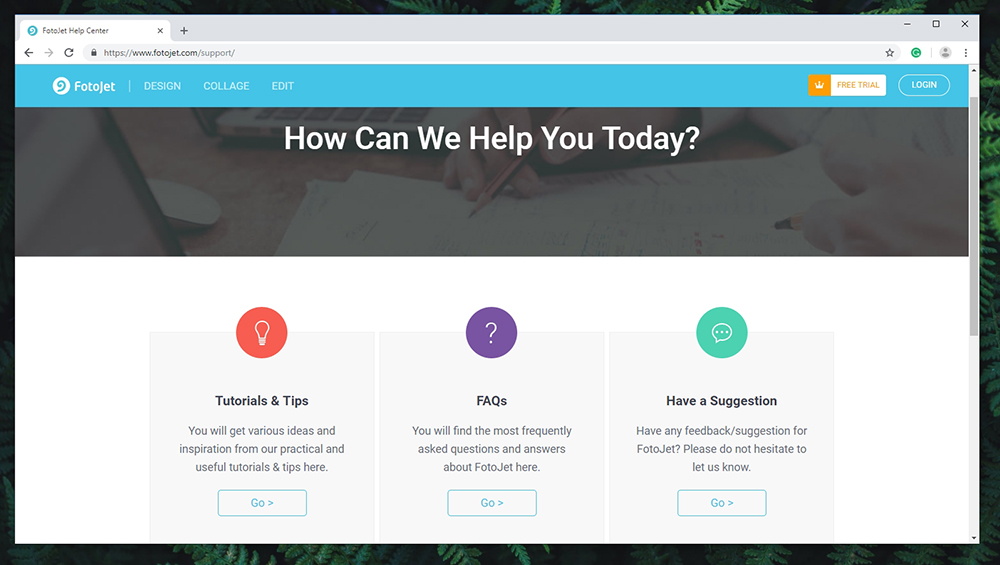
Even though not everything went smooth, we managed to find plenty of support online – including tutorials, FAQs, and contact pages. Our Score: 9/10.
Once you encounter a roadblock, the first thing you’ll want to do is to check out the help section. This is done by going to Help > Help/Support. This will open a new Web page – but you won’t find a working one. Even though this doesn’t look really good, this isn’t a big problem and it can be easily solved by the company that made this product.
Your next stop should be FotoJet’s Support Page where you can find tutorials, FAQs, and there’s a section for your feedback. And in case you want to contact the company, there’s a dedicated Contact Us page.
Pricing
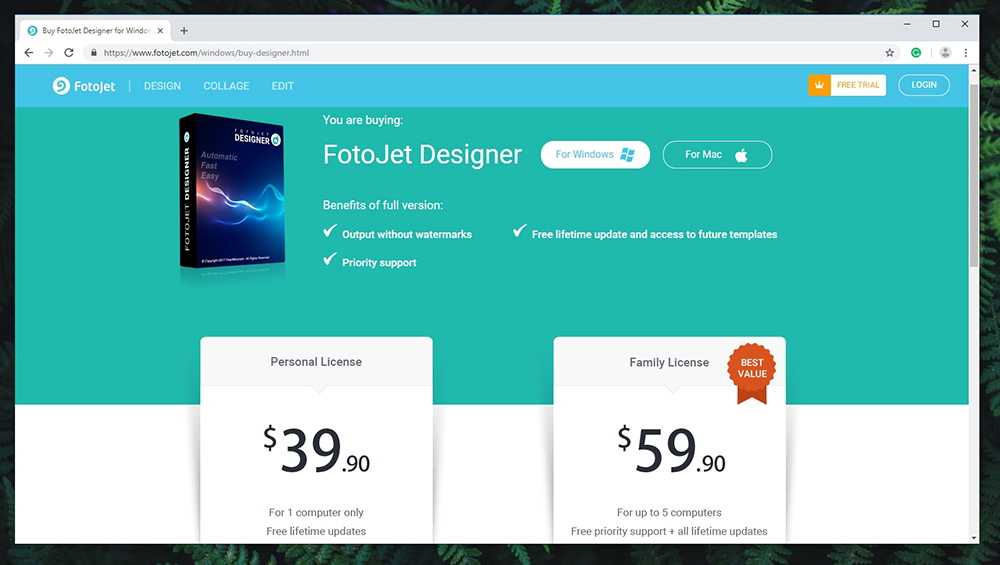
FotoJet Designer for PC can be used free of charge but you’ll need to spend some money to unlock all of its options. Our Score: 8.5/10.
This application can be used free of charge – up to some point. This is why you'll often find FotoJet mentioned as the best free graphic design software online. However, you won’t get the full list of features and your output files will come with a watermark. This means that you’ll need to pay for it if you want to fully unlock it. And here’s the situation:
- Personal License is priced at $39.90 and can be used on a single PC. It comes with free lifetime updates.
- Family License is priced at $59.90 and you can use it on up to 5 PCs. You get priority support and lifetime updates.
We have to say that the price of $39.95 for a single license does sound a bit expensive. FotoJet Designer is a powerful graphics editor and we do really like it. Therefore, it could be an amazing option for those who need to produce nice graphics on a regular basis. It’s also worth noting that sharing the Family License with 4 other individuals will mean spending $12 per one PC – and this makes it an amazing deal for just about anyone.
The Final Verdict
FotoJet Designer for PC is one of the most comprehensive applications of its kind. It’s easy to use and it doesn’t limit you in any way. Also, it provides you with plenty of online resources like custom graphics and templates that save a lot of effort and time.
- PROS: Incredibly simple to use; Highly polished UI; Plenty of useful tools; Tons of online graphics resources; Flawless performance.
- CONS: Some hiccups when trying to find help-related resources.
- OUR SCORE: 9.5 out of 10.
Final Thoughts
Dear TechNadu visitors, this is where we end our review of FotoJet Designer for PC. If you have any questions, don’t hesitate to post a comment below.
If you made it until the end of this article, why not share it online? Also, you can follow us on Facebook and Twitter. Thanks!
| Review Summary FotoJet Designer for Windows is an interesting solution for those who want to use graphic design solutions, without diving into pro-level apps. It brings plenty of capable tools - but it always remains easy to comprehend and use. | 9.5 Overall Score | ||
| Platform Compatibility | 10 | ||
| Installation Process | 10 | ||
| User Interface | 10 | ||
| Ease of Use | 9 | ||
| Speed & Performance | 10 | ||
| Customer Support | 9 | ||
| Pricing | 8.5 | ||
Related





Get expert insights on threats, breaches, scams, and security trends — delivered every Monday.
Most Popular


Get expert insights on threats, breaches, scams, and security trends — delivered every Monday.
Most Popular