



Fake Perplexity AI Chromium Extension Hijacks Browser Search via Typosquatted Domain
Published


Key Takeaways
- Extension Spoofed: A malicious Chromium extension named "Search for perplexity ai" impersonated Perplexity AI.
- Method Used: It abused MV3 and declarativeNetRequest (DNR) APIs to intercept and redirect browser search traffic.
- Action Taken: Microsoft reported the extension to Google, which removed it.
A malicious Chromium-based browser extension that spoofs the AI-powered answer engine Perplexity AI to trick users into installing it. Microsoft Threat Intelligence assessed the extension's primary objective as search traffic interception and data collection.
Microsoft reported the extension to Google through responsible disclosure, and it has since been removed.
How the Fake Perplexity AI Extension Works
The extension, "Search for perplexity ai" (ID: flkebkiofojicogddingbdmcmkpbplcd), used the typosquatted domain perplexity-ai[.]online, which mimics the legitimate perplexity[.]ai service. It leverages browser search hijacking, routing full queries and real-time suggestions through attacker-controlled infrastructure.
![Landing page of perplexity-ai[.]online | Source: Microsoft](https://cdn.technadu.com/wp-content/uploads/2026/06/image-61.png)
The extension abused Manifest Version 3 (MV3) and declarativeNetRequest (DNR) APIs to intercept Omnibox queries while preserving the look of legitimate results. Through the suggest_url field, every character typed in the address bar was transmitted to the attacker's domain before any redirect, enabling keystroke-level capture.
A two-hop redirect architecture sent the query first to perplexity-ai[.]online, where the server logged it, then redirected the browser to a real engine, so users saw normal results, unaware of the interception. “This activity aligns with behaviors observed in modern browser hijackers and ad-fraud ecosystems,” the report said.
Server-Side Logging Confirms Intent
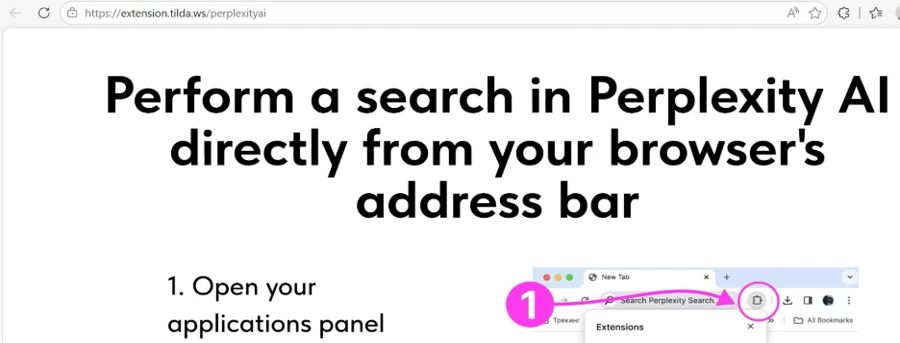
The extension shipped with its own server.js code that logged all incoming requests, including query strings and full HTTP headers. Upon installation, it opened an onboarding page at extension.tilda[.]ws/perplexityai to resemble a legitimate setup flow and reduce user scrutiny.
Mitigation recommendations include:
- Restrict the installation of untrusted browser extensions by enforcing allow‑listing and enterprise policy controls within managed environments.
- Encourage users to verify extension publishers, domains, and branding, particularly for AI-themed tools commonly leveraged in social engineering scenarios.
- Monitor unauthorized changes to browser search settings, unusual extension permissions, and outbound traffic to intermediary or non-standard domains associated with search activity.
In other recent news, Microsoft removed more than 100 Edge extensions that hid malware via steganography, and researchers discovered the Adblock for YouTube Chrome extension contains dormant JavaScript injection.
According to a Kaspersky report published last week, fake AI tools were used in 33,000+ attacks last year. In October 2025, hackers targeted Perplexity's Comet browser launch via fake apps, malvertising, and domain squatting
Related






Get expert insights on threats, breaches, scams, and security trends — delivered every Monday.
Most Popular

Get expert insights on threats, breaches, scams, and security trends — delivered every Monday.
Most Popular