



DroidLock: Malware Build for Extortion, Device Takeover, and Insider Risk in Spain
Published on December 11, 2025

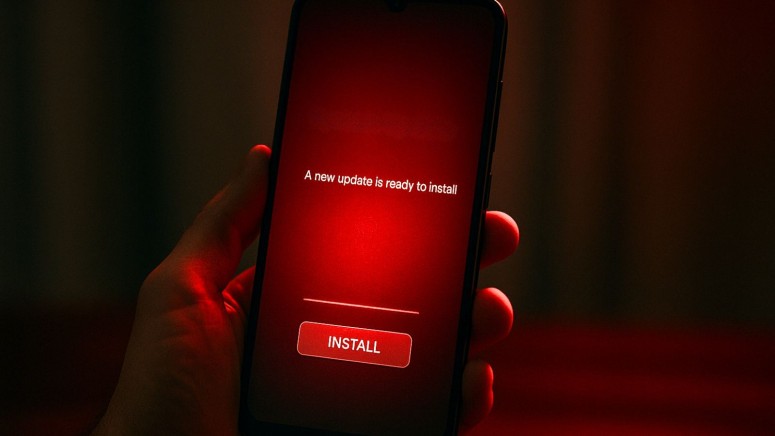
Key Takeaways
- Full Device Control: DroidLock takes complete control of targeted Spanish Android devices.
- Credential Theft: It deploys screens to steal unlock patterns and app data.
- User Lockout: Attackers can change PINs, wipe devices, and remotely manipulate every function.
DroidLock, a new Android malware, is taking full control of targeted Spanish devices. It spreads through phishing sites and uses overlays or deceptive screen content credential theft.
The malware can lock users out, record screens, wipe data, and enable remote control.
Details About DroidLock
The malware, DroidLock, gives attackers real-time control over an Android device once a user installs the malicious app delivered through phishing sites. Zimperium documented the activities of the malware which include:
- Data destruction through factory reset and wiping
- Credential theft through dual overlays that imitate legitimate app screens
- Full device takeover through admin permissions
- Ability to lock you out permanently by changing PINs, passwords, and biometric settings
- This could be used to show a false or blank screen tricking the user into believing that the device is not working, so attackers compromise sensitive data behind the screen
- Background activities including muting sound, and displaying fake update screens to prevent user interference
Victims are exposed to surveillance through:
- Screen recording of everything displayed
- Remote access through VNC-style control
- Capturing images with the front camera
- Keylogging / Capturing keystrokes
- To steal passwords, credit card details, and confidential messages
- Clipboard theft of copied text
- Access to OTP and notifications
DroidLock Attack Path and Risks
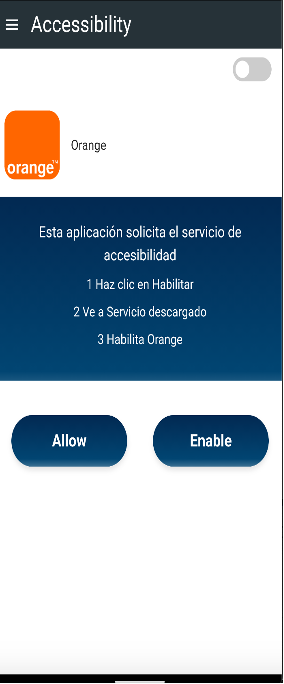
DroidLock is not a simple malware, however, it relies on a common attack path. It spreads through phishing sites, which are extremely common. Users do not need to install an app from the Play Store. They only need to click a phishing link and install what looks like a legitimate update or app.
The overlay warns that data will be destroyed unless the victim contacts the attacker, as a maneuver to psychologically pressure them.
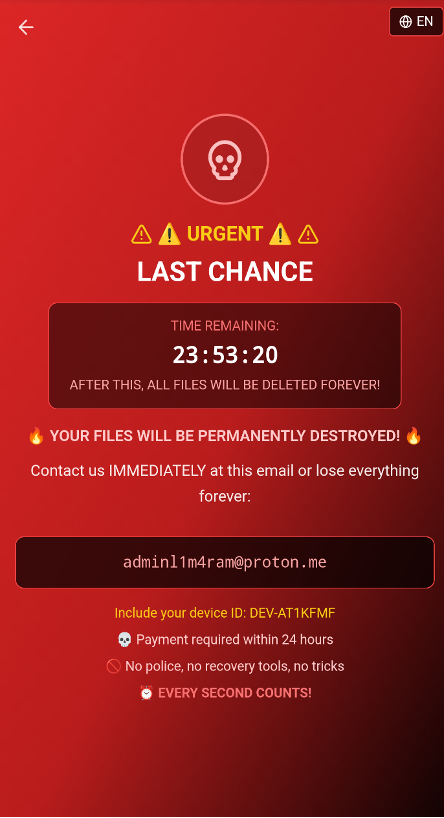
It can appear like ransomware by displaying a screen lock that threatens data loss, creating a sense of urgency among victims for extortion or insider misuse. The malware developers have created DroidLock so that it locks the victim out of their device, so they can wipe the phone entirely, possibly when their demands are not met.
Besides working as a remote access tool, once active, DroidLock enables complete device manipulation using fake overlays to:
- Mimic lock screens and system update screens
- Trick the victim into providing unlock patterns or credentials
- Block interaction so users can’t access real UI elements such as menus, lock screen, app interfaces, notification panels, and settings screens among others.
An infected device becomes hostile in every way as the attacker can log into the apps, hijack banking sessions, read MFA codes, and access corporate data.
It affects both personal users and enterprise BYOD devices. Even if one employee gets infected, attackers gain internal access including corporate accounts and VPNs. They can compromise MFA codes, and documents. The threat actors behind the DroidLock malware campaign are not presently known.
How to Stay Safe Against DroidLock
Since the malware depends on user actions such as downloading a dropper from a phishing link and granting Accessibility permissions, preventing these steps is essential.
The infection begins when the dropper deceives the user into installing a second-stage payload that contains the actual malware. This method allows DroidLock to bypass Android restrictions and exploit Accessibility services.
Once the victim approves Accessibility access, the malware authorizes additional permissions for SMS, call logs, contacts, and audio.
Users can avoid this takeover by refusing installation requests from unknown sources, avoiding system-update prompts delivered through unrelated or unknown websites, and declining unexpected Accessibility permission screens.
Related






Get expert insights on threats, breaches, scams, and security trends — delivered every Monday.
Most Popular
Get expert insights on threats, breaches, scams, and security trends — delivered every Monday.
Most Popular