

How to Add AppleCare+ to Your iPhone After Purchase
Last updated June 16, 2021


No matter how careful you’re with your new iPhone, accidents can happen. This is precisely why AppleCare+ exists, extending your iPhone’s warranty to two years (while adding other benefits as well). The only question is – how to add AppleCare+ to an iPhone after you’ve already purchased it?
The answer is – easy! And since we’re talking about Apple here, you can already guess that adding AppleCare+ can be done in more ways than one.
More precisely, you can use your iPhone, visit Apple’s website, call Apple’s technical support, or visit your local Apple store.
Therefore, let’s jump to explaining how to add AppleCare+ to your iPhone. Later on, we’ll answer some frequently asked questions as well.
Here’s How to Add AppleCare+ to Your iPhone After Purchase – Step-by-Step Guide
Right now, there are four routes to take. The result is the same – you’ll buy Apple’s AppleCare+ coverage for your iPhone, extending its warranty to two years.
Option #1: Use Your iPhone
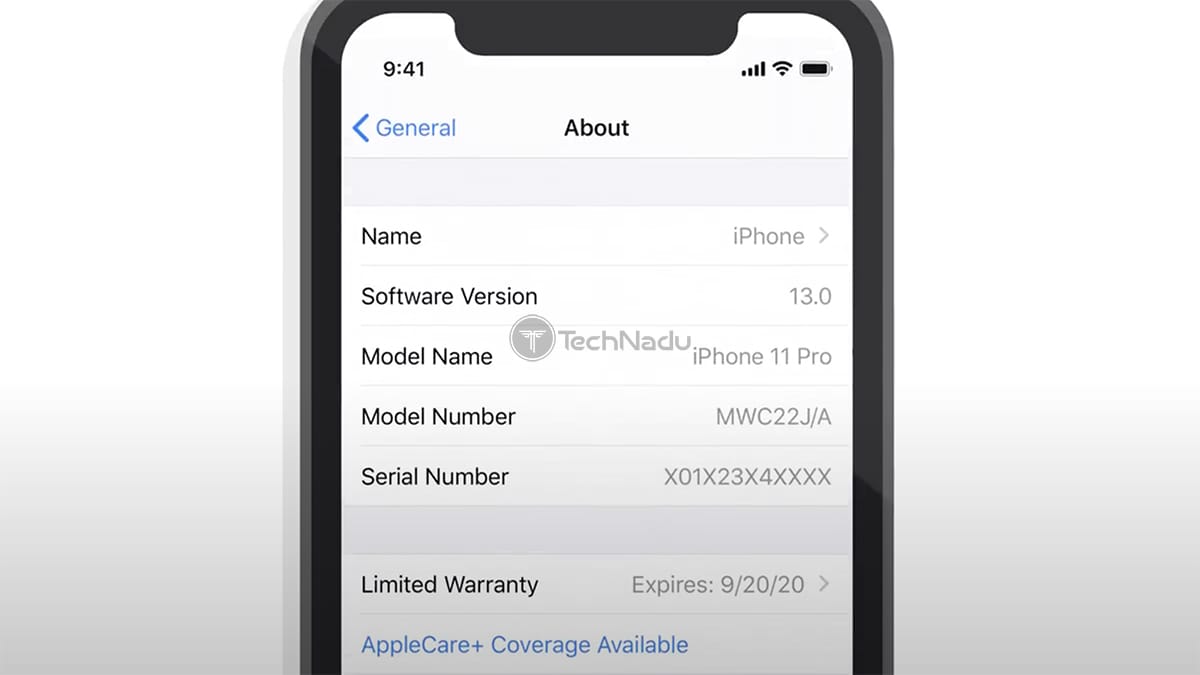
Here’s how to add AppleCare+ to your iPhone - by using your brand-new iPhone.
- Open the Settings app on your smartphone.
- Head to General > About.
- Tap on ‘AppleCare+ Coverage Available.’
- Follow the prompts on your screen to finalize the procedure.
Option #2: Visit Apple’s Website

To add AppleCare+ to your iPhone, you can turn to Apple’s website. In this case, make sure to have your phone’s serial number ready (Settings > General > About).
- Using your Internet browser, head over to the AppleCare website.
- Then, pick ‘iPhone.’
- You’ll now need to provide a serial number or sign in using your Apple ID.
- Follow the procedure you’ll see on your screen. You’ll need to complete a remote diagnostic, which shouldn’t take too much time.
Option #3: Call Apple’s Technical Support

For this method, you’ll need to provide a proof of purchase, like a receipt. And also, you’ll need to supply a serial number of your iPhone (Settings > General > About).
- Call Apple support at 800.275.2273 (800.APL.CARE).
- Ask to add AppleCare+ to your iPhone.
- You’ll now be asked for additional information, and you’ll need to do a remote diagnostic of your device. Don’t worry, this is a simple procedure, which will be explained to you over the phone.
Option #4: Visit a Local Apple Store
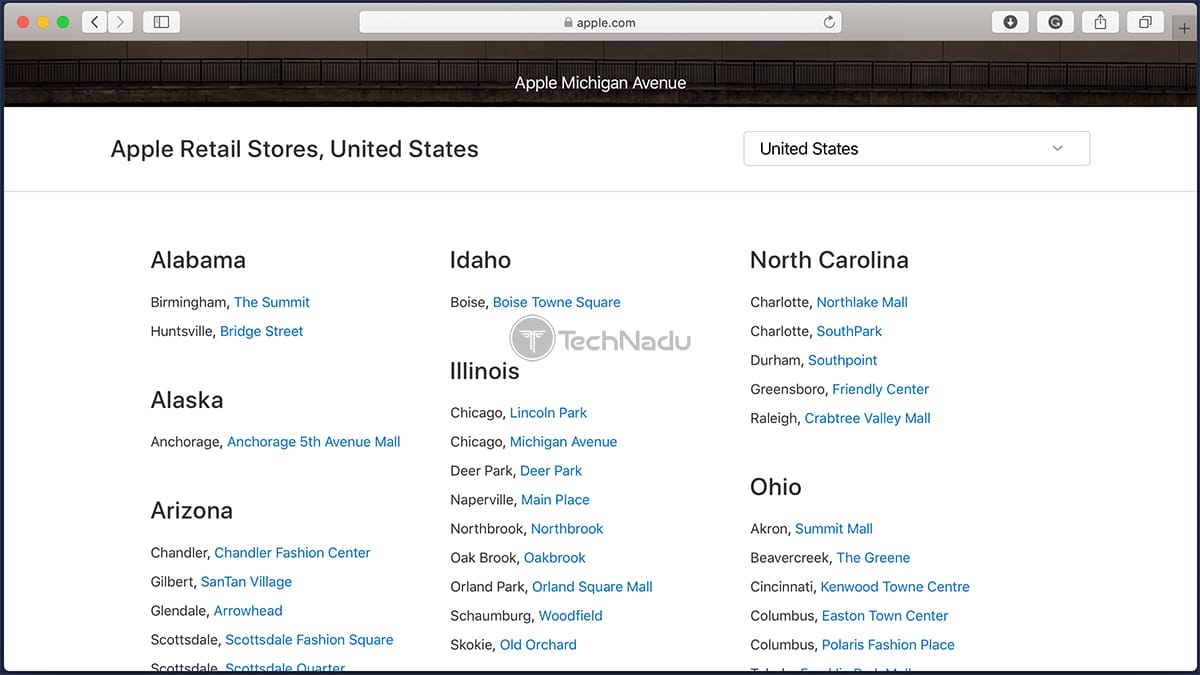
In case you have an Apple Store nearby, perhaps the easiest way to add AppleCare+ is to visit that Apple store. Here’s what you’ll need to do.
- Of course, make sure to have your new iPhone with you.
- Also, prepare a proof of purchase, like a receipt.
- Ask to add AppleCare+ to your recently purchased iPhone.
- You’ll need to complete a visual inspection. That’s it!
What’s Covered Under AppleCare+?
Buying AppleCare+ for your iPhone extends its warranty to two years (minimum). Also, you get protection for physical damage. Those are the most important benefits.
More precisely, you are covered in two incidents involving accidental damage. Keep in mind that additional fees are present - $29 for screen damage and $99 for other types of damage.
AppleCare+ includes other benefits as well. You get 24/7 priority access to Apple support, as well as same-day service in most metropolitan areas. You’ll also be eligible for extensive hardware coverage, which includes your iPhone’s battery (if it retains less than 80% of its original capacity).
How Much Does AppleCare+ Cost (for an iPhone)?
When it comes to the price of AppleCare+, this depends on the iPhone model you have. Here’s how much you can expect to pay.
- iPhone 7 & iPhone 8 - $129.
- iPhone 7 Plus & iPhone 8 Plus - $149.
- iPhone XR & iPhone 11 - $149.
- iPhone XS, XS Max, 11 Pro, and 11 Pro Max - $199.
Does AppleCare+ Include Coverage for Theft & Loss?
No, AppleCare+ doesn’t include coverage for theft and loss – if you pick its ‘standard’ plan. If you need this type of coverage, you can opt for the AppleCare+ ‘Theft and Loss’ plan.
As you can expect, this is a more expensive coverage plan, where prices start at $199 for the iPhone 7 and 8. Owners of the latest iPhone generation can also use this AppleCare+ plan, but they should expect to pay up to $299.
What’s the Difference Between AppleCare & AppleCare+?
When you buy a new iPhone, you automatically get one year of AppleCare – which is Apple’s basic (and international) warranty. To protect your investment in a more comprehensive way and extend its warranty to two years, you need AppleCare+.
We’d also like to note that you can get AppleCare+ beyond those two years. The Cupertino-based company offers a way to pay upfront for AppleCare+ (for two years), and then you can pay monthly afterward. You’ll be covered as long as you’re paying for the coverage.
Can You Add AppleCare+ After 60 Days?
Just recently, Apple announced its plans to offer its customers more time to opt for AppleCare+. More precisely, you’ll have more than 60 days to decide (up to 12 months) – but this applies only to those in the United States and Canada.
In general, we recommend not waiting too long to get AppleCare+ on your iPhone – especially if you’re planning on buying one soon. That’s because Apple can revert back to its 60-day window without any prior notice.
So, that would be all on how to add AppleCare+ to your iPhone after purchase. If you have any questions, post them via the comments section below. And also, don’t forget to share this article online. Thanks!
Related






Get expert insights on threats, breaches, scams, and security trends — delivered every Monday.
Most Popular



Get expert insights on threats, breaches, scams, and security trends — delivered every Monday.
Most Popular