



AI Coding Agents Are Triggering Security Alerts Designed to Catch Attackers, Sophos Reports
Published

Key Takeaways
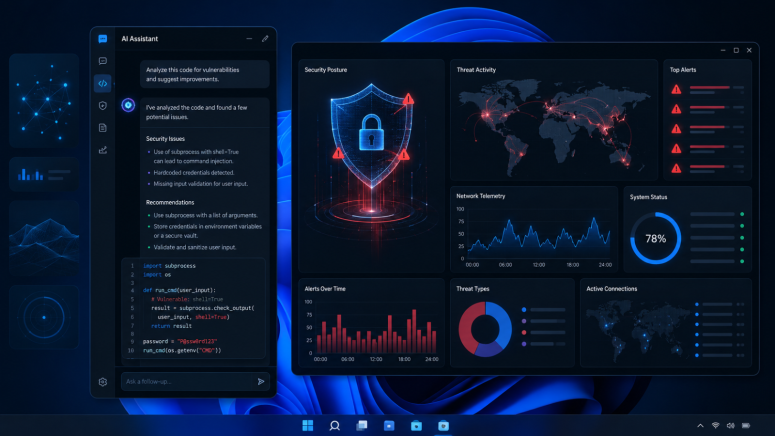
- AI coding agents: Sophos found coding assistants trigger endpoint detection rules by performing attacker-like but mostly legitimate actions.
- Behavioral telemetry: Credential access, PowerShell commands, downloads, and persistence techniques generated security alerts during testing.
- User impact: Organizations should define AI agent policies; Sophos recommends continued monitoring, not user action.
AI-powered coding assistants are increasingly performing actions that resemble the behavior of cybercriminals, according to new research published by Sophos X-Ops on July 7, 2026. While the observed activity was not found to be malicious, Sophos says its endpoint protection systems are correctly identifying and blocking behaviors that are commonly associated with real attacks.
The findings are based on telemetry collected from the company's CIXA behavioral engine on Windows systems. Sophos says the goal of the analysis is to show how modern AI coding agents are changing endpoint activity and why security tools will need to adapt as these assistants become more widely used.
AI Agents Are Performing Actions That Match Common Attack Techniques
According to Sophos, AI coding tools such as Claude Code, Cursor, Codex, and agents built with skill packs like GStack are now capable of writing code, installing software dependencies, automating browser tasks, and troubleshooting problems by trying multiple solutions.
From the perspective of endpoint security software, many of these actions closely resemble techniques commonly used by attackers. During a seven-day period in June 2026, Sophos found that the largest share of blocking events involved behaviors related to Credential Access and Execution, two categories in the MITRE ATT&CK framework that describe common attacker tactics.
The company also identified a separate internal category called Disrupt, which represents events where its Adaptive Attack Protection (AAP) blocked low-reputation executable files. Sophos said none of the examined files appeared to be malicious, but they had not yet established a strong reputation in SophosLabs telemetry.
When examining non-blocking telemetry, Sophos found a wider range of monitored activity, including techniques associated with Defense Evasion and Command and Control. The company explained that these alerts were triggered because AI agents frequently launch child processes, make network connections, and execute command-line operations that overlap with known attacker behavior.
Browser Credential Access and Download Attempts Triggered Detection Rules
Sophos found that the largest number of blocking alerts involved credential access.
One example involved GStack's /browse skill, which connects an AI agent to a Chromium browser for automation tasks. Sophos observed PowerShell using the Windows Data Protection API (DPAPI) to decrypt browser credentials. DPAPI is a Windows feature that protects sensitive information such as saved passwords. Although Sophos believes the activity was most likely legitimate browser automation, the behavior matched an existing security rule designed to detect credential theft.
The researchers also observed Python scripts accessing browser credential stores after terminating browser processes, as well as commands that listed stored credentials from the Windows Credential Manager. In one case, Claude Code was running with the --dangerously-skip-permissions option, a mode that its own documentation warns carries security risks.
Another recurring detection involved PowerShell command-line formatting patterns that historically indicated command obfuscation. Sophos noted that AI-generated PowerShell code now sometimes produces similar formatting, leading to legitimate alerts that have already required rule adjustments to reduce unnecessary detections.
The researchers also documented cases where an AI agent repeatedly attempted to download a Python installer from the official Python website. After one download method using Windows' certutil utility was blocked, the agent automatically switched to another method using bitsadmin. Sophos said this type of persistent trial-and-error behavior resembles how human attackers adapt after encountering security controls, even though the download target itself was legitimate.
In another example, Cursor attempted to place a Visual Basic script into the Windows Startup folder using PowerShell. Security software blocked the action because writing files into startup folders is commonly associated with persistence techniques used by malware. Sophos said it could not determine the script's actual purpose because its contents were unavailable.
What This Means for VPN and Privacy Users
The report is an official analysis published by Sophos X-Ops and is based on telemetry collected from Sophos' Windows behavioral detection engine.
For privacy- and security-conscious users, the research highlights that AI coding assistants may legitimately perform sensitive operations such as accessing browser credentials, interacting with stored authentication data, or automating system tasks. These behaviors are not automatically malicious, but they can closely resemble techniques used during cyberattacks, causing endpoint security products to generate alerts or block actions.
Sophos says this does not indicate that existing behavioral protections are failing. Instead, it suggests that detection systems will need continued tuning to distinguish trusted AI-assisted workflows from genuinely malicious activity while continuing to block risky behavior regardless of whether it is initiated by a human or an AI agent.
At this time, Sophos does not recommend any specific action for end users. Instead, the company says organizations deploying AI coding agents should establish clear policies defining what those agents are permitted to do on endpoint devices and continue monitoring their activity as AI adoption grows.
Related



Get expert insights on threats, breaches, scams, and security trends — delivered every Monday.
Most Popular

Get expert insights on threats, breaches, scams, and security trends — delivered every Monday.
Most Popular