Spot Fake Remote Workers Who Bypass Hiring and Security Checks
Published on May 20, 2026

Question: What behavioral signs, technical tricks, or tools are malicious remote workers using to appear legitimate during interviews, onboarding, and day-to-day work? Could you share real-world examples?
Brandon Dixon, CTO and Co-Founder of Ent AI
What makes these cases difficult is that the goal is not to “hack” an organization in the traditional sense. Their goal is to:
- blend in well enough to get hired
- get access
- not stand out
- which can be hard to spot because a lot of the activity honestly looks pretty normal
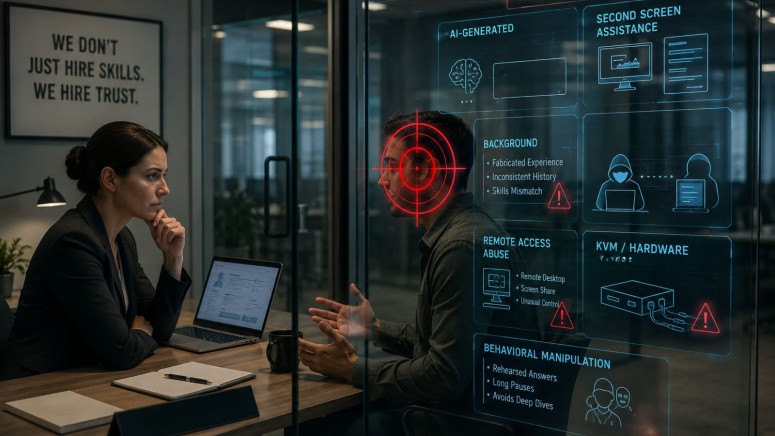
During interviews, the first signs are usually behavioral. Recruiters and hiring managers I’ve spoken with see candidates with:
- synthetic-looking backgrounds
- generic or overly rehearsed answers
- long or awkward pauses before responding, suggesting they’re reading AI-generated answers from another screen
In some cases, the interviewee's resume doesn’t match the role they’re applying for, or if it does, it looks highly suspicious.
You’ll see inconsistencies in:
- work history
- unclear transitions between industries
- candidates claiming experience across different areas of expertise that don’t connect.
On calls, they can usually talk at a high level, but once you ask about implementation details or decisions they made in prior roles, things fall apart quickly.
This past year, I’ve personally interviewed over 200 candidates, and in several cases, I suspect I encountered fake IT workers. The Fortune 500 recruiters I speak with also say they encounter these cases regularly, describing about one or two suspicious candidates out of every few dozen interviews.
Our team has detected instances of this activity in enterprise environments, and have noticed that once hired, a common pattern is remote access abuse. In some situations, the person who interviewed for the role is not actually the person using the system day to day.
The laptop gets farmed out through remote access software or even hardware KVM devices that let another person operate the machine remotely while still making the activity appear local.
We saw this play out with a US hospitality customer. Our team found several instances where employees used Zoom to hand control of their corporate systems to someone outside the organization.
The pattern was the same each time:
- log in at the start of the day
- transfer control to an external user
- keep the meeting running until the end of day
We were able to gather enough evidence that security teams could build a clear case and HR had what they needed to act on it. The signals show up behaviorally, which is much harder to catch.
For example:
- someone’s work habits stop matching their role
- they begin working during odd hours, or
- they access systems unrelated to their job
- A software engineer gradually spending more time in finance or administrative workflows than engineering systems would stand out pretty quickly to somebody paying attention, but most organizations aren’t watching for that.
I think this is where a lot of security teams struggle. Most companies focus on malware, phishing attacks, and policy violations, but these cases involve legitimate credentials, approved tools, and activity that mostly looks like normal work.
Historically, the assumption has been that if somebody authenticated successfully, they’re probably trustworthy. Remote work and these kinds of operations are starting to break that assumption.
That said, a few changes can help move the needle here.
- The biggest shift is treating interviews as the first line of defense.
- Live problem-solving in shared environments, asking specific questions about past decisions that AI can't answer in realtime, and hiring managers trained to recognize signs like second screen reading will help organizations catch malicious actors before access is granted.
- Once someone is hired, the window doesn't close.
- Baselining behavior in the first 30 days and comparing it against others in similar roles teams an early signal when behavior drifts.
On the technical side:
- KVM signatures
- persistent remote desktop sessions
- screen-sharing during sensitive workflows, and
- authentication patterns that don't match device location are worth watching, not individually, but as a pattern
None of this works, though, if the teams aren't collaborating across hiring and onboarding.
Security can't catch it post-hire if HR and IT didn't share what they observed pre-hire. If a recruiter noticed something off in an interview or if IT flagged an unusual device during onboarding, it needs to be shared because once it surfaces as a security alert, the access may have been active for weeks.
Related