



Apple Pay Users Targeted by Sophisticated Phishing Scam Leveraging Voice and Email
Published on February 6, 2026


Key Takeaways
- Vishing Tactic: A campaign uses deceptive emails about blocked transactions to induce victims to call a fraudulent support number, shifting the attack vector from email to voice.
- Social Engineering: Highly convincing emails mimic official Apple communications to create a sense of urgency and manipulate users into bypassing standard security protocols.
- Credential Harvesting: Once on the phone, the attackers attempt to harvest Apple ID credentials, verification codes, and financial data by impersonating support staff.
An Apple Pay phishing scam uses a multi-stage social engineering approach that begins with fraudulent emails that mimic official Apple support communications, exploiting trust in Apple Pay to target users. The messages alert recipients to a supposedly blocked suspicious transaction, creating a sense of urgency to provoke an immediate response.
Phishing Attack Warning Signs and Methodology
This campaign directs users to call a fraudulent phone number, a tactic known as vishing (voice phishing), to resolve the fabricated issue, Apple Insider recently reported. Ultimately, they attempt to steal Apple ID, verification codes, or payment information.
Despite their convincing appearance, several phishing warning signs can help users identify these fraudulent Apple Pay emails:
- The sender's email address, though it may display a legitimate-sounding name, will not originate from an official apple.com domain.
- The content often contains technical inconsistencies or awkward phrasing.
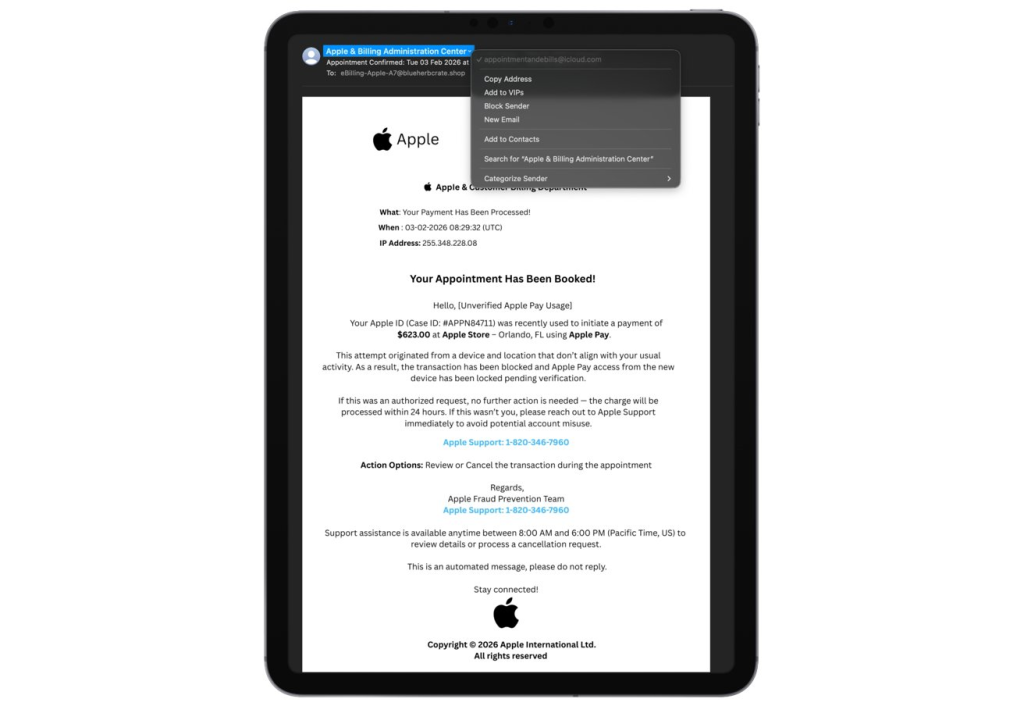
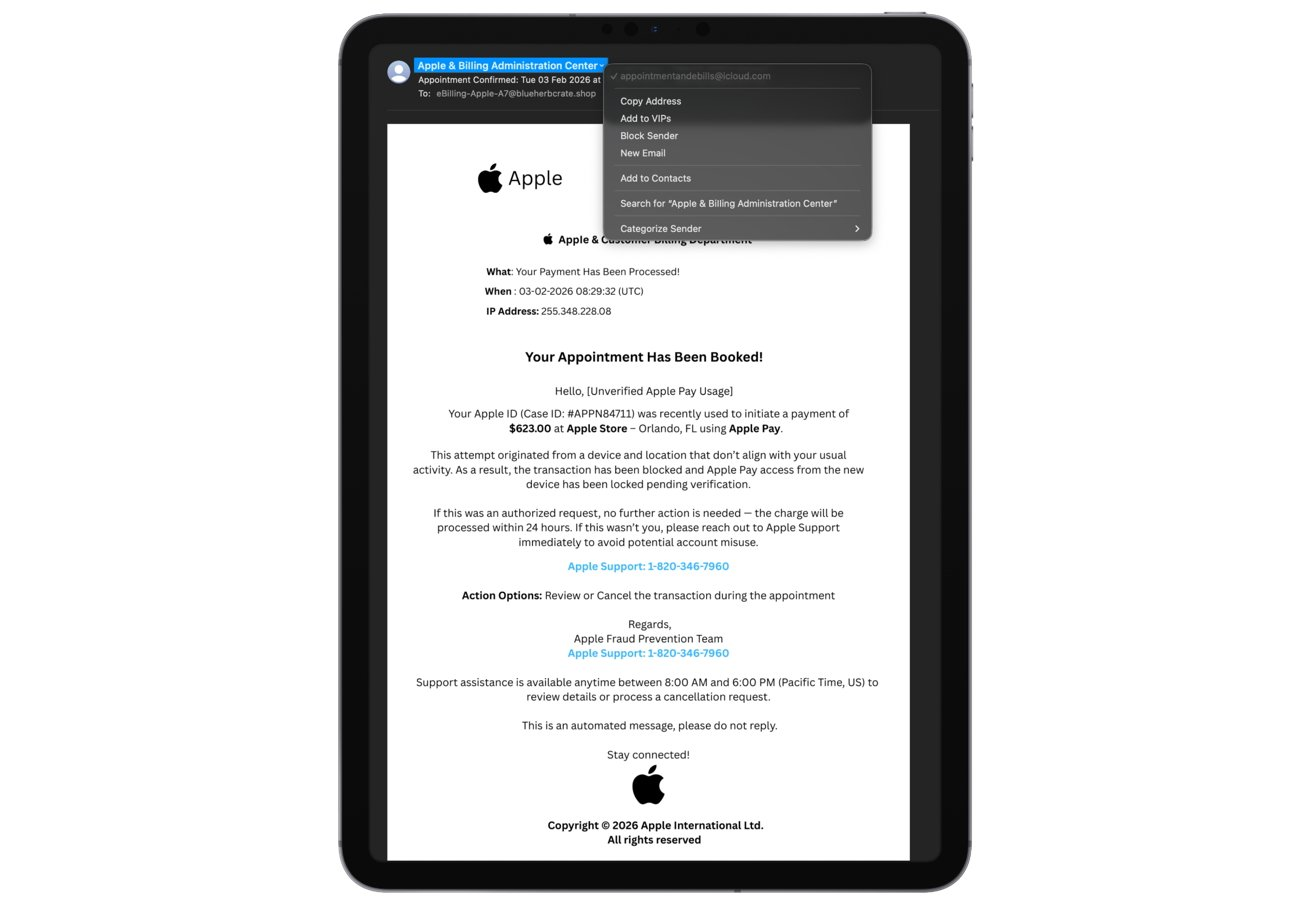
The primary red flag is the request to call a phone number, as Apple does not initiate fraud resolution through unsolicited emails that demand a phone call.
A quick online search of the provided number will typically reveal it has no affiliation with Apple's official support channels. However, there is at least one case of a Google AI scam that shows fake customer service numbers in AI-powered search summaries.
Cybersecurity for Apple Users: Best Practices
Apple users should remain vigilant. The fundamental defense is to never click links, download attachments, or call phone numbers from unsolicited emails.
If you receive a suspicious alert:
- Verify its authenticity by logging into your Apple account through the official website or checking transaction history directly on your iPhone.
- Do not provide credentials or verification codes to anyone over the phone who initiated contact.
- Report any suspicious messages to Apple and then delete them to mitigate risk.
In January last year, an Apple iMessage phishing campaign asked users to disable built-in protection by replying to texts.
Related


Get expert insights on threats, breaches, scams, and security trends — delivered every Monday.
Most Popular
Get expert insights on threats, breaches, scams, and security trends — delivered every Monday.
Most Popular